Your SDRs spent Monday building a list. By Wednesday, a fifth of the emails had bounced, two "decision-makers" had changed jobs, and the few replies said "wrong person." The effort was fine. The data was not.
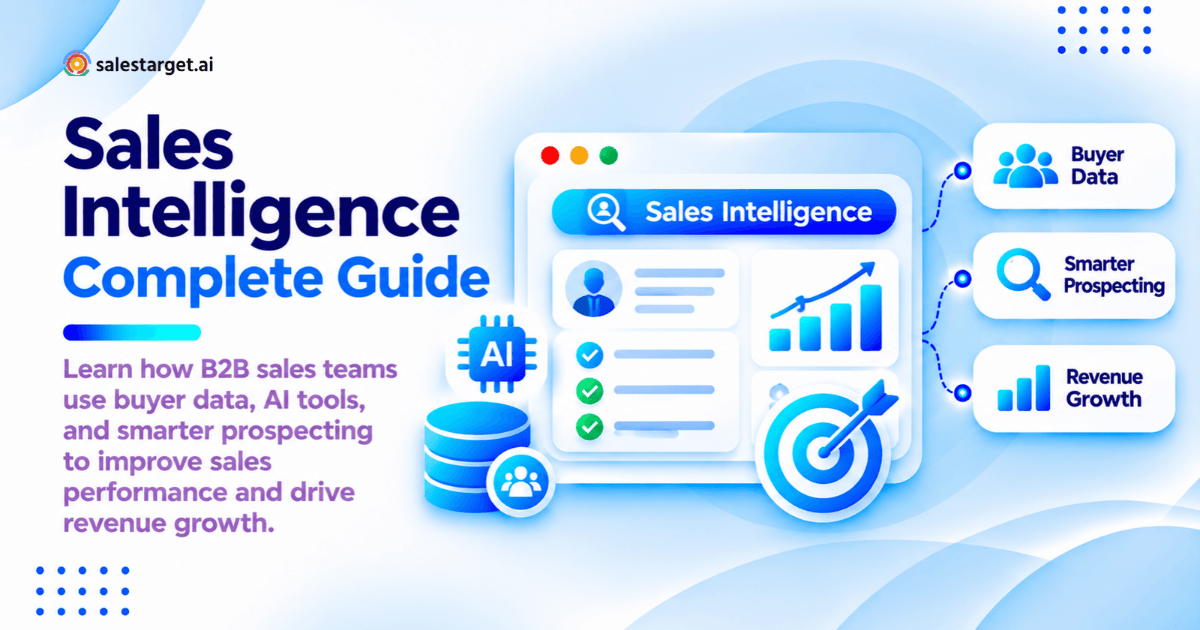
Sales intelligence is the practice of collecting, verifying, and analyzing data about companies and buyers so sales teams know who to contact, when to reach out, and what to say. It joins company facts, contacts, signals, and engagement history into one view of each prospect.
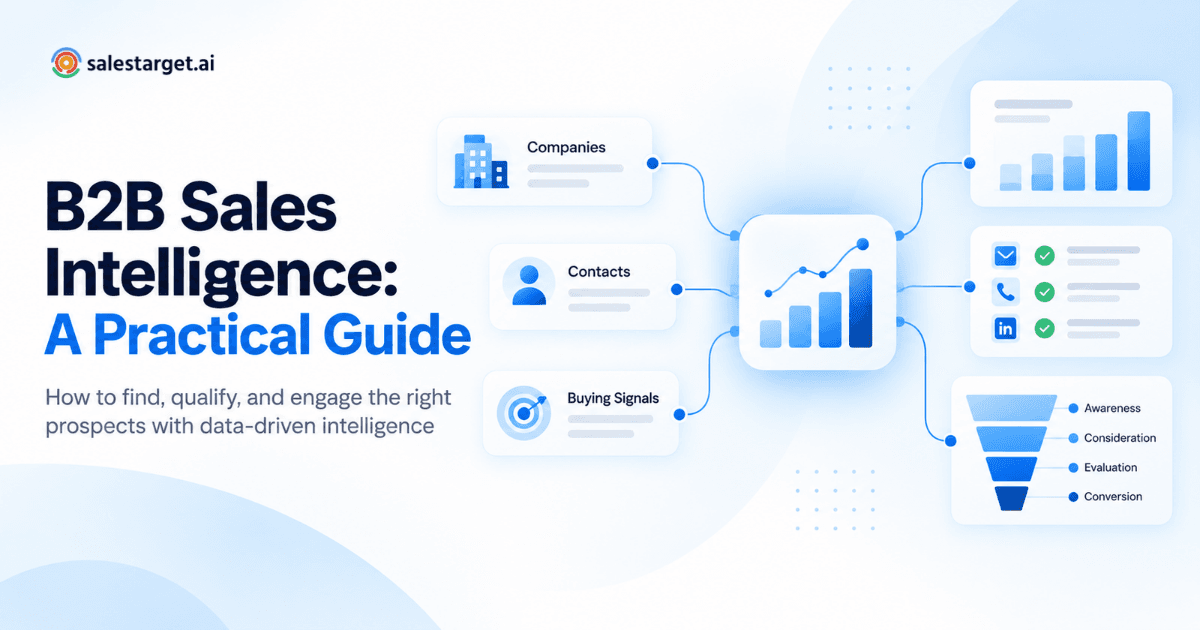
For a shorter primer, read our practical guide to B2B sales intelligence.
Sales Intelligence in Modern B2B Sales
Sales Intelligence Definition and Its Role in Modern Selling
Sales intelligence is decision-ready buyer data: verified contacts, company facts, and timing signals. It points selling hours at accounts ready to buy.
The Evolution From Traditional Prospecting to Intelligence-Driven Sales
Old-school prospecting ran on bought lists and volume. Intelligence-driven selling starts with fit and timing. 6sense's 2025 Buyer Experience Report found the winning vendor sits on the buyer's Day One shortlist 95% of the time. Early and relevant beats loud.
Sales Intelligence vs. Sales Analytics vs. Revenue Intelligence
Sales intelligence looks outward at prospects: who to target and when. Sales analytics looks inward at activity and quota numbers. Revenue intelligence studies live deals to forecast and coach.
The Relationship Between Buyer Data, Sales Decisions, and Revenue Growth
Every revenue number traces back to a targeting decision. Accurate data picks better accounts, which book more meetings and grow pipeline without new headcount.
How Sales Intelligence Works Across the B2B Sales Process
Collecting Contact, Company, and Market Data
Data comes from company registries, profiles, websites, job posts, and news. Salestarget.ai's Lead Explorer draws on 50+ data sources.
Enriching and Verifying Prospect Information
Enrichment adds missing fields like email, mobile, and title; verification checks they still work. The catch vendors skip: a contact verified at scrape time eight months ago is not verified today. Lead Explorer verifies at the moment you enrich.
Identifying Buying Signals and Account Activity
Buying signals raise the odds of a purchase: funding, hiring spikes, leadership changes, new tools, and research surges. Lead Explorer tracks Bombora Intent Topics and business events over a 30 to 90 day lookback.
Turning Sales Data Into Actionable Buyer Insights
Data becomes insight when it gives a rep a reason to call this week. "Raised a Series B and hiring five SDRs" is an insight. "Employees: 200" is a field.
Connecting Prospect Intelligence With Outreach and CRM Workflows
A verified lead should move straight into an email and LinkedIn sequence, then the CRM, with no CSV export. In Salestarget.ai, it never leaves one workspace.
The Core Types of Sales Intelligence Data
Firmographic Intelligence for Account Targeting
Firmographic data describes the company: industry, headcount, revenue, location, and stage. It tells you whether an account can buy.
Technographic Intelligence for Market and Product Fit
Technographic data shows a company's software. It reveals fit (they run a tool you integrate with) and switching chances (they run a competitor you beat). Lead Explorer filters by tech stack directly.
Contact Intelligence and Decision-Maker Identification
Contact intelligence maps the people: role, seniority, department, and verified channels. Find the economic buyer plus two or three influencers per account. Single-threaded deals die when one person goes quiet. See how teams turn B2B contact data into qualified prospects.
Buyer Intent Data and Sales Trigger Events
Intent data shows which accounts research topics tied to your product; trigger events show change inside them. One warning: third-party intent is account-level, so never write "I saw you researching X" to one person. Write to the problem.
First-Party Engagement and CRM Intelligence
First-party data is your own record of replies, calls, meetings, and past deals. It is your most accurate signal, and most teams never feed it back into targeting.
Data Quality, Accuracy, and Contact Enrichment
HubSpot's database decay model puts B2B contact decay at about 2.1% a month, roughly 22.5% a year. Enrich close to send time and validate before every campaign. See how B2B contact data and sales intelligence tools help SDRs.
The Business Impact of Sales Intelligence on B2B Revenue Teams
Improving Prospect Discovery and Target Account Selection
Sales intelligence shrinks a market of thousands to the few hundred accounts that fit your ICP and show live activity.
Reducing Manual Research and Data Management
Salesforce's State of Sales report found reps spend 70% of their time on non-selling tasks. Automated enrichment and activity logging hand much of that time back.
Building a More Qualified Sales Pipeline
Pipeline quality rises when every lead passes fit, verification, and signal checks before any sequence. AEs then meet buyers who can actually buy.
Improving Buyer Engagement and Sales Productivity
Relevant outreach gets answered. Gartner found 73% of B2B buyers actively avoid suppliers who send irrelevant outreach. Read how sales intelligence tools help B2B sales teams.
Sales Intelligence Applications for SDRs, AEs, and Sales Leaders
SDRs use it to build lists and personalize first touches. AEs map buying committees. Leaders set territories and spot pipeline gaps early. See how a sales intelligence platform helps sales teams.
AI-Powered Sales Intelligence and Data-Driven Decision Making
AI-Assisted Prospect Research and Buyer Discovery
AI turns plain English into filtered searches. Type "VPs of Sales at US SaaS companies with 50 to 200 employees hiring SDRs" into Lead Explorer and get a matching list, no filters needed.
Predictive Sales Intelligence and Lead Prioritization
Predictive models score accounts on similarity to past wins and current signal strength. Reps call the likeliest buyers first.
Automated Data Enrichment and Prospect Segmentation
Automation enriches leads on arrival and segments them by persona, industry, size, or signal, so a CFO and a RevOps manager never receive the same email.
AI-Based Buyer Engagement and Message Personalization
AI drafts from prospect data like role, company news, and tech stack. Salestarget.ai's AI Copilot writes full sequences with A/B variations, and the AI Spintax Generator varies wording so sends read as human.
The Role of Human Judgment in AI Sales Intelligence
AI ranks and drafts. People decide. Reps review high-value messages, question odd scores, and own strategy. AI can flag an at-risk deal; a human still picks up the phone.
Building a Sales Intelligence Strategy for B2B Growth
Defining Sales Goals and Ideal Customer Profiles
Start with a number: meetings per month, pipeline created, or win rate. Then build the ICP from what your last 20 closed-won deals share.
Identifying High-Value Accounts and Buyer Personas
High-value accounts match the ICP and have budget, urgency, and reachable decision-makers. Name two or three personas each, with distinct pains.
Selecting Relevant Data Sources and Sales Signals
Pick the five or six signals that preceded past deals, not every signal a vendor sells. If you sell to sales teams, "hiring SDRs" beats generic company growth.
Creating an Account and Prospect Prioritization Framework
Use three tiers. Tier 1 (fit plus active signal) gets researched, multichannel outreach. Tier 2 (fit, no signal) gets lighter sequences. Tier 3 goes to nurture.
Integrating Sales Intelligence With Existing Sales Processes
Plug intelligence into the CRM stages, handoff rules, and task views reps already use. A new tab reps must remember gets ignored within a month.
Building a Continuous Data Review and Improvement Process
Review monthly. Compare the segments that booked meetings against your forecast. Then read the "Not a Fit" replies: they show exactly where your ICP is wrong.
The B2B Sales Intelligence Prospecting Framework
Step 1 — Identify Target Markets and Ideal Customer Profiles
Start with one narrow segment. "Series A to C SaaS companies in North America with 5 to 30 sales reps" produces a workable list. "Tech companies" does not.
Step 2 — Build Account Lists Using Firmographic and Technographic Filters
Stack filters for industry, headcount, revenue, location, and tech stack. Lead Explorer's ICP Builder saves them so every rep pulls from one definition.
Step 3 — Find and Verify Decision-Maker Contact Information
Add People filters for role, seniority, and department, then enrich in one click for verified email, phone, and mobile. Treat catch-all domains as risky: they pass basic checks yet still bounce, so send in small batches.
Step 4 — Analyze Account Activity and Buying Signals
Check each account for intent topics and recent events, then weight by recency. A hiring spike from last week beats a funding round from three months ago.
Step 5 — Segment Prospects by Sales Readiness and Business Fit
Split leads into hot (fit plus fresh signal), warm (fit, no signal), and long-term. Each group gets its own sequence, cadence, and angle.
Step 6 — Create Personalized Email and LinkedIn Outreach Campaigns
Push each segment into a multichannel sequence: email, LinkedIn connection request, then follow-ups that branch on replies. Salestarget.ai runs both channels in one flow, so context carries across.
Step 7 — Track Prospect Engagement and Manage Qualified Leads in CRM
Replies land in Unibox, sorted by intent, and sync to the built-in CRM, where positive replies create follow-up tasks automatically. Want all seven steps in one workspace? Start free with Salestarget.ai.
Buyer Intent Intelligence and Predictive Lead Scoring
Buyer Intent Signals Across the B2B Buying Cycle
Early signals: topic research and content reads. Mid-cycle: competitor comparisons and new hires in the buying team. Late: replies, meeting requests, and trial sign-ups.
Identifying High-Intent Accounts and Sales-Ready Prospects
A high-intent account shows two or more independent signals within 30 days. One signal is noise; a topic surge plus a new VP of Sales is a pattern. Learn how a B2B sales intelligence platform reveals buyer intent.
Combining Account Fit, Engagement, and Buyer Intent
Fit says they can buy. Intent says they are looking. Engagement says they know you. A hot account with poor fit still wastes the rep's week.
Building a Practical B2B Sales Intelligence Lead Scoring Model
A simple 100-point model reps will trust:
| Factor | Points |
|---|---|
| ICP fit (industry, size, region) | 30 |
| Intent topic surge, last 30 days | 20 |
| Decision-maker seniority | 15 |
| Trigger event, last 30 days | 15 |
| Verified email and phone | 10 |
| Reply or meeting booked | 10 |
| Negative signal (layoffs, hiring freeze) | −20 |
Most models only add points. Subtracting for negative signals keeps struggling accounts off the hot list. More on using sales intelligence for B2B lead scoring.
Using Lead Scores to Prioritize Outreach and Follow-Ups
Scores above 70 get a same-day personal touch, 40 to 70 enter a standard sequence, and anything lower goes to nurture. Re-score weekly, since signals expire.
Turning Sales Intelligence Into Personalized Buyer Engagement
Using Buyer and Company Insights to Create Relevant Sales Messages
Relevance is one account fact tied to one problem you solve. "Saw you're hiring six SDRs; new reps tend to lose their first weeks to list building" beats any compliment about a LinkedIn post.
Personalizing Cold Email Outreach With Verified Prospect Data
Personalization is wasted on a bounce. Validate first, then personalize. Google and Yahoo require bulk senders to authenticate with SPF, DKIM, and DMARC and keep spam complaints under 0.3%.
Applying Sales Intelligence to LinkedIn Prospecting
Write connection notes that reference something real, then follow up with value, not a pitch. Salestarget.ai adds human-like delays and rate limits to protect your account.
Aligning Sales Messaging With Buyer Needs and Account Activity
Match the message to the signal. Funding calls for a growth angle, a new leader for a first-90-days angle, and a competitor in the stack for a switching angle.
Managing Multichannel Follow-Ups and Buyer Conversations
A prospect who replies "not now" by email should not get a LinkedIn pitch an hour later. Conditional sequences in Salestarget.ai stop or branch the moment someone replies anywhere.
Converting Prospect Engagement Into Qualified Sales Opportunities
An interested reply is not yet an opportunity. Confirm the problem, the timeline, and who else decides. Then book the meeting and set the CRM stage.
Sales Intelligence Best Practices for Consistent Pipeline Growth
Maintaining Accurate and Updated B2B Contact Data
Re-verify any contact older than 90 days before it enters a sequence. Watch job changes too: a champion who moves is a lost contact at one account and a warm lead at the next.
Prioritizing Relevant Buyer Signals Over Contact Volume
Two hundred contacts with live signals outbook two thousand without. Volume hides bad targeting until your domain reputation pays for it.
Aligning Sales Intelligence With ICP and Account Segmentation
Tie every saved search to a named ICP segment. If a rep can't name a lead's segment, it stays out of sequences.
Connecting Prospect Research With Sales Outreach Activities
Store the signal and message angle on the lead record, so the email, follow-up, and call share one context.
Reviewing Sales Engagement and Qualification Outcomes
Monthly, compare positive reply rate and meetings by segment and signal. Cut what doesn't book and scale what does. More in our B2B sales intelligence best practices guide.
Maintaining Data Privacy and Responsible Prospecting Practices
Follow GDPR, CCPA, and CAN-SPAM. Prospect on legitimate interest, include a simple opt-out, honor removals across every channel, and keep only the data you use.
Sales Intelligence for Go-to-Market Planning and Revenue Operations
Connecting Sales Intelligence With GTM Strategy
Sales intelligence sizes each GTM segment, shows where buyers are active, and tests messages before a full launch. See what GTM and sales intelligence tools B2B companies use.
Using Account Data to Support Sales and Marketing Alignment
Shared account lists end the lead-quality argument. When sales and marketing work the same ICP tiers and signals, ads warm up the accounts reps are about to call.
Building a Shared Buyer Intelligence Process Across Revenue Teams
Agree on one ICP, one scoring model, and one system of record. Sales adds win and loss reasons, marketing adds engagement, and customer success adds expansion signals. Read the complete guide to GTM and sales intelligence tools for B2B revenue teams.
Sales Intelligence Applications in Revenue Operations
RevOps uses sales intelligence for territory design, lead routing, data hygiene, and capacity planning. It shows how many reachable, in-fit accounts each rep really has.
Structuring a GTM Technology Stack Around Buyer Data and Sales Execution
Build around one buyer data layer that feeds outreach and the CRM directly. Salesforce research found sales teams use an average of 10 tools to close deals, and every handoff is where data breaks. Compare the best GTM and sales intelligence tools.
Measuring Sales Intelligence Performance and Revenue Impact
Key Sales Intelligence KPIs and Performance Metrics
Track bounce rate, reply rate, positive reply rate, meetings booked, SQLs, pipeline created, and win rate. Add cost per verified conversation; it says far more than cost per contact.
Measuring Contact Data Accuracy and Lead Quality
Watch hard bounces (keep them under 2%), wrong-person replies, and lead-to-SQL rate. Salestarget.ai's Email Validator runs MX and SMTP checks before anything sends.
Tracking Prospecting Efficiency and Time Saved
Time list building, enrichment, writing, and logging before and after rollout. The Salestarget.ai CRM saves about 6 hours per rep per week through auto-logging and automatic tasks.
Measuring Sales-Qualified Leads and Pipeline Conversion
Track each stage: contacted to replied, replied to meeting, meeting to SQL, SQL to closed. The weakest step shows what needs work.
Calculating Sales Intelligence ROI and Software Value
ROI = (attributed revenue + value of hours saved − total tool spend) ÷ total tool spend. Value hours at loaded hourly rates, and switch from pipeline to closed revenue after two quarters of data.
Improving Sales Intelligence Workflows Based on Performance Data
Change one variable at a time (a filter, signal weight, or angle), run it two weeks, and keep only what lifts meetings.
Common Sales Intelligence Challenges and Implementation Mistakes
Outdated Contact Records and Incomplete Company Data
Old records bounce, hurt sender reputation, and reach people who have left. Verify at enrichment and again after 90 days.
Poor Prospect Segmentation and Weak ICP Alignment
Broad segments force generic copy, and generic copy gets ignored. If one sequence covers three industries, split it.
Misinterpreting Buyer Intent and Engagement Signals
An open is not interest. Privacy features and security scanners trigger opens automatically. Count clicks and replies as engagement, and treat a single intent spike as a hint.
Disconnected Sales Intelligence and CRM Systems
When leads live in one tool and deals in another, reps re-key data, duplicates pile up, and reports stop matching. Native sync or one platform closes the gap.
Overdependence on AI-Generated Prospect Insights
AI can misread a job title or invent a plausible pain. Spot-check AI research, and never send AI copy to Tier 1 accounts without a human read.
High Software Costs Without Measurable Sales Outcomes
Teams buy data, sequencing, validation, and CRM separately, then can't tie any to revenue. Set a target metric per tool before buying, and cut what misses it after two quarters.
The Sales Intelligence Technology Stack for Modern B2B Teams
B2B Contact Data and Enrichment Tools
Contact data tools supply verified emails, phones, and firmographics. Judge them on accuracy in your market, not database size. Compare the best sales intelligence tools for B2B contact data.
Buyer Intent and Account Intelligence Tools
Intent tools track research and account events. Check the source, the freshness, and whether signals appear inside your prospecting tool.
AI-Powered Sales Prospecting and Automation Software
Prospecting software uses AI to search, enrich, score, and build lists from a plain-language ICP description.
Sales Engagement and Multichannel Outreach Tools
Engagement tools run sequences across email, LinkedIn, and phone. Look for inbox warm-up, rotation, conditional branching, and one shared inbox for replies.
CRM and Revenue Intelligence Integrations
Two-way sync with HubSpot, Salesforce, or Zoho keeps fields current in both systems. See the complete guide to sales intelligence tools for B2B sales teams.
Selecting Tools Based on Sales Team Size and Workflow Requirements
A solo founder needs data, outreach, and CRM in one platform. A team of 10 to 50 reps needs shared lists, roles, and reporting. Enterprises add governance and deep CRM sync. Here are 8 sales intelligence tools matched to how you sell.
Sales Intelligence Platforms and Unified Sales Workflows
Core Components of a B2B Sales Intelligence Platform
A complete platform covers five jobs: find leads, enrich and verify them, detect signals, run outreach, and track deals. See how a sales intelligence platform fits together.
Connecting Buyer Data, Prospect Research, and Sales Activity
A signal should start a sequence, a reply should create a task, and a meeting should move a deal stage, with no manual steps.
Unified Sales Intelligence vs. Standalone Sales Tools
Standalone tools do one job and leave the wiring to you. Apollo pairs data with engagement, but you still bolt on deliverability and a CRM. Instantly, Smartlead, and Lemlist focus on cold email with no native B2B database, LinkedIn automation, or real CRM. See why revenue teams are moving to a unified sales intelligence platform.
CRM Integration, Data Synchronization, and Team Collaboration
Look for real-time sync, deduplication, owner assignment, and a shared pipeline view. Visible lead ownership stops two reps from emailing the same prospect.
Matching Sales Intelligence Platforms to Revenue Team Requirements
Outbound-heavy teams need data, multichannel outreach, and CRM in one place. Inbound-led teams need enrichment and routing more than sequencing.
Selecting the Right Sales Intelligence Software for Your Business
Evaluating B2B Contact Data Coverage and Accuracy
Test before you trust. Pull 100 contacts from your ICP, verify them, and count bounces and wrong-person matches.
Comparing Prospecting, Enrichment, and Intent Intelligence Features
Compare filter depth, enrichment fields, intent sources, and signal freshness. Ask whether verification happens at search time or comes from an old cached record.
Reviewing AI Automation and Multichannel Outreach Capabilities
Check AI list building, sequence writing, personalization, and LinkedIn safety controls. Ask the vendor to build a live sequence for your ICP during the demo.
Assessing CRM Integrations, Data Privacy, and Team Controls
Confirm native integration with your CRM, GDPR and CCPA support, role-based permissions, and private workspace data.
Comparing Subscription Pricing and Total Cost of Ownership
Add the extra tools you'd still need, setup time, admin hours, and bounced-data waste to the subscription. One platform on one bill replaces several renewals.
Building a Vendor Evaluation Scorecard
Score vendors 1 to 5 per row, multiply by weight, and compare totals.
| Criterion | Weight |
|---|---|
| Data accuracy in your ICP | 25% |
| Outreach and deliverability | 20% |
| Intent and buying signals | 15% |
| CRM sync and integrations | 15% |
| AI and automation | 10% |
| Ease of use and adoption | 10% |
| Privacy and team controls | 5% |
Go deeper with how to choose the best sales intelligence tools.
Choosing a Sales Intelligence Platform Based on Business Requirements
Pick the platform that fits your motion, team size, and data needs for the next 18 months. Run a two-week pilot on live campaigns before you sign. See the best sales intelligence platform for B2B sales teams.
Why Choose Salestarget.ai for B2B Sales Intelligence
Salestarget.ai is an all-in-one AI sales intelligence and outbound platform.
Discovering Target Accounts and Decision-Makers With Lead Explorer
Lead Explorer is a prospecting tool that helps businesses identify potential customers by accessing professional profiles and company information. It uses intent signals collected from various sources to identify businesses and individuals who may be actively interested in specific products or services. Users can apply and combine Business and People filters, including Bombora Intent Topics, to find relevant prospects based on their industry, company details, job roles, interests, and buying intent.
Finding B2B Contact Information and Verifying Email Addresses
One click returns verified work email, personal email, phone, and mobile, checked at the moment of enrichment. The Email Validator adds MX and SMTP checks, disposable-email detection, and risk scoring.
Building Personalized Email and LinkedIn Outreach Campaigns
Email Outreach builds multi-step sequences from a plain-English audience description, with unlimited inboxes, AI warm-up, and inbox rotation. LinkedIn Outreach runs connection requests and DMs in the same flow.
Tracking Replies, Sales Activities, and Deals Through CRM and Unibox
Unibox gathers every reply into one view, sorted as Interested, Follow-Up, or Not a Fit. The CRM logs every email and call, creates follow-up tasks automatically, and syncs with HubSpot, Salesforce, and Zoho.
Using AI Copilot to Support Prospecting, Campaigns, and Sales Workflows
AI Copilot is a conversational sales teammate. Ask it in plain language to find leads, write a sequence, check deals and tasks, or flag at-risk opportunities.
Bringing Prospect Data, Outreach, and Pipeline Management Into One Platform
Find a lead, enrich it, push it into an email and LinkedIn sequence, and close it in the CRM without a single CSV. Salestarget.ai reports 2.4X more meetings from the same leads and 3.2X faster deal cycles with its CRM.
A Practical 90-Day Sales Intelligence Implementation Roadmap
Days 1–30 — Define ICPs, Audit Data, and Establish Sales Performance Benchmarks
Write one or two ICPs from closed-won deals. Validate existing CRM contacts and remove dead records. Record current bounce, reply, and meeting rates as your baseline.
Days 31–60 — Build Prospect Lists, Apply Lead Scoring, and Run Targeted Campaigns
Build lists in Lead Explorer, apply the scoring model, and launch two or three segmented email and LinkedIn campaigns. Keep segments small enough to read every reply.
Days 61–90 — Review Buyer Engagement, Improve Workflows, and Expand Prospecting
Compare results with your baseline. Cut segments that don't book, add volume to those that do, and test one new segment or signal.
Assigning Team Responsibilities and Tracking Implementation Progress
RevOps owns data and scoring. SDRs own sequences and replies. AEs own qualification feedback. The sales leader reviews progress every two weeks. Ready for day one? Try Salestarget.ai free.
Conclusion — Building a Smarter B2B Sales Process With Sales Intelligence
Bounced emails, generic outreach, and hours of manual research share one cause: reps working without reliable buyer intelligence. Sales intelligence fixes it by showing your team who fits, who is in market, and what to say.
Salestarget.ai runs that workflow in one place: Lead Explorer finds and verifies the right people, Email and LinkedIn Outreach reach them, and the CRM and AI Copilot keep every deal moving. No stitched tools, no CSV exports, no stale lists.
If your team is done with dead contacts and quiet pipeline weeks, start prospecting with Salestarget.ai today.