Find Qualified Leads.
Anywhere in One Click.
Discover verified decision-makers and build qualified lead lists without leaving LinkedIn or your browser.
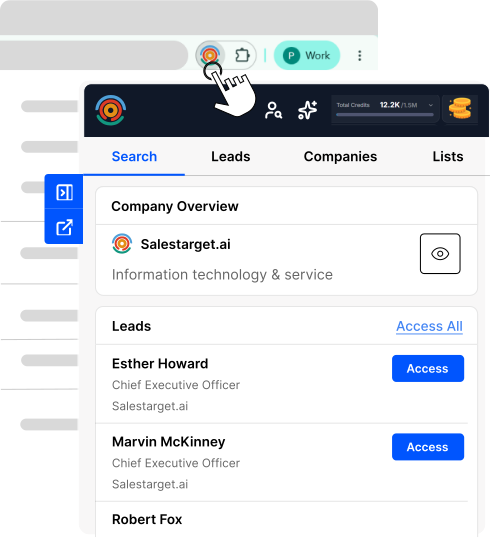
Everything You Need to Find &
Enrich B2B Prospects




Open Browser
Extension Detects
Shows Data
Save Leads
Lead Explorer is your on-page research engine. Auto-detect contacts, reveal verified data, and take action instantly-all from a sleek Chrome sidebar.
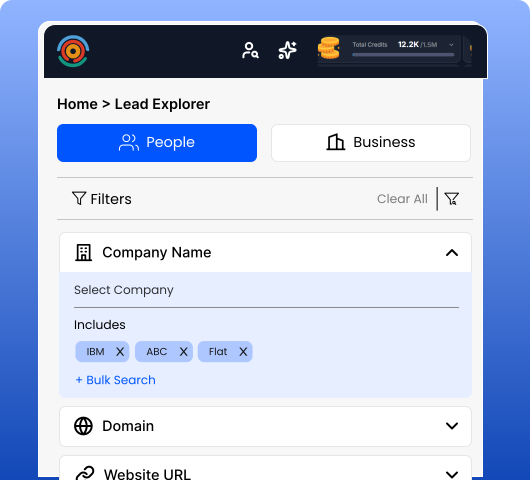
Enter a Domain or Use Advanced Filters
Search like a pro. Enter a company domain or filter by job title, seniority, department, location, company size, and industry. Get the right people instantly.
Same powerful Lead Explorer that powers SalesTarget's web app — now in a convenient side panel.
 No complicated setup
- Rich filters
- Real-time results
- Verified data
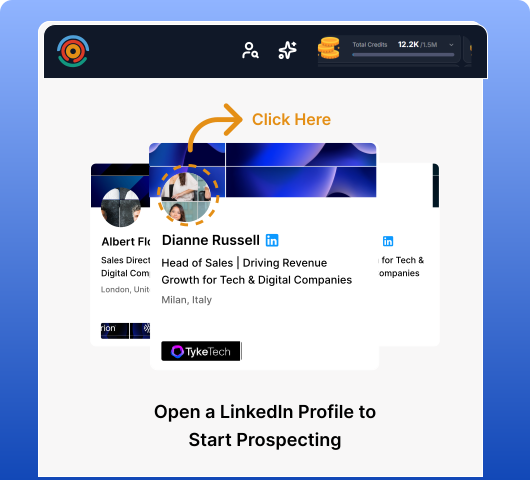
One Click. Verified Email & Phone Revealed.
Open any LinkedIn profile. The extension auto-detects the person and instantly reveals:
- Verified email address
- Direct phone number
- Company & job title
- Location
No copying. No pasting. No switching tabs. Everything you need is right there.
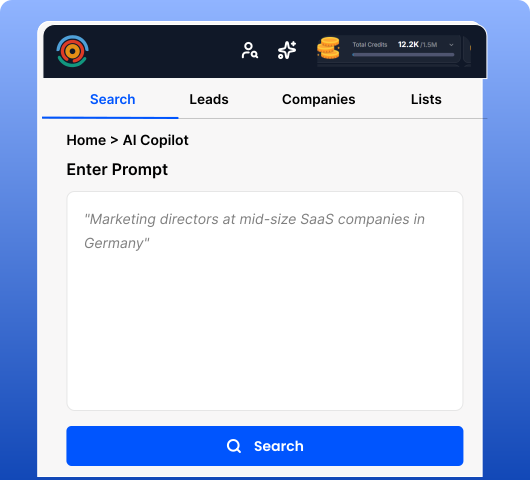
Describe Who You Want. AI Finds Them.
Don't want to click through filters? Just type what you're looking for in plain English: 'Marketing directors at mid-size SaaS companies in Germany'. Our AI Copilot translates that into precise search criteria and finds your exact prospects.
- Natural language search
- AI-powered accuracy
- Saves time
- Finds niche profiles
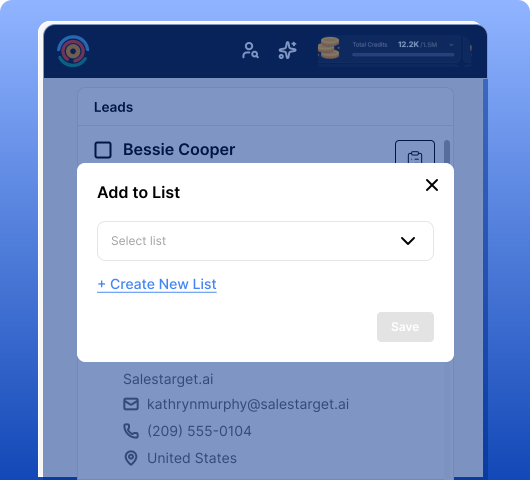
Save Prospects. Organize by Campaign.
Found a prospect? Click one button to add them to your SalesTarget lists. Organize by campaign, region, or account. Everything syncs instantly with your SalesTarget account, so your entire team works from the same, up-to-date list.
- One-click saves
- Instant sync
- Team alignment
- Organized prospecting
Why Choose SalesTarget Lead Explorer?
Verified, Up-to-Date Contact Data
Works Where You Already Work
One Account Across Extension + Web App
Sign In With Google in Seconds
Trusted by Sales Teams Worldwide
Found the Right Lead? Now Reach Them.
Lead Explorer gets you verified emails. The full SalesTarget platform helps you convert them. When you're ready to move beyond finding emails—and start closing deals—SalesTarget's full platform brings everything together.
Send Email + LinkedIn Sequences
Call Leads with Built-In Dialer
Manage Deals in Your CRM
Everything stays connected. One workflow. One platform.
Get Started in 3 Simple Steps
Install the Extension
Click the 'Start 7-Day Free Trial' button. It takes 30 seconds. No setup required.
Sign In With Your Google Account
Use your Google account to sign in instantly. Your lists and data sync automatically.
Open LinkedIn & Start Prospecting
Click on any LinkedIn profile. The extension auto-detects the person and shows their verified email & phone. Add to your list. That's it.
Quick Answers
Click 'Start 7-Day Free Trial' on this page. It'll take you to the Chrome Web Store. Click 'Add to Chrome' and you're done. No setup required. Sign in with your Google account and start prospecting.
Yes — the Lead Explorer Chrome extension is free to install and comes with a 7-day free trial. You can start finding and revealing verified contacts without entering a credit card.
Every email and phone number is checked against multiple data sources before it's shown, so you get accurate, deliverable contact info instead of guesses or bounces.
Yes. The extension works anywhere in Chrome — LinkedIn profiles, company websites, Google searches, and recruitment sites — so you can prospect straight from your browser.
You'll need a SalesTarget account to save leads and sync data. Signing in takes seconds with your Google account, and your lists stay in sync with the web app.
Yes. Everything syncs instantly with your SalesTarget account, so your whole team works from the same up-to-date lists and contact data.
If a verified email isn't available, the extension shows you the best available data and never charges you for contacts it can't verify.
Yes. The extension only activates when you open it, uses secure Google sign-in, and never posts or messages on your behalf.

Still have questions?
Can't find the answer you're looking for? Please
Start Finding Decision-Makers Today
Find verified B2B prospects. Build qualified lead lists. Close deals faster. The Lead Explorer Chrome extension is free. Install it now.
Questions? See the FAQ above or email support@salestarget.ai