Every outbound program lives or dies by the same thing: the quality of the contacts your team is actually reaching. You can have sharp messaging, a well-tuned offer, and a disciplined sequence - but if the emails bounce, the phone numbers go nowhere, and the job titles are two years out of date, none of it matters.
That is why B2B teams are spending more time evaluating the best sales intelligence tools for B2B contact data than ever before. The category has grown far beyond simple contact lists. Modern sales intelligence platforms combine verified contact information, company firmographics, technographics, and buyer intent signals into a single research surface - one your SDRs, BDRs, and account executives can use to build a pipeline instead of chasing dead ends.
This guide walks through what these tools actually do, what to look for, how a handful of the most established options compare, and how to turn clean B2B contact data into a prospecting workflow that produces meetings rather than manual work.
What Is a Sales Intelligence Tool?
A sales intelligence tool is a platform that helps sales teams discover, research, and prioritize prospects using accurate B2B contact and company data. Instead of stitching together a scraper, a spreadsheet, and an email verifier, a sales intelligence platform gives you a searchable database of businesses and decision-makers, enriched with details like job title, seniority, department, company size, revenue, tech stack, and - increasingly - buying signals.
The simplest way to think about the difference: a basic B2B contact database tells you who exists. A sales intelligence platform tells you who to reach, why to reach them now, and how to contact them. That distinction matters. A list of ten thousand names is not a pipeline. A shortlist of two hundred contacts who fit your ICP and just triggered a relevant event is.
If you want a deeper look at how these platforms fit into a sales org's day-to-day, this walkthrough of how sales intelligence platforms help sales teams is a good next read.
Why B2B Contact Data Matters for Sales Teams
Accurate B2B contact data is the raw material of every outbound motion. When the data is clean, personalization is easier, deliverability holds up, calls connect, and reps spend their time selling. When it is messy, the entire pipeline pays the tax.
A few concrete ways this shows up in real sales orgs:
- Deliverability. Sending to unverified or catch-all inboxes drives bounces up and sender reputation down. Once your domain is flagged, even your good emails stop landing.
- Reply rates. Reaching a director who is actually in-role, at the right kind of company, in a market where your solution matters, produces conversations. Reaching a stale contact produces silence.
- Productivity. SDRs should not spend hours a day scrubbing lists. Good data lets a rep move from research to outreach in the same session.
- Segmentation and personalization. Firmographic and technographic details are what let you write a message that sounds like it is for a specific buyer instead of a generic persona.
- Pipeline coverage. Reliable data is what makes an outbound forecast credible. If half the accounts on the target list cannot actually be reached, the coverage number is fiction.
The reason the best sales intelligence tools for B2B contact data get so much attention is straightforward: everything downstream - deliverability, meetings, opportunities, revenue - is a function of what happens at the top of the funnel.
What to Look for in a Sales Intelligence Tool
Every vendor's homepage sounds impressive. The real question is what is underneath. When you evaluate a sales intelligence platform, a few criteria matter more than the rest.
Contact and company coverage. How many businesses and professionals are actually in the database, and how deep does it go in the regions and industries you sell to? A large global number is not automatically useful if your ICP is French mid-market fintech.
Data accuracy and verification. Contact data decays. Roles change. Companies restructure. Look for platforms that verify contact information - especially email and phone - at the point you enrich the record, not just when it was originally scraped. Point-of-enrichment verification is a much better signal than a static "verified" badge from an unknown date.
Contact enrichment. Good enrichment adds business email, personal email, mobile and direct-dial phone, seniority, department, company firmographics, and tech stack. The more of this that lives inside a single record, the less time your team spends jumping between tools.
Search and filtering. ICP-based prospecting is only as good as your filters. You want firmographic filters (industry, size, revenue, geography), people filters (role, seniority, department), technographic filters, and ideally natural-language or AI-assisted search that lets a rep describe a buyer in plain English.
Intent signals. Buyer intent data flags companies that are researching topics related to your solution. Combined with your ICP filters, it is how you separate accounts that fit from accounts that fit and are in-market right now.
Data freshness. How often is the database refreshed? Weekly or continuous updates matter more than sheer volume.
Export and integration. Look at native CRM integrations (HubSpot, Salesforce, Pipedrive, Zoho), outreach tools, and whether the platform can push enriched records directly or forces a CSV export every time.
Ease of use. A tool your reps do not open does not produce pipeline. The interface matters.
Pricing and value. Credit-based, seat-based, and hybrid models are all common. Model your realistic usage - searches, enrichments, exports - against each vendor's pricing rather than headline numbers.
Best Sales Intelligence Tools for B2B Contact Data
There is no universal "best" tool. The right platform depends on your ICP, your region, your workflow, and your budget. Here is a balanced look at options B2B teams commonly evaluate.
SalesTarget.ai Lead Explorer
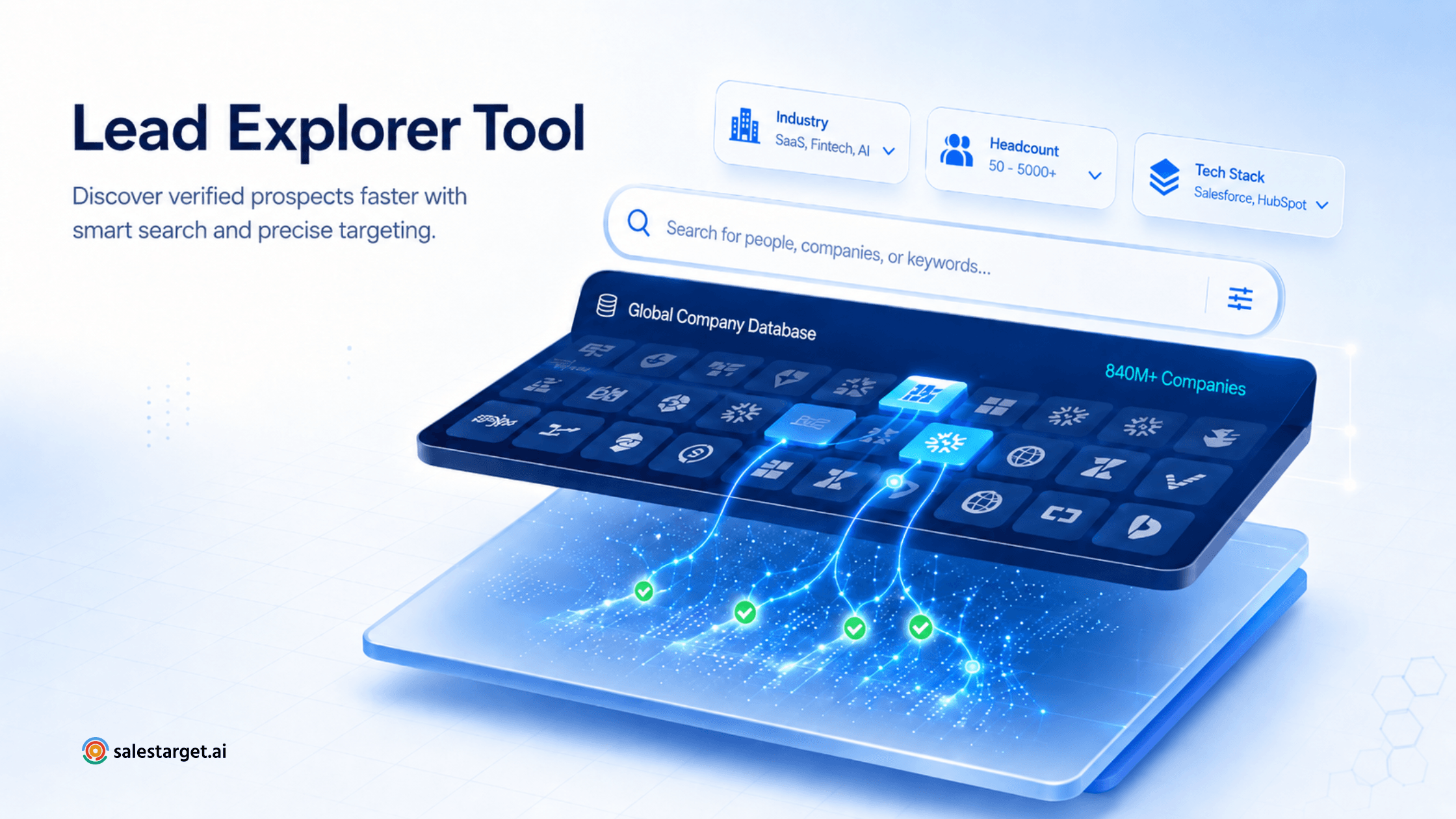
SalesTarget.ai Lead Explorer is a newer entrant that combines B2B contact discovery, one-click enrichment, and buying signals into a single workflow, and connects directly to outreach and CRM. According to the product page, Lead Explorer includes 840M+ professional profiles and 96M+ business entities, with filters spanning industry, role, seniority, company size, revenue, geography, tech stack, and intent topics powered by Bombora.
Best for: Sales and RevOps teams that want prospecting, enrichment, and outreach in one platform without stitching a four-tool stack together.
Strengths: AI-assisted natural language search, one-click enrichment for email and phone data verified at the point of enrichment, intent and real-time business event signals (funding, hiring, leadership changes, awards) with a 30–90 day lookback, and native sync with HubSpot, Salesforce, Pipedrive, and Zoho - plus a built-in CRM for teams that do not have one.
Considerations: Newer to the category than legacy providers; teams with very specific enterprise procurement requirements should validate coverage in their key regions during a trial.
Pintel.ai
Pintel.ai is a B2B sales intelligence platform for GTM teams that helps identify complex ICPs, enrich decision-makers’ contact details, and capture buying signals. Its AI research and qualification agent helps B2B sales and BDR teams build quality prospect lists for outreach.
Best for: B2B sales and GTM teams that need global data coverage and account and lead intelligence to build high-quality target lists.
Strengths: Broad data coverage across the US, EMEA, APAC, GCC, and global markets through waterfall enrichment and partnerships with regional data providers.
Considerations: As a newer platform, Pintel.ai has fewer user reviews than more established providers.
ZoomInfo
ZoomInfo is one of the largest B2B contact databases on the market and is often the default choice for enterprise sales organizations. Its North American coverage is deep, and it offers intent data, org charts, and integrations across most major CRMs and outreach tools.
Best for: Enterprise sales orgs with the budget and process maturity to use a full sales intelligence suite.
Strengths: Broad U.S. coverage, mature intent data product, extensive integrations.
Considerations: Pricing sits at the top of the market, and contracts are typically annual. Smaller teams often find the platform heavier than they need.
Apollo.io
Apollo positions itself as an all-in-one platform: contact database, engagement, and workflows in one product. It has a generous free tier and a sizable global database, which makes it a common pick for startups and mid-market teams that want database plus outreach without buying two separate tools.
Best for: Startups, SMBs, and mid-market teams that want prospecting and sequences bundled.
Strengths: Combined data and engagement, transparent self-serve pricing, active product development.
Considerations: Data quality can vary by region, and phone number coverage is not consistently strong outside core markets.
LinkedIn Sales Navigator
Sales Navigator is not a traditional contact database - it does not hand you emails or phone numbers directly. But for people-first prospecting, its filters, saved searches, and account intelligence are hard to replace. Many teams pair it with an enrichment tool that pulls verified contact details for the profiles it surfaces.
Best for: Reps who prospect socially and account teams doing deep persona research.
Strengths: Unmatched professional graph, near real-time role updates, native Buyer Intent inside LinkedIn.
Considerations: No native email or phone data, and per-seat cost adds up quickly for larger teams.
Cognism
Cognism has built a reputation for compliance-first data in EMEA and strong phone-verified contact information, marketed under a "diamond data" tier. It is often shortlisted by teams selling into Europe where GDPR posture is non-negotiable.
Best for: Teams with a strong EMEA focus or heavy phone-based outbound.
Strengths: Phone-verified contacts, GDPR-aware data practices, solid EMEA coverage.
Considerations: North America coverage, while growing, is often thinner than U.S.-first competitors.
Lusha
Lusha is best known for its Chrome extension, which surfaces contact information as a rep browses LinkedIn or a company site. It is popular with individual SDRs and smaller teams that want quick self-serve lookups without an enterprise contract.
Best for: Individual reps and small teams doing lightweight, ad-hoc prospecting.
Strengths: Fast lookups, low friction, straightforward pricing.
Considerations: Less useful as a bulk search or ICP-driven prospecting engine, and firmographic and intent depth is lighter than dedicated platforms.
Clearbit (HubSpot Breeze Intelligence)
Clearbit has been folded into HubSpot as Breeze Intelligence, and its focus has always been enrichment: taking a record you already have and adding company and person context. That makes it particularly strong for teams already committed to HubSpot who want tighter native enrichment inside their CRM.
Best for: HubSpot-centric revenue teams that want enrichment and reveal-style form intelligence.
Strengths: Deep HubSpot integration, high-quality firmographic enrichment.
Considerations: More of an enrichment layer than a full search-and-prospect database, and access is increasingly tied to HubSpot subscriptions.
How to Choose the Right Sales Intelligence Tool
The evaluation gets simpler once you strip it down to the questions that actually change the answer.
Team size and stage. A three-person founder-led team and a fifty-seat sales org have different needs. Smaller teams tend to benefit from platforms that bundle database, enrichment, and outreach. Larger teams often want best-of-breed layers connected through the CRM.
ICP complexity. If your ICP is "SaaS companies in North America between 50 and 500 employees," almost any credible platform will surface enough of the market. If it is "manufacturing companies in DACH using SAP, with a hiring spike in operations roles in the last 60 days," you need serious filtering, technographics, and intent.
Region. Data coverage is uneven by geography. Ask for coverage numbers in your top markets, not just global totals.
Prospecting motion. Phone-heavy outbound requires verified mobile and direct-dial data. Email-first sequences require deliverability-grade verification. LinkedIn-led motions benefit from tools that surface contact data on top of the LinkedIn graph.
Intent needs. If your team is expected to work only in-market accounts, intent data is not optional. Test the signals during trial - do they light up on companies you already know are buying?
Existing stack. Native integrations with your CRM and sequencer save real hours. If a platform forces CSV exports, factor that in.
Budget and value. Compare cost per usable enriched contact rather than list price. A cheaper tool with poor accuracy is more expensive once you count bounces and wasted rep time.
How SalesTarget.ai Lead Explorer Helps With B2B Contact Data
SalesTarget.ai Lead Explorer is built around a specific idea: sales teams should not need four tools to move from "who should we sell to" to "email sent." The Lead Explorer product page describes a workflow that starts with search - either an AI natural-language query or the standard Business and People filter panels - and ends with an enriched record pushed into a CRM or outreach sequence.
A few capabilities are worth calling out for teams focused specifically on B2B contact data:
- Broad database with ICP-friendly filters. The platform lists 840M+ professional profiles and 96M+ business entities, with filters across industry, role, seniority, company size, revenue, geography, tech stack, and intent topics.
- One-click enrichment. Selected leads unlock professional email, personal email, phone number, and mobile, along with company firmographics and tech stack, using enrichment credits.
- Point-of-enrichment verification. Contact details are verified when you enrich, not when the record was first collected - a meaningful difference for deliverability and connect rates.
- Buying signals. Intent topics via Bombora and business event filters (funding rounds, hiring spikes, leadership changes, new partnerships, company awards) with a 30–90 day lookback window help SDRs prioritize accounts that are actually in-market.
- Native outreach and CRM. Enriched leads can be pushed to a built-in CRM or synced natively with HubSpot, Salesforce, Pipedrive, and Zoho, so field mapping and CSV shuffling do not get in the way.
For teams evaluating a B2B contact discovery tool, the more useful comparison is often against the workflow they are using today - not just against a competing vendor. If your team is switching between a database, a verifier, a sequencer, and a CRM, consolidating that stack tends to matter more than any single feature.
How to Turn B2B Contact Data Into a Prospecting Workflow
Owning good data is not the same as using it well. A workable outbound workflow usually looks something like this:
- Define the ICP. Get specific: industry, size, revenue band, geography, tech stack, and the trigger events that suggest a fit. Vague ICPs produce vague pipeline.
- Identify target companies. Use firmographic and technographic filters to build an account list that matches the ICP. Filter down before you filter up.
- Find the right decision-makers. Layer role, seniority, and department filters onto each account. Aim for two to five contacts per account - champion, budget holder, and often an influencer.
- Filter and qualify prospects. Overlay intent and business event signals so the top of your list is composed of accounts already showing relevant behavior.
- Validate and enrich contact information. Pull verified email and phone data at the point of outreach. Older records need re-verification.
- Segment the list. Group contacts by persona, industry, or trigger so messaging can be genuinely tailored, not just token-personalized.
- Personalize outreach. Use firmographic and event data in the first line — new funding, new hire, tech-stack signal. Generic openers are the fastest way to a spam folder.
- Launch the appropriate sequence. Match cadence to persona. Executives get shorter, sharper sequences. Practitioners tolerate more depth.
- Track engagement. Watch open, click, reply, and connect rates by segment. Data quality problems usually show up in bounce and connect metrics first.
- Continuously improve targeting. Feed win/loss and reply data back into your ICP filters. The list you build in month six should be sharper than the one you built in month one.
Common B2B Contact Data Mistakes
Even well-run teams make the same handful of mistakes when working with B2B contact data. Most of them are avoidable.
Using outdated databases. Contact data decays quickly as people change roles, get promoted, or move companies. A list from twelve months ago is not the list you have today.
Targeting the wrong roles. Buyer titles vary by company size. "Head of Marketing" at a Series B startup and at a Fortune 500 are not the same buyer. Adjust seniority and department filters to the segment you are working.
Poor segmentation. Sending one message to a heterogeneous list gets you the reply rate of the weakest match. Break the list up.
Ignoring company-level signals. Firmographics without behavior is a coin flip. Layer in intent, hiring, funding, or leadership changes to time outreach.
Failing to verify contact information. A verified badge from six months ago is not verification today. Re-verify at the point of use.
Over-relying on volume. Bigger lists are not better lists. A tightly targeted list of 300 will almost always outperform a lightly filtered list of 3,000.
Not defining an ICP. If everyone on the team could plausibly describe the ICP differently, there is no ICP. Write it down and encode it into your search filters.
Treating all prospects the same. The reply you would get with a slightly different sentence per persona is real money left on the table.