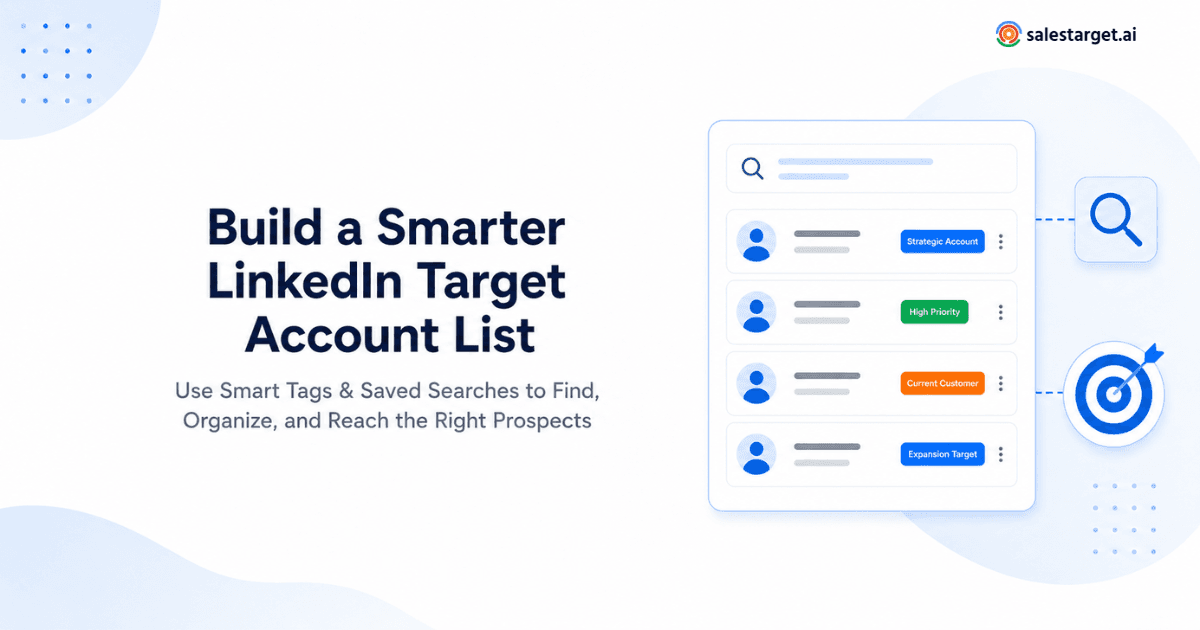
Most B2B sales teams share the same frustration: hundreds of LinkedIn prospects scattered across spreadsheets, CRMs, and browser tabs with no real system behind them. Names pile up. Follow-ups slip. Campaigns go out to people who were never a good fit. The fix is not finding more prospects. It is organizing the ones you already have. That is where LinkedIn Outreach Automation gets practical. Smart tags and saved searches give you a repeatable way to segment, prioritize, and act on your target accounts without rebuilding your list every week.
Quick Answer: Smart tags let you label LinkedIn prospects by attributes like buying intent, seniority, or ICP fit, turning a flat list into a structured target account list. Saved searches automatically surface new prospects matching your criteria so the list stays current. Together, they create a segmentation layer that makes LinkedIn Outreach Automation more targeted, more personal, and far less wasteful.
Why LinkedIn Target Account Lists Need More Than a Search Filter ?
LinkedIn Sales Navigator and standard search give you filters: job title, industry, company size, location. That is a starting point, not a strategy.
Here is what breaks down when you rely on search filters alone:
- You pull the same contacts repeatedly without realizing it.
- Prospects who changed roles or companies stay on stale lists.
- There is no way to distinguish between a VP who downloaded your whitepaper and one who has never heard of you.
- Every SDR on your team builds their own version of the same list with different criteria.
Filters answer "who could we sell to?" Tags and saved searches answer "who should we talk to next, and why?" That distinction matters. If your team is evaluating a LinkedIn automation platform for sales teams, the quality of your prospect list directly determines whether automation helps or hurts.
Build Your Target Account Framework Before Creating Tags
Before you create a single tag, define what a good account actually looks like for your business. Otherwise, tags become random labels that no one uses consistently.
Start with these dimensions:
Ideal Customer Profile (ICP): What company characteristics predict a successful deal? Think industry, revenue range, employee count, tech stack, and growth stage.
Buyer Personas: Within those companies, who are you actually reaching? Map the job functions, seniority levels, and titles that match your buying committee.
Account Priority Tiers: Not every ICP-fit account deserves equal effort. A practical framework is a 4-tier priority system:
- Tier 1: High ICP fit plus active buying signals such as recent funding, job postings, or tech changes. These get personalized sequences.
- Tier 2: Strong ICP fit, no immediate signal. Warm outreach with tailored messaging.
- Tier 3: Partial ICP fit. Lower-touch campaigns or nurture sequences.
- Nurture: Previously engaged but not ready to buy. Stay visible without pushing.
This framework is illustrative. Adjust the tiers based on your sales cycle and team capacity. The point is that prioritization should exist before outreach begins, not after.
For teams focused on expanding their pipeline, exploring LinkedIn lead generation strategies can help inform which accounts to prioritize and how to source them.
Create Smart Tags That Reflect Sales Intent
Tags work when they reflect something your sales team actually needs to know during outreach. They fail when they become a dumping ground of random descriptors.
Effective tags fall into a few categories:
Fit-based tags describe how well a prospect matches your ICP: ICP-Fit, Enterprise, Mid-Market, SaaS, FinTech.
Intent-based tags capture buying signals: High Intent, Visited Pricing Page, Engaged on LinkedIn, Downloaded Resource.
Workflow tags track where someone sits in your process: Decision-Maker, Warm Lead, Follow-Up, Meeting Booked, Priority Account.
A few practical rules keep tagging useful:
Standardize tag names across your team. "Enterprise" and "enterprise-tier" and "large company" should not coexist. Pick one convention and enforce it.
Separate account-level tags from contact-level tags. "Target Account" belongs on the company. "Decision-Maker" belongs on the person. Mixing them creates confusion when building campaign segments.
Keep the total tag count manageable. If you have forty tags and nobody can remember what half of them mean, the system is already broken.
Use Saved Searches to Keep Your Target List Dynamic
Tags label what you already know. Saved searches find what you have not seen yet.
A saved search is a stored set of filters - title, industry, location, company size - that you can re-run to surface new prospects matching your criteria. LinkedIn's Sales Navigator supports saved searches natively, alerting you when new people match.
The real value is pairing searches with tags. Here is how the workflow looks:
- Run a saved search weekly for VP-level or above in your target industries.
- Review the new results.
- Apply tags based on fit and intent: ICP-Fit, Decision-Maker, Tier 2.
- Add tagged prospects to the appropriate outreach campaign.
Saved searches keep your list alive. Without them, your target account list becomes a snapshot that decays the moment someone changes jobs, a new company enters your market, or your ICP shifts.
One important distinction: saved searches and tags solve different problems. Saved searches answer "who is new?" Tags answer "what do we know about them?" You need both.
Turn Tags and Saved Searches Into a LinkedIn Outreach Workflow
Tagging and searching are not the end goal. They are the setup for outreach that actually connects.
Here is where segmentation pays off in LinkedIn campaign management. Instead of sending the same connection request to 500 people, you build campaigns around meaningful segments:
- Tier 1 + Decision-Maker: Highly personalized connection messages referencing the prospect's specific situation. If you need inspiration, explore automated LinkedIn outreach openers that balance personalization with scale.
- Tier 2 + ICP-Fit: Slightly broader messaging focused on the problem your product solves for their industry.
- Tier 3 + SaaS: Nurture-style content sharing and soft engagement.
Each segment gets its own sequence, its own messaging angle, and its own follow-up cadence. That is what separates automated LinkedIn outreach that books meetings from automation that gets ignored.
Tags also prevent a common problem: duplicate or conflicting outreach. When prospects are tagged and tracked, you see who is already in a campaign, who has been contacted recently, and who should be excluded from a new batch.
Best Practices for Scaling LinkedIn Outreach Automation
Once your tagging system and saved searches are running, scaling becomes a matter of discipline rather than extra effort.
Refresh saved searches monthly. Your ICP evolves. A search you built six months ago may no longer reflect your best-fit accounts. Update filters as your team learns from closed-won and closed-lost deals.
Audit tags quarterly. Remove tags no one uses. Merge duplicates. Add new tags only when there is a clear workflow reason.
Prioritize quality over volume. A list of 200 well-tagged, well-researched prospects will outperform 2,000 unfiltered contacts every time. LinkedIn sales automation works best when the inputs are clean.
Personalize based on tags, not templates. If you have tagged someone as High Intent and Enterprise, your message should reflect that. Generic outreach to a carefully segmented list defeats the purpose.
Review campaign performance by segment. Track reply rates and connection acceptance by tag combination, not just overall. This tells you which segments respond and which need a different approach.
Remove outdated prospects. People change jobs. Companies pivot. A LinkedIn Automation Tool is only as good as the data feeding it. Clean your lists regularly.
For teams ready to operationalize this workflow, the right LinkedIn Automation Platform makes the difference between a manual tagging exercise and a fully integrated outreach system.
Build a Smarter LinkedIn Outreach Workflow
A target account list is not a spreadsheet you build once. It is a living system—one that grows through saved searches, gets organized through smart tags, and turns into action through well-segmented outreach campaigns.
The strategy is straightforward: define your ICP, create meaningful tags, build saved searches that keep your pipeline fresh, and route prospects into campaigns based on real segmentation—not guesswork.
Ready to Turn Your Target Account List Into Action?
SalesTarget.ai brings this workflow together—helping sales teams organize prospects, build targeted campaigns, and run LinkedIn outreach without the manual overhead.