You built the list. You wrote the emails. You sent the connection requests. And then… silence. Maybe a 2% reply rate if you're lucky. The problem isn't effort. It's that your email outreach and LinkedIn outreach are running on two separate tracks with zero coordination, so prospects get hit twice with disconnected messages, or they slip through both channels entirely.
Coordinating email and LinkedIn outreach means running both channels inside one sequenced workflow where each touchpoint builds on the last, timing adjusts based on prospect behavior, and no message repeats what another channel already said. When done right, a multichannel outreach sequence can lift reply rates by 3 to 4x compared to single-channel campaigns (Salesforce State of Sales, 2025). This post breaks down exactly how to build and run that kind of B2B sales sequence, step by step.
Why Most Email and LinkedIn Outreach Sequences Miss Replies?
Most teams don't have a coordination problem. They have a visibility problem.
Email lives in one tool. LinkedIn lives in another. The SDR checks one dashboard for open rates and a completely different browser tab for connection acceptance. When a prospect opens an email but doesn't reply, the rep has no idea whether that same person already accepted a LinkedIn connection request two days earlier. So they send a generic follow-up that ignores the engagement signal sitting in a different tool.
The data backs this up: the average cold email reply rate sits around 3 to 5%, while LinkedIn InMail averages 18 to 25% (LinkedIn Sales Solutions, 2025). But those numbers describe channels used in isolation. The moment you layer them into a single sales engagement sequence where email warms up the context and LinkedIn delivers the personal touch (or vice versa), response rates compound. The catch? That only works when both channels share the same timeline, the same prospect record, and the same activity log. Running two disconnected tools means you're guessing instead of sequencing.
Here's what typically breaks down:
- No shared timeline. The email follow-up fires on Day 5 even though the prospect replied on LinkedIn on Day 4.
- Duplicate messaging. The LinkedIn DM says the same thing the email said, word for word. The prospect notices.
- Missing engagement signals. A prospect opened your email three times but never got a LinkedIn touchpoint because the tools don't talk to each other.
- No single record. Activity is scattered across tabs, spreadsheets, and Slack threads. Reps waste hours piecing together what happened.
This is why platforms that unify both channels in one workspace, like SalesTarget.ai's multichannel outreach, exist. When email sequences and LinkedIn sequences run from the same place, every touchpoint knows what came before it.
What Makes an Email and LinkedIn Outreach Sequence Work?
A working multichannel sales sequence has four properties. Remove any one of them and reply rates drop.
1. Shared prospect data across channels. Both channels pull from the same verified contact record. If your email list has one version of a prospect's title and your LinkedIn targeting uses another, personalization breaks.
2. Sequenced timing with channel-aware logic. The sequence knows which channel fired last, whether the prospect engaged, and what should happen next. This isn't two automations running in parallel. It's one workflow with branching logic.
3. Distinct messaging per channel. Email is built for delivering a concise value prop. LinkedIn is built for building familiarity and starting a conversation. Copy that works in one channel almost never works in the other.
4. Centralized tracking. Every open, click, reply, connection acceptance, and profile visit feeds back into one record so the rep (or the automation) can make the right next move.
SalesTarget.ai's email outreach and LinkedIn outreach modules run from one workspace, which means the sequence engine has full visibility into both channels without CSV exports or third-party syncing.
How Do You Coordinate Email and LinkedIn Outreach Sequences for B2B Sales?
Start with verified prospect data
Coordination breaks the moment you're working with bad data. If the email address bounces, the entire email side of the sequence dies, and now you're relying on LinkedIn alone (which defeats the purpose of multichannel).
Before any message goes out, verify every contact. That means checking MX records, SMTP validity, and disposable-email detection. SalesTarget.ai's Email Validator runs this verification at the point of enrichment, not whenever the data was first scraped. That distinction matters because B2B contact data decays at roughly 30% per year. A "verified" email from six months ago is a coin flip today.
Pair this with SalesTarget.ai's Lead Explorer, which gives you access to 840M+ verified professional profiles and enriches contacts with professional email, personal email, phone, and mobile in one click. Enriched leads push straight into sequences with no CSV step in between.
Map the sequence before sending the first message
Sketch the full multichannel flow before you touch a single send button. Decide:
- Which channel opens the sequence?
- How many days between each touchpoint?
- What happens if a prospect engages on one channel but not the other?
- At what point does a non-responder exit or get recycled?
This upfront mapping prevents the most common coordination failure: reactive, ad-hoc follow-ups that pile on without purpose. A mapped outbound sales cadence gives each touchpoint a clear job.
Use LinkedIn engagement before direct outreach when needed
One of the most underused tactics in cold email and LinkedIn outreach is "pre-warming" a prospect on LinkedIn before any direct message lands. Visit their profile. React to a post. Comment something relevant. These micro-interactions put your name on their radar before the cold email arrives, and they cost nothing.
SalesTarget.ai's LinkedIn Outreach module automates these engagement actions (profile visits, post interactions) as sequence steps with human-like delays and timezone-aware scheduling. This isn't about faking engagement. It's about building a sliver of familiarity so your email doesn't land completely cold.
Move prospects between channels based on activity
This is where most manual workflows fall apart. A prospect opens your email three times but never replies. That's a signal. Instead of sending another email, the sequence should branch to a LinkedIn touchpoint.
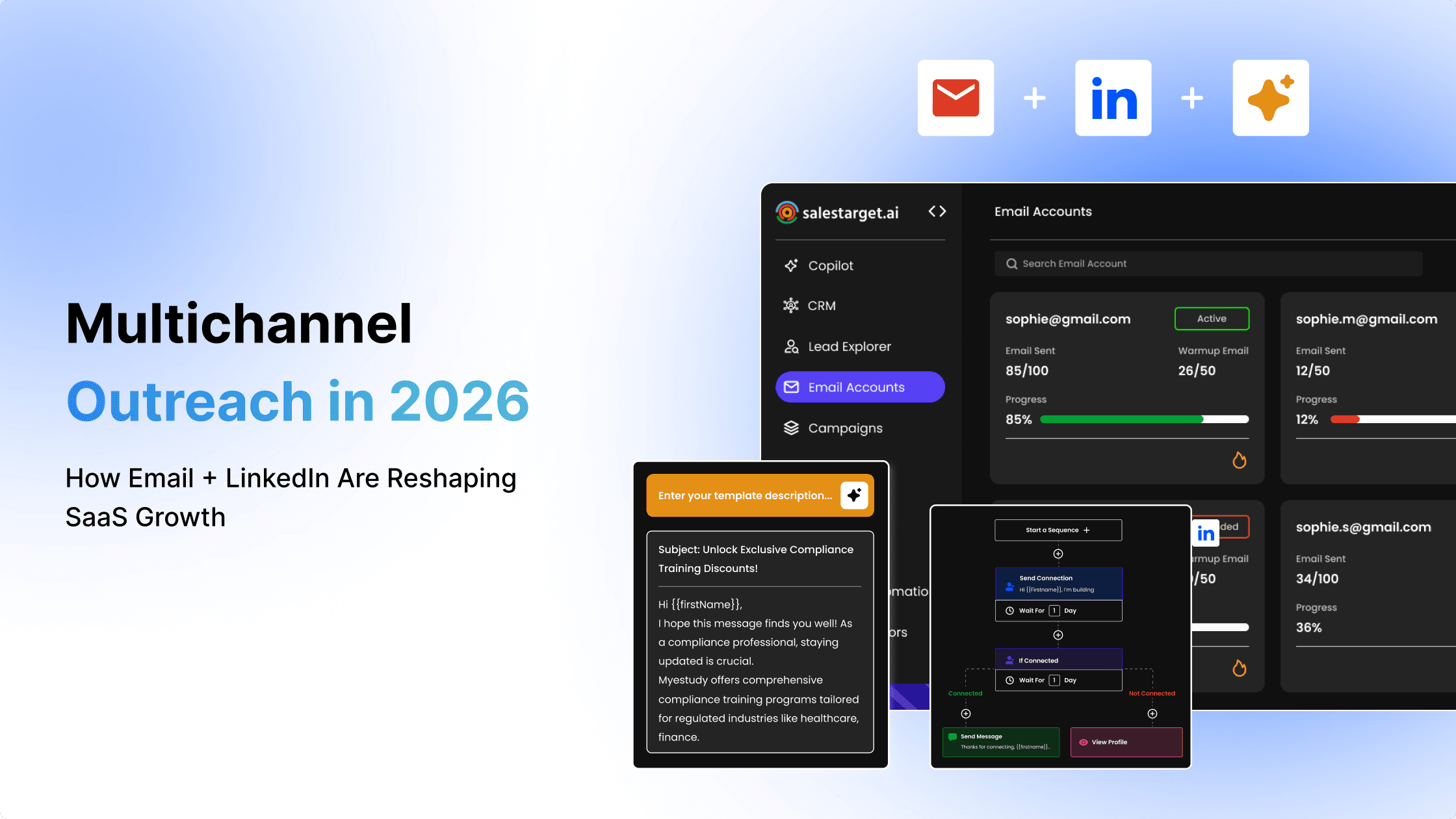
SalesTarget.ai's conditional sequences handle this automatically. If a prospect takes a specific action (or doesn't), the sequence can branch to a different channel, adjust timing, or escalate the touchpoint. No manual if-then tracking in a spreadsheet.
What Is the Best Multichannel Outreach Sequence for B2B Prospecting?
Here's a 15-day B2B prospecting automation sequence that balances email and LinkedIn without overwhelming the prospect. Adjust timing for your ICP, but the channel logic holds across most B2B segments.
Day 1: Cold email introduction
Lead with a short, relevant email. Reference a specific pain point tied to the prospect's role, industry, or a recent signal (funding round, leadership change, hiring spike). No pitch. Just a clear statement of what you solve and a soft question. Keep it under 120 words.
Day 3: LinkedIn profile visit and connection request
Visit the prospect's LinkedIn profile. Then send a connection request with a personalized note. Do not paste your email into the connection request. Reference something from their profile or activity: a post they published, a role change, a shared connection. The goal is recognition, not repetition.
Day 5: Personalized email follow-up
Follow up on the first email. Add new context: a relevant stat, a one-line case reference, or a direct question. If they opened the first email (and your platform tracks this), acknowledge the topic without being creepy about tracking. Keep the tone conversational.
Day 8: LinkedIn follow-up message
If they accepted the connection request, send a short DM. Reference the email thread without quoting it. Something like: "I reached out earlier about [topic]. Figured LinkedIn might be a better spot for a quick back-and-forth." If they haven't accepted, skip this step; don't force it.
Day 11: Value-driven email touchpoint
This is not a "just checking in" email. Share something genuinely useful: a relevant report, a benchmark, a short insight tied to their industry. The email should be worth reading even if the prospect never buys. This builds credibility and keeps the thread alive.
Day 15: Final multichannel follow-up
Close the sequence with a breakup-style email and, if the LinkedIn connection is active, a brief DM. Be direct: "I don't want to keep filling your inbox. If timing is off, no hard feelings. Happy to reconnect when it makes sense." Prospects remember this kind of message, and it often triggers a late reply.
With SalesTarget.ai, this entire multichannel sequence runs inside one workflow with conditional branching, automated follow-ups, and all activity logged to the built-in CRM.
How Many Touchpoints Should a Multichannel Sales Sequence Include?
Research consistently shows that it takes an average of 8 touchpoints to secure an initial meeting with a prospect, and 80% of sales require five or more follow-ups (HubSpot Sales Trends Report, 2025). Despite this, most reps stop after one or two attempts.
Finding the right balance between persistence and timing
More touchpoints don't automatically mean better results. The key is spacing. Compress too many touches into a short window and you trigger annoyance or spam flags. Spread them too thin and you lose momentum. A good baseline: 8 to 12 touchpoints across 15 to 21 days, split between email and LinkedIn.
Adjusting sequence length by deal size
For SMB deals with shorter sales cycles, a tighter 10-day, 6-touch sequence often works. For mid-market or enterprise targets, extend to 21 to 30 days with 10 to 14 touches and include phone as a third channel. SalesTarget.ai's CRM tracks deal pipeline stages alongside sequence activity, so you can see which cadence length correlates with closed deals in your own data.
When to stop outreach and recycle leads
If a prospect hasn't engaged after a full sequence (no opens, no clicks, no LinkedIn activity), move them to a "recycle" list. Wait 60 to 90 days, then re-enter them with a fresh angle. Stale sequences get marked as spam. Fresh ones get a second chance.
When to move prospects into nurture campaigns
If a prospect engaged but the timing was wrong (they replied "not now" or opened multiple emails without booking), shift them into a low-frequency nurture drip. One email per month with valuable content. No hard pitch. When a buying signal fires (SalesTarget.ai's Lead Explorer tracks 4,000+ intent and buyer signals via Bombora), pull them back into an active sequence.
How Do You Avoid Duplicate Messages Across Email and LinkedIn?
Duplicate messaging is the fastest way to look like a bot. And it happens constantly when email and LinkedIn run in separate tools.
Track engagement across both channels
You need a single pane of glass showing email opens, replies, LinkedIn connection status, DM history, and profile visits for each prospect. SalesTarget.ai's Unibox pulls every reply into one view, sorts by intent (Interested, Follow-Up, Not a Fit), and syncs context to the CRM. When you open a prospect record, you see everything that happened across both channels.
Personalize each touchpoint with new context
Every message in the sequence should advance the conversation. If the email introduced the problem, the LinkedIn DM should reference a different angle: a stat, a relevant post, a question about their current workflow. Repetition signals automation. Progression signals a real person.
Use channel-specific messaging instead of copy-and-paste
Email supports longer-form value props, links, and attachments. LinkedIn works best with short, direct, conversational messages. Write each touchpoint for the channel it lives in. SalesTarget.ai's AI Content Generator and AI Spintax Generator create channel-specific copy with human-like variation, so even high-volume campaigns don't read like templates.
Keep sales notes and activity in one place
If your SDR logs email activity in one tool and LinkedIn notes in another, handoffs break. When the AE picks up the lead, they're missing half the context. SalesTarget.ai's CRM automatically logs every email, call, and LinkedIn action to the lead timeline. No manual entry. No lost context.
LinkedIn and Email Automation for SDR and Revenue Teams
Automating follow-ups without losing personalization
Automation should handle timing and triggers. Personalization should stay human. SalesTarget.ai's AI Copilot generates personalized email sequences in seconds using the prospect's role, industry, and company size, then creates A/B variations so you can test without writing each version by hand. The rep reviews and sends. Strategy stays human; repetition gets automated.
Coordinating outbound sales cadence across teams
When multiple SDRs work the same territory or target account list, coordination prevents collisions. SalesTarget.ai's CRM manages account ownership so two reps never hit the same prospect simultaneously. Activity tracking shows who touched which lead, when, and on which channel.
Managing account ownership in multichannel outreach
Clear ownership rules prevent the worst kind of multichannel failure: a prospect getting the same pitch from two reps on two channels on the same day. Define ownership at the account level, not the lead level. SalesTarget.ai's deal pipeline and lead management modules enforce this automatically.
Scaling client outreach for agencies and consultants
Agency owners and sales consultants running outbound for multiple clients face a unique version of this problem: each client has different messaging, different ICPs, and different sequences running at the same time. SalesTarget.ai consolidates this into one workspace. Separate campaigns, separate sequences, one bill. No juggling logins across five platforms.
What Metrics Should You Track in an Email and LinkedIn Outreach Sequence?
Email reply and meeting-booked rates
Reply rate tells you if your messaging lands. Meeting-booked rate tells you if your targeting is right. Track both. If replies are high but meetings are low, the problem is qualification, not copy.
LinkedIn acceptance and response rates
A healthy LinkedIn acceptance rate for personalized connection requests sits between 30 and 50%. If you're below 20%, your targeting or note copy needs work. Response rate on DMs should track separately from connection acceptance.
Sequence completion rates
What percentage of prospects make it through the full sequence without being manually removed? Low completion rates suggest your sequence is too long, or reps are pulling leads out early without logging why.
Opportunity creation and pipeline contribution
The metric that matters most: how many sequence-touched leads turned into pipeline? SalesTarget.ai's CRM reports connect sequence activity to deal creation, so you can trace which multichannel campaigns generate real revenue, not just replies.
Channel performance by audience segment
Break down reply rates and meeting-booked rates by channel and by segment (industry, role, company size). You'll often find that certain segments respond better on LinkedIn while others convert faster via email. Use this data to adjust your sequence logic per ICP.
Common Mistakes in Cold Email and LinkedIn Outreach
Sending connection requests without context
A blank connection request is a wasted touchpoint. Always include a short, relevant note. Reference something specific: a shared connection, their recent content, a company event. Generic requests get ignored at 2x the rate of personalized ones.
Following up too quickly across channels
Hitting a prospect with an email on Monday, a LinkedIn request on Tuesday, and another email on Wednesday feels like an ambush, not a sequence. Space your touchpoints by at least 48 hours across channels. SalesTarget.ai's smart scheduling enforces working-hour limits and human-like delays to prevent this.
Ignoring prospect engagement signals
A prospect who opened your email four times is telling you something. A prospect who visited your LinkedIn profile after receiving your email is telling you something louder. If your tools don't surface these signals in real-time, you're flying blind. SalesTarget.ai's activity tracking feeds every engagement signal (opens, clicks, profile visits, connection accepts) back into the sequence logic so the next step adjusts automatically.
Using too many disconnected sales tools
This is the root cause behind most of the mistakes on this list. When you stitch together a data provider, an email sender, a LinkedIn automation tool, a deliverability platform, and a CRM, you create five sources of truth and zero coordination. Every handoff between tools is a point of failure.
SalesTarget.ai replaces that stack. Data, enrichment, verification, email outreach, LinkedIn outreach, CRM, and AI Copilot sit in one platform. No syncing. No CSV exports. No praying that Zapier holds it together.
Ready to stop juggling tools? Run your first coordinated email and LinkedIn sequence from one workspace.
Why Choose SalesTarget.ai for Multichannel Outreach?
Find and enrich buyers from one workspace
SalesTarget.ai's Lead Explorer gives you access to 840M+ verified professional profiles across 146M+ business entities. Search using AI-powered plain-English queries or stack filters by industry, role, seniority, tech stack, company size, and intent topics. One-click enrichment unlocks verified email, phone, and mobile. No separate data vendor. No CSV imports.
Run email and LinkedIn sequences together
Build multichannel sequences that alternate between email and LinkedIn touchpoints inside one workflow. Conditional branching adjusts the next step based on prospect activity. Timezone-aware scheduling and human-like delays protect your LinkedIn account and your sender reputation simultaneously.
Verify contact data before outreach
Every contact gets verified at the point of enrichment using MX, SMTP, and disposable-email checks. 90% of emails are validated before sending, which cuts bounces and keeps your domains off blacklists.
Track conversations inside the built-in CRM
SalesTarget.ai's CRM is purpose-built for outbound teams. Campaign leads land automatically. Every email, call, and LinkedIn message logs to the lead timeline. Follow-up tasks create themselves when a lead replies or a meeting wraps. The built-in AI dialer captures call notes automatically, so reps never write them up by hand. Setup takes under a day.
Use AI Copilot to support prospecting and follow-ups
Chat with the AI Copilot to find leads, generate personalized sequences, check campaign performance, query CRM data, and assign tasks. It personalizes by role, industry, and company size, flags at-risk deals, and recommends next moves. Your workspace data stays private.
Manage outreach, pipeline, and sales activity on one bill
No more stacking subscriptions for data, email, LinkedIn, deliverability, and CRM. SalesTarget.ai consolidates everything into one platform and one bill. Teams report 3.2x faster deal cycles, 91% follow-up completion rates, and roughly 6 hours saved per rep per week.
Turn Multichannel Outreach Into More Sales Opportunities
The gap between teams that get replies and teams that don't isn't about writing better subject lines or sending more connection requests. It's about coordination. When email and LinkedIn run from the same sequence, share the same data, and feed into the same CRM, every touchpoint compounds instead of competing.
SalesTarget.ai was built for exactly this workflow. Find your buyers with real-time verified data. Reach them across email and LinkedIn in one sequenced cadence. Track every interaction in a CRM that updates itself. And let AI handle the grunt work so your team focuses on the conversations that close deals.
Stop stitching point tools together. Start your free trial with SalesTarget.ai and run coordinated multichannel outreach from one workspace.