Your SDR sends fifty connection requests before lunch. Twelve get accepted. Two reply. One of those replies is a bot asking about a course. By Friday, the rep has spent six hours on LinkedIn and has one real conversation to show for it. Multiply that across a team, and you have a pipeline problem hiding inside a "we're doing outreach" story.
Here's the direct answer: the best LinkedIn automation platform for B2B sales teams is the one that pairs verified prospect data with personalized, multi-step messaging, connects that activity to email outreach, and logs every touch inside a CRM automatically. Tools that only send connection requests on a schedule are not automation platforms; they're schedulers with a LinkedIn login. A real sales-focused platform finds the right person, reaches them the right way, and tells you what happened next.
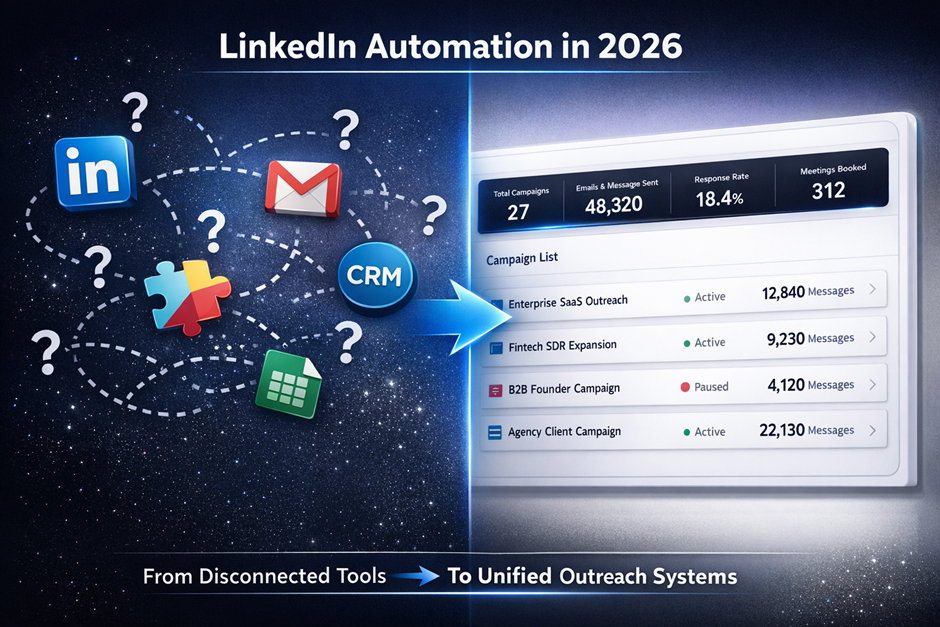
Platforms like SalesTarget.ai build this into one system rather than three separate tools taped together, which matters more than any single feature on its own.
The Best LinkedIn Automation Platform Depends on Your Sales Workflow
What separates a sales-focused LinkedIn automation platform from a basic LinkedIn scheduler
A scheduler sends the same connection note to a list. A sales-focused platform pulls from prospect data, adjusts messaging by role or industry, branches based on whether someone replies, and passes the conversation into a CRM record. The scheduler saves clicks. The platform builds pipeline.
The core capabilities B2B sales teams need from LinkedIn automation
Look for four things: accurate contact and company data behind every profile, message personalization that goes past merge tags, safe sending limits that protect the LinkedIn account, and a direct line into email so the two channels reinforce each other instead of running as separate campaigns.
When LinkedIn automation makes sense for SDRs, founders, sales leaders, and agencies
A founder running outbound alone needs speed with no learning curve. An SDR team needs volume with guardrails. A sales leader needs visibility across reps. An agency needs the same setup to run cleanly across ten client accounts at once. Automation earns its place across all four, but the reasons differ.
The Sales Problems LinkedIn Automation Solves
Manual prospect research and repetitive outreach
Checking a profile, guessing at a title, copying a name into a message: none of that requires a human brain, and doing it by hand at scale burns hours a rep could spend on actual conversations.
Inconsistent follow-ups across active prospects
A prospect who opened a message on Tuesday and went quiet gets forgotten by Thursday because the rep moved on to new names. Manual pipelines lose more deals to silence than to rejection.
Switching between prospecting, LinkedIn, email, and CRM tools
Five tabs, five logins, five places where a lead's history lives. Reps lose context every time they switch, and prospects notice when a follow-up doesn't reference the last thing they said.
Limited visibility into which prospects are engaging
Without a shared view of opens, replies, and profile visits, sales leaders end up guessing which reps and which messages are actually working, which makes coaching a shot in the dark.
How LinkedIn Automation Works for B2B Sales?
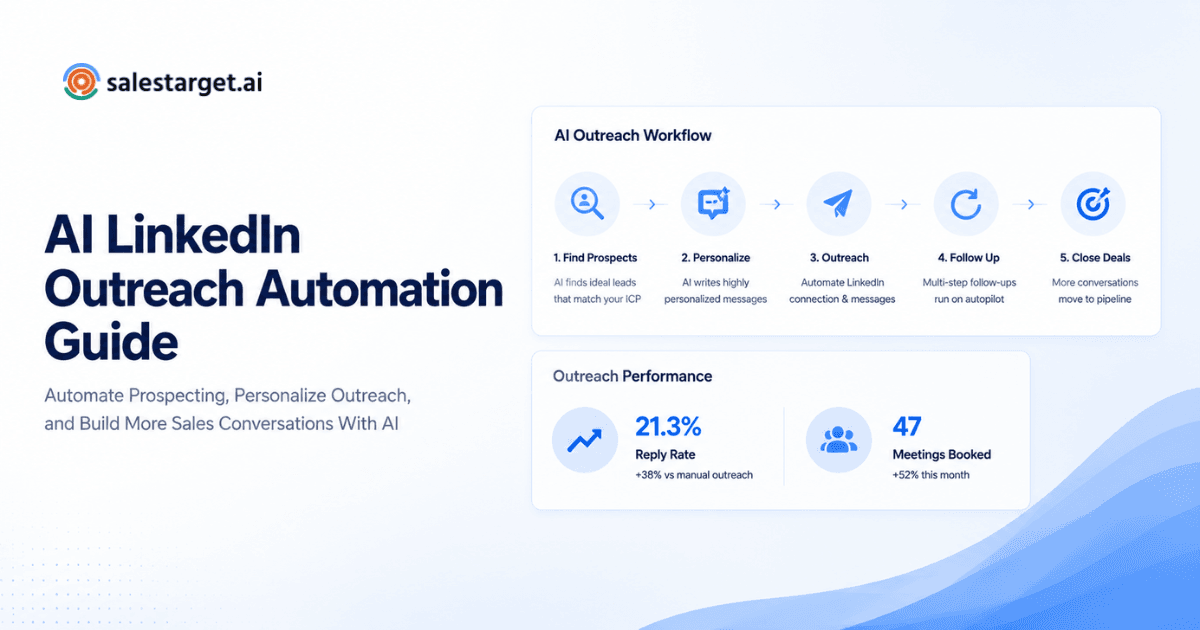
Automation runs a prospect from first match to booked meeting through five connected steps, each feeding the next.
Find and qualify prospects with a LinkedIn prospecting tool
A LinkedIn prospecting tool filters by role, seniority, industry, company size, and buying signal so the campaign only reaches people who match the target profile, not a broad list scraped from a keyword search.
Build targeted LinkedIn outreach automation campaigns
Once the list is qualified, the campaign sets connection requests, message sequences, and timing rules for that specific segment instead of running one script against everyone.
Personalize connection requests and follow-up messages
Real personalization references the prospect's role, company, or a recent signal (a funding round, a new hire, a job change) rather than swapping in a first name and calling it done.
Manage conversations and sales handoffs
Once a prospect replies, the conversation needs to land with the right rep immediately, sorted by intent, so a hot reply doesn't sit unread in a shared inbox for two days.
Track campaign activity and pipeline outcomes
Connection rates and reply rates only matter if they connect to meetings booked and deals opened. Automation without that link back to pipeline is just a report on activity.
Key Features to Look for in LinkedIn Automation Software
LinkedIn sales automation and campaign controls
Multi-step sequences with branching logic (connect, wait, message, follow up based on reply or no reply) beat a single blast every time.
Prospect data, enrichment, and lead filtering
Automation is only as good as the list behind it. Weak data means wasted sends and burned connection requests on people who don't fit the target profile.
LinkedIn messaging automation and personalization
AI-assisted personalization that adapts by role and industry, not just a name field, keeps reply rates from flattening out after the first hundred sends.
LinkedIn campaign management and performance reporting
A dashboard showing acceptance rate, reply rate, and meeting rate by campaign tells a sales leader which messaging actually works and which needs a rewrite.
Email and LinkedIn outreach in one sequence
A prospect who ignores a LinkedIn message might open an email the same week. Running both channels in one coordinated sequence catches that, instead of treating LinkedIn and email as two separate strategies competing for the same person's attention.
CRM activity tracking and sales handoffs
Every connection, message, and reply should land on the lead's timeline automatically, with a follow-up task created the moment someone responds, so nothing depends on a rep remembering to log it.
How to Build an Effective LinkedIn Outreach Automation Process?
Define the ideal customer profile and target accounts
Start narrow. A tight target profile (industry, company size, role, region) outperforms a broad list every time, because personalization only works when the audience is specific enough to say something real about them.
Segment prospects by role, industry, company size, and intent
A VP of Sales and an SDR at the same company need different messages. Segmenting by role and by buying signal keeps outreach relevant instead of generic.
Create different messaging paths for each prospect segment
One sequence for founders, one for RevOps, one for agencies. Reusing a single script across every segment is the fastest way to flatten reply rates.
Combine LinkedIn and email outreach automation
Prospects who see a brand across two channels in the same week respond more than prospects who see one message once. Cold outreach with LinkedIn automation works best paired with email, not run alone.
Set follow-up rules and human review points
Automation should handle the sequencing. A rep should still review replies before a meeting gets booked on autopilot, especially for high-value accounts where tone matters.
Measure conversations, meetings, and pipeline instead of activity alone
Connection requests sent is a vanity number. Meetings booked and pipeline generated are the numbers that justify the tool.
LinkedIn Automation for Different B2B Sales Teams
Founders using LinkedIn automation for founder-led sales
A founder selling solo needs a system that runs outbound in the background while they close, without needing a dedicated ops person to manage it.
SDR and BDR teams running high-volume prospecting
Volume teams need safe sending limits and shared reporting so a sales leader can see which reps and which sequences convert, not just who sent the most messages.
Sales leaders managing outbound campaigns across teams
A LinkedIn outbound strategy run across multiple reps needs one shared view of what's working, or coaching turns into guesswork.
RevOps teams connecting outreach with CRM workflows
RevOps cares about the pipe from first touch to closed deal staying intact. That means outreach data landing in the CRM automatically, with no manual export or import step in between.
Agencies managing LinkedIn lead generation for multiple clients
Agencies need to run separate, safe campaigns across many client accounts at once, each with its own data and reporting, without one account's activity risking another's.
Why Choose SalesTarget.ai?
SalesTarget.ai runs prospecting, LinkedIn outreach, email, validation, and CRM in one workspace instead of five separate subscriptions stitched together with CSV exports.
Lead Explorer for B2B prospecting, enrichment, and intent signals
Lead Explorer searches over 840 million verified professional profiles and 146 million business entities, with real-time buying signals from Bombora Intent Topics plus business events like funding rounds and leadership changes on a 30 to 90 day lookback. Enrichment happens the moment a lead is found, not whenever the data was last scraped.
LinkedIn and email outreach connected in one workflow
LinkedIn Outreach automates connection requests, DMs, and follow-ups with AI personalization by role and industry, timezone-aware scheduling, and built-in rate limits that protect the account. It runs in one flow with Email Outreach, so a reply on either channel updates the whole sequence.
Email validation and deliverability checks for outbound campaigns
The Email Validator checks MX and SMTP records and flags disposable addresses before a send goes out, which keeps bounce rates down and protects sender reputation across both channels.
Built-in CRM for prospect activity and sales follow-up
The CRM logs every LinkedIn touch and email automatically, with follow-up tasks created the moment a lead replies. Teams using it report 3.2 times faster deal cycles and about 6 hours saved per rep each week, because nothing needs manual entry.
AI Copilot for prospecting and sales tasks
The AI Copilot lets a rep chat to find leads, build a full sequence in seconds, or check which campaign drove a specific deal, without switching tools mid-task.
Start a free trial and see the full workflow at SalesTarget.ai
Common LinkedIn Automation Mistakes That Limit Sales Results
Automating the same message for every prospect
A single script sent to a founder and a director reads as spam to both. Segmentation isn't optional at any real volume.
Starting campaigns without clear targeting criteria
Loose targeting means burning connection requests on people who were never going to buy, which drags down every metric downstream.
Using automation without a follow-up strategy
A first message with no planned follow-up sequence leaves most of the reply potential on the table. Most positive responses come after the second or third touch, not the first.
Treating connection volume as the main success metric
A high acceptance rate with no replies means the message itself isn't landing. Volume without a plan to convert it is just noise with a nicer dashboard.
Leaving engaged prospects inside automated sequences
Once a prospect replies, the automated cadence should stop for that person immediately. Sending a scheduled follow-up to someone already in conversation with a rep reads as careless, and it costs deals.
LinkedIn Automation Platform Selection Checklist
Data quality and prospect coverage
Check the size and freshness of the underlying database, not just the marketing claim. Stale contact data wastes every send built on top of it.
Personalization and campaign flexibility
Confirm the platform supports branching sequences and segment-specific messaging, not a single template applied to every list.
LinkedIn and email workflow support
A platform that treats LinkedIn and email as one coordinated motion outperforms two disconnected tools running in parallel.
CRM and reporting capabilities
Look for automatic logging and task creation tied to replies, plus reporting that ties activity back to meetings and pipeline, not just sends.
Deliverability and account safety controls
Sending limits, warm-up logic, and auto-pause safeguards protect the LinkedIn account from restrictions, which matters more once volume increases.
Pricing, scalability, and total sales-tool cost
Weigh the full stack cost, not just one subscription. A platform combining prospecting, outreach, and CRM often costs less overall than three separate tools charging separately for the same workflow.
Final Takeaway: Choose a LinkedIn Automation Platform That Fits Your Outbound Motion
The rep who sent fifty connection requests before lunch didn't need more hours in the day. They needed a system that finds the right people, personalizes the outreach, and remembers what happened after the send, so follow-up doesn't depend on memory. Research backs this up: LinkedIn DMs run through automation average a 10.3% reply rate, close to double the 5.1% average for cold email, and reps who treat social selling as part of a coordinated motion outperform peers who don't (Expandi 2026 State of LinkedIn Outreach study; Grow with Ghost B2B social selling data). The gap between the two isn't the channel. It's whether the outreach is targeted, personalized, and connected to what happens after the first reply.
SalesTarget.ai builds that whole path in one workspace: prospect data, LinkedIn and email outreach, validation, CRM, and an AI Copilot to run it, so a rep or founder isn't rebuilding the same follow-up manually across five tabs. If the pain point at the top of this article sounds familiar, see how the workflow runs on SalesTarget.ai and start a free trial.