TL;DR
- Email validation is the process of confirming that an email address is real, active, and safe to send to — before your campaign launches.
- It runs four sequential checks: format, domain, MX record, and SMTP mailbox — each catching a different category of bad address.
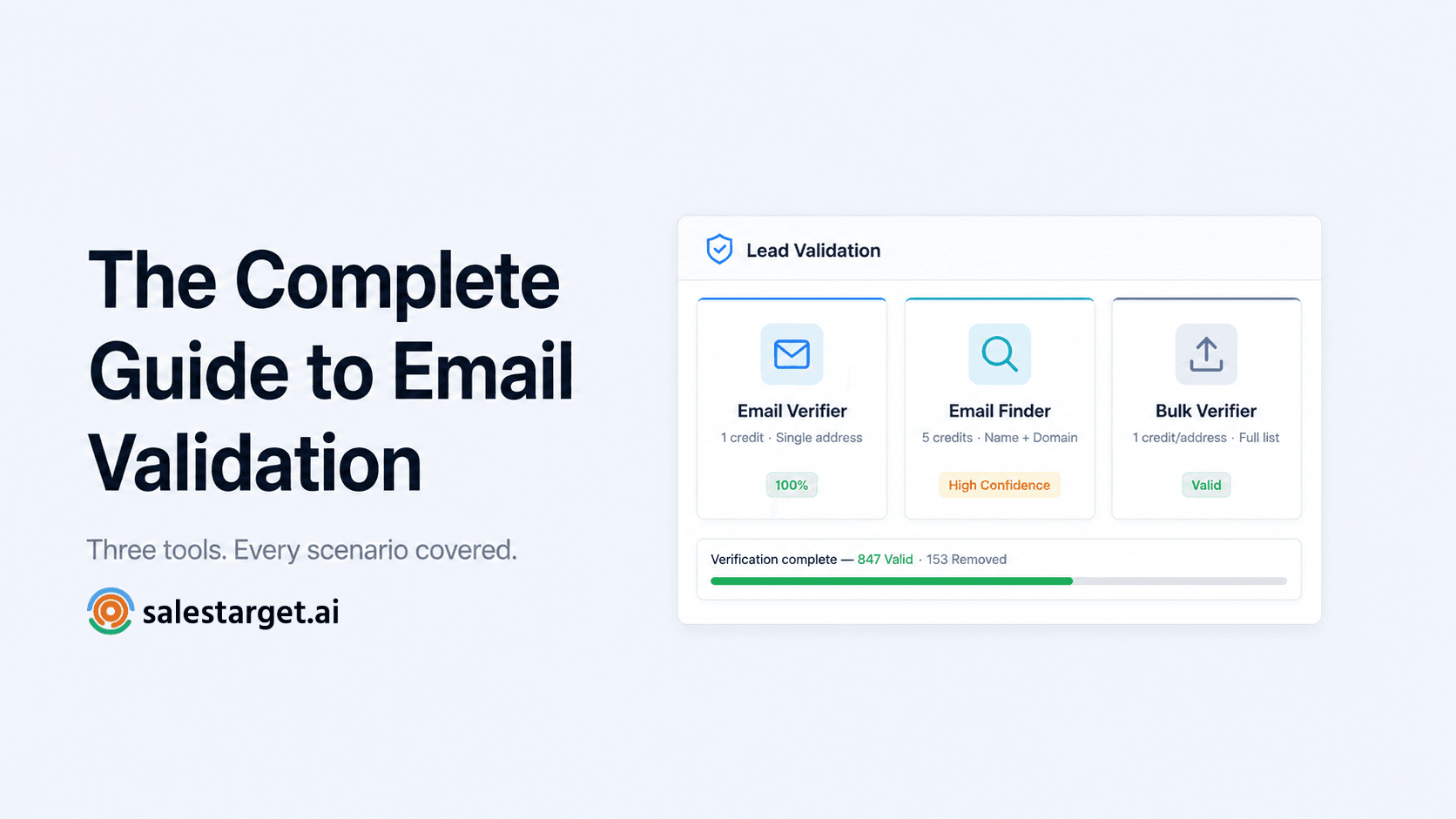
- SalesTarget's Lead Validation suite has three tools: Email Verifier (single address), Email Finder (name + domain lookup), and Bulk Email Verifier (full list cleaning).
- Every result returns three pieces of information: Format, Type, and Email Status — plus a confidence score from 0 to 100.
- B2B lists decay at 22–30% annually. Validate before every campaign, and re-verify any list older than 90 days.
Most cold email problems are diagnosed as copy problems, sequence problems, or targeting problems. In most cases, the real problem is simpler and sits earlier in the process: the contact data wasn't validated before the campaign launched. An email that bounces because the address no longer exists didn't fail because of the subject line. It failed because nobody checked whether the address was still live before sending to it.
This guide covers everything a B2B sales team needs to know about email validation — what it checks, how the three tools in SalesTarget's Lead Validation suite work, how to read results, and how to build validation into your outreach workflow so bad data never reaches a campaign.
What email validation is — and what it isn't
Email validation is the process of checking whether an email address is real, active, and safe to contact — before you send anything. It's not the same as email deliverability (which measures where emails land after sending), and it's not the same as list management (which handles bounces and unsubscribes after campaigns run). Validation happens before the send. Its job is to ensure that every address in your campaign has been confirmed as worth sending to.
The distinction matters because most teams confuse these three things and end up treating validation as a reactive cleanup task rather than a pre-send quality gate. Cleaning up bounces after a campaign doesn't undo the damage those bounces caused to your sender reputation. Validation before the send is what prevents the damage in the first place.
For B2B sales teams specifically, validation matters more than it does for email marketers with opt-in lists. Cold outreach goes to people who didn't sign up for your emails. Your domain has no pre-existing trust with their inbox provider. Every bounce, every spam trap hit, and every complaint is a signal to Gmail and Outlook that you're a low-quality sender — and those signals compound. A clean validated list is not a nice-to-have for cold outreach. It's the foundation everything else runs on.
The four-layer check: what validation actually does
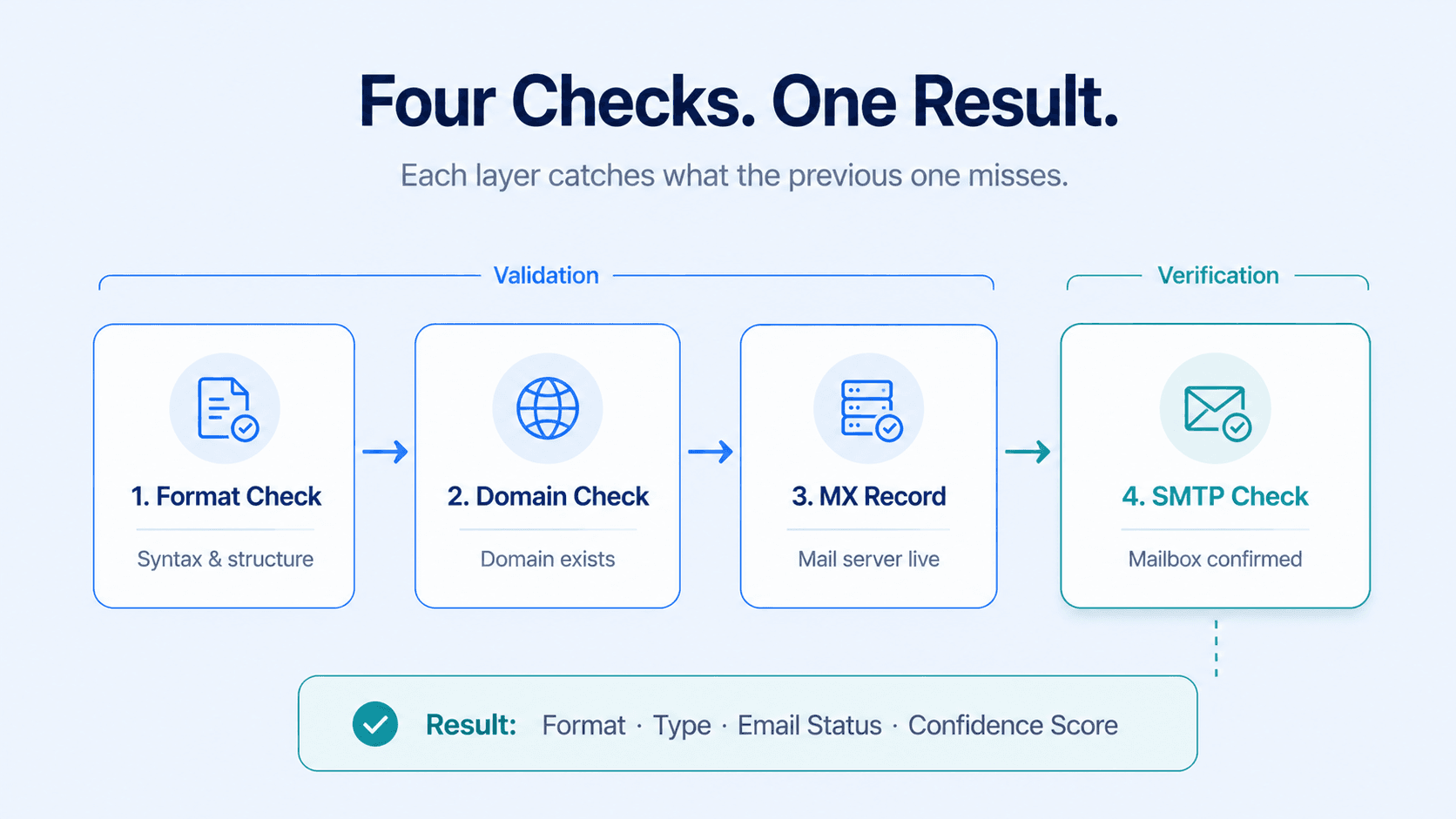
A complete email validation runs four checks in sequence. Each one catches a different category of problem that the previous layer can't detect.
| Layer | What it checks | What it catches | Validation or verification? |
|---|---|---|---|
| 1 — Format | Syntax, structure, illegal characters | Typos, missing @ symbols, malformed addresses | Validation |
| 2 — Domain | Domain existence and resolution | Dead domains, expired registrations, company shutdowns | Validation |
| 3 — MX record | Mail server configuration | Domains with no mail server — real domain, can't receive email | Validation |
| 4 — SMTP | Live mailbox status via direct server query | Deleted accounts, inactive inboxes, departed employees | Verification |
The first three layers are collectively called email validation — they check whether an address could exist. The fourth layer is verification — it checks whether the address does exist right now. Both are needed. Validation without verification leaves behind every address that looks correct but belongs to someone who left the company last month. Verification without validation wastes time running SMTP checks on addresses that have obvious format errors.
SalesTarget's Email Verifier runs all four layers in a single check. You don't run them separately — the system handles the full sequence automatically. For a detailed breakdown of the difference between validation and verification, see the Email Validation vs Email Verification explainer.
Three scenarios, three tools
SalesTarget's Lead Validation suite covers every situation where you need to validate or find an email address. The right tool depends on what you're starting with.
| Scenario | Tool | Input | Credits |
|---|---|---|---|
| You have an email address and want to check it | Email Verifier | Single email address | 1 credit per check |
| You have a name and company but no email address | Email Finder | First name, last name, domain | 5 credits per search |
| You have a full contact list and want to clean it before a campaign | Bulk Email Verifier | CSV with email column | 1 credit per address |
Email Verifier: checking a single address
The Email Verifier is the tool for checking a single email address before a high-priority outreach or for spot-checking list quality. Paste an address, click Validate Email, and the result appears in seconds.
Every result returns three columns of information plus a plain-English summary:
Format
Is the email address correctly structured? Valid means the syntax is correct. Invalid means a formatting error was found — missing @, illegal characters, or malformed domain. An invalid format result means the address could never have been deliverable.
Type
What kind of email address is this? The Type classification is one of four values:
| Type | What it means | Action for cold outreach |
|---|---|---|
| Company | Professional business email — the right address for B2B outreach | Include if Email Status = Valid |
| Personal | Gmail, Outlook, Yahoo — real person, not a company address | Use with judgment depending on your ICP |
| Disposable | Temporary inbox — will expire or is already unmonitored | Remove immediately — never contact |
| Spam Trap | Address set up to catch senders with poor list hygiene | Remove immediately — never contact |
For more detail on disposable emails, see What Is a Disposable Email Address. For spam traps, see What Is a Spam Trap Email.
Email Status and confidence score
Email Status confirms whether the mailbox is live. The confidence score (0–100) tells you how certain that result is:
| Score | What it means | What to do |
|---|---|---|
| 100% | Fully verified — mailbox confirmed deliverable | Send with confidence |
| 50% | Catch-all domain — domain accepts all mail, individual mailbox unconfirmed | Include only for high-priority ICP contacts |
| 0% | Definitively invalid — mailbox does not exist | Remove immediately |
For a full explanation of the 50% catch-all result, see What Is a Catch-All Email Address.
Email Finder: when you have a name but no email
The Email Finder solves the most common prospecting problem: you know who you want to reach but you don't have their email address. Enter the person's first name, last name, and company domain, and the tool returns professional email candidates with confidence levels.
Results come back as either High Confidence (strongest match, cross-referenced against verified sources) or Unknown Confidence (valid email pattern for the domain, not individually confirmed). Always take the High Confidence result first. Run any result through the Email Verifier before adding to a campaign — the full find-and-verify workflow costs 6 credits per contact and gives you a confirmed address before it enters any sequence.
Email Finder requires no browser extension and no LinkedIn integration. It works entirely inside SalesTarget's Lead Validation dashboard. For the full workflow, see How to Find a Professional Email Address Without Guessing the Format.
Bulk Email Verifier: cleaning a full contact list
The Bulk Email Verifier processes entire contact lists — from a 50-contact prospect segment to a 100,000-record database. Upload a CSV with an email column, and the system runs all four verification layers on every address automatically. When processing completes, download a results CSV with verification status appended to every row.
The results breakdown shows how many addresses are Valid, Invalid, Catch-All, Spam, Abuse, Disposable, and Do Not Mail. This breakdown is as much a diagnosis of your data sources as it is a list cleaning tool. A high spam trap count means your data vendor has quality problems. A high invalid count on a recent list means your contacts are churning faster than your sourcing process can keep up.
What to do with each status in your results
Keep for campaigns: Valid addresses always. Catch-All addresses only for high-priority ICP contacts (keep under 20% of your send list). Remove everything else: Invalid, Spam, Abuse, Disposable, Do Not Mail — none of these should ever enter a campaign.
For the complete step-by-step process, see How to Clean an Email List Before Sending a Campaign.
Why data quality matters more for sales teams than for marketers
Email marketers sending to opted-in lists have a reputation buffer. Their recipients asked to receive emails. Their engagement signals are positive by default. They can sustain a higher error rate before inbox providers start penalising them.
Cold outreach SDRs have none of that. Every email goes to someone who didn't ask to receive it. Every bounce, every spam complaint, and every unverified address is a signal going against you. Your domain builds its reputation from scratch with every new recipient domain. There is no buffer to absorb bad data.
This is why validation is more critical for outbound sales than for any other email use case. It's also why the threshold for action should be lower. Marketers can tolerate a 2% bounce rate before taking action. For cold outreach, the target should be under 1% — which is only achievable if every list is verified before every send.
For more on how bounces affect your domain and what the recovery timeline looks like, see How to Reduce Your B2B Email Bounce Rate to Under 3%. For the root cause — why lists degrade even when you're not sending — see How Email List Decay Quietly Kills Your Campaigns.
Building a validation habit: when to verify and how often
B2B email lists decay at 22–30% per year — roughly 2% of contacts become invalid every month, according to research including ZeroBounce's 2026 Email List Decay Report. A list verified three months ago already has approximately 6% invalid addresses in it. The frequency rule is straightforward:
| Situation | Rule |
|---|---|
| Before any major campaign | Always verify — no exceptions |
| List older than 90 days | Re-verify before use |
| Any purchased or third-party list | Verify before first use — always |
| CRM segment dormant 6+ months | Verify before re-engaging |
| Bounce rate above 2% on last campaign | Verify entire list immediately |
How validation connects to the rest of SalesTarget
Lead Validation sits between lead sourcing and campaign launch in SalesTarget's workflow. The cleanest outreach pipeline looks like this:
1. Source leads — Use Lead Explorer to build a prospect list with ICP filters — job title, company size, industry, location, intent signals. Enable the Has Email toggle to filter to only contacts with verified emails available before spending any credits.
2. Validate — Run the list through Lead Validation. Remove every address that isn't Valid. Apply the 70+ confidence score threshold for catch-all addresses.
3. Launch campaign — Import only verified addresses into Email Outreach. Your bounce rate starts under 3% from send one. Your metrics reflect real engagement from real people.
4. Manage pipeline — Replies, conversions, and deal progression track in the CRM. Your pipeline data is accurate because it's built on validated contacts — not a mix of real and dead addresses.
For a full overview of what SalesTarget's Lead Validation checks and how it fits into the wider platform, see the What Is Lead Validation article.
Three tools. Every email scenario covered.
Email Verifier, Email Finder, and Bulk Email Verifier — all inside your SalesTarget account. No integrations, no extra logins, no guesswork.
✓ 50 credits ✓ 7-day trial ✓ No credit card required
Frequently Asked Questions

See It In Action: Book Your Free Demo
Get a personalized walkthrough and see how it works for your team.
Book My Demo →



