TL;DR
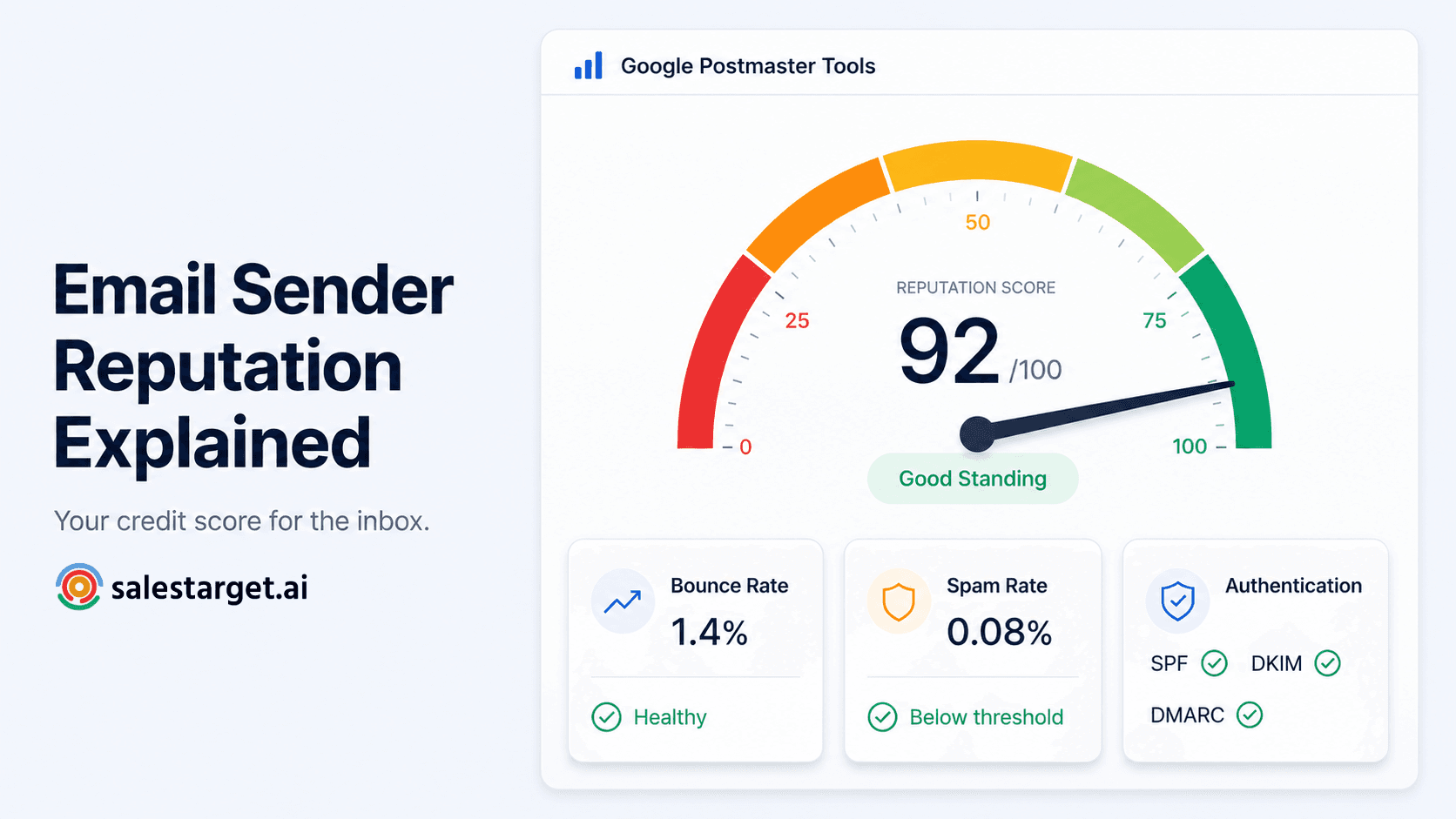
- Sender reputation is the trust score inbox providers assign to your sending domain based on your historical sending behaviour — it determines whether your emails land in the inbox, spam folder, or get rejected.
- In 2026, domain reputation has overtaken IP reputation as the primary signal — your domain follows you across every ESP, IP, and infrastructure change.
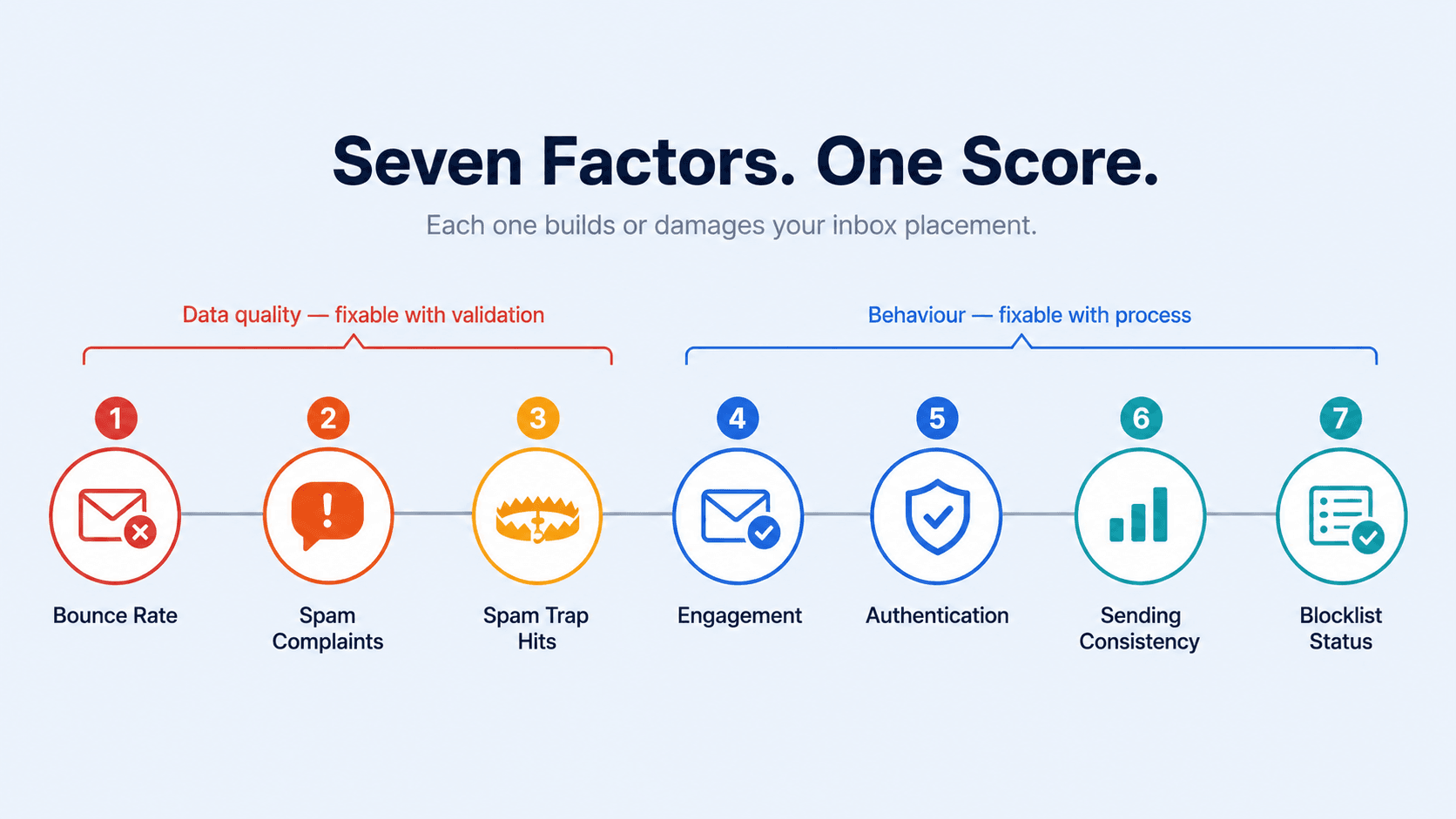
- The seven factors that drive reputation: bounce rate, spam complaints, spam trap hits, engagement, authentication, sending consistency, and blocklist status.
- Gmail requires spam complaint rates below 0.3%. Best-in-class senders target 0.1% or lower. Microsoft enforces similar thresholds from May 2025.
- Recovery from a damaged reputation takes 4–12 weeks of careful, low-volume sending. Prevention through clean data is far cheaper than repair.
- The single most effective reputation protection measure: validate your email list before every send.
Your open rates were 32% last month. This month, they're 11%. Nothing changed — same subject lines, same targeting, same sending tool. The copy isn't the problem. The sequence isn't the problem. Your email sender reputation has quietly been degrading, and now inbox providers are routing your emails to spam before anyone sees them.
Sender reputation is the single most important factor in whether your emails land in the inbox. It's also the most commonly misunderstood — and the most commonly damaged by something entirely preventable. Here's how it works, what damages it, and what keeps it intact.
What email sender reputation actually is
Email sender reputation is a trust score that inbox providers — Gmail, Outlook, Yahoo — assign to your sending infrastructure based on how you've behaved as a sender over time. Think of it as a credit score for email. It's not visible on a single dashboard, and there's no universal number. Each inbox provider calculates it differently using their own signals. But the outcome is universal: a high score means your emails get delivered to the inbox, a low score means they go to spam or get rejected outright.
Reputation operates at two levels — domain and IP — and understanding both matters for B2B cold outreach teams specifically.
Domain reputation
Tied to the domain you send from — yourcompany.com. It reflects how recipients interact with emails from that domain over time, tracks engagement, complaint rates, authentication, and sending patterns. In 2026, domain reputation is the primary signal inbox providers use for filtering decisions. This shift accelerated with Gmail and Yahoo's 2024 bulk sender requirements, which enforced DMARC authentication at the domain level. Domain reputation follows you everywhere — across ESPs, across IP addresses, across infrastructure changes. You can't outrun it by switching sending tools.
IP reputation
Tied to the specific server IP address from which you send mail. If you use a dedicated IP, its history is exclusively yours. If you use a shared IP through an ESP, you share that reputation with every other sender on the same IP. IP reputation still matters — a strong domain reputation on a blocklisted IP still fails delivery. But in 2026, domain reputation carries more weight than IP for most B2B sending scenarios.
The seven factors that determine your sender score
| Factor | What it measures | Threshold / target |
|---|---|---|
| Bounce rate | Percentage of emails that failed to deliver | Keep under 2%. Above 5% = active reputation damage |
| Spam complaints | Recipients clicking "Report spam" or "This is junk" | Gmail threshold: below 0.3%. Target: 0.1% or lower |
| Spam trap hits | Emails sent to addresses set up to catch poor list hygiene | Zero tolerance — even one pristine trap hit can trigger blacklisting |
| Engagement | Opens, clicks, replies — positive signals. Delete without reading, spam reports — negative | No hard threshold — positive engagement builds reputation over time |
| Authentication | SPF, DKIM, DMARC configuration | Mandatory for bulk senders in 2026 — missing records = immediate filtering |
| Sending consistency | Volume patterns and cadence regularity | Sudden volume spikes look like compromised account behaviour — warm up gradually |
| Blocklist status | Whether your domain or IP appears on major blocklists | Check weekly with MXToolbox — being on a blocklist means active delivery rejection |
What changed in 2024–2026: the new enforcement landscape
The rules around sender reputation changed significantly between 2024 and 2026, and the enforcement is now stricter than it has ever been. For B2B outreach teams, three changes matter most:
Google and Yahoo bulk sender requirements (February 2024, ongoing)
For anyone sending more than 5,000 emails per day: SPF, DKIM, and DMARC authentication are now mandatory. Spam complaint rate must stay below 0.3%. One-click unsubscribe is required for marketing emails. Non-compliance results in rate limiting or outright rejection — not just spam folder routing. These requirements were introduced in 2024 and are fully enforced as of 2026.
Microsoft Outlook enforcement (May 2025)
Microsoft extended its bulk sender authentication requirements to all commercial senders in May 2025. Non-compliant emails to Outlook, Hotmail, and Live.com addresses are outright rejected — not routed to junk, rejected. For B2B teams, this matters disproportionately since many business email addresses run on Microsoft infrastructure.
Domain reputation as the primary signal (ongoing)
Gmail and other major providers now evaluate sending domain as the primary trust signal above IP reputation. This means your domain's history follows you regardless of what sending tool or IP you use. A domain that has historically had high bounce rates, spam complaints, or spam trap hits cannot be rehabilitated by switching ESPs.
The three monitoring tools every sender needs
Google Postmaster Tools (free at postmaster.google.com) — domain reputation and spam rate for Gmail traffic. Microsoft SNDS — IP reputation for Outlook and Hotmail delivery. MXToolbox — blocklist checker for your domain and sending IPs. Check all three weekly during active campaigns, not just when you notice a problem.
How bad email data damages sender reputation — and why validation is the fix
Of the seven factors that damage sender reputation, the first three — bounce rate, spam complaints, and spam trap hits — are all directly caused by bad email data. Not by bad copy. Not by wrong timing. By unvalidated contact lists.
When you send to an invalid address, it bounces. When you send to a spam trap, it triggers a blacklist flag. When you send to a disposable inbox, the silence damages your engagement rate. All three outcomes compound over time — and all three are preventable with a single pre-send step: validating your list before the campaign launches.
The damage is also cross-campaign. A high bounce rate from one send damages your domain's reputation with inbox providers — and that reputation damage affects every campaign you run from that domain afterward. One bad list can suppress deliverability for weeks across all outreach, including follow-ups to warm prospects who have already replied.
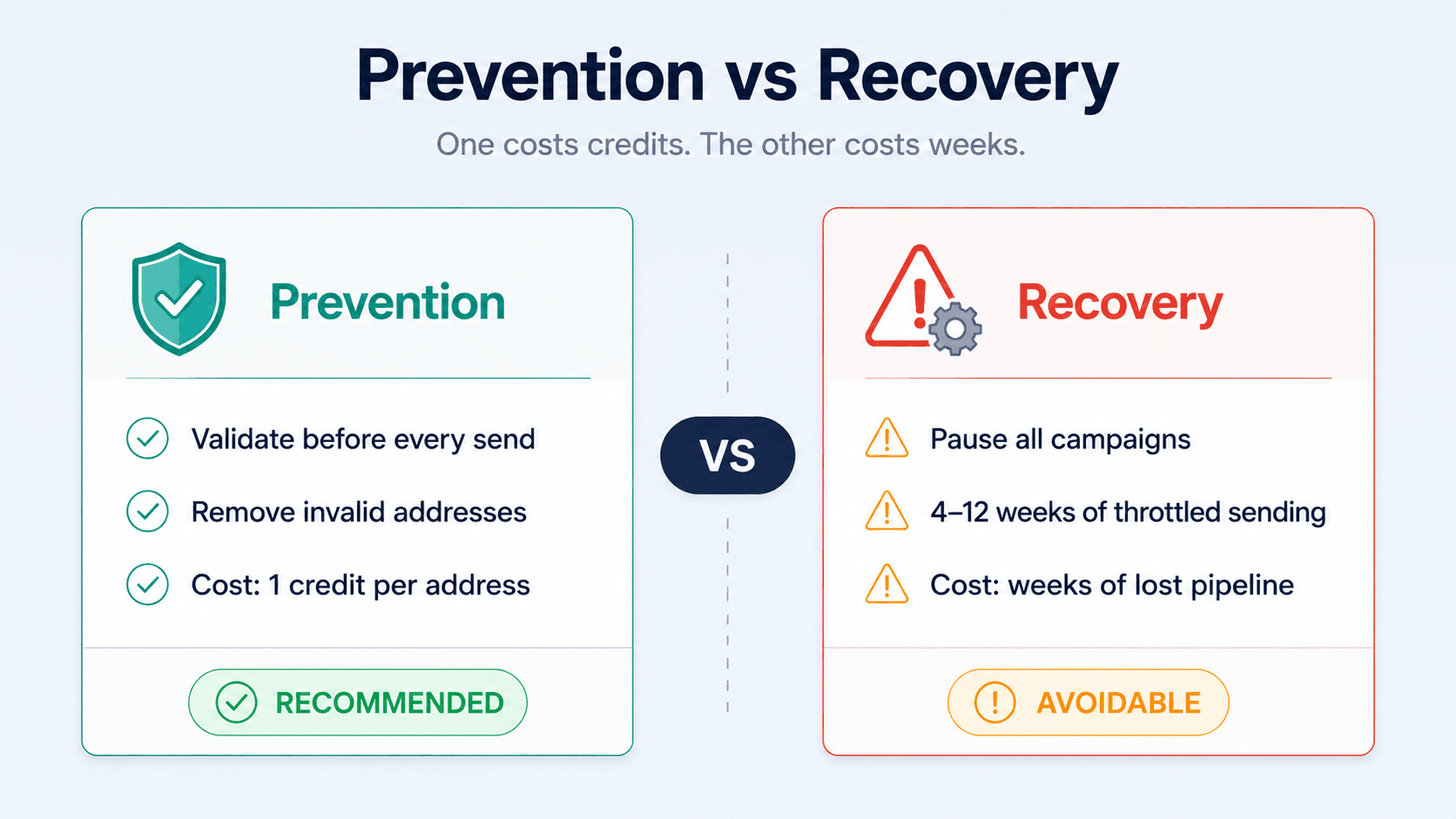
This is why validation is the most cost-effective reputation protection measure available. Checking every address before sending costs 1 credit per address. Repairing a damaged domain reputation costs weeks of throttled sending, lost pipeline, and potentially a new sending domain. For more detail on the bounce rate thresholds that trigger each level of damage, see How to Reduce Your B2B Email Bounce Rate to Under 3%.
What reputation recovery actually looks like
If your sender reputation has already been damaged, recovery follows a specific sequence. There are no shortcuts. Sending "cleaner" emails from a damaged domain doesn't help until the reputation is rebuilt through consistent low-volume positive-signal sending.
| Step | Action | Why |
|---|---|---|
| 1. Stop sending | Pause all campaigns from the affected domain | Every send while reputation is damaged makes recovery harder |
| 2. Diagnose the cause | Identify what triggered the damage — high bounces, spam trap, complaint spike | Can't fix the problem without knowing which of the seven factors caused it |
| 3. Clean your list | Run every address through Bulk Email Verifier — remove all Invalid, Spam, Disposable, and Abuse addresses | Sending to a clean list is the only way to stop generating negative signals |
| 4. Fix authentication | Verify SPF, DKIM, DMARC are correctly configured | Missing authentication blocks recovery — providers won't rebuild trust without it |
| 5. Request delisting | Submit delisting requests to any blocklists you appear on | Being on a blocklist prevents recovery regardless of sending behaviour |
| 6. Resume conservatively | Start with low volume to your most engaged contacts only | Positive engagement signals rebuild reputation — but only from clean, validated sends |
Recovery timelines depend on how severe the damage was. Minor reputation issues (2–5% bounce rate, no blocklisting) typically recover in 2–4 weeks of careful low-volume sending. Significant damage (5–10% bounce, one blacklist) takes 4–8 weeks minimum. Severe damage involving pristine spam trap hits or multiple blacklist appearances can take 2–3 months — and some domains never fully recover their pre-damage inbox placement rates.
Validation as the preventative reputation layer
The most important insight about sender reputation and data quality is this: validation doesn't improve reputation directly — it prevents the things that damage it. A clean validated list produces fewer bounces, zero spam trap hits, and better engagement signals. All three of those outcomes build and protect reputation over time.
The protocol is simple. Run every list through SalesTarget's Lead Validation before every campaign. Remove every Invalid, Spam, Disposable, and Abuse address from the send list. Keep catch-all addresses under 20% of your campaign volume. Check Google Postmaster Tools and MXToolbox weekly. Treat your sender reputation like a credit score — it's much easier to maintain than to rebuild.
For the root cause of why lists go bad and how quickly — which is what makes ongoing validation necessary rather than a one-time task — see How Email List Decay Quietly Kills Your Campaigns. For the role-based addresses (info@, support@) that damage engagement metrics even when they technically deliver, see the role-based email addresses article.
Protect your sender reputation before it drops.
SalesTarget's Lead Validation removes the bad addresses — invalid, disposable, spam traps, abuse — before they reach your campaign. Clean data is the most effective reputation protection available.
✓ 50 credits ✓ 7-day trial ✓ No credit card required
Frequently Asked Questions

See It In Action: Book Your Free Demo
Get a personalized walkthrough and see how it works for your team.
Book My Demo →



