TL;DR
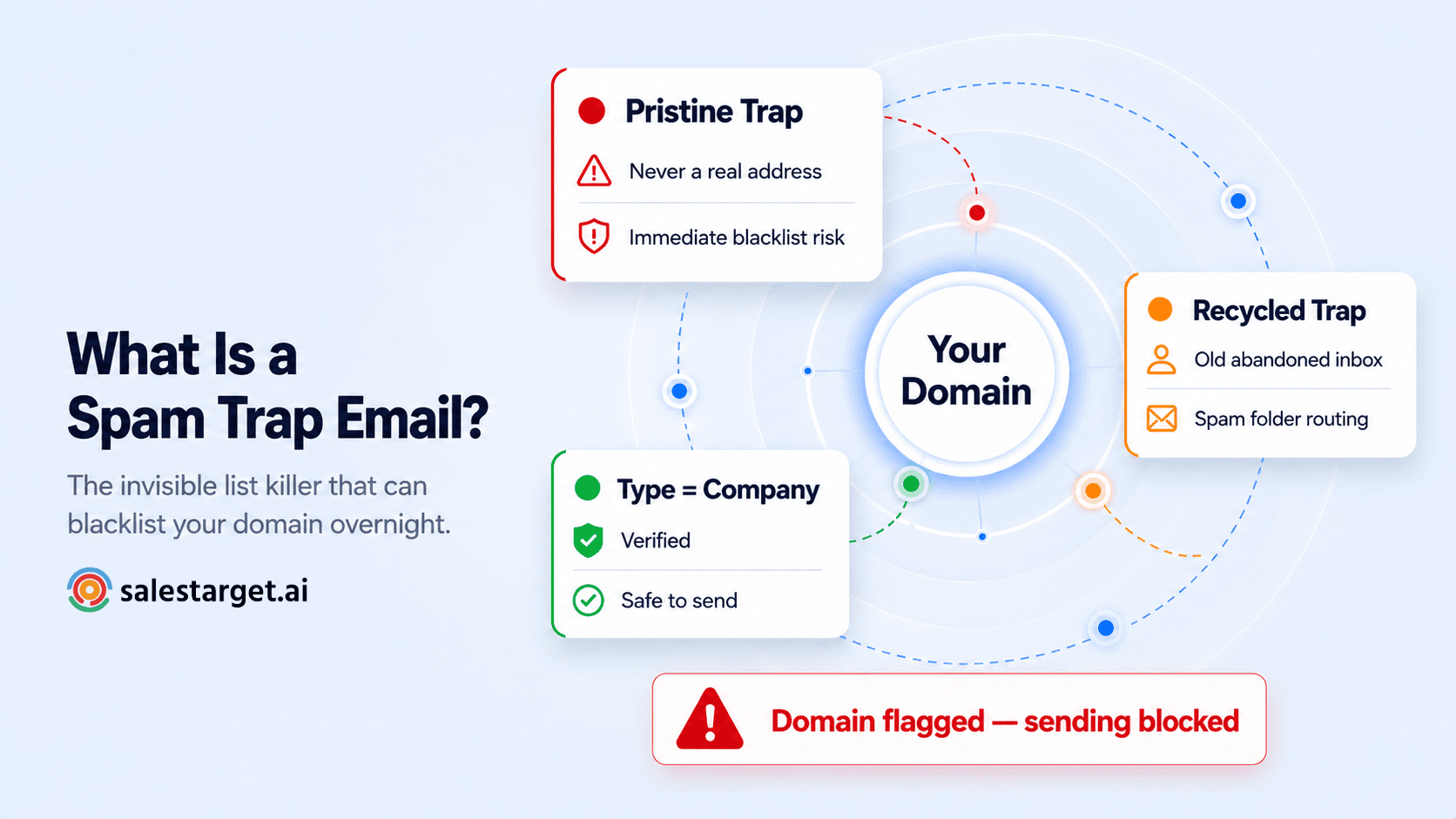
- A spam trap is an email address set up to catch senders with poor list hygiene — sending to one signals to inbox providers that you don't verify your contacts.
- There are two types: pristine traps (never real, planted to catch scrapers and list buyers) and recycled traps (old abandoned addresses repurposed as traps).
- The consequences range from spam folder routing to full domain blacklisting — and pristine trap hits can happen instantly.
- You cannot spot a spam trap by looking at it — they look like normal email addresses. Only verification catches them.
- SalesTarget's Email Verifier classifies spam traps automatically in the Type column of every result — so you know before you send.
Most deliverability problems announce themselves. Your bounce rate climbs, your open rate drops, and you know something's wrong with your list. Spam traps are different. They look like normal email addresses. They sit silently in your contact list. And then, when you send, they trigger a flag with inbox providers — one that can route your entire domain to spam before you even know what happened.
Here's what spam traps actually are, how they end up in cold outreach lists specifically, and how to make sure you never send to one.
What is a spam trap email?
A spam trap is an email address that exists not to receive real communication — but to catch senders who are using bad data. Internet service providers, anti-spam organisations, and blocklist operators create and maintain spam trap addresses specifically to identify senders with poor list hygiene or suspicious contact acquisition methods.
When you send an email to a spam trap, no human receives it. There is no inbox on the other end. What happens instead is that the sending domain gets flagged. The operator of the trap records your domain as a sender that reached an address it should never have had — and that record feeds into blocklists and reputation scoring systems used by Gmail, Outlook, Yahoo, and every other major inbox provider.
The damage is invisible until it isn't. You don't get a bounce notification. You don't get an error. You get silence — and then, days or weeks later, your open rates crater because your emails are going to spam.
Two types of spam traps — and why they hit differently
Not all spam traps carry the same consequence. Understanding which type you're dealing with — and how each one gets into a cold outreach list — tells you a lot about where your data problem actually is.
| Type | What it is | How it gets in your list | Consequence |
|---|---|---|---|
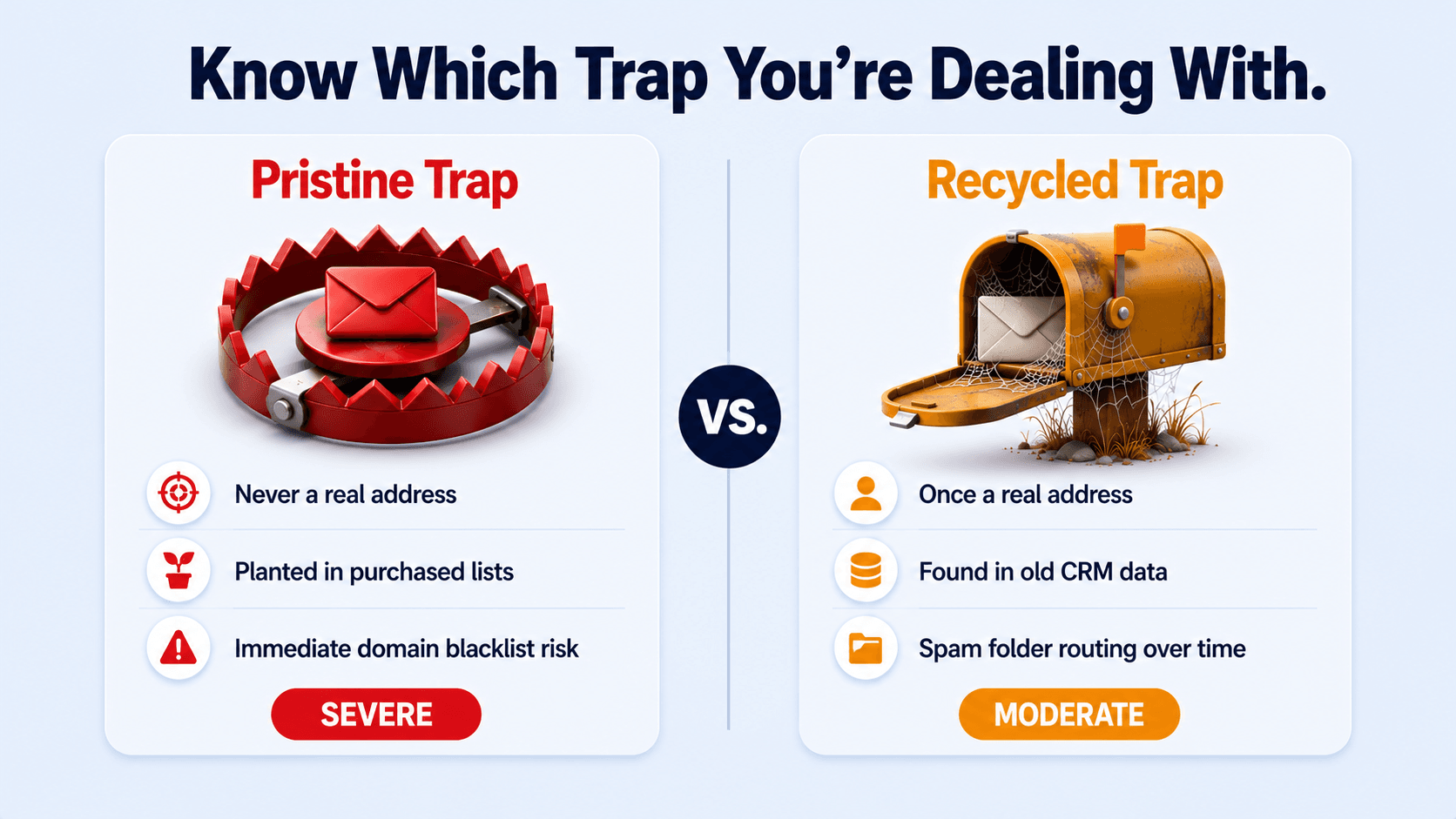
| Pristine trap | An address created solely to be a trap — it has never belonged to a real person | Purchased lists, web scraping, data vendors with poor quality controls | Severe — immediate domain blacklisting risk |
| Recycled trap | A once-valid address, abandoned for 12+ months and repurposed as a trap by the inbox provider | Old lists, CRM contacts that haven't been verified, stale databases | Moderate — repeated hits cause spam folder routing and reputation damage |
Pristine traps are the most dangerous. These addresses were never real — they were created by anti-spam organisations and seeded into the data ecosystem specifically to catch scrapers and list buyers. If your domain sends to a pristine trap, it signals to inbox providers that you obtained contacts through methods that bypass consent — and the response can be immediate blacklisting.
Recycled traps are more common in cold outreach. When an email address is abandoned — the person left the company, closed the account, or stopped using the service — inbox providers may eventually repurpose that address as a trap after a dormancy period. A list that was clean twelve months ago may now contain recycled traps from contacts who changed roles or companies since you collected it.
The cold outreach risk is different from opt-in marketing
Why SDRs face higher exposure
Email marketers sending to opted-in lists rarely encounter pristine traps — those addresses never sign up for anything. Cold outreach SDRs face a completely different risk profile. Purchased contact lists, scraped prospect databases, and third-party lead data are the primary vectors for pristine trap contamination. If you are sourcing contacts from any vendor or platform that doesn't verify addresses at the point of collection, assume pristine traps are in your list until verification proves otherwise.
What actually happens when you send to a spam trap
The consequences of sending to a spam trap depend on the type and volume — but none of them are good. Here's what happens in increasing order of severity:
| Severity | What happens | Recovery time |
|---|---|---|
| Spam folder routing | Inbox providers start routing your emails to spam — not just for the trap address, but for your entire domain across all recipients | 2–4 weeks of clean sending to recover |
| IP address flagged | Your sending IP is added to a blocklist — all email from that IP address is filtered or rejected by providers using that blocklist | 4–8 weeks, may require IP change |
| Domain blacklisted | Your sending domain is added to major blocklists (Spamhaus, Abusix) — emails from this domain are rejected or go to spam across all major providers | Weeks to months — some domains never fully recover |
| Full domain block (pristine trap) | A single pristine trap hit can trigger immediate domain blocking at the provider level — all outreach from your domain stops landing in inboxes | Full rebuild required — may mean new domain |
The most important thing to understand: spam trap damage doesn't only affect the campaign that triggered it. It affects every email your entire team sends from that domain — follow-ups, warm prospect replies, inbound responses, everything. One contaminated list can suppress all outreach for weeks.
How spam traps end up in your cold outreach list
For cold email teams specifically, there are four common routes:
1. Purchased contact lists
The highest-risk source. Data vendors who don't verify at the point of collection pass pristine traps straight through to buyers. There is no way to know what quality checks, if any, were run on the data before you bought it. Every purchased list should be treated as contaminated until verification proves otherwise.
2. Web scraping
Pristine traps are deliberately embedded in website code — visible to scrapers but invisible to normal users. Any list built from scraped web data almost certainly contains them. If your prospecting process involves any automated email extraction from websites, your list has a spam trap problem.
3. Old CRM data
Contacts added 12–18 months ago who have since changed roles, left companies, or abandoned email accounts are prime candidates for recycled trap status. The address that was valid when you added it may now be a trap. Any list segment older than three months should be re-verified before use.
4. Third-party enrichment tools with poor data hygiene
Enrichment platforms that pull from static databases — verified once at collection — may serve addresses that have since been repurposed as recycled traps. The enrichment date matters as much as the source quality.
How SalesTarget's Email Verifier classifies spam trap addresses
SalesTarget's Email Verifier classifies every address by Type as part of its standard 4-layer check. The Type column in your result will show one of four classifications: Company, Personal, Disposable, or Spam Trap.
When the result shows Type = Spam Trap, the action is unambiguous: remove it immediately. Do not include it in any campaign. Do not attempt to contact that address through any channel. The plain-English result message at the top of the result page confirms this directly.
Type = Spam Trap: what to do
Action required — remove immediately
Remove the address from your list before it enters any campaign. Remove it from your CRM. If you are seeing multiple spam trap results in a single list, that is a signal about your data source — not just those individual addresses. Pause and audit where the list came from before cleaning and re-sending. A single spam trap hit is manageable. A pattern of them means your sourcing process has a structural problem that a single list clean will not fix.
How to remove spam traps at scale: the Bulk Email Verifier workflow
For a full contact list, the process is straightforward using SalesTarget's Bulk Email Verifier:
Step 1 — Export your contact list as a CSV with an email column.
Step 2 — Go to Lead Validation in SalesTarget and click Validate a New List. Upload your CSV.
Step 3 — Let verification run. The system checks every address across all four layers including Type classification.
Step 4 — Download your results CSV. Filter the Type column and remove every address classified as Spam Trap.
Step 5 — Import only addresses with Type = Company or Personal and Email Status = Valid into your campaign.
How often should you check?
Best practice for ongoing list hygiene
Verify before every major campaign send. Re-verify any list segment older than 90 days — recycled traps can appear in previously clean data as addresses get repurposed over time. If you are regularly pulling from purchased or third-party data sources, build verification into your workflow before contacts enter your campaign queue at all. Clean on the way in, not after the damage is done.
Spam traps don't announce themselves. Your verifier should.
SalesTarget's Email Verifier classifies every address by Type — Company, Personal, Disposable, or Spam Trap — so you know exactly what to do before a single email leaves your account.
✓ 50 credits ✓ 7-day trial ✓ No credit card required
Frequently Asked Questions

See It In Action: Book Your Free Demo
Get a personalized walkthrough and see how it works for your team.
Book My Demo →



