TL;DR
- A catch-all email domain is configured to accept every email sent to it — even if the specific address doesn't exist.
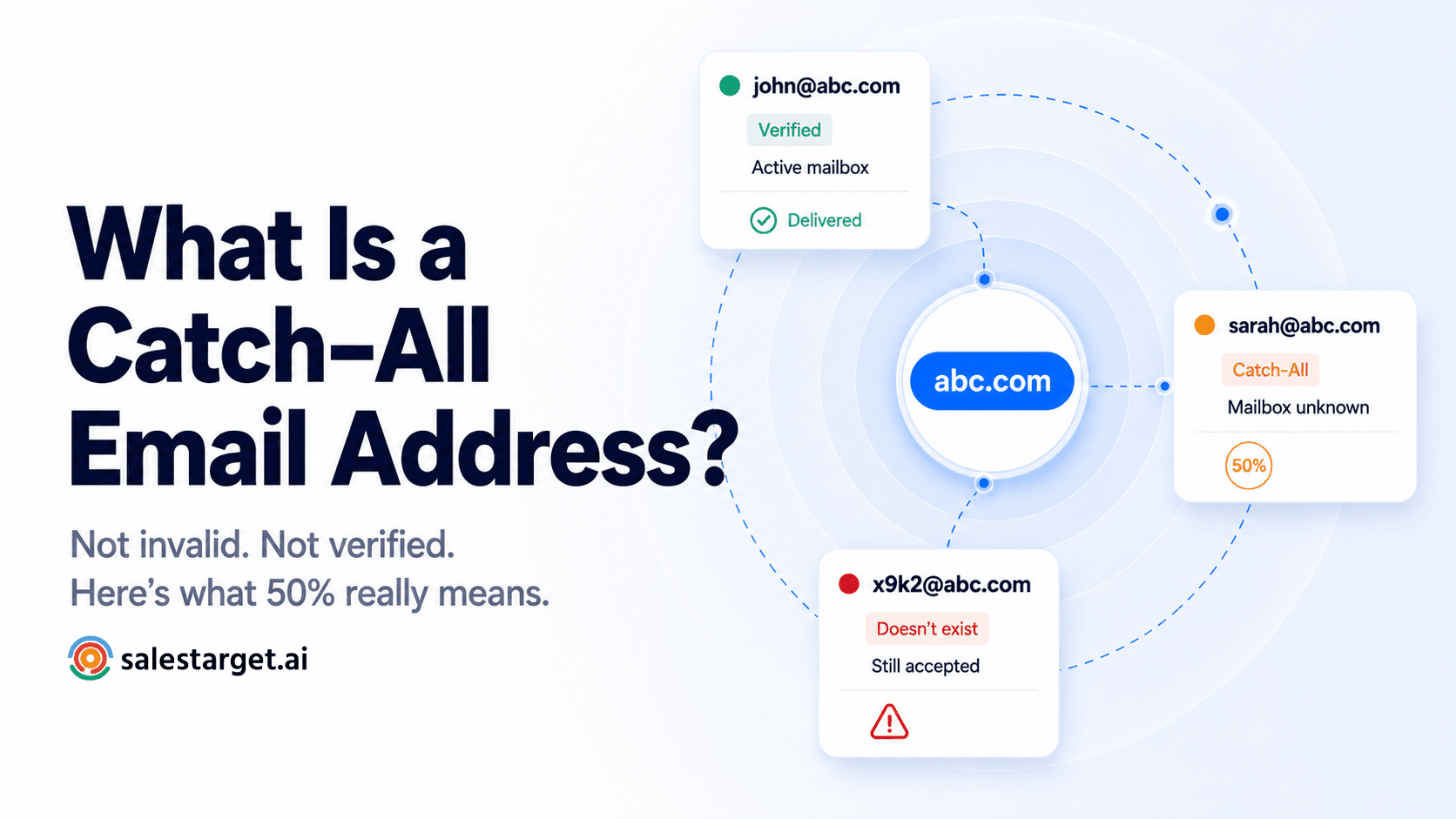
- This means no verification tool can confirm whether the individual mailbox is live — which is why SalesTarget shows a 50% confidence score for these addresses.
- Catch-all addresses are not automatically bad — but they carry more risk than fully verified addresses and require a deliberate decision before sending.
- The right approach: include catch-all addresses only for high-priority ICP contacts. Skip them for everyone else.
- SalesTarget's Email Verifier detects catch-all domains automatically and flags them — so you always know before you send.
You ran your list through the Email Verifier. Most addresses came back at 100%. But a handful came back at 50% — and now you're not sure what to do with them. Send or skip? Are they safe? What does 50% actually mean?
The answer is catch-all email addresses. They're one of the most misunderstood results in email verification — not invalid, not fully verified, sitting in an uncertain middle ground that trips up a lot of outbound teams. Here's exactly what they are, why they show up in your results, and how to make the right call on every one of them.
What is a catch-all email address?
A catch-all email address — also called an accept-all address — exists on a domain that is configured to accept every email sent to it, regardless of whether the specific mailbox exists.
On a normal email domain, sending a message to a non-existent address gets you a bounce. The mail server checks whether the mailbox is real, finds nothing, and rejects the email. You know immediately the address doesn't work.
On a catch-all domain, that rejection never happens. The server says yes to everything. Send an email to anythinghere@abc.com and the server accepts it — whether the mailbox is active, inactive, or was never created. From the outside, every address at that domain looks deliverable. In reality, you have no idea.
Why companies set up catch-all domains
It started as a safety net
Catch-all domains were originally designed to prevent lost emails. If a customer mistyped a colleague's address — jon@abc.com instead of john@abc.com — the domain would catch the message and route it to a central inbox rather than bouncing it. For small teams handling inbound enquiries, it made sense. The problem for outbound senders is that the same setup makes it impossible to verify individual mailboxes from the outside.
Why SalesTarget shows 50% for catch-all addresses
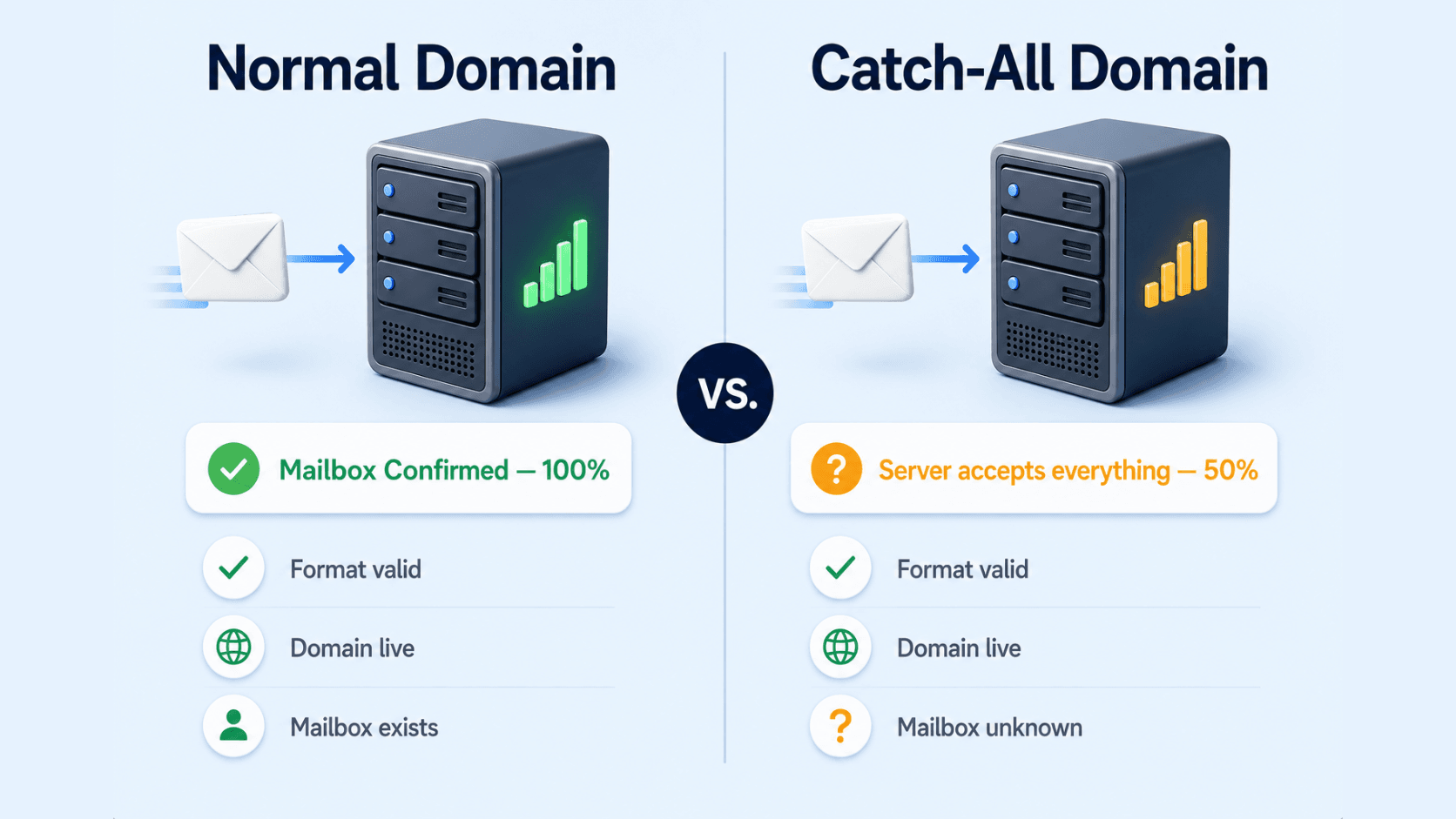
When SalesTarget's Email Verifier checks an address, it runs four sequential layers — format, domain, MX record, and SMTP check. The SMTP check is where catch-all domains create the problem.
On a normal domain, the SMTP check asks the mail server: "Does this specific mailbox exist?" The server answers yes or no. On a catch-all domain, the server answers yes to everything — it can't tell you whether the mailbox is real because it's configured not to distinguish.
This is why the confidence score stops at 50%. The first three layers passed — the format is correct, the domain is real, the mail server is live. But the fourth layer, the one that confirms the individual mailbox, returned an indeterminate answer. The tool knows the domain works. It cannot confirm the person does.
| Check layer | Normal domain result | Catch-all domain result |
|---|---|---|
| Format | ✓ Pass | ✓ Pass |
| Domain | ✓ Pass | ✓ Pass |
| MX record | ✓ Pass | ✓ Pass |
| SMTP mailbox check | ✓ Confirmed — mailbox exists | ⚠ Indeterminate — server accepts everything |
| Confidence score | 100% | 50% |
The 50% score is not a failure — it's an honest answer. It means SalesTarget verified everything it could verify. The remaining uncertainty is structural, not a data quality problem. No verification tool in the world can confirm individual mailboxes on a catch-all domain without actually sending an email.
What the risk actually looks like for cold outreach
Catch-all addresses are not invalid addresses. They're uncertain addresses. That distinction matters because it changes how you handle them.
Here's what can happen when you send to a catch-all address:
| Scenario | What happens | Impact on you |
|---|---|---|
| Mailbox is active | Email delivers normally, person receives it | No impact — same as a verified send |
| Mailbox inactive, catch-all inbox active | Email routes to central catch-all inbox — may go unread | No bounce, but likely no engagement either |
| Mailbox inactive, no catch-all inbox | Server accepted the email initially, then bounced it silently | Hard bounce — damages sender reputation |
| Catch-all inbox overwhelmed with spam | Email delivered but never seen | Wasted credit, zero engagement, skewed metrics |
The worst-case scenario — a silent bounce — is the most damaging. Unlike a normal bounce that your sending tool detects immediately, some catch-all domains accept the email at delivery and reject it later. Your tool reports the send as successful. Your bounce rate looks clean. But your domain reputation takes the hit regardless.
The silent bounce problem
Why catch-all risk is underestimated
Some catch-all domains are configured to accept mail at the server level and then silently discard it if the individual mailbox doesn't exist. Your sending tool records a successful delivery. Your open rate drops. Your bounce count stays flat. But inbox providers tracking your domain's engagement patterns see the pattern — emails sent, never opened, never replied to — and start routing your future sends to spam. The damage is real even when the bounce count isn't.
Send or skip: the decision framework for catch-all addresses
The right approach to catch-all addresses is not a blanket rule — it's a deliberate decision made contact by contact, based on how much the prospect is worth to you relative to the risk you're taking on their address.
A useful way to think about it: if you wouldn't send a LinkedIn connection request to this person, don't send to their catch-all address. If they're exactly the person you're targeting — right title, right company, right moment — the risk is worth taking. For everyone else, the default should be skip.
| Contact type | Catch-all address? | Recommendation | Why |
|---|---|---|---|
| Perfect ICP fit — exact title, company, timing | 50% — catch-all | Include | High potential value justifies the deliverability risk |
| Good fit but not a priority target | 50% — catch-all | Use LinkedIn instead | Protect your email domain — reach them via another channel |
| Broad list, mixed quality, cold | 50% — catch-all | Skip | Low prospect value, high cumulative risk to domain reputation |
| Purchased list or unknown source | 50% — catch-all | Skip | Data quality unknown — not worth the risk on top of catch-all uncertainty |
The practical limit to keep in mind
Keep catch-all sends under 20% of your list
Even when you decide to include high-priority catch-all contacts, keep them as a minority of your total send list. If catch-all addresses make up more than 20% of a campaign, the cumulative uncertainty compounds your deliverability risk. The remaining 80%+ should be fully verified addresses at 100% confidence — they're the foundation that keeps your domain reputation stable while you take calculated risks on the catch-alls.
How SalesTarget flags catch-all addresses in your results
SalesTarget's Email Verifier detects catch-all domains automatically during the SMTP check layer. You don't need to do anything differently — the classification happens as part of every single verification.
When you verify an address on a catch-all domain, the result page shows:
- Confidence score: 50% — the domain passed all checks but individual mailbox status is unconfirmed
- Email Status: Catch-All — clearly labeled so there's no ambiguity about what kind of result this is
- Plain-English message — the result card tells you exactly what to do next, no interpretation needed
For bulk lists run through the Email Verifier, catch-all addresses are classified in their own category in the results breakdown — separate from Valid, Invalid, Spam, and Abuse. When you download your cleaned CSV, each row has its status appended, so you can filter catch-all addresses into a separate segment and make the send/skip decision at a contact level before your campaign goes live.
The bottom line on catch-all addresses
A catch-all email address is not a bad address — it's an unconfirmable one. The domain is real, the mail server is live, but no verification tool can tell you whether the individual person's inbox exists. That uncertainty is built into the domain's configuration, not a flaw in the verification process.
When you see 50% in SalesTarget, it means the tool did its job. It verified everything verifiable and gave you an honest score on what it couldn't confirm. What happens next is your call — and now you have the framework to make it a good one.
High-priority ICP contacts on catch-all domains: include them. Everyone else: skip or use LinkedIn. Keep catch-all addresses under 20% of any campaign list. And always make sure the majority of your list is sitting at 100% confidence before you add any catch-all risk on top.
Know what every address is before you send.
SalesTarget's Email Verifier detects catch-all domains automatically — and classifies every address as Valid, Invalid, Catch-All, Disposable, or Spam Trap. One check. No ambiguity.
✓ 50 credits ✓ 7-day trial ✓ No credit card required
Frequently Asked Questions

See It In Action: Book Your Free Demo
Get a personalized walkthrough and see how it works for your team.
Book My Demo →



