TL;DR
- A bounce rate above 3% puts your sending domain at risk of being flagged or blacklisted by Gmail, Outlook, and other major providers.
- The root cause is almost always the same: unvalidated email lists filled with dead addresses, syntax errors, spam traps, and stale data.
- SalesTarget's built-in Email Validator runs a 4-layer check — format, domain, MX record, and SMTP — and scores every address from 0 to 100.
- The fix is a 7-step pre-campaign workflow: validate your list, read the failure reasons, filter by score, and only send to addresses scoring 70+.
- Teams that validate before every send consistently hit and hold bounce rates well under 3%.
Your deliverability isn't dying from one catastrophic event. It's bleeding out slowly — one bounced email at a time. A bounce rate above 2% tells inbox providers your data is untrustworthy. Above 3%, they start routing your campaigns to spam. Above 5%, your domain is in genuine blacklist territory. And most sales teams only find out when their open rates crater.
The good news: this is a fixable problem. Not with expensive deliverability consultants or complex DNS configurations — with one step that most teams skip entirely: validating your email list before you send. Here's exactly how to get your B2B bounce rate under 3% and keep it there.
Why 3% is the number that matters
Industry standards from major inbox providers treat a 2% hard bounce rate as the outer edge of acceptable. Cross it consistently, and your sender reputation score drops — and once it drops, recovering it takes weeks of careful, low-volume sending. Cross 5%, and you risk your sending domain being flagged entirely, meaning all future campaigns from that domain land in spam regardless of how good the content is.
For cold email outreach specifically, the stakes are even higher. You're sending to people who didn't opt in. You have zero reputation buffer. A dirty list is the fastest way to kill a domain before your sequence even gets a reply.
📊 What the benchmarks say
- Under 2% — Healthy. Inbox providers consider you a trustworthy sender.
- 2–3% — Caution zone. Deliverability starts to suffer; spam folder rates increase.
- 3–5% — Danger zone. Sender reputation is actively being damaged.
- Above 5% — Domain blacklist risk. Immediate action required.
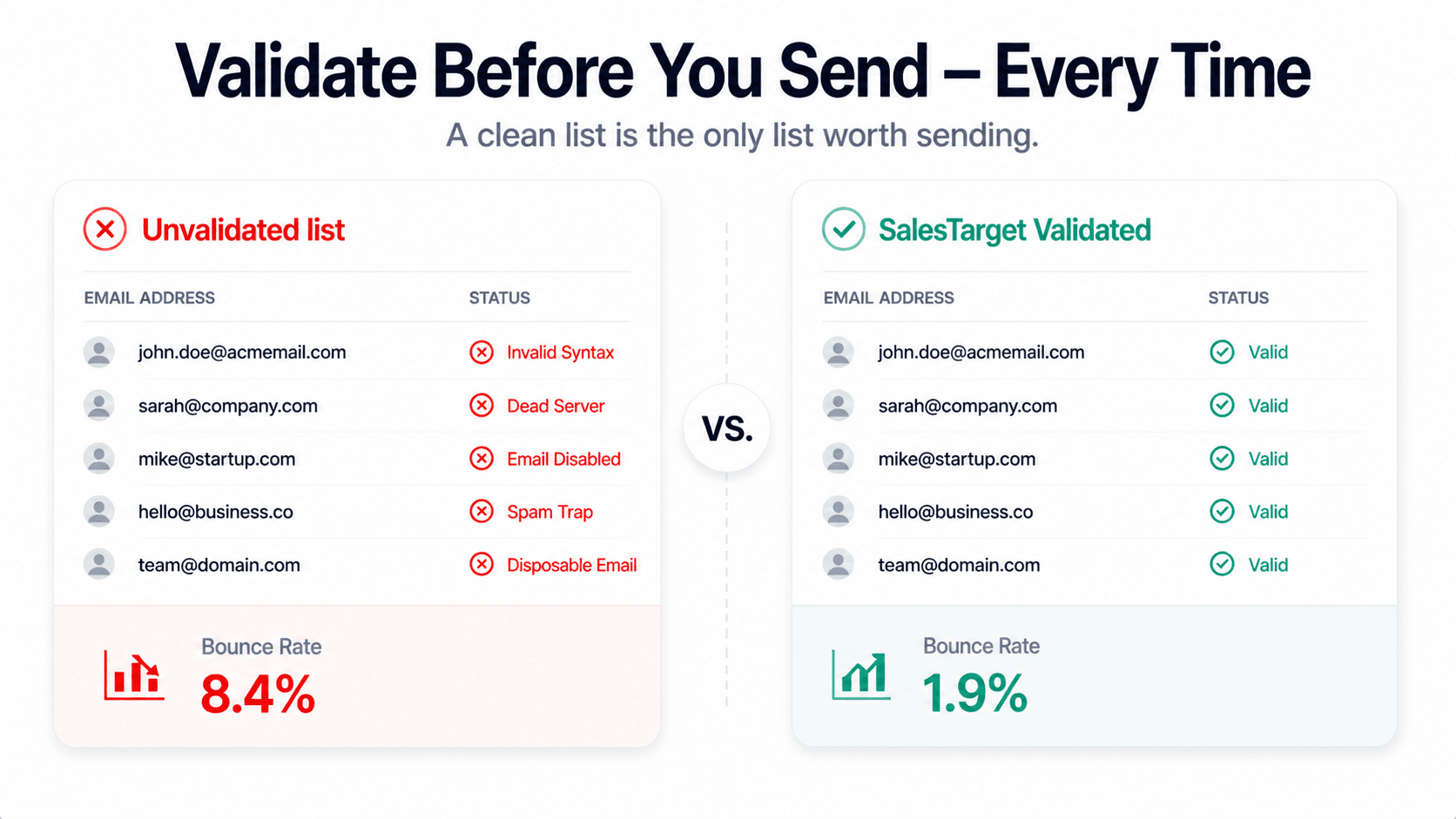
SalesTarget targets a post-validation bounce rate of under 3% for every campaign. Teams that run their lists through the Email Validator before sending consistently hit it.
Why email lists go bad faster than you think
Email lists decay. It's not a failure on your part — it's a structural reality of B2B data. People change jobs. Companies get acquired and domains go dark. Professionals switch from a company email to a new role's address. Email providers retire old accounts. Research consistently shows that B2B email lists lose 20–30% of their valid addresses every year.
That means a list you built six months ago could already have 10–15% invalid addresses sitting in it. A list from a trade show last year? Potentially worse. A purchased list from a data vendor? You have no idea what the decay rate is — or what quality checks they ran before selling it to you.
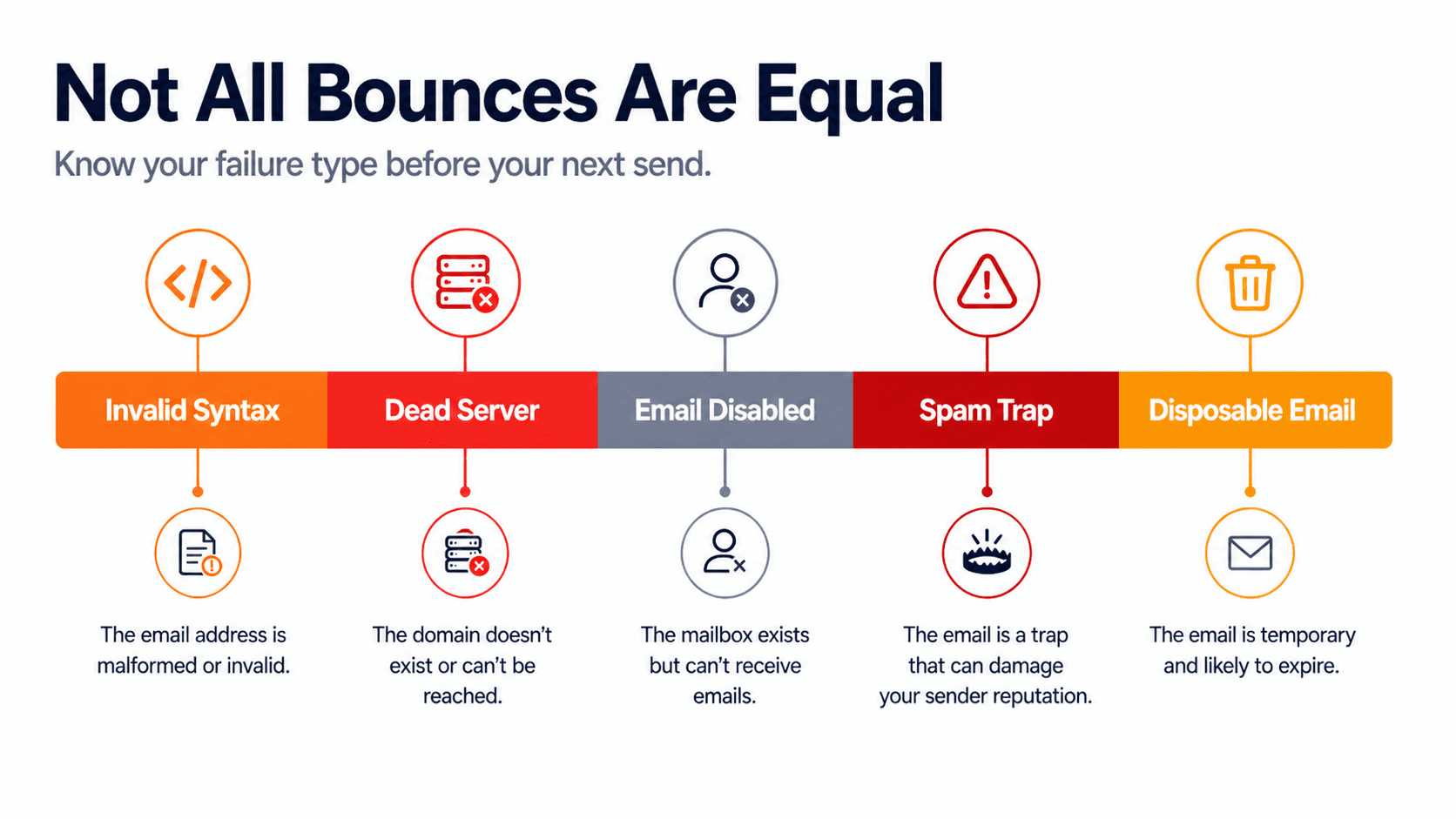
There are five categories of bad addresses that drive bounce rates up, and each one has a different cause and a different fix:
| Failure type | What it means | Root cause |
|---|---|---|
| Invalid syntax | Email is formatted incorrectly (missing @, extra spaces) | Manual data entry errors, bad scraping |
| Dead server | Domain no longer accepts email at all | Company shutdown, domain expired, acquisition |
| Email disabled | Mailbox no longer exists at a live domain | Person left the company, role eliminated |
| Spam trap | Address set up specifically to catch spammers | Purchased lists, honeypot addresses in scraped data |
| Disposable email | Temporary throwaway inbox, usually expires quickly | Form fills by people avoiding marketing |
The failure reason breakdown inside SalesTarget's Lead Validation dashboard tells you exactly which of these is dragging your list quality down — and that diagnosis determines where to fix your data sourcing, not just your current list.
How SalesTarget validates email addresses: the 4-layer check
Not all email validators are equal. A basic syntax check — the kind built into most CRM import fields — only catches formatting errors. It won't tell you whether the domain is live, whether the mail server is accepting connections, or whether the mailbox itself exists. SalesTarget's Email Validator runs four sequential checks on every address.
Layer 1 — Format check
Is the email address written correctly? This catches the obvious ones: missing @ symbols, extra spaces, misplaced dots. A formatting error means the address could never have been deliverable in the first place — it's a data entry or scraping problem upstream.
Layer 2 — Domain check
Does the domain actually exist? A valid format (@acme.com) doesn't mean acme.com is a real, live domain. This layer confirms the domain is registered and resolves correctly. Companies that have shut down, been acquired, or let their domain expire fail here.
Layer 3 — MX record check
Does the domain have a mail server configured to receive email? A domain can exist without being set up to handle email. The MX record check confirms there's an active mail server at that domain ready to accept incoming messages.
Layer 4 — SMTP check
This is the deepest layer. SalesTarget connects to the mail server and asks it directly: does this specific mailbox exist? The mail server's response is the definitive answer on whether the individual email address is real and reachable. This is what separates a proper validation tool from a basic syntax checker.
What the score means in practice
Validity score guide
Every address gets a score from 0 to 100. The rule of thumb for cold outreach: only send to addresses scoring 70 or above.
- Score 100 — Fully verified, confirmed deliverable. Send with confidence.
- Score 70 — Catch-all domain. Can't confirm individual mailbox, but the domain accepts mail. Generally safe to include.
- Score 50 — Uncertain. Server didn't respond definitively. Proceed with caution on large campaigns.
- Score 30 — Disposable inbox. High risk. Skip these for outreach.
- Score 0 — Definitively invalid. Remove immediately.
The 7-step workflow to get your bounce rate under 3%
This is the exact process a sales team would run before launching any cold outreach campaign. It works whether you have 200 leads or 20,000.
Step 1: Source your leads properly
Use Lead Explorer to build your prospect list with verified contact data from the start. Sourcing from a platform with built-in data quality controls means fewer bad addresses entering your pipeline before validation even runs. Set your ICP filters — job title, industry, company size, location — and pull a focused list rather than a broad one.
Step 2: Export your raw list as CSV
Export your prospect list as a CSV with an email column. If you're working with an existing list — from a trade show, a data vendor, or a previous CRM migration — export that the same way. The format requirement is simple: one email per row.
Step 3: Upload to List Email Verification
Navigate to Lead Validation → Validate Email List in SalesTarget. Give your list a descriptive name (e.g., "May 2026 Series B Founders"), then drag and drop your CSV or paste the addresses directly. Click Verify. The system starts processing immediately — you'll see a live progress bar as it works through each address.
Step 4: Wait for processing to complete
Lists under 1,000 emails typically finish in a few minutes. For larger lists — 10,000 or more — processing may take 15–30 minutes. You can close the tab and come back; results are saved to your account under List Email Stats. No need to babysit the process.
Step 5: Diagnose your failure reasons
Once complete, look at the Top Verification Failure Reasons breakdown on your dashboard before you do anything else. This is your data quality diagnosis. If you're seeing a lot of invalid syntax, your scraping or import process has a formatting problem. Mostly dead server errors? Your list is old and full of churned companies. Frequent spam traps? Your data source is low quality and needs to be replaced. Fix the cause, not just this one list.
Step 6: Download clean results and filter by score
Download the results CSV. It contains your original data plus a verification status column for each address. Filter your spreadsheet to keep only Valid and Catch-All addresses — and within those, set a minimum score threshold of 70. Remove every address categorised as Invalid, Spam, Abuse, Disposable, or Do Not Mail. What remains is your clean send list.
Step 7: Import clean list into your campaign
Import only the verified addresses into your Email Outreach campaign. Your bounce rate will be at or below 3% from send one. Your deliverability stays healthy. And your campaign metrics — opens, replies, conversions — are now measuring real people, not a mix of real and dead addresses.
Single validation vs bulk verification: which to use when
SalesTarget's Lead Validation suite has three tools covering different scenarios. Knowing which one to reach for saves time and credits.
| Tool | Best for | Credits used | When to skip |
|---|---|---|---|
| Email Validator (single) | Checking a specific lead before a high-priority outreach; spot-checking your list health | 1 credit per email | Don't use for bulk — inefficient |
| Email Finder | You have a name and company domain but no email (LinkedIn prospects, conference leads) | 5 credits per search | Skip if you already have the email |
| List Email Verification (bulk) | Pre-campaign list cleaning; any list with 50+ addresses | 1 credit per email | Overkill for 1–2 address checks |
For most outbound sales teams, bulk list verification before every campaign launch is the core habit. Single validation is a quick-check tool for individual high-value prospects. Email Finder fills the gap when you have a lead's identity but not their contact details — a common situation when prospecting on LinkedIn or working inbound leads from events.
The five mistakes that keep bounce rates above 3%
Validation solves the problem — but only if you do it consistently and do it right. These are the most common ways teams undermine their own deliverability even after adopting validation.
Mistake 1: Validating once and assuming the list stays clean
The "set and forget" trap
A list validated three months ago is already degrading. People leave companies, domains get shut down. Validate before every campaign — not once per year. Any list older than 90 days should be re-verified before use.
Mistake 2: Including catch-all addresses without a score threshold
The catch-all risk
Catch-all domains accept email sent to any address — even non-existent ones. This means a catch-all result doesn't guarantee deliverability for that specific mailbox. If you include all catch-all results without filtering, a portion will bounce. Apply the 70+ score filter and only include catch-all addresses from domains you recognise as legitimate.
Mistake 3: Ignoring the failure reason breakdown
Treating symptoms, not causes
The Top Verification Failure Reasons panel on your dashboard is telling you something about your data sources — not just your current list. If you clean the list but don't read the failure reasons, you'll rebuild the same quality problem on your next import. Read the diagnosis every time.
Mistake 4: Sending to "unknown" emails from large purchased lists
The unknown risk factor
Unknown status means the mail server didn't respond definitively — it couldn't confirm or deny the mailbox exists. For small, warm lists this is an acceptable risk. For large cold outreach campaigns, including all unknowns will push your bounce rate above 3%. Skip them unless the lead is a verified high-priority target.
Mistake 5: Not connecting validation to lead sourcing
The upstream fix
Validation is most powerful when it's part of a connected workflow — not a standalone step. The cleanest campaigns start with verified contact data from Lead Explorer, run through validation, then pushed directly into campaigns. The more steps between data source and send, the more decay can sneak in.
What validation actually costs vs what bad data actually costs
A common objection to systematic validation: "It adds credits to every campaign." Fair. Here's what the math looks like at scale.
| Volume | Validation cost | Typical invalid rate | Sending credits saved |
|---|---|---|---|
| 5,000 leads | $10.00 | 15–25% | 750–1,250 wasted sends avoided |
| 25,000 leads | $27.00 | 15–25% | 3,750–6,250 wasted sends avoided |
| 100,000 leads | $102.00 | 15–25% | 15,000–25,000 wasted sends avoided |
But the sending credit savings are almost secondary. The real cost of bad data is domain damage. A blacklisted sending domain means you can't run any campaign from it until deliverability is restored — and that recovery process can take weeks of careful, throttled sending before inbox providers trust you again. A $10 validation job is cheap insurance against a $0 campaign return because your emails aren't landing anywhere.
Your next campaign deserves a clean list.
SalesTarget's Email Validator runs a 4-layer check on every address — format, domain, MX record, and SMTP — in seconds. Get your bounce rate under 3% before you send a single email.
✓ 50 credits ✓ 7-day trial ✓ No credit card required





