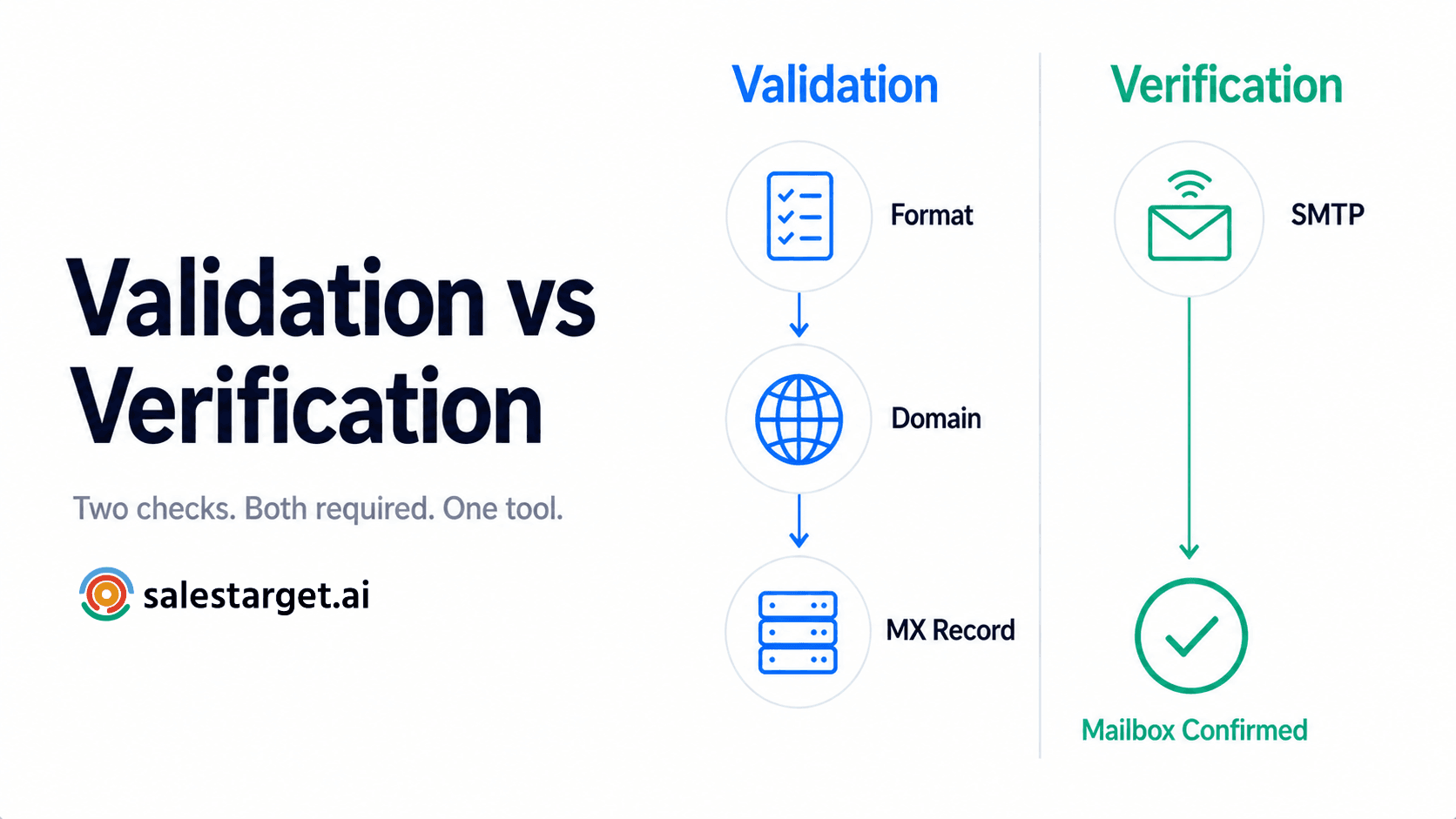
TL;DR
- Email validation checks whether an address is correctly formatted and points to a real domain — it answers "could this address exist?"
- Email verification goes deeper — it connects to the mail server and confirms the specific mailbox is live — it answers "does this address actually work right now?"
- Validation alone won't protect your bounce rate. Verification without validation wastes time checking badly formatted addresses.
- You need both — and the good news is SalesTarget's Email Verifier runs all four checks in one step, covering validation and verification together.
- Run it before every cold outreach send. It takes seconds per address, minutes for a full list.
Ask ten sales people what the difference is between email validation and email verification and you'll get ten different answers — most of them wrong. The two terms get used interchangeably across tools, articles, and vendor dashboards. That confusion isn't just semantic. When you blur the line between these two processes, you end up thinking you've done one when you've only done half of it. And half of it still leads to bounces.
Here's the plain-English breakdown — what each term actually means, why both matter, and how SalesTarget handles them together in a single check.
Why people confuse these two terms
The confusion comes from the industry itself. Most email tool vendors — including well-known ones — use "validation" and "verification" interchangeably in their marketing copy, dashboards, and documentation. If the people selling the tools don't distinguish them clearly, it's no surprise that the people using the tools don't either.
There's also a practical reason: most modern tools run both processes automatically in sequence, without labelling them separately. You click one button, get one result, and never see the two steps happening underneath. That's actually a good thing for usability — but it can leave you without a working mental model of what's being checked and why.
The mental model matters when something goes wrong. If your bounce rate climbs after a campaign and you "already validated your list," you need to know whether validation was all you ran — or whether you actually ran verification too. The answer determines what to fix.
What is email validation?
Email validation is the process of checking whether an email address is correctly structured and points to a domain that could receive email. It's the first layer of any email quality check — fast, lightweight, and done entirely without contacting any mail server.
Validation checks things like:
- Format and syntax — does the address have an @ symbol, a username, and a domain? Are there illegal characters, extra spaces, or misplaced dots? An address like
john@@acme.comorjohnacme.comfails immediately at this layer. - Domain existence — does the domain in the address (the part after @) actually exist and resolve correctly? A well-formatted address pointing to a domain that doesn't exist — like
john@notarealdomain.xyz— fails here. - MX record check — does the domain have a mail server configured to receive incoming email? A domain can exist without being set up to handle email at all.
Validation is the answer to the question: could this address exist? It's fast, and it catches formatting errors, dead domains, and obvious problems. But it has a hard limit.
The limit of validation alone
What it can't catch
An address like john.smith@acme.com can pass every validation check perfectly — correct format, real domain, live mail server — and still bounce. Why? Because John left the company last year and his mailbox was deleted. Validation says the address could work. It cannot confirm that it does work. That's what verification is for.
What is email verification?
Email verification goes one level deeper. After validation confirms the address is well-formed and the domain is live, verification connects to the mail server directly and asks: does this specific mailbox actually exist?
This is done through an SMTP check — a technical handshake with the receiving mail server. The server either confirms the mailbox exists or tells you it doesn't. No email is actually sent during this process. It's a quiet ping that gets you a definitive answer on whether the address is live and reachable right now.
Verification is what catches the problems that validation misses:
- The employee who left the company six months ago — domain is live, mailbox is deleted
- The address on a company's website that hasn't been active in two years
- The contact from a purchased list whose email was deactivated after an acquisition
- Spam traps — addresses set up specifically to catch senders who aren't verifying properly
Verification answers the question: does this address actually work right now?
The key difference, side by side
| Email validation | Email verification | |
|---|---|---|
| The question it answers | Could this address exist? | Does this address actually work right now? |
| What it checks | Format, syntax, domain existence, MX records | Live mailbox status via SMTP handshake |
| Contacts a mail server? | No — runs locally or via DNS lookup | Yes — pings the receiving mail server directly |
| What it catches | Typos, bad formatting, dead domains, missing MX records | Deleted mailboxes, inactive accounts, spam traps |
| What it misses | Addresses that look right but no longer exist | Formatting errors — assumes a valid structure going in |
| Speed | Instant | Seconds per address |
| Bounce protection | Partial — catches obvious problems only | Strong — confirms the mailbox is live |
Why you need both — not just one
Validation without verification is an incomplete check. It weeds out the obvious junk — typos, dead domains, badly formatted addresses — but it leaves behind every address that looks correct on paper but is no longer active. Those are the addresses that produce hard bounces and damage your sender reputation.
Verification without validation is inefficient. Running an SMTP check on an address with a formatting error is wasted effort — the check will fail anyway, but you've spent time and resources on something a basic format check would have caught in milliseconds.
The right approach is sequential: validate first to filter out the obvious problems, then verify the remaining addresses to confirm they're live. Done in order, you get clean data with the lowest possible bounce rate.
What happens if you only validate?
The gap that causes bounces
A list of 5,000 contacts can pass validation with flying colours — every address correctly formatted, every domain live — and still contain 15–20% invalid mailboxes. These are real addresses at real domains where the individual account no longer exists. Validation won't catch them. Verification will. Skipping verification on a 5,000-contact list means potentially sending to 750–1,000 dead addresses — enough to push your bounce rate above the threshold that triggers spam filtering.
What happens if you only verify?
The wasted effort problem
Running SMTP verification on a list that hasn't been validated first means your verification tool is spending time checking addresses that have obvious formatting errors. It's slower and more expensive than it needs to be. More importantly, a pure SMTP check also can't confirm whether an address is a disposable inbox or a spam trap — those classifications require the type detection that comes from the validation layer. Both layers are needed to get the full picture.
How SalesTarget handles both in one step
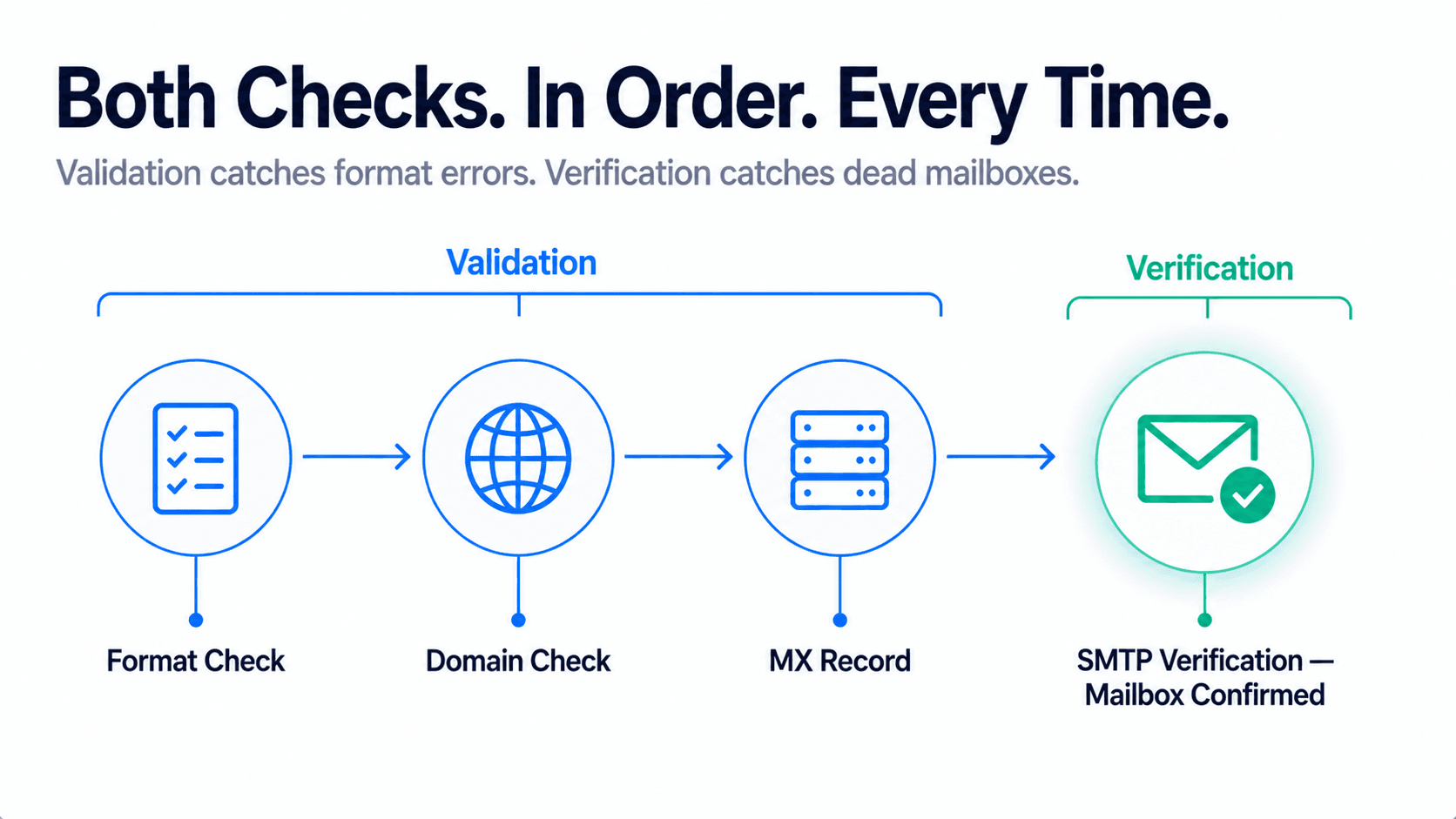
SalesTarget's Email Verifier runs validation and verification together in a single check — in the correct sequence, automatically. You paste an address or upload a list, and the system works through all four layers in order:
| Layer | What it checks | Validation or verification? |
|---|---|---|
| 1 — Format | Syntax, structure, illegal characters | Validation |
| 2 — Domain | Domain exists and resolves correctly | Validation |
| 3 — MX record | Domain has a mail server configured to receive email | Validation |
| 4 — SMTP | Specific mailbox exists and is live right now | Verification |
The result comes back with three pieces of information: Format (is it well-structured), Type (is it a company email, personal email, disposable inbox, or spam trap), and Email Status (is the mailbox live). A confidence score from 0 to 100 tells you exactly what to do with each address.
The practical rule for cold outreach
When to run it
Run the Email Verifier before every cold outreach send — not once per list, once per send. B2B contact data decays at 20–30% per year. A list verified three months ago may already have a meaningful number of dead addresses in it. The check takes seconds for a single address and minutes for a full list via the Bulk Email Verifier. It's the cheapest insurance you have against a damaged sending domain.
The bottom line
Email validation and email verification are two different checks that work in sequence. Validation asks if an address could exist. Verification asks if it does exist. Neither one alone is enough to protect your deliverability — you need both, in order, before every send.
In practice, you don't have to run them separately. SalesTarget's Email Verifier covers all four layers — format, domain, MX record, and SMTP — in a single check. The result tells you exactly whether an address is safe to send to, with no ambiguity.
The next time someone tells you they "validated their list," ask which layers they ran. If the answer stops at format and domain, they haven't finished the job.
Validation and verification. One check. Two seconds.
SalesTarget's Email Verifier runs all four layers automatically — format, domain, MX record, and live SMTP check. Know exactly what to do with every address before you send.
✓ 50 credits ✓ 7-day trial ✓ No credit card required
Frequently Asked Questions

See It In Action: Book Your Free Demo
Get a personalized walkthrough and see how it works for your team.
Book My Demo →