You pull 500 contacts on Monday and launch the sequence on Tuesday. By Wednesday the bounce report is ugly. Dozens of addresses are dead, a few domains reject everything, and your sending inbox now looks careless to Gmail and Outlook. Nobody warned the rep. The list looked fine.
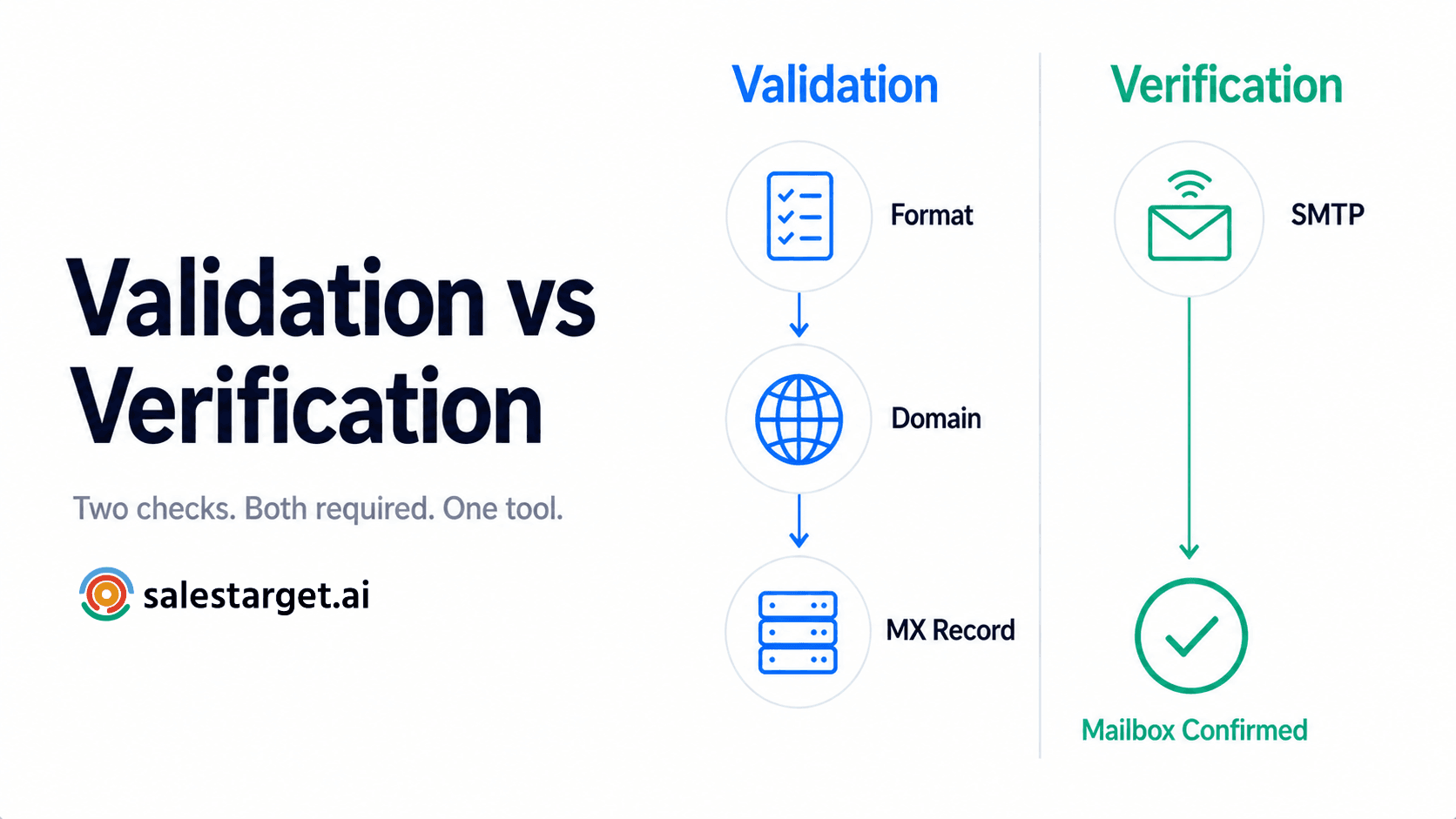
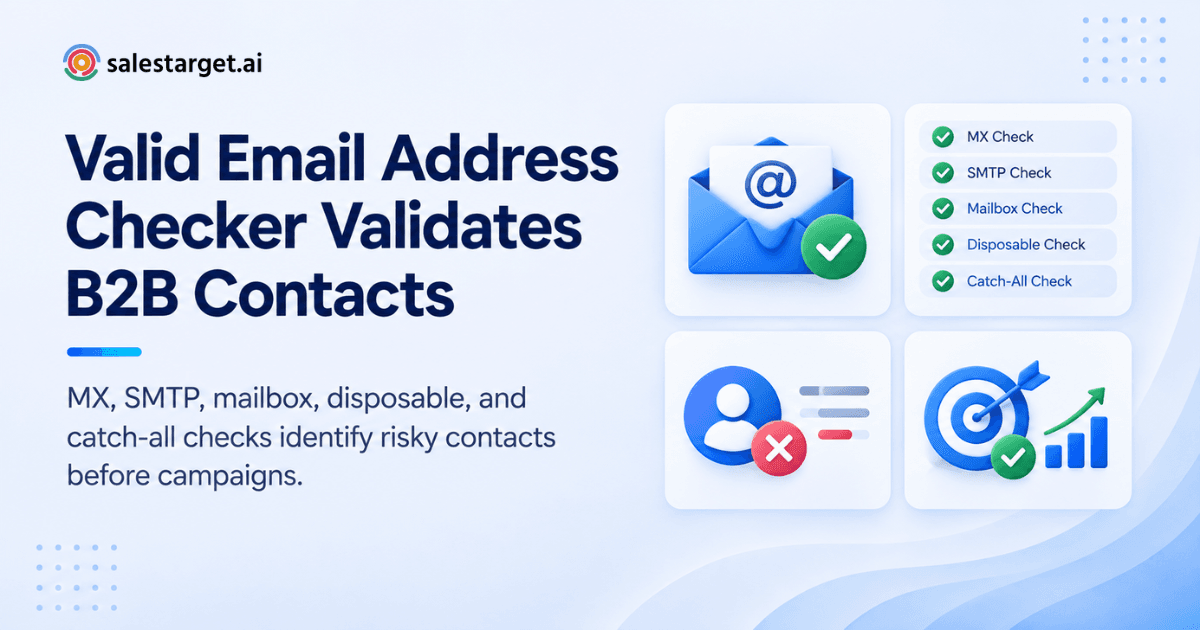
A valid email address checker verifies a B2B email in layers. It checks the format, confirms the domain can receive mail (MX records), and asks the receiving server whether the mailbox exists (SMTP). It also flags disposable, catch-all, and risky addresses. Each contact gets a plain result: send, hold, or drop.
Below, you'll see what each check does, where each one runs out of certainty, and how SalesTarget.ai builds verification into the same workflow that finds and contacts your prospects.
How a Valid Email Address Checker Works for B2B Emails
A valid email address checker runs a series of tests on one address, from cheapest to most revealing, and returns a verdict with a risk level.
The cheap tests come first. Is the format correct? Does the domain exist? Does it have mail servers? Only after those pass does the checker contact the mail server and ask about the specific mailbox, without sending a message.
Here's the part most guides skip: the final verdict is a probability, not a fact. Plenty of B2B domains sit behind security gateways that answer SMTP probes in their own way. Some accept everything, some reject everything, and some time out. A good checker tells you how sure it is. A weak one says "valid" and leaves you to find out the hard way.
SalesTarget.ai's Email Validator follows this layered approach. It runs MX and SMTP checks, detects disposable domains, and attaches risk scoring to each result, so your team acts on a graded answer instead of a coin flip.
The Email Verification Checks Behind Accurate B2B Contact Data
Six checks sit behind a verification result. Each one removes a different type of bad address.
Syntax validation for identifying incorrectly formatted addresses
Syntax validation confirms an address follows the structure of a real email: a local part, an @ symbol, and a valid domain.
It catches typos like a missing dot, a double @, or a stray space copied from a spreadsheet. It's the fastest check and the least informative, since a perfectly formatted address can still point nowhere. Think of it as a spell check, not a proof of life.
MX record checks for confirming email domains
An MX record check confirms the domain has mail servers set up to receive email.
If a company changed its domain after a rebrand or an acquisition, the old domain may resolve on the web but accept no mail. Every contact on that domain is a guaranteed bounce. One MX lookup removes all of them at once, which makes this check high value for B2B lists built around company records.
SMTP checks for verifying mail server responses
An SMTP check opens a conversation with the recipient's mail server and reads its reply, without delivering a message.
The server's response codes show whether it would accept mail for that address. A clean accept is a good sign. A hard reject means drop it. A temporary error or timeout means the answer is unknown, and a good tool reports it as unknown instead of guessing.
Mailbox verification for checking recipient availability
Mailbox verification asks whether a specific inbox exists and can take mail right now.
This catches the contacts who left the company six months ago. Their domain is fine and the server is up, but the mailbox was shut down. Mailbox status is also where B2B data decays fastest, since job changes happen all year.
Disposable and temporary email detection
Disposable email detection flags addresses from throwaway services that expire within minutes or days.
These show up less in purchased B2B lists and more in form fills, trial signups, and inbound lead exports. If you merge those into your outbound list, you'll send to inboxes that no longer exist. Checking against a maintained list of disposable domains keeps them out.
Catch-all email detection and verification confidence
A catch-all domain accepts mail for any address, real or invented, so the server's "yes" proves nothing about the mailbox.
The checker can't confirm the person exists, so it labels the address as risky or uncertain. This is where confidence scoring earns its place: a catch-all address with a clean pattern (firstname.lastname at a mid-size company) is a better bet than one that looks guessed.
Why B2B Email Verification Matters for Sales Outreach
Verification matters since every bad address costs you sender reputation, rep time, and a chance at a real conversation.
Gartner estimates that poor data quality costs organizations an average of $12.9 million a year. For an outbound team, the same problem shows up in smaller form: a list that looks full and performs empty.
Reducing invalid addresses before campaigns are launched
Checking addresses before launch removes the dead contacts while it's still free to do so.
After you send, a bounce has already happened and the mailbox provider has already noted it. Before you send, the same bad address is just a row you delete. The timing is the whole advantage.
Keeping prospect lists clean for outbound campaigns
A clean list contains only contacts you've confirmed can receive mail, with risky ones separated from safe ones.
The mistake reps make is treating "clean" as a one-time state. A list that was clean in March carries decay by September. SalesTarget.ai's Lead Explorer enriches and verifies contacts at the moment you find them, so the data you export reflects today, not the day it was first collected.
Protecting sender reputation from unnecessary bounces
Fewer bounces keep your sending domain and inboxes in good standing with Gmail, Outlook, and Yahoo.
Google's email sender guidelines ask bulk senders to stay under a 0.3% spam complaint rate and to send mail people want. Bounces and complaints are separate signals, but a stale list tends to come with weak targeting, and weak targeting drives complaints. Verification fixes the first problem and exposes the second.
Improving the quality of verified B2B contacts
Verification raises list quality by sorting contacts into confidence tiers instead of treating the whole file as equal.
Your best contacts get your best sequence. Your uncertain ones get a smaller, slower test. Your invalid ones get removed. SalesTarget.ai reports 99% verified contact data across its database of 840M+ professional profiles and 146M+ businesses, and the Email Validator applies another pass at send time.
A Practical B2B Email Verification Process
A reliable process has five steps: collect accurate data, validate each address, sort the results, remove the risky ones, and load only clean contacts into sequences.
Start with accurate prospect and company data
Accurate verification starts with the right name, role, and company domain.
A checker can only confirm the address you give it. If the rep guessed the wrong domain or spelled a surname wrong, the verdict will be "invalid" and you'll never learn the person was reachable. Pull the domain from the company record, not from memory.
Validate each professional email address
Run every address through the checker, new and old, before it touches a campaign.
Use bulk list cleaning for existing files and real-time verification for new leads. SalesTarget.ai's Email Validator offers both, with a real-time API and bulk cleaning, and it connects across 60+ platforms including CRMs and email service providers.
Review verified, risky, catch-all, and invalid results
Results fall into four buckets, and each one calls for a different decision.
Verified: send. Invalid: delete. Risky: hold for review, since the cause might be a full inbox or a flaky server. Catch-all: send in a smaller batch and watch the bounce rate before scaling.
Remove addresses that can increase bounce risk
Delete invalid addresses and quarantine the risky ones.
Don't "give them one more shot." A hard bounce on a known-invalid address is a self-inflicted wound. Keep quarantined contacts in a separate list so reps can try another channel, like LinkedIn or a phone call.
Add clean contacts to email outreach sequences
Only verified contacts should flow into a live sequence.
In Email Outreach, you describe your audience in plain English and the platform builds a multi-step sequence with pacing. SalesTarget.ai reports that 90% of emails are validated before sending, so the verification step sits inside the workflow instead of living in a separate spreadsheet.
Ready to see it on your own list? Start free with SalesTarget.ai and run a batch through the validator.
Key Features to Look for in a B2B Email Validator
A good B2B email validator checks MX records, SMTP responses, and mailbox status, then returns a risk score you can act on.
Use the next six features as a buying checklist.
MX and SMTP verification
MX and SMTP checks are the baseline. Without them, a tool is only checking format.
Ask whether the tool reports "unknown" results honestly. Tools that force every address into valid or invalid inflate their accuracy numbers.
Mailbox and domain checks
Domain checks catch dead companies. Mailbox checks catch departed people.
You need both. A tool strong on one and weak on the other leaves a gap exactly where B2B lists decay.
Disposable email detection
The tool should compare addresses against an up-to-date list of throwaway domains.
New disposable services appear constantly, so a static list ages quickly. Ask how often the list refreshes.
Spam trap and invalid email detection
Spam trap detection flags addresses that mailbox providers use to catch senders with poor list practices.
No tool can promise to find every trap, so treat any 100% claim with suspicion. The practical defense is a clean acquisition source plus regular verification of older contacts.
Catch-all detection and confidence scoring
Catch-all detection labels uncertain addresses, and confidence scoring ranks them.
Without scoring, you're left with a pile of "risky" contacts and no way to prioritize. With scoring, you send to the safer ones first.
Bulk email verification and list cleaning
Bulk verification cleans a full file in one pass, and an API checks single addresses as they enter your system.
You need both modes. Bulk handles the backlog. The API handles the stream.
How Email Verification Supports Better Deliverability
Verification supports deliverability by keeping your bounce rate low and your recipient data current, which protects inbox placement.
Reducing avoidable email bounces
Most bounces from B2B lists are avoidable: dead mailboxes, retired domains, and typos.
Verification removes these before launch. What's left are unavoidable bounces, like a full inbox or a server outage, which are rare and short-lived.
Maintaining a cleaner outbound contact database
A clean database stays clean through scheduled rechecks, not one-time cleanup.
Set a rule: any contact older than a set number of months gets reverified before its next campaign. The CRM side helps here, since SalesTarget.ai's CRM receives campaign leads automatically with no imports, so the data doesn't drift through spreadsheets.
Supporting sender reputation with cleaner recipient data
Cleaner recipient data lets your warm-up and authentication work do their job.
SalesTarget.ai's Email Outreach includes unlimited inboxes with automatic AI warm-up, inbox rotation, and SPF, DKIM, and DMARC checks. Those protect your sender identity. Verified recipients protect the other half: who you send to.
Combining email verification with outreach deliverability checks
Verification and deliverability checks solve different problems, and you need both.
Verification asks whether the recipient exists. Deliverability checks ask whether your domain is set up and trusted. A perfect list sent from a misconfigured domain still lands in spam. A perfect domain sending to a dead list still builds bounces.
Why Choose SalesTarget.ai
SalesTarget.ai keeps prospecting, verification, outreach, and CRM in one platform, so the email you verify is the email you send to.
Apollo gives you data and engagement, and you still bolt on deliverability and a CRM. Instantly, Smartlead, and Lemlist focus on cold email, but they have no native B2B database or CRM. SalesTarget.ai covers the full path on one bill.
Find and enrich B2B prospects with Lead Explorer
Lead Explorer finds prospects in plain English and enriches them in one click.
Search across 840M+ professional profiles with filters for industry, role, seniority, company size, and tech stack, or use intent signals from Bombora Intent Topics. One click unlocks the verified professional email, so verification happens at the point of discovery.
Verify email addresses with Email Validator
Email Validator runs MX and SMTP checks, detects disposable domains, and scores risk before you send.
Use the real-time API for new leads and bulk cleaning for old files. The result is fewer bounces and better inbox placement.
Connect verified contacts with Email Outreach
Verified contacts move straight into sequences with no CSV in between.
Email Outreach builds the steps, paces the sends, and pulls every reply into the Unibox, sorted by intent.
Combine email and LinkedIn outreach in one workflow
LinkedIn outreach runs beside email in a single coordinated flow.
When an address comes back risky, don't discard the prospect. Route them to a LinkedIn sequence with connection requests and DMs, using the same context.
Manage verified prospects through the built-in CRM
The CRM logs every email and call to the lead timeline automatically.
Follow-up tasks appear when a lead replies or a meeting ends. Reps spend their time selling, not updating records.
Use AI Copilot to work with prospect and sales data
AI Copilot is a conversational teammate, free inside the platform.
Ask it to find leads, draft a personalized sequence, or pull open deals from the CRM in plain language. It handles the grunt work. Strategy stays with your team.
Common B2B Email Verification Challenges
Verification is strong but not perfect. Four limits are worth knowing before you trust a result.
Why a catch-all address can remain uncertain
A catch-all server accepts every address, so the checker can't confirm the individual mailbox.
The best you can get is a risk score. Send to these in small, monitored batches and judge by your own bounce data.
Why a valid address can still become undeliverable
Verification is a snapshot. A mailbox that exists today can be closed next week.
People change jobs, inboxes hit quota, and servers go down. If you verify a list and wait three weeks to send, you've given decay time to work. Verify close to send time.
Why email verification does not guarantee engagement
A verified address proves the inbox exists, not that anyone will read or reply.
Delivery is the floor. Relevance, timing, and message quality decide whether the reply comes. Verification gets you to the starting line.
Why outdated prospect data can affect verification results
If the name, role, or domain is wrong, a correct checker will still return a useless answer.
Garbage in, accurate-looking garbage out. Refresh the prospect record before you verify it.
Building Email Verification Into the B2B Outreach Workflow
Build verification into the process as a gate, so no contact reaches a sequence without passing it.
Verify contacts before campaign creation
Run verification before you build the campaign.
That way, your sequence sizing and send pacing reflect the real list, not the inflated one.
Clean existing prospect lists before sending
Old lists need cleaning before reuse, especially files exported from a CRM or a past event.
Run the full file through bulk cleaning, then split it into verified, risky, and invalid.
Recheck older contact data before new campaigns
Set a recheck rule for any contact that hasn't been emailed recently.
A simple policy works: if a contact hasn't been touched in a few months, reverify before the next send.
Combine verified email data with personalized outreach
Verified data and personalization work as a pair: the first gets you into the inbox, the second earns the reply.
Use role, industry, and company signals to shape your first line. For deeper background on keeping bounce rates low at scale, see the team's B2B email verification playbook, and compare tools in this roundup of the best email checker services.
Conclusion: Verify B2B Emails Before Starting Outreach
The bounce report that opened this post comes from a simple gap: a list got sent before anyone checked it. A valid email address checker closes that gap with layered tests, from syntax to SMTP to catch-all scoring, and gives each contact a send, hold, or drop verdict.
SalesTarget.ai makes that step automatic. Lead Explorer verifies at enrichment, Email Validator scores risk, Email Outreach sends only to clean contacts, and the CRM tracks what happens next. One platform, one workflow, no stitching.
Run your next list through the validator before you hit send. Start free at SalesTarget.ai and see how many contacts would have bounced.