Most enterprise sales teams already know that sending to bad email addresses hurts deliverability. Fewer teams understand exactly how to keep bounce rates under 1% across every campaign, quarter after quarter. The answer isn't buying a bigger contact database or running a one-time list scrub. It's building a repeatable process — anchored by a reliable bulk email verifier — that catches invalid, risky, and outdated addresses before they ever reach a mail server.
Enterprise teams maintain sub-1% bounce rates by verifying every contact before outreach, suppressing invalid and high-risk addresses, segmenting by verification status, reverifying aging records on a regular cycle, and monitoring post-send bounce data to continuously refine their database. A bulk email verifier automates this at scale — checking thousands of addresses against syntax rules, domain records, and mailbox-level signals to flag problems before they cause damage.
Why Enterprise Email Lists Decay Faster Than You Think
A contact list that tested 98% valid in January can easily drop to 90% valid by July. People change jobs, companies rebrand or shut down, and IT departments retire inactive mailboxes. The email verification software buyer's guide on the SalesTarget.ai blog walks through how accuracy varies across verification providers — but even the best tool can't help if your data has been sitting untouched for months.
Employee turnover alone accounts for significant list decay. According to the U.S. Bureau of Labor Statistics, the median tenure of wage and salary workers is roughly four years, but in sales and tech roles, it's often shorter. When someone leaves a company, their inbox typically stays active for a brief transition period and then gets deactivated. If your database still lists that address, you're sending into a void.
Beyond turnover, other common decay factors include:
- Domain changes after mergers or acquisitions
- Abandoned inboxes from employees who moved to different internal roles
- Disposable or temporary addresses used during form fills
- Role-based addresses like info@ or sales@ that many verification tools flag as risky
- Contacts sourced from purchased lists of questionable freshness
Even data gathered from multiple credible sources can conflict — two providers might return different addresses for the same prospect, and only one might still be active.
What a Sub-1% Bounce Rate Actually Requires
Hitting a low bounce rate once isn't hard. Maintaining it across every campaign — with lists that grow, change, and age — is the real challenge. Sub-1% bounce rates are the result of a system, not a single verification event.
That system covers multiple stages: how you acquire new leads (and whether you find business email addresses from reliable sources), how you verify them before sequencing, how you classify results, how you suppress problem addresses, and how you monitor and re-verify over time.
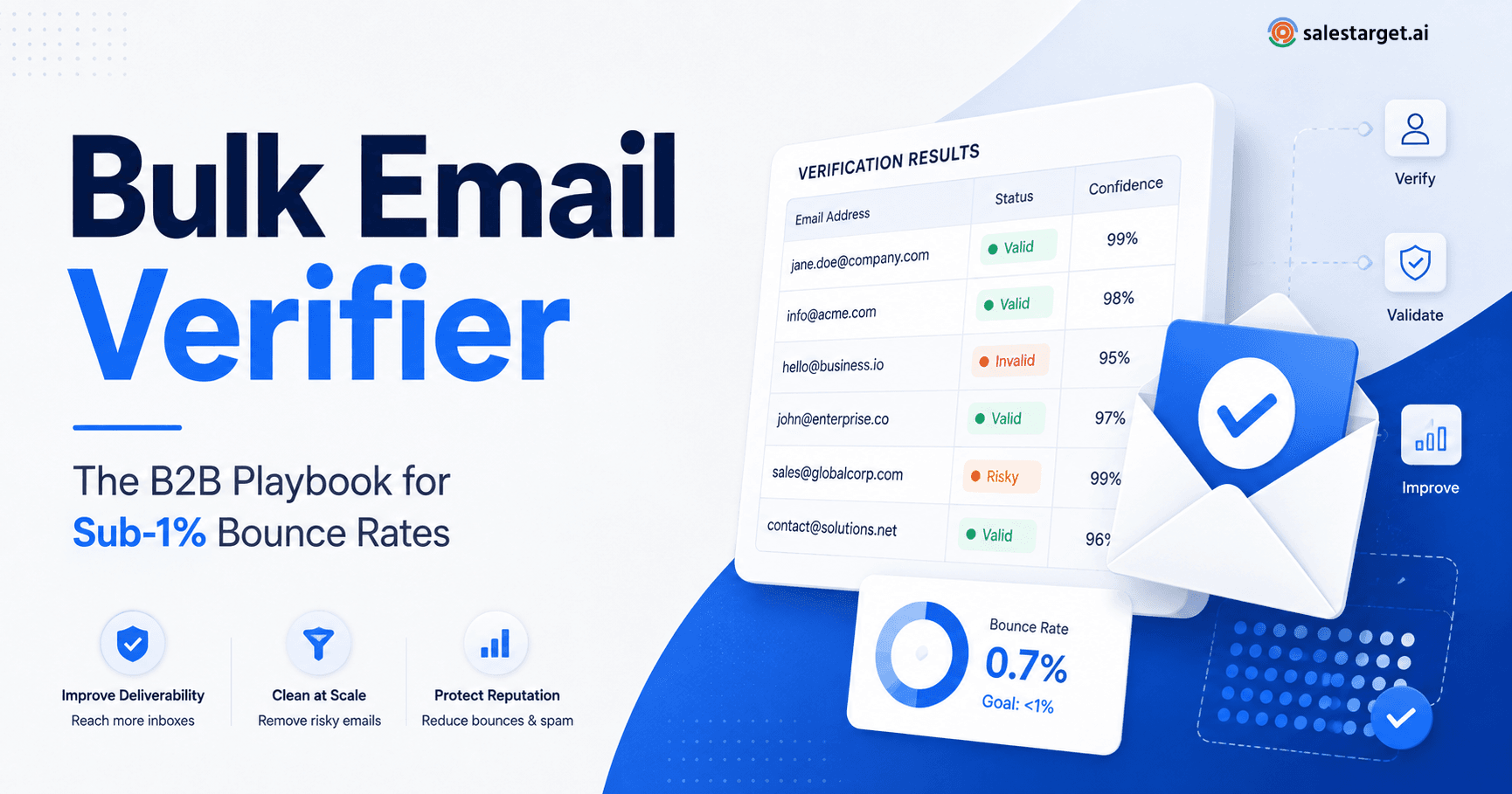
Understanding verification result categories matters here. A "valid" result means the address exists and can receive mail. "Invalid" means it definitely can't. But the categories between those — risky, unknown, disposable, and role-based — require judgment. An "unknown" result might mean the receiving server didn't respond during verification; sending to it is a gamble. A "disposable" address was created with a temporary email service and will likely stop working soon. Treating all non-invalid addresses as equally safe is a fast track to bounces.
The Enterprise Bulk Email Verification Workflow
Here's a practical framework that enterprise sales and RevOps teams can implement immediately.
1. Capture and Standardize New Leads
Before verification begins, normalize your data. Remove extra spaces, correct obvious formatting errors (missing @ symbols, double dots in domains), and deduplicate records. Standardized input gives your email validation tool a clean starting point and reduces false negatives.
2. Run Bulk Verification Before Sending
Upload your list to a bulk email verification platform and run it through a full check. This is where a bulk email verifier does the heavy lifting — checking syntax, DNS records, mail-exchange configurations, and, where possible, mailbox existence for each address. If you're cleaning a list of 50,000 or more, read through this workflow for cleaning a large email list for a detailed walkthrough.
3. Suppress Invalid and High-Risk Addresses
After verification, remove every address flagged as invalid. Then decide what to do with risky, unknown, and disposable results. Many enterprise teams suppress all of these categories from automated outbound campaigns and route them instead to manual review or a lower-priority nurture track.
4. Segment the Remaining Contacts
Split verified contacts into tiers. "Valid" addresses go into your primary outbound sequence. Addresses with marginal results — catch-all domains, for example — can go into a separate cadence with lower sending volume and extra monitoring. This limits exposure if a batch turns out to contain more bad addresses than expected.
5. Reverify Aging Data
Set a cadence — 30 to 90 days depending on your volume and risk tolerance — to reverify contacts that haven't been mailed recently. Data ages fast. A quarterly reverification pass can catch addresses that have gone invalid since the last check.
How to Choose the Best Email Verification Tool for Enterprise Use
Picking the best email verification tool for your team means matching the platform to your workflow — not just comparing price per verification. Consider these factors practically: How large are your typical uploads? Do you need an API to connect verification into your CRM or sequencing tool? Does the platform differentiate between risky sub-categories, or does it return a simple valid/invalid result?
Accuracy is the most important factor, but it's also the hardest to evaluate without testing. Run a sample of known-good and known-bad addresses through any tool you're considering and compare results. Look for platforms that handle catch-all domains transparently, flag disposable and role-based addresses separately, and provide clear export and reporting options. Speed matters at scale — verifying 100,000 records shouldn't take days. And data handling policies are worth reading carefully, especially if your team works under compliance requirements like GDPR. Google's bulk sender guidelines are also a practical reference for understanding how mailbox providers think about sender reputation.
Bulk Email Verifier vs. Manual Email Checking
For a list of ten addresses, manual checking works fine. Open a tool, type in an address, and read the result. But when your SDR team imports 20,000 new records from an event, a trade-show scanner, or a third-party data provider, manual verification isn't realistic.
Spreadsheet-based approaches — sorting by domain, eyeballing for obvious typos — catch only surface-level problems. They won't detect a correctly formatted address that points to a deactivated mailbox. Single-address lookup through an email verifier online is useful for spot checks before a high-stakes send (a C-suite intro, for instance), but it doesn't replace the systematic coverage of automated bulk verification. The right approach depends on volume and stakes: manual for one-off checks, bulk for everything else.
How to Verify an Email Address Is Valid Before Outreach
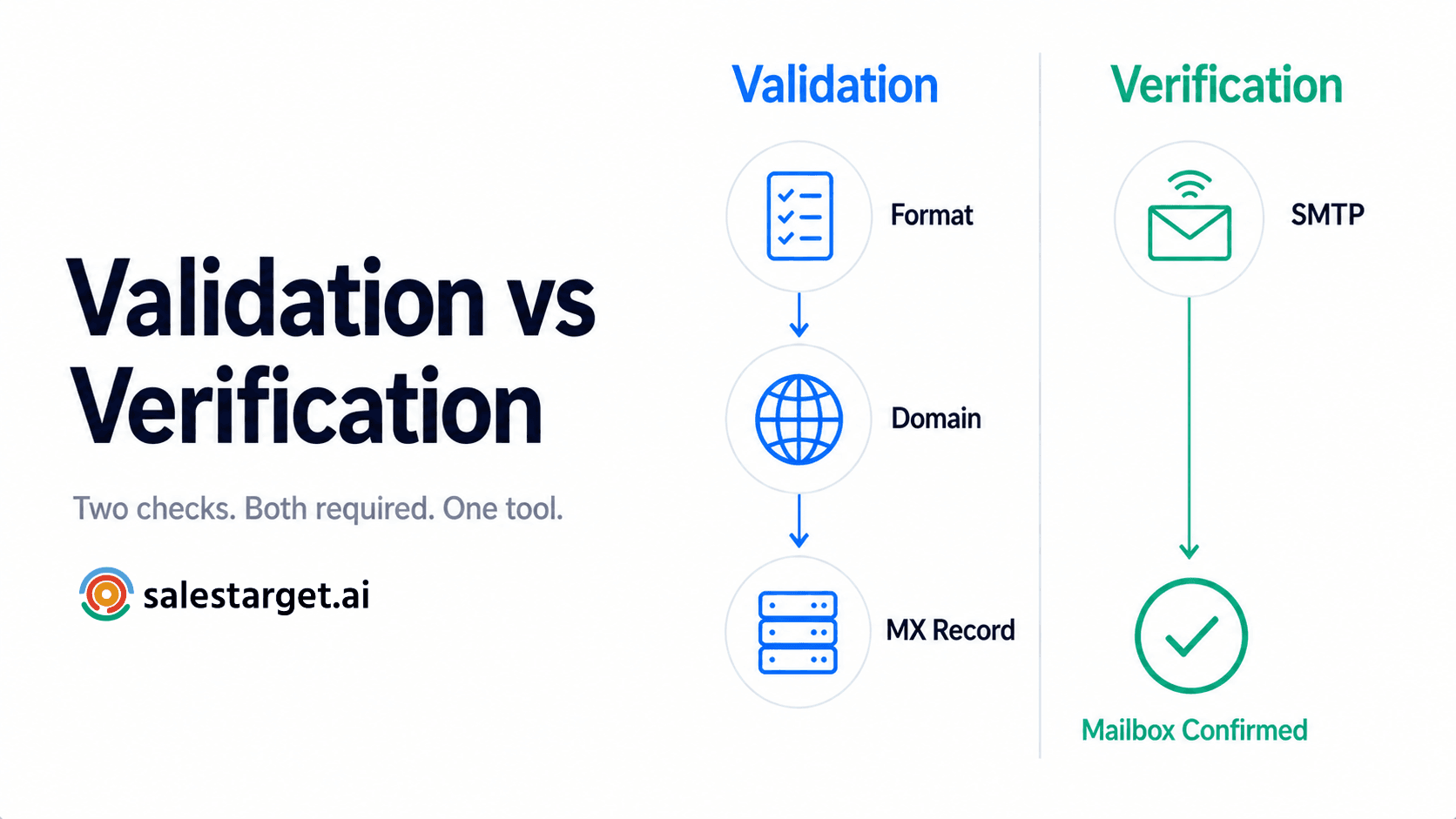
To verify an email address is valid, you need to go beyond checking whether it looks right. A properly formatted address — correct syntax, real domain — can still bounce if the mailbox no longer exists or the server rejects external mail. Reliable verification checks DNS records for the domain, confirms the mail server is active, and attempts to determine whether the specific mailbox will accept messages. Format validation is the floor, not the ceiling.
The Most Common Enterprise Email Verification Mistakes
- Verifying a list only once. Data decays continuously. Treat verification as an ongoing process, not a one-time project.
- Sending to unverified contacts. Every unscrubbed batch is a risk to your sender domain. Verify before loading contacts into any sequence.
- Treating every "valid" result as equally safe. Catch-all domains accept mail for any address — including fake ones. Segment and monitor these separately.
- Ignoring risky or unknown results. These addresses aren't confirmed invalid, but they aren't confirmed safe either. Suppress them from high-volume sends.
- Mixing old and newly sourced contacts. A fresh batch from a reliable source shouldn't be contaminated by stale records from two years ago. Keep sourcing metadata.
- Failing to suppress previously bounced addresses. If an address bounced once, sending again will hurt your reputation. Maintain a permanent suppression list.
- Choosing a verification platform solely on price. A cheaper tool with lower accuracy costs more in damaged deliverability than a slightly more expensive one that catches more bad addresses.
- Not measuring bounce rate after campaigns. Post-send monitoring closes the feedback loop. If bounces creep up, your process has a gap.
Why Small Bounce Rate Improvements Matter at Scale
Illustrative example — not proprietary research:
Consider an enterprise team that sends 50,000 emails per month. At a 5% bounce rate, that's 2,500 bounces — almost certainly enough to trigger spam filters and domain-reputation penalties. Drop to 2% and you're at 1,000 bounces; better, but still above the thresholds most mailbox providers consider acceptable. At 1%, you're down to 500 bounces, which is within tolerable range for most providers. At 0.5%, just 250 bounces — a level where your domain reputation stays healthy and your inbox placement improves noticeably.
The difference between 5% and 0.5% is 2,250 fewer bounces per month. Across a year, that's 27,000 emails that would have damaged your sender score. Each percentage point you recover represents deliverability gains across every future campaign.
A Practical 30-Day Email List Hygiene Framework
Week 1 — Audit. Pull your complete active email database. Identify the source, age, and last-verified date for every record. Flag contacts older than 90 days since their last verification. Count how many records have no verification history at all.
Week 2 — Verify. Run your full database through bulk email verification. Categorize every result: valid, invalid, risky, unknown, disposable, role-based. Document the results.
Week 3 — Suppress and segment. Remove all invalid addresses permanently. Move risky and unknown addresses to a quarantine segment. Separate role-based addresses. Build your clean outbound list from verified-valid contacts only.
Week 4 — Monitor and optimize. Send your first campaign from the clean list. Track bounce rates at the campaign level. Compare against your pre-hygiene baseline. Identify any addresses that bounced despite passing verification and add them to your suppression list. Set a calendar reminder to repeat verification on a 30- to 60-day cycle.
How SalesTarget.ai Supports Email Validation
SalesTarget.ai's Lead Validation product is designed for exactly this kind of workflow. Teams can upload contact lists and run them through verification to identify invalid, risky, and problematic addresses before they enter an outbound sequence. The platform supports bulk processing, so you can clean large datasets without switching between single-address lookups. Whether you're an SDR manager prepping for a new campaign or a RevOps lead building a recurring hygiene process, it provides the verification layer that sits between your data and your sending infrastructure.
Keep Bad Emails Out of Your Next Campaign
Before your next outbound send, run your list through verification and remove risky addresses before they damage your deliverability.