Email validation is the quickest approach to increase deliverability without altering your audience or copy when sending marketing or sales emails. Even excellent advertisements cease to land once mailbox providers filter you to spam, and bounces damage sender's reputation. Your list can be cleaned in a matter of minutes using a contemporary email validation tool.
What is the extent of this issue? A healthy permission-based list should have a bounce rate of less than 2% and anything and above 5% indicates that deliverability is already failing, according to HubSpot. The majority of senders lose inbox placement in that short gap, which is also where email verification pays off.
Here's what teams ask before buying an email checker: what email validation does, how it works, when to use bulk email validation, and how AI is changing the accuracy of email list verification.
What Is Email Validation?
Email validation verifies that an email address is real, structured appropriately, and ready to receive correspondence. Before they begin a campaign, it detects typos, phony sign-ups, expired mailboxes, role-based addresses, and known spam traps. Consider it a quality gate for your data: addresses that pass have a far higher chance of converting, whereas addresses that fail would have negatively impacted your figures.
What Does an Email Verifier Actually Check?
- Syntax: address formatted correctly (name@domain.tld)?
- Domain: exists and configured to receive email?
- MX records: mail server responds?
- Mailbox: specific inbox exists on the server?
- Risk flags: disposable, role-based, or known complainer?
Why Is Email Verification Important?
Gmail, Outlook, and Yahoo are examples of mailbox providers that evaluate your sending habits in real time. They begin to regard you like a spammer if you hit too many invalid addresses. Three items are simultaneously protected by email verification:
- Deliverability — more of your emails reach the inbox.
- Bounce rate — fewer hard bounces, fewer red flags to ISPs.
- Sender reputation — your domain and IP stay in good standing.
How Does an Email Validation Tool Work?
Every address is subjected to a series of checks by an email validation tool, ranging from quick and inexpensive to more thorough server-level verification. For each address, the procedure typically takes a split second.
The Typical Verification Pipeline
- Syntax check — confirm valid characters and formatting.
- Domain check — confirm the domain is registered and resolvable.
- MX record lookup — verify the domain has working mail servers.
- SMTP handshake — ping the mailbox without sending a message.
- Risk scoring — flag disposable, role-based, and spam-trap addresses.
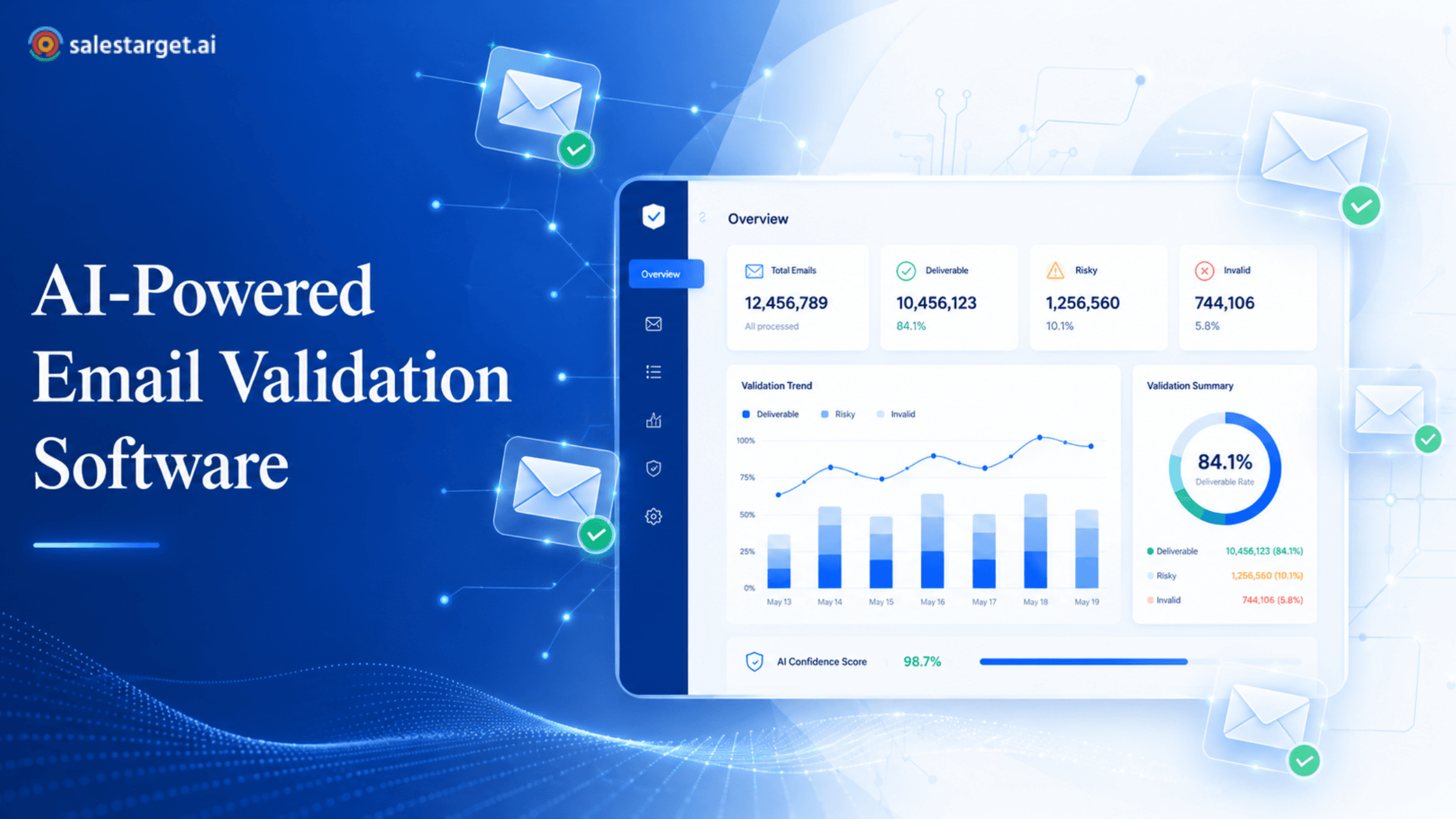
A good email checker returns a clear status for every record: valid, invalid, risky, or unknown.
What Happens If You Send Emails to Invalid Addresses?
Nothing good. Every invalid address you hit triggers a hard bounce, and hard bounces compound:
- Your sender score drops as mailbox providers see repeated failures.
- Spam filters quarantine more of your mail, even to valid users.
- Your ESP may throttle sends or suspend your account.
- You waste budget on sends that were never going to be delivered.
Hit a spam trap, and it's worse — some traps land your domain on industry blocklists that take weeks to recover from.
What Is Bulk Email Validation?
Instead of verifying each record individually, bulk email validation verifies a whole list of addresses in a single batch. When you connect your CRM or upload a CSV, the tool runs each address through its checks and returns a clean file with each address marked. Millions of documents are handled by modern tools in hours rather than days.
Here's a useful guide on cleaning your email list before campaigns if you've never performed a comprehensive list scan.
If you've never run a full list scan, here's a practical walkthrough on how to clean your email list before campaigns.
How Often Should You Clean an Email List?
For most senders, a full email list verification every 3 to 6 months is the sweet spot. High-volume senders should clean monthly. If you import a new list — from an event, a partner, or a scraped source — verify it before the first send.
Lists naturally degrade as people change jobs and abandon mailboxes — that slow rot is called list decay. For a deeper look at how email list decay impacts deliverability, that breakdown is worth a read.
What Is the Difference Between Email Validation and Email Authentication?
They sound similar but solve different problems. Email validation checks the address you're sending to. Email authentication proves you're allowed to send from your domain.
| Aspect | Email Validation | Email Authentication |
|---|---|---|
| Purpose | Checks if an email address is real and deliverable | Proves the sender is who they claim to be |
| Focus | Recipient address quality | Sender identity and domain trust |
| Tools or Standards | Email checker, email verifier, list cleaner | SPF, DKIM, DMARC |
| Goal | Reduce bounces and improve list health | Prevent spoofing and protect domain reputation |
You need both — validation keeps your list clean; authentication keeps mailbox providers willing to deliver.
Can AI Improve Email Verification Accuracy?
Yes — and meaningfully. Traditional verifiers rely on rigid rule sets and SMTP pings. They handle easy cases but stumble on catch-all domains, providers that hide their responses, and freshly created addresses with no history. AI-powered email validation software adds pattern recognition on top of the classical pipeline, drawing on domain behavior, engagement patterns, and complaint history to produce a sharper verdict on addresses older tools simply return as 'unknown.'
Where AI Helps Most
- Catch-all domains, where the server accepts every address by default.
- Newly created mailboxes with little or no engagement data.
- Spam-trap detection across rotating domain patterns.
- Risk scoring for B2B lists where one wrong send can hit a corporate gateway.
What Are Catch-All Email Addresses?
A catch-all (or 'accept-all') domain is a mail server configured to accept any email sent to it, whether the specific mailbox exists or not. It's common on corporate domains where IT prefers to receive misaddressed mail rather than reject it. A standard email checker can't tell whether a catch-all address is real or fake, because the server says yes to everything.
For the full picture on what catch-all email addresses mean — and how AI scoring handles them — that breakdown goes deeper.
How Does Email List Decay Affect Campaigns?
Industry research puts B2B email list decay at roughly 20-30% per year. Even an untouched, high-quality list loses about a quarter of its value annually. Without periodic email address verification, your once-clean list quietly turns into a deliverability risk. Signs to watch:
- Open rates drifting downward month over month.
- Bounce rate climbing past 2%.
- Spam complaints creeping up.
- More unsubscribes from re-engagement campaigns than from new ones.
How Do You Choose the Right Email Validation Tool?
A few things actually matter when comparing options:
- Accuracy on catch-all and risky addresses, not just easy ones.
- Speed at scale for bulk email validation.
- Honest reporting — clear status labels with no 'valid' inflation.
- Integrations with your CRM, ESP, and outbound stack.
- Security and compliance — GDPR-ready handling of contact data.
SalesTarget.ai's AI-powered email validation tool is built for B2B senders who care about all five.