Your SDRs built a list of 3,000 fresh prospects last quarter. Six weeks later, a fifth of those emails are already dead. People changed jobs, companies rebranded domains, and a chunk of the list was never valid in the first place.
This is the quiet tax on every outbound team: sending to a list you have not verified. Bad email data does not just waste a rep's morning. It tanks your sender reputation, throws off your reply-rate math, and can get a domain flagged before a single deal closes.
Choosing the right email checker services is not a nice-to-have for B2B sales teams running cold outreach. It is the difference between a campaign that lands in the primary inbox and one that quietly dies in spam. This guide breaks down how email verification actually works, what it protects you from, and how to pick a tool that fits an outbound motion rather than a general marketing list.
How Email Verification Actually Works
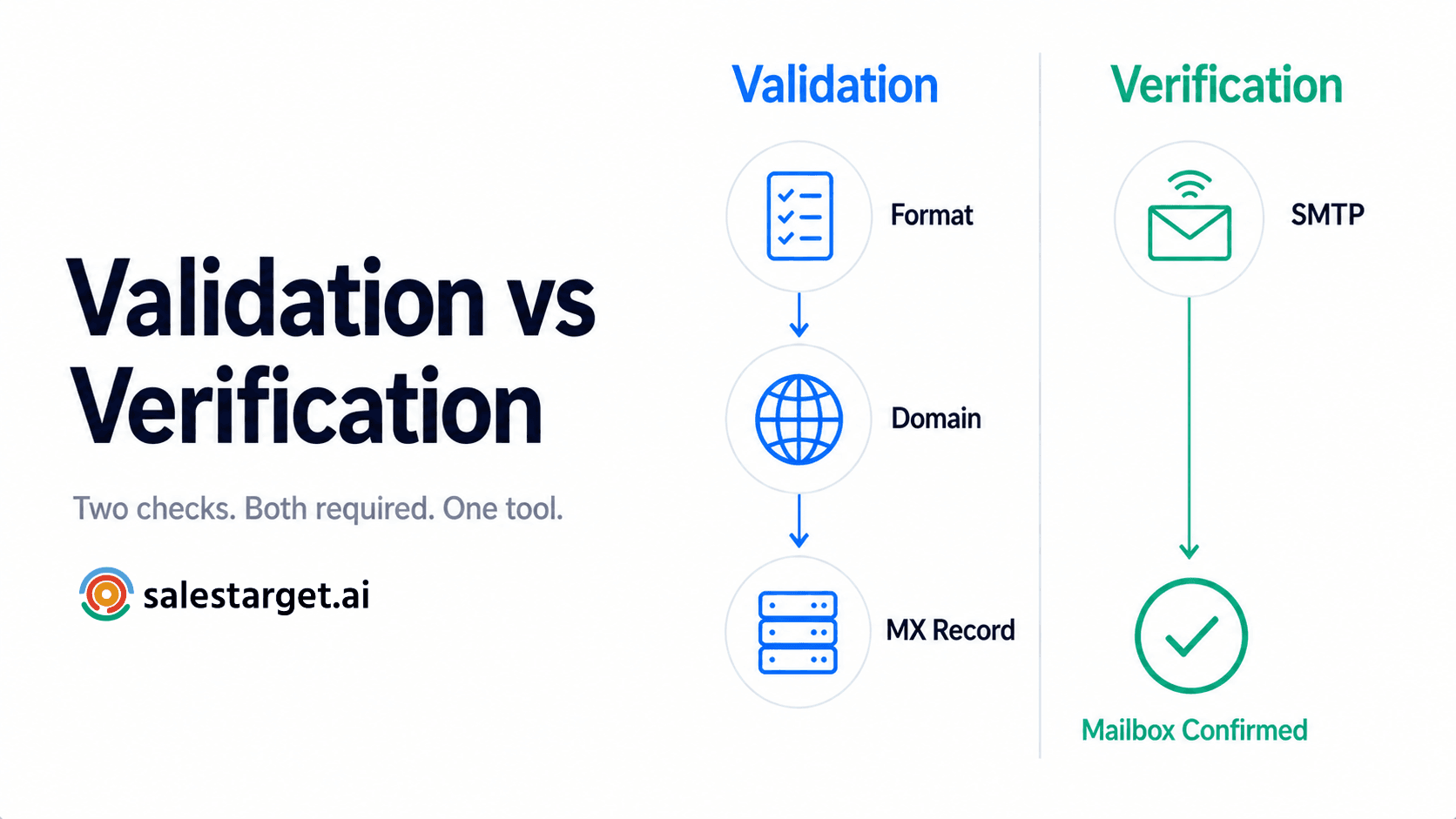
Most reps assume a checker just confirms an address has an "@" and a domain. In reality, a real email verification service runs several checks in sequence before it gives you a verdict.
Step 1: Syntax and formatting
The tool confirms the address follows standard formatting rules and flags typos, stray characters, or malformed strings like john.doe#company.com.
Step 2: Domain and MX record check
The system looks up the domain's Mail Exchange (MX) records. No active MX records means the domain cannot receive mail at all, which instantly rules out dead domains and defunct companies.
Step 3: SMTP verification
This is the real test. The tool opens a connection to the recipient's mail server and asks whether that specific mailbox exists, without ever sending an actual email. The server's response tells the tool if the address is valid, full, disabled, or nonexistent, and the connection closes before anything is delivered.
A genuine B2B email verification process runs all three checks, not just the first one. Tools that skip straight to a syntax check will pass plenty of addresses that bounce the moment you actually send to them.
This matters more for outbound than for a general newsletter list. A marketing team sending one campaign a month can absorb a bad batch here and there. A sales team running daily sequences across dozens of reps compounds the damage fast, because every hard bounce chips away at the same shared sending domain.
What a Bad List Actually Costs You
Every hard bounce, spam trap hit, and stale contact chips away at your domain's reputation with mailbox providers like Gmail and Outlook. For an outbound team, that reputation is the asset the entire pipeline runs on.
Hard Bounces vs. Soft Bounces
A soft bounce is temporary: a full inbox or a server that is briefly down. A hard bounce is permanent: the address does not exist. Too many hard bounces in a short window tells ISPs you are not managing your list, and they start routing your mail straight to spam.
Disposable and Burner Addresses
Some prospects hand out throwaway addresses to get past a form gate. These self-destruct shortly after creation, so anything you send later bounces. A solid email deliverability checker flags these before they ever land in a sequence.
Catch-All Domains
A catch-all (or accept-all) domain accepts mail sent to any address at that domain, whether or not the specific mailbox exists. These will not bounce, but you also cannot confirm a real person is behind them. Sending to catch-alls without a scoring signal is a coin flip on engagement.
Spam Traps
Spam traps are the most damaging category. Pristine traps are addresses that were never used by a real person and exist purely to catch scrapers. Recycled traps are old, abandoned addresses that ISPs quietly reactivate to catch senders who never clean their lists. Only tools with large, current trap databases catch these reliably. Understanding how bounce rates connect to deliverability is worth a closer look if you have never audited this before.
Single vs. Bulk Verification: Which Do You Need?
Outbound teams typically need both, just for different jobs.
Single verification checks one address at a time. This fits an SDR who just pulled a prospect's email from LinkedIn and wants confirmation before adding them to a sequence.
Bulk verification processes an entire list at once, which matters when you inherit a database of 50,000 contacts or import a purchased list before a campaign launch. A Lead Explorer workflow that enriches and verifies contact data in the same motion removes the need to bounce between separate tools for finding and checking a lead.
A Look at the Best Email Checker Services
A handful of platforms dominate the B2B email verification services space, each with a different focus. Picking between them usually comes down to whether you value raw accuracy, speed, transparency, or how well the tool fits into a spreadsheet-first prospecting workflow.
ZeroBounce is known for high accuracy and strong spam trap detection, plus AI scoring on catch-all addresses. It also appends missing contact data like name and location.
NeverBounce, owned by ZoomInfo, is built for speed and offers a sync feature that connects to your ESP for ongoing automated cleaning.
Bouncer is a GDPR-forward option out of Europe with transparent SMTP-level reporting on why an address failed, plus an inbox placement testing add-on.
Clearout leans into B2B use cases specifically, cross-referencing addresses against B2B networks and offering a Google Sheets integration for reps who prospect in spreadsheets.
Kickbox is developer-friendly, with a proprietary quality score and solid API documentation for teams building verification into their own tools.
Each of these does one job well: verifying addresses. Where most outbound teams run into friction is stitching that single function into everything else prospecting requires: finding the lead, reaching them on more than one channel, and tracking what happens after.
Why Choose SalesTarget.ai for Email Verification
Standalone checkers solve one part of the problem. SalesTarget.ai builds verification into the same workspace where you find leads and run outreach, so a bad address gets caught before it ever reaches a sequence.
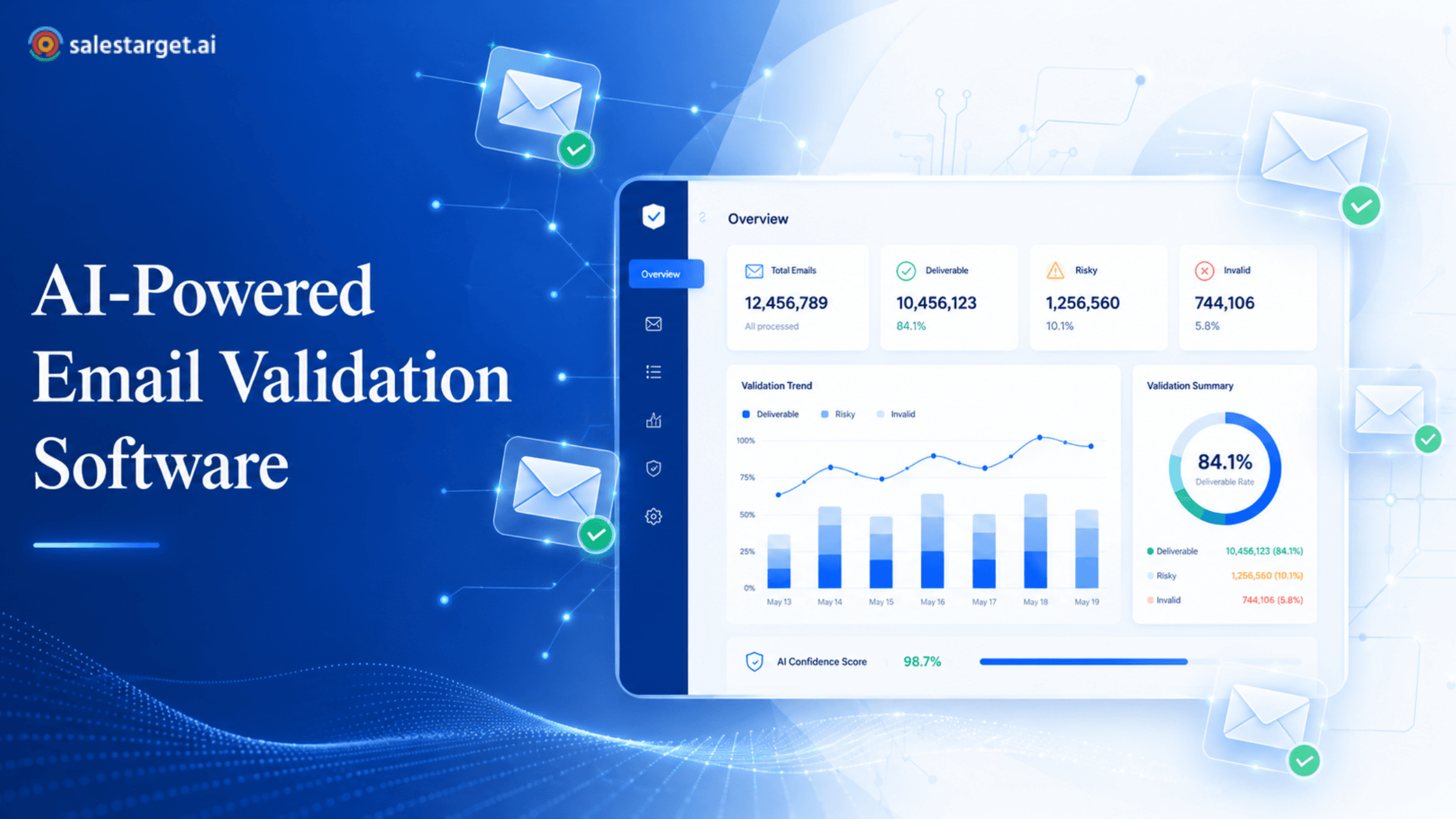
The Lead/Email Validator runs MX and SMTP checks with disposable-address detection and risk scoring, available both as a real-time API and as bulk list cleaning. Inside Email Outreach, 90% of emails are validated before they ever send, which is the kind of check that should happen automatically rather than as a separate manual step. SalesTarget.ai's underlying data set, 840M+ verified professional profiles across 146M+ business entities pulled from 50+ sources, carries a 99% verified contact-data rate on the records it surfaces. That figure lines up with the industry reality that B2B contact data decays at roughly 22.5% a year according to long-running MarketingSherpa research, which is exactly why point-in-time verification alone is not enough. A database needs continuous checking, not a one-time scrub.
Because Lead Explorer, Email Outreach, LinkedIn Outreach, and validation live in one platform, a verified lead can move straight into a multichannel sequence and land in the CRM with its verification status attached, instead of getting re-checked and re-uploaded across three separate tools. The AI Copilot can also pull a quick read on list health or flag which segments need a re-verify, without anyone opening a spreadsheet.
This will not replace a dedicated enterprise-scale deliverability suite if that is genuinely what your volume demands. But for outbound teams who want prospecting, verification, and outreach in one workspace instead of three separate bills, it removes a step most teams currently do by hand.
Proactive Deliverability: Stopping Bad Data at the Source
Cleaning an existing list is reactive. The more durable fix is stopping bad data from entering your system in the first place.
Real-Time Validation on Forms
If leads come through a website or landing page, a real-time validation API catches typos and blocks disposable addresses the moment someone submits the form. That single check keeps a meaningful share of junk contacts out of your CRM before a rep ever touches them.
CRM-Integrated Validation
Contact data decays fast. Research cited by MarketingSherpa puts B2B contact decay at roughly 2.1% per month, compounding to about 22.5% annually, which means a list that was clean in January is meaningfully stale by December. Automated workflows that re-check contacts who have gone dark for 90 days, then tag or route them for cleanup, keep this from becoming a quarterly fire drill. Teams managing this manually often lean on a routine hygiene schedule rather than waiting for deliverability to visibly drop before acting.
How to Clean an Old Mailing List: A Step-by-Step Framework
Inheriting a stale database is common when you join a new team or revive a dormant segment. Here is a practical sequence for doing it without torching your domain.
- Segment before you verify. Separate contacts engaged in the past 12 months from older, dormant records. Apply stricter checks to the older segment.
- Run the list through a bulk checker. Upload the file and let the tool categorize every address.
- Sort the results. Keep valid addresses, delete invalid and disposable ones immediately, and treat catch-all or unknown addresses as a judgment call based on how old and valuable the segment is.
- Re-engage before you pitch. Send a light, low-pressure email reminding dormant contacts how they got on your list, with a clear opt-out.
- Sunset the unresponsive. If contacts do not open or click after two or three re-engagement attempts, remove them. Valid-but-unengaged addresses still drag down deliverability because ISPs track open behavior.
For a deeper walkthrough of how enterprise teams hold bounce rates below 1% on an ongoing basis, this playbook covers the maintenance cadence in more detail.
None of these steps require exotic tooling. What they require is discipline: doing the segmentation before you verify, resisting the urge to blast the whole list at once, and treating re-engagement as a genuine step rather than something to skip on the way to a hard pitch.
Free vs. Paid Verification Tools
Free checkers exist, but running an accurate verification network requires ongoing infrastructure: server capacity, proxy networks, and constantly refreshed spam trap databases. Free tools rarely have this, which shows up as false positives (good emails marked bad) or false negatives (bad emails marked good). Some free tools also resell the data you upload, which is its own risk.
Most reputable paid platforms offer a free trial or a limited free tier, which is enough to test accuracy on a small sample before committing a full list. Beyond that, the cost of verification is small next to the cost of a blacklisted domain or a torched sender reputation.
The Payoff of Automated List Hygiene
Moving from manual, occasional cleanup to automated, ongoing verification pays off in a few concrete ways.
It keeps your database lean, since most sales tools and ESPs charge based on contact volume, so scrubbing dead records keeps that cost from creeping up. It also makes your metrics trustworthy. If a fifth of your list is dead weight, your open and reply rates look worse than your actual messaging deserves, and you might scrap a good campaign based on bad data. Most importantly, it frees reps from acting as data janitors so they can spend that time on actual conversations.
Final Thoughts
ISPs are not getting more lenient about sender behavior, and a clean list is one of the few deliverability levers fully within your control. Whether you are running a real-time check on inbound leads or scrubbing a legacy database before a big push, the right email checker services give you a measurable lift in inbox placement and reply rates.
Audit your current list, put a verification step in front of your next campaign, and see what a clean send actually does for your numbers. If you want to see how verification, prospecting, and outreach work together in one workspace, SalesTarget.ai offers a free way to try it firsthand.