LinkedIn Outreach Automation: The 2026 Playbook to Scale B2B Sales Without Sounding Like a Robot
LinkedIn used to be forgiving. You could send a half-decent connection request, drop a pitch a day later, and still land a meeting now and then. That window has closed.
Today, decision-makers are flooded with cookie-cutter outreach. Reply rates have dropped, inboxes are noisier, and “Hope this finds you well” is practically a punchline. Yet LinkedIn is still where most B2B buyers actually live — which is exactly why linkedin outreach automation, done thoughtfully, has become non-negotiable for modern sales teams.
The catch? Automation alone isn’t the answer. Personalization at scale is. And that’s where the game has shifted.
What Is LinkedIn Outreach Automation?
LinkedIn outreach automation is the use of software — increasingly AI-powered — to handle repetitive prospecting tasks on LinkedIn. That includes profile visits, connection requests, follow-up messages, InMails, and engagement actions like commenting or liking.
The goal isn’t to spam more people. It’s to give sales reps, founders, and agencies the leverage to focus on conversations that matter while a smart system handles the routine work in the background.
A good LinkedIn automation tool blends three things: targeted prospect lists, personalized messaging, and safe daily activity limits that mimic human behavior.
Why B2B Teams Rely on LinkedIn Automation Tools
Manual prospecting burns time. An SDR can realistically send 30–50 well-crafted touches a day. With automation, that same rep can run thousands of personalized touchpoints a month — without sacrificing tone.
Teams turn to a LinkedIn prospecting tool because they need to:
- Build predictable outbound pipeline
- Test multiple ICPs and message angles quickly
- Reduce time spent on copy-paste work
- Scale without hiring more reps
- Track which sequences actually drive replies
It’s not about replacing humans. It’s about letting humans spend time on the 10% of activity that closes deals.
The Real Benefits of Automated LinkedIn Outreach
Done right, automated LinkedIn outreach gives you:
Speed: Sequences run on autopilot across time zones.
Consistency: Every prospect gets the right message at the right step.
Data: You see open rates, reply rates, and acceptance rates by segment.
Scale: One person can manage what used to take a small team.
Focus: Reps engage warm replies instead of hunting cold profiles.
Most importantly, it gets your calendar full of conversations with people who actually fit your ICP.
How LinkedIn Lead Generation Actually Works Today
Modern LinkedIn lead generation isn’t a single step — it’s a system. The flow usually looks like this:
- Define a sharp ICP (industry, role, company size, signals).
- Build a clean prospect list using Sales Navigator or enrichment tools.
- Warm prospects with profile visits or post engagement.
- Send a low-pressure connection request.
- Run a multi-step message sequence with value-first touches.
- Hand off warm replies to a human rep to close the loop.
If you want a step-by-step walkthrough, this breakdown on how to build a LinkedIn outreach campaign from scratch in 2026 goes deep into list-building, targeting, and sequencing.
Common Mistakes in LinkedIn Prospecting
Even experienced teams trip over the same issues:
- Targeting too broadly (“anyone in SaaS”)
- Pitching in the first message
- Sending the exact same template to 500 people
- Ignoring profile signals (job changes, posts, hiring)
- Pushing daily limits and getting flagged
- Treating LinkedIn like cold email
The fix isn’t sending more — it’s sending smarter.
How AI Has Changed LinkedIn Prospecting
AI is what separates the old generation of LinkedIn bots from today’s tools. Instead of spinning the same first line (“Loved your post about leadership!”) across 1,000 prospects, AI can now:
- Pull recent activity, job changes, and company news
- Generate genuinely relevant opening lines
- Adapt tone based on seniority and industry
- Optimize send timing per region
- Suggest the next-best step based on engagement
This is the difference between “automation that gets you blocked” and linkedin outreach automation that actually books meetings.
Best Practices for LinkedIn Outreach Automation
If you take nothing else from this article, take this short list:
- Keep daily activity within human ranges (roughly 20–40 connection requests).
- Warm a profile with a visit or like before connecting.
- Personalize the first line — always.
- Lead with curiosity, not a pitch.
- Use 3–5 message steps spread across 10–14 days.
- A/B test one variable at a time.
- Pause sequences as soon as someone replies.
Simple rules, but few teams follow them consistently.
Personalization vs Automation: It’s Not a Battle
The biggest myth in outbound is that personalization and automation are opposites. They’re not. The best teams automate the workflow and personalize the signal.
That means letting software handle steps, timing, and follow-ups while you (or your AI) hand-pick the hook — a recent promotion, a podcast mention, a product launch. That tiny human-feeling detail is what makes a message land.
LinkedIn Message Sequencing Strategies That Work
A strong sequence usually follows this rhythm:
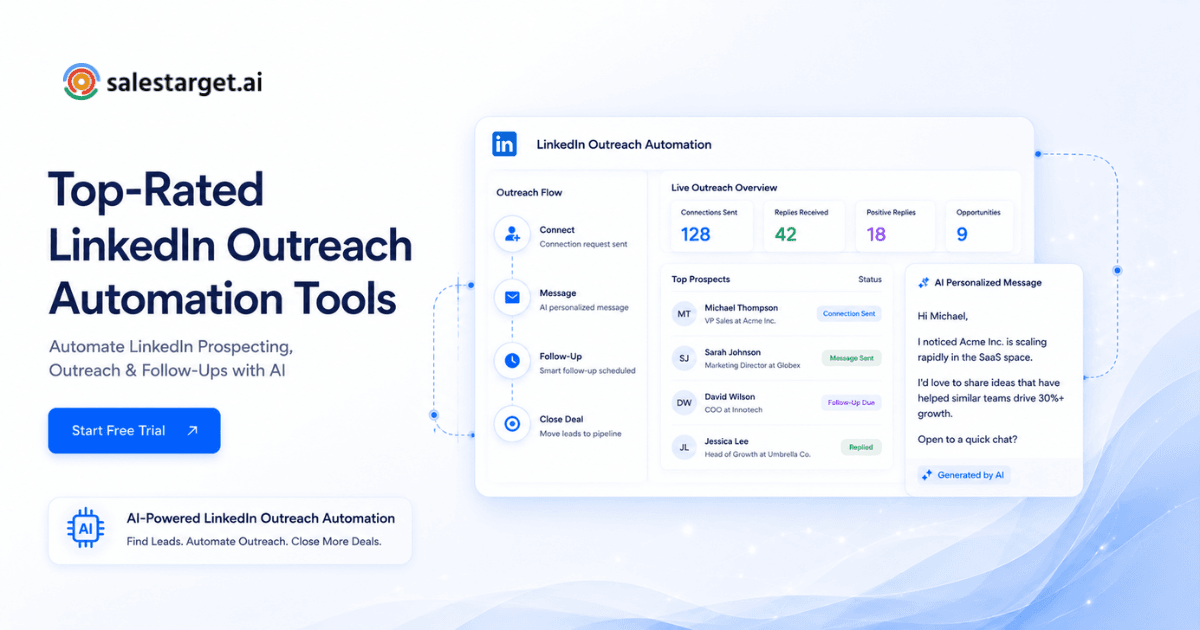
- Connection request — short, relevant, no pitch.
- Welcome message — thank them, share why you connected.
- Value touch — a resource, insight, or question.
- Soft ask — float the idea of a quick chat.
- Breakup message — polite exit that often triggers replies.
For a deeper teardown of this exact flow, this guide on a 5-step LinkedIn message sequence that books meetings is worth bookmarking.
Metrics to Track for LinkedIn Outreach Campaigns
If you can’t measure it, you can’t improve it. Watch these:
- Connection acceptance rate (aim for 30%+)
- Reply rate (5–15% is healthy)
- Positive reply rate (the one that matters)
- Meetings booked per 100 connections
- Sequence drop-off by step
Track per campaign, per ICP, per message variant.
How SalesTarget AI Helps Automate LinkedIn Outreach
SalesTarget AI is built for teams that want pipeline without babysitting tools. It combines AI-driven personalization, safe sending limits, multi-step sequences, and built-in analytics — so your reps stop copy-pasting and start closing.
You bring the ICP. SalesTarget AI handles the targeting, the messaging cadence, and the optimization.
Why This Matters for Modern Sales Teams
Buyers have changed. They research quietly, ignore generic pitches, and only respond to outreach that feels written for them. The teams winning in 2026 are the ones using automation to scale the boring parts and AI to sharpen the parts that actually matter.
LinkedIn outreach automation isn’t a shortcut. It’s infrastructure.
LinkedIn isn’t getting quieter — it’s getting louder. The teams that win won’t be the ones sending the most messages. They’ll be the ones blending sharp targeting, human-quality personalization, and reliable automation into one repeatable engine.
That’s exactly what linkedin outreach automation is meant to deliver in 2026. If you’re ready to stop guessing and start booking, explore how SalesTarget AI runs it end-to-end — and turn your LinkedIn into a real pipeline channel.