TL;DR
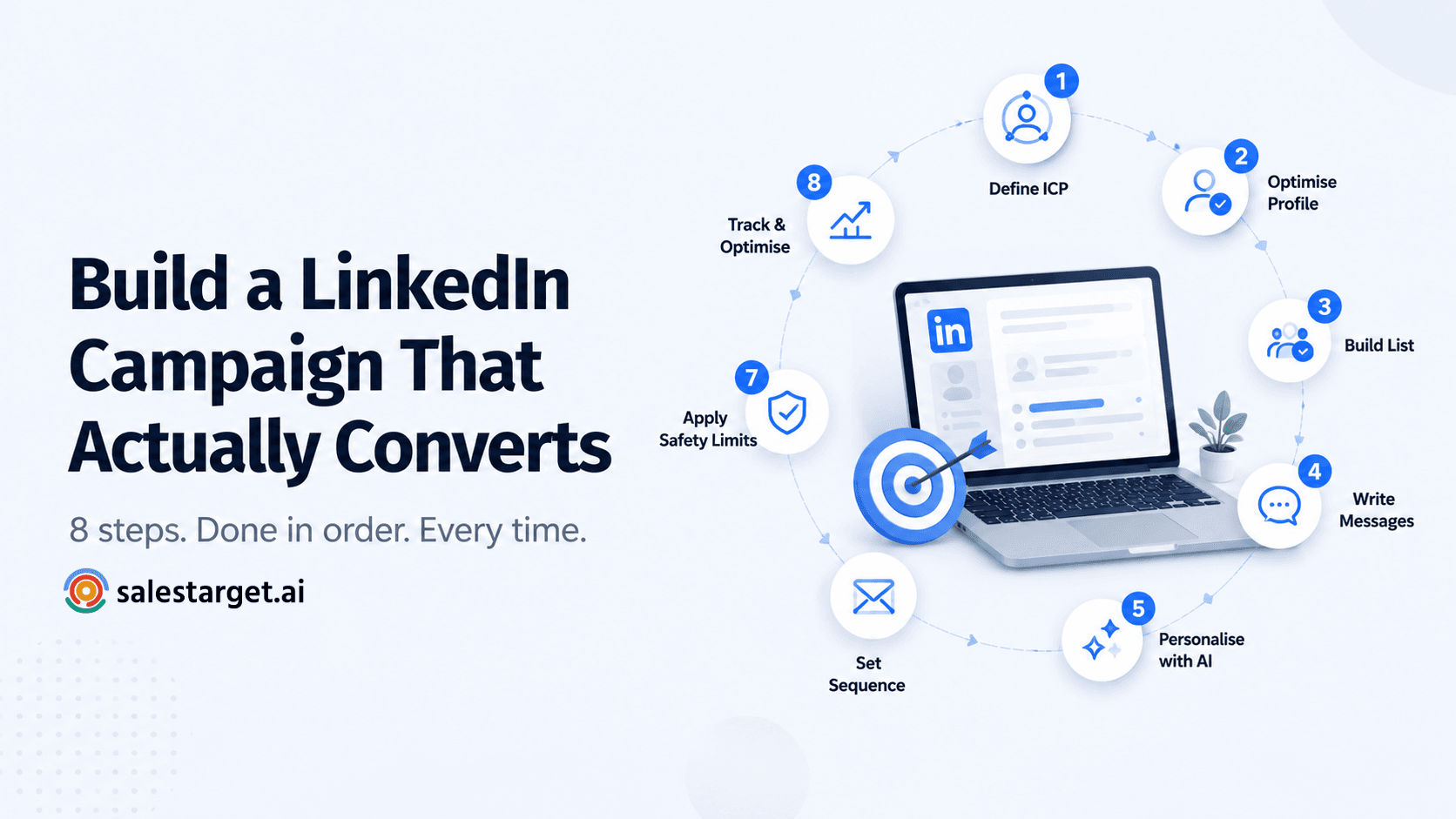
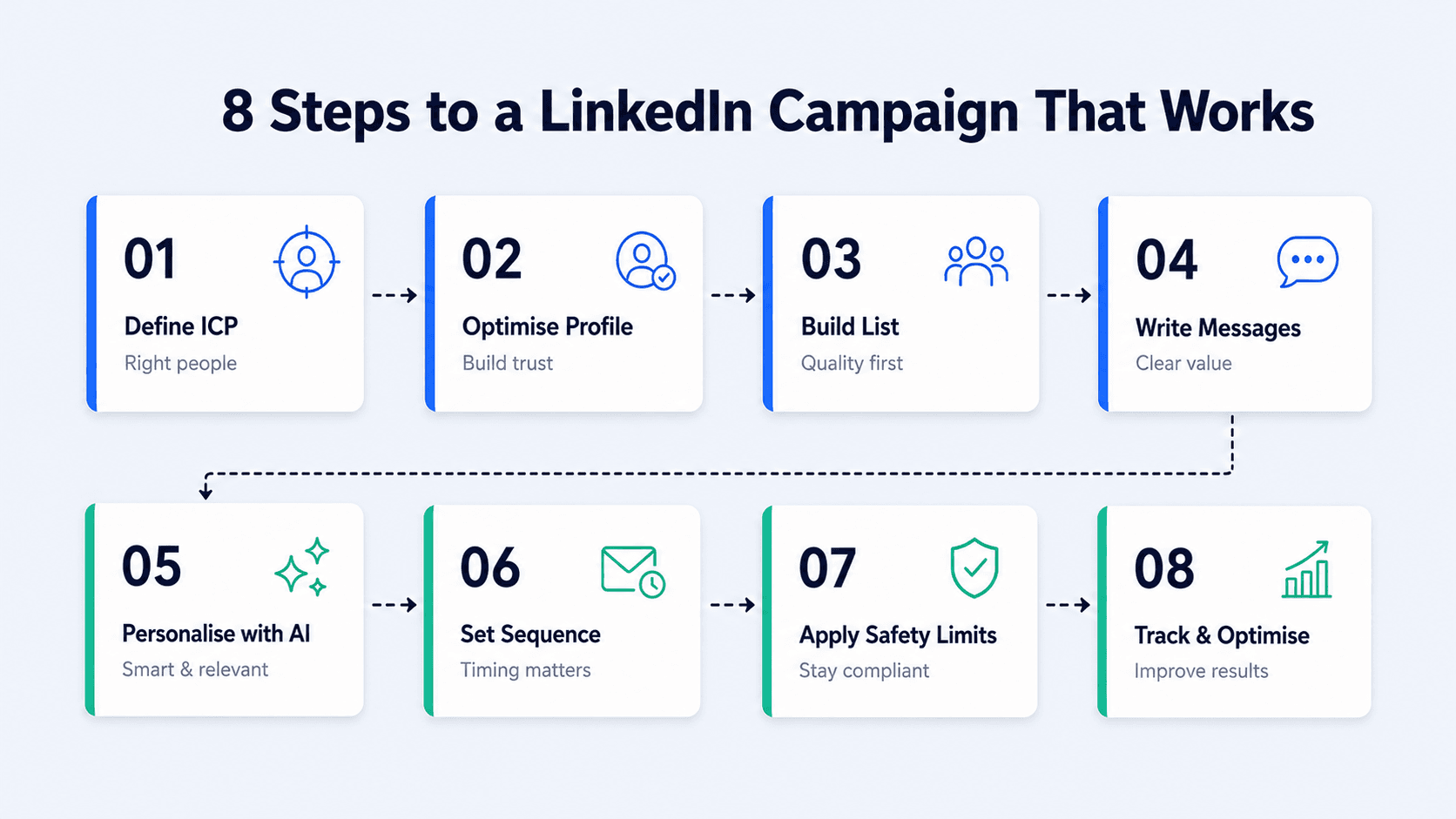
- A LinkedIn outreach campaign is not a message — it's a system. Eight steps, done in order, every time.
- Most campaigns fail at step one: targeting the wrong people with the right message is still a failure.
- Your LinkedIn profile is your landing page. Prospects check it before they accept. If it's weak, your acceptance rate will be too.
- Safe sending limits, smart scheduling, and AI personalisation are not optional extras — they're what separates campaigns that scale from accounts that get restricted.
- SalesTarget automates the full campaign build — ICP filtering, sequence setup, AI personalisation, safety compliance, and analytics — in one place.
Most LinkedIn outreach campaigns don't fail because the product is wrong or the market is bad. They fail because the campaign was never actually built — just a few messages sent to a vague list with no system behind them. Building it properly takes less time than you think, and it changes everything about your results.
What a LinkedIn Outreach Campaign Actually Is
A LinkedIn outreach campaign is a structured, repeatable system for finding the right prospects, reaching out to them in a deliberate sequence, and moving them from cold contact to booked meeting. It is not a one-off message blast. It is not "sending some connection requests and seeing what happens." It is a campaign — with a defined ICP, a targeted list, a sequenced set of touchpoints, and a measurement framework.
The reason this distinction matters: reps who treat LinkedIn outreach as a series of individual actions burn time and get inconsistent results. Reps who treat it as a repeatable campaign build something they can run, optimise, and scale. The output difference between the two approaches — same ICP, same product, same market — is significant.
LinkedIn has over 1.3 billion members, with four in five driving business decisions at their organisations. The channel works. The question is whether your campaign is built well enough to take advantage of it.
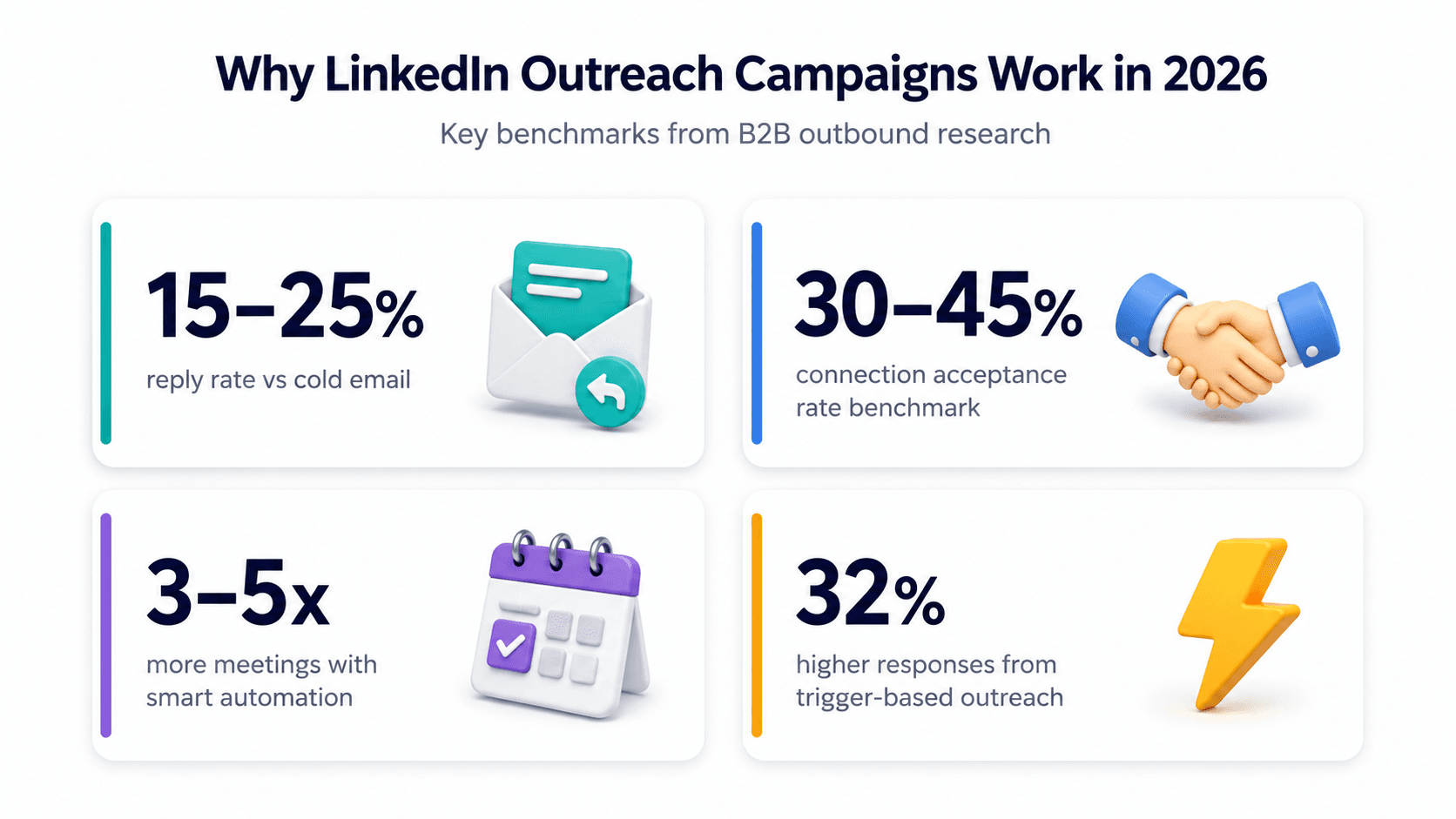
📊 Why LinkedIn Outreach Campaigns Work (2026 Data)
- 15–25% reply rate for well-targeted LinkedIn sequences vs 3–8% for cold email — Growtoro B2B Research 2026
- 30–45% connection acceptance rate benchmark for strong campaigns; below 20% signals targeting or profile issues — Cleverly LinkedIn Benchmarks 2026
- 3–5x more meetings booked by teams using smart LinkedIn automation vs manual outreach — Fuzzy AI Research 2026
- 32% higher response rates when outreach is tied to a recent trigger event — Sales Navigator Data 2026
How to Build a LinkedIn Outreach Campaign from Scratch (Step by Step)
Step 1 — Define Your ICP Before You Touch LinkedIn
Every weak LinkedIn outreach campaign shares the same root cause: a poorly defined ICP. Not "SaaS companies" — that's an industry. Not "decision-makers" — that's a seniority level. A proper ICP for LinkedIn outreach is a specific combination of job title, seniority, company size, industry, geography, and wherever possible, a behavioural or situational signal that tells you this person is likely to need what you're selling right now.
Before building anything in LinkedIn, write out your ICP in one sentence: "I am reaching out to [job title] at [company type/size] in [industry] who are currently [signal — hiring, growing, launching, switching tools]." If you can't complete that sentence cleanly, your list will be messy and your reply rate will show it.
ICP Definition Example
Write this before step 2
Weak ICP: "VP of Sales at B2B SaaS companies"
Strong ICP: "VP of Sales or Head of Sales at B2B SaaS companies with 20–200 employees in the US or UK, currently hiring SDRs or BDRs — signal that they're scaling outbound"
The hiring signal alone filters your list from tens of thousands to hundreds — and makes every message you send more relevant.
Step 2 — Optimise Your Profile Before Sending a Single Request
Your LinkedIn profile is not a CV. During an outreach campaign, it's a landing page — and it gets checked. When a prospect receives your connection request, the first thing most of them do is click through to your profile. If what they find looks thin, generic, or like a different person to whoever sent the message, they decline.
Three things to fix before launching any campaign:
Headline: Replace your job title with a value statement. "Helping B2B sales teams build outbound pipelines that don't rely on referrals" is more likely to prompt an acceptance than "Account Executive at [Company]."
About section: Write it from the prospect's perspective — what problem do you solve, who do you solve it for, what should they do next. One paragraph. End with a soft CTA.
Featured section: Link to one piece of social proof — a case study, a relevant post, a short video. Something that confirms you know what you're talking about before a conversation starts.
Profile Optimisation Tip
Do this before every new campaign
Research from outbound sales teams shows that five minutes of profile research before sending a connection request can increase reply rates by 3–5x. That same principle applies in reverse — five minutes spent updating your profile before a campaign launch increases the number of prospects who accept your request in the first place. Your profile does silent selling before your message lands.
Step 3 — Build a Targeted Prospect List
List quality determines campaign quality. A list of 200 highly targeted prospects will consistently outperform a list of 2,000 loosely matched ones — in acceptance rate, reply rate, and meetings booked. Smaller, more targeted lists are not a constraint. They're a deliberate strategy.
The three most reliable list sources for a LinkedIn outreach campaign in 2026:
LinkedIn Sales Navigator: Filter by job title, seniority, company size, industry, geography, and — critically — "posted on LinkedIn in the last 30 days." That last filter alone surfaces active users, which improves acceptance rates significantly over a cold, inactive list.
Trigger-based sourcing: Companies that have recently received funding, announced hiring, launched a new product, or expanded into a new market. These signals tell you something has changed in their world — which gives you a genuine reason to reach out and dramatically improves relevance. SalesTarget's Lead Explorer surfaces these signals automatically, so you're not manually scanning news feeds to find them.
Engagement-based sourcing: People who have commented on or engaged with relevant content in your space. They've self-identified as interested in the topic — your message has built-in relevance before it arrives.
Step 4 — Write Your Campaign Messages
A LinkedIn outreach campaign typically runs five touchpoints: connection request, acceptance message, two follow-ups, and a breakup message. Each has a different job. The connection request gets you in the door. The acceptance message opens a conversation. The follow-ups add value and make an ask. The breakup message closes the loop.
The rules that apply across every message in the campaign:
Short: Every message should be readable in under 30 seconds. If it requires scrolling, it's too long.
Prospect-first: The message should be about them — their situation, their role, their likely problem — not about your product or your company.
Personalised: Every message should contain at least one detail that couldn't be sent to 1,000 other people without changing it. Research from outbound platforms consistently shows that non-personalised templates average an 8.6% reply rate. Genuine personalisation at every step pushes that figure into the 20–30% range.
No links in early messages: External links in LinkedIn DMs are increasingly flagged by the platform's algorithm as potential spam. In the first two touchpoints especially, describe the resource and offer to send it — don't drop a URL.
For a detailed breakdown of what each message should say at each step — including word-for-word templates — the 5-step LinkedIn message sequence guide covers the exact structure and copy.
Step 5 — Personalise at Scale with AI
Personalisation is the highest-leverage variable in a LinkedIn campaign. It's also the one most teams skip because they're running volume and don't have the time to research 200 prospects manually. AI changes that equation.
The right AI personalisation approach is not inserting a first name and company into a template. It's generating a contextually relevant message for each prospect at the point of send — pulling from their recent LinkedIn activity, their role, their company's current situation, and whatever signal put them on your list in the first place. That's the difference between "Hi [First Name], I noticed you're in sales" and a message that references the specific post they published last week about scaling outbound without burning budget.
SalesTarget's AI LinkedIn personalisation does this at the campaign level — every prospect gets a message that reads as though it was written for them specifically, without you spending ten minutes per contact doing the research manually.
Step 6 — Set Up Your Sequence and Smart Scheduling
Once your messages are written, you need to build the sequence — the order, the delays between steps, and the conditions that move a prospect from one step to the next. A well-structured campaign does not fire every step on a fixed calendar. It responds to what the prospect does: if they reply after step two, the sequence stops and moves them to a reply thread. If they accept but don't respond, step three fires after the defined delay.
SalesTarget's LinkedIn Campaigns and Sequence Builder handles this logic automatically — you build the sequence once, set the delays and conditions, and the platform manages the flow across every prospect in the campaign without you tracking each one individually.
Alongside the sequence structure, timing matters. Messages sent during a prospect's active LinkedIn hours consistently outperform those sent outside business hours. LinkedIn Smart Scheduling ensures your messages go out during the time windows when your prospects are most likely to see and respond to them — not when the queue happens to process.
Step 7 — Apply Safety Limits Before You Launch
This is the step most people skip until their account gets restricted — and then they wish they hadn't. LinkedIn's sending limits in 2026 are reputation-based, not fixed. Accounts with strong acceptance rates and healthy engagement history can send up to 200 connection requests per week. Accounts that get flagged for spam behaviour, ignored messages, or suspicious activity patterns can drop to 50 or fewer.
Safe operating parameters for most accounts running an active outreach campaign:
| Action | Safe daily range | Note |
|---|---|---|
| Connection requests | 20–30 per day | Stay well below LinkedIn's weekly cap; acceptance rate protects future capacity |
| Messages to 1st degree | 50–80 per day | Vary timing; avoid identical messages in bulk sends |
| Profile views | 80–100 per day | Natural-looking cadence; not all at once |
| InMails | Based on credits | Use for non-connectors; don't substitute for DM sequences |
SalesTarget's LinkedIn Safety and Compliance layer enforces these limits automatically across every campaign. You set the campaign running — the platform ensures it stays within safe parameters without you manually managing daily caps. For a full breakdown of what LinkedIn allows and what triggers restrictions, the LinkedIn automation safety guide for 2026 covers the rules in detail.
Don't skip the safety setup
Account protection
A restricted LinkedIn account doesn't just pause one campaign — it pauses your entire outreach operation. Pending connection requests pile up, reply threads stall, and recovery can take weeks. The time cost of applying safety limits before launch is minutes. The time cost of recovering a restricted account is much, much more than that.
Step 8 — Track, Measure, and Optimise
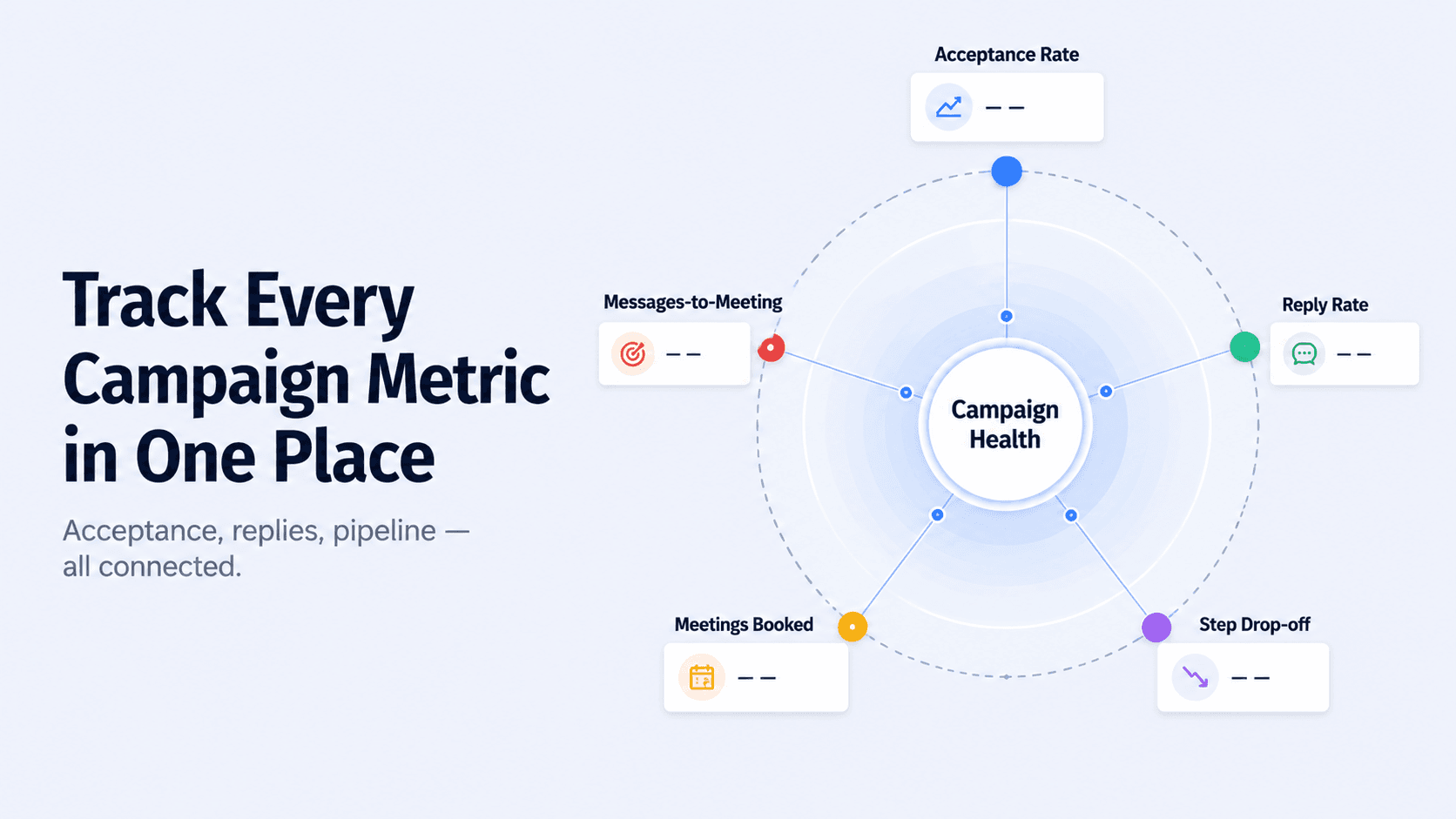
A campaign you can't measure is a campaign you can't improve. The metrics that actually matter for a LinkedIn outreach campaign — not vanity numbers, not follower counts — are:
| Metric | What it tells you | 2026 benchmark |
|---|---|---|
| Connection acceptance rate | ICP quality + profile strength | 30–45% healthy; below 20% fix targeting first |
| Reply rate | Message relevance + personalisation quality | 10–25% good; 30%+ with strong personalisation |
| Step-level drop-off | Which message is losing prospects | Fix the step with the biggest drop first |
| Meeting booked rate | Overall campaign conversion | 2–5% of total prospects reached is strong |
| Messages-to-meeting ratio | Outreach efficiency | Track week-on-week; improvement = system working |
All of these metrics are tracked in real time in SalesTarget's LinkedIn Analytics and CRM. You can see step-level drop-off across your sequence, compare campaign performance over time, and push engaged prospects directly into your pipeline without manual data entry.
The Full Campaign Build at a Glance
| Step | What you do | What breaks if you skip it |
|---|---|---|
| 1. Define ICP | Job title + company + signal | Wrong people, irrelevant messages, low acceptance |
| 2. Optimise profile | Headline, about, featured section | Prospects check and decline; acceptance rate tanks |
| 3. Build list | 200–500 targeted, signal-filtered prospects | Volume without quality; reply rate suffers |
| 4. Write messages | 5-step sequence, short, prospect-first | Generic messages; ignored or marked as spam |
| 5. Personalise with AI | Per-prospect personalisation at scale | Templates that feel like templates; 8.6% reply rate ceiling |
| 6. Build sequence + scheduling | Delays, conditions, active-hour sends | Manual tracking chaos; missed follow-up windows |
| 7. Apply safety limits | Daily caps, compliance rules | Account restriction; entire campaign paused |
| 8. Track and optimise | KPIs by step; fix the weak link | No feedback loop; same mistakes next campaign |
When to Add Email to Your LinkedIn Campaign
A LinkedIn-only campaign is a strong starting point. But for high-priority accounts — the 20–30 targets in your list where missing the window would genuinely hurt — running a parallel email touchpoint alongside your LinkedIn sequence produces measurably better outcomes. Research consistently shows that omnichannel sequences combining LinkedIn and email outperform single-channel approaches by over 40% on reply rate.
The structure is straightforward: LinkedIn builds familiarity and adds identity context. Email adds depth — a longer-form case study, a data point, a resource that wouldn't fit in a LinkedIn DM. The two channels reinforce each other rather than duplicating the same message in different inboxes.
SalesTarget's multichannel outreach feature lets you build LinkedIn and email into a single coordinated sequence — so the timing, the messaging, and the contact logic stay connected rather than running as separate campaigns you manage manually. For the full playbook on combining the two channels effectively, the LinkedIn and email multichannel outreach playbook walks through exactly how to structure it.
The Mistakes That Kill LinkedIn Campaigns Before They Get Results
Launching without fixing the profile first
Critical mistake
81% of B2B buyers research a sender's profile before responding. If your profile looks like a CV from 2019 with no clear value statement, your connection request acceptance rate will cap out below 20% regardless of how good your message is.
Prioritising volume over targeting
Critical mistake
Sending 500 connection requests to a broad list produces more ignored messages, more declines, and a lower acceptance rate — which then reduces your weekly sending capacity the following week. High volume with low relevance is a compounding problem. High targeting with lower volume fixes it.
Treating the campaign as set-and-forget
Critical mistake
A LinkedIn campaign that's never reviewed is a campaign that compounds its own mistakes. If your acceptance rate is 18% and you don't check it until week four, you've run three weeks of outreach at the wrong targeting or with a weak profile. Check your KPIs at the end of week one and make one change based on what you find. Then again at week two.
How SalesTarget Runs the Full Campaign in One Place
Every step in this guide can be done manually — but at scale, managing the list, the sequence, the personalisation, the timing, the safety limits, and the analytics across dozens of active prospects simultaneously becomes the bottleneck. That's what SalesTarget's LinkedIn outreach automation is built to solve.
The workflow inside the platform maps directly to the eight steps above: filter your ICP with Lead Explorer, import your list, build your sequence in the Sequence Builder with AI-personalised messages at each step, apply smart scheduling so sends land in active hours, let the Safety and Compliance layer manage your limits automatically, and track everything in the Analytics and CRM dashboard — acceptance rate, reply rate, pipeline stage, all in one view.
The result is a campaign that runs at scale without the manual overhead — and a feedback loop that makes every subsequent campaign better than the last.
Build your first LinkedIn outreach campaign the right way.
SalesTarget gives you the ICP filtering, sequence builder, AI personalisation, safety compliance, and campaign analytics to run LinkedIn outreach that actually converts.
✓ 50 credits ✓ 7-day trial ✓ No credit card required
Frequently Asked Questions

See It In Action: Book Your Free Demo
Get a personalized walkthrough and see how it works for your team.
Book My Demo →



