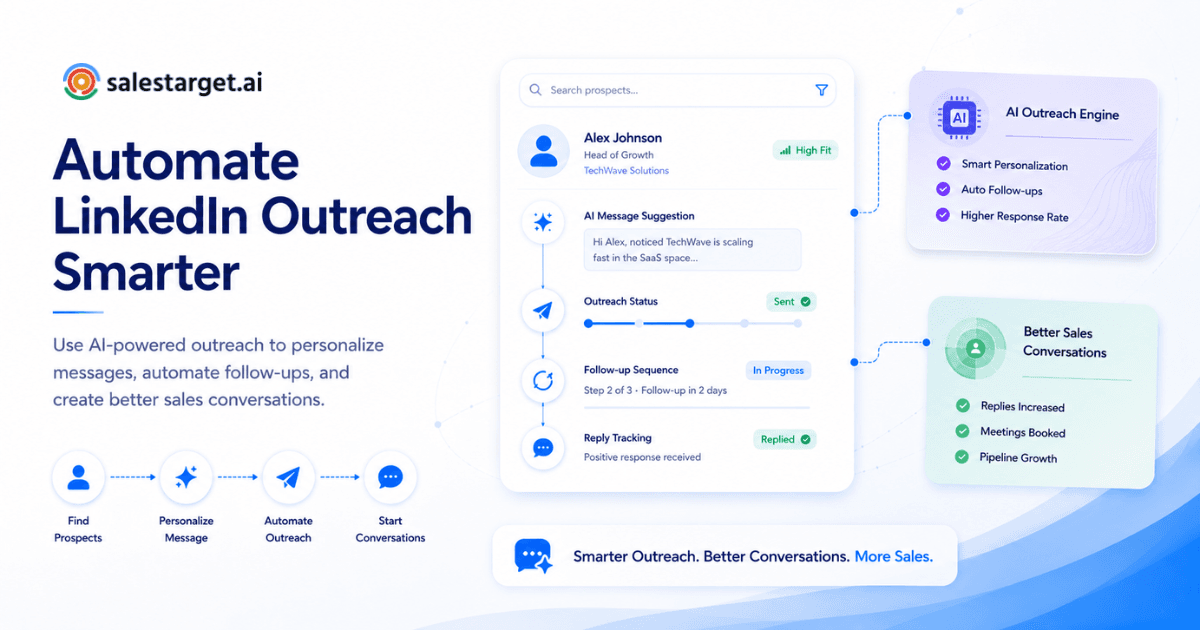
A rep opens LinkedIn at 8 a.m., fires off forty connection requests with the exact same canned line, and collects two replies by Friday. Sound familiar? Most B2B sales teams know this pattern all too well: copy-pasted messages, dead-end DMs that go nowhere, and a pipeline that grows or shrinks based on how much time a rep has left after admin work swallows the first half of the morning.
Here is the direct answer: to automate LinkedIn outreach means using software that sends connection requests, follow-up messages, and profile engagement on a set schedule, all built from real prospect data instead of one recycled script blasted to every contact. A rep builds the sequence once. The tool fills in each message with the prospect's name, role, company, and recent activity, then tracks replies so the rep spends time on actual conversations, not on copy-paste busywork. Done right, this cuts hours of manual prospecting into minutes of review and approval.
Why B2B Sales Teams Struggle to Get Responses From LinkedIn Outreach?
Most outreach fails on relevance, not volume. Gartner's 2025 buyer research found that 73% of B2B buyers actively avoid suppliers who send irrelevant outreach (gartner.com), and a generic template is the fastest way to land in that group.
Three patterns show up across nearly every team that struggles here. First, reps copy one message across an entire list with zero acknowledgment of the prospect's role or industry. Second, lists come from outdated exports, so messages reach people who switched jobs months ago. Third, follow-ups stop after one attempt, meaning a prospect who simply missed the initial message never hears from the rep again. Fix the data and tighten the cadence, and reply rates shift fast.
What Does It Mean to Automate LinkedIn Outreach for Sales?
LinkedIn outreach automation means a platform takes over the repetitive steps of prospecting: sending connection requests, queuing follow-up DMs, liking or commenting on posts to warm up a profile before the first message, and logging every action so a rep sees where each lead stands at a glance.
The goal is not to remove reps from conversations. It is to strip away the manual click-by-click grind so they show up only when a prospect is ready for a real conversation. A platform like SalesTarget.ai's LinkedIn Outreach builds these sequences from a plain-language description of the target audience, then runs connection requests, DMs, and engagement steps with timezone-aware scheduling so messages land during working hours, not at 3 a.m. local time.
How to Automate LinkedIn Outreach Without Making Messages Feel Robotic?
The short answer: pair automation with prospect-level personalization, branch the sequence based on what the prospect does (or does not do), and keep a human checking the tone before anything sends. Automation handles timing and repetition. The message itself still needs to read like a person wrote it for one specific reader.
Using Personalized LinkedIn Outreach to Create Relevant Conversations
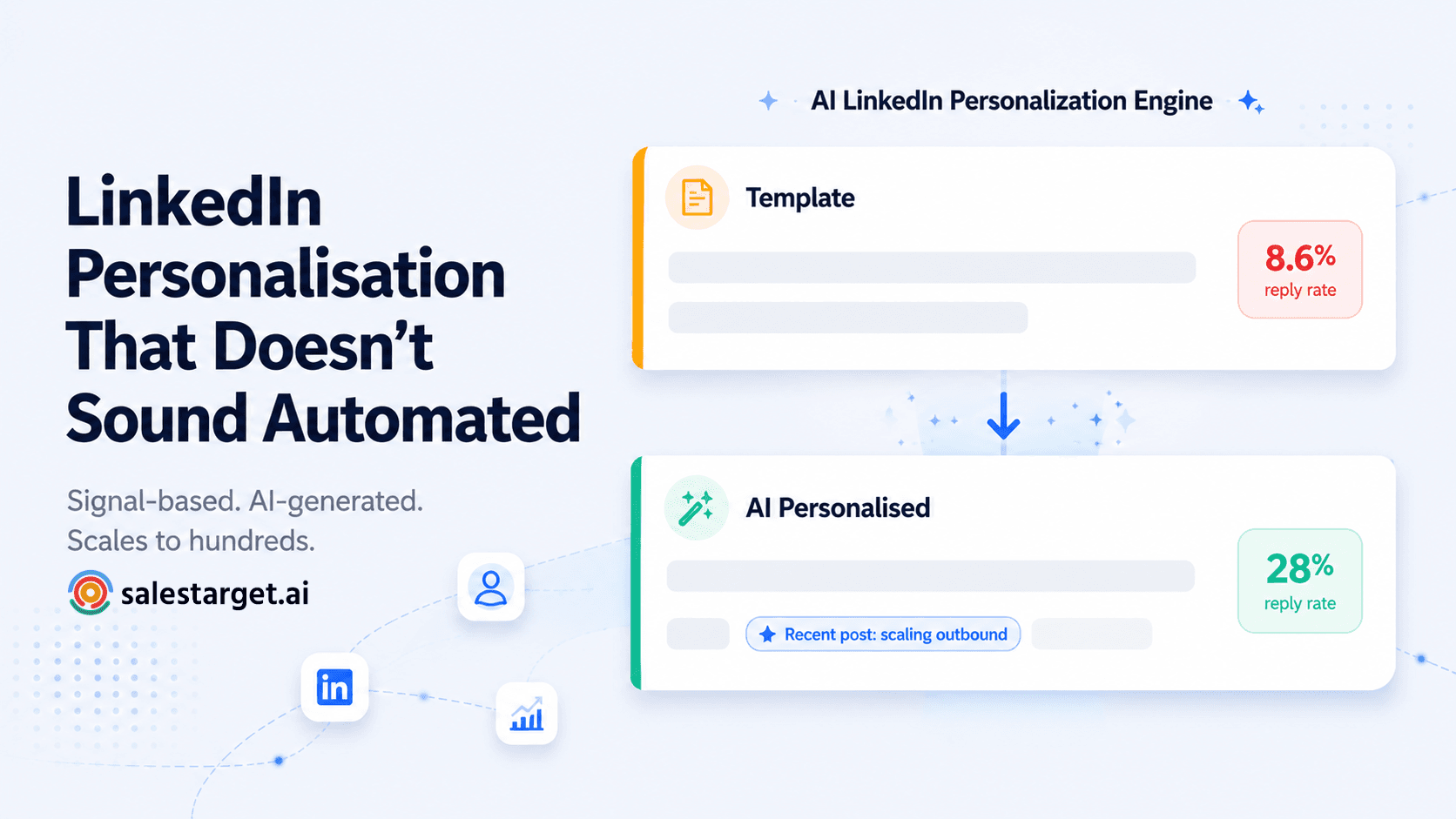
A message that names the prospect's role, references a recent post, or acknowledges a company event lands differently than "Hi, connecting with sales leaders." Belkins' 2025 study of more than 20 million LinkedIn outreach attempts found that adding a short, personal note to a connection request lifted reply rates to 9.36%, compared to 5.44% with no message at all (belkins.io). That gap compounds across thousands of sends per quarter. Over a full year, it is the difference between a pipeline that fills itself and one that flatlines.
Building LinkedIn Messaging Automation Sequences With Human-Like Touchpoints
A good sequence does not fire five messages on autopilot. It mixes a profile visit, a like on a recent post, a connection request, then a follow-up DM days later, all spaced the way a person prospecting by hand would naturally space them. SalesTarget.ai's LinkedIn feature incorporates realistic pacing with human-like intervals and activity limits, so interactions read as authentic rather than robotic. The key detail most teams miss: varying the delay between each step by a few hours (not sending at the exact same minute each day) makes the activity pattern far harder for LinkedIn's detection systems to flag.
Combining AI Personalization With Sales Engagement Strategies
AI personalization works best layered onto a real engagement plan, not as a replacement for one. Know which accounts matter most, which roles to target first, and which message angle fits each segment, then let AI handle the line-by-line wording inside that framework. SalesTarget.ai's AI Copilot drafts sequence copy by role, industry, and company size in seconds, with built-in A/B variations a rep can review before anything goes live. The result: every message reads like it was written for one person, even when it runs across hundreds.
How AI Helps Sales Teams Improve LinkedIn Sales Outreach?
AI helps most by cutting research time and surfacing the right prospects, not by replacing rep judgment. The reps who win on LinkedIn use AI to find better targets faster, then bring their own read on tone and timing to the actual message. AI handles the grunt work. Strategy stays with the rep.
AI-Powered Sales Outreach for Researching Prospects and Writing Messages
Manually checking a prospect's title, company size, and recent activity before each message eats five to ten minutes per lead. Multiply that across fifty leads and a rep's entire morning vanishes before a single conversation starts. AI condenses that into a quick brief: role, company signals, and a suggested opening line, all pulled from data the platform already has on file rather than a fresh manual search each time.
Using AI Insights to Improve Reply Rates and Sales Conversations
Reply patterns tell a story most reps never examine closely: which job titles respond, which day of the week performs best, which message length gets the click. SalesTarget.ai's Email Outreach and LinkedIn modules surface this data inside one dashboard, so a rep adjusts the next batch of sends instead of repeating a weak pattern for another quarter. One non-obvious insight: message length matters less than message specificity. A three-sentence DM that references a real company event outperforms a one-liner and a long paragraph alike.
Reducing Manual Prospect Research With Sales Prospecting Automation
This is one part most articles on this topic skip entirely: the real cost of LinkedIn outreach is not sending messages. It is building the list. When reps rely on manual LinkedIn searches to find fifty leads a day, their entire morning is consumed by prospecting before any conversations begin. SalesTarget.ai's Lead Explorer replaces that search with built-in enrichment across 840M+ professional profiles, so a list that took a morning to build takes minutes, with verified contact data attached at the point a rep finds the lead, not scraped from a database that was last updated six months ago.
What Are the Best Practices for Automating LinkedIn Outreach?
In simple terms, success starts with organizing prospects into clear segments, planning follow-up touches from the outset, and making sure someone actively monitors and responds to incoming messages every single day. Miss any one of these three and the whole system underperforms.
Keep Messages Relevant With Audience-Based Personalization
Group prospects by role, industry, or buying signal before writing copy, then write one message angle per group instead of one message for the whole list. A founder reading a message built for a VP of Sales notices the mismatch within a sentence. And once they notice, the connection request sits unaccepted.
Create Follow-Up Sequences That Support Long-Term Lead Nurturing
A prospect who does not reply to message one is not a dead lead. Industry research on cold outreach consistently shows follow-ups carry a large share of total replies. HubSpot's 2025 sales data found social channels like LinkedIn now deliver higher reply rates (42%) than email (26%) or phone (23%) (blog.hubspot.com), making a missed follow-up on LinkedIn a real revenue cost, not a minor inconvenience. The practical rule: build at least three to four follow-up touches into every sequence, spaced five to seven days apart.
Balance Automation With Real Conversations on LinkedIn
Automate the scheduling and the first few touches, then hand the thread to a rep the moment a prospect replies. SalesTarget.ai's AI Copilot flags incoming replies by intent (interested, follow-up, not a fit) so reps jump into the conversations worth their time first, instead of scrolling a full inbox hunting for the one warm reply buried in the noise.
Key Metrics to Track and Optimize
The short answer: track connection acceptance rate, reply rate, and meetings booked per hundred messages sent, then compare those numbers weekly across each segment. Do not lump them into one average; that hides where the real problems sit.
Response Rate, Reply Rate, and Why They Matter
Connection acceptance shows whether the targeting is right. Reply rate shows whether the message itself works. Combining both into one "campaign performance" number hides which part of the funnel actually needs fixing. A high acceptance rate with a low reply rate means the targeting is on point but the copy needs work. A low acceptance rate means the audience itself is wrong, and no amount of better copy will fix that.
Finding Your Sweet Spot With A/B Testing
Test a single variable per experiment: the first line, message length, or send day. Changing multiple factors at once makes it impossible to know what moved the number. A second non-obvious tip: run the same message variant across two different audience segments before deciding it "works." A strong reply rate in one segment can mean nothing in another with a different buyer profile. What converts VPs of Engineering rarely converts Heads of Marketing.
When to Pause, Refine, or Scale a Campaign
Pause a sequence if connection acceptance drops below the segment's normal range; that is a targeting problem, not a copy problem. Refine the message if acceptance holds but replies stay flat. Scale only once both numbers hold steady across two full weeks, not two good days. Scaling too early on a small sample is how teams burn through a fresh prospect list with a message that stops working at volume.
LinkedIn Automation Tools vs Manual Outreach: What Works Better for Sales Teams?
The short answer: manual outreach works at small volume with deep personalization; automated workflows win once a team needs consistent volume without burning out reps. Most growing teams land on a mix of both, with automation handling the first touches and reps stepping in for live conversations.
Comparing Manual LinkedIn Prospecting With Automated Workflows
Manual prospecting gives full control over every word, but it caps out fast. A rep can realistically hand-personalize twenty to thirty messages a day before quality drops. Automated workflows hold that same personalization standard at ten times the volume, since the data and the message logic are already built into the sequence. The trap to avoid: thinking automation means lower quality. It only means lower quality if the sequence was poorly built.
How Sales Teams Choose LinkedIn Automation Tools Based on Their Process
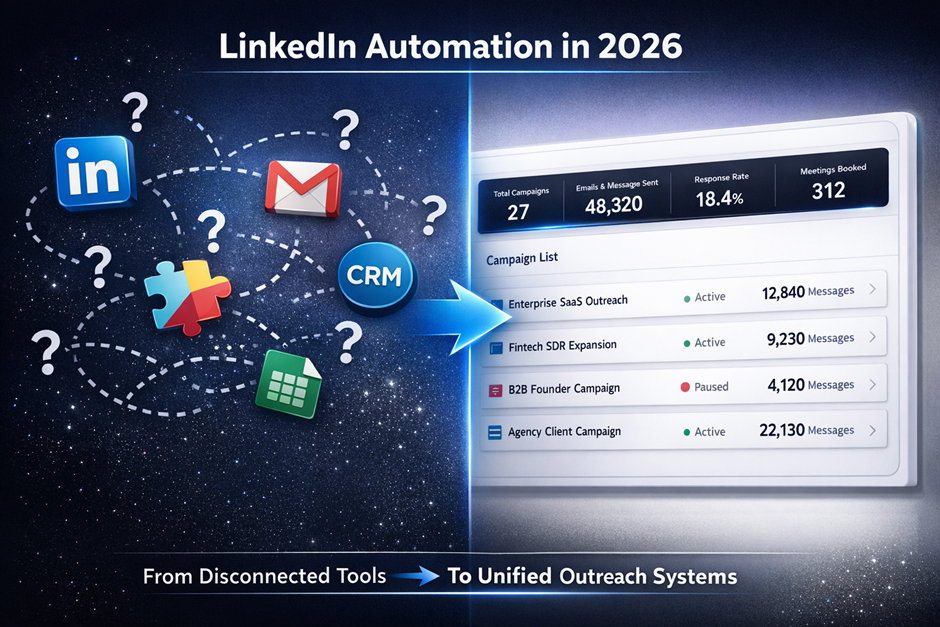
Teams running outbound across multiple channels need a tool that does not live apart from their data and their CRM. A disconnected tool creates more admin work, not less. Read how to use LinkedIn outreach automation for a closer look at fitting a tool to an existing process instead of rebuilding the process around the tool.
Why Combining LinkedIn and Email Outreach Improves Results
LinkedIn and email reach the same prospect through different attention windows. A prospect who ignores a cold email might reply to a LinkedIn DM the same week, and vice versa. Running them separately creates a blind spot: two reps (or two tools) can end up contacting the same person with conflicting messages. SalesTarget.ai runs both channels from one coordinated sequence, so a reply on either channel updates the full thread instead of leaving two disconnected conversations running with the same prospect.
Why Choose SalesTarget.ai for LinkedIn Outreach Automation?
Most LinkedIn tools handle one piece of the job: sending messages. SalesTarget.ai connects the prospecting, the outreach, and the follow-up tracking in one workspace, so a lead never has to move through three separate tools before a rep books a meeting.
Replace Separate Sales Tools With One AI Sales Platform
Apollo gives prospect data but leaves deliverability and CRM work to other tools. Instantly, Smartlead, and Lemlist handle cold email but skip a B2B database, LinkedIn automation, and a real CRM entirely. SalesTarget.ai keeps lead data, multichannel outreach, email validation, and a CRM in one workspace on one bill. No CSV exports between platforms. No data going stale in transit. See the full guide to AI LinkedIn outreach automation for a breakdown of how the pieces connect.
Access 840M+ Verified Profiles and 4,000+ Intent Signals for Prospecting
Lead Explorer searches across 840M+ professional profiles and 146M+ business records, with 4,000+ intent and buyer signals pulled from a 30 to 90 day lookback on hiring spikes, funding rounds, and leadership changes. A rep can build a list of accounts actively showing buying signals instead of cold-calling a static directory that was last refreshed a quarter ago.
Improve Outreach Quality With Verified Contact Data and Email Validation
Enrichment happens the moment a rep finds a lead, not from data scraped months earlier. The Email Validator runs MX and SMTP checks plus disposable-email detection before a message ever sends, keeping bounce rates down and protecting the sending domain's reputation across both email and LinkedIn touches. Clean data in means fewer wasted sends and a healthier sender score over time.
Save Rep Time With Automated Sequences, CRM Updates, and AI Support
Every lead from a campaign lands straight in the CRM with no manual import. Every call and message is logged to the lead's timeline automatically. Combined with the AI Copilot drafting sequences and flagging at-risk deals, reps spend their hours on calls and replies instead of toggling between five different tabs to piece together a single lead's history.
How to Build a Scalable LinkedIn Outreach Process for Your Sales Team
The short answer: define the target buyer in plain terms, build repeatable sequences for each buyer group, then review performance on a fixed schedule and adjust. Skipping any one of these three steps is why most LinkedIn outreach plans stall after the first month.
Define Your Target Audience and Ideal Customer Profile
Start narrow. A sequence built for "B2B decision-makers" reads generic to everyone it reaches. A sequence built for "RevOps managers at 50 to 200-person SaaS companies hiring for sales roles right now" reads like it was written for the one person reading it, since it nearly was. SalesTarget.ai's ICP Builder stacks filters like industry, seniority, company size, and tech stack so this targeting takes minutes instead of a spreadsheet afternoon. The tighter the ICP, the higher every downstream metric performs.
Create Repeatable Outreach Sequences for Different Buyer Groups
Build one sequence template per buyer group, not one sequence for the whole funnel. A founder-led startup and an enterprise RevOps team read the exact same pitch differently, so the sequence logic (not just the wording) should shift between them. This guide to automating LinkedIn outreach walks through setting that structure up step by step.
Measure Sales Engagement and Improve Campaigns Over Time
Set a recurring review (weekly works for most teams) and compare each sequence against its own past performance, not against a competitor's published benchmark. The CRM's reporting module tracks open deals, meetings booked, and pending tasks in one dashboard, so this review takes minutes instead of pulling numbers from four separate tools. The teams that improve fastest are the ones that review every week, not just when a campaign underperforms.
Bringing It All Together
Teams stuck in a cycle of repetitive outreach and low response rates are facing a process issue, not a motivation problem. They have a tooling gap: scattered data, no follow-up structure, and hours lost to manual research before the actual outreach even starts.
SalesTarget.ai fixes that by putting prospecting, LinkedIn and email outreach, contact verification, and a CRM in one workspace, so a rep moves from finding a lead to booking a meeting without switching tools five times along the way. If LinkedIn outreach has been a guessing game for your team, start with SalesTarget.ai and build a sequence that runs the way your best rep already prospects, just without the manual hours attached.