You build a list of 2,000 prospects, load it into a sequence, and hit send. By the next morning the bounces are in, replies are thin, and your sending domain looks shakier than it did yesterday. Nobody on the team touched the copy. The list was the problem.
An email verifier website checks whether an address can receive mail before you send anything to it. It confirms the domain exists, the mail server accepts messages, and the mailbox is real, then flags disposable, invalid, and risky addresses. Sales teams use it to keep bad contacts out of campaigns, so bounces stay low and the sending domain keeps its reputation.
This guide covers how verification works, where it fits in an outbound workflow, and how SalesTarget.ai handles it from lead discovery through to the CRM.
Why Email Verification Matters for B2B Sales Outreach
Every bounced email is a signal to mailbox providers that your list is careless. Verification removes the dead addresses before they can hurt your sender reputation.
Cold outreach depends on one asset you cannot see: your domain's standing with Gmail, Outlook, and Yahoo. Providers score it on bounces, complaints, and engagement. Gmail and Yahoo cap the spam complaint rate at 0.3%, and senders who stay above it risk rejected messages or spam-folder placement, according to Customer.io's breakdown of the sender requirements. Complaints and bounces are different measures, but they feed the same reputation picture. A list full of dead addresses makes every other number worse.
Bounce limits are looser on paper. Google and Yahoo do not publish an official bounce rate threshold, though under 2% is treated as good practice, per Suped's deliverability guidance. No official line means no warning before the damage starts. You find out when replies drop.
The cost lands on every role. SDRs lose hours on sequences that never reach anyone. RevOps inherits a CRM full of contacts that look real. Founders running outbound themselves watch a fresh domain get burned in two weeks.
How an Email Verifier Website Works
A verifier runs a series of checks in order: syntax, domain, mail server, mailbox, then risk patterns. Each check removes one type of bad address, and the final result tells you whether to send, hold, or drop.
Email address and domain validation
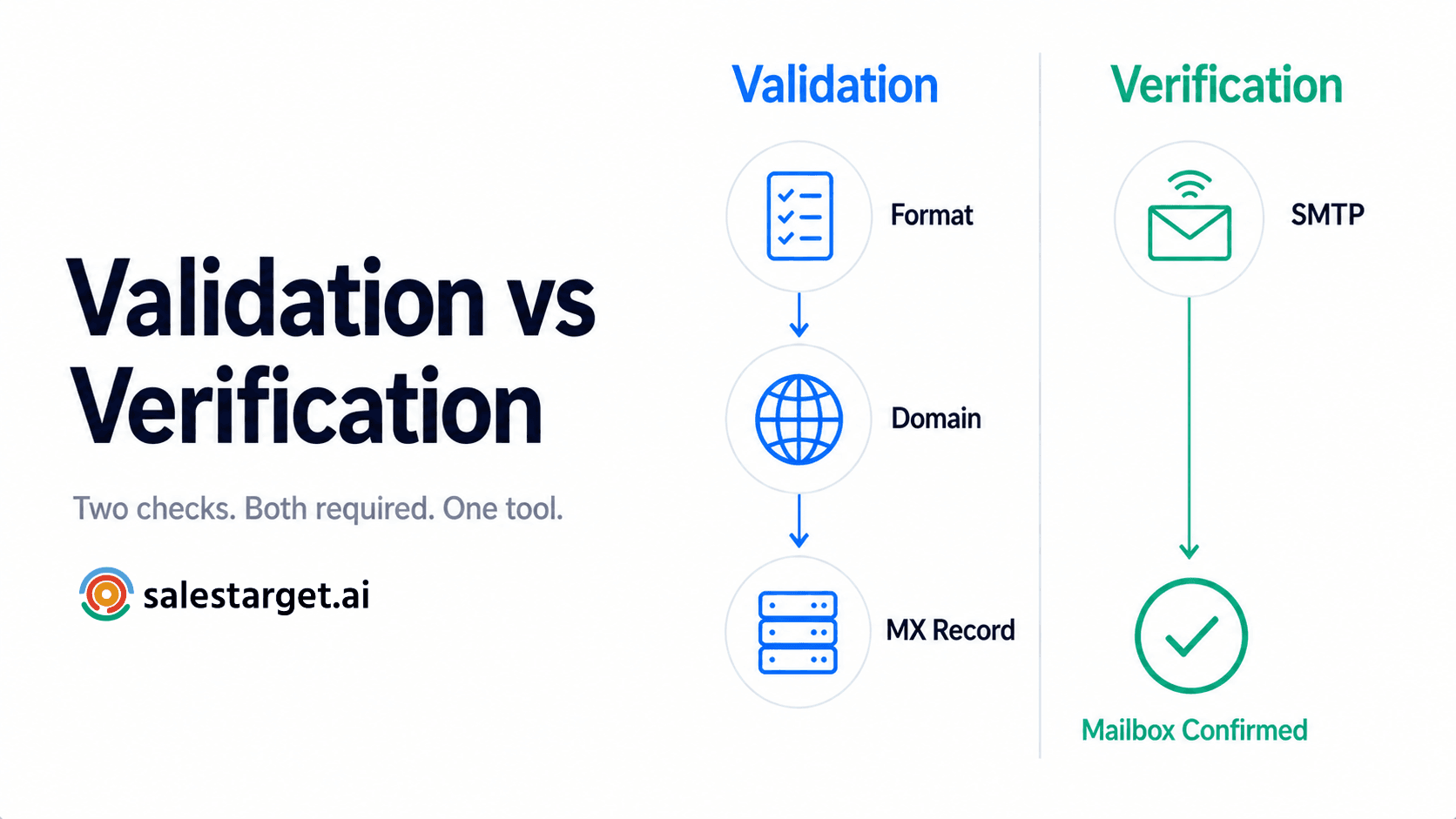
The first pass checks format and domain. It catches typos like a missing "@", double dots, and misspelled domains (gmial.com is a classic). It also confirms the domain exists and is set up to handle mail. This step is fast and removes the sloppiest data, usually from manual entry or old form fills.
MX record and SMTP verification
MX records tell the internet which servers accept mail for a domain. A verifier reads them, then opens an SMTP conversation with that server and asks whether the mailbox exists, without sending a message. If the server says the user is unknown, the address is invalid. This is the check that separates "the domain is real" from "this person's inbox is real."
Disposable and invalid email detection
Disposable addresses come from throwaway inbox services and expire within hours or days. Invalid addresses point to mailboxes that never existed or have been deleted. Both produce hard bounces. A good verifier keeps updated lists of disposable domains and flags them by pattern, not just by exact match.
Risky and catch-all email identification
Some mail servers accept every message sent to the domain, then sort it internally. These catch-all setups return "valid" for any address, real or invented. A verifier cannot confirm the mailbox, so it labels the address risky. Other risky types include role accounts (sales@, info@) and mailboxes that are full or rate-limited.
Email confidence signals for sales teams
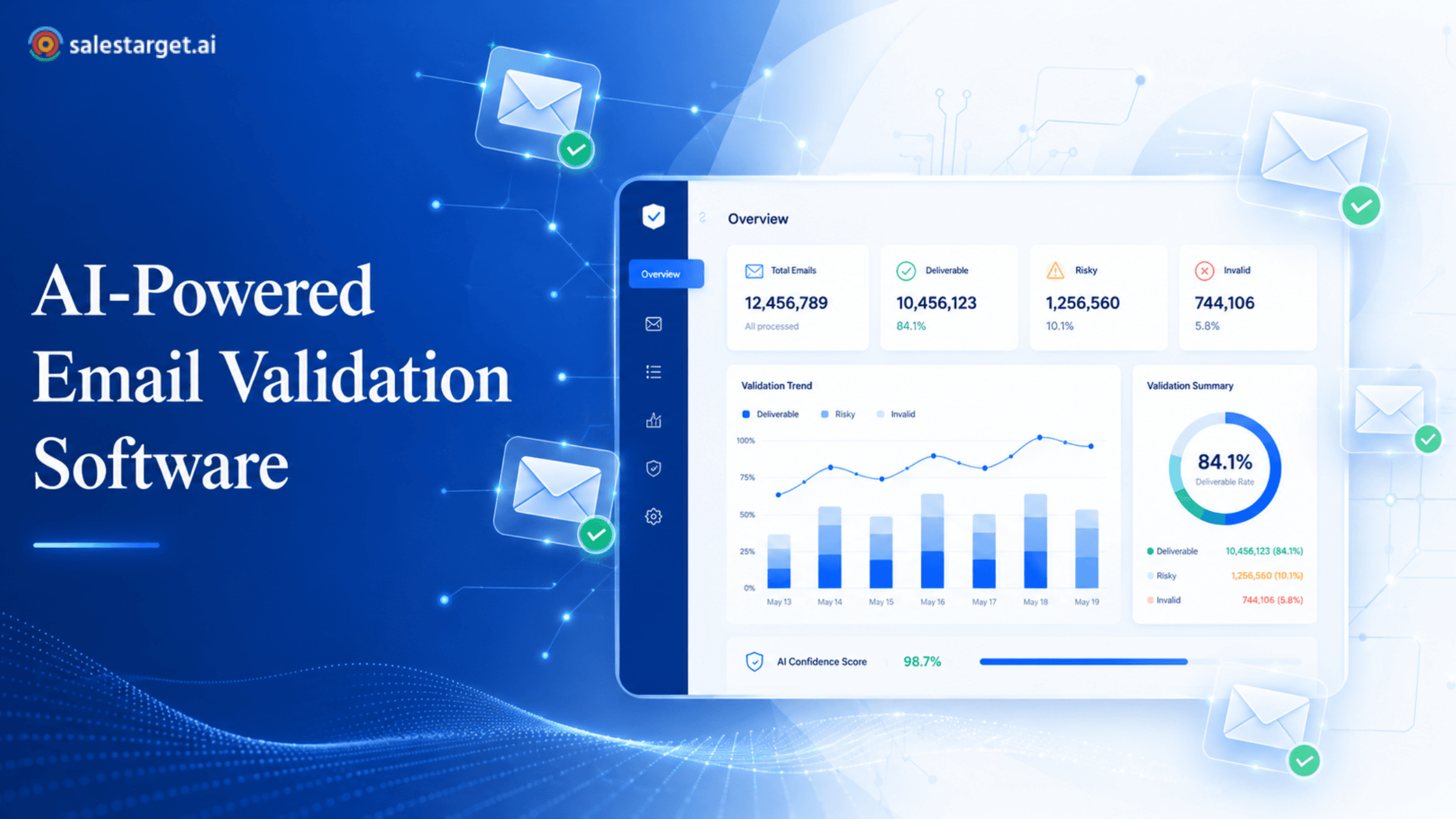
The most useful output is a confidence signal, not a binary yes or no. SalesTarget.ai's Email Validator combines MX and SMTP checks, disposable-email detection, and risk scoring, so a rep sees how much to trust each address. A "valid" contact goes straight into a sequence. A "risky" one gets a decision.
The Role of Email Verification in B2B Lead Generation
Verification is the quality gate between lead generation and outreach. It keeps databases clean, raises contact data quality, cuts bounces, and protects the deliverability of every campaign that follows.
Keeping prospect databases clean
B2B data decays fast. People change jobs, companies rebrand domains, and mailboxes get shut down after layoffs. A database that was accurate in January carries a real share of dead contacts by summer. Cleaning it on a schedule beats cleaning it after a bad send.
Improving the quality of B2B contact data
Verification and enrichment are different jobs, and mixing them up is a common mistake (more on that later). Enrichment finds the contact. Verification proves the contact can be reached. Quality data needs both, in that order, on the same record.
Reducing unnecessary email bounces
A bounce costs you more than a missed contact. It adds a negative mark on your domain and wastes an inbox's daily sending capacity on a message that went nowhere. Removing invalid addresses first means your daily volume goes to people who can reply.
Supporting cold email deliverability
Cold email deliverability comes down to a few habits: authenticated domains, warmed inboxes, sensible volume, and clean lists. Verification handles the last one. Teams that ship better copy to a bad list still lose. For a deeper look at the mechanics, SalesTarget.ai's guide on checking whether an email ID is valid and cutting bounce rates walks through the common bounce causes.
How to Verify B2B Emails Before Outreach
Start with accurate contact data, run every address through a verifier, drop the invalid and disposable results, review the risky ones by hand, and validate the whole list again right before launch.
Start with accurate professional contact data
Verification cannot rescue a guessed address. If a rep builds firstname@company.com from a pattern, a verifier will tell them it failed, and they will have burned time on both steps. Pull contacts from a source that returns a real professional email in the first place. SalesTarget.ai's Lead Explorer searches 840M+ professional profiles and enriches each lead with a verified professional email at the moment you unlock it, so the record starts from a checked source.
Check whether each prospect email is valid
Run every address through MX and SMTP checks, including the ones that arrived "pre-verified" from a CSV, a partner, or an old export. Verification status is a snapshot. A contact verified eight months ago says nothing about today.
Remove disposable and invalid addresses
Delete these. Do not park them in a "maybe later" segment where they can leak back into a campaign. Invalid means the mailbox does not exist, and disposable means it will not exist soon.
Review risky and catch-all results
This is the step most teams skip, and it is where deliverability is won or lost. Do not blast risky addresses, and do not delete them all either. A catch-all domain at a company you actually want is worth a controlled test. Send a small batch first, watch bounces, and scale only if the batch holds.
Validate prospect lists before launching campaigns
Run one final pass on the full list right before it enters a sequence. Days or weeks may have passed since the last check, and one stale batch is enough to trip a bounce spike on a warmed inbox. SalesTarget.ai's Email Validator supports bulk list cleaning as well as a real-time API, so the last check does not need a separate export.
A tip most guides skip: track bounce rate per inbox, not just per campaign. One inbox sending to a catch-all-heavy segment can pick up bounces that a campaign-level average hides. Keep risky contacts on their own lane and their own inbox rotation so a bad segment cannot drag down your best sender.
If your team still verifies in a separate tool and pastes results back, that hand-off is where stale data creeps in. Running validation inside the platform where the list lives removes the gap.
Key Features to Look for in an Email Verification Tool
Look for MX and SMTP checks, disposable detection, invalid and risky flags, catch-all detection, and bulk processing. Integrations matter too, since a verifier that lives outside your workflow gets skipped.
MX and SMTP verification capabilities
This is the core. A tool that only checks format and domain catches typos but lets nonexistent mailboxes through. Confirm the tool performs live SMTP handshakes and returns clear result categories, not a single score with no explanation.
Disposable email detection
Ask how often the disposable domain list updates. New throwaway services appear constantly, and a stale list misses them. Pattern-based detection beats a fixed blocklist.
Invalid and risky email identification
The tool should separate "will bounce" from "might bounce." Collapsing both into one bucket forces you to choose between wasting good leads and hurting your domain.
Catch-all email detection
Catch-all domains are common in B2B, especially at smaller companies and some enterprises. A verifier that marks them "valid" is wrong, and it will cost you. Look for an explicit catch-all or risky label.
Bulk email verification for larger prospect lists
Bulk cleaning matters once you run outbound at volume or manage lists for clients. Check that the tool handles large files and connects to where the data lives. SalesTarget.ai's Email Validator links with 60+ platforms, including CRMs, ESPs, and website builders, so a bulk clean does not end with a manual re-import.
How Email Verification Fits Into the Sales Outreach Process
Verification belongs at three points: when a lead is enriched, before it enters a sequence, and on a recurring schedule for contacts that have sat in your database.
Verify emails during prospect enrichment
The cleanest moment to verify is the moment you find the lead. SalesTarget.ai enriches and verifies in the same step inside Lead Explorer, so a rep never holds an unchecked address. The alternative, scraping now and verifying "sometime before send," leaves a gap where the data ages.
Move verified contacts into sales sequences
Once a contact is verified, it moves to a sequence without a CSV. Lead Explorer pushes enriched leads straight into sequences or the CRM. Each hand-off you remove is one less place for bad data to slip in or good data to get lost.
Connect email validation with cold email outreach
SalesTarget.ai's Email Outreach builds multi-step sequences from a plain-English audience description and runs them across unlimited inboxes with automatic AI warm-up, inbox rotation, and SPF, DKIM, and DMARC checks. Verification and sender protection work as a pair: clean lists keep the inboxes healthy, and warm inboxes handle the sends. SalesTarget.ai reports that 90% of emails in Email Outreach are validated before sending, and the 0.3% Gmail and Yahoo spam ceiling above is the outside benchmark that shows why that gate matters.
You can also see how the verification side connects to the wider outreach stack in this piece on how email verification techniques improve outreach.
Keep prospect data clean throughout the sales process
Verification is not a one-time task. A lead who does not reply for 60 days and then gets a new sequence deserves a fresh check. Build re-verification into any re-engagement or nurture play. Otherwise, your oldest contacts become your biggest bounce risk.
Why Choose SalesTarget.ai
SalesTarget.ai puts lead data, email verification, email and LinkedIn outreach, a CRM, and an AI assistant in one workspace, so verification happens inside the workflow instead of between tools.
Most teams verify emails with one tool, send with another, track deals in a third, and move data between them by hand. Each move is a chance to send unchecked contacts or lose context. SalesTarget.ai removes those seams.
Find and enrich B2B prospects with Lead Explorer
Lead Explorer searches 840M+ verified professional profiles and 146M+ business entities using plain-English AI search or stacked filters for industry, role, seniority, company size, location, tech stack, and intent topics. One-click enrichment unlocks a verified professional email, personal email, phone, and mobile. SalesTarget.ai reports 99% verified contact data across the platform.
Verify prospect emails with Email Validator
The Email Validator checks emails before sending with MX and SMTP checks, disposable-email detection, and risk scoring. It reduces bounces, protects sender reputation, keeps domains off blacklists, and improves inbox placement. A real-time API and bulk list cleaning cover both live capture and existing lists.
Run email sequences with Email Outreach
Email Outreach handles the sending side: auto-built sequences, AI warm-up, inbox rotation, an AI Content Generator and Spintax Generator for varied copy, and a unified inbox (Unibox) that sorts replies by intent into Interested, Follow-Up, and Not a Fit.
Combine email and LinkedIn outreach in one workflow
LinkedIn Outreach automates connection requests, DMs, and follow-ups with conditional branching, timezone-aware scheduling, and built-in safety limits. It runs in the same coordinated flow as email, so a prospect who ignores an email can get a LinkedIn touch with context carried across. A verified email is the strongest starting point for that multichannel play.
Manage sales follow-up with the built-in CRM
Campaign leads land in the CRM automatically. Every email and call is logged to the lead timeline, and follow-up tasks are created when a lead replies or a meeting ends. The built-in AI dialer takes call notes for the rep and saves them to the timeline. SalesTarget.ai reports 91% follow-up completion and about 6 hours saved per rep per week.
Use AI Copilot to work with prospect and sales data
AI Copilot is a conversational assistant inside the platform. Ask it to find leads, draft personalized sequences, or pull CRM deals, meetings, and tasks in plain language. It flags at-risk deals and suggests the next move, and workspace data stays private.
Ready to check your next list before it ships? Start free with SalesTarget.ai and run a verification pass on a real prospect list.
Common Email Verification Mistakes B2B Sales Teams Should Avoid
The costliest mistakes are treating discovery as verification, sending to risky addresses blind, reusing old lists, skipping the pre-launch check, and ignoring overall contact quality.
Treating email discovery as email verification
A tool that finds an email address is not a tool that confirms it. Pattern guessers return plausible addresses with no proof the mailbox exists. Always run a separate verification step, or use a platform that does both, as Lead Explorer and the Email Validator do together.
Sending to risky or catch-all addresses without review
Risky does not mean bad, but it does mean unproven. Sending to a full catch-all segment at your usual volume is how a clean domain picks up a bounce problem in a single day. Route them into a small test batch first.
Using outdated prospect email lists
An old list is a liability with a delay on it. The addresses looked fine when you bought or built the list, and they will keep looking fine right up to the send. Re-verify anything older than a few months.
Skipping verification before launching a campaign
Teams under pressure send first and clean later. The bounce data arrives too late to help, and the reputation hit stays. A ten-minute verification pass costs less than a week of recovery.
Relying on email verification without checking overall contact quality
Here is the non-obvious one. A valid mailbox does not mean the right person. An address can pass every check while belonging to someone who left the company, changed roles, or never had buying authority. Verification tells you the message will arrive, not that it should. Pair it with role, seniority, and buying-signal filters. Lead Explorer tracks 4,000+ intent and buyer signals plus funding rounds, hiring spikes, and leadership changes on a 30 to 90 day lookback, which helps confirm you are writing to someone with a reason to care now.
Building a Reliable Email Verification Process for Sales Teams
Verify new contacts at enrichment, clean existing lists before each campaign, sort every contact into verified, risky, or invalid, and route each group to the right workflow.
Verify new prospect emails before outreach
Make verification automatic for anything entering the database. If a rep can add an unverified contact to a sequence, some will. Build the process so it cannot happen.
Clean existing contact lists before campaigns
Set a rule: no list older than a set number of weeks goes into a campaign without a fresh check. Put it in the launch checklist next to copy review and domain authentication.
Separate verified, risky, and invalid contacts
Three buckets, three outcomes. Verified goes to the main sequence. Risky goes to a low-volume test lane with its own bounce tracking. Invalid gets deleted. Tag them in the CRM so the status travels with the contact.
Connect verified contacts with the right outreach workflow
Verified contacts can support the full multichannel play: email first, LinkedIn touch on no reply, call task in the CRM when they engage. Risky contacts might skip email entirely and start on LinkedIn, where a bad address costs nothing.
Final Takeaway: Verify B2B Emails Before They Enter Your Outreach Campaign
Bad addresses cost more than the lost send. They cost sender reputation, rep time, and pipeline that never had a chance to form. An email verifier website fixes this by checking domains, MX records, SMTP responses, and risk patterns before anything goes out.
The most reliable teams do not verify as a separate chore. They verify at the moment a lead is found, again before launch, and on a schedule after that. SalesTarget.ai builds that habit into the workflow: Lead Explorer finds and enriches, the Email Validator checks, Email Outreach and LinkedIn Outreach send, and the built-in CRM tracks what happens next. One platform, one workflow, no unchecked contact slipping through the hand-off.
If your last campaign bounced more than it replied, fix the list before you fix the copy. Try SalesTarget.ai and send your next campaign to contacts that can actually answer.