You built the list, wrote the sequence, and hit send. Then the bounce notifications start rolling in. Not because your message was off. Not because your timing was wrong. Because half those email addresses were never going to deliver in the first place.
That's the quiet tax that bad contact data puts on every outbound team. It burns your sender reputation before your best prospects ever see your name.
Checking whether an email ID is valid means running it through a series of tests before you send: syntax checks, domain verification, mail server reachability, and SMTP-level mailbox confirmation. Done right, email validation identifies which addresses will hard-bounce so you can remove them before they damage your deliverability. This guide walks through exactly how to do it, what each step catches, and why skipping any one of them leaves money on the table.
The Impact of Invalid Email IDs on B2B Sales Outreach
How Invalid Email Addresses Waste Prospecting Efforts
An SDR spending two hours building a list of 200 contacts has already sunk real time into that work. If 20 to 30 of those contacts turn out to be invalid addresses, that effort doesn't just fail quietly. It actively works against the next campaign too.
Every hard bounce from an invalid address tells Gmail and Outlook that your domain isn't managing its list responsibly. Enough of those signals and your inbox placement degrades, sometimes within days.
The Effect of High Bounce Rates on Sender Reputation
BounceZero's Email Deliverability Benchmarks, based on 10.2 million verifications, found that 12.3% of addresses on a typical B2B list are already invalid before a single email is sent. One in eight contacts. On a campaign of 1,000 prospects, that's potentially 123 hard bounces hitting your domain in a single send.
The threshold most major providers (Google, Yahoo, Microsoft) flag as risky sits at a 2% hard bounce rate. Once your rate exceeds that, inbox placement degrades measurably. Above 3% on cold outreach and your domain can end up on blacklists. At that point, even emails to clean, verified contacts start missing the inbox.
Why Accurate Contact Data Matters for Sales Teams
This isn't a marketing problem. It's a revenue problem. ZeroBounce's Email List Decay Report found that only 62% of email addresses in a typical database are actually valid and safe to send to. The remaining 38% include invalid addresses, catch-all domains that silently drop mail, disposable emails, and spam traps. For B2B teams where contact data decays every time a prospect changes jobs or a company restructures, the window for accurate data is short. Checking email validity isn't optional maintenance. It's part of the outreach workflow.
Understanding Email Validation and How It Works
Email Syntax Validation and Address Formatting
The first check is the simplest: does the address follow the correct format? A valid email must have a local part, an @ symbol, and a domain. Syntax validators catch obvious errors like missing @ signs, double dots, spaces in the local part, or invalid characters. ZeroBounce's real-time verification API caught over 10 million typos in email addresses submitted through signup forms in a single year. Syntax errors are more common than most teams assume.
Domain Verification and MX Record Checks
Once syntax passes, the next layer checks whether the email's domain exists and is configured to receive mail, via MX (mail exchange) record lookup. If there's no MX record, the address will never deliver regardless of how accurate the local part looks. That said, BounceZero's benchmark data showed only 0.3% of checks fail at the DNS level. The vast majority of invalid addresses sit on perfectly healthy domains. MX checks alone miss almost everything.
SMTP Email Verification and Mailbox Responses
SMTP verification is where the real work happens. The validator connects to the recipient's mail server and asks whether the specific mailbox exists, without actually sending an email. A "250 OK" response confirms the mailbox is live. A "550" means it doesn't exist. This is the most reliable method for catching invalid addresses. According to the SMTP specification (RFC 5321), only real-time SMTP protocols can confirm mailbox existence at the server level. Tools that skip this step are making educated guesses.
Valid, Invalid, Risky, and Catch-All Email Addresses
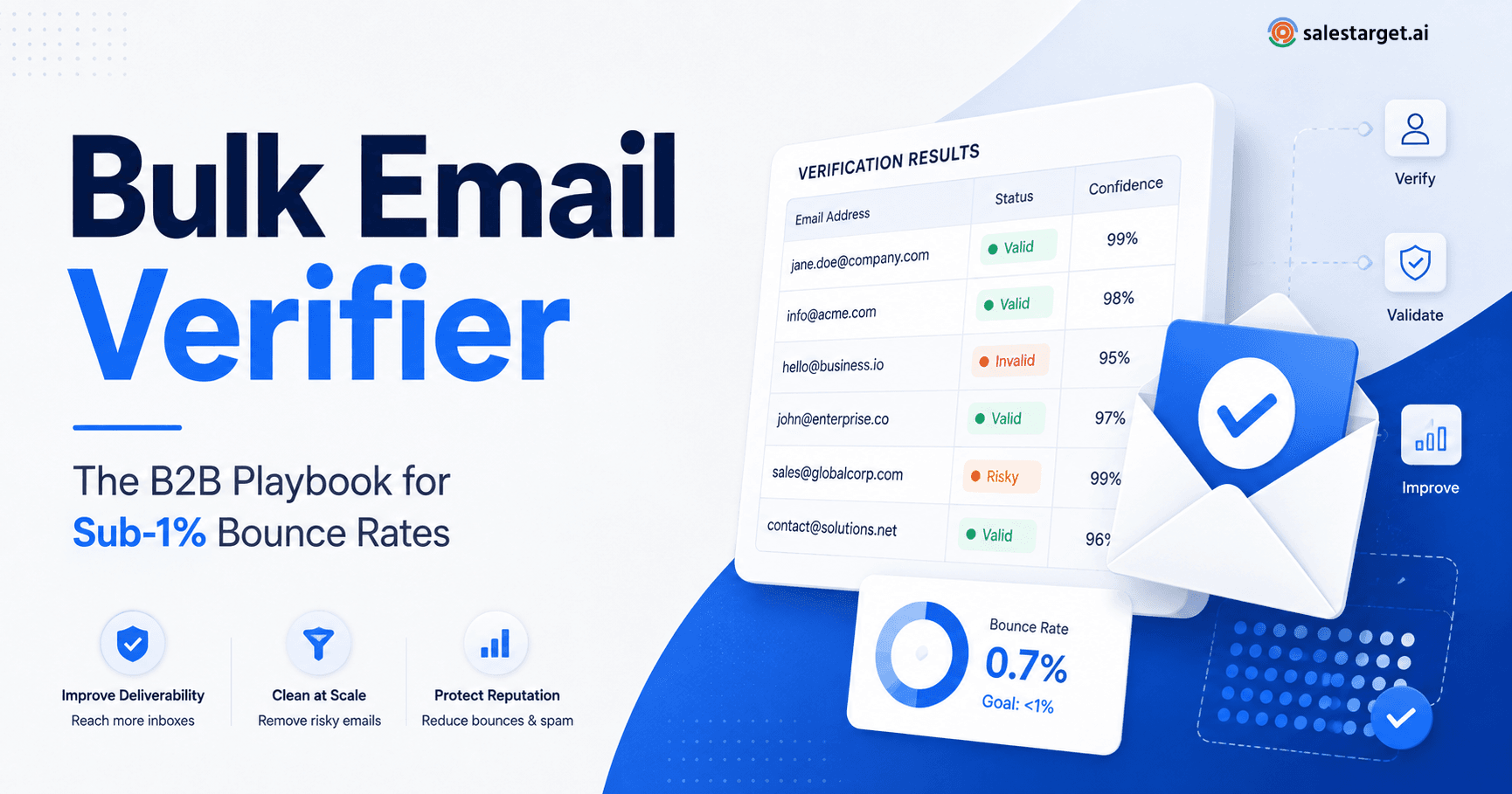
Email verification tools typically return one of four results:
- Valid: The address passed all checks. The mailbox exists and the server confirmed it.
- Invalid: The mailbox doesn't exist. Hard bounce guaranteed if you send.
- Risky/Unknown: The server was reachable but gave an inconclusive response. Treat with caution.
- Catch-all: The domain accepts any email sent to it, even if the specific mailbox doesn't exist. The server says "yes" to everything, then may silently drop the mail later.
Catch-alls deserve special attention. BounceZero's state-of-validation data across 7.8 million addresses found that 17.4% of B2B contacts fall into the catch-all or risky category. In many B2B industries, up to 40% of business email addresses sit behind catch-all domains. Deleting all of them costs you real pipeline. A smarter approach uses risk scoring to segment catch-alls and prioritize those most likely to deliver.
The Importance of Email Verification for B2B Lead Generation
Improving Email Deliverability and Campaign Performance
Inbox placement is a direct function of sender reputation, and sender reputation is built (or eroded) by every campaign you send. Senders who keep their hard bounce rate under 2% maintain strong inbox placement over time. Those who routinely exceed that threshold see degraded performance within 7 to 14 days, according to email industry data compiled by BounceZero across 50 million verified addresses. Verification before send is the most reliable way to stay under that threshold.
You can read more about specific email verification techniques that improve outreach and how each layer of the process contributes to inbox placement.
Maintaining Clean Prospect Lists and Accurate CRM Records
Contact data doesn't stay accurate on its own. People change jobs, companies restructure, domains expire. A verified address today may be invalid in 90 days. The practical rule: verify new lists before every campaign and re-verify existing contacts at least every quarter. Letting CRM records sit unvalidated for six months or more guarantees that a meaningful share of your next campaign will hard-bounce.
Reducing Wasted Outreach and Improving Sales Productivity
An SDR sending to 30% bad addresses isn't just wasting time. They're making future sends harder too by pulling their domain's reputation down with each campaign. Cleaning the list first takes 15 minutes. Rebuilding a burned domain takes months, if it recovers at all.
How to Check a Valid Email ID Before Sending Emails
Step 1: Check Email Syntax and Spelling
Before any tool runs, look at the address itself. Common errors include double dots (john..smith@), spaces in the local part, missing top-level domains, and obvious typos (gmial instead of gmail, for example). Paste the address into a syntax checker or use a validation tool's first-pass filter. This takes seconds and eliminates the most obvious garbage.
Step 2: Verify the Domain and Mail Server
Run an MX record lookup on the domain. You're confirming that the domain exists and is configured to receive email. If there's no MX record, the address is invalid. This step also flags abandoned or parked domains that pass syntax checks cleanly.
Step 3: Run an SMTP Verification Check
This is the most important step. Use a verification tool that performs a real SMTP handshake with the recipient's mail server. The tool checks whether the specific mailbox accepts mail and returns a definitive result without sending anything. It's the only method that confirms whether the actual mailbox is live.
Step 4: Identify Invalid, Disposable, and Risky Addresses
Once SMTP verification runs, filter the results into clear categories. Remove all addresses flagged as invalid immediately. Flag disposable addresses (temporary inboxes from services like Mailinator or 10minutemail) for removal. BounceZero's data found 6.9% of B2B email lists contain disposable addresses. These are typically used to bypass lead capture forms and will never convert.
Step 5: Review Catch-All and Unknown Results
Don't discard all catch-all results by default. Enterprise domains are more likely to be catch-alls for legitimate reasons. Use risk scoring to segment them: send to high-confidence catch-alls early in your sequence and watch for bounces before expanding the campaign. Suppress any that hard-bounce on first send immediately.
Step 6: Clean and Update Your Prospect List
Once you have your verified list, push only confirmed valid contacts into your active sequence. Update your CRM with verification status and date. Set a calendar reminder to re-verify the list in 90 days. Keep a suppression list of addresses that have hard-bounced or been flagged as invalid so they don't re-enter your workflow through a future import or enrichment run.
Key Features to Look for in Email Verification Tools
Real-Time Email Validation for New Leads
Real-time validation checks an email address at the moment it enters your system, whether through a form submission, manual entry, or a new lead import. This prevents bad data from entering your CRM in the first place rather than cleaning it up downstream. For outbound teams, real-time API validation at the point of enrichment is the most effective way to maintain list quality without adding manual steps.
Bulk Email List Validation for B2B Databases
Bulk validation lets you upload a full prospect list and run all validation checks (syntax, domain, SMTP, disposable detection) at once before a campaign goes out. This is the standard approach before any new outreach sequence and for regular list hygiene on existing databases.
Verification Accuracy and Result Categories
Not all verification tools are equally accurate on SMTP checks and catch-all detection. Look for a tool that returns specific result categories (valid, invalid, risky, catch-all, disposable, role-based) rather than binary yes/no outputs. Granular categories let you make smarter decisions about borderline contacts rather than discarding them wholesale.
CRM Integration and Automated Data Cleaning
A tool that integrates directly with your CRM lets you run validation inside your standard enrichment workflow. No CSV exports, no manual uploads. Contacts get verified and tagged automatically, keeping your pipeline clean without adding steps for reps.
Why Choose SalesTarget.ai
Most teams run email validation as a separate step in a patchwork of tools: pull from one database, export a CSV, upload to a verifier, re-import clean contacts, load into a sequencer. SalesTarget.ai collapses that into one workflow.
Find and Enrich B2B Contacts With Lead Explorer
Lead Explorer gives you access to 840M+ verified professional profiles and 146M+ business entities. Search in plain English or stack filters by industry, role, company size, intent signals, and tech stack. One-click enrichment pulls verified professional email, personal email, phone, and mobile. The contact doesn't leave the platform at any point.
Verify Email Addresses Before Starting Outreach
SalesTarget.ai's Email Validator runs MX and SMTP checks, detects disposable email addresses, and applies risk scoring before any contact enters a sequence. About 90% of emails are validated before sending, which is why SalesTarget.ai customers maintain strong inbox placement without needing a separate verification tool. The validator also connects across 60+ platforms (CRMs, ESPs, website builders) for teams that need it to slot into an existing stack.
Manage Email and LinkedIn Outreach in One Workflow
Once contacts are verified, Email Outreach builds multi-step sequences automatically. AI warm-up, intelligent inbox rotation, and built-in SPF/DKIM/DMARC checks protect your sender reputation while campaigns run. LinkedIn Outreach runs coordinated connection requests, DMs, and follow-ups in the same workflow, with built-in safety limits and human-like delays to protect your account.
Track Sales Activities With the Built-In CRM
Every email, call, and reply logs automatically to the lead timeline in the CRM. No manual entry. Leads from verified sequences land directly in the pipeline without imports. Teams using the built-in CRM report 3.2X faster deal cycles and approximately 6 hours saved per rep per week on admin and follow-up tracking.
Support Prospecting With AI Copilot
AI Copilot is a conversational AI teammate built into the platform. Ask it to find leads, generate sequences, query the CRM, or flag at-risk deals. It personalizes outreach by role, industry, and company size and builds in A/B variations automatically, without the rep needing to write every variant by hand.
Common Email Validation Mistakes to Avoid
Assuming a Valid Email Address Guarantees Delivery
Verification confirms the mailbox exists. It doesn't guarantee inbox placement. Sender reputation, authentication (SPF, DKIM, DMARC), content, and sending volume all factor in. Teams that treat verification as the only deliverability step often still find campaigns landing in spam.
Ignoring Catch-All and Disposable Email Addresses
Deleting all catch-all addresses is over-correction. For lists with heavy enterprise contacts, you may be cutting 30 to 40% of real contacts because the domain runs a catch-all server. Use risk scoring, test a small batch first, and suppress hard bounces immediately. Disposable email addresses that slip through inbound forms should be removed. They're not real prospects.
Using Outdated Contact Lists Without Reverification
A list that passed verification six months ago has decayed. Re-verify any list untouched in 90 days before running a new campaign. This is the most common oversight on teams that do initial validation correctly but skip the reverification step.
Sending Campaigns to Unverified Prospects
Unverified B2B lists carry a median bounce rate of 7 to 9%, according to BounceZero's benchmark data. A single campaign at that rate can damage a domain badly enough to affect inbox placement for months. The 15 minutes to run bulk validation is not optional.
Best Practices for Maintaining Clean B2B Email Lists
Validate New Contacts at the Point of Entry
The best time to validate an email is before it enters your CRM. Real-time API validation on lead capture forms and enrichment workflows catches errors at the source and prevents the accumulation of invalid contacts downstream. For outbound teams, enrichment-time validation handles this automatically.
Reverify Existing Contacts Before Outreach
Any list that hasn't been verified in the past 90 days gets reverified before the next campaign. Add it to your campaign launch checklist. Bulk verification on a 500-contact list takes a few minutes. It's not a slowdown; it's a filter that prevents a much larger problem.
Monitor Bounce Rates and Verification Results
Track hard bounce rate per campaign. If a campaign returns above 2%, pause and audit the source list before sending further. Look at which domain types are generating bounces, whether specific data sources are underperforming, and whether your catch-all handling needs adjustment. Bounce rate is a lagging indicator, but it's the clearest signal you have that your list quality has slipped.
Keep CRM Contact Records Updated
Run automated CRM enrichment and re-verification on a quarterly schedule. Flag contacts that have returned hard bounces and move them to a suppression list. Keep verification dates in the contact record so reps know when data was last confirmed. Stale records without verification dates should be treated as unverified.
For a deeper look at how to approach this systematically, the guide on best B2B sales email verification techniques covers each validation method in detail.
Conclusion: Check Valid Email IDs to Improve Deliverability and Reduce Bounce Rates
The problem that opened this piece, campaigns that fail before the first send because the contact data is bad, is entirely avoidable. Email validation isn't a nice-to-have. It's the baseline for outbound teams that want their sequences to actually reach inboxes.
Checking valid email IDs means running every address through syntax validation, domain and MX checks, SMTP-level mailbox confirmation, and catch-all risk scoring before it goes into a campaign. It means verifying lists when they're fresh, reverifying them before they get stale, and watching bounce rates as the early warning system they are.
SalesTarget.ai handles this inside the same platform where your reps find leads, run sequences, and track deals. Contacts are enriched and verified at the moment they enter the workflow. No separate tool. No CSV round-trip. No burned domains from a batch that should have been cleaned first. Start with SalesTarget.ai and see what outbound looks like when the list is clean before the first email goes out.