You buy five new domains, spin up fifteen mailboxes, and launch on Monday. By Wednesday the replies have dried up and half your sends sit in spam. The offer was fine. The mailboxes were never ready.
To use an email warmup tool across many domains, connect every mailbox, confirm SPF, DKIM, and DMARC on each domain, and give each mailbox its own warmup schedule that starts small and climbs slowly. Keep warmup running after campaigns start. Verify every contact before the first real send. Track placement and bounces per mailbox, and pause any mailbox that slips. Warmup builds trust over roughly two weeks, but it never guarantees inbox placement. The rest of this guide shows how to run that system at scale without your mailboxes looking like clones.
The Multi-Domain Email Deliverability Problem in B2B Outreach
More domains give you more volume and more places for reputation to break. Each domain and mailbox is judged on its own history.
Multiple Sending Domains and Mailbox Reputation Risks
Inbox providers score reputation at the domain level and the mailbox level. One mailbox with hard bounces or spam complaints can pull its domain down, and every sibling mailbox on that domain pays for it.
Inbox Placement Challenges Across High-Volume Outbound Campaigns
Volume exposes weak setup fast. Instantly's benchmark puts the average cold email reply rate at 3.43%, and a bounce rate under 2% is the line before reputation damage. A campaign that lands in spam never gets a fair test. Validity's report also shows Outlook has the lowest inbox placement among major providers, which matters when your list is full of Microsoft-hosted business domains.
Sender Reputation Management for Growing SDR and BDR Teams
Every new rep adds a mailbox and a new habit. Without shared rules on daily caps, templates, and list quality, your reputation depends on the most careless person on the team.
Deliverability Risks for Agencies Managing Multiple Client Accounts
Shared domains tie one client's bad list to another client's pipeline. Give each client their own domains and mailboxes, and track them separately so a problem has one address.
Email Warmup Fundamentals for Multi-Domain Outreach Infrastructure
Warmup builds a sending history before you send real prospecting email. A tool trades messages between your mailbox and a network of inboxes, opens and replies to them, and raises volume in small steps.
Domain Warmup and Mailbox Warmup in Outbound Email Systems
Domain warmup builds trust in the domain name. Mailbox warmup builds trust in each address. You need both, and a brand-new mailbox on an older domain still starts cold.
Email Authentication, Sender Reputation, and Inbox Placement
SPF, DKIM, and DMARC prove you own the domain. Reputation is the score providers build from your behavior, and inbox placement is the result. Warmup cannot repair broken authentication. For the full background, read our guide to email warmup tool basics and better inbox placement.
Automated Warmup Activity and Gradual Sending Patterns
Good automation mimics normal use: a few messages a day at first, a slow climb, replies, and rescues from spam folders. Sudden spikes look like abuse to a filter.
Dedicated Sending Domains Versus Primary Business Domains
Never run cold outreach from your primary domain. Buy lookalike domains for outbound so a spam problem never touches company email, billing, or support mail.
Building a Scalable Email Warmup System Across Multiple Domains
Treat each domain as a unit with a fixed mailbox count, one owner, and its own schedule. Add mailboxes in batches, not all at once.
Domain Allocation and Mailbox Distribution for Sales Teams
A common practitioner rule is two to three mailboxes per domain with a low daily cap on each. Assign every domain to one rep or one client, so any drop in results traces back to a single owner.
Mailbox Setup and SPF, DKIM, and DMARC Authentication
Publish SPF, DKIM, and DMARC records on a domain before you connect its mailboxes, then test them. Salestarget.ai's Email Outreach includes SPF, DKIM, and DMARC checks, which catch DNS typos before they cost you a week of warmup.
Individual Warmup Schedules and Sending Limits
Stagger start dates, ramp speeds, and send times. Ten mailboxes that begin on the same day, follow the same volume curve, and send at the same minute look like one operator running ten disguises. Spreading them out is one of the cheapest fixes most teams skip.
Automated Warmup Workflows for Multiple Mailboxes
Set warmup once per batch and let the tool handle volume steps and rotation. Add new mailboxes a few at a time so you can compare early results against a known baseline.
Mailbox Health Monitoring and Sender Reputation Tracking
Check each mailbox on a fixed rhythm: bounce rate, spam complaints, reply rate, and a seed test for placement. Compare mailboxes against their siblings. The one that lags has a problem. Our post on how to know if your email warmup tool is working covers the signals worth trusting.
Deliverability Monitoring During Active Outreach Campaigns
Warmup does not end at launch. Keep a lighter warmup load running beside real sends, and watch results daily. Pause a mailbox at the first jump in bounces, not after the damage shows in reply rates.
Email Warmup Best Practices for High-Volume B2B Outreach
Go slow, stay consistent, verify contacts, and measure at both domain and mailbox level.
Gradual Sending Volume Management Across Mailboxes
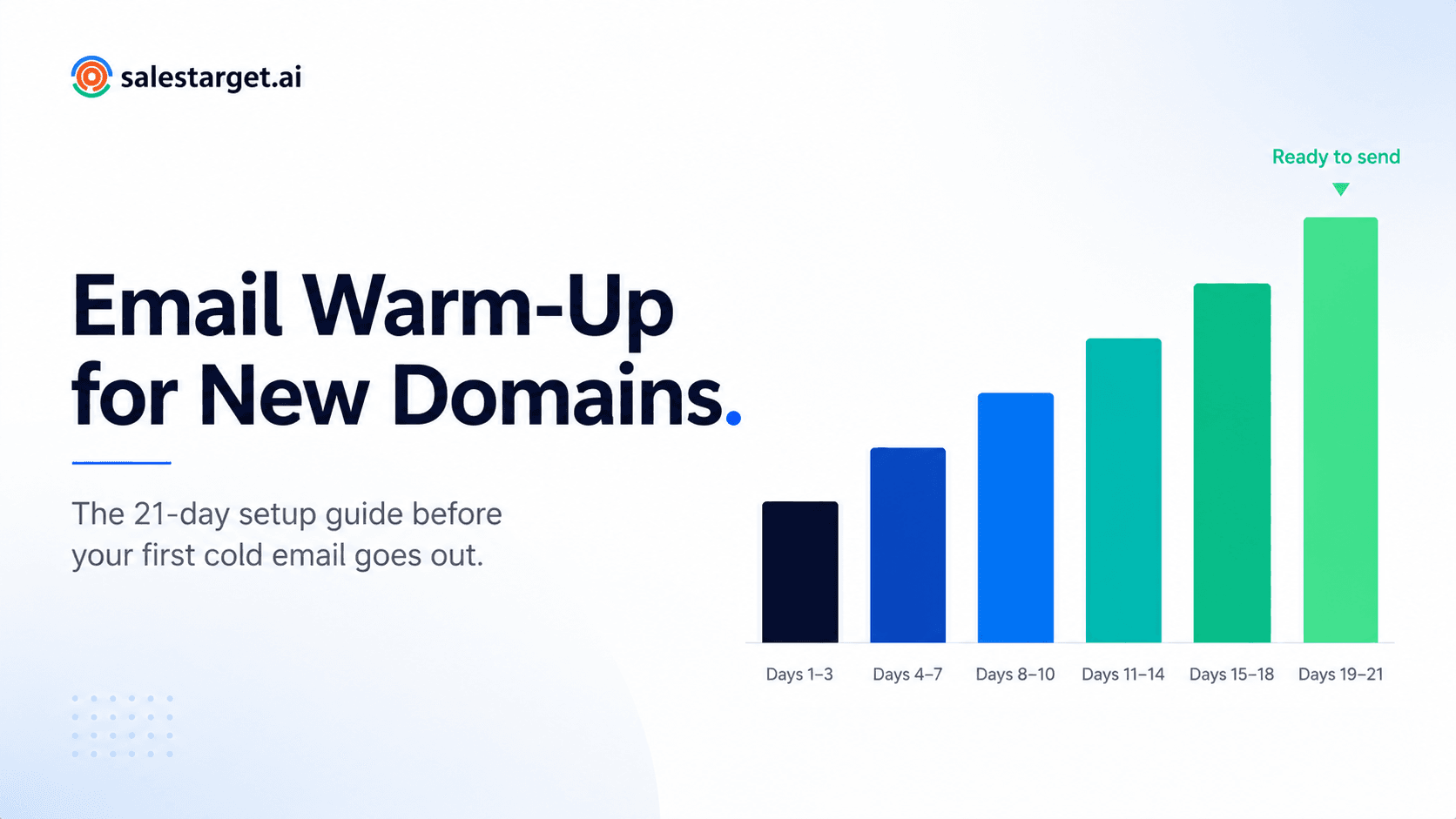
Raise volume in small steps, and only after the previous step shows clean placement. Plan at least two weeks of warmup before the first real prospecting email.
Consistent Sending Activity and Reply Patterns
Send on working days during the recipient's business hours. Heavy Monday blasts followed by silence look like bulk mail. Healthy mailboxes show replies coming in, not only messages going out.
Domain-Level and Mailbox-Level Performance Monitoring
Mailbox data shows who is failing. Domain data shows whether the damage is spreading. Read both, every time.
Contact Verification Before Launching Cold Email Campaigns
Bounces are the fastest way to wreck a warmed mailbox, and no warmup schedule offsets a dirty list. Verify every address before the first send.
Spam Complaint, Bounce Rate, and Inbox Placement Monitoring
Google and Yahoo's bulk sender rules require spam complaints to stay below 0.10%. Set alerts at half of each limit, not at the limit itself.
Essential Features of an Email Warmup Tool for Multiple Mailboxes
Look for a tool that manages many mailboxes in one view, controls pace per mailbox, and reports on each one separately.
Multi-Domain and Multi-Mailbox Management
You should be able to group mailboxes by domain, owner, or client. If checking status means logging into each account, the tool will not scale past a handful of inboxes.
Automated Warmup Schedules and Sending Controls
Look for per-mailbox ramp speed and daily caps. A single global setting for every mailbox is a red flag.
Mailbox-Level Deliverability Reports
Placement, bounce, reply, and complaint data should be broken out by mailbox. A blended average hides the one mailbox that is failing.
Sender Reputation and Inbox Placement Tracking
Trends matter more than snapshots. You want to see a slide begin, not read about it after the campaign ends.
Email Outreach Platform Integration
Warmup status should feed straight into sending limits. If someone copies numbers between tabs, those limits will drift out of date.
Centralized Campaign and Mailbox Management
Campaigns, inboxes, and replies belong in one workspace. Every extra login is a place where a warning goes unseen.
Email Warmup Tools for B2B Outreach and Multi-Domain Management
Tools fall into two groups: warmup-only products, and outreach platforms where warmup sits inside the sending workflow.
Automated Email Warmup Platforms for Sales Teams
Sales teams need low setup effort and clear per-mailbox status. Standalone warmup tools do this well, but you still connect them to a separate sender and a separate list source.
Multi-Mailbox Warmup Capabilities for Outbound Agencies
Agencies need client-level separation, bulk mailbox connection, and fast pause controls. Check that you can sort every mailbox by client before you commit.
Email Warmup and Cold Outreach Platform Integration
Instantly, Smartlead, Lemlist, and Woodpecker focus on cold email and deliverability, but they have no native B2B database, no LinkedIn automation, and no real CRM. Apollo covers data and engagement, and you bolt on deliverability and a CRM yourself. If you want warmup, sending, and prospect data in one place, start free with Salestarget.ai and test it on one batch of mailboxes.
Comparing Tools Based on Mailbox Limits, Automation, and Reporting
Ask three questions. How many mailboxes can it run without extra fees per inbox? Can each mailbox have its own schedule? Does the report show every mailbox on its own line? Two "no" answers end the comparison.
Integrating Email Warmup With Your B2B Sales Outreach Workflow
Warmup protects the sender. The workflow around it protects the results: clean contacts in, relevant copy out, replies tracked to revenue.
Connecting Email Warmup With Prospecting and Lead Enrichment
In Salestarget.ai, Lead Explorer enriches a lead at the moment you find it, with verified professional email, personal email, phone, and mobile. You push the lead straight into a sequence with no CSV, so list decay never sits between your database and your mailboxes.
Combining Email Validation With Deliverability Checks
The Email Validator runs MX and SMTP checks, flags disposable addresses, and scores risk before you send. In Salestarget.ai, 90% of emails are validated before sending. Run it on every list, even lists that came out of your own enrichment.
Coordinating Warmup and Personalized Cold Email Sequences
Warmup traffic talks to a peer network, not to buyers. Your first real sends are the first test on a real audience, so point them at your best-fit, cleanest segment before you open the full list. Reputation earned on good prospects carries into the larger send. The AI Content Generator and AI Spintax Generator keep copy varied across mailboxes, so ten inboxes do not send the same sentence.
Managing Email and LinkedIn Outreach From One Platform
A mailbox on pause should not mean a prospect goes quiet. LinkedIn Outreach runs connection requests and messages in the same flow as email, with rate limits and auto-pause safeguards, so context carries across both channels.
Tracking Outreach Performance and Prospect Conversations in CRM
Unibox pulls every reply into one view and sorts by intent: Interested, Follow-Up, Not a Fit. The built-in CRM logs each email and call to the lead timeline and creates follow-up tasks when a lead replies.
Why Choose Salestarget.ai
Salestarget.ai is an all-in-one AI sales intelligence and outbound platform. It covers lead data, multichannel outreach, validation, CRM, and an AI Copilot in one workspace.
Lead Explorer for B2B Prospect Discovery and Contact Enrichment
Lead Explorer searches 840M+ professional profiles and 146M+ business entities, with built-in enrichment and real-time buying signals.
Email Outreach for Cold Email Sequences and Automated Inbox Warmup
Email Outreach supports unlimited inboxes with automatic AI warm-up, intelligent inbox rotation, and SPF, DKIM, and DMARC checks. It builds multi-step sequences from a plain-English audience description.
Email Validator for MX/SMTP-Based Contact Verification
The validator checks contacts before sending, cutting bounces that damage mailbox reputation. It offers real-time verification through an API and bulk list cleaning.
LinkedIn Outreach for Coordinated Multichannel Prospecting
LinkedIn Outreach automates connection requests, DMs, and follow-ups with timezone-aware scheduling and human-like delays.
Built-In CRM for Centralized Sales Pipeline Management
The CRM receives campaign leads automatically, logs every touch, and tracks deals in a live shared pipeline.
AI Copilot for Sales Research and Outreach Support
The AI Copilot is free inside the platform. It finds leads, drafts personalized sequences in seconds, and answers plain-language questions about your deals and tasks.
Common Multi-Domain Email Warmup Mistakes and Deliverability Risks
Using Identical Warmup Patterns Across Every Mailbox
Same start date, same ramp, same send time. Filters notice clusters. Vary all three.
Increasing Sending Volume Before Mailbox Readiness
A mailbox that looks ready on day nine is not ready. Raise volume only after placement stays clean at the current step.
Ignoring Domain Reputation and Authentication Issues
A single missing DKIM record can undo weeks of warmup. Recheck DNS whenever a domain changes hands or hosts.
Relying on Warmup Without Validating Prospect Email Addresses
Warmup builds trust and a bad list spends it. Verify first, always.
Treating Warmup Activity as a Guarantee of Inbox Placement
Warmup improves your odds. Copy, list quality, and complaint rates still decide whether you stay in the inbox.
Conclusion: Build a Scalable Email Warmup and B2B Outreach System
The problem was never the number of domains. It was running them as separate, unwatched pieces: mailboxes with identical schedules, lists nobody verified, and reports that hid the weak inbox. A scalable system fixes the pattern. Give each domain an owner, stagger each mailbox, verify every contact, and watch results per mailbox.
Salestarget.ai keeps that system in one place. You find and enrich the lead, verify it, warm and rotate your inboxes, run email and LinkedIn together, and close in the built-in CRM, all on one bill. Start free with Salestarget.ai and connect your first batch of mailboxes this week.