Twenty-one hundred emails went out last month. Forty-one people replied, nine of them sounded interested, and three meetings landed on the calendar. Ask which subject line, which opening sentence, or which closing question produced those three bookings and the honest answer is a shrug.
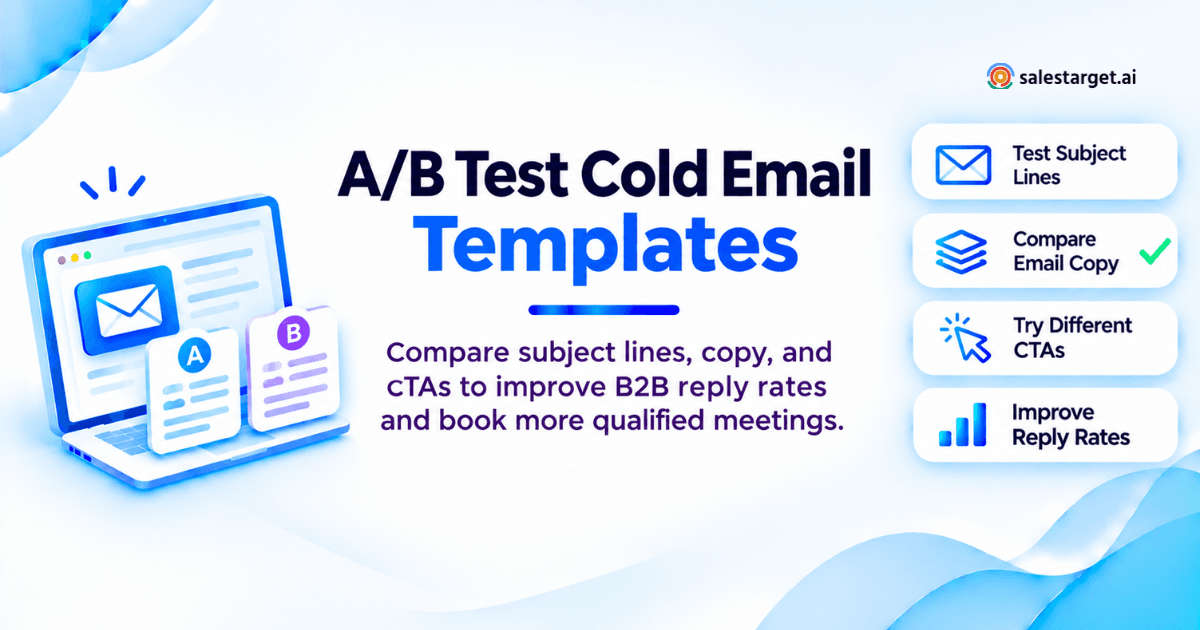
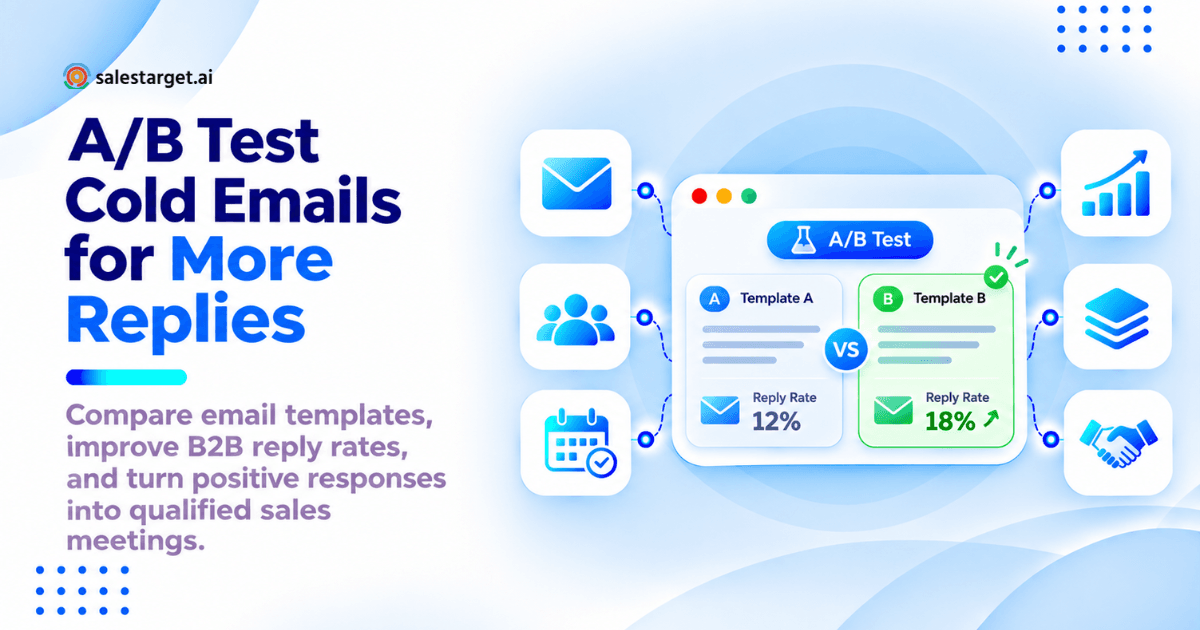
A/B testing cold email templates means sending two versions of one email to two matched halves of the same buyer segment, changing exactly one element, and picking the winner by positive replies and booked meetings rather than opens. One variable. A random split. Same senders, same send window, same follow-up steps. Then you count meetings.
What follows: six side-by-side tests, the sample size each one needs, and the scorecard that settles them.
The Gap Between Cold Email Replies and Qualified Meetings
A reply is a signal. A meeting is revenue motion. Most outbound reporting collapses the two into one percentage, which hides the part of the sequence that is actually failing.
Low Response, Low Interest, and Low Booking Rates Need Different Fixes
Three failures look identical in a dashboard and need opposite repairs. Near-zero replies point at the list and at inbox placement, not the copy. Polite declines point at relevance and the offer. Interested replies that never reach the calendar point at the CTA and at how fast a human answers. Copy tests run against a deliverability problem burn three weeks and teach you nothing.
A/B Testing Cold Email Templates Connects Message Changes to Sales Outcomes
A test ties one edit to one number. Without it, template decisions come down to whoever argued hardest in the pipeline meeting. With it, you can say a direct meeting request lifted booked meetings from 0.7% to 1.1% of delivered emails among VP Sales contacts at mid-market SaaS firms, and repeat it next quarter.
Total Replies, Positive Replies, and Booked Meetings Measure Different Results
Total replies count every human response, declines included. Positive replies count interest: a question back, a request for detail, a handoff to the right owner. Booked meetings count invites accepted. A variant can win total replies and lose meetings, which is what happens when softer copy pulls in a wave of "not for us" answers.
Tag referrals separately. "Talk to our ops lead" is a conversion, and most reply dashboards file it as neutral, which quietly penalizes the copy that gets reps past a gatekeeper. If your current numbers came out of a template library rather than a test, start from a known baseline in our cold email templates guide and test against that.
6 Cold Email A/B Testing Examples with Side-by-Side Templates
Each test below changes one element, holds everything else fixed, and names the metric that settles it. Start from a control with a known baseline, whether that comes from your own archive or from a set of B2B cold email templates built to get replies.
Test 1 — Subject Lines: A Relevant Question vs. a Direct Statement
Hypothesis: a question subject earns opens on curiosity, and a statement subject pulls fewer replies of higher quality.
Subject A: question about your Q1 SDR targets
Subject B: cutting 6 hours a week of SDR list research
Body, identical in both versions:
Hi Dana,
You posted two SDR roles this quarter, so pipeline targets are probably up.
Most SDR teams lose five to seven hours a week to list building and contact verification before the first email ever goes out. We collapse that step by enriching and verifying the lead in the same click you find it.
Worth 15 minutes to compare against your current stack?
[Your name]
Fixed: body, CTA, sender, send window, follow-up steps. Metric: positive reply rate.
Test 2 — Personalization: Role Context vs. a Verified Company Trigger
Hypothesis: a verified company event beats role-level framing, since it proves the email was sent for a reason.
Version A, role context:
Hi Dana,
Most RevOps leads at logistics software companies in the 200 to 800 headcount range run outbound across three tools that never agree on the same contact record.
We keep data, sending, replies, and pipeline in one workspace, so the record a rep emails is the record your CRM reports on.
Worth 15 minutes?
Version B, verified trigger:
Hi Dana,
Two Austin SDR reqs went live on the 14th, and your team has been researching sales engagement tools for about two months. That pairing points to more sending volume on the same stack.
We keep data, sending, replies, and pipeline in one workspace, so the record a rep emails is the record your CRM reports on.
Worth 15 minutes?
Fixed: subject, second paragraph, CTA. Metric: positive reply rate.
Triggers decay. Lead Explorer surfaces funding rounds, hiring spikes, leadership changes, and Bombora Intent Topics on a 30 to 90 day lookback, which keeps the opener current instead of quoting a funding round from 2023.
Test 3 — Body Copy: Problem-Led vs. Outcome-Led Messaging
Hypothesis: naming the problem earns replies from people already feeling it, and leading with the outcome earns replies from people who want a number.
Version A, problem-led:
Hi Marcus,
Ten-rep teams lose roughly a third of each week to list building and contact checks, and a slice of the list still bounces.
We enrich and verify at the moment the lead is found, so Monday starts with a clean list instead of a list-building project.
Worth 15 minutes?
Version B, outcome-led:
Hi Marcus,
Same lead volume, 2.4X more meetings. That is what happens when enrichment and verification stop being separate jobs.
Leads leave search already verified, drop straight into an email and LinkedIn sequence, and land in the CRM with the thread attached.
Worth 15 minutes?
Fixed: subject, CTA, length band, sender. Metric: positive reply rate, with booked meetings as the tiebreaker.
Test 4 — Email Length: Short vs. Detailed Versions of the Same Pitch
Hypothesis: the short version wins replies, the long version wins held meetings, since it pre-qualifies.
Version A, 54 words:
Hi Priya,
You opened two SDR roles this month. New reps spend their first weeks building lists instead of selling.
We enrich and verify leads at the point of search, so a new rep starts with a usable list on day two.
Open to 15 minutes Thursday?
Version B, 117 words:
Hi Priya,
You opened two SDR roles this month, and new reps spend their first weeks building lists instead of selling.
The mechanics: search 840M+ verified profiles with stacked business and people filters, enrich the ones that fit in one click, and the email and phone get verified at that moment rather than whenever the record was first scraped. The verified lead drops straight into an email and LinkedIn sequence, and every reply lands in one inbox sorted by intent.
That workflow saves about 6 hours per rep each week, which is most of a ramping rep's research load.
Open to 15 minutes Thursday to compare it against your current setup?
Fixed: subject, CTA wording, sender, step count. Metric: reply-to-meeting conversion, not reply rate.
Test 5 — CTAs: An Interest Check vs. a Direct Meeting Request
Hypothesis: the direct ask books more meetings and loses more of them to no-shows.
Body above the closing line stays identical. Only the final sentence changes.
CTA A, interest check: If list quality is the bottleneck this quarter, is this worth a look?
CTA B, direct request: Thursday 11:00 or Friday 14:00, 15 minutes, and I will bring a sample list for your ICP.
Fixed: subject, every line above the CTA, sender, steps. Metric: meeting booking rate, read next to held-meeting rate.
Test 6 — Follow-Up Copy: A Reminder vs. New Supporting Information
Hypothesis: a step-two email carrying one new fact outperforms a bump, which gives the reader nothing to react to.
Version A, reminder:
Hi Dana, bumping this to the top of your inbox. Still worth a look?
Version B, new information:
Hi Dana, one number in case the first note was too vague: 90% of emails get validated before they send, which is where most bounce-driven reply loss comes from. Want the 15-minute version?
Fixed: step-one copy, send timing, sender, group assignment. Metric: incremental positive replies attributed to step two.
Most teams test the first email and leave steps two through four untouched for a year, yet a large share of replies arrive there. The untested part of the sequence is doing most of the work. One rule: keep every prospect in the arm they started in. Re-randomizing at step two destroys the comparison.
A Repeatable Workflow for A/B Testing Cold Email Templates
Six steps, in order. Skip any one of them and the result is a story rather than a finding.
Choose One Buyer Segment and Validate the Prospect List
One industry, one size band, one role band, one region. Mixing founders and enterprise VPs into the same test produces an average that describes nobody. Then verify before sending. Bounces rarely split evenly between arms, and a four-point bounce gap turns a copy test into a data-quality test. Email validation with MX and SMTP checks, disposable-domain detection, and risk scoring keeps both halves comparable.
Select a Control Template and Write One Test Hypothesis
The control is your current best performer with a baseline you can quote. Write the hypothesis in one sentence: changing X to Y will raise [metric] for [segment], since [reason]. A hypothesis you cannot write in one sentence is two tests wearing one coat.
Choose the Main Success Metric Before Sending
Pick one primary metric and record it before the first email goes out. Teams that choose afterward pick whichever number flatters the version they already liked, which is the most polite way a worse template gets adopted.
Randomize Test Groups and Keep Contacts from Each Company Together
Randomize at the account level, then put every contact at that account in the same arm. Three people at one company who receive two different pitches compare notes, forward the odd one, and contaminate both halves of your test. Account-level assignment is the step most split tests skip.
Balance Sender Accounts, Send Windows, and Follow-Up Steps
Same inboxes, same hours, same step count on both sides. Inbox rotation has to cover both arms evenly. A seasoned domain on one arm and a fresh one on the other measures sender reputation, not copy.
Keep LinkedIn Touchpoints Consistent Across Both Groups
A profile view or connection request before the email lifts reply rates on its own. Run it for both arms at identical day offsets, or switch it off for the duration. Multichannel steps that fire for one group only are the quietest source of false winners in B2B outbound.
Sample Size and Test Duration for B2B Cold Email Campaigns
Size the test from your baseline rate and the smallest improvement worth acting on. Cold email base rates are low, which makes small differences expensive to prove.
Plan Sample Size Around Your Baseline Rate and Minimum Useful Improvement
A workable planning rule: contacts per group ≈ 16 × p × (1 - p) ÷ d², where p is your baseline rate and d is the improvement you want to detect. At a 2% positive reply rate, detecting a half-point lift takes roughly 14,000 contacts per arm. Most B2B teams never have that volume in one segment, which is the real reason so many "winning" templates fail to repeat.
Compare Sample Requirements for Large and Small Improvements
Starting from a 2% positive reply rate:
| Improvement to detect | New rate | Contacts per group |
|---|---|---|
| 2.0 points (a doubling) | 4.0% | about 1,200 |
| 1.0 point | 3.0% | about 3,900 |
| 0.5 points | 2.5% | about 14,000 |
The practical conclusion: test big swings. Subject angle, personalization source, CTA type, and length band move numbers far enough to detect at realistic volume. Word-level edits do not.
Give Every Prospect the Same Reply and Booking Window
Fix the reading horizon before the first send, say 14 days after the final step. B2B replies arrive late. Comparing day three for one arm against day twelve for the other invents a winner.
Use Small-List Results as Directional Learning When Evidence Is Limited
With 300 contacts per arm, label the result directional, log it, and re-run the same test on the next segment. The same direction repeating across three segments is stronger evidence than one underpowered test that crossed a significance threshold by luck.
A Cold Email A/B Testing Scorecard from Delivery to Meetings
One row per version, seven numbers, delivery through pipeline. Anything shorter hides the trade-off you are looking for.
Record Unique Prospects, Delivered Emails, Replies, and Positive Replies
Count unique prospects, not sends. Four touches to one person is one prospect. Calculate every rate on delivered emails rather than attempted ones.
Calculate Meeting Booking Rate and Reply-to-Meeting Conversion
Meeting booking rate = meetings booked ÷ delivered emails. Reply-to-meeting conversion = meetings booked ÷ positive replies. The first tells you whether the template reaches the right people. The second tells you whether the conversation survives contact with your calendar.
Separate Booked Meetings, Held Meetings, and Qualified Opportunities
Booked is a promise, held is attention, qualified is pipeline. CTA wording changes no-show rates, so a variant can book 30% more meetings and sit fewer people in chairs. A test judged on bookings alone picks that variant every time.
Work Through an Illustrative Comparison with Counts and Rates
Illustrative numbers, 1,200 delivered emails per arm:
| Metric | Version A (control) | Version B (variant) |
|---|---|---|
| Delivered emails | 1,200 | 1,200 |
| Total replies | 54 (4.5%) | 71 (5.9%) |
| Positive replies | 22 (1.8%) | 19 (1.6%) |
| Meetings booked | 11 (0.9%) | 8 (0.7%) |
| Reply-to-meeting conversion | 50% | 42% |
| Meetings held | 9 | 5 |
| Qualified opportunities | 6 | 3 |
Version B pulled 31% more replies and produced half the pipeline. A dashboard showing reply rate alone would have crowned B and shipped it to every segment.
Decide Whether to Adopt the Variant, Keep Testing, or Record No Clear Winner
Three endings. Adopt when the primary metric moves at planned sample size. Extend when the direction looks right and volume fell short. Record no clear winner when both arms land inside the noise band, with the date and the segment, so nobody re-runs it as a fresh idea next quarter.
Use Prospect Replies to Plan the Next Template Change
The replies you already have tell you which test to run next. Most teams read them for sentiment and throw away the diagnosis.
Group Objections by Relevance, Timing, Trust, and Offer Clarity
Four buckets, four different repairs. Relevance ("wrong person", "we don't run outbound") points at targeting. Timing ("revisit in Q3") points at the follow-up calendar. Trust ("who else uses this") points at proof. Offer clarity ("what exactly is this") points at the body. Tag every negative reply into one of the four and the next test picks itself.
Turn Repeated Objections into a Specific Copy Test
Five prospects say they already run a tool like this. That is a test, not a dead end: an opener naming the gap between their current stack and the outcome, against an opener naming switching cost. Objection volume ranks your test backlog better than any brainstorm.
Check Reply Ownership and Booking Friction Before Rewriting the Email
Measure the hours between a positive reply and a human answer. If interested prospects wait 19 hours, the template is fine and the handoff is broken. A unified inbox that sorts replies by intent, assigns an owner, and creates the follow-up task on its own removes a delay no copy edit can fix. This is the most common misdiagnosis in cold email: rewriting the first email to solve a response-time problem sitting in step four.
Save Test Findings by Buyer Role, Company Segment, and Outreach Goal
A CTA that wins with VP Sales at 500-person companies loses with founders at ten-person shops. Store each winner with the role, segment, and goal attached. After a quarter the archive becomes a map of who responds to what.
Cold Email Split Testing Mistakes That Create False Winners
Changing the Subject Line, Offer, and CTA in the Same Test
Three edits, one number, zero information about which edit moved it. Ship multi-change rewrites as a new control, then test against that control one element at a time.
Stopping Early After a Few Positive Replies
Four replies against three is a coin flip. Early calls on small counts are the most common route to adopting a worse template with total confidence.
Counting Auto-Replies, Unsubscribes, and Duplicate Responses as Success
Out-of-office notices, "no longer with the company" bounces, unsubscribes, and the same person answering twice all inflate reply counts, and they rarely inflate both arms equally. Clean the reply log before you compare anything.
Letting AI Rewrites, Spintax, or Sender Differences Blur the Comparison
Spintax running on one arm tests randomness, not copy. Lock the spin set across both arms or switch it off for the test. Same rule for AI rewrites mid-flight: freeze both templates the moment the first email sends.
Choosing Software for Repeatable Cold Email Template Testing
Variant Assignment and Control over Sending Conditions
The tool has to assign variants at the account level, hold senders and send windows steady across both arms, and keep each prospect in one arm through every step of the sequence.
Reports That Connect Template Versions to Reply and Meeting Outcomes
Opens and clicks settle nothing. Reporting has to carry the template version forward into positive replies, booked meetings, held meetings, and pipeline, in one view rather than three exports stitched together.
Saved Versions, Test History, and CRM Records for Team Review
Version history, the hypothesis, the primary metric, and the segment stored next to the result. A test nobody can find gets re-run from scratch by the next rep who joins.
Why Choose Salestarget.ai
Salestarget.ai runs lead data, email and LinkedIn outreach, validation, and a CRM in one workspace, so a template test keeps the same data and the same sending conditions from list build to held meeting.
Lead Data and Enrichment for Building Comparable Prospect Segments
840M+ verified professional profiles, 146M+ business entities, 4,000+ intent signals, and 50+ data sources, with enrichment and verification at the moment you find the lead. The ICP Builder and stacked business and people filters produce two arms drawn from one population rather than two lists built a month apart.
Email and LinkedIn Outreach for Coordinating Follow-Up Steps
Multi-step email sequences and LinkedIn actions run in one coordinated flow with conditional branching on replies. Both arms can carry identical follow-up timing and identical LinkedIn touches, which is the condition most split tests quietly break.
Email Validation, Warmup, and Inbox Rotation to Support Sending Quality
MX and SMTP verification, disposable-domain detection, automatic AI warm-up, intelligent inbox rotation, and SPF, DKIM, and DMARC checks. 90% of emails get validated before sending, which keeps a bounce gap from deciding your test for you.
Unibox and Built-In CRM for Managing Interested Replies and Meeting Follow-Ups
Unibox pulls every reply into one view, sorts by intent (Interested, Follow-Up, Not a Fit), assigns an owner, and syncs the deal to the CRM, where a reply creates its own follow-up task. Platform figures here: 91% follow-up completion and 2.4X more meetings from the same leads.
AI Copilot for Drafting Email Copy and Template Variations
The AI Copilot writes full sequences from a plain-English brief and generates A/B variations with personalization by role, industry, and company size, cutting campaign creation time by 35%. Describe the control and the one element you want changed, and you get a clean single-variable variant instead of a rewrite that moves four things at once. Start free and build your first test on a verified segment.
Turn Cold Email Template Optimization into a Repeatable Sales Process
Back to those three meetings from 2,100 emails. The fix is not a better guess at the subject line. It is a loop: one segment, one variable, one primary metric, enough volume to read, a fixed window, and a record of what won and for whom. Run it monthly and the archive answers the questions your reps used to argue about.
That loop needs the pieces sitting together. Split outbound across a data tool, a sending tool, a validation tool, and a CRM, and attribution snaps exactly where it matters most: between a positive reply and a held meeting. Salestarget.ai keeps lead data, verification, email and LinkedIn sending, replies, and pipeline in one place, so the template version that booked the meeting is still attached to it six weeks later, when you are deciding what to send next.
Pick one segment this week, run the first test, and let the results choose your next template. Start with Salestarget.ai.