TL;DR
- A new domain has zero sender reputation. Sending cold email at full volume before warm-up tells inbox providers your domain is a spam source — and that signal takes weeks to reverse.
- Before warm-up begins: configure SPF, DKIM, and DMARC on your sending domain. These DNS records are prerequisites — warm-up without them is wasted time.
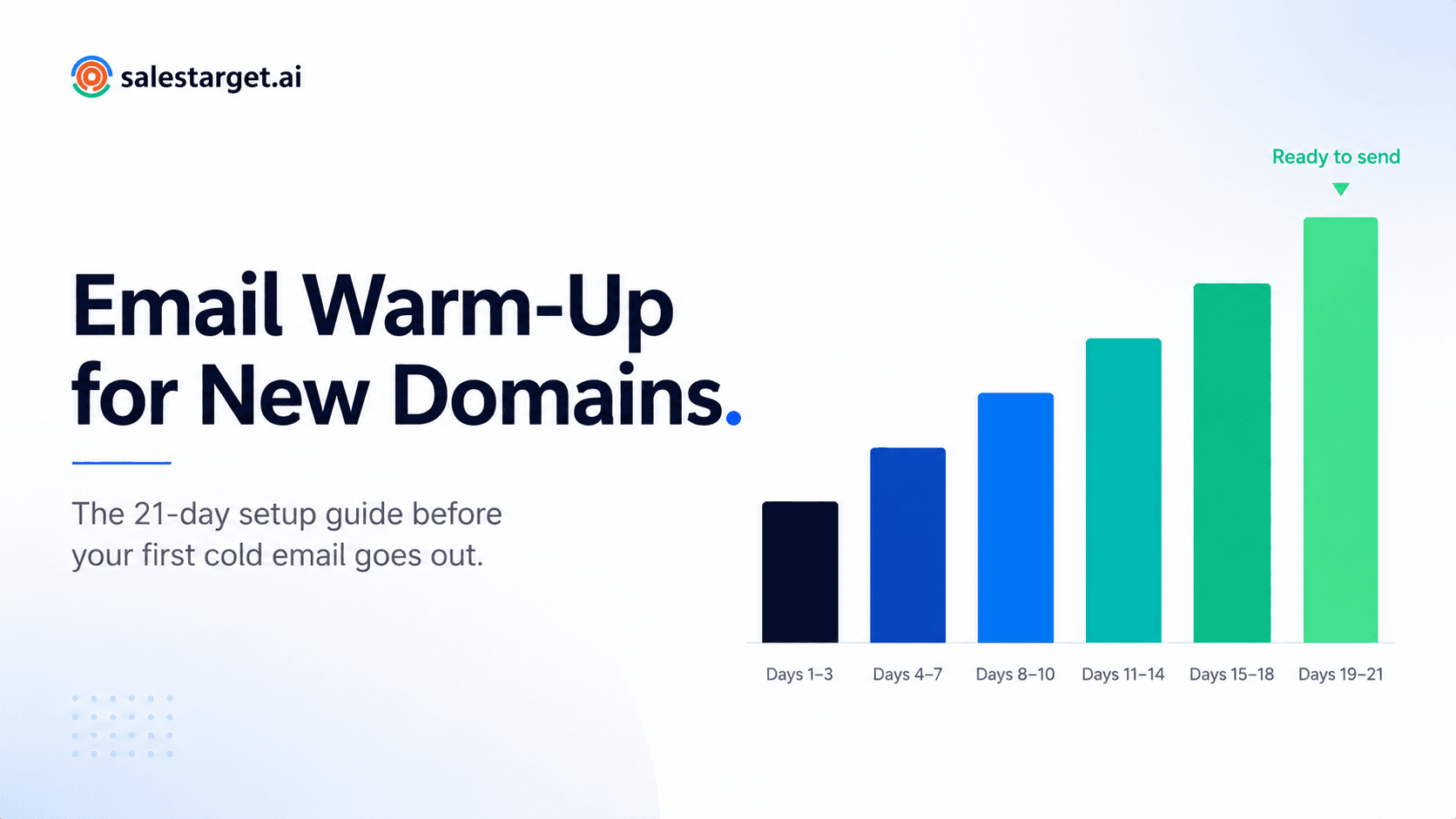
- The 21-day ramp: start at 5 emails per day and increase gradually. Do not send real cold email campaigns until day 22.
- During warm-up, watch for three warning signals: rising spam placement rate, sudden drop in open rate, and bounce rate above 2%.
- SalesTarget's unlimited inboxes warm-up runs the ramp automatically — no manual monitoring or daily adjustments required.
According to SendGrid's email deliverability research, domain reputation is one of the top three factors determining whether an email reaches the inbox or the spam folder. A brand-new domain has no reputation at all — which means inbox providers like Gmail and Outlook have no data to suggest your emails are trustworthy. Send cold outreach from that domain before establishing reputation and you are not starting from zero. You are starting from a deficit. This guide gives you the exact sequence to fix that before your first campaign goes out.
Why Every New Domain Needs Warm-Up Before Cold Email
Inbox providers — Gmail, Outlook, Yahoo — do not evaluate cold emails purely on content. They evaluate the sender. Specifically, they look at the history of the domain and IP address behind each email: does it consistently send mail that recipients engage with, or does it produce high bounce rates, low open rates, and spam complaints?
A new domain has no history. In the absence of positive signals, inbox providers apply their default response to unknown senders: caution. Emails from unrecognised domains with no engagement history are far more likely to be routed to spam or promotions folders — regardless of how good the copy is or how well-targeted the list is.
Warm-up solves this by building that history deliberately before any real campaign begins. A warm-up programme sends a small, controlled volume of emails between real inboxes, generating the opens, replies, and positive engagement signals that tell inbox providers: this domain sends legitimate, wanted email. Once those signals are established, real cold outreach campaigns send from a domain that has earned a degree of trust — and inbox placement improves significantly as a result.
📊 What happens without warm-up
- Day 1–3: High volume sends from cold domain. Inbox providers flag unusual activity from unrecognised sender.
- Day 4–7: Bounce rate climbs as invalid addresses are hit. Domain reputation score drops with each bounce.
- Week 2: Significant portion of emails routing to spam. Open rates appear low — because most emails are never seen.
- Week 3+: Domain reputation damage is established. Recovery requires weeks of reduced sending and deliberate warmup — the exact process that should have happened at the start.
How Email Warm-Up Actually Works
Email warm-up works through a positive engagement loop. The warm-up system sends emails from your new domain to a network of real inboxes — other accounts within the same warm-up pool. Those inboxes automatically open the emails, reply to them, and move them out of spam if they land there. Each of these positive engagement events generates a signal that inbox providers read as: this domain sends email that real people want.
The volume of these warm-up sends increases gradually over the ramp period — starting very low to avoid triggering volume-based spam filters, then increasing incrementally as the domain accumulates positive signals and its reputation score builds. By the end of a 21-day ramp, the domain has a measurable, positive sending history that supports inbox placement for real cold email campaigns.
The key principle is gradual, consistent, positive engagement over time. Warm-up cannot be rushed — attempting to compress a 21-day ramp into 7 days by sending higher volumes does not accelerate reputation building. It more often triggers the volume-based flags that warm-up is designed to avoid. For more on why warmup directly improves deliverability outcomes, the SalesTarget warmup and deliverability guide covers the mechanism in full.
Before You Warm Up: The DNS Technical Checklist
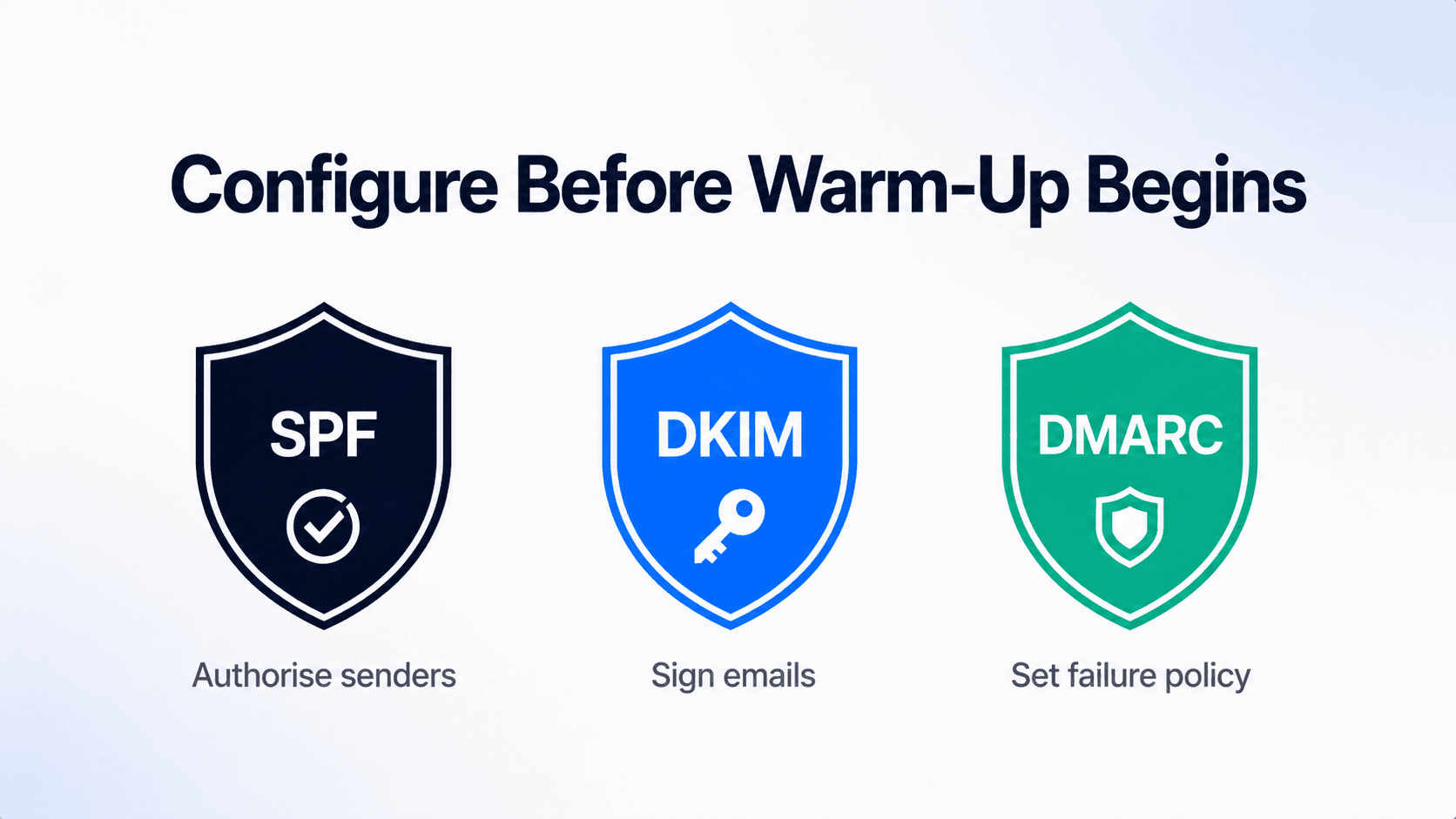
Three DNS records must be configured on your sending domain before warm-up begins. These are not optional — inbox providers check for these records as a baseline trust signal. A domain without SPF, DKIM, and DMARC configured correctly will struggle with inbox placement regardless of how long it warms up. Use MXToolbox to verify all three are correctly configured before starting your ramp.
| Record | What it does | What happens without it | Priority |
|---|---|---|---|
| SPF | Tells inbox providers which servers are authorised to send email from your domain | Emails fail authentication checks and route to spam at significantly higher rates | Critical |
| DKIM | Adds a cryptographic signature to outgoing emails that verifies they have not been tampered with in transit | Emails are treated as unsigned — inbox providers have no way to verify authenticity | Critical |
| DMARC | Sets a policy for what inbox providers should do when SPF or DKIM checks fail — reject, quarantine, or monitor | No policy means inconsistent handling of authentication failures. Also required by Google and Yahoo for bulk senders. | Critical |
💡 Verify before you start
Once all three records are configured in your domain's DNS settings, verify them using MXToolbox's free lookup tools before starting warm-up. A misconfigured SPF or DKIM record that goes undetected during warm-up means 21 days of effort on a domain that still fails authentication checks. Takes five minutes. Do it first.
The 21-Day Warm-Up Ramp Schedule
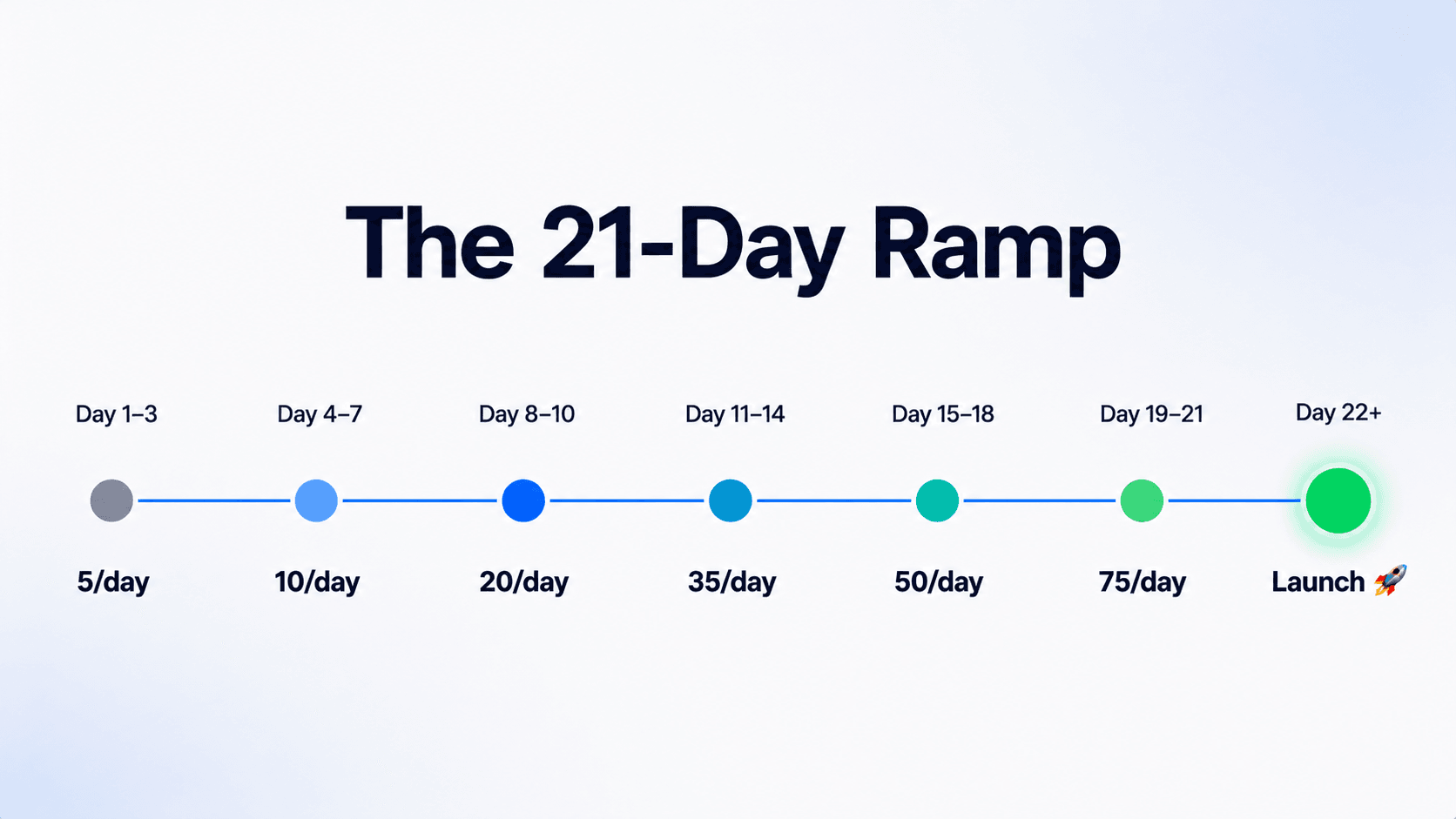
This ramp schedule follows the graduated volume increase that SendGrid's deliverability guidance recommends for new sending domains. The principle is consistent: low volume early while trust signals accumulate, steady increases as the domain builds reputation, no real cold email campaigns until the ramp is complete.
| Days | Daily warm-up volume | What is happening | Real sends? |
|---|---|---|---|
| Days 1–3 | 5 / day | Domain introduces itself to inbox providers — lowest possible volume, zero risk of volume flags | No |
| Days 4–7 | 10 / day | First positive engagement signals accumulating — opens and replies from warm-up network | No |
| Days 8–10 | 20 / day | Volume increase tests whether reputation signals hold at higher send rates | No |
| Days 11–14 | 35 / day | Domain reputation solidifying — inbox providers seeing consistent, positive sending history | No |
| Days 15–18 | 50 / day | Approaching real-world cold email volumes — reputation should be sustaining positive signals at this rate | No |
| Days 19–21 | 75 / day | Final ramp phase — domain building tolerance for the volumes real campaigns will use | No |
| Day 22+ | Campaign sends begin | Real cold outreach starts — at low volume initially (20–30/day) scaling up over weeks. Keep warm-up running in the background. | Yes — start low |
💡 Keep warm-up running after campaigns launch
Warm-up is not a one-time setup — it is an ongoing background process. Once real campaigns begin, continuing warm-up sends alongside them maintains the positive engagement signals that protect inbox placement. Turning warm-up off the moment campaigns start removes the reputation maintenance layer. Run both in parallel indefinitely.
Warning Signs Your Domain Is Getting Flagged During Warm-Up
Warm-up does not always proceed without incident — especially if DNS records are misconfigured or if any real sends go out during the ramp period. These three signals indicate a problem that needs to be addressed before the ramp continues. See also the domain reputation guide for a full breakdown of how these signals are scored by inbox providers.
Warning sign 1: Spam placement rate rising above 0.1%
Monitor via Google Postmaster Tools, which gives a direct read on the percentage of your emails being reported as spam by Gmail users. A spam rate above 0.1% during warm-up is a flag — above 0.3% Google begins actively penalising inbox placement. If this rises: pause sends, check DNS records, check whether any real cold emails went out during the ramp, and check list quality if any campaign sends have already begun.
Warning sign 2: Open rate on warm-up emails dropping sharply
Warm-up network emails should have consistently high open rates because they are opened automatically by the warm-up pool. A sudden drop in open rate on warm-up sends — not campaign sends — indicates that warm-up emails themselves are landing in spam. This means the domain reputation is being negatively scored before real campaigns even begin. Reduce volume to the previous day's level and hold for 48 hours before resuming the ramp.
Warning sign 3: Bounce rate above 2% on any send
Warm-up emails sent to the pool should have near-zero bounce rates — those addresses are real and active. A bounce rate above 2% during warm-up almost always means real sends have gone out to an unvalidated list alongside the warm-up programme. Stop all non-warm-up sends immediately, validate the contact list using SalesTarget's email validator, and do not resume real campaigns until the ramp is complete and the list is clean.
How SalesTarget's Unlimited Inboxes and Automatic Warm-Up Works
The manual version of the 21-day ramp above requires daily monitoring: checking spam placement rates, adjusting volume, reviewing engagement signals, and keeping logs of where each domain is in the schedule. For a team managing multiple sending domains — which inbox rotation at scale requires — that manual overhead becomes a significant time cost.
SalesTarget's unlimited inboxes warm-up automates the entire ramp. Connect a new sending domain, activate warm-up, and the platform handles the daily volume scheduling, the warm-up network sends, the positive engagement loop, and the gradual ramp progression automatically. You see the status of each domain's warm-up in your dashboard — current reputation score, days into ramp, engagement rate — without manually managing any of it.
The unlimited inboxes element is significant for teams scaling outbound. As volume grows, inbox rotation requires adding multiple sending domains — each of which needs its own warm-up ramp. SalesTarget removes the per-inbox limit entirely, meaning new domains can be added and warmed up simultaneously without additional cost or manual setup overhead per inbox. The warm-up programme described in this article runs for every inbox you connect, in parallel, automatically.
For the broader best practices around domain and inbox warmup — including what to monitor in the weeks after the initial ramp — the SalesTarget domain warmup best practices guide covers the full programme in detail.
Common Warm-Up Mistakes (And How to Avoid Them)
Mistake 1: Starting real cold email sends before day 22
The most common mistake — and the most damaging. Even a small number of real cold emails sent to an unvalidated list during the warm-up period can introduce bounces that undo weeks of reputation building. The warm-up ramp is a quarantine period for the domain. Nothing real goes out until it is complete.
Mistake 2: Warming up on your main company domain
Cold email should always go from a dedicated sending domain separate from your main website domain. If warm-up or early campaign sends damage the sending domain's reputation, that damage is isolated. If you warm up and send from yourcompany.com and something goes wrong, your main domain's reputation — which affects all transactional email, all marketing email, and your website's email deliverability — takes the hit.
Mistake 3: Stopping warm-up once campaigns launch
Warm-up is not a one-time setup. The positive engagement signals it generates are ongoing reputation maintenance — not a one-off credentialing process. Teams that stop warm-up the moment campaigns start often see inbox placement rates gradually decline over the following weeks as the positive signal layer disappears. Keep warm-up running in the background for the lifetime of any active sending domain.
Start warming up unlimited inboxes automatically.
No manual monitoring. No daily volume adjustments. SalesTarget runs the 21-day ramp for every inbox you connect — in parallel, automatically.
✓ 50 credits ✓ 7-day trial ✓ No credit card required




