A rep spends forty minutes building a list of fifty prospects on LinkedIn, sends thirty connection requests by hand, and gets three replies. Three days later, half those "warm" leads never open a follow-up email, since nobody linked the two channels. That is the daily grind most SDRs and BDRs live with.
The direct answer: the best LinkedIn outreach automation tool for SDRs and BDRs combines verified prospect data, automated connection and follow-up sequences, AI-assisted personalization, and a CRM that logs every touch, in one workspace. SalesTarget.ai pairs Lead Explorer's 840M+ verified profiles with coordinated LinkedIn and email sequences, so a rep builds a list, launches outreach on both channels, and tracks every reply from one screen.
This guide breaks down how LinkedIn outreach automation works, what to check before buying, and where SDR and BDR teams lose replies they should be getting.
What Is the Best LinkedIn Outreach Automation Tool for Sales Teams?
The best tools combine prospecting, personalized messaging, follow-ups, and sales outreach
The best LinkedIn outreach automation tools find the right prospects, personalize the first touch, automate follow-ups without sounding robotic, and route replies to a place reps can act on. A tool that only sends connection requests is a message scheduler with extra steps, not an outreach platform. SalesTarget.ai's LinkedIn Outreach pairs sequencing with Lead Explorer data, so messages reference a prospect's role, company size, or a signal such as a recent funding round, not just a first name.
Why SDRs and BDRs need more than basic LinkedIn message automation
Basic automation sends one template to a whole list. SDRs and BDRs carry quota, and quota rewards meetings booked, not messages sent. A rep working two hundred accounts needs branching sequences, timezone-aware scheduling, and account safety controls a basic Chrome extension cannot handle at scale.
How Does LinkedIn Outreach Automation Work for SDRs and BDRs?
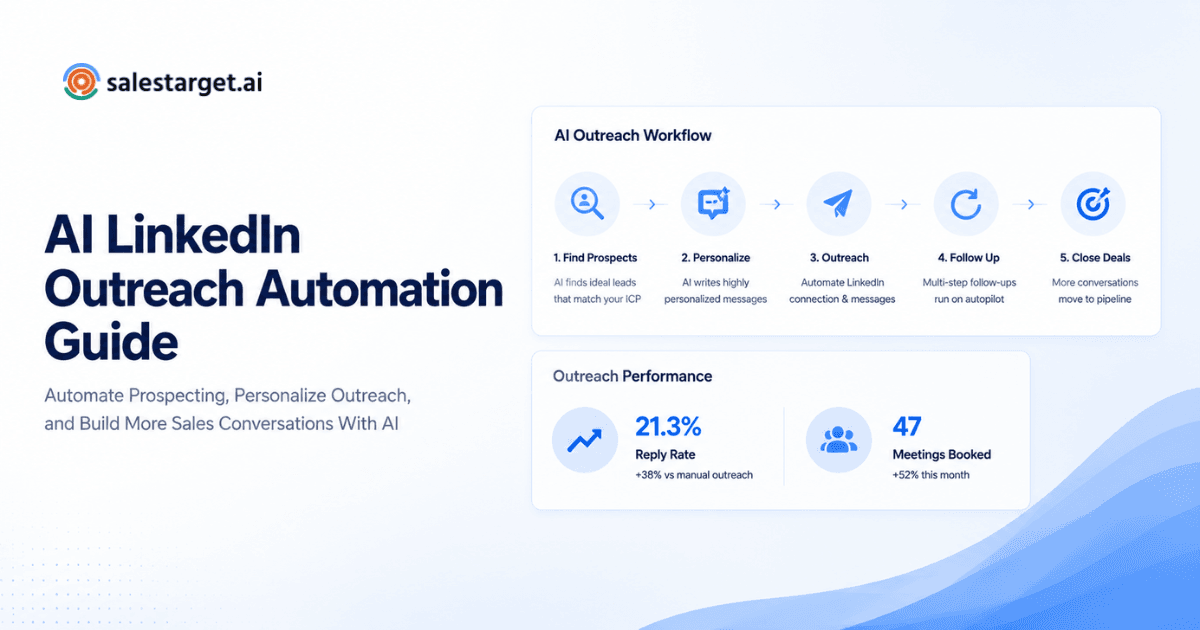
Find and segment the right prospects before sending outreach
Outreach automation starts with a filtered list, not a scrape. A rep sets criteria such as industry, seniority, department, and company size, then pulls a segment sized for one sequence. Lead Explorer supports plain-English search or stacked filters across 146M+ business entities, so the list entering a sequence already matches the ICP.
Automate connection requests and follow-up messages
Once a list is set, the platform sends connection requests on a human-like schedule, then queues follow-up messages tied to whether a prospect accepts, replies, or stays silent. Rate limits and warm-up logic keep sending volume inside what LinkedIn treats as normal activity.
Personalize outreach based on prospect and company signals
Strong automation pulls in role, industry, and recent activity, say a leadership change, a hiring spike, or an intent signal, and drops that context into the message before it sends. SalesTarget.ai's AI personalization adapts each message using data pulled at the point of enrichment, so the reference stays current instead of scraped months earlier.
Add email touches to LinkedIn sales outreach
LinkedIn alone misses prospects who rarely log in. A sequence that adds email touches after a connection request catches that gap, and keeps one messaging thread across channels instead of starting over. SalesTarget.ai runs LinkedIn and email in one coordinated flow, so a reply on either channel updates the whole sequence.
Track replies, meetings, and prospect activity
Every accepted connection, reply, and booked meeting needs a record a rep can act on the same day. A unified inbox that sorts replies by intent (interested, follow-up, not a fit) saves reps from reading every message cold.
Why LinkedIn Sales Automation Matters for SDR and BDR Pipeline Growth?
Reduce manual prospecting and repetitive follow-ups
Manual list building and one-by-one follow-ups eat hours a rep could spend on calls. Automating the repetitive half of prospecting frees that time for conversations that need a human.
Increase the number of qualified prospects each rep can work
With list building and follow-ups automated, a rep can run outreach against a wider segment without adding headcount. That is the math sales leaders track: more qualified conversations from the same team.
Keep LinkedIn and email outreach connected
A prospect who ignores a LinkedIn message might open an email that same week. Connected sequences catch that, and stop reps from double-messaging the same person from two disconnected tools.
Give sales leaders better visibility into outreach activity
Sales leaders need a dashboard, not a guess, on live sequences, incoming replies, and which reps are ahead of pace. SalesTarget.ai's CRM dashboard surfaces email stats, open deals, and pending tasks in one shared view.
How to Choose the Best LinkedIn Outreach Automation Software?
Check prospect data quality and enrichment capabilities
A sequence is only as good as the list behind it. Ask whether contact data gets verified at the point of enrichment, or scraped once and never refreshed; stale emails and old job titles kill reply rates fast.
Look for LinkedIn and email outreach in one sequence
Point tools that run LinkedIn alone force a rep to rebuild the same prospect list in a separate email platform. One sequence spanning both channels cuts that duplicate work and keeps messaging consistent.
Evaluate personalization and AI-assisted messaging
Generic templates get ignored. A 2026 benchmark spanning 13.2 million connection requests puts the platform-wide LinkedIn message reply rate at 10.4%, with wide swings by segment (Expandi, 2026). Reps near the top of that range are personalizing off a signal, not swapping in a first name.
Review follow-up, reply, and campaign controls
Check whether the platform stops a sequence the moment a prospect replies, and whether reps can set custom follow-up timing per campaign. A tool that keeps messaging someone who already answered damages the relationship before a rep joins the thread.
Check CRM integration and activity tracking
Outreach data stuck in a separate tool never makes it into pipeline reporting. Look for a platform where campaign leads land in the CRM on their own, with every touch logged to that lead's timeline.
Assess account safety and outreach controls
LinkedIn suspends accounts that send too fast or too identically. A platform with built-in rate limits, warm-up logic, and auto-pause safeguards protects the rep's account, and the company's outreach capacity along with it.
What Features Should a LinkedIn Outreach Automation Tool Have?
LinkedIn prospecting and lead filtering
Search by industry, role, seniority, company size, and intent signal, then push a filtered list straight into a sequence with no CSV export and re-import step.
LinkedIn connection and follow-up automation
Automated connection requests, DMs, and follow-ups that branch on reply, action, or no response, with timezone-aware scheduling so messages land during working hours.
Personalized LinkedIn sales automation
Messages that adapt to a prospect's profile, role, and company data, not one template with a first name swapped in.
Email outreach alongside LinkedIn sequences
Multi-step email sequences running in the same workflow as LinkedIn touches, with automatic inbox warm-up and SPF, DKIM, and DMARC checks protecting sender reputation.
Reply tracking and unified inbox
One inbox pulling every reply from LinkedIn and email, sorted by intent, with owners assigned so replies do not sit unread.
CRM and pipeline management
A place where leads land the moment a sequence starts, deals move through stages, and follow-up tasks get created without a rep opening a spreadsheet.
Analytics for SDR and BDR performance
Reporting on reply rates, meetings booked, and pipeline generated per rep, per campaign, and per segment, so a sales leader can coach on the number that matters instead of activity counts.
How Can SDRs and BDRs Build a LinkedIn Outreach Automation Workflow?
Define the ideal customer profile and buyer roles
Set the industry, company size, seniority, and department a sequence should target before writing a single message. A workflow built on a vague ICP wastes every touch that follows.
Build targeted prospect lists
Pull a list against that ICP using filters, not guesswork, and size it to what one sequence and one rep can handle without the messaging reading as mass-sent.
Verify and enrich prospect contact data
Confirm emails and job titles are current before the first touch goes out. Bad data is the most common reason a well-written sequence gets no replies.
Create LinkedIn and email touchpoints
Map connection requests, LinkedIn follow-ups, and email touches on one shared timeline, so a prospect experiences one coordinated effort, not two reps messaging them by accident.
Set follow-up timing and stopping rules
Decide how many days between touches, how many touches total, and what happens the moment a prospect replies. Sequences without stopping rules are the top complaint prospects have about outreach.
Monitor replies and move qualified prospects into the CRM
Check the unified inbox daily, and move anyone showing interest into an active deal stage the same day the reply lands, before the moment cools off.
Why Choose SalesTarget.ai?
Find and enrich B2B prospects with Lead Explorer
Lead Explorer searches across 840M+ verified professional profiles and 146M+ business entities, with enrichment happening the moment a rep finds a lead, not on a separate export step. Buying signals from 4,000+ intent topics and business events such as funding rounds or leadership changes surface accounts that are active right now.
Run LinkedIn and email outreach in one workflow
LinkedIn and email touches run from the same sequence, so a rep builds one workflow instead of stitching two tools together with a spreadsheet in between. See how LinkedIn outreach automation works across setups for a closer look at what a coordinated sequence looks like in practice.
Validate contact data and protect email deliverability
The Email Validator checks MX and SMTP records and flags disposable addresses before a send, which keeps bounce rates down and domains off blacklists. SalesTarget.ai validates 90% of emails before they go out, protecting the sender reputation every future campaign depends on.
Manage prospects in a built-in CRM
The CRM logs every email and call to a lead's timeline on its own, creates follow-up tasks when a lead replies, and shows a shared pipeline view for the whole team. Teams running deals through it see meaningfully faster deal cycles, since nothing sits waiting on a rep to update a status by hand.
Use AI Copilot for sales research and prospecting
AI Copilot lets a rep chat to find leads, draft a full sequence, or check which campaigns are driving revenue, free inside the platform. It flags at-risk deals and suggests the next move, so reps spend their time on the conversation instead of the research behind it.
Ready to see it against your own list? Start a free trial and run a segment through Lead Explorer and LinkedIn Outreach in one session.
What Common LinkedIn Outreach Automation Mistakes Should SDRs and BDRs Avoid?
Automating outreach before defining the right prospect segment
Automation on a bad list just sends bad messages faster. Set the ICP and filter the list before a single sequence goes live.
Sending generic connection requests and follow-ups
A note with no reference to a prospect's role or company reads as spam on sight. Research puts the share of B2B buyers who actively avoid irrelevant outreach north of seven in ten (sales benchmark data compiled by Martal), a bar most templated messages never clear.
Using excessive LinkedIn touchpoints
More messages are not the fix for low replies. Buyer research puts the average number of touches needed for a first meeting at around eight, with top performers needing closer to five (RAIN Group data, cited in B2B outbound benchmarks); past that point, extra touches tend to annoy a prospect instead of converting them.
Ignoring email deliverability when adding email sequences
Adding email touches without warming up inboxes or checking SPF, DKIM, and DMARC records tanks deliverability for the whole domain once prospects start marking messages as spam.
Measuring activity instead of qualified meetings and pipeline
Connection requests sent and messages fired are vanity numbers. Track meetings booked and pipeline generated per sequence, that is the number a sales leader can act on.
Failing to stop sequences after a prospect replies
A message landing after someone already replied looks careless, not automated. Set the sequence to stop the moment a reply comes in, no exceptions.
What Is the Best LinkedIn Outreach Automation Setup for Different Sales Teams?
LinkedIn outreach automation for small SDR and BDR teams
Small teams need one platform covering prospecting, sequencing, and a CRM, since nobody has time for three logins on one workflow. A shared pool of enriched leads keeps reps from working the same accounts by accident.
LinkedIn automation for larger outbound sales teams
Larger teams need role-based access, shared reporting, and safety controls that scale across dozens of LinkedIn profiles without any single account getting flagged.
LinkedIn outreach for agencies managing multiple client campaigns
Agencies run separate ICPs, sequences, and reporting for each client from one workspace, and need that separation to stay clean. This breakdown of LinkedIn outreach automation built for agencies covers how to keep client campaigns from bleeding into each other.
LinkedIn and email automation for founder-led sales
A founder running outbound alone needs automation that handles list building and follow-ups, so the few hours available each week go to calls that actually close.
Conclusion: Choose a LinkedIn Outreach Automation Tool That Fits Your Sales Workflow
The rep from the opening still needs fifty good prospects, a message that reads like it was written for them, and a record of every reply, without losing a full afternoon to it. That is what a real LinkedIn outreach automation tool solves: verified data, connected sequences across LinkedIn and email, and a CRM that keeps everything in one place instead of three.
SalesTarget.ai builds all of it into a single workspace: Lead Explorer for prospecting and enrichment, LinkedIn and email sequences that run together, an Email Validator protecting deliverability, and a CRM logging every touch on its own. For a closer look at sequence structure, six LinkedIn outreach workflows built to generate replies on autopilot walks through the setup in more detail.