Your SDRs spend two hours prospecting on LinkedIn for every 15 minutes they spend actually talking to a buyer. Connection requests pile up unanswered. Follow-ups slip through the cracks. And the few replies that do come in get buried under manual CRM updates and tool-switching.
The best LinkedIn outreach software for B2B SaaS teams automates connection requests, messages, and follow-up sequences so reps reach more qualified prospects each week without burning hours on repetitive tasks. It pairs LinkedIn activity with email outreach in a single workflow, keeps outreach consistent across the buying cycle, and tracks which campaigns produce meetings, not just activity. SalesTarget.ai does all of this inside one platform: prospect data, multichannel sequences, email validation, and a built-in CRM, with no need to bolt together four or five separate tools.
Why Manual LinkedIn Prospecting Breaks at Scale
A single SDR can manually send 80 to 100 connection requests per week before LinkedIn starts throttling. That ceiling is fixed. What is not fixed is how fast your pipeline needs to grow.
Salesforce's 2026 State of Sales report found that sales reps spend only 30% to 40% of their day on actual selling. The rest goes to CRM entry, lead research, internal meetings, and switching between tools. On LinkedIn, that problem compounds. Reps copy profile data into spreadsheets, draft individual messages, check back for replies across dozens of threads, and log activity into a CRM that sits in a completely different browser tab.
At five reps, the waste is annoying. At twenty, it is a line item. Manual LinkedIn prospecting does not fail because reps are lazy. It fails because the process has a hard ceiling on volume and no built-in system for consistency, follow-up, or measurement.
What Is LinkedIn Outreach Software and How Does It Work?
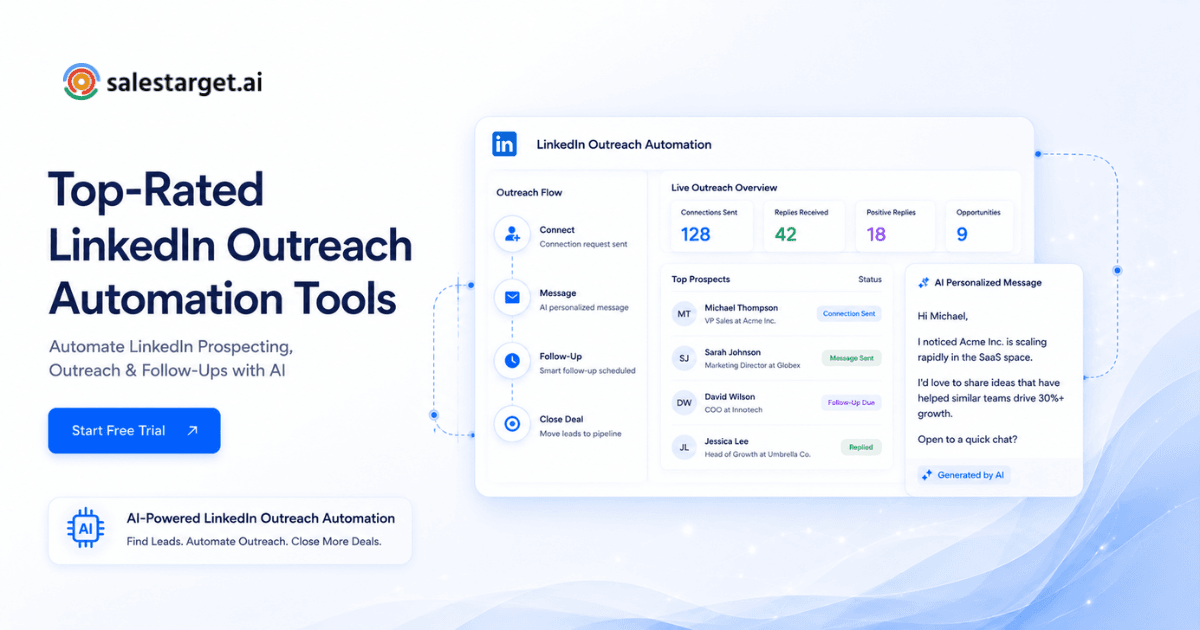
LinkedIn outreach software automates the repetitive steps of LinkedIn prospecting: sending connection requests, delivering follow-up messages, engaging with prospect content, and tracking replies. It runs sequences in the background so reps focus on conversations, not on clicking "Connect" 80 times a day.
Most B2B LinkedIn outreach tools work by connecting to your LinkedIn account (either through a browser extension or a cloud-based session) and executing actions on a schedule you define. You set the audience, write the messages, and configure the cadence. The software handles timing, pacing, and follow-up logic.
Where tools differ is scope. Some handle only LinkedIn. Others, like SalesTarget.ai's LinkedIn outreach module, coordinate LinkedIn sequences alongside cold email campaigns in one workflow, pulling prospect data, outreach execution, and CRM tracking into a single platform. That distinction matters when your goal is booked meetings, not just connection counts.
How Does LinkedIn Outreach Automation Help Book More Demos?
LinkedIn outreach automation shortens the path from "identified prospect" to "meeting booked" by removing the manual bottlenecks that slow reps down.
Reach more qualified prospects each week
Automation removes the daily cap on how many prospects a rep can touch. Instead of manually sending 15 to 20 connection requests per day, a rep can run sequences against segmented lists of hundreds of prospects. The math is simple: more qualified touches, more conversations, more demos.
Keep outreach consistent across the buying cycle
B2B buying committees average 6 to 11 stakeholders (Gartner, 2025). Prospects rarely respond to a single message. Automated sequences send follow-ups at set intervals so no prospect drops off because a rep got busy or forgot. Consistency across weeks and months is what turns a cold connection into a warm reply.
Increase reply rates with personalized LinkedIn outreach
Industry data shows that personalized LinkedIn messages generate reply rates between 15% and 30%, compared to the 5% to 8% range for batch-and-blast approaches. The best LinkedIn automation software for B2B supports variable insertion, conditional branching, and AI-generated personalization so each message references the prospect's role, company, or recent activity. SalesTarget.ai's AI personalization adapts each message to the recipient's profile, industry, and seniority, so outreach reads like a one-to-one message, not a template.
Reduce admin work for SDRs and account executives
Every minute a rep spends copying LinkedIn profile details into a CRM or toggling between tabs is a minute lost. LinkedIn outreach software logs activity automatically, syncs replies to the CRM, and flags engaged prospects. SalesTarget.ai takes this further: its built-in CRM captures campaign leads without imports, logs every message to the lead timeline, and creates follow-up tasks automatically when a prospect replies.
Turn engagement into sales conversations faster
A connection accepted or a message read is not a win. A meeting is. Automation tools with conditional logic can detect a reply, pause the sequence, and route the engaged prospect to the right rep. When LinkedIn and email outreach share the same platform, context carries across channels. A prospect who opened three emails and accepted a LinkedIn request gets a different follow-up than someone who has gone silent.
How Do SaaS Companies Automate LinkedIn Prospecting at Scale?
Scaling LinkedIn prospecting is not about sending more messages. It is about building a system that connects targeting, messaging, and measurement end to end.
Define target accounts and buyer personas
Start with your ICP. Which industries, company sizes, and roles close fastest? SalesTarget.ai's Lead Explorer includes an ICP Builder that lets you stack filters (industry, seniority, department, company size, revenue, tech stack) against 840M+ verified profiles and 146M+ businesses. You are building a list from real data, not guessing.
Build prospect lists with LinkedIn prospecting software
Once your ICP is defined, pull prospect lists that match it. The gap most teams hit here is data quality. A list full of outdated titles and dead emails wastes sequences. SalesTarget.ai enriches contacts at the moment you find them, not whenever the data was last scraped. One-click enrichment unlocks verified professional email, phone, and mobile, with 99% verified contact accuracy.
Create outreach sequences for different audience segments
One sequence for all prospects is a recipe for low reply rates. Segment by role (VP of Engineering vs. Head of Ops), by company stage (Series A vs. enterprise), or by buying signal. SalesTarget.ai lets you build conditional sequences that branch based on replies, actions, or silence, so each segment gets a message arc that matches their situation.
Add intent signals and buying triggers
Cold outreach works better when it is not actually cold. Intent data tells you which companies are actively researching topics related to your product. SalesTarget.ai surfaces 4,000+ intent signals and buying triggers (funding rounds, hiring spikes, leadership changes) through Bombora Intent Topics, with a 30- to 90-day lookback. Reaching a VP of Sales the week after their company closes a Series B is a different conversation than reaching them on a random Tuesday.
Combine LinkedIn outreach with cold email campaigns
McKinsey's research on B2B buyer behavior shows that buyers now use an average of 10 channels during their purchasing journey (McKinsey, 2025). LinkedIn-only outreach leaves pipeline on the table. Combining LinkedIn and email in one coordinated sequence lifts response rates by 30% to 50% compared to single-channel efforts. SalesTarget.ai runs LinkedIn outreach and email outreach from one workflow, so context, timing, and prospect data stay synchronized without CSV exports or Zapier duct tape.
Measure meetings, opportunities, and pipeline impact
Activity metrics (connection requests sent, messages delivered) tell you the machine is running. They do not tell you if it is producing revenue. Track meetings booked, opportunities created, and pipeline generated per campaign. SalesTarget.ai's CRM dashboard shows email stats, open deals, meetings, and pending tasks in one view, with attribution back to specific campaigns.
What Features Should You Look for in LinkedIn Outreach Software?
Not all B2B LinkedIn outreach tools are built the same. Here is what actually matters when your goal is booked meetings and pipeline.
LinkedIn campaign automation and sequence management
The tool should support multi-step sequences: connection request, follow-up message, second follow-up, content engagement. Look for conditional logic that branches based on prospect behavior (accepted, replied, ignored). Without branching, every prospect gets the same path regardless of how they respond.
AI LinkedIn outreach tool capabilities
AI should do more than insert a first name. Look for AI that generates message variations based on the prospect's role, industry, and company context. SalesTarget.ai's AI Copilot generates full personalized sequences from a plain-English audience description and creates A/B variations so you can test messaging without manual rewrites.
Contact enrichment and verified prospect data
Your outreach is only as good as your data. If 20% of your emails bounce or your LinkedIn messages go to people who left the company six months ago, campaign performance collapses. SalesTarget.ai enriches and verifies contacts at the point of enrichment, with 90% of emails validated before sending. That is not a nice-to-have; it is the difference between a 2% and a 12% reply rate.
Team collaboration and campaign visibility
Multiple reps running LinkedIn campaigns against the same target accounts will duplicate effort and annoy prospects. The platform should show which prospects are already in active sequences, who owns which accounts, and how campaigns perform across the team.
CRM integration and activity tracking
Every LinkedIn message, connection, and reply should log to the CRM automatically. SalesTarget.ai's built-in CRM does this natively. There is no integration to configure because the CRM is part of the same platform. Campaign leads land automatically, calls are logged with AI-generated notes, and follow-up tasks are created when a prospect responds.
Reporting, analytics, and meeting attribution
You need to see which campaigns, sequences, and messages produce meetings, not just impressions. Attribution should trace from a specific LinkedIn sequence to a booked meeting to an open deal. Vanity metrics do not close revenue.
Account safety settings and activity controls
LinkedIn restricts accounts that behave like bots. The software must include daily sending limits, warm-up logic, human-like delays between actions, and auto-pause safeguards. Skip any tool that does not give you granular control over activity pacing.
LinkedIn Outreach Software Comparison: Key Evaluation Criteria
When comparing top LinkedIn outreach automation tools, evaluate across these dimensions instead of getting distracted by feature checklists.
LinkedIn-only tools versus multi-channel outreach platforms
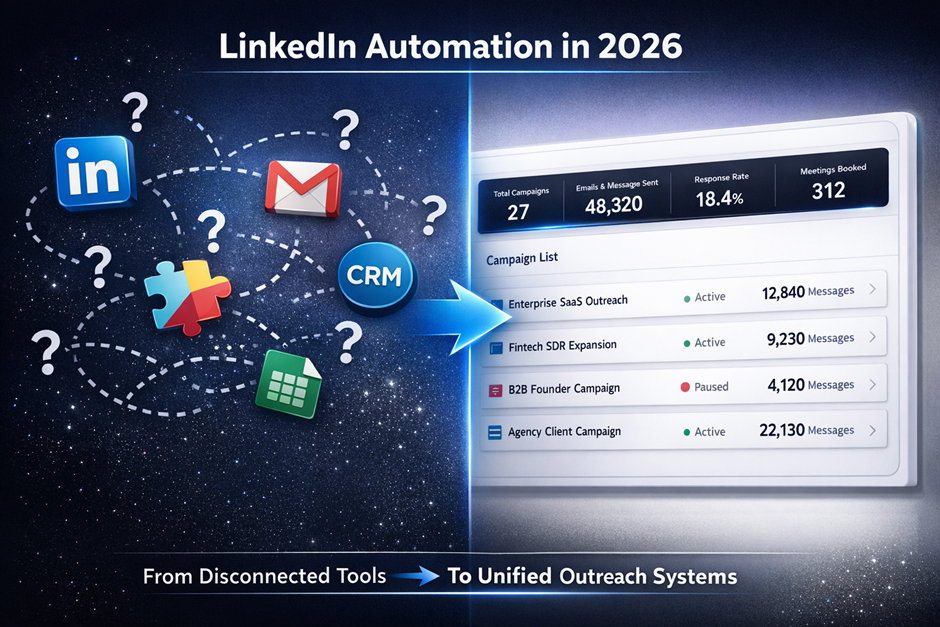
A LinkedIn-only tool solves one problem. A multi-channel platform solves the system problem. If you are already paying for a separate cold email tool, a separate data provider, a separate email validator, and a separate CRM, you are spending more and getting less coordination. SalesTarget.ai replaces that stack: Lead Explorer for data, LinkedIn and email outreach for sequencing, built-in validation for deliverability, and a CRM for deal tracking. One platform, one bill.
Data quality and prospect coverage
Ask: where does the tool get its data, how often is it refreshed, and what is the verification method? Tools that scrape data once and never re-verify it will degrade over time. SalesTarget.ai pulls from 50+ data sources and verifies contacts at enrichment, not at scrape time.
Personalization depth and AI support
Surface-level personalization (first name, company name) is table stakes. Look for tools that personalize based on role, seniority, industry, company events, and content engagement. The deeper the personalization, the higher the reply rate.
Workflow automation and campaign management
Can you build sequences that span LinkedIn and email in one flow? Can you set triggers, delays, and branches without coding? The best platforms let you manage the full outreach lifecycle from one screen.
Reporting and pipeline visibility
If the tool cannot show you how many meetings a LinkedIn campaign produced, you are guessing. Pipeline visibility should tie outreach activity to deal outcomes.
Total cost of ownership across multiple tools
A LinkedIn-only tool at $99/month looks cheap until you add a data provider ($149/month), an email tool ($79/month), an email validator ($49/month), and a CRM ($50/seat/month). Compare the all-in cost, not the sticker price of one tool.
Which LinkedIn Automation Software Is Safe for B2B Prospecting?
LinkedIn restricts or bans accounts that violate its terms of service. Using automation irresponsibly risks losing your profile, your connections, and your pipeline. Safe LinkedIn automation is about mimicking human behavior, not about hiding from LinkedIn.
Activity pacing and sending limits
Stay within LinkedIn's daily action limits. Most safe LinkedIn automation software caps connection requests at 20 to 30 per day for new accounts and scales up gradually. SalesTarget.ai includes built-in rate limits, warm-up logic, and auto-pause safeguards that protect your account without requiring you to manually adjust settings every week.
Human-like outreach workflows
Real people do not send 50 connection requests in 90 seconds. Safe tools introduce random delays between actions, vary the timing across days, and respect working hours. SalesTarget.ai uses timezone-aware smart scheduling with working-hour limits and human-like delays between actions.
Personalization practices that reduce risk
Generic, templated messages trigger spam flags faster than personalized ones. LinkedIn's algorithm evaluates not just volume but quality of interactions. Higher acceptance rates from personalized messages signal legitimate activity.
Monitoring campaign performance and account health
Watch your connection request acceptance rate. If it drops below 20%, LinkedIn may flag your account. Pause campaigns, improve targeting, or rewrite messaging before scaling back up.
Building long-term outreach programs without account issues
The teams that get banned are usually the ones that go from zero to full volume overnight. Ramp gradually, keep acceptance rates above 30%, rotate messaging, and segment your audiences. Treat LinkedIn outreach as a sustained program, not a one-week sprint.
Why Choose SalesTarget.ai?
SalesTarget.ai is an all-in-one AI sales intelligence and outbound platform built for B2B teams running outbound. It replaces the patchwork of point tools most teams duct tape together.
Find prospects with Lead Explorer and 840M+ verified profiles
Lead Explorer gives you access to 840M+ verified professional profiles and 146M+ business entities. Search using AI in plain English or stack filters by industry, role, seniority, department, company size, revenue, location, and tech stack. No CSV imports, no third-party data subscriptions.
Enrich contacts and verify data with 99% verified contact accuracy
Enrichment happens at the moment you find the lead. One click unlocks verified professional email, personal email, phone, and mobile. Contacts are verified at the point of enrichment, not whenever the data was first scraped. That distinction eliminates the stale-data problem that tanks campaigns built on other platforms.
Run LinkedIn outreach and email outreach from one workflow
Build sequences that coordinate LinkedIn connection requests, DMs, and follow-ups alongside cold email touches. Context carries across both channels. A prospect who replied on LinkedIn does not get a redundant email the next morning. Start a free trial to see the multichannel workflow in action.
Improve inbox placement with built-in deliverability tools
SalesTarget.ai includes unlimited inboxes with automatic AI warm-up, intelligent inbox rotation, and SPF/DKIM/DMARC checks. The built-in Email Validator uses MX/SMTP checks, disposable-email detection, and risk scoring to cut bounces and keep your domains off blacklists.
Manage opportunities inside the built-in CRM
Campaign leads land in the CRM automatically. Every email, LinkedIn message, and call is logged to the lead timeline. Follow-up tasks create themselves when a lead replies or a meeting ends. The built-in AI dialer logs calls and captures notes during the conversation, so reps never write up call summaries by hand. Teams using SalesTarget.ai's CRM report 3.2X faster deal cycles and 91% follow-up completion rates.
Use AI Copilot for prospect research and message creation
AI Copilot is a conversational AI teammate built into the platform. Chat to find leads across 840M+ profiles, generate personalized email sequences in seconds, track which campaigns drive revenue, and query CRM data in plain language. It personalizes by role, industry, and company size, and flags at-risk deals with recommended next steps.
Replace separate prospecting, outreach, validation, and CRM tools with one platform
Apollo gives you data and engagement, but you still bolt on deliverability and a CRM. Instantly, Smartlead, and Lemlist focus on cold email but lack a native B2B database, LinkedIn automation, and a real CRM. SalesTarget.ai keeps everything in one platform: find a lead, enrich it, push it into a LinkedIn and email sequence, validate the contact, and close the deal in the built-in CRM. One workspace. One bill. No more tool-switching.
Common LinkedIn Outreach Software Mistakes That Hurt Results
The tool is only as good as the strategy behind it. These mistakes consistently kill campaign performance.
Sending generic connection requests
"I'd like to add you to my professional network" is the LinkedIn equivalent of a cold call with no opener. If your connection request could apply to anyone, it will be ignored by everyone. Reference a shared group, a recent post, or a specific reason for connecting. Even better: test blank connection requests (which convert at 55% to 68% in some campaigns) against short, contextualized notes and let the data decide.
Running campaigns without audience segmentation
A single sequence sent to VPs of Engineering and Marketing Directors will underperform two separate sequences written for each audience. Segment by role, seniority, industry, or buying signal. The extra 20 minutes of setup pays back in double-digit reply rate lifts.
Ignoring follow-up sequences
Most LinkedIn replies come on the second or third follow-up, not the first message. Stopping after one message is the most common and most expensive mistake teams make. Build sequences with at least three to four touchpoints.
Treating LinkedIn as a standalone channel
LinkedIn outreach produces better results when it is part of a multichannel sequence. A prospect who sees your LinkedIn message, then gets a relevant email the next day, is more likely to respond than one who only hears from you on a single channel. HubSpot's 2025 sales research confirms that reps using AI tools to automate manual tasks save 1 to 5 hours per week (HubSpot, 2025), time that can go into building a coordinated multichannel workflow.
Measuring activity instead of meetings and pipeline
Connection requests sent and messages delivered are input metrics. Meetings booked, opportunities created, and pipeline generated are output metrics. If your reporting stops at "messages sent," you have no idea whether your LinkedIn outreach is producing revenue.
Scaling campaigns before testing messaging
Sending 1,000 connection requests with untested copy is a fast way to tank your acceptance rate and risk LinkedIn restrictions. Start with small batches (50 to 100 prospects), test two or three message variations, measure acceptance and reply rates, then scale the winning version.
Conclusion: Choose LinkedIn Outreach Software That Helps Your Team Book More Demos
The SDR spending half their day on manual LinkedIn tasks is not going to outperform the one whose prospecting, sequencing, enrichment, and CRM are all running from one screen. That is the core problem: not a lack of effort, but a lack of system.
The right LinkedIn outreach software gives your team that system. It automates the repetitive work, keeps follow-ups consistent, personalizes at scale, and measures what matters: meetings and pipeline.
SalesTarget.ai was built for exactly this workflow. Prospect data from 840M+ profiles, multichannel outreach across LinkedIn and email, real-time contact verification, and a CRM that captures every interaction, all in one platform. No more stitching together five tools and hoping the data syncs.