Sales CRM Software: How Modern Sales Teams Manage Leads, Deals, and Productivity
Most sales teams don't lose deals for lack of effort. They lose them in the gaps: a missed reply, a follow-up that slipped a week, a forecast built on hope. Sales CRM software exists to close those gaps.
Quick answer: What is sales CRM software?
Sales CRM software is a tool that sales teams use to store leads and contacts, track each deal through pipeline stages, log emails, calls and meetings, and schedule follow-ups. It gives reps one place to work from and gives managers a live view of the pipeline, so fewer opportunities slip away and forecasts reflect real activity.
Want a CRM that updates itself while your team sells?
Explore SalesTarget CRM: campaign replies, follow-up tasks and deal stages in one live pipeline →
What Is Sales CRM Software?
CRM stands for customer relationship management. A general CRM can serve support, marketing and account teams. Sales CRM software is shaped around how deals move: who the buyer is, which stage the deal has reached, what happened last and what happens next.
A spreadsheet records facts. A sales CRM records momentum: the prospect replied on Tuesday, a demo is booked for Friday, and the proposal is waiting on their finance lead.
Why Sales Teams Use CRM Software
Ask a rep where the week goes and you'll rarely hear "selling." Salesforce's State of Sales research found that reps spend only 28% of their week actually selling, with much of the rest absorbed by tasks such as deal management and data entry.
A sales team CRM targets the problems that eat that time:
- Scattered information. Notes live in inboxes, chat threads and personal spreadsheets, so nobody has the full story.
- Missed follow-ups. Without reminders, follow-up depends on memory.
- Poor pipeline visibility. Managers chase status updates instead of reading them.
- Manual updates. Reps copy the same details into three different tools.
- Inconsistent process. Every rep defines "qualified" a little differently.
How Sales CRM Software Supports the Sales Process
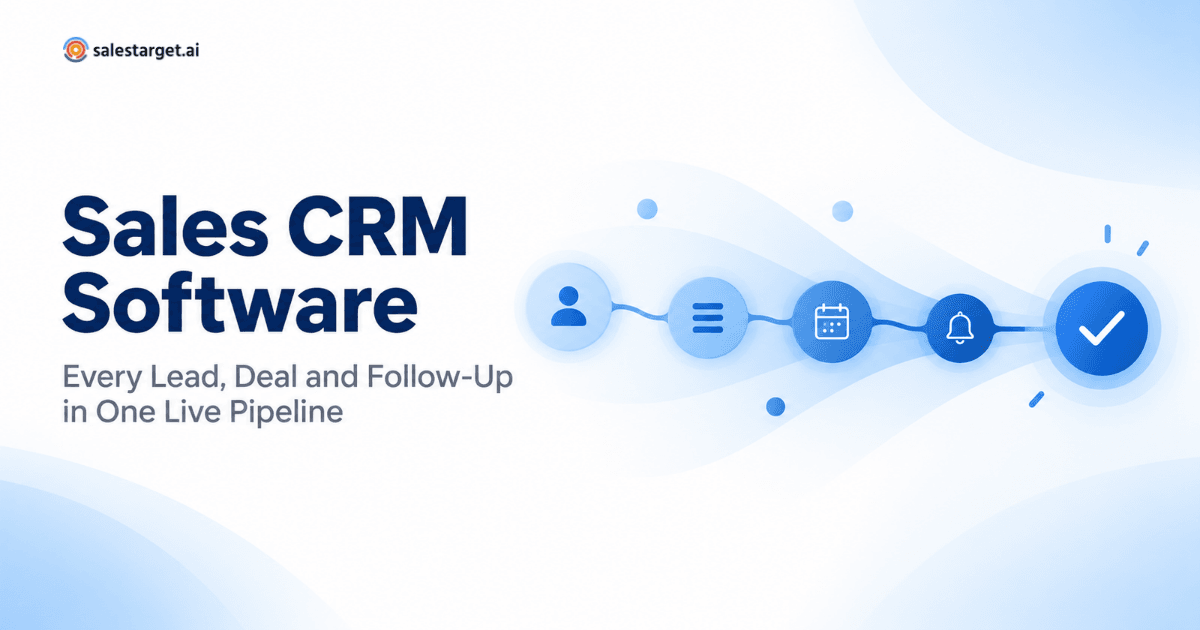
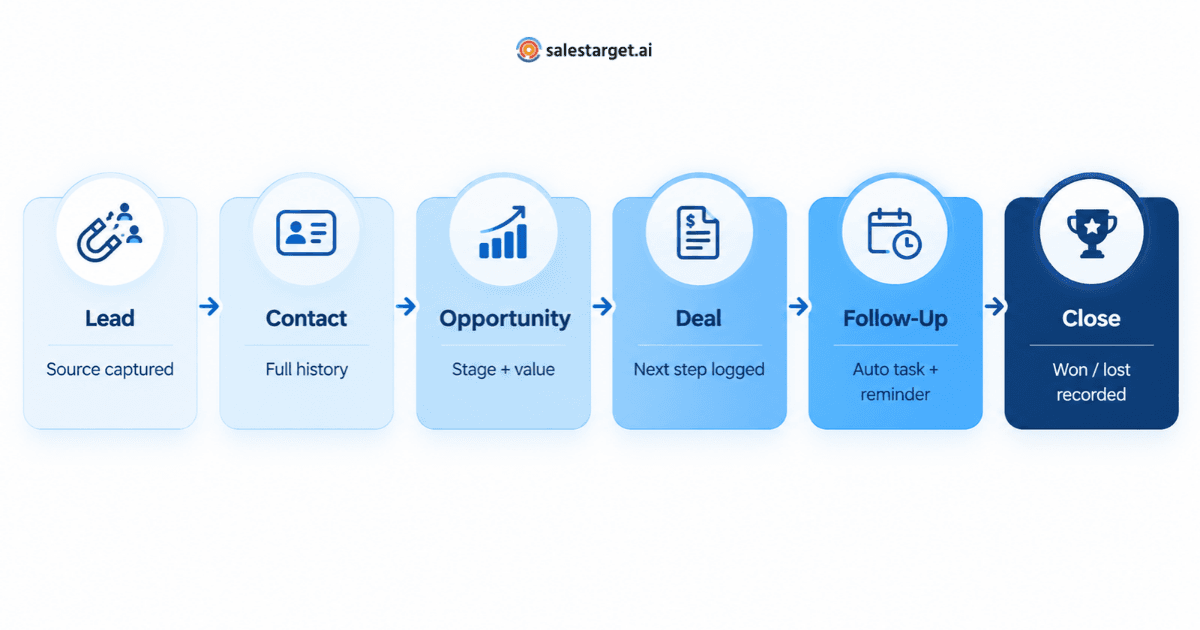
The clearest way to understand CRM software for sales is to follow one buyer through it: lead → contact → opportunity → deal → follow-up → close. At each step, the CRM should capture one thing that makes the next step easier.
Lead and Contact Management
A lead arrives from a campaign reply, a form or a referral. The CRM creates a record, notes the source and attaches what's known about the person and company. Once the lead engages, it becomes a contact with a shared history. For smaller teams, this foundation matters most; this guide to what small sales teams need from a contact management CRM covers it in depth.
Pipeline and Deal Management
When there's real buying interest, the rep opens an opportunity and moves it through defined stages, such as discovery, demo, proposal and negotiation. Clear exit criteria keep stages consistent across reps, and the pipeline view shows where value is stuck.
Follow-Ups and Sales Activities
Every email, call and meeting should land on the record automatically. That keeps the next action visible, and a deal without one stands out.
Reporting and Sales Visibility
Reports turn activity into answers. How many deals moved this week? Who has overdue tasks? When data is captured as work happens, managers read the answer instead of asking for it.
What to Look for in CRM Software for Sales
Feature lists blur together quickly. A better test is whether each capability removes work or adds it.
- Contact and lead management: Is a buyer's full history on one screen?
- Pipeline and deal tracking: Can you customize stages and see time spent in each?
- Tasks and follow-ups: Are tasks triggered by events, like a reply or a finished meeting?
- Automation: Does it log emails and update records on its own?
- Reporting: Can managers answer pipeline questions without exporting data?
- Integrations: Does it connect to email, calendar and your existing tools?
- Data quality: Does it catch duplicates and bad contact details?
- Usability: Will reps open it daily without being told to?
Usability is the one teams underweight most. A CRM reps avoid is an expensive address book.
How AI Is Changing the Sales Team CRM
AI in a CRM is most useful on narrow, repetitive judgment calls:
- Prioritizing prospects by engagement, fit and buying signals.
- Summarizing an account before a call: recent emails, open questions, stakeholders.
- Flagging deal risk when a buyer goes quiet or no next step is logged.
- Drafting follow-ups that a rep reviews before sending.
An AI CRM shouldn't replace a rep's judgment. Its job is to hand back hours lost to admin.
CRM for B2B Sales: What Makes It Different?
B2B deals are slower, bigger and involve more people. Gartner's research on the B2B buying journey describes purchases as nonlinear, with buying groups looping back through tasks like requirements building and validation before they commit.
That shapes what a CRM for B2B sales has to handle:
- Account-level relationships. Contacts roll up to companies, so every stakeholder is visible.
- Longer sales cycles. Consistent follow-up over months matters more than day-one speed.
- Larger deal values. One slipped deal can move the quarter, so forecasts need honest stage data.
- Multiple stakeholders. The CRM should show who is engaged and who has gone silent.
Deal health is where many B2B pipelines quietly break. For a structured way to spot trouble early, see how to build a deal risk scorecard that flags at-risk deals before quarter-end.
How SalesTarget CRM Fits Into a Modern Sales Workflow
SalesTarget CRM is built for outbound teams running email and LinkedIn campaigns who want their CRM to keep pace without manual updates:
- Leads from email campaigns flow in automatically, with source and engagement data attached.
- Email interactions are logged to each lead's timeline as they happen.
- Follow-up tasks are created when a lead replies or a meeting ends.
- The team shares one live pipeline across five modules: Lead Management, Deal Pipeline, Tasks & Follow-Ups, Activity Tracking, and Reports & Analytics.
- It connects with Google Calendar, Google Meet, Calendly, Slack, Zapier, HubSpot and Salesforce.
The CRM also sits beside SalesTarget's own prospecting data. According to SalesTarget.ai, its Lead Explorer covers 840M+ profiles and 96M+ business entities, enriched with 4,000+ intent signals from 50+ sources. Details are on the SalesTarget CRM page.
How to Choose the Right Sales CRM Software
- Define your sales process. List your stages and what moves a deal forward.
- Find the workflow gaps. Where do leads or follow-ups get lost today?
- Check contact and deal management. Check both buyer history and deal path.
- Evaluate automation. Count the manual steps it removes.
- Review reporting. Ask your three most common pipeline questions.
- Check integrations. Email and calendar sync are the minimum.
- Consider scalability. Will it fit at twice your headcount?
- Test usability with real data. Run a week of live deals through a trial.
Sales CRM software earns its place by making the sales workflow visible and repeatable: organized contacts, clear deal stages, reliable follow-ups and a pipeline managers can trust. The best one is the tool your team uses every day.
If your team runs outbound and wants a CRM that updates as conversations happen, see how SalesTarget CRM keeps your pipeline live and your follow-ups on time.