When your sales team is three to ten people, every contact matters. You cannot afford to lose a warm lead because someone forgot to follow up, or because the prospect's phone number was buried in a spreadsheet that nobody updated. Yet that is exactly what happens in most small sales teams that lack a proper system for managing contacts.
The best CRM for contact management for small sales teams is not the one with the longest feature list or the most complex setup. It is the one that keeps your contacts organized, your follow-ups on track, and your pipeline visible — without requiring a full-time administrator to run it.
This guide breaks down what contact management actually means in a sales CRM, which features matter most for small teams, how to choose the right tool, and the mistakes that trip teams up during selection. Whether you are replacing a spreadsheet or moving off a CRM that never got adopted, this article is designed to help you make a practical, informed decision.
What Is a CRM for Contact Management?
A CRM for contact management is software that stores and organizes every piece of information about the people your sales team interacts with — leads, prospects, existing customers, and past buyers. Instead of scattering contact details across email inboxes, spreadsheets, sticky notes, and memory, a CRM keeps it all in one searchable, structured place.
At its core, a contact management CRM handles:
- Storing contact details such as names, emails, phone numbers, job titles, and company information
- Logging every interaction — emails sent and received, calls made, meetings held, and notes added
- Tracking where each contact sits in your sales process, from first touch to closed deal
- Organizing contacts into segments based on lead status, deal stage, industry, location, or custom tags
- Surfacing follow-up reminders so nothing slips through the cracks
The difference between a standalone contact database and a sales CRM is that the CRM connects contact data to your actual sales activities. It does not just store phone numbers. It shows you who replied to your last outreach campaign, who has a meeting booked, and who has gone cold and needs re-engagement.
Why Small Sales Teams Need Better Contact Management ?
Small sales teams face a specific set of challenges that make organized contact management more important, not less, than it is for large enterprises.
Everyone Wears Multiple Hats
In a small team, the same person who prospects also qualifies leads, runs demos, and closes deals. Without a CRM, context gets lost as reps switch between roles throughout the day. A contact record that captures the full history — every email, call, and note — means the rep does not have to rely on memory to recall what happened with a particular lead two weeks ago.
There Is No Room for Dropped Leads
Large enterprises can absorb a few missed follow-ups across thousands of deals. A small team working fifty to a hundred active contacts cannot. Every lead that goes untouched for a week is potential revenue lost. A CRM with automatic follow-up reminders and task creation eliminates the “I meant to email them back” problem.
Spreadsheets Stop Working Fast
A spreadsheet works when you have twenty contacts and one person managing them. It breaks down as soon as you need to track conversations, assign ownership, filter by deal stage, or see who has not been contacted in the last ten days. Contact management software built for sales teams replaces the spreadsheet with something that scales without becoming a maintenance burden.
Visibility Matters for the Whole Team
When contacts live in individual email inboxes or personal notebooks, nobody else on the team knows what is happening. A shared CRM gives every team member — and the manager — real-time visibility into who owns which contact, what the last interaction was, and which deals are moving forward.
Key CRM Features for Small Sales Teams
Not every CRM feature matters equally for a small sales team. Here are the capabilities that have the most practical impact on how you manage contacts, leads, and deals day to day.
1. Centralized Contact Records
Every contact should have a single, complete record that includes their personal and company details, every email exchanged, call notes, meeting history, and any tags or custom fields your team uses. This is the foundation. If the CRM makes it hard to find or update contact records, everything built on top of it will suffer.
2. Lead and Pipeline Management
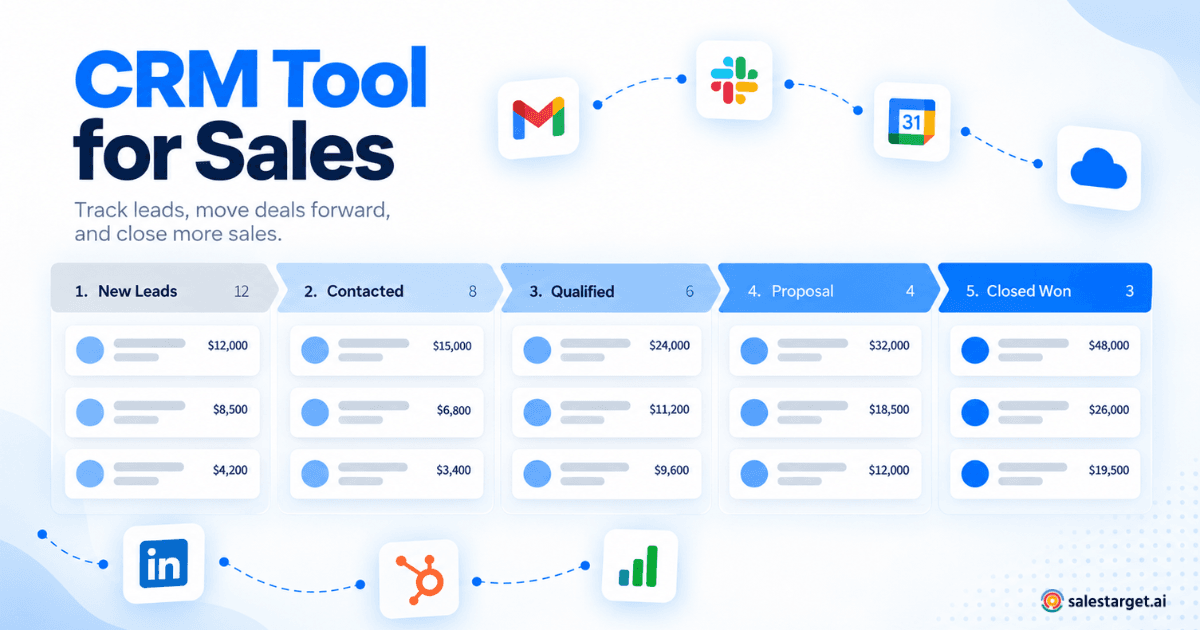
A CRM should let you track leads from first contact through qualification, proposal, negotiation, and close. Visual pipeline views — typically a Kanban-style board with draggable deal cards — give your team an at-a-glance picture of where every opportunity stands. For a deeper comparison of CRM pipeline and lead management capabilities, see this guide to the best CRM software for sales teams.
3. Follow-Up and Task Management
The CRM should create follow-up tasks automatically when specific events happen: a lead replies to an email, a meeting ends, or a deal moves to a new stage. Manual task creation is fine as a supplement, but automated reminders are what prevent leads from going cold.
4. Activity Tracking and Interaction History
Every outbound email, inbound reply, phone call, and meeting should be logged on the contact record automatically. This creates a complete timeline that any team member can review before reaching out to a contact. It also means managers can audit rep activity without asking for status updates.
5. Contact Segmentation and Filtering
You need to slice your contact list by meaningful criteria: lead status, deal stage, industry, geography, last-contacted date, or custom tags. Good segmentation lets you target the right contacts with the right message and identify groups that need attention.
6. Email Integration
Two-way email sync is non-negotiable. Emails sent from and received by your team should appear on the contact record without anyone needing to forward or BCC anything. This keeps the communication history complete and accessible.
7. Reporting and Dashboards
At minimum, your CRM should show you pipeline value by stage, deal conversion rates, rep activity metrics, and upcoming tasks. For a small team, the goal is not complex analytics — it is visibility into what is working and what needs attention.
8. Integrations with Existing Tools
Your CRM needs to connect to the tools your team already uses: email providers, calendar apps, communication platforms like Slack, and any outreach or prospecting tools in your stack. A CRM that exists in isolation creates data silos and extra manual work.
How to Choose the Best CRM for Contact Management
Choosing the right CRM for your small sales team comes down to matching the tool's strengths to your team's actual workflow. Here is a practical framework for evaluating your options.
Start with Your Contact Management Workflow
Before you look at any software, map out how contacts currently move through your sales process. Where do new leads come from? Who qualifies them? How are follow-ups tracked today? What information do your reps need on a contact record to do their job? The answers to these questions define your requirements better than any feature checklist.
Prioritize Usability Over Feature Count
A CRM that your team actually uses every day beats a feature-rich platform that nobody logs into. For small teams without a dedicated CRM administrator, ease of use is the most important selection criterion. Look for tools that require minimal training and can be set up in days, not weeks.
Evaluate Contact and Lead Management Depth
Ask specific questions about each CRM you evaluate:
- Can you store and search contacts with custom fields relevant to your business?
- Does it support lead stages and deal pipeline views?
- Can you assign contacts to specific team members with clear ownership?
- Does it log emails and calls on the contact record automatically?
- Can you segment contacts by lead status, deal stage, or custom tags?
Check Integration Compatibility
List the tools your team already uses — email provider, calendar, communication apps, outreach tools — and verify that the CRM integrates with them natively or through a connector like Zapier. Every tool that does not connect to the CRM is a gap in your contact data.
Assess Automation Capabilities
Look for automation that reduces manual work without overcomplicating your process. Automated follow-up reminders, task creation on deal stage changes, and lead routing rules are valuable. Complex multi-branch workflow builders are often overkill for a small team and add setup time you probably do not have.
Consider Scalability Without Over-Buying
Choose a CRM that can grow with your team from five reps to twenty-five without requiring a complete migration. But do not pay for enterprise features you will not use for the next two years. The right CRM for today is the one that solves your current contact management problems well, with room to add capabilities as you grow.
Test with Real Data
Do not evaluate a CRM with dummy data. Import a sample of your actual contacts and run through your real workflow: create a lead, log a call, move a deal through stages, set a follow-up, and pull a pipeline report. This reveals usability issues that demos and feature lists never show.
Common Contact Management Challenges for Small Sales Teams
Understanding the problems that small teams face with contact management helps you evaluate whether a CRM actually solves them — or just moves the problem to a different tool.
Scattered Contact Data
Contacts live in email inboxes, LinkedIn messages, phone contact lists, spreadsheets, and handwritten notes. No single team member has the full picture on any given contact, and there is no system of record. A CRM fixes this by centralizing everything in one place, but only if the team commits to using it as the primary source of truth.
Inconsistent Follow-Up
Without reminders, follow-ups depend on individual memory and discipline. Some reps follow up reliably; others do not. The result is an inconsistent buyer experience and missed opportunities. Automated task creation and deadline-based alerts solve this at the system level rather than relying on habits.
Poor Data Quality
Outdated phone numbers, wrong email addresses, duplicate records, and incomplete contact profiles make the CRM unreliable. Small teams often lack the time for regular data hygiene. The best approach is to choose a CRM that validates data at the point of entry and flags duplicates on import rather than requiring periodic cleanups.
No Visibility into Team Activity
When managers cannot see what reps are doing — who they are contacting, how frequently, and with what results — coaching becomes guesswork. A CRM with activity tracking and basic reporting gives managers the data to have productive conversations about performance and process.
Overcomplicating the Process
Some teams adopt a CRM and immediately create twenty custom fields, twelve pipeline stages, and a dozen automated workflows. The complexity slows reps down and reduces adoption. Start simple: a clean contact record, a five- to seven-stage pipeline, and automated follow-up reminders. Add complexity only when you have evidence that it is needed.
How SalesTarget CRM Helps Small Sales Teams Manage Contacts ?
SalesTarget CRM is built for outbound sales teams that need their CRM to work alongside their prospecting and outreach workflow — not as a separate system that requires manual data entry.
Here is how it addresses the core contact management needs of small sales teams:
Automatic Lead Capture from Outreach Campaigns
When a lead replies to an email or LinkedIn outreach campaign run through SalesTarget, that lead automatically appears in the CRM with their engagement data already attached. There are no CSV imports, no manual record creation, and no leads sitting in an inbox that nobody checks.
Complete Interaction Timeline
Every email sent, reply received, and call made is logged on the contact's record the moment it happens. Any team member can open a contact record and see the full communication history without asking the assigned rep for context.
Automated Follow-Up Tasks
When a lead replies or a meeting ends, SalesTarget automatically creates a follow-up task assigned to the responsible rep. This removes the gap between “something happened” and “someone acts on it.”
Live Shared Pipeline
The entire team sees the same pipeline in real time. Deal stages update as conversations progress. Managers have full visibility without requesting status updates, and reps can see their own workload at a glance.
Five Focused Modules
SalesTarget organizes its CRM into five modules: Lead Management, Deal Pipeline, Tasks and Follow-Ups, Activity Tracking, and Reports and Analytics. Each module handles a specific part of the sales process without the bloat of features a small team will never use.
Integrations That Connect Your Existing Stack
SalesTarget connects with Google Calendar, Calendly, Slack, Zapier, HubSpot, and Salesforce. Meetings sync, deal alerts reach your team in Slack, and existing contact data comes across cleanly.
Fast Setup
Most teams are up and running within a day. Connect your email account and calendar, and leads from campaigns start flowing into the CRM automatically. There is no developer required and no multi-week onboarding process.
Common Mistakes to Avoid When Choosing a CRM
Picking the wrong CRM — or picking the right one and setting it up badly — can set a small team back months. Here are the most common missteps.
1. Choosing Based on Brand Name Rather Than Fit
The most well-known CRM is not necessarily the best CRM for a small sales team. Enterprise platforms built for organizations with hundreds of reps and dedicated administrators often overwhelm small teams with complexity, long onboarding timelines, and features that never get used. Choose based on whether the tool matches your team's actual workflow and capacity.
2. Ignoring the Adoption Problem
A CRM is only useful if your reps use it consistently. If the interface is clunky, data entry is tedious, or the tool does not integrate with your email and calendar, adoption will be low. Prioritize a CRM that reduces manual work rather than adding to it.
3. Over-Customizing from Day One
Resist the urge to create dozens of custom fields and complex automation workflows before your team has used the CRM for even a month. Start with the default setup, learn what works and what does not, and customize based on real usage patterns.
4. Keeping Prospecting Data Outside the CRM
If your lead data lives in one tool, your outreach in another, and your deals in a third, your CRM only has a partial view of each contact. This is one of the key advantages of a platform like SalesTarget, where prospecting, outreach, and CRM data live together: there is no gap for contacts to fall through.
5. Not Defining Pipeline Stages Clearly
Vague stages like “In Progress” or “Pending” tell you nothing. Each stage should have a clear definition and an exit criterion — a specific action that must happen before a deal moves forward. Keep your pipeline under seven stages to start.
6. Skipping Data Cleanup Before Migration
Importing dirty data into a new CRM guarantees problems from day one. Deduplicate records, verify email addresses, standardize field formats, and remove contacts that are no longer relevant before you migrate. The effort you put in here saves weeks of cleanup later.
When a Simple CRM Beats a Complex One
There is a persistent assumption in sales that more features equal a better CRM. For small teams, the opposite is often true.
A simple CRM that handles contact storage, interaction logging, pipeline tracking, and follow-up reminders well is more valuable than a complex platform with advanced forecasting models, AI-driven lead scoring, territory management, and custom reporting dashboards that nobody on your team has time to configure or maintain.
A simpler CRM is the better choice when:
- Your team has fewer than fifteen reps and no dedicated CRM administrator
- You need to be up and running within days, not months
- Your sales process has a straightforward pipeline with five to seven stages
- Your primary challenge is staying organized and following up consistently, not complex analytics
- You want a tool that reps actually open every day, not one that collects dust after the first week
The best contact management CRM for your team is the one that matches your current level of complexity. You can always add features later. You cannot recover the months lost to poor adoption of an overly complex tool.
The best CRM for contact management for small sales teams is the one that keeps every lead, conversation, and follow-up visible and actionable without burying your team in administrative work. It should centralize your contacts, log interactions automatically, keep your pipeline current, and remind reps to follow up before opportunities go cold.
Avoid the trap of choosing a tool based on how impressive its feature list looks. Choose based on how well it fits the way your team actually sells: how contacts enter your system, how reps work them, how managers track progress, and how quickly the team can get up and running.
If your small sales team runs outbound campaigns and needs a CRM that connects prospecting, outreach, and deal tracking in one place, SalesTarget CRM is worth evaluating. It is designed for teams that want their CRM to do the organizing, so reps can focus on selling.