You pull 2,000 contacts on Monday and load them into a sequence on Tuesday. By Wednesday the bounce report looks ugly, Gmail is throttling your domain, and three SDRs have lost inbox placement. The copy was fine. The list was not.
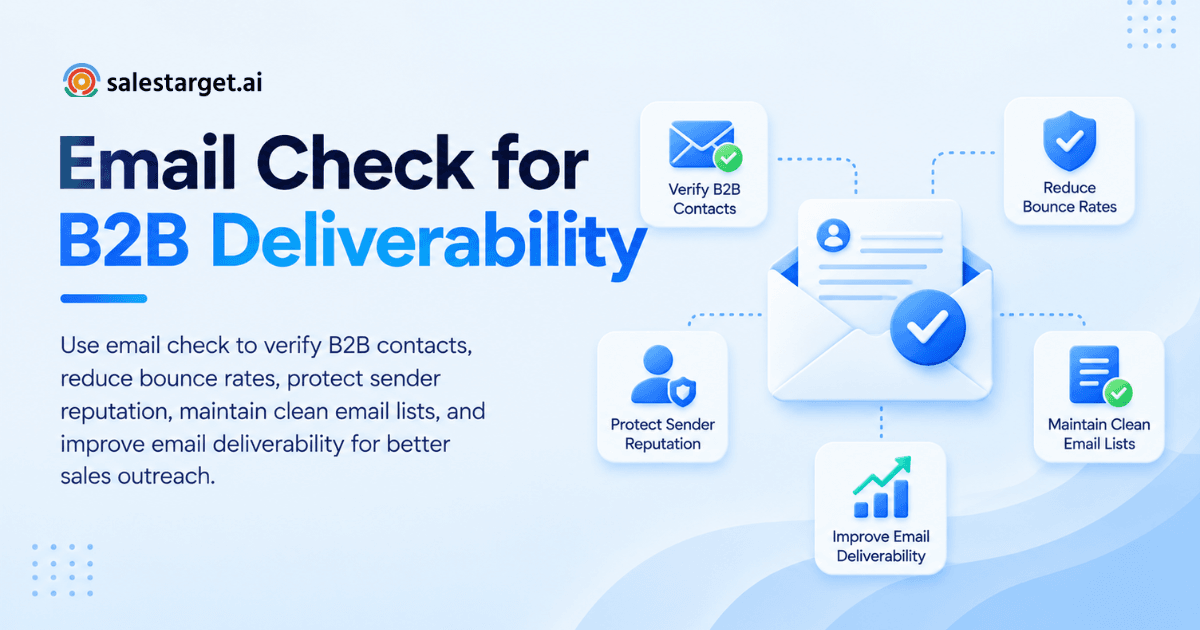
An email check tests whether an address can receive mail before you send anything to it. It reads the address format, confirms the domain exists, finds the mail server, and asks that server whether the mailbox is real. Each contact then gets a label: valid, invalid, risky, or catch-all. Run the check on every list before a campaign, send only to the safe group, and keep your bounce rate under 2% to protect your sender reputation.
High Bounce Rates in B2B Outreach: The Problem Behind Poor Email Deliverability
A high bounce rate means a large share of your emails go to addresses that do not exist or cannot accept mail. Every one of those sends tells inbox providers you do not know who you are writing to.
Invalid contacts, outdated data, and undeliverable addresses
Bounces come from three places: addresses that never existed, addresses that used to work, and addresses that exist but cannot take mail right now.
The first group comes from guessed formats. A rep assumes first.last@company.com and the company actually uses flast@. The second group is job changes and shut-down mailboxes. The third group is full inboxes and misconfigured servers, which show up as soft bounces.
The scale is bigger than most teams think. Growth Hack Suite's roundup of Instantly data puts the average bounce rate at 5.1% and recommends staying under 2% to protect domain reputation. The typical B2B sender is running at more than double the safe level.
Here is the part most guides skip. An address can pass every check and still point at the wrong target. Some companies keep a mailbox live for weeks after someone leaves, so it verifies as valid and reaches nobody who can buy. A check tells you the mailbox works, not that the person still holds the role. Treat it as one signal and pair it with fresh job data.
The impact of bounced emails on sender reputation and sales campaigns
Bounced emails lower your sender reputation, and that reputation decides whether your future emails reach the inbox at all. The damage is shared by every rep sending from the same domain.
Mailbox providers watch several numbers. Google tells bulk senders to keep the user-reported spam rate under 0.1% and to prevent it from ever reaching 0.3%, per its Postmaster Tools documentation. Spam complaints and bounces are separate metrics, but they share a root cause: mailing people who should never have been on the list. On bounces, Amplemarket's cold email benchmarks call under 3% good and under 1.5% best in class.
One rep with a dirty list drags down the shared domain, and replies from live deals start landing in spam. List quality is a pipeline problem before it is a technical one.
Email Check Explained: The Basics of Email Verification
An email check is an automated test that confirms an address is formatted correctly, sits on a live domain, and belongs to a mailbox that accepts mail. It runs without sending a real message.
How email checking works: Syntax, DNS, MX, and SMTP checks
The check runs in four layers, and an address must clear each one.
- Syntax check. The tool looks for a valid format: one @ sign, no spaces, no illegal characters.
- DNS check. The tool confirms the domain exists and resolves. A dead or parked domain fails here.
- MX check. The tool looks up the domain's mail exchange records to confirm it is set up to receive email.
- SMTP check. The tool opens a conversation with the mail server and asks whether the specific mailbox exists, then closes the connection before any message goes out.
The SMTP step is where accuracy is won or lost. Catch-all servers say yes to every address, and some large providers refuse to answer probing requests. Those cases come back as "unknown" or "catch-all," not a clean pass or fail. That is why the label matters more than a simple green tick. For a deeper look at the methods behind each layer, see how email verification techniques improve outreach.
Email check vs. email verification vs. email validation
Most vendors use these three terms interchangeably. A useful working split: validation confirms the format and domain, verification confirms the mailbox, and an email check is the umbrella action of running either or both on an address. When you compare tools, ignore the label on the box and ask one question: does it reach the SMTP layer and return a risk label, or does it stop at syntax?
The Role of Email Check in B2B Sales Performance
Email check protects the three things outbound depends on: sender reputation, database accuracy, and rep time. Skip it and all three erode together.
Protecting sender reputation and improving deliverability
A pre-send email check keeps invalid addresses out of your sequences, which keeps bounces low and your domain in good standing.
SPF, DKIM, DMARC, and inbox warm-up prove you are a legitimate sender. Email check proves your list deserves that legitimacy. SalesTarget.ai handles both sides: Email Outreach runs automatic AI warm-up, inbox rotation, and SPF, DKIM, and DMARC checks, and Salestarget.ai reports that 90% of emails are validated before sending. A clean sending setup with a dirty list still fails.
Keeping prospect databases accurate and ready for outreach
An accurate database is one where every contact carries a recent verification date, not just a verified label.
Treat a verification result like a bank balance: it is true at the moment you read it. A contact checked in March and mailed in October has an old reading. This is why Salestarget.ai verifies contacts at the point of enrichment, the moment you find the lead, instead of relying on whenever the data was first scraped. Keep the check date on the record and set your own expiry for it.
Reducing wasted sends and improving sales team productivity
Every send to a dead address costs a rep the research time behind it, plus the follow-ups queued behind that first email.
A bounced first touch breaks the sequence logic too: the rep thinks the prospect ignored three emails when none arrived, and then makes wrong calls about messaging and ICP fit. Cleaner lists give reps trustworthy reply data. To see the results on your own contacts, you can start free with SalesTarget.ai and run a list through verification before it touches a sequence.
How to Check Business Emails Before Starting an Outreach Campaign
Checking business emails takes five steps: prepare the list, verify it, sort the results, clean your CRM, and watch bounces after you send.
Step 1: Prepare and organize your B2B contact list
Start by making the list checkable. Remove exact duplicates, split names and domains into their own columns, and trim stray spaces. Flag role-based addresses like info@ and sales@, since these reach shared inboxes and carry higher complaint risk than a named person. Keep a column for the data source and the date the contact was added. You will need both in Step 5.
Step 2: Verify email addresses and review validation results
Run the list through a bulk check, and use real-time checking for single contacts as they enter your system.
Do not stop at pass or fail. Read the result label for each contact, since "risky" and "unknown" need different decisions than a plain "invalid." If your tool returns a risk score, sort by it.
Step 3: Separate valid, invalid, risky, and catch-all contacts
Sorting is where most of the deliverability gain happens. Use a simple rule for each bucket.
| Result | What it means | What to do |
|---|---|---|
| Valid | Mailbox confirmed | Send in the main sequence |
| Invalid | Mailbox or domain does not exist | Suppress, never send |
| Risky | Unknown result, full inbox, role account, or low score | Hold, recheck, or send in a small test batch |
| Catch-all | Server accepts every address, so the mailbox is unconfirmed | Send in a slow lane |
Here is a tip most ranking articles skip: give catch-all contacts their own slow lane. Send them from a separate inbox, cap the daily volume low, and start only after your valid contacts have gone out clean. If catch-all addresses bounce, the damage lands on a secondary inbox and not on your main sending reputation.
Step 4: Clean your list and update CRM records
Suppress invalid contacts in your CRM. Do not delete them.
Deleted records get re-imported. A rep exports a fresh list from another source next month, the same dead address comes back, and the cycle repeats. A suppressed record with a status and a check date blocks that loop. Tag every contact with its result and the date of the check so anyone on the team can see how fresh it is. SalesTarget.ai's CRM keeps campaign leads and activity on one timeline, so status changes reach every rep without a manual import.
Step 5: Monitor bounce rates after sending
Send a canary batch first. Pick 50 to 100 valid contacts, send, and read the bounce count the next day.
If bounces sit under 2%, release the rest of the list in stages. If they climb higher, pause and check the source column from Step 1 to find where the bad data came from. Separate hard bounces (address does not exist) from soft bounces (temporary problem). Hard bounces go straight to suppression. Soft bounces get one retry and then the same treatment if they repeat. Growth Hack Suite notes that sustained bounce above 5% typically leads to warnings or sending suspensions within two to three campaign cycles, so the canary batch is cheap insurance.
Email Checker Tools: Features That Matter for B2B Teams
A good email checker reaches the SMTP layer, labels catch-all and risky addresses, and connects to the tools where your contacts live. For a wider comparison, see this list of the best email checker services.
Bulk verification and real-time email checking
You need both modes. Bulk checking cleans an existing list before a campaign. Real-time checking, run through an API, stops bad addresses at the door: a form fill, an import, or an enrichment step. A tool that only offers bulk leaves a gap between cleanings, and that gap is where new bad data enters.
Catch-all detection, disposable email checks, and risk flags
Look for three flags. Catch-all detection tells you when a server accepts everything, so a pass means little. Disposable email detection catches throwaway addresses from temporary inbox services, which rarely turn into real conversations. Risk scoring goes beyond a binary answer and lets you decide how much risk each campaign can carry. A high-value account list can tolerate a stricter threshold than a broad awareness push.
CRM integrations, data security, and pricing
Check three practical points. First, integrations: a checker that cannot push results into your CRM or sequencer forces manual CSV work, and manual work gets skipped. Second, data security: you are uploading prospect data, so confirm how the vendor stores and deletes uploaded lists. Third, the billing model: ask how the tool treats rechecks and "unknown" results, since those decide whether frequent cleaning is realistic for your team.
Why Choose SalesTarget.ai for B2B Prospecting and Email Validation?
SalesTarget.ai puts lead data, email validation, outreach, and a CRM in one workspace, so a contact is found, verified, and contacted without leaving the platform. That removes the handoff where most list-quality problems start.
Lead Explorer for finding and enriching business contacts
Lead Explorer is SalesTarget.ai's AI prospecting engine with built-in enrichment. It searches 840M+ professional profiles and 146M+ business entities, and Salestarget.ai reports 99% verified contact data. One-click enrichment unlocks verified professional email, personal email, phone, and mobile, and buying signals such as funding rounds and hiring spikes help you reach people with a reason to reply. Enriched leads go straight to a sequence or the CRM, with no CSV in between.
Email Validator for MX and SMTP checks
The Email Validator verifies addresses before sending through MX and SMTP checks, disposable-email detection, and risk scoring. It cuts bounces, protects sender reputation, and helps keep domains off blacklists. It offers a real-time verification API and bulk list cleaning, and connects with 60+ platforms including CRMs and email service providers.
Email and LinkedIn outreach in one workflow
Email Outreach builds multi-step sequences from a plain-English audience description and adds unlimited inboxes with AI warm-up and rotation. LinkedIn Outreach automates connection requests, DMs, and follow-ups with built-in safety limits. Both run in one coordinated flow, so a contact who bounces on email can still be reached on LinkedIn with full context.
Built-in CRM and AI Copilot for managing sales activities
Campaign leads land in the CRM automatically, and every email and call is logged to the lead timeline. Follow-up tasks are created when a lead replies or a meeting ends. The AI Copilot is a conversational teammate, free inside the platform, that finds leads, drafts sequences, and answers questions about your CRM deals, meetings, and tasks in plain language.
Common Email Checking Mistakes That Put Deliverability at Risk
Most deliverability damage after an email check comes from what teams do with the results, not from the check itself.
Sending to unknown or risky addresses without reviewing results
An "unknown" result means the mail server refused to answer, not that the address is safe. Sending to everything not marked invalid means mailing addresses nobody confirmed. Hold risky and unknown contacts, recheck them, or send them in a small test batch.
Treating every catch-all email as valid
A catch-all domain accepts mail for any address, including ones that do not exist. A pass on a catch-all is a domain-level answer, not a mailbox-level one. Use the slow lane from Step 3 and judge the group by its own bounce rate.
Relying on email checks alone to reach the inbox
A clean list gets you through the first gate. It does not fix missing authentication, a cold domain, high volume from a new inbox, or weak targeting that drives spam complaints. Google's guidance to keep complaints under 0.1% applies no matter how clean your bounce numbers look. Treat the check as one control among several.
Ignoring list decay and domain sending practices
Lists age, and a list that was clean in spring is a risk by autumn. Sending practices matter as much: mailing hard from your primary company domain puts your normal business email at risk. Use separate sending domains for outbound, warm them up, and keep volume steady.
Maintaining Email List Hygiene: A Routine for B2B Sales Teams
List hygiene is a repeating process with three parts: check new contacts on entry, recheck old ones before big sends, and track the numbers that show trouble early.
Checking new contacts before adding them to campaigns
Set one rule: no contact enters a sequence without a check date on the record. Real-time verification at import or enrichment makes this automatic. If you want to build that rule into your workflow, you can try SalesTarget.ai free and let verification run at the moment a lead is found.
Revalidating older records before major outreach
Recheck any list that has sat idle before it goes into a new campaign, and do it before the send, not after the first bounce report. Prioritize contacts with the oldest check dates and those from your weakest data sources.
Tracking bounce rate, invalid contacts, and delivery trends
Track three numbers: bounce rate per campaign, invalid share per data source, and inbox placement over time. The second one is the most useful and the least tracked. If one source produces twice the invalid rate of the others, you have a supplier problem, and no amount of cleaning fixes it at the root. Aim to stay under 2% bounce on every send, and review the trend monthly.
Conclusion: Making Email Check Part of Your B2B Outreach Workflow
The problem you started with was a good campaign sunk by a bad list. The fix is a habit: check every contact when it enters your system, sort results into valid, risky, and catch-all groups, suppress the dead addresses, and watch bounces on a small batch before you scale.
SalesTarget.ai makes that habit the default. Lead Explorer finds and enriches contacts, the Email Validator checks them with MX and SMTP tests, Email Outreach and LinkedIn Outreach contact them across channels, and the CRM tracks what happens next. One platform, no handoff where bad data slips in.
Ready to send to a list you can trust? Start with SalesTarget.ai and run your next campaign on verified contacts.