A rep sends 80 connection requests on a Tuesday morning. Twelve people accept. Three reply. One turns into a call. That's a normal week for outbound teams running LinkedIn by hand, and it's the math that burns reps out and makes sales leaders question the channel altogether.
The fix isn't sending more messages. It's building a system that handles the repetitive work at scale, even as a person still shows up where it counts.
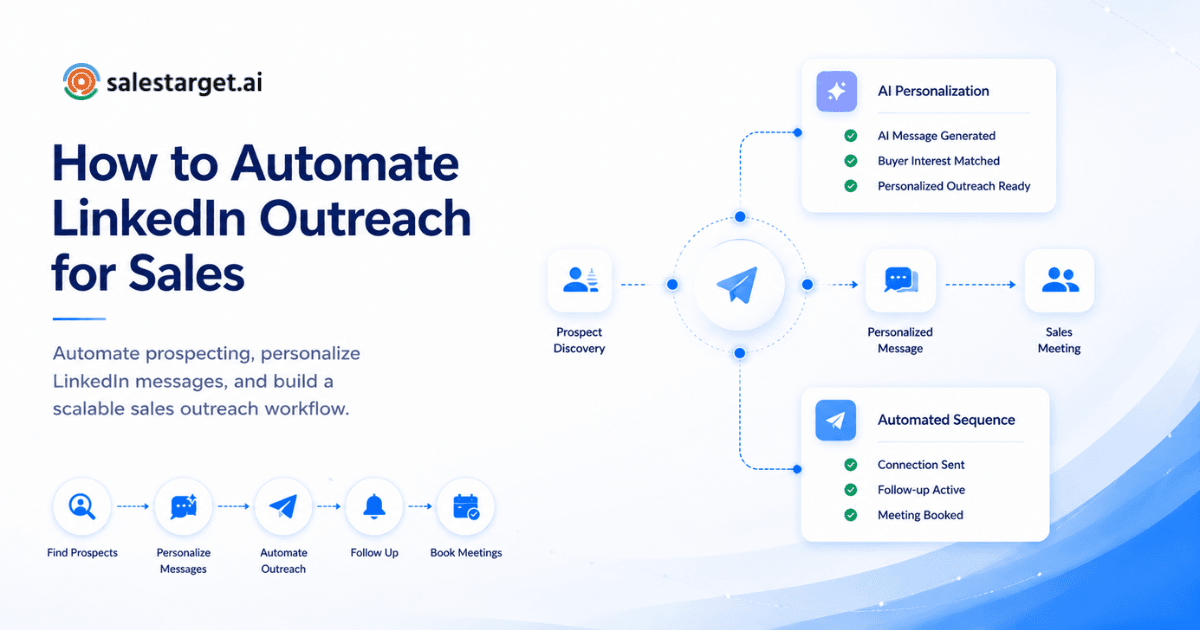
That's the direct answer. You automate LinkedIn outreach without losing personalization by splitting the work into two layers. One handles list building, scheduling, and sequencing through software. The other feeds it real data about each prospect, their role, company, and what they're doing now, so every message reads like it was written for one person, not a thousand. SalesTarget.ai pulls that data automatically and slots it into templates, so the automation looks human and runs on current, verified information.
That's the short version. The rest of this piece covers how the mechanics work, what breaks when teams skip steps, and how to build a sequence that holds up under LinkedIn's current rate limits.
The Personalization Paradox: Why B2B Sales Teams Struggle to Scale LinkedIn Outreach
Every sales leader wants two things that pull against each other. They want reach, and they want messages that feel personal. Software scales reach. A real person writing every line scales personalization. Most teams end up weak at both, picking one tool and stretching it past its limits.
Reps who write every message by hand cap out around 20 to 30 quality touches a day. Past that point, messages turn short, generic, and easy to spot as boilerplate.
Teams that go all in on volume tools hit a different wall. Connection acceptance rates across LinkedIn sit near 28.5%, with message reply rates around 10.4%, per Expandi's 2026 benchmark report, built from more than 13 million connection requests sent over a year. The same report shows wide swings by industry, with Staffing & Recruiting accepting at 36.5% and Computer Software landing in the lower half on reply metrics, even with 14% of all platform volume.
The paradox resolves once teams stop treating automation and personalization as a tradeoff. The right setup uses automation to gather and structure prospect data, then uses that data to drive personalization at the moment of sending. The message still goes out through software. It just stops being generic.
What Does LinkedIn Outreach Automation Actually Do?
Here's the short answer. It handles the repetitive mechanics, connection requests, follow-ups, and engagement actions, on a schedule, and pulls in prospect data so each message still sounds written for one person.
The mechanics of automated LinkedIn prospecting
A typical setup pulls a target list from a database, checks each profile against your ideal customer criteria, then queues connection requests and follow-ups on a timed sequence. Stronger setups add an engagement step first, a profile view or a post reaction, before the request lands.
How personalization works within automation
The software pulls structured fields, name, company, role, recent activity, into a template. Better systems pull unstructured signals too, a job change, a funding announcement, a shared connection, then build a line of copy around that signal. That's the gap between "Hi {first_name}, I saw you work at {company}" and a message that names the real reason you're reaching out.
The difference between batch-and-send tools and true AI personalization
Batch-and-send tools fill in blanks. True AI personalization reads the prospect's profile and recent activity, then writes a sentence that responds to it. The first scales fast and reads thin. The second holds up under scrutiny, since the content changes person to person.
Why Automating LinkedIn Outreach Matters to Your Revenue Goals?
Here's the short answer. Automation buys back rep time, lets a small team run sequences that used to need a bigger headcount, and lifts response rates when personalization stays intact. That compresses the time between first touch and closed deal.
Time savings: how much time your team actually reclaims
Manual prospecting eats hours before a rep sends one message. Researching a company, finding the contact, writing a custom note, that loop runs 15 to 20 minutes per prospect. Automate the research and template layer and the loop drops to a couple of minutes. SalesTarget.ai's CRM users report saving roughly 6 hours per rep per week from automated logging alone.
Scale without hiring: running sequences that reach 10x more prospects
A rep managing LinkedIn outreach by hand tops out around 100 to 150 touches a week. The same rep, backed by automated sequencing and a clean enriched list, can run sequences against 1,000 or more prospects in the same window without adding headcount. Software handles sequencing and timing, leaving the rep free for replies and qualification.
Response rates and conversion lift when done right
The lift doesn't come from LinkedIn as a channel alone. It comes from pairing automated delivery with real personalization. A short personalized note on a connection request lifts reply rates to 9.36%, against 5.44% with no message, per a joint Belkins and Expandi study covering more than 20 million outreach attempts.
Pipeline velocity and deal cycle compression
Faster, better-targeted first touches mean fewer dead ends in the pipeline. Reps spend less time chasing prospects who were never going to reply and more time in qualified conversations. Outreach that connects straight into a CRM helps deals move faster, since nothing sits in a notes app waiting to get logged. SalesTarget.ai customers see deal cycles run 3.2 times faster once outreach and follow-ups live in one system.
How to Set Up LinkedIn Outreach Automation Without Sounding Like a Bot?
Here's the short answer. Build a clean target list, layer in real research, write templates around variables instead of generic copy, add blocks that adapt to prospect data, space sends to match human pacing, then watch results and adjust weekly.
Step 1: Build clean, intent-driven target lists
Bad lists are the most common reason automated outreach fails. A list pulled from stale data, outdated titles, or accounts outside your ICP tanks every metric downstream. Start with firmographic and role filters, then layer in intent signals, hiring spikes, funding events, leadership changes. Lead Explorer builds these lists from 840M+ verified profiles and 4,000+ intent signals, with a 30 to 90 day lookback on buying events.
Step 2: Layer in account and contact research
Past the basic filters, pull in detail that makes a message specific, recent posts, job changes, company news, shared connections. Most teams skip this since it takes time by hand. Automated enrichment pulls it at the point you find the lead instead of relying on data scraped months earlier.
Step 3: Write base templates with personalization variables
A good template reads fine before any variable gets filled in. It states a clear reason for reaching out, names something specific to the prospect's role or industry, and asks for a small, easy next step. Skip templates that only work with a name slotted in.
Step 4: Add dynamic content blocks that respond to prospect data
This is where automation stops looking automated. Instead of one static template, build conditional blocks. If the company raised funding recently, the message references that. If the prospect changed roles, a different block triggers. SalesTarget.ai's LinkedIn Outreach module runs these as conditional sequences that branch on what the prospect did.
Step 5: Space out sends to mimic human pacing
LinkedIn flags accounts that send in obvious bursts. Smart scheduling spreads sends across the day with randomized gaps, matching how a real person would work through a list. Skipping this step gets accounts restricted fast, killing the sequence no matter the copy quality.
Step 6: Monitor engagement and iterate
Connection acceptance, reply rate, and qualified reply rate tell three different stories. Strong acceptance with weak replies points to a targeting problem dressed up as a copy problem. Review these numbers weekly before running the same broken sequence another month.
Key Features to Look for in a LinkedIn Outreach Automation Tool
Here's the short answer. Prioritize AI-driven personalization, multi-channel sequencing, a unified inbox, deliverability and profile safety controls, CRM integration, and built-in A/B testing. A gap in any area shows up as a specific failure later.
AI-powered message personalization
Look for a tool that pulls live profile and company data into message generation, not just merge fields. The gap between mail-merge and real AI personalization shows up directly in reply rates once a list passes a few hundred prospects.
Multi-channel sequencing (LinkedIn + email)
Prospects don't live on one channel. A sequence that moves from a LinkedIn touch to an email follow-up, or runs both in parallel, catches people where they're paying attention. LinkedIn-only tools force a manual handoff to email, exactly the busywork automation should remove.
Unified inbox and response tracking
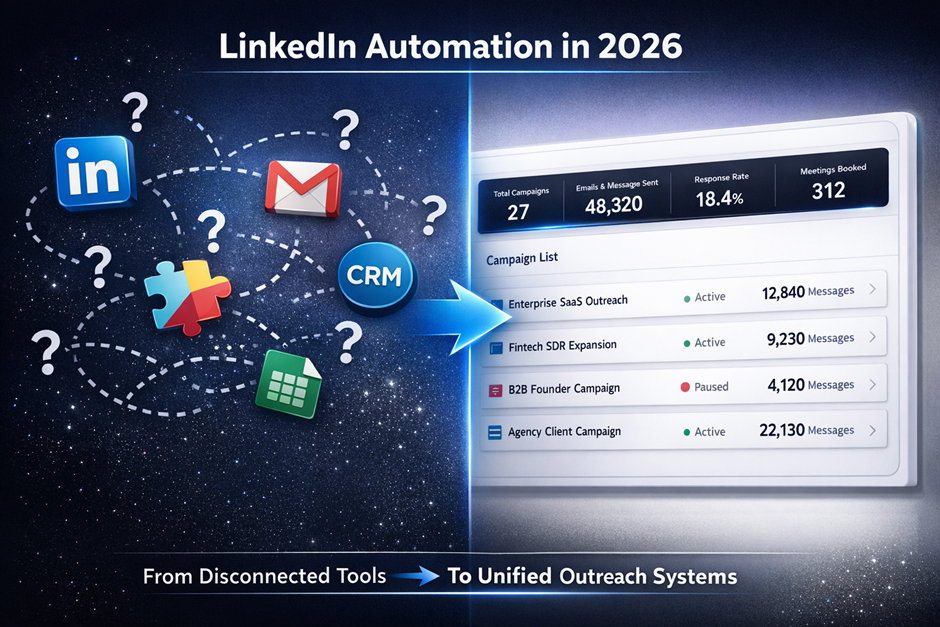
When replies are spread across LinkedIn, email, and CRM systems, they’re easy to overlook or respond to too late. A unified inbox that pulls every reply into one place and sorts by intent keeps response time fast, and slow replies kill leads.
Built-in deliverability and profile verification
LinkedIn automation without rate-limit awareness gets accounts restricted or banned. Built-in safety limits, human-like delays, daily caps, randomized timing, keep an account from getting cut short mid-campaign.
CRM integration and deal logging
Outreach that doesn't connect to a CRM creates a second job, logging replies and moving deals forward by hand. With native CRM integration, a response can automatically create a task and move a deal to the next stage, so reps do not need to switch between tabs.
A/B testing and performance analytics
Without testing, teams guess at why a sequence underperforms. A tool that splits variants and reports reply rates by segment turns that guess into a clear answer about which structure works best.
Why Choose SalesTarget.ai?
Here's the short answer. SalesTarget.ai combines verified lead data, AI-driven LinkedIn and email personalization, and a built-in CRM in one workspace, so outbound teams stop stitching together separate tools for data, outreach, deliverability, and pipeline tracking.
AI-powered personalization that reads like a real person wrote it
The platform pulls live signals, role, company, recent activity, into message generation automatically, so sequences read specific instead of generic.
840M+ verified profiles with 4,000+ intent signals for accurate targeting
Lead Explorer draws from 840M+ verified professional profiles and 146M+ business entities across 50+ data sources, with 4,000+ intent signals that flag accounts showing real buying behavior now, not months ago.
LinkedIn and email outreach in a single workflow
A prospect found in Lead Explorer moves straight into a combined LinkedIn and email sequence through the LinkedIn Outreach and Email Outreach modules, so a team isn't exporting lists between tools to run one campaign.
Email validation and deliverability checks that reduce bounces
The Email Validator runs MX and SMTP checks plus disposable-email detection before a contact gets added to a sequence, with around 90% of emails validated before sending.
Built-in CRM with auto-logged calls and AI-driven notes
The CRM logs every email and call to the lead timeline, and the built-in AI dialer captures call notes without a rep typing them out.
One bill replaces your prospecting stack
Teams running separate tools for data, email, LinkedIn, validation, and CRM end up paying five vendors for what one connected platform handles. SalesTarget.ai is a direct alternative to Apollo, Instantly, and Woodpecker.
Common LinkedIn Automation Mistakes That Tank Response Rates
Here's the short answer. Most failed LinkedIn automation traces back to bad list quality, generic messaging, ignoring rate limits, slow replies to inbound interest, no visibility into what's driving deals, or running a sequence too long without changing it.
Automating without a clean prospect list
Automation makes a bad list worse, faster. Sending the same volume of messages to outdated or mistargeted contacts burns through connection requests and speeds up account flags without producing replies.
Sending the same message to everyone, regardless of industry or role
A message tuned for an SDR doesn't land the same way with a VP of Sales or a founder. Segment templates by role and industry, since one flat message averages down across every segment it touches.
Ignoring LinkedIn's rate limits and getting accounts flagged
LinkedIn tightened outbound limits hard in late 2025, cutting Open InMail sends from a practical ceiling near 800 a month to under 100 for many accounts, an 87% drop overnight, per Salesmotion's analysis. The platform now rewards relevance over reach, and pushing past safe daily limits gets accounts restricted for days.
Forgetting to respond fast to inbound messages
Automation handles outbound well, but inbound replies still need a fast human response. A prospect who waits two days for an answer cools off, and that delay shows up as lost meetings.
Losing visibility into which touches actually drove deals
Teams running LinkedIn, email, and calls separately lose track of which channel moved a deal forward. Without a shared timeline, credit goes to whichever channel sent the last message before close, skewing budget decisions.
Running sequences for too long without pivoting
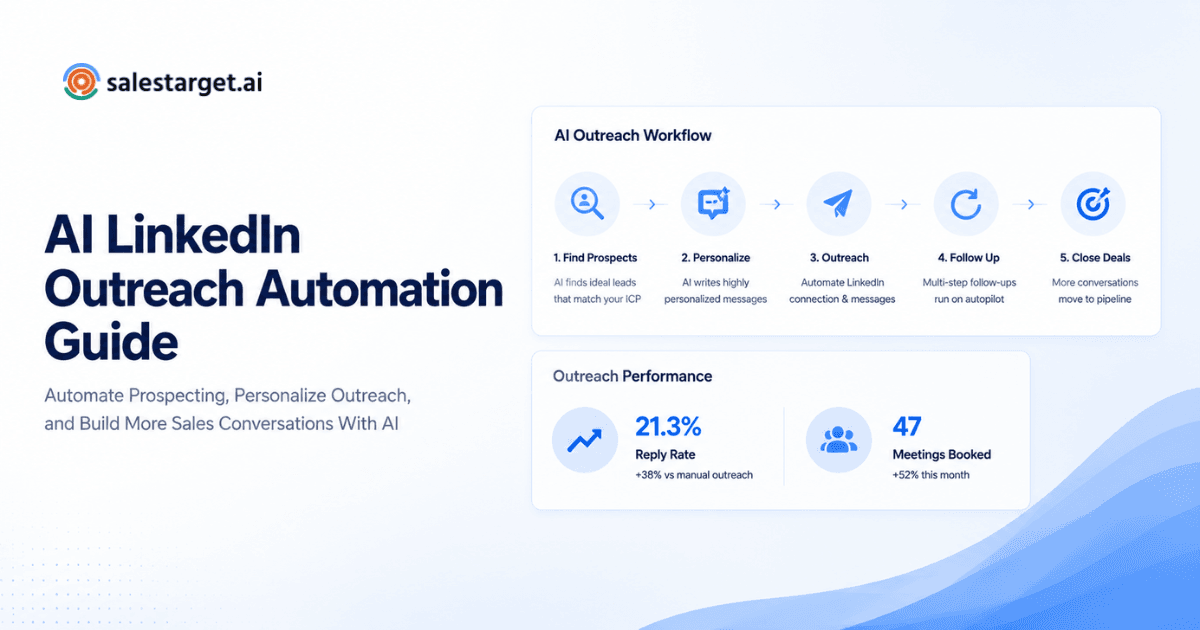
A sequence that isn't working after the first two or three touches rarely turns around on touch six. Teams that let sequences run on autopilot for months end up wasting send volume on messaging that has already proven ineffective. For more, see how to use LinkedIn outreach automation and the AI LinkedIn outreach automation guide.
Get Started: Automating LinkedIn Outreach the Right Way
The team sending 80 manual connection requests a week and the team flagged for spamming a generic template are stuck on the same problem. Both picked one side of the automation versus personalization tradeoff instead of a system built for both.
The fix is a workflow where verified data feeds real personalization, sequencing respects LinkedIn's current limits, and every reply lands in one place. SalesTarget.ai runs that workflow end to end, from finding the right contact in Lead Explorer to running a coordinated LinkedIn and email sequence to logging the deal in CRM once a reply turns into a conversation.
See how it works on your own list and run your next outbound sequence without choosing between scale and sounding like yourself.