TL;DR
- Inserting a first name and company into a template is not personalisation. It's mail merge. Prospects know the difference.
- Real personalisation references something specific to this prospect — their recent post, their company's situation, the signal that put them on your list.
- AI personalisation at scale means every prospect gets a message that reads as individually written — without you spending 10 minutes per contact on manual research.
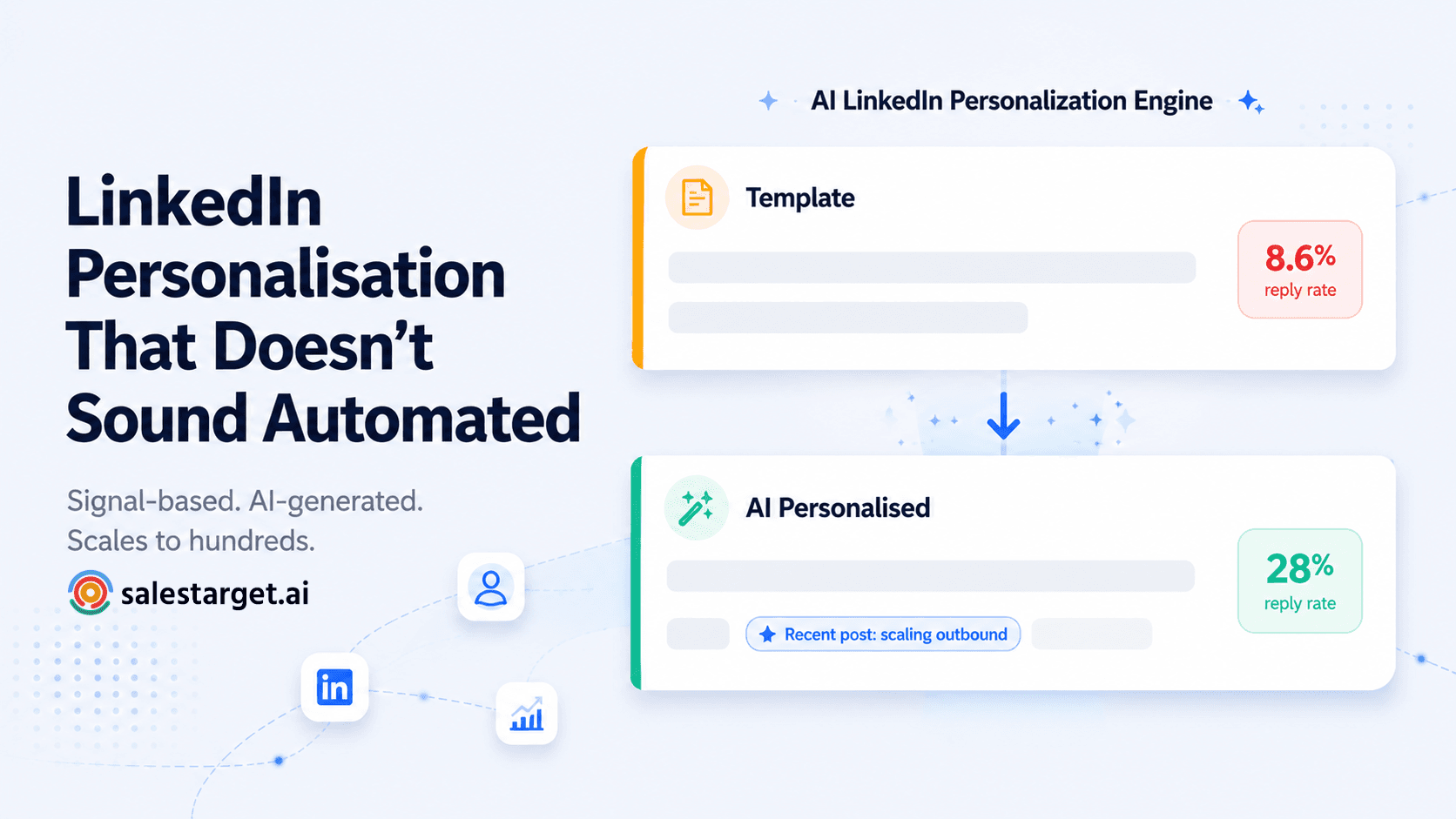
- Non-personalised LinkedIn templates average an 8.6% reply rate. AI-personalised outreach regularly hits 20–30%.
- SalesTarget's AI LinkedIn Personalization generates contextually relevant messages per prospect at the point of send — no manual research required.
You've been told to personalise your LinkedIn messages. You already know that. The problem isn't knowing — it's doing it for 200 prospects a week without spending every available hour on research. That's the gap AI closes, when it's used correctly.
The Personalisation Problem at Scale
Here's the tension every SDR running LinkedIn outreach hits: personalisation improves reply rates, but personalisation takes time. If you're running a targeted campaign of 200 prospects per week and spending five minutes researching each one, that's 17 hours of research before you've typed a single message. Most teams don't have that time — so they default to templates. And templates at scale get ignored.
The result is a false binary that plays out across outbound teams everywhere: either you personalise manually and cap your volume, or you run volume with generic templates and accept a low reply rate. Neither option is actually acceptable when you're trying to build meaningful pipeline from LinkedIn.
AI solves this — but only if you understand what AI personalisation actually means versus what most teams assume it means.
📊 The Personalisation Gap — What the Data Shows
- 8.6% average reply rate for non-personalised LinkedIn templates — Medium HR Resources Research
- 61% higher response rate for AI-generated first messages (4.19%) vs non-AI messages (2.60%) — Laxis LinkedIn Outreach Research 2026
- 3–4x higher response rates from AI-enriched personalisation that merges data intelligence with natural language generation — Tapistro B2B Research
- 94% of marketers state that personalisation boosts sales — HubSpot State of Marketing Report 2024
What LinkedIn Message Personalisation Actually Means
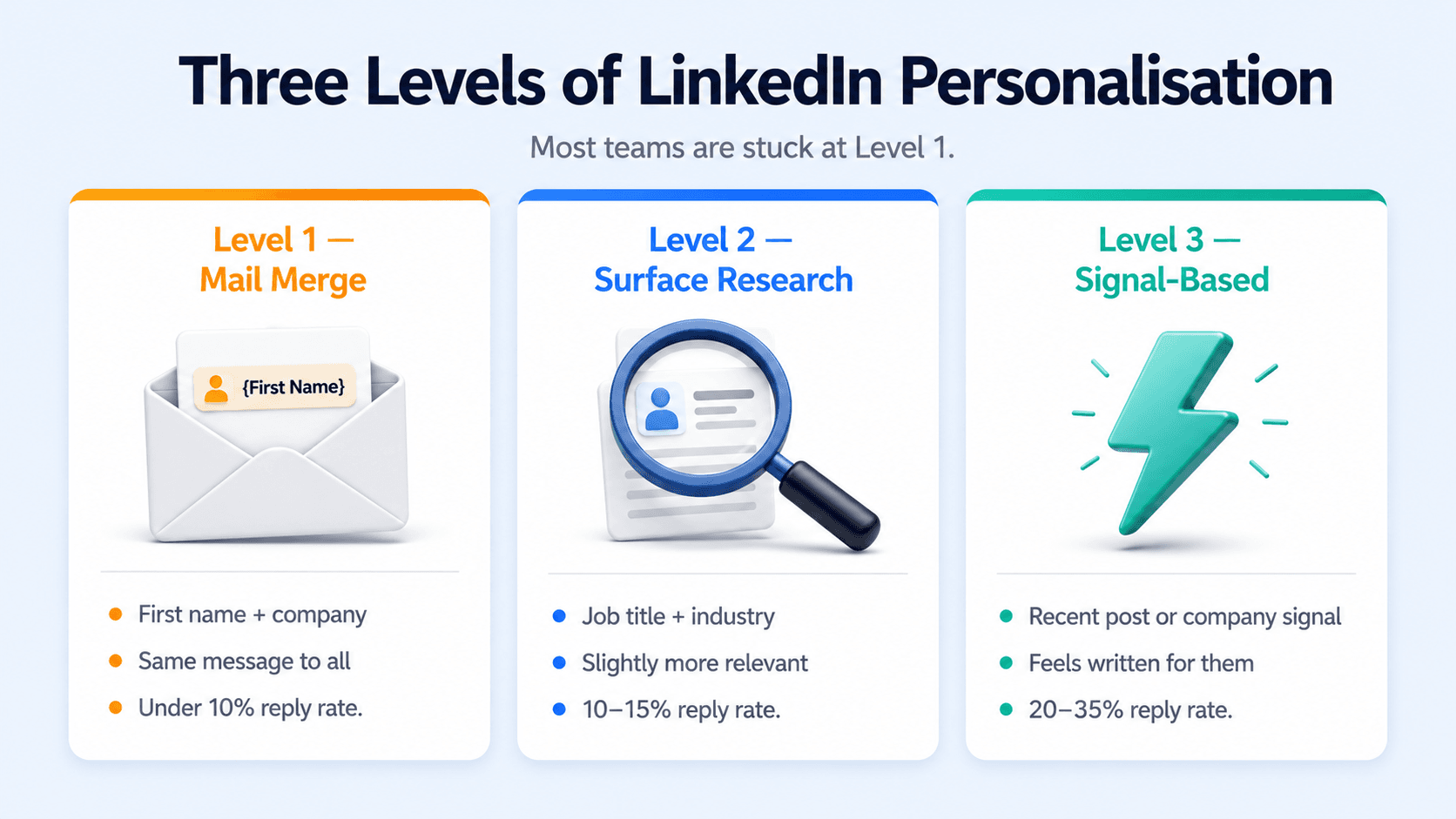
There are three levels of LinkedIn message personalisation. Most teams are stuck at level one. The ones getting 25–30% reply rates are operating at level three.
| Level | What it looks like | How prospects read it | Typical reply rate |
|---|---|---|---|
| Level 1 — Mail merge | "Hi [First Name], I see you work at [Company]…" | Mass-sent. Ignore. | Under 10% |
| Level 2 — Surface research | "I saw you're the Head of Sales at [Company] in [Industry]…" | Slightly more relevant, still feels templated | 10–15% |
| Level 3 — Signal-based | References a specific post, hiring signal, funding round, or recent activity | Feels written for them. Prompts a reply. | 20–35% |
The difference between level two and level three is not effort — it's the source of the personalisation. Level two uses static profile data (job title, company, industry) that you could pull for anyone. Level three uses live signals: what the prospect posted about last week, what's changed at their company, what put them on your list in the first place. That signal is what makes the message feel like it was written specifically for them.
What AI LinkedIn Personalisation Actually Does (and Doesn't Do)
The word "AI" gets used loosely in LinkedIn outreach tools. Most tools calling themselves AI-personalised are doing something closer to level one with a fancier variable system — pulling first name, company, and industry from a database and inserting them into a template. The output still reads like a template.
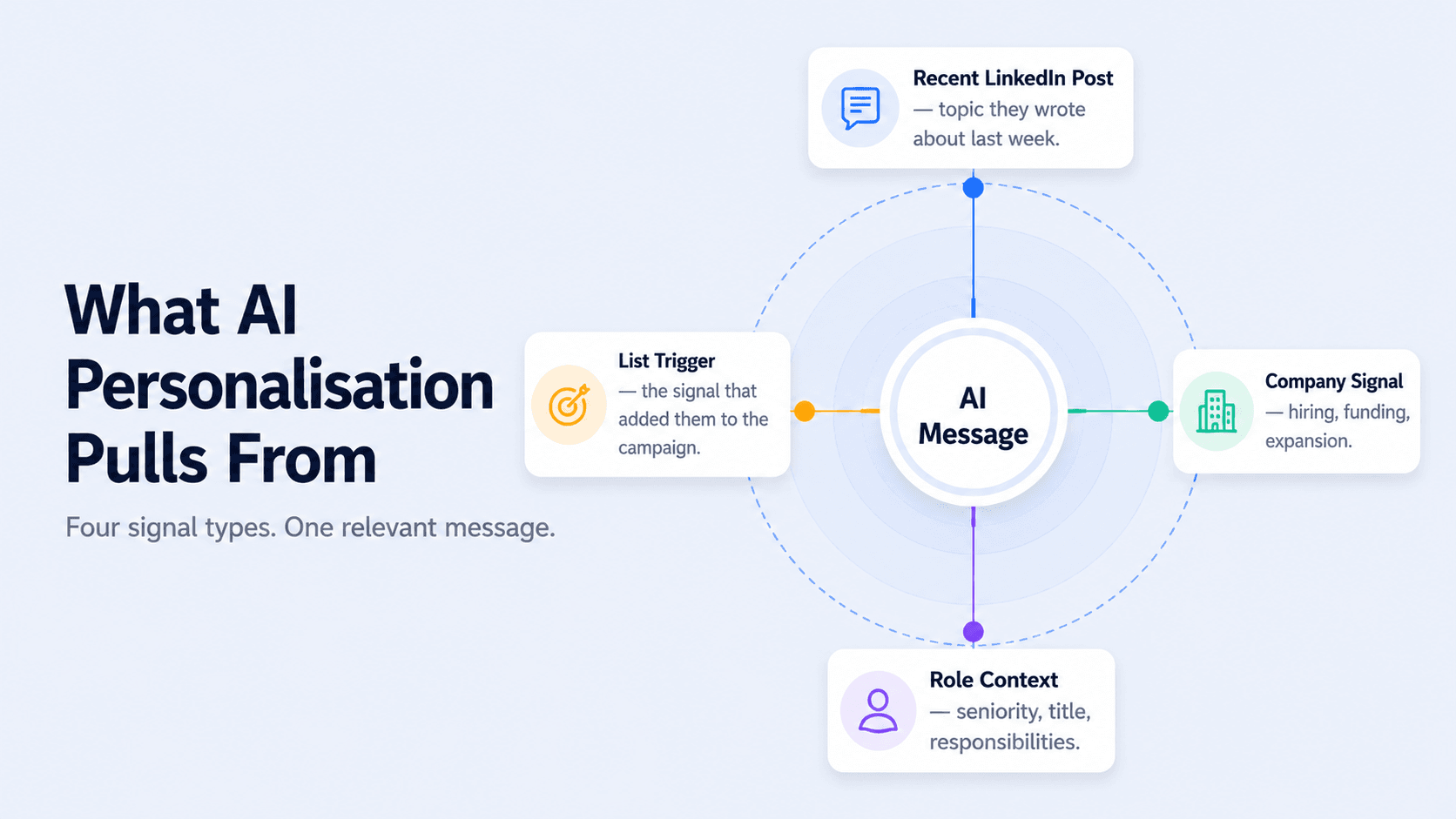
Genuine AI personalisation works differently. It pulls from a prospect's live context — their recent LinkedIn activity, their company's current situation, the role they're in, the signal that triggered their inclusion in your campaign — and generates a message that reflects that context. The prospect receives something that reads as though you spent five minutes on their profile before writing, even when you're running a campaign of hundreds.
Template vs AI Personalisation — The Difference in Practice
Side by side
Template version: "Hi Sarah, I noticed you're the VP of Sales at Acme Corp — we help sales leaders like you improve their outbound pipeline. Would love to connect."
AI personalised version: "Hi Sarah — saw your post last week about the challenge of scaling outbound without burning your SDR team out. That's exactly the problem we work on. Curious whether it's a LinkedIn or email issue specifically, or both?"
The template describes the prospect's role. The AI-personalised version references what they actually said, publicly, in the last seven days. One of these gets ignored. The other gets a reply.
SalesTarget's AI LinkedIn Personalization operates at this level — pulling from each prospect's profile activity and company signals to generate a contextually relevant message at the point of send, across every prospect in your campaign simultaneously.
The Signals AI Uses to Personalise LinkedIn Messages
Good AI personalisation is only as strong as the signals it draws from. The higher the signal quality, the more relevant the output. Here's what the most effective AI personalisation systems pull from — and why each signal matters:
Recent LinkedIn Activity
A prospect who published a post last week about a specific pain point has told you, publicly, what's on their mind. That's a better conversation opener than anything you could write from scratch. AI that pulls recent post topics and uses them to frame the outreach creates an immediate relevance that static data simply can't replicate. It also signals that you paid attention — which is the fastest way to earn goodwill in a cold message.
Company Signals
Recent funding, active hiring for specific roles, new product launches, geographic expansion — these are signals that something has changed at the company, which means priorities have shifted and new conversations are more likely to be timely. A message that references a recent funding round or a specific role the company is hiring for reads as current and considered, not generic. SalesTarget's Lead Explorer surfaces these signals so you're working from live data rather than a static list.
Role and Seniority Context
A VP of Sales and a Sales Development Manager have different priorities, different pain points, and different tolerances for sales messaging. AI that adjusts tone, depth of ask, and framing based on seniority level produces messages that feel appropriate for who's reading them — not a one-size-fits-all opener that neither person finds compelling.
The Trigger That Added Them to Your List
If a prospect is on your list because their company just announced a hiring push, the first message should reference that — not bury it under generic positioning. The trigger is often the most powerful personalisation signal available, because it's the actual reason you reached out. Using it makes the outreach feel logical and well-timed rather than random.
Use the trigger as your opener
Personalisation tip
Research from Sales Navigator shows outreach tied to a recent trigger event produces 32% higher response rates compared to unprompted cold outreach. The trigger doesn't have to be dramatic — a new hire, a LinkedIn post, a product launch announcement. The point is that something specific happened recently that gives you a genuine reason to reach out at this moment. Lead with that, and the rest of the message becomes much easier to write.
How to Personalise LinkedIn Messages at Scale — The Practical System
Here's how an AI-powered personalisation workflow actually runs inside a live LinkedIn campaign:
1. Build a signal-enriched list. Start with a filtered prospect list from Sales Navigator — job title, seniority, company size, industry. Then layer in live signals: companies hiring for specific roles, prospects who've posted recently about relevant topics, accounts that have had a funding round or leadership change. The richer the signal data, the better the AI output at the personalisation stage.
2. Set your personalisation parameters. Define what the AI should pull from — recent post topics, company news, role context, hiring signals. The cleaner the input parameters, the more consistent the output quality across the campaign. Vague inputs produce vague personalisation. Specific signals produce specific, relevant messages.
3. Generate and review — don't send blind. AI-generated personalisation should be reviewed before sending, especially for high-value prospects. The AI handles the research and the first draft. You confirm it reads naturally and makes sense for that specific person before the campaign fires. This keeps the human judgment in the loop without the manual research overhead.
4. Let the sequence carry the personalisation through. Personalisation shouldn't be a one-message event. Each step in your sequence should carry a relevant thread — the follow-up should reference the same signal or topic that opened the conversation, not reset to a generic template. SalesTarget's LinkedIn Campaigns and Sequence Builder keeps the prospect's context across every step of the sequence so follow-up messages stay relevant rather than feeling disconnected.
5. Time it correctly. Personalisation in the right message sent at the wrong time still underperforms. LinkedIn Smart Scheduling ensures your AI-personalised messages arrive during the active hours when your prospects are actually on the platform — not at an off-peak time that buries the message before it's seen.
What Not to Personalise — and When AI Gets It Wrong
Not everything is a good personalisation signal. Over-personalisation — referencing too many specific details in a single message, or pulling signals that feel invasive rather than observant — can backfire and make the message feel surveillance-like rather than considered.
The over-personalisation trap
Watch for this
"Hi Sarah — I saw you recently started a new role, noticed your company just raised a Series B, spotted you commented on three posts about outbound strategy last month, and saw that you're currently hiring five SDRs…" That's not personalisation — it's surveillance. One well-chosen signal per message is the right amount. More than two signals in a single opener starts to feel uncomfortable rather than relevant.
The other failure mode is AI that generates personalisation that's technically accurate but tonally wrong. A message that references a prospect's recent post in a way that sounds like a marketing pitch rather than a genuine observation reads as inauthentic — and prospects with well-developed spam filters will notice. Review AI output for tone, not just accuracy. Does it sound like something a person would actually say? If not, edit it before sending.
Signs your AI personalisation isn't working
Check for these
- The personalised line could be removed and the message would read the same — it's decorative, not functional
- The message opens with excessive flattery that clearly precedes a pitch: "I've been really impressed by your work on…"
- The AI has referenced something from their profile that's years old, not a recent signal
- The tone is formal and polished in a way that sounds generated — not conversational
How SalesTarget's AI Personalisation Works Inside a Campaign
SalesTarget's AI LinkedIn Personalization is built directly into the campaign layer — it's not a separate tool you run before importing a list. When you build a campaign in SalesTarget, the AI pulls from each prospect's profile signals and company context at the point of send, generating a personalised version of each message in your sequence for each individual prospect.
This means the personalisation scales with your campaign automatically. A 50-prospect campaign and a 500-prospect campaign get the same quality of personalisation per message — the AI handles the research and generation at volume while you focus on reviewing the output and managing the conversations that come back.
Combined with LinkedIn Safety and Compliance limits that keep your account clean while the campaign runs, and Smart Scheduling that delivers personalised messages during active hours, the result is a campaign that sounds human at every touchpoint — and runs at a scale that would be impossible manually.
For teams building their full LinkedIn campaign from the ground up — ICP, list, sequence, personalisation, safety, and analytics — the step-by-step LinkedIn outreach campaign guide covers the complete build process.
Stop sending templates. Start sending messages that actually get replies.
SalesTarget's AI personalises every LinkedIn message in your campaign at the point of send — no manual research, no generic openers.
✓ 50 credits ✓ 7-day trial ✓ No credit card required
Frequently Asked Questions

See It In Action: Book Your Free Demo
Get a personalized walkthrough and see how it works for your team.
Book My Demo →



