Your SDRs spent Monday copying names from LinkedIn into a sheet. By Wednesday, half the connection requests sat unanswered, follow-ups slipped, and nobody could say who had messaged whom.
To automate LinkedIn outreach, define an ideal customer profile, build a verified prospect list, send personalized connection requests, and run conditional follow-ups that stop the moment someone replies. A person reviews the messages, and every action logs to a CRM. SalesTarget.ai runs this in one workspace: Lead Explorer finds the contacts, LinkedIn Outreach and Email Outreach reach them, and the built-in CRM tracks the deal.
Here is how to build that system without burning your account.
Why Manual LinkedIn Prospecting Fails to Generate Consistent B2B Sales Opportunities
Manual prospecting fails because it depends on rep time and memory, and both run out.
The Time SDRs and BDRs Spend Finding and Qualifying Decision-Makers
Tab-switching, profile checks, and copy-pasting eat hours before a single message goes out.
How Generic Connection Requests Reduce Prospect Engagement
A request that could go to anyone gets ignored by everyone. Senior buyers judge relevance in a second.
Why Inconsistent Follow-Ups Create Gaps in the Sales Pipeline
Follow-ups happen when a rep remembers. Pipeline gaps show up in the weeks the team gets busy.
The Challenge of Managing Multiple Prospecting Campaigns Across Sales Teams
Two reps can message one account from different campaigns, and nobody sees the overlap until the prospect complains.
LinkedIn Outreach Automation: Meaning, Core Components, and How It Works
LinkedIn outreach automation uses software to prepare prospecting, invitations, messages, and follow-ups from rules you set. Software handles repetition. People handle conversations.
What LinkedIn Outreach Automation Includes in a B2B Sales Workflow
List building, invitation drafts, message sequences, reply routing, and reporting, all tied to one campaign.
LinkedIn Prospecting, Connection Requests, and Message Preparation
The tool pulls profile and company data, drafts the invitation note, and queues the first message for after acceptance.
Automated Follow-Up Planning and Conditional Campaign Workflows
Branches send different next steps for accepted, ignored, and replied invitations.
The Role of AI in Prospect Research and Sales Message Personalization
AI reads role, industry, and company details to draft a relevant opener. It speeds up research, not judgment.
Manual LinkedIn Outreach vs. Assisted Automation vs. Authorized Integrations
Manual means a rep does every step. Assisted automation drafts and schedules while a rep approves. Authorized integrations use methods LinkedIn permits, which is the lowest-risk tier.
Business Benefits of LinkedIn Outreach Automation for B2B Sales Teams
Automation gives reps their selling time back and keeps every prospect on a steady schedule.
Reduce Repetitive Prospecting and Administrative Work
Reps stop copying data and start talking to interested buyers. SalesTarget.ai's CRM reports about 6 hours saved per rep each week.
Reach Relevant Decision-Makers Across Target Accounts
Filters for title, seniority, and company size put the right people in front of each campaign.
Maintain Consistent Communication Throughout the Sales Cycle
Every accepted connection gets the same follow-up timing, whoever is busy that week.
Improve Prospect Segmentation and Campaign Relevance
Tighter segments let you write one message per buyer problem instead of one for everybody.
Increase Visibility Into Qualified Leads and Sales Pipeline Performance
One pipeline view shows who replied, who booked, and which campaign produced them.
How to Build a B2B LinkedIn Outreach Strategy That Generates Qualified Leads
A LinkedIn outreach strategy starts with who you sell to, then the problem you solve, then what you say. Our guide on how to automate LinkedIn outreach covers the full setup.
Define Your Ideal Customer Profile, Buyer Personas, and Target Accounts
Write down industry, size, region, and the trigger that makes a company buy. The ICP Builder turns that into a saved search.
Identify Decision-Makers Using Job Titles, Seniority, Industry, and Company Size
Combine title, seniority, department, and size. Titles alone miss buyers whose roles carry different names.
Build and Enrich Prospect Lists With Relevant Business Data
Enrich at the moment you find the lead, so contact data is current, not scraped months ago. Lead Explorer searches 840M+ verified professional profiles and 146M+ business entities.
Segment Prospects by Industry, Buying Intent, and Sales Readiness
A prospect researching your category this month deserves a different message than a cold match.
Research Prospect Profiles Before Starting Outreach
Spend two minutes on recent posts, role changes, and company news. Use one real detail per message.
Develop Campaign Messaging Around Buyer Problems and Business Priorities
Lead with the problem the buyer owns, not your feature list.
Establish Outreach Goals, Qualification Criteria, and Campaign Ownership
Set a meetings target, define what counts as qualified, and name one owner per campaign.
How to Create LinkedIn Outreach Campaigns From Prospect Discovery to Follow-Up
A campaign runs in seven steps, from a clean list to a measured result. For the platform setup behind each step, read our step-by-step automation guide.
Step 1: Prepare Qualified Prospect Lists for Each Campaign
Load one segment per campaign, and verify emails first so your email fallback works.
Step 2: Write Personalized LinkedIn Connection Requests
Keep the note short, name one specific reason, and skip the pitch.
Step 3: Create Relevant First Messages After Connection Acceptance
Send it a day after acceptance, not instantly. Thank them and ask one question tied to their role.
Step 4: Develop Follow-Up Messages Based on Prospect Engagement
Branch by behavior: accepted, viewed, or replied each triggers a different next message.
Step 5: Set Follow-Up Reminders and Conditional Workflow Triggers
Remind reps about warm prospects, and pause automation on any reply.
Step 6: Assign Sales Representatives to Manage Interested Prospects
Route interested replies to a named rep within hours, not days.
Step 7: Review Campaign Performance and Refine Messaging
Review acceptance and reply rates weekly, and change one variable at a time. Ready to run your first segment? Start free with SalesTarget.ai.
AI-Powered LinkedIn Outreach: Personalization, Prospect Research, and Message Creation
AI drafts messages from prospect and company data, and a person approves them before sending.
How AI Uses Prospect and Company Information to Prepare Relevant Messages
It reads title, industry, company size, and recent events, then writes an opener tied to them.
Personalizing Connection Requests for Different Buyer Personas
A VP of Sales worries about pipeline coverage. A founder worries about time. Build each request around that worry.
Writing LinkedIn Direct Messages Based on Industry and Business Challenges
Name a challenge common in that industry, then ask a question instead of pitching.
Using Buying Signals and Company Events to Improve Outreach Relevance
Funding rounds, hiring spikes, leadership changes, and Bombora Intent Topics give you a reason to write now. Lead Explorer surfaces them on a 30 to 90 day lookback.
Creating Different Message Variations for Founders, Sales Leaders, and Executives
Founders want brevity, sales leaders want results, executives want strategic fit. Keep three templates, not one.
Human Review of AI-Generated Messages Before Sending
Read every first message in a new campaign, then sample every twentieth. You catch awkward phrasing before prospects do.
LinkedIn Follow-Up Automation and Campaign Sequencing for Better Prospect Engagement
Good follow-up is a short sequence that reacts to what the prospect does and stops when a human should step in.
Building a LinkedIn Follow-Up Sequence From Initial Connection to Sales Meeting
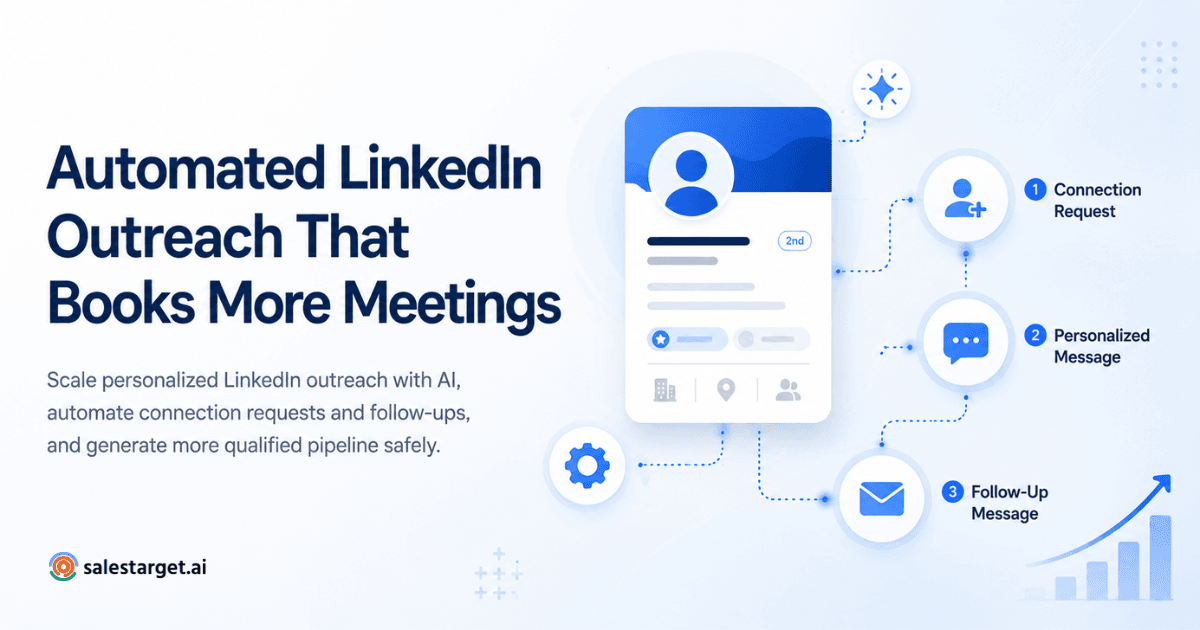
Connect, wait a day, send a value message, follow up once or twice with a new angle, then ask for the meeting.
Timing Follow-Up Messages Around Prospect Activity and Responses
Space messages a few days apart and send during the prospect's working hours. Timezone-aware scheduling handles this.
Using Conditional Workflows for Accepted, Ignored, and Replied Invitations
Accepted starts the message path. Ignored triggers a reminder or email touch. Replied stops everything.
Creating Different Follow-Up Paths for Interested and Unresponsive Prospects
Interested prospects get meeting options. Silent ones get a lighter value touch, then a pause.
Identifying When to Stop Automated Follow-Up and Start a Personal Conversation
Pause on any reply and write the next message yourself. Automation that talks over a live conversation burns trust.
Measuring Follow-Up Performance Across Different Buyer Segments
Compare reply and meeting rates by segment. A weak segment points to targeting, not copy.
Multichannel LinkedIn and Email Outreach Automation for B2B Lead Generation
Multichannel outreach pairs LinkedIn with email so a prospect meets you in two places with one story.
Why LinkedIn and Email Work Together in B2B Prospecting
A prospect who ignores an invite may answer an email. Two touches read as diligence, not noise.
Building Coordinated Email and LinkedIn Sequences for Target Accounts
Send the invite first, then email on day three if it sits unanswered. SalesTarget.ai keeps both in one flow so context carries over.
Combining LinkedIn Conversations With Personalized Cold Email
Mention the LinkedIn connection in the email and keep the offer the same on both channels.
Using Email Verification to Improve Contact Data Quality
Verify before you send. MX and SMTP checks cut the bounces that damage sender reputation. The Email Validator flags disposable addresses and scores risk too.
Managing Prospect Replies and Conversations Across Multiple Channels
Email replies land in Unibox, sorted as Interested, Follow-Up, or Not a Fit, with owners assigned.
Connecting Multichannel Outreach Activities With CRM Records
Campaign leads land in the built-in CRM automatically, with every activity logged to the lead timeline. Run both channels from one sequence in SalesTarget.ai and skip the manual sync.
LinkedIn Automation Tools: Features, Capabilities, and Evaluation Criteria for Sales Teams
Judge a tool on data, messaging, follow-up logic, channel coverage, CRM, reporting, and room to grow.
LinkedIn Prospecting and Lead List Management
Can it find, filter, and enrich leads, or do you import CSVs?
Connection Request and Messaging Workflow Support
Look for templates, variables, scheduling, and working-hour limits.
AI-Based Message Drafting and Personalization
Check that AI uses real profile data and lets you edit before anything sends.
Follow-Up Planning and Conditional Sequence Management
Branching on acceptance, reply, and silence should be built in.
Multichannel Email and LinkedIn Outreach Capabilities
Email and LinkedIn in one sequence beats two tools with two schedules.
CRM Integration, Contact Enrichment, and Unified Inbox
A native CRM removes the sync step where data gets lost.
Campaign Analytics, Team Reporting, and Performance Tracking
Reports should show acceptance, reply, meeting, and pipeline by rep and campaign.
Pricing Models, User Limits, Integrations, and Scalability
Compare seat limits, sender limits, and integrations, and ask what is bundled versus bolted on as the team grows.
LinkedIn Outreach Software Comparison: How to Evaluate Competing Sales Platforms
Compare platforms by what they cover beyond LinkedIn, how they run, and who they serve. Check each vendor's own site for current limits.
LinkedIn-Only Automation Tools vs. Multichannel Sales Engagement Platforms
LinkedIn-only tools do one job. Multichannel platforms add email, data, and CRM, which removes handoffs.
Cloud-Based and Browser-Based Automation: Key Differences
Cloud tools run on the vendor's servers. Browser-based tools run in your browser and tie activity to your device.
LinkedIn Sales Navigator vs. Third-Party Prospecting Software
Sales Navigator is LinkedIn's own search and lead-tracking product. Third-party tools add sequencing, enrichment, and multichannel steps.
Comparing Expandi, Dripify, Waalaxy, HeyReach, and La Growth Machine
SalesTarget.ai combines lead data, LinkedIn, email, phone, and CRM in one platform. Expandi and Dripify focus on cloud-based LinkedIn automation. Waalaxy pairs a browser extension with LinkedIn and email sequences. HeyReach centers on multi-sender campaigns for agencies. La Growth Machine runs multichannel sequences across LinkedIn and email.
LinkedIn Automation Software for SDR Teams, Agencies, and Founders
SDR teams need shared pipelines and ownership rules. Agencies need client separation. Founders need speed and a short setup.
Choosing a Platform Based on Prospecting Needs, Account Controls, and CRM Requirements
Rank your needs, then pick the platform that covers the top two without extra tools.
LinkedIn Account Safety, Platform Policies, and Responsible Outreach Automation
LinkedIn restricts third-party automation, so no tool makes it risk-free. Cut exposure with relevant targeting, low volume, and human review.
LinkedIn's Rules on Unauthorized Automation, Scraping, and Messaging
LinkedIn's Help Center lists scraping and automation software among prohibited tools. Read the current text before you build a process around any tool.
Understanding Connection Invitation Restrictions and Account Warnings
Weekly invitation caps and restriction notices are how LinkedIn signals a problem. Stop activity when you see one.
Why Daily Sending Limits Do Not Guarantee Account Safety
A limit lowers pattern risk but does not make a prohibited action permitted. Treat limits as a floor on caution, not a license.
Using Approved Integrations and Human-Reviewed Outreach Workflows
Prefer methods LinkedIn permits and keep a person approving messages. Our checklist on automating LinkedIn outreach without getting banned goes deeper.
Avoiding Repetitive Messages, Irrelevant Targeting, and Spam Complaints
Vary wording, target relevant roles, and cut lists that draw complaints. SalesTarget.ai applies rate limits, warm-up logic, and auto-pause safeguards, which reduce risk but cannot remove it.
Managing Data Privacy, Prospect Preferences, and Opt-Out Requests
Honor opt-outs fast, keep a suppression list, and follow GDPR and CCPA where they apply.
Measuring LinkedIn Outreach Performance: From Connection Acceptance to Qualified Revenue
Track the funnel from acceptance to revenue, and judge campaigns by meetings and pipeline, not connections.
Connection Acceptance Rate and Invitation Quality
Accepted invites divided by sent invites. Low numbers point to targeting or note quality.
Message Response Rate and Positive Reply Rate
Replies divided by messages sent. Count positive replies separately. Our notes on automating LinkedIn outreach for better response cover what moves this number.
Follow-Up Engagement and Meeting Conversion Rate
Meetings booked divided by interested replies shows how well your follow-up closes.
Marketing Qualified Leads and Sales Qualified Leads From LinkedIn
Tag leads by source so marketing and sales agree on what counts as qualified.
Opportunity Creation and Sales Pipeline Contribution
Track deals created and pipeline value per campaign, not just meetings booked. For the sales side of this, see automating LinkedIn outreach for better sales.
Cost Per Qualified Lead and Revenue Attribution
Divide total outreach spend by qualified leads, then compare it with revenue per source.
Building a LinkedIn Outreach Performance Dashboard for Sales Teams
Show acceptance, reply, meeting, and pipeline by campaign and rep on one screen. The SalesTarget.ai CRM dashboard shows email stats, open deals, meetings, and pending tasks.
Why Choose SalesTarget.ai for LinkedIn Outreach and B2B Sales Automation?
SalesTarget.ai is an all-in-one AI sales intelligence and outbound platform that joins data, outreach, validation, and CRM. Apollo needs add-ons for deliverability and CRM. Instantly, Smartlead, and Lemlist center on cold email.
Find and Enrich Decision-Makers With Lead Explorer's B2B Contact Database
Search in plain English or stack filters, then enrich in one click for verified email and phone. Contact data is 99% verified.
Coordinate AI-Personalized LinkedIn and Email Outreach in One Workflow
LinkedIn Outreach automates connection requests, DMs, and follow-ups with conditional branches and timezone-aware scheduling, in one flow with email.
Verify Prospect Email Addresses With the Built-In Email Validator
MX and SMTP checks, disposable detection, and risk scoring, with a real-time API and bulk list cleaning.
Manage Prospect Conversations and Sales Activities With Built-In CRM
Five modules: Lead Management, Deal Pipeline, Tasks and Follow-Ups, Activity Tracking, and Reports and Analytics. SalesTarget.ai reports 3.2X faster deal cycles and 91% follow-up completion.
Use the Free AI Copilot for Prospect Research and Campaign Preparation
Ask it to find leads, draft sequences, and query deals in plain language. Strategy stays with you.
Replace Disconnected Sales Tools With One Connected AI Sales Platform
One workspace replaces the list tool, sender, verifier, and CRM, plus the sync gaps between them.
Common LinkedIn Outreach Automation Mistakes That Limit B2B Lead Generation Results
These seven errors sink most weak campaigns before the copy gets a fair test.
Targeting Large Prospect Lists Without Defining an Ideal Customer Profile
Volume without targeting raises ignored invites and spam complaints.
Sending Generic Messages Without Relevant Business Context
If a message fits any recipient, it fits none.
Treating Follow-Up Frequency as a Substitute for Message Quality
A fourth nudge will not fix a weak first message.
Depending on Unauthorized Automation to Increase Outreach Volume
Pushing past limits with prohibited tools puts the account that holds your network at risk.
Ignoring Email Deliverability and Contact Data Accuracy
A bounced email fallback ends the multichannel plan. Verify first.
Focusing on Connection Counts Instead of Qualified Sales Opportunities
Thousands of connections mean little without booked meetings.
Failing to Connect LinkedIn Prospecting With CRM and Revenue Reporting
If LinkedIn activity never reaches the CRM, you cannot tie it to revenue.
Building a Scalable LinkedIn Outreach System for Long-Term B2B Revenue Growth
A scalable system connects discovery, outreach, and pipeline, and runs the same process for every rep.
Connect Prospect Discovery, Enrichment, and Outreach Operations
Find, enrich, and verify in one step, then push leads straight into sequences with no CSV.
Establish Consistent Campaign Processes Across SDRs and Sales Teams
Share templates, ownership rules, and stop conditions. One prospect, one sender.
Use Engagement Data to Improve Prospect Segmentation
Move prospects between segments based on replies and clicks, not guesswork.
Connect Sales Conversations With CRM Pipeline Management
Log every reply as deal activity so forecasts reflect real conversations.
Select an Integrated Sales Platform to Support Future Growth
Choose software that adds channels without adding tools.
Turn LinkedIn Outreach Into a Repeatable B2B Lead Generation Process
Manual prospecting leaves gaps: stale lists, generic invites, and follow-ups that depend on memory. A repeatable process fixes each one. Verified data feeds relevant messages, conditional sequences react to replies, and the CRM ties the work to revenue. If you want the lead generation angle in more depth, see automating LinkedIn outreach for B2B lead generation.
SalesTarget.ai puts that whole chain in one place, from Lead Explorer to LinkedIn and email outreach to the built-in CRM. Build your first campaign today at Salestarget.ai.