Your B2B sales reps spend hours manually clicking through LinkedIn profiles, pasting the same templated connection request, and tracking follow-ups in a spreadsheet. Response rates hover near zero. The team misses quota, and morale sinks.
LinkedIn outreach automation solves this by using software to send connection requests, direct messages, and follow-ups at scale. Done correctly, it reclaims hours of selling time and significantly boosts meeting booked rates. Done poorly, it results in restricted accounts and burned bridges.
This guide explains how to automate LinkedIn outreach without sacrificing personalization. We detail the strategies, tools, and best practices that separate top-performing B2B sales teams from those sending generic spam.
Why LinkedIn Outreach Matters for Modern B2B Sales?
LinkedIn is the default operating system for B2B professionals. Buyers are accessible, their job histories are public, and they actively consume industry content. This visibility makes LinkedIn highly effective for targeted prospecting.
Buyers ignore generic cold calls and emails more than ever before. Reaching them where they already network builds trust faster. Engaging on LinkedIn provides context. You can see their recent posts, mutual connections, and career trajectory, giving your reps the exact material they need to start a relevant conversation.
The cost of ignoring LinkedIn is high. A modern outbound pipeline requires a multichannel approach. Relying purely on email or phone leaves significant revenue on the table. Teams must integrate LinkedIn to reach decision-makers effectively.
LinkedIn Outreach Automation: Explained
LinkedIn outreach automation removes the manual repetition from social selling. Instead of a sales rep clicking "Connect" 50 times a day and typing out identical notes, software handles the execution.
Good automation tools execute connection requests, profile views, and follow-up messages based on predetermined rules. They mimic human behavior by pacing out activity and respecting time zones. They do not replace the sales rep; they free the rep to focus on the replies that require actual negotiation and relationship building.
The distinction between good and bad automation lies in context. Spam bots send 500 identical pitches daily. Smart automation tools use conditional logic to branch sequences based on whether a prospect accepts a connection, replies, or ignores the message.
How to Automate LinkedIn Outreach Without Losing Personalization?
Define Your Ideal Customer Profile Before Automating
Automation multiplies your current strategy. If your targeting is poor, automation just sends bad messages faster. Defining a precise Ideal Customer Profile (ICP) is the required first step.
Stop targeting broad job titles like "Vice President." Narrow your focus. Target "Vice Presidents of Sales at SaaS companies with 50-200 employees who recently raised Series B funding." A tight ICP guarantees your messaging resonates with the specific pains of that audience.
Segment Prospects for More Personalized Outreach
Do not send the exact same sequence to every person on your list. Break your lead list into smaller, highly specific segments.
Group prospects by industry, recent job changes, or specific intent signals. The message you send to a founder hiring a new sales team must differ completely from the message you send to a founder who just launched a new product. Smaller segments allow for highly relevant copy.
Create Personalized LinkedIn Message Templates
Templates scale your outreach. Bad templates sound like a robot wrote them. Good templates leave room for deep customization.
Write templates that focus on the prospect's problem, not your product's features. Start the template by referencing a common industry pain point. Ask a single, low-friction question to prompt a reply. Keep the text under 400 characters, as shorter messages consistently perform better on mobile devices.
Use Dynamic Variables to Customize Every Message
Basic merge tags like "First Name" and "Company Name" are standard. They no longer impress buyers.
Move beyond basic variables. Use advanced dynamic fields to insert context about the prospect's recent LinkedIn post, their competitor, or a mutual connection. Better automation platforms pull these variables dynamically, allowing you to send 100 messages that read as if they were written individually.
Automate Follow-Up Messages Based on Prospect Behaviour
Most prospects will not reply to your first message. The meeting is booked in the follow-up.
Set up conditional sequences. If a prospect connects but stays silent, send a value-add message three days later. If they reply, the automation must pause immediately so a human rep can take over. Branching logic ensures prospects receive the right message based on their actual engagement.
Balance Automation with Genuine Human Engagement
Automation handles the volume; humans handle the nuance. Do not automate every single interaction.
Before your automated sequence sends a connection request, have your reps manually like or comment on a prospect's recent post. This "warming" step makes the eventual automated connection request feel organic. Once a prospect replies, the rep must step in and drive the conversation manually.
Track and Optimize Your LinkedIn Outreach Performance
A sequence is never finished. You must monitor the data to see what works.
Track your connection acceptance rate and your reply rate. If your acceptance rate falls below 20%, your targeting or your initial note is failing. If connection rates are high but replies are low, your follow-up sequence needs a rewrite. Test different subject lines and message angles continuously.
How to Build a LinkedIn Outreach Strategy That Gets More Responses?
Identify and Target the Right Prospects
Finding the right person dictates your response rate more than the message itself.
Use advanced filtering to locate buyers showing active intent. Look for triggers like new funding, hiring sprees, or specific technology installations. Reaching out right after a prospect changes jobs or posts about a specific problem drastically increases the odds they will respond.
Optimize Your LinkedIn Profile Before Outreach
Your profile is your landing page. When you send an automated message, the prospect immediately clicks your name to see who you are.
Make sure your profile looks professional and trustworthy. Use a clear, high-quality headshot. Write a headline that explains the exact problem you solve for clients, rather than just stating your job title. A blank or confusing profile kills trust instantly.
Craft Personalized Connection Request Messages
The connection request has one job: get accepted. Do not pitch your product here.
According to recent industry data, connection requests with a highly relevant, personalized note yield better engagement down the line, but generic notes actually harm acceptance rates. If you cannot find a specific, personalized angle, send the request without a note. If you do include a note, reference a shared group or a piece of content they interacted with.
Create a Multi-Step LinkedIn Follow-Up Sequence
Stop after one message and you waste the connection.
Design a sequence with three to four touchpoints. Space them out over two weeks. Send a short question two days after connecting. Share a relevant case study five days later. Send a brief, polite break-up message on day twelve. Consistency drives responses.
Use Value-Driven Messaging Instead of Sales Pitches
No buyer wants to read a list of your product's features in their inbox.
Lead with value. Share an insight about their industry. Send a link to a resource that helps them do their job better. Frame your message around their pain, not your solution. Buyers reply to people who understand their daily struggles.
Choose the Right Timing and Outreach Frequency
Sending messages at 3:00 AM on a Sunday looks suspicious to both the prospect and LinkedIn's algorithms.
Schedule your outreach to send during the prospect's local working hours. Tuesday through Thursday typically yield the highest response rates. Space your automated actions out randomly throughout the day to mimic human behavior.
Measure Response Rates and Refine Your Strategy
Do not guess what works. Let the numbers dictate your strategy.
Monitor the conversion rate from connection request to booked meeting. A healthy reply rate sits between 10% and 15%. If you fall below that benchmark, pause the campaign. Adjust the messaging, tighten the audience segment, and restart.
LinkedIn Outreach Best Practices for B2B Sales Teams
Target Decision-Makers with Accurate Prospecting
Bad data wastes good automation. Sending a message to someone who left the company six months ago damages your brand.
Use a reliable B2B database to verify employment status before launching a campaign. Ensure you are targeting the exact person holding the budget for your category.
Personalize Every LinkedIn Outreach Message
True personalization goes far beyond the prospect's first name.
McKinsey reports that top-performing B2B sales organizations see up to 40% higher productivity by leveraging deep personalization. Reference their company's recent milestones or comment on a specific initiative they lead. The message must read as if you hand-typed it for them alone.
Follow Up Consistently Without Spamming
There is a fine line between persistence and harassment.
Space your follow-ups appropriately. Sending three messages in two days is spam. Sending three messages over fourteen days is persistent. Always offer an easy out, allowing the prospect to say "no thanks" without feeling pressured.
Use LinkedIn Automation Responsibly
LinkedIn actively monitors for bot behavior. Exceeding their limits puts your account at risk of suspension.
Keep your daily connection requests under 30. Use LinkedIn automation tools that use randomized delays between actions. Never run automation 24 hours a day. Responsible usage protects your account and ensures long-term deliverability.
Track Outreach Metrics to Improve Response Rates
Data tells you exactly where the sequence fails.
If prospects connect but never reply, your first message is the problem. If they reply but say they are not interested, your targeting is off. Adjust the campaign based entirely on these specific drop-off points.
How SalesTarget.ai Helps Automate LinkedIn Outreach and Sales Workflows?
Find and enrich B2B prospects with AI-powered lead data
You cannot automate outreach without a reliable source of leads. SalesTarget.ai provides an all-in-one platform featuring the Lead Explorer, which grants access to 840M+ verified professional profiles and 146M+ business entities. You search in plain English or use advanced filters like intent topics, company size, and recent business events. One-click enrichment instantly unlocks verified professional emails, personal emails, and mobile numbers. You push these enriched leads straight into a sequence without ever touching a CSV file.
Run LinkedIn outreach automation with email sequences in one flow
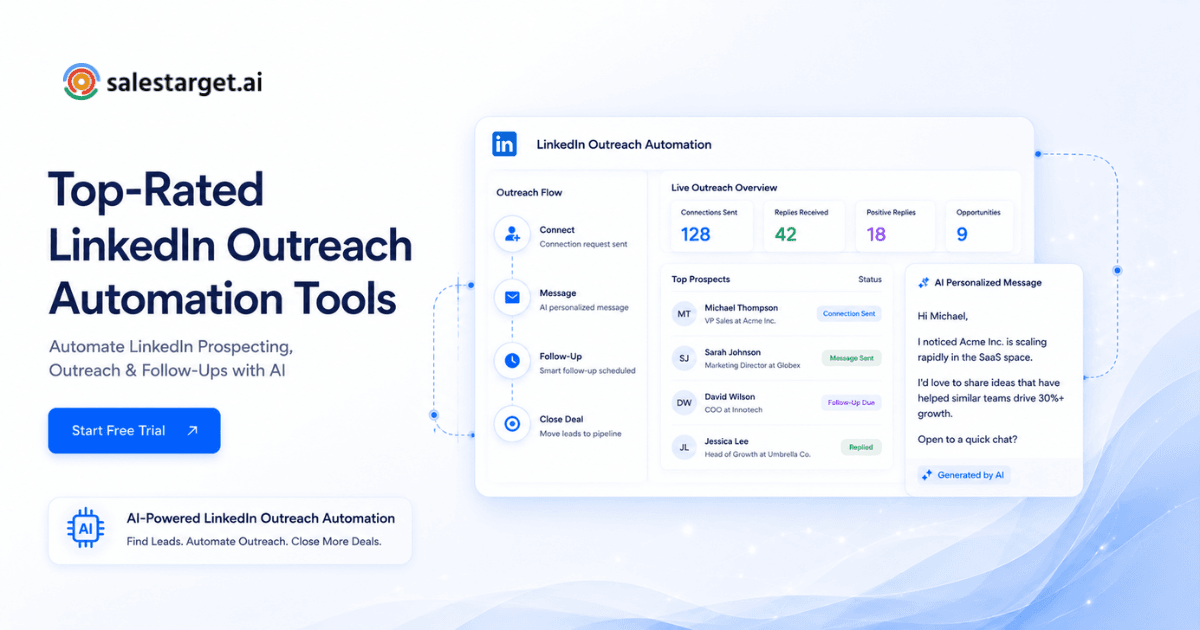
Siloed channels kill response rates. SalesTarget.ai combines email outreach and LinkedIn outreach in a single, coordinated flow. The platform automates connection requests, direct messages, and follow-ups with AI-driven personalization tailored to the prospect's role and industry. Built-in safety limits, warm-up logic, and timezone-aware scheduling protect your account. The multichannel approach means a reply on LinkedIn automatically pauses the email sequence, keeping your outreach perfectly synchronized.
Validate contacts, manage conversations, and track deals in one platform
Bouncing emails ruin your domain reputation, and disconnected CRMs create manual data entry. SalesTarget.ai fixes this with a built-in Email Validator that checks MX/SMTP records in real-time before a sequence sends. When prospects reply, the lightweight built-in CRM auto-logs the conversation to the lead timeline. The system automatically generates follow-up tasks and syncs the deal status, providing a live shared pipeline without the bloat of enterprise systems.
Use AI Copilot to support sales tasks and daily prospecting
Reps spend too much time on admin tasks. The AI Copilot acts as a conversational teammate directly inside the workspace. It searches the database, drafts full personalized email and LinkedIn sequences, and flags at-risk deals. The AI dials prospects via a native dialer and auto-logs call notes straight to the CRM timeline. Gartner expects AI to handle a vast majority of SDR tasks soon, and this platform puts that capability directly into your reps' hands today.
LinkedIn Outreach Automation Mistakes to Avoid
Sending Generic, Non-Personalized Messages
Buyers spot a template instantly. Sending a message that says "I see we work in the same industry" guarantees a deletion.
Generic messages signal that you did not do your research. The prospect assumes your product is just as generic as your outreach. Always tie your message to a specific detail from their profile or company news.
Ignoring LinkedIn's Automation Limits and Policies
Pushing the software too hard leads to immediate account restrictions.
Do not attempt to send 100 connection requests in a single day. LinkedIn's algorithms will flag the account. Stick to safe, human-like volume limits. Treat the platform with respect to maintain your access to the network.
Over-Automating Connection Requests and Follow-Ups
More volume does not equal more meetings.
Sending a six-step sequence to a prospect over five days is aggressive and annoying. Automation is a tool for efficiency, not a weapon to flood an inbox. Pace the follow-ups out naturally.
Targeting the Wrong Audience
The best copy in the world fails if sent to the wrong person.
Do not pitch enterprise software to a five-person startup. Do not pitch marketing services to an IT director. Verify the prospect's actual responsibilities before enrolling them in a campaign. Accurate targeting solves most response rate issues.
Failing to Track and Optimize Outreach Performance
Launching a campaign and walking away is a massive mistake.
If you do not monitor the data, you cannot fix what is broken. A campaign that works in January might fail in June. Salesforce data shows reps waste hours on manual entry and bad processes. Use analytics to see where the drop-off occurs, then tweak the subject lines, the wait steps, and the calls to action.
Take Your LinkedIn Outreach to the Next Level
Automating LinkedIn outreach transforms unpredictable manual prospecting into a reliable revenue engine. Success requires a strict focus on tight audience segments, deep message personalization, and multichannel coordination. When you respect the platform's limits and prioritize value over the pitch, response rates climb.
Managing this process across a half-dozen point solutions creates data silos and wastes hours of selling time. SalesTarget.ai eliminates the friction. Find your buyers, verify their data, push them into a multichannel sequence, and track the closed deal inside a single workspace. Stop managing software and Automate LinkedIn outreach in the right way.