Your SDRs send 500 emails Monday morning. By Tuesday, 40 bounce, three domains get flagged, and your best rep spends the afternoon guessing why replies dried up. The list looked fine in the spreadsheet. It wasn't.
you measure B2B email list quality by checking four things before a single send: syntax and format validity, live domain and MX record status, SMTP mailbox confirmation, and the share of duplicate, stale, disposable, or catch-all addresses on the list. Run those checks, calculate your valid-email percentage, and you know exactly what shape your list is in before it touches a prospect's inbox. Everything below breaks down how to do each check and what a passing number actually looks like.
Measuring Email List Quality Before B2B Outreach
List quality is not a feeling. It's a set of numbers you can pull before you launch: percent valid, percent risky, percent duplicate, percent stale. A list that "looks complete" in a CRM export can still carry a bounce rate high enough to get a sending domain suspended. Measuring first, sending second, is the difference between a campaign that builds pipeline and one that burns a domain.
Core Elements of B2B Email List Quality
Email address validity and verification status
A valid address passes syntax, domain, and mailbox checks in sequence. Without all three, "valid" is a guess. Email list validation at the point a contact enters your list, rather than in a batch cleanup months later, keeps the guess out of the process.
Contact and company data accuracy
Job titles go stale fast. People change roles, companies get acquired, and a "VP of Sales" from eight months ago might be gone. Accurate firmographic and contact data matters as much as a working inbox, since a correct email sent to the wrong role still fails the outreach.
Domain, MX record, and SMTP status
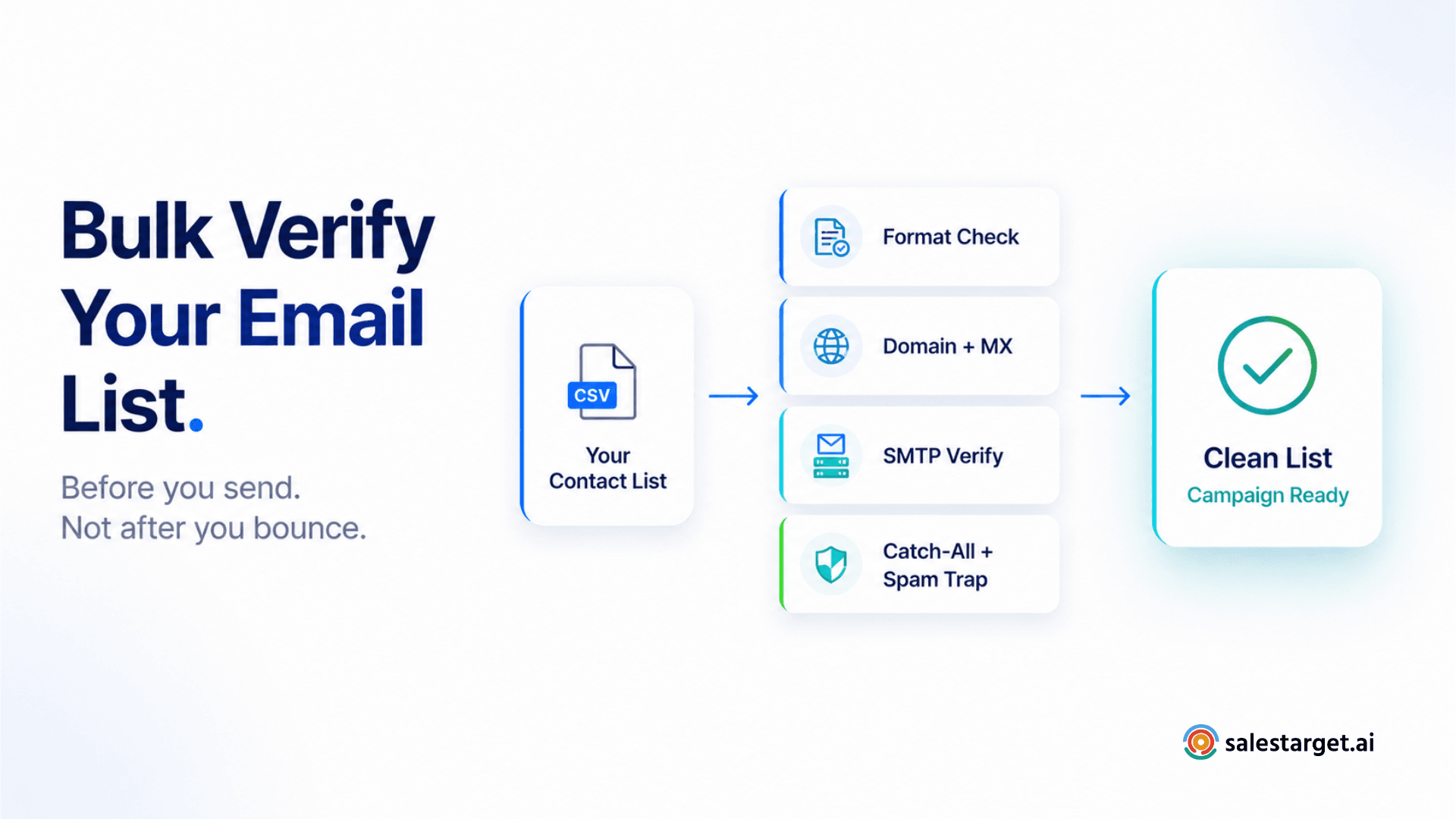
Domain checks confirm the sending domain exists. MX record checks confirm it can receive mail. SMTP verification goes one step further and pings the actual mailbox without sending a message, so you know a specific address is live, not just the domain it sits on.
Duplicate, stale, disposable, and catch-all addresses
Duplicates waste send volume and skew your metrics. Stale contacts (unused for 12+ months) drag down engagement. Disposable addresses (Mailinator-style) never convert. Catch-all domains accept everything and reject nothing, so a "valid" result from a catch-all check doesn't guarantee a real inbox on the other end.
Buyer relevance and contact completeness
A verified email attached to the wrong title, department, or seniority isn't a quality contact for your campaign, it's a clean miss. Completeness (role, company size, location, intent signal) turns a technically valid address into an outreach-ready one.
Business Impact of Poor Email List Quality
Higher email bounce rates and failed deliveries
Bounce Rate Statistics from Amplemarket's B2B benchmark data show buying a list and emailing it without verification is a fast route to reputation damage, since providers like Apollo.io report roughly 84% claimed accuracy but produce real-world bounce rates of 20 to 30% in live campaigns. That gap between claimed and actual accuracy is exactly what a pre-send validation step exists to catch.
Wasted SDR and sales prospecting time
Every hour an SDR spends chasing a bounced or wrong-person contact is an hour not spent on a live conversation. Bad list quality doesn't just cost deliverability, it costs the calendar time of your most expensive resource: a rep's attention.
Lower sender reputation and campaign deliverability
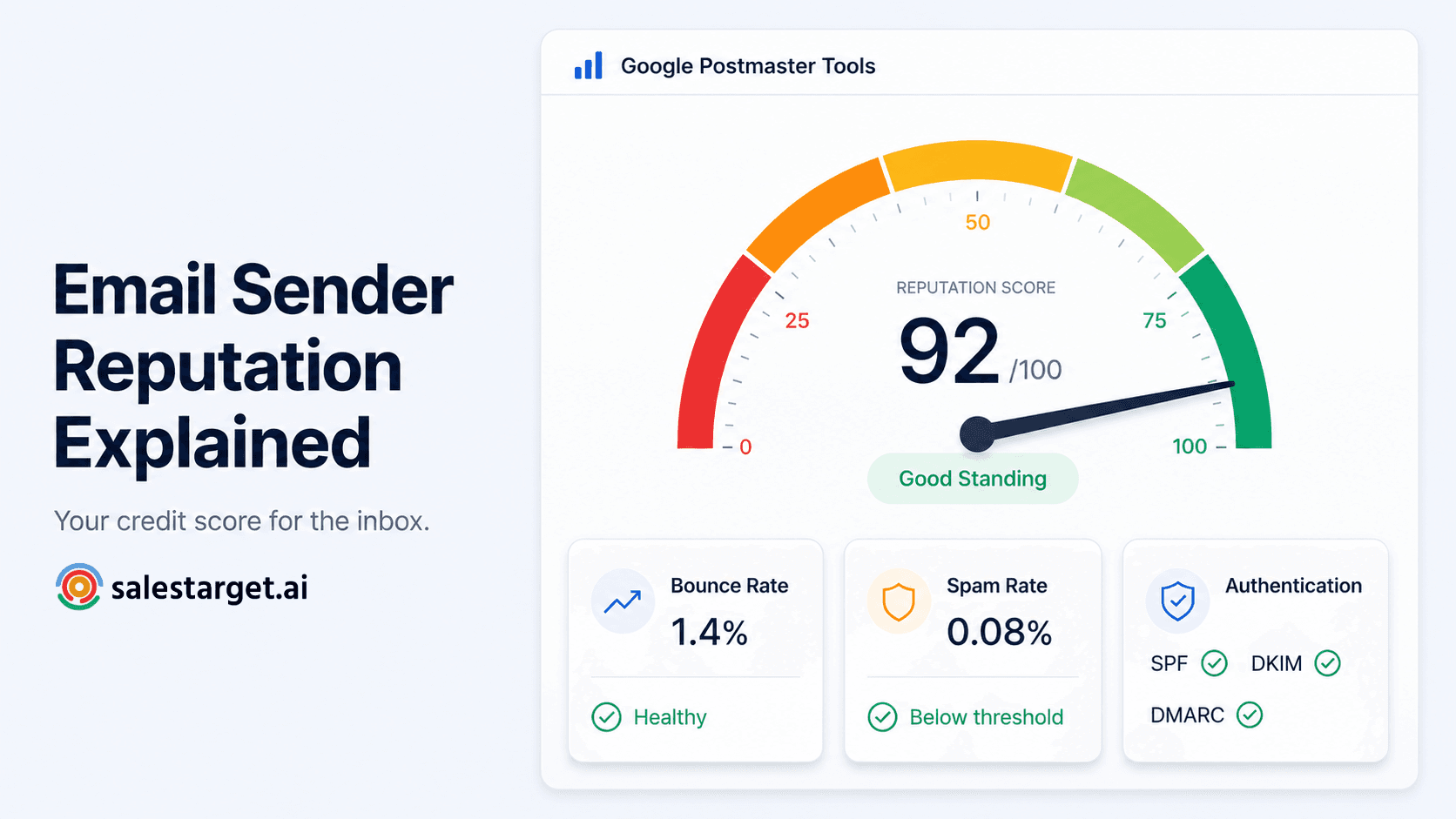
Bounces, spam complaints, and low engagement all feed into domain and IP reputation. Once a mailbox provider starts routing your mail to spam, recovery takes weeks, not a single fixed send. Well-run, authenticated opt-in programs with clean lists typically achieve 85 to 95%+ inbox placement, while unauthenticated senders can fall to 30 to 50%.
Inaccurate outreach metrics and pipeline reporting
A dirty list quietly breaks your funnel math. Open rates, reply rates, and meeting-booked ratios all get diluted by addresses that were never going to respond in the first place, which makes it harder to tell whether your messaging failed or your data did.
Want a practical read on data quality before it hits reporting? Salestarget.ai's complete guide to email validation for B2B sales teams walks through the workflow end to end.
Email List Quality Check Before Campaign Launch
Running an email syntax and format check
This catches the obvious breaks: missing @ signs, malformed domains, typos in common providers (gmial.com instead of gmail.com). It's the fastest, cheapest filter and should run first, before any deeper check.
Performing domain and MX record checks
A domain check confirms the domain resolves. An MX record check confirms mail servers are configured to accept messages for it. Skip this step and you'll pass addresses on domains that were never set up to receive mail.
Using SMTP verification to confirm mailbox status
SMTP verification connects to the mail server and checks whether the specific mailbox exists, without sending an actual message. This is the closest a pre-send check gets to confirming a real, working inbox on the other end.
Detecting disposable, risky, and catch-all addresses
Disposable domains are built for one-time use and should be filtered outright. Catch-all domains need separate handling since they accept mail regardless of whether the mailbox exists, so a standard "valid" flag can be misleading.
Removing duplicate and outdated contacts
De-duplication should run against email, not just name, since one person can appear under two title variations in a CRM export. Outdated contacts (job changes, closed companies) get flagged through refresh cycles, not a one-time cleanup.
Separating verified and unverified prospects
Route verified contacts to active sequences. Hold unverified ones in a separate segment for re-checking rather than sending to them and hoping. Mixing the two into one list is how a clean-looking campaign ends up with a dirty bounce rate.
Measuring B2B Email List Quality With Practical Metrics
Valid email percentage across the full list
This is your headline number: verified valid addresses divided by total list size. Most B2B teams should aim well above 95% before a send, not after seeing the bounce report.
Email verification and accuracy rates
Verification rate tells you how much of the list was actually checked (not just uploaded). Accuracy rate tells you how many of those checks turned out correct against real-world sends. Track both, since a high verification rate with low accuracy still points to a bad data source.
Invalid address and expected bounce rates
B2B technology cold outbound benchmarks sit around 1.5 to 2.5% bounce for verified lists, and industry-wide, the widely accepted threshold for a healthy bounce rate is below 2% across sending contexts. Anything creeping past that on a list you thought was clean is your signal to re-verify before the next send.
Duplicate and stale contact percentages
Track these as a percentage of total list, not raw count. A 3% duplicate rate on 500 contacts is a quick fix. The same rate on 50,000 contacts is a structural data problem worth fixing at the source.
Deliverability results after list cleaning
The real test of any cleaning process is the next campaign's numbers. Compare bounce rate, inbox placement, and reply rate before and after a cleanup pass to confirm the work actually moved the needle.
Standards of a High-Quality B2B Email List
Strong email verification coverage
Every contact on an active sequence should carry a verification status, not just a source tag. "Scraped from LinkedIn" is not the same as "verified live."
Accurate prospect and company information
Role, seniority, department, and company details should be current within the last few months, particularly for fast-moving sectors like tech, where contact data decays at roughly 22.5% per year and up to 70% in fast-moving sectors like startups.
Low levels of outdated and duplicate data
A healthy list keeps duplicate and stale-contact rates in the low single digits. Past that, engagement metrics start reflecting list decay more than message quality.
Reliable domains and active mailboxes
Domains should resolve, accept mail, and show consistent send-and-reply history. A domain that bounced once isn't automatically bad, but one bouncing repeatedly across campaigns is a signal to suppress it.
Clear classification of risky email addresses
Risky doesn't mean invalid. Catch-all, role-based (info@, sales@), and greylisted addresses fall into a middle category that needs its own send rules rather than a blanket accept or reject.
Improving Email List Quality Before Outreach
Two things most guides on this topic skip: first, catch-all domains are far more common in B2B than most reps assume, with 30 to 40% of B2B addresses sitting behind catch-all servers, so a validation tool that just marks them "unknown" instead of probing further is leaving a third of your list unresolved. Second, list decay isn't a one-time cleanup problem, it's a moving target that keeps eroding even a perfectly clean list the day after you finish verifying it.
Cleaning invalid and outdated email records
Run a full validation pass before every major campaign, not just at list creation. A list verified six months ago is not the same list today.
Verifying contacts before adding them to sequences
Verification belongs at the point of entry into a sequence, not as a batch job after the fact. That's the workflow Salestarget.ai's Email Outreach module is built around: contacts get checked before they ever land in an active send.
Refreshing stale B2B contact data
Set a re-verification cadence (quarterly at minimum for active segments) rather than treating a list as permanently clean once it passes a check.
Maintaining ongoing email list hygiene
Hygiene is a habit, not a project. Suppress hard bounces immediately, monitor soft bounce patterns, and keep unengaged contacts out of your primary sending domain's reputation pool. If you want to see this running on your own list, you can try it with a live demo.
Creating a repeatable pre-campaign validation process
Standardize the four-step check (syntax, domain/MX, SMTP, disposable/catch-all detection) as a required gate before any list goes live, the same way a deploy pipeline blocks broken code from shipping.
Selecting Email Verification Software for B2B Outreach
Email syntax, domain, and MX verification
Look for software that runs these as sequential filters, not a single pass-fail score. Each layer catches a different kind of bad data.
SMTP mailbox verification
This is where real accuracy lives. Tools that skip SMTP-level checks and rely on domain data alone will pass catch-all and risky addresses as valid. SalesTarget.ai's Email Validator runs syntax, domain, and SMTP checks together, so a risky address never slips through as a false positive.
Disposable and risky email detection
A maintained, frequently updated list of disposable domains matters more than most buyers realize, since new disposable providers appear constantly and a stale detection list ages out fast.
Bulk email verification for prospect lists
For teams importing large prospect lists, batch verification speed and accuracy both matter. A slow email verification tool that blocks your campaign launch defeats the purpose of verifying in the first place.
Integration with lead generation and outreach workflows
The strongest setup verifies at the moment a lead is found, not as a separate downstream step. That's a meaningful difference from point tools that only clean lists after they've already been exported into a CSV.
Why Choose SalesTarget.ai
Verified B2B lead data and contact enrichment
Lead Explorer searches across 840M+ professional profiles and 146M+ business entities, with enrichment and verification happening in the same click a lead is found, not weeks after the data was first scraped.
Email validation before outreach campaigns
Salestarget.ai's own Email Outreach data shows 90% of emails get validated before sending, which is the layer most point tools treat as optional and most B2B teams skip until after a bad campaign.
Connected email and LinkedIn outreach
LinkedIn Outreach runs alongside email in one coordinated sequence, so a verified contact gets reached across both channels with context carried between them, not two disconnected tools with two separate lists.
Deliverability checks and email sending controls
Automatic AI warm-up, inbox rotation, and SPF/DKIM/DMARC checks protect sender reputation at the sending layer, on top of the list-quality checks that happen before a contact ever enters a sequence.
Built-in CRM for managing verified prospects
Once a contact is verified and engaged, CRM tracking picks up automatically. No import step, no second tool, no gap where a clean contact gets lost in a spreadsheet handoff.
AI Copilot for prospecting and campaign workflows
AI Copilot lets a rep ask, in plain language, which segments are underperforming on deliverability or reply rate, and get a straight answer instead of digging through five reports.
Conclusion: Building a Cleaner B2B Outreach List
Bad list quality doesn't show up as one dramatic failure. It shows up as a slow bleed: a few extra bounces here, a domain warning there, a rep spending Tuesday afternoon chasing dead contacts instead of live conversations. Measuring valid-email percentage, bounce rate, and duplicate rate before launch turns that slow bleed into a fixable number.
SalesTarget.ai builds that measurement into the workflow itself: leads get found, enriched, and verified in one motion, then pushed straight into email and LinkedIn sequences with deliverability protection built in. No separate validation tool, no CSV handoff, no list that's clean on day one and decayed by day sixty. Start with SalesTarget.ai and send to a list that's actually ready.