You're running outbound. You know LinkedIn is where your buyers spend their professional time. It's the most "intent-rich" social platform for B2B prospecting. But you're stuck in the same loop most revenue teams hit: connection requests feel random, reply rates stall, follow-ups slip through the cracks, and the whole operation depends on someone manually pasting names into a spreadsheet.
The problem isn't LinkedIn. It's that most automation strategies confuse volume with velocity. They blast 500 connection requests, lose track of who responded, and wonder why reply rates tank.
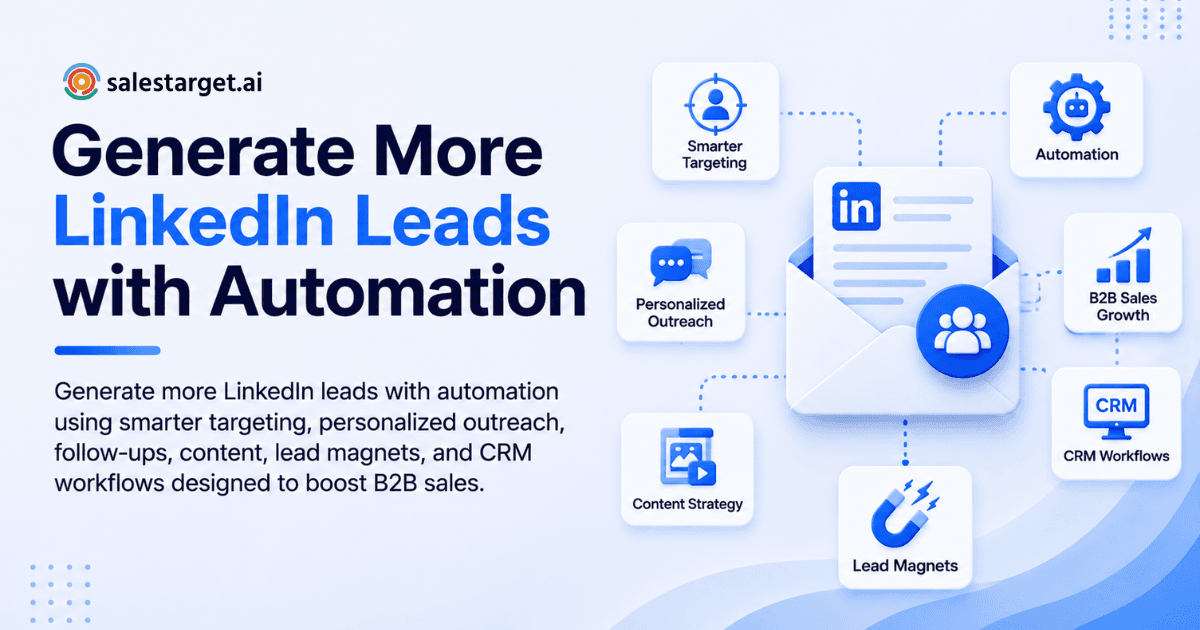
LinkedIn lead generation automation works but only when it increases relevance and consistency, not just raw volume. This guide shows you how to build a modern system that scales leads while keeping your outreach human, compliant, and actually effective. We'll cover profile optimization, targeting precision, messaging frameworks, content strategy, and CRM workflows that compound over time with the right tools to make it repeatable.
Part 1: Build the Foundation First - Profile & Positioning
Before you automate a single outreach message, make sure your profile and offer can convert attention into conversations. Otherwise, automation just scales poor conversion.
Optimize Your LinkedIn Profile for Sales Conversion
Your profile is your sales landing page. When someone clicks through from your outreach, they're running a trust audit in seconds. Make it count.
Headline: Replace the job title. Use: Who you help + outcome + differentiator.
Bad: "VP Sales at Acme Corp"
Better: "Help B2B SaaS teams scale outbound revenue | 3x faster deal cycles"
Banner image: Simple, visual proof of value. Add a callout: "DM 'AUDIT' for a 10-minute strategic review" or link to your best case study.
About section: Think in three layers:
- The problem you solve (one sentence, concrete)
- Who it's for (industry, function, company size, GTM motion)
- Social proof (numbers, logos, years of results)
- Clear CTA (calendar link, DM keyword, or discovery call)
Featured section: Pin your best assets:
- Case study (PDF or link)
- Lead magnet (checklist, template, calculator)
- Best-performing post
- Webinar replay or product demo
Experience: Rewrite every role in outcomes, not tasks.
Bad: "Managed a team of 8 SDRs"
Better: "Built and scaled an 8-person SDR team from 2 to 47 qualified meetings per month"
Creator mode (optional): Only enabled if it matches your GTM. If you're focused on direct outreach, standard profile mode works fine.
Why this matters: A sharp profile doesn't just convert clicks it warms up your outreach. When someone accepts your connection request, sees your comment on their post, or receives your DM, they're already running a mental checklist. A strong profile removes friction.
Part 2: Precision Targeting - Build Lists Before Outreach
Automation without targeting is spam. And spam doesn't convert.
Great LinkedIn prospecting starts with a tight ICP definition and segmented lead lists. This is the unglamorous work that separates 5% reply rates from 20%+ reply rates.
Define Your ICP (So Automation Doesn't Guess)
Document these specifics:
- Industry & sub-industry: e.g., "SaaS (specifically RevOps and Sales Ops tools, not HR tech)"
- Company size: Employee count and/or revenue band relevant to your pricing
- Geography & timezone: Matters for outreach timing and language
- Trigger events: Hiring for specific roles, funding rounds, tech stack changes, new leadership, product launches
- Buyer roles & influencers: Who holds the budget? Who influences decisions?
- Pain points & "jobs to be done": What's keeping them up at night?
- Disqualifiers: Who should you not contact? (e.g., current customers, competitors, certain geographies)
This exercise sounds basic, but it's where most campaigns fail. A generic list produces generic messaging, which produces low reply rates, which kills your confidence in the channel.
Build LinkedIn Sales Navigator Lead Lists the Right Way
For B2B outbound, LinkedIn Sales Navigator lead lists are your most reliable source of fresh, verified prospect data.
Filtering strategy:
- Title: Include common variations (e.g., "VP Sales," "Senior Sales Leader," "Head of Sales")
- Function + seniority: Match your ICP (e.g., "Sales" function, "Director+" seniority)
- Company size: Headcount filters + growth signals (e.g., "recently hired")
- Tenure in role: New leaders often have budget and urgency—prioritize them
- Activity signal: "Posted on LinkedIn in last 30 days" correlates with responsiveness
- Keywords & groups: Use sparingly; they're less reliable than title/function filters
Segmentation approach:
Create 3–5 micro-lists tied to your ICP variants:
- List 1: "VP Sales, SaaS, 50–200 employees, US/Canada"
- List 2: "Sales Director, Series B fintech, 200–1000 employees, EMEA"
- List 3: "Chief Revenue Officer, enterprise software, 1000+, US"
Save these searches so you get fresh leads weekly. Tag each segment by industry, trigger, and persona. This creates an always-updated pipeline instead of a one-time batch. Learn more about LinkedIn Sales Navigator Filters: Advanced Targeting for B2B Lead Generation to maximize your list quality.
Part 3: Smart Automation - Scale Consistency, Not Volume
The goal of LinkedIn lead generation automation isn't to remove the human; it's to remove the friction.
Automate the repeatable, low-judgment tasks. Keep the human parts human.
What to Automate (And What Not To)
Safe automation:
- Connection request cadence scheduling (e.g., 15–30 per day from a segmented list)
- Follow-up reminders when someone doesn't respond within X days
- CRM logging and lead status updates
- Enrichment (company size, tech stack, email validation) using compliant tools
- Content distribution reminders and engagement queues
- Task creation based on reply or no-reply triggers
Risky automation:
- Mass auto-DMs immediately after accepting your connection
- High-volume connection requests from a giant undifferentiated list
- Copy-paste "personalization" that looks obviously fake
- Auto-commenting (often brand-damaging and low-converting)
The safe path: Lower volume + higher context. Supported by automation that handles the boring parts (scheduling, logging, reminders) so you can focus on writing one really good message per segment.
Part 4: LinkedIn Lead Generation Funnel - Simple But Complete
A reliable LinkedIn lead gen funnel has five stages:
- Visibility: Content + comments + authentic networking
- Capture: Profile CTA + lead magnet + DM keyword
- Conversation: Connection request → short DM → discovery question
- Conversion: Call booking or async qualification
- Nurture: Retargeting, email, and content loop
Automation helps you maintain momentum between stages 2–4. Stage 1 (visibility) and Stage 5 (nurture) are still mostly human work, and they should be where they trust compounds.
Part 5: Messaging That Gets Replies - Frameworks & Templates
Most campaigns fail not because of poor targeting or weak tools. They fail because the message is about you, not them.
Rule #1: The Connection Request Is Not a Pitch
Your connection request should be:
- Short (1–2 sentences max)
- Relevant (includes a specific trigger or shared context)
- Non-salesy (no ask yet—you're just opening the door)
- Easy to accept (no pressure)
Then, after they accept, your first message can actually open a conversation.
LinkedIn InMail vs. Connection Request - When to Use Each
Use connection requests when:
- Your target is active on LinkedIn (good accept rates)
- You can personalize lightly with a trigger or shared context
- You're okay waiting 1–3 days for them to accept before you DM
Use InMail when:
- The person rarely accepts connections
- You have a strong trigger + a compelling offer
- You're testing new messaging angles and need faster feedback cycles
InMail can work, but it's not a magic bullet. The copy still needs specificity and relevance.
LinkedIn Prospecting Message Templates
These templates are designed for scale. Personalize with one variable (trigger, role, or observation) so it's fast but real.
1) Connection request (trigger-based)
Hi {FirstName} - noticed {trigger: you're hiring for sales leadership /
your recent post on pipeline management / your new role as VP Sales}.
I work with {role} teams to {outcome}. Open to connecting?
2) Post-accept message (context + question, no pitch)
Thanks for connecting, {FirstName}. Quick question when it comes to
{topic: pipeline hygiene / rep productivity / deal velocity},
is your bigger focus right now {Option A} or {Option B}?
3) Value drop + permission
If helpful, I can share the 1-page {asset: pipeline hygiene checklist /
ramp scorecard / buyer qualification framework} we use for {outcome}.
Want me to send it?
4) Soft offer (micro-commitment)
If I sent over 2–3 ideas tailored to {company} based on {signal: your
recent hiring / your tech stack / your recent funding}, would that be
Useful or not a priority right now?
5) Breakup (close the loop)
I don't want to crowd your inbox. Should I close the loop for now,
or would a quick chat next week be worth it?
These templates work because they invite a response without demanding one. They assume nothing and offer an easy "not now" off-ramp.
Best LinkedIn Outreach Cadence
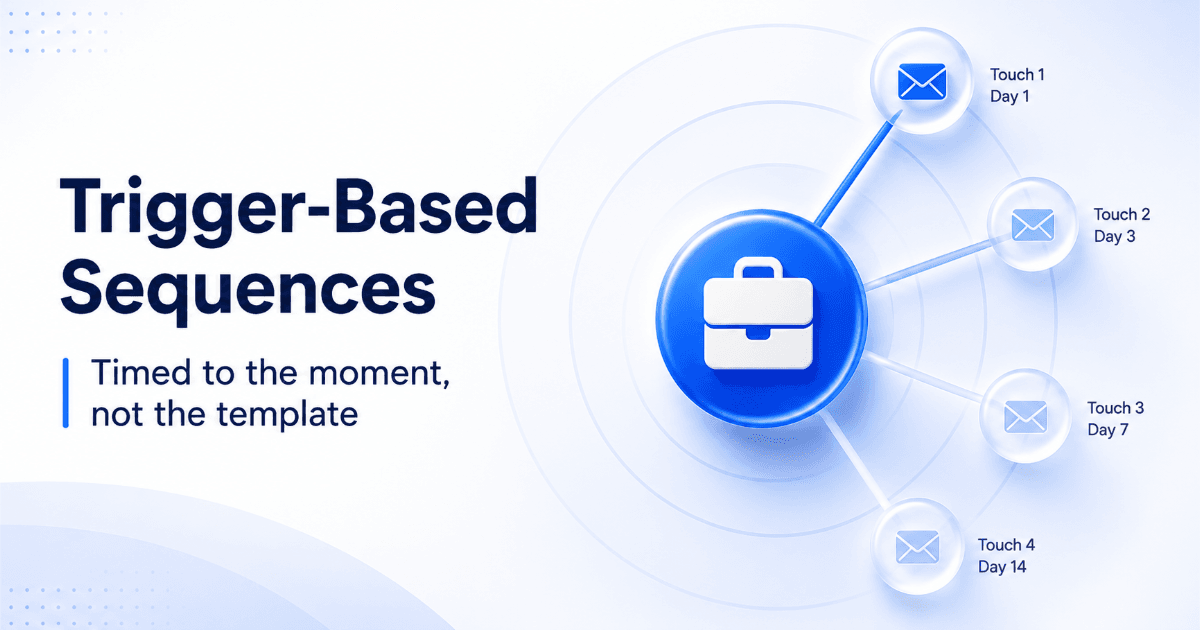
Persistence + respect = results. Here's a solid baseline for a 14-day sequence:
Day 0: Send your connection request (short + relevant). Keep it to one sentence with a specific trigger or observation. Your goal: get accepted.
Day 1–2 (after accept): Send your first message after they accept. Lead with context + a binary question. "Quick question when it comes to {topic}, is your bigger focus {A} or {B}?" Your goal: understand their situation, not pitch.
Day 4–5: Send a value drop. "If helpful, I can share a 1-page {asset} we use for {outcome}. Want me to send it?" Your goal: offer something useful without asking for anything in return yet.
Day 8–10: Send a soft offer. "If I sent over 2–3 ideas tailored to {company} based on {signal}, would that be useful or not a priority right now?" Your goal: micro-commitment (ideas, not a full meeting pitch).
Day 14: Send a breakup message. "I don't want to crowd your inbox. Should I close the loop for now, or would a quick chat next week be worth it?" Your goal: respect their time and give them an easy exit.
Key principles:
- Keep each message under ~300 characters when possible (easier to read on mobile, higher open rates)
- One clear intent per message (not a wall of text with multiple asks)
- Stop the sequence when they engage or reply; switch to human conversation immediately
- If they reply positively to the soft offer, move to email or a calendar invite. The Best LinkedIn Outreach Automation Strategy for Sales Teams can help you refine your approach further.
Why outreach fails:
- Asking for a meeting too soon (Day 1 or 2)
- Long paragraphs (LinkedIn DMs are mobile-first)
- No trigger or context (sounds like a template, because it is)
- Overly polished "marketing speak" (sounds like a bot)
- No question (one-way monologue)
- Wrong role or company size (targeting is off)
Part 6: Support Outbound With Inbound - Content & Lead Magnets
Outreach alone is fragile. Content alone is slow. Together, they compound.
When someone receives your connection request, they often check your profile and your recent posts. A strong content presence warms them up before you even DM.
LinkedIn Content Strategy for Lead Generation
You don't need to post 20 times a week. You need consistency + substance.
Posting cadence: 3–5 times per week
- Case study or teardown ("Here's what we changed, here's what happened")
- Myth-busting ("Stop doing X; do Y instead")
- Playbook ("Step-by-step process for [outcome]")
- Point of view ("Here's what's changing in the market")
- Optional: Founder story or lesson learned
Daily micro-engagement (10–15 minutes):
- Comment on 3–5 posts from your ICP (add insight + ask a question, don't just like)
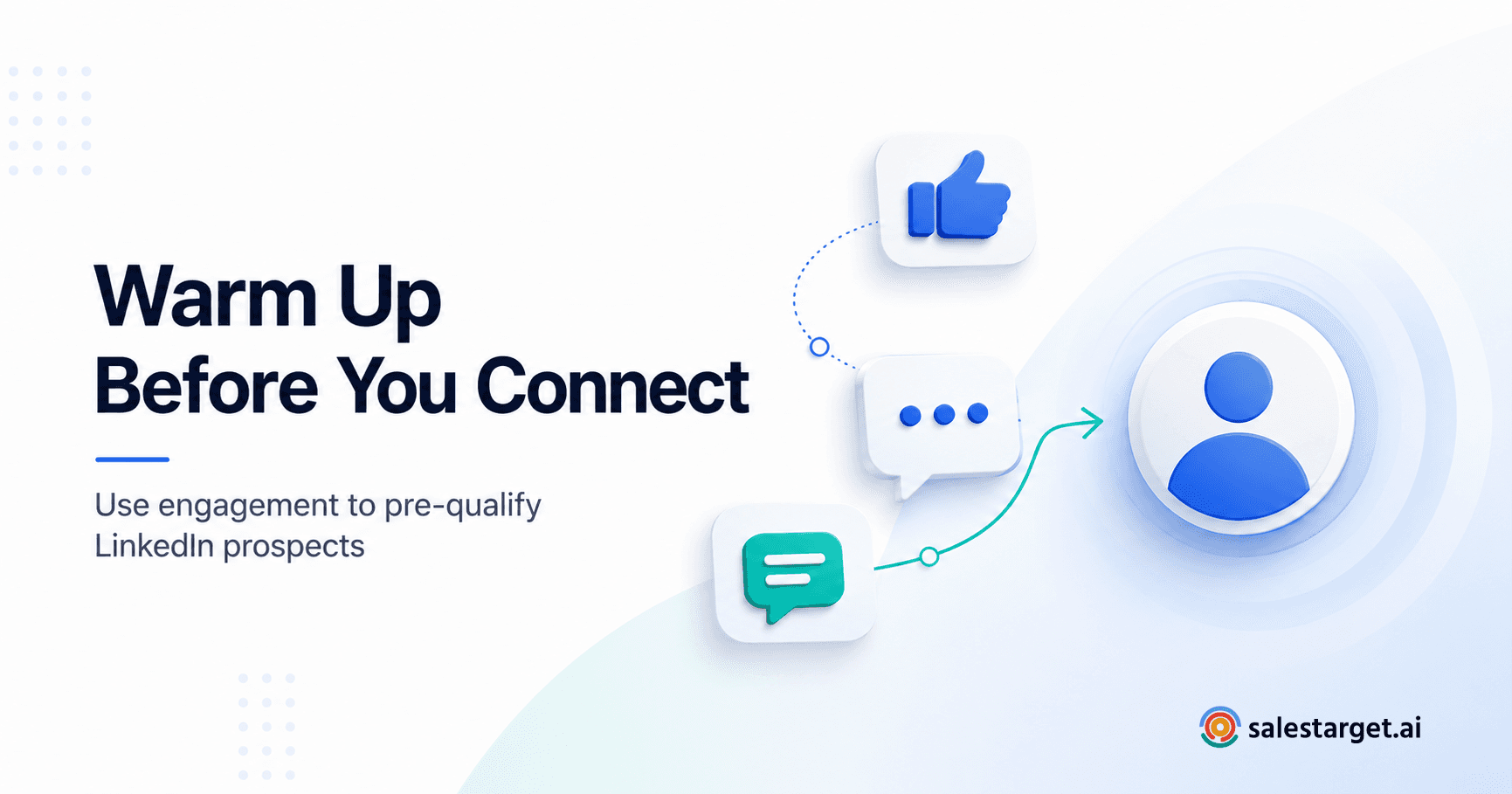
- Engage with 5–10 people you plan to message later (like their posts, comment thoughtfully)
This serves two purposes: it builds familiarity before you reach out, and it signals to LinkedIn's algorithm that you're an active, engaged member (boosting your own visibility).
LinkedIn Lead Magnets for B2B
Most free guides don't convert because they're too broad. Effective LinkedIn lead magnets are narrow, role-specific, and fast to consume.
High-converting formats:
- 1-page checklist ("RevOps pipeline hygiene checklist")
- Calculator (Google Sheet ROI model, template, or assessment)
- Template pack (sales scripts, qualification scorecards, onboarding checklists)
- Swipe file (objection handling responses, email templates, DM frameworks)
- 10-minute audit (personalized, limited slots, Loom video walkthrough)
- Mini benchmark report (industry metrics for your ICP's role/function)
Distribution via DM keyword automation:
- "Comment 'CHECKLIST' and I'll send it to your DMs"
- Auto-responder sends the asset + one qualifying question
- Move engaged users into a nurture sequence
This blends inbound demand (they ask for it) with outbound efficiency (you're capturing emails and interest signals).
Part 7: LinkedIn Ads & Paid Lead Generation
If you have a proven offer and a clear ICP, LinkedIn ads can scale what's already working organically.
Use ads when:
- Your organic outreach is working (20%+ reply rate, 5%+ meeting rate) but you want more volume
- You have content (articles, case studies, videos) that drives clicks and engagement
- Your sales team can respond within 5–15 minutes of a lead coming in
Best starting campaigns:
- Retarget profile visitors and video viewers (warm audiences)
- Promote a lead magnet to a narrow saved audience (role, company size, industry)
- Sponsor a piece of high-performing organic content
- Use single-image or document ads for mid-funnel assets (avoid carousel ads for cold audiences)
Form best practices:
If you're using LinkedIn lead gen forms, keep them tight:
- Ask only for what you'll use: name, email, role, company (4 fields max)
- Add one qualifying question (e.g., "team size" or "top priority")
- Strong "thank you" screen CTA: book a call immediately, download the asset now, or reply to a confirmation email
- Route leads instantly to your CRM and notify the owner in Slack or email
- Speed is competitive. Follow up within 5–15 minutes when possible.
Part 8: Close the Loop - CRM Integration & Workflow Automation
If your team is serious about LinkedIn lead generation, you need closed-loop tracking. Leads that don't get logged are leads that die in inboxes.
LinkedIn CRM Integration Workflow
Minimum viable setup:
Every new LinkedIn conversation becomes a lead in your CRM
- Manual: Copy the name/company into your CRM after the first reply
- Better: Push new leads automatically via Zapier or native integrations
Tag by source: "LinkedIn-Outbound," "LinkedIn-Inbound," or "LinkedIn-Ads"
Track stage progression:
- Connected → Engaged → Qualified → Meeting Scheduled → Won/Lost
Log touches automatically (or via one-click workflow)
- Every LinkedIn reply, phone call, and email gets logged to the lead timeline
- Your sales team should never have to copy-paste conversation history
Create tasks for follow-ups based on "no response" windows
- "If no reply in 7 days, create task: 'Breakup message to {Lead}'"
- Removes the "I forgot to follow up" problem
Automation opportunities:
- Push new leads from LinkedIn to CRM automatically
- Create a follow-up task when someone replies (keep momentum)
- Add them to an email nurture sequence (with consent and compliance)
- Log call notes automatically (if your platform supports AI transcription)
- Sync CRM deal stage back to email platform for conditional sends. LinkedIn Automation Platforms: How to Choose the Right Tool for Outbound explores how to evaluate tools for your workflow.
When done right, this turns LinkedIn from a one-off outreach channel into part of a unified revenue system.
Why Choose SalesTarget.ai for LinkedIn Lead Generation Automation
If your current workflow looks like: save a LinkedIn lead list → export to CSV → paste into a CRM → manually write emails → log replies by hand → wait for sales to follow up—you're leaving time and revenue on the table.
SalesTarget.ai consolidates the entire LinkedIn lead generation system into one workspace. Instead of stitching together five tools, you search, enrich, sequence, and close all in one platform.
Here's how it actually works:
Use Lead Explorer to search for prospects in plain English. Stack B2B filters (company size, industry, hiring signals, intent topics) or use natural language search to find your ICP. Get access to 840M+ verified profiles and 146M+ business entities with 4,000+ intent signals from 50+ data sources. One-click enrichment unlocks verified professional email, personal email, phone, and mobile no separate data tool needed.
Move those leads straight into LinkedIn Outreach to automate connection requests, DMs, follow-ups, and engagement actions. AI personalization adapts every message to role, industry, and profile signals. Set up conditional sequences that branch on replies, reactions, or no response. Timezone-aware scheduling with human-like delays keeps your account safe from LinkedIn rate limits and detection. Run your LinkedIn sequence alongside email outreach in one coordinated flow.
Validate email addresses in real-time using the Email Validator (MX/SMTP checks, disposable-email detection, risk scoring) before you send this prevents bounces and protects your sender reputation.
Push qualified leads automatically into the CRM. Every LinkedIn message, email reply, and call is logged to the lead timeline. Follow-up tasks are created automatically. No manual data entry, no lost conversations. Track your pipeline by source (LinkedIn outbound, LinkedIn ads, email, phone), see which sequences convert, and measure revenue impact per channel.
Use the AI Copilot to generate full email sequences from a simple description, build LinkedIn angles, or query your CRM in plain language to find your best-performing segments.
Real metrics: B2B sales teams using SalesTarget.ai report 3.2X faster deal cycles, 91% follow-up completion, and ~6 hours saved per rep per week. Email campaigns built with AI reach 35% faster time-to-send and 90% of emails are validated before sending.
The compound effect: You spend less time on admin (data entry, tool switching, manual logging), more time on strategy and conversation. Your outreach stays consistent. Your CRM never has dead leads. LinkedIn becomes part of your revenue system, not a side channel.
Part 9: Weekly Operating System - The Rhythm That Works
Great LinkedIn lead generation automation isn't about fire-and-forget. It's about rhythm, measurement, and quick iteration.
Here's a repeatable operating cadence:
Daily (30–45 minutes)
- Send 15–30 connection requests from a fresh segment
- Respond to all replies manually within the day (this is non-negotiable people are more likely to engage if you're responsive)
- Engage with 10–15 ICP posts (comments > likes; add actual insight)
Weekly (60–90 minutes)
- Refresh your Sales Navigator saved searches (pull fresh leads)
- Rotate one new message angle or trigger (test one variable, not everything at once)
- Review metrics:
- Connection acceptance rate (should be 40–60%)
- Reply rate on accepted connections (should be 15–25%)
- Positive reply rate (should be 30–50% of all replies)
- Meetings booked (your real north star)
- Cost per meeting (if running ads)
Monthly (2–3 hours)
- Audit and update your lead magnet (or add a new variant per segment)
- Refresh your profile and featured section (remove old content, add recent wins)
- Analyze which triggers correlate with replies and meetings
- Adjust ICP if needed (e.g., "We thought we were selling to VP Sales, but Directors are our real buyer")
This structure keeps your lead generation consistent and measurable. You're not just "doing outreach" you're running a repeatable system.
Compliance & Brand Safety - Automate Responsibly
Even with the best tools, the rule remains: keep it human, keep it relevant, keep it within reasonable limits.
Guidelines:
- Don't auto-pitch immediately after connecting (wait for them to accept)
- Don't run multiple overlapping sequences to the same person across channels (it feels spammy)
- Don't impersonate personalization (fake "I saw your post" lines when you didn't)
- Always provide an easy off-ramp ("not a fit right now, happy to circle back in 6 months")
- Treat your LinkedIn account as a long-term asset, not a burner channel
The best LinkedIn automation mimics what a disciplined, patient human would do, not what a bot could get away with.
Troubleshooting - When Results Stall
If connection acceptance is low (under 30%)
Root cause:
- Your connection note is too salesy or too vague
- Your targeting is off (wrong seniority, wrong industry, or wrong persona)
- Your profile doesn't clearly explain outcomes (no credibility signal)
- You're requesting from accounts that aren't active
Fix:
- Make the request about a shared context (role, trigger, or industry topic, not your offer)
- Tighten your ICP and test smaller segments (e.g., "VP Sales, Series B SaaS, $5–20M ARR, West Coast")
- Rewrite your profile's About section and featured section
- Filter for "posted in last 30 days" to target active users
If replies are low but accepts are high (over 50% accept, under 15% reply)
Root cause:
- Your first DM after accept is too long or too complex
- You're asking for a call or demo too early
- There's no question or prompt to answer
- You sound like an email (formal, corporate)
Fix:
- Keep first DM to 2–3 short sentences
- Start with a binary question ("Curious when you think about X, is your bigger focus A or B?")
- Offer a helpful asset first, ask for the meeting later
- Add one specific observation (trigger) so it feels personal, not templated
If replies are positive but meetings don't happen (20%+ reply rate, under 3% meeting rate)
Root cause:
- Your offer is unclear or too broad
- The next step (calendar booking, email follow-up) has too much friction
- You're not qualifying early (you're interested in everyone, so they don't feel special)
Fix:
- Use a micro-commitment: "Want me to send over 2–3 tailored ideas?" (easier than "Let's hop on a call")
- Add a 2-question qualification before sending a calendar link ("What's your timeline?" and "Who else should be in this?")
- Don't push calendar links; let them propose timing if they're interested
Putting It All Together
To summarize, here's the complete LinkedIn lead generation automation playbook:
- Profile first: Optimize your profile as a conversion page (outcomes, credibility, CTAs)
- Target precisely: Build 3–5 segmented lists using LinkedIn filters (title, company size, activity, triggers)
- Sequence thoughtfully: Use a respectful cadence (Days 0, 1–2, 4–5, 8–10, 14) with a clear intent per message
- Message to start conversations: Short, relevant, trigger-based templates not pitches
- Support with content: Post 3–5 times/week, comment daily, engage with your ICP before you message them
- Capture demand: Use lead magnets (1-page, role-specific) distributed via DM keywords or ads
- Scale with paid carefully: Only add ads once organic is working; focus on retargeting and warm audiences
- Close the loop: Implement CRM integration so every conversation, reply, and touch is logged
- Measure and adjust: Review acceptance, reply, and meeting rates weekly; diagnose quickly
When something underperforms, the fix is almost always one of three things:
- Targeting is too broad (widen the definition of your ICP)
- Messaging is too generic (add one specific trigger or observation)
- Offer is unclear (simplify the next step)
Automation Is a Multiplier, Not a Shortcut
LinkedIn lead generation automation can absolutely increase your meeting rate and pipeline. But only when it supports a strong strategy: clear targeting, credible positioning, conversation-first messaging, and a simple funnel that moves people from attention to trust to action.
Treat LinkedIn like a relationship channel, not just a list to blast. Automate the repetitive work (scheduling, logging, reminders). Keep the human work human (writing thoughtful messages, diagnosing problems, having actual conversations).
When you do this right, you'll produce more meetings with fewer messages while protecting your brand and staying compliant.
Ready to stop stitching tools together?
SalesTarget.ai brings together lead search, enrichment, LinkedIn and email outreach, validation, and CRM into one workspace. Start free, no credit card required.