TL;DR
- A new VP or C-level hire triggers a vendor reassessment 70% of the time within their first 90 days — that's the window a trigger-anchored sequence is built to catch.
- Job-change signals carry a 30–90 day half-life — long enough to plan a real sequence, unlike content-engagement signals that expire in hours.
- A tested 4-touch cadence (Day 0, 2, 5, 9) with strict word caps per touch outperformed a 5-touch version by double digits on both reply rate and opt-outs.
- The biggest mistake: naming the trigger event directly in the first message. Use it to time and shape the message, not as the opening line.
Most LinkedIn outreach templates give you one opening message and leave the rest to improvisation. That's a problem when the whole reason you're reaching out is a specific event — a new VP hire, a promotion, a move to a new company — because the value of that context evaporates by message two if the sequence isn't built around it. This is a full sequence architecture, not just an opener: what to send, when to send it, and how the message should evolve as the trigger gets older.
Why Trigger-Anchored Sequences Outperform Generic Ones
A new executive hire is one of the highest-converting signals in B2B outbound for a simple structural reason: new leaders reassess their vendor stack almost by default. New VPs and C-level hires trigger a vendor reassessment roughly 70% of the time within their first 90 days on the job. That's not a soft correlation — it's close to a predictable behavior pattern tied to how new leaders operate: they audit what's already in place before deciding what stays.
Generic outreach ignores this entirely. A template that could be sent to anyone, at any time, misses the one advantage a trigger gives you: you already know roughly what this person is doing right now — evaluating, auditing, forming first impressions of their new team's tools and processes. A sequence built around that reality, rather than a generic "I'd love to connect" cadence, is working with the buyer's actual state of mind instead of against it.
The Job-Change Timing Window: Too Early vs. Too Late
Job-change and promotion signals carry a notably longer half-life than most other buying signals — roughly 30 to 90 days, compared to hours for something like a pricing-page visit. That gives you real room to plan a sequence rather than scrambling to hit a same-day window, but "longer half-life" doesn't mean "no urgency."
- Too early (days 0–3): The person is still onboarding, meeting their team, and getting oriented. Outreach here reads as opportunistic rather than informed — you're reaching out to the event, not to anything they've actually done yet.
- The window that works (roughly days 3–30): They've settled in enough to start forming opinions about what's working and what isn't, but they haven't yet finished a full vendor audit or locked in decisions.
- Too late (day 90+): Past the 90-day mark, the reassessment window that made this signal valuable in the first place has typically closed. Outreach here is functionally cold again, regardless of how recent the "new role" flag still looks in your CRM.
The Full Sequence: A Tested 4-Touch Cadence
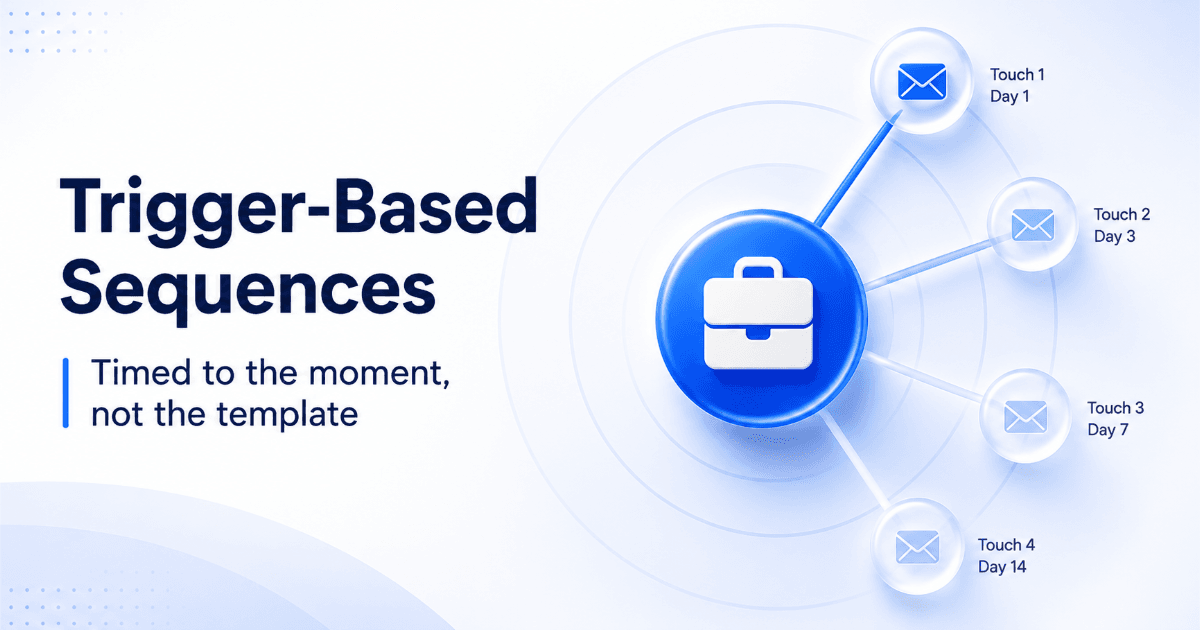
A tested 4-touch cadence has outperformed longer sequences in head-to-head testing — a 5-touch version underperformed by 11% on reply rate and 18% on opt-out rate compared to the 4-touch structure below. More touches isn't automatically better once you're past the point where each additional message adds genuine new value.
| Touch | Channel | Word cap | What it does |
|---|---|---|---|
| Day 0 | LinkedIn connection note | 60 words | No pitch. Reference the priority the new role implies, not the role change itself. |
| Day 2–3 | Email or LinkedIn message | 40 words | Indirect reference to the prior touch. Offer a specific resource, not a meeting ask. |
| Day 5–7 | LinkedIn DM | 30 words | One clear, direct ask — a question, not a hard meeting request. |
| Day 9–14 | Email breakup | 25 words | "Should I close the loop, or is this still worth a look?" — this touch often outperforms every earlier one. |
Two rules matter more than the exact wording of any single touch. First, never name the trigger event directly in the opener — "Congrats on the new VP role!" reads as templated to the recipient even when it's genuinely personalized. Use the event to decide the timing and the angle, and let the message address the priority the new role implies, not the event itself. Second, end each touch with a question rather than a meeting request — messages ending with a genuine question have shown meaningfully higher reply rates than ones ending with a direct "interested in a 15-minute call?" ask.
Adapting the Sequence for Promotion vs. New Company vs. New Role
| Trigger type | Adjustment |
|---|---|
| Promotion (internal move) | Angle toward expanded scope and new team responsibilities rather than "new company" framing — they already know the org, so the priority shift is usually about scaling what they own, not auditing an unfamiliar stack. |
| New company (same level, different employer) | This is the strongest version of the signal — full vendor-audit behavior applies. Follow the standard 4-touch cadence closely. |
| New role (title change without company or seniority change) | Weaker signal on its own — treat as supplementary context rather than a standalone trigger unless paired with another signal, such as a hiring spike on their team. |
Mistakes That Undermine Trigger-Based Sequences
Leading with the trigger event
Naming the job change explicitly in message one is the single most common way teams undercut an otherwise strong signal. It reads as a mail-merge field, not genuine awareness.
Reaching out too early or letting the window close
Both extremes waste the signal — day-zero outreach before the person has formed any opinions, and day-90-plus outreach after their vendor audit has already concluded, land equally flat.
Adding touches past the point of diminishing returns
A tested 5-touch version underperformed the 4-touch cadence on both reply rate and opt-outs. More persistence isn't the same as more relevance.
Automating Trigger-Based Sequence Starts
Timing a sequence to a 30–90 day half-life manually — tracking exactly when each contact changed roles, then remembering to launch outreach in the right window — doesn't scale past a handful of accounts. Real-Time Signal Discovery surfaces leadership and role-change events as they're detected, with a configurable lookback window, so accounts entering the "new hire" or "new role" state show up in your queue while the timing window is still open rather than after it's already closed. Paired with AI LinkedIn Personalization, each touch in the sequence can reference the recipient's actual context without naming the trigger outright — the discipline this playbook depends on.
Build the Sequence Around the Window, Not the Event
A job change or promotion isn't a reason to send one clever opener — it's a 30-to-90-day window in which the recipient is unusually open to a vendor conversation they'd otherwise ignore. Build the full sequence around that window, respect the word caps and the "don't name the trigger" rule, and stop once you hit four touches. The teams that win this signal aren't the ones with the best opening line — they're the ones who show up in the window and leave once it closes.
Catch the window before it closes.
See job changes and role signals the moment they happen.
✓ 50 credits ✓ 7-day trial ✓ No credit card required