Your SDR finds a lead in one tool, verifies the email in a second, pastes it into a sequencer, copies the reply into a CRM, and forgets to log the follow-up. Nobody is lazy here. The stack is built from parts that don't talk to each other. Salesforce's State of Sales research found reps spending 70% of their time on non-selling tasks in one edition, and a later edition put it at 60%.
What is a sales execution platform, and how do you choose one? A sales execution platform is one workspace where a team finds prospects, verifies contacts, runs outreach, tracks deals, and measures results. To choose well, map your sales process first, then pick the platform that covers the most steps without exports, copy-paste, or extra logins. SalesTarget.ai runs that whole flow in a single workspace.
This guide covers the core functions, the selection steps, the features worth testing, and the mistakes that sink most rollouts.
Sales Execution Platform: Meaning and Core Functions
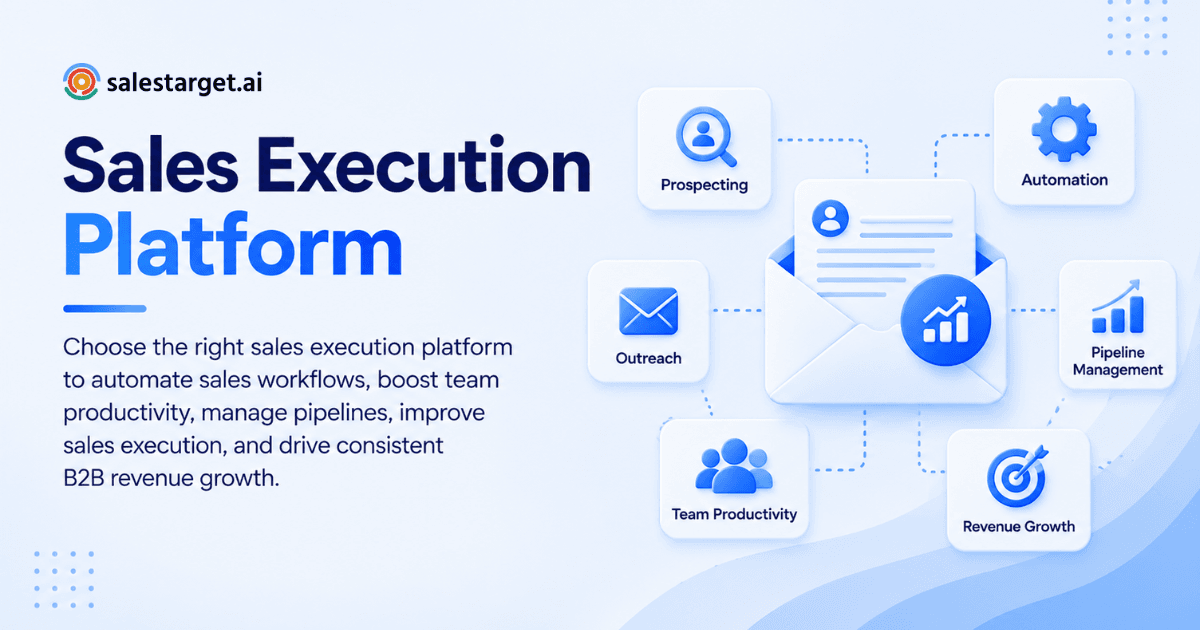
A sales execution platform turns a sales plan into daily action. It handles the work between "we should target these accounts" and "the deal closed." Five functions matter most.
Prospecting and Lead Management
Prospecting is finding the right people. Lead management is keeping track of them afterward. The platform should search by role, industry, company size, and buying signals, then hold every lead with its history in one record, so no one works from a stale spreadsheet.
Sales Process and Workflow Automation
Automation handles the repeatable steps: sequence enrollment, follow-up timing, task creation, and lead routing. Good sales automation software removes admin without removing judgment. Reps should decide who to talk to. The system should handle when and how often.
Email and LinkedIn Sales Engagement
This function sends and tracks outreach across channels. A sales engagement platform should run email and LinkedIn in one coordinated flow, so a prospect who ignores a connection request gets the right email next, not a duplicate message.
CRM and Deal Management
The CRM is where a lead becomes a deal. It should log every email and call automatically, show stage and next step, and create tasks when something changes. If reps must type updates by hand, the data will be wrong within a week.
Sales Performance Tracking and Analytics
Analytics shows what works. You need reply rates, meetings booked, pipeline movement, and rep activity in one dashboard. Reports built from five separate tools rarely match, which turns every pipeline review into an argument about whose numbers are right.
Benefits of Using a Sales Execution Platform
The gains come from removing handoffs between tools and between people.
Improved Sales Team Productivity
Reps stop switching tabs and start talking to buyers. Research, enrichment, sequencing, and logging happen in one place. SalesTarget.ai reports about 6 hours saved per rep per week from its built-in CRM automation, a figure that fits the Salesforce time-loss data above.
Better Prospect Engagement and Follow-Up
Most deals stall in the gap after a reply. When a platform creates a task the moment a prospect responds, nothing waits for someone to remember. SalesTarget.ai reports 91% follow-up completion with automatic task creation.
Stronger Pipeline Visibility
When leads, emails, calls, and deals share one record, a manager sees the real pipeline without asking for updates. Gartner research reported by Demand Gen Report found only 7% of sales organizations reach 90% forecast accuracy. Clean, connected pipeline data is where improvement starts.
Faster Sales Processes and Deal Movement
Fewer handoffs mean shorter cycles. A lead that moves from search to sequence to CRM in minutes gets contacted while the buying signal is fresh. SalesTarget.ai reports 3.2X faster deal cycles for teams running outreach and CRM together.
More Consistent Sales Execution
Consistency means every rep follows the same process. Shared sequences, shared pipeline stages, and automatic logging make results less dependent on who is having a good week. New hires ramp faster because the process lives in the platform.
How to Choose the Right Sales Execution Platform
Work through these six steps in order. Skipping the first one causes most bad purchases.
Define Your Sales Process and Business Goals
Write down your process from first search to closed deal, including every tool and handoff. Then name one goal, such as more qualified meetings or shorter cycles. A platform should be judged against that map and that goal, not against a feature checklist.
Evaluate Lead Data and Enrichment Capabilities
Check three things: coverage of your target market, how fresh the data is, and when contacts get verified. Many tools verify at scrape time, then the data ages. Look for verification at the moment of enrichment. SalesTarget.ai's Lead Explorer does this in one click.
Compare Email and LinkedIn Outreach Features
Test whether both channels run in one sequence with shared context. Check inbox warm-up, rotation, and authentication checks on the email side. On LinkedIn, look for rate limits, human-like delays, and auto-pause safeguards. Weak LinkedIn safety can put a rep's account at risk.
Assess CRM and Sales Pipeline Management
Ask whether leads arrive in the CRM without imports and whether activity logs itself. Strong sales pipeline management shows stage, owner, next step, and last touch on one screen. A CRM built for outbound teams beats an enterprise system your team won't maintain.
Review Automation and Integration Options
List the tools you can't drop: calendar, Slack, and your existing CRM if you keep one. Confirm native connections to each. Then run a test with 50 real leads and count the CSV exports and manual copy steps. That count is the cleanest measure of how connected a platform really is.
Compare Pricing, Scalability, and Overall Value
Value is the work a platform removes, not the length of its feature list. Ask how many vendors and logins it replaces, whether you can add inboxes and seats without a new contract, and whether setup takes days or weeks. One platform on one bill beats five tools on five. You can start a free trial and run your own pilot.
Key Features to Look for in Sales Execution Software
Use this list as a scorecard during demos.
B2B Lead Data and Contact Enrichment
Look for a large, current database with filters for role, seniority, company size, tech stack, and intent topics. Enrichment should return verified email and phone data without leaving the platform. A separate enrichment tool means another export and another delay.
Sales Workflow Automation
The platform should build multi-step sequences, route replies, and create follow-up tasks without manual setup for each campaign. Conditional logic matters: the next step should change based on a reply, a click, or silence.
Multi-Channel Sales Engagement
Email, LinkedIn, and phone should share one lead record and one timeline. Context should carry across channels, so a rep who calls knows what the prospect read, ignored, or answered last week.
Pipeline and Deal Management
Look for a visual pipeline, deal stages you can edit, and automatic activity logging. Shared visibility matters most. Managers should see the same pipeline reps see, live, with no weekly update ritual.
Sales Analytics and Reporting
Reports should connect outreach activity to pipeline results: which campaigns produce meetings, which sequences produce replies, and which reps convert. If analytics only report email opens, you are measuring the wrong thing.
Sales Forecasting and Performance Tracking
Forecasting depends on clean stage data, which depends on automatic logging. Check that the platform tracks deal movement, flags stalled deals, and lets you compare reps and campaigns over time. A forecast is only as honest as the records behind it.
AI-Powered Sales Assistance
Good AI handles grunt work: finding leads, drafting sequences, querying the CRM, and flagging at-risk deals. It should answer in plain language and stay inside your workspace data. Strategy and relationships stay human.
Sales Execution Platform vs. Traditional Sales Tools
The real choice is between one connected system and several disconnected ones.
All-in-One Sales Execution Platform
An all-in-one platform covers data, outreach, validation, CRM, and AI in one workspace. The main advantage is that data moves without exports. The tradeoff is that you rely on one vendor, so test each module before committing.
Separate Prospecting and Lead Generation Tools
Standalone data tools such as Apollo give you contacts and some engagement, but you still bolt on deliverability and a CRM. Each extra tool adds an export step, a login, and another place where data goes stale.
Standalone Sales Engagement Platforms
Instantly, Smartlead, and Lemlist focus on cold email and deliverability. They lack a native B2B database, LinkedIn automation, and a real CRM. You get strong sending, then need three more tools to feed and close what it produces.
Traditional CRM and Sales Management Software
Traditional sales management software records deals well but rarely finds leads or sends outreach. It stores what reps type in. Without automatic logging, it becomes a record of what reps remembered to enter.
Choosing Between a Unified and Disconnected Sales Stack
Choose unified if you run outbound with a small or mid-sized team and want fewer handoffs. Choose disconnected only if you have specialists who need one tool's depth. SalesTarget.ai positions itself as an alternative to Apollo, Instantly, and Woodpecker.
Why Choose SalesTarget.ai
SalesTarget.ai is an all-in-one AI sales intelligence and outbound platform for B2B teams. It puts lead data, multichannel outreach, email validation, a built-in CRM, and an AI Copilot in one workspace, with one bill.
Find and Enrich B2B Prospects With Lead Explorer
Lead Explorer searches 840M+ verified professional profiles and 146M+ business entities. Search in plain English or stack filters for industry, role, tech stack, and intent topics. One-click enrichment returns verified email and phone data, and leads go straight to sequences or the CRM with no CSV.
Run Email and LinkedIn Outreach From One Workflow
Email Outreach builds multi-step sequences from a plain-English audience description, with unlimited inboxes, automatic AI warm-up, and SPF, DKIM, and DMARC checks. LinkedIn Outreach automates connection requests and follow-ups with built-in safety limits. Both run as one coordinated flow.
Verify Contacts With Email Validator
Email Validator checks addresses with MX and SMTP tests, disposable-email detection, and risk scoring before you send. It cuts bounces and protects sender reputation. SalesTarget.ai reports 90% of emails validated before sending in Email Outreach.
Manage Leads and Deals With Built-In CRM
The CRM is built for outbound teams. Campaign leads land automatically, every email and call is logged, and follow-up tasks appear when a lead replies or a meeting ends. The built-in AI dialer takes call notes and saves them to the lead timeline. Setup takes under a day.
Use AI Copilot for Everyday Sales Tasks
AI Copilot is a conversational sales teammate, free inside the platform. Ask it to find leads, draft personalized sequences, check which campaigns drive revenue, or list pending tasks. It flags at-risk deals and suggests next moves, which leaves your reps free to build relationships.
Common Sales Execution Mistakes to Avoid
Most failures trace back to the buying process, not the software.
Choosing Tools Without Mapping the Sales Workflow
Teams buy on a demo, then discover the tool doesn't fit how they sell. Map the process first, mark every handoff, and choose the platform that removes the most of them. A great demo of the wrong workflow still wastes a quarter.
Prioritizing Activity Volume Over Pipeline Results
Emails sent and calls made are inputs, not outcomes. A team sending twice the volume to a stale list books fewer meetings. Judge the platform by meetings and pipeline created, and treat activity counts as diagnostics only.
Automating Outreach Without Verifying Contact Data
Automation multiplies whatever data you feed it. Send a sequence to unverified contacts and you multiply bounces, which damage sender reputation for every later campaign. Verify at the point of enrichment, before a lead ever enters a sequence.
Using Too Many Disconnected Sales Tools
Each added tool brings another login, another export, and another set of numbers that disagree. Reps work around gaps with spreadsheets, and the spreadsheet becomes the real system. Consolidate before you add anything new.
Ignoring Sales Performance Data
Reports nobody reads are wasted setup. Schedule a weekly review of reply rates, meetings, and stalled deals, and change sequences based on what you see. A platform only improves performance if someone acts on its data.
Measuring Sales Execution Performance
Track five measures, and review them on the same weekly rhythm.
Lead-to-Opportunity Conversion
Divide opportunities created by leads worked, per source and per segment. A low rate points to targeting or data problems, not rep effort. Compare segments to find where your ICP is sharpest.
Outreach Response and Meeting Rates
Track reply rate and meetings booked per sequence, not opens, which are unreliable. Sort replies by intent: interested, follow-up, not a fit. A high reply rate with few meetings means your offer or call to action needs work.
Pipeline Movement and Sales Cycle Length
Measure how many days deals sit in each stage and how many move forward each week. Add one metric most teams skip: the gap between a reply arriving and the next logged action. Long gaps predict lost deals.
Rep Productivity and Sales Activity
Track selling time against admin time, and compare activity across reps. Look for reps with high effort and low results, since they usually need better data or coaching, not more volume.
Revenue Growth and Deal Performance
Tie everything back to closed revenue, win rate, and average deal size. Compare cohorts before and after the platform rollout. If results don't move within a full sales cycle, revisit your workflow before blaming the tool.
Conclusion: Building a More Efficient B2B Sales Execution Process
The pain we started with was a rep juggling five tools, losing leads in the gaps, and spending the week on admin. The fix is not another tool. It is fewer handoffs. Map your process, test candidates with 50 real leads, count the exports, and pick the platform that keeps data moving on its own.
SalesTarget.ai gives outbound teams that platform: verified lead data, email and LinkedIn outreach, validation, a built-in CRM, and an AI Copilot in one workspace. Find a lead, enrich and verify it in the same click, send it into a sequence, and close it in the CRM.
Ready to run your own pilot? Start with SalesTarget.ai and see how much of your week comes back.