Your list has 500 contacts. Forty of the emails bounce. Twenty more belong to people who left the company last spring. A rep spends the morning cross-checking LinkedIn instead of calling anyone. This is the daily reality for a lot of B2B sales teams, and it quietly eats the pipeline before a single email goes out.
A sales prospecting tool builds more accurate prospect lists by pulling from a large, current database, matching contacts to your ideal customer profile with filters, verifying emails and phone numbers before they land in your CRM, and layering in buyer intent signals so reps chase companies that are actually shopping. Instead of a rep copying names off LinkedIn one at a time, the tool finds the right accounts, confirms the contact details are real, and hands over a list a rep can act on the same hour.
Building Accurate B2B Prospect Lists Starts With Better Prospecting Data
A prospect list is only as good as the data behind it. Old titles, dead emails, and companies that got acquired six months ago don't just waste time, they damage sender reputation and skew every report a sales leader relies on.
Sales reps spend a large share of their week on non-selling work. Data pulled from a 2023 industry prospecting report found reps average over 13 hours a week just researching prospects, and separate research cited by SalesMotion puts direct, high-value engagement at closer to 23% of a rep's time. Fix the data at the source and that math changes fast.
How a Sales Engagement Platform Supports B2B Sales Productivity
A sales engagement platform ties prospecting to outreach so reps stop working out of five disconnected tabs.
Connecting prospecting, outreach, and pipeline activities
When list building, sequencing, and deal tracking sit in one workflow, a verified contact moves straight into a campaign and then into a deal record. No CSV in the middle, no manual re-entry, no records that go stale between steps.
Centralizing sales engagement across multiple channels
Email and LinkedIn run from one place instead of two logins and two separate histories. A rep can see every touch on a prospect, on any channel, in a single timeline.
Automating repetitive sales tasks and follow-ups
Sequences, reminders, and task creation happen on their own once a trigger fires, a reply comes in, a meeting ends, a lead goes cold. Reps stop tracking this by memory or sticky note.
Giving sales teams more time for revenue-focused activities
Every hour returned from admin work is an hour spent on calls and demos. That shift shows up directly in pipeline coverage, not just in a productivity dashboard nobody reads.
How a Sales Prospecting Tool Supports Accurate List Building
A dedicated prospecting tool narrows a massive database down to the exact accounts and people worth a rep's time.
Finding relevant accounts through ICP-based filters
Filters for industry, headcount, revenue, and location cut a database of millions down to a list that matches your ideal customer profile. Lead Explorer lets a team stack these filters or just describe the audience in plain English and get a matching account list back.
Identifying the right decision-makers within target accounts
Company fit means nothing if the contact on file left procurement for marketing. Role and seniority filters point at the person who actually owns the buying decision, not just a name that happens to work there.
Enriching prospect records with current contact information
Enrichment fills in a verified email, direct phone, and mobile number the moment an account is found, so the list is ready for outreach instead of sitting in a queue for someone to clean up later.
Using buyer intent and sales intelligence to refine prospects
Intent topics and business events like a funding round, a leadership change, or a hiring spike flag which accounts are active right now. A list built on current signals beats a list built on a static filter from three months back.
The Role of Data Accuracy in B2B Sales Prospecting
Bad data doesn't just slow a rep down, it corrupts every downstream number a sales leader trusts.
Improving lead qualification with reliable prospect data
Qualification only works if the title, company size, and role on the record are correct. Feed a qualification model bad inputs and it produces a bad shortlist.
Reducing wasted SDR and BDR prospecting time
Industry data on CRM records has found that 10 to 25% of contact fields contain critical errors, according to research cited by Validity. Every one of those errors is a wasted call, a bounced email, or a misrouted lead.
Supporting better outbound targeting and engagement
Accurate firmographic and role data means a message reaches someone who can actually say yes. Reply rates track data quality more closely than most teams assume.
Keeping sales pipelines focused on qualified prospects
A pipeline built on verified, current records forecasts better because the deals in it are tied to real people at real companies, not ghosts left over from a stale list.
A Practical Process for Building More Accurate Prospect Lists
Define the ideal customer profile and target account criteria
Set the industry, company size, revenue band, and location that mark a good-fit account before any list gets built. Skip this step and every filter after it is a guess.
Apply firmographic and technographic filters
Narrow the database using company attributes and the tech stack a target account already runs. A team using a competing point of martech is often a better signal than title alone.
Find relevant contacts and decision-makers
Pull the specific people who match the buying role inside each qualified account, not a generic "sales" or "marketing" bucket.
Enrich and verify prospect contact data
Confirm the email and phone number are live before the record goes anywhere near a sequence. This step alone removes most of the bounce problem.
Prioritize prospects using intent signals
Rank the list by which accounts show current buying behavior, so reps start the day with the warmest names on top instead of working the list alphabetically.
Prepare verified prospects for outbound campaigns
Push the finished list straight into an email and LinkedIn sequence with no export, no import, no gap where the data could go stale again.
Key Features to Look for in Sales Prospecting Software
B2B lead databases with broad account and contact coverage
A wide, current database matters more than a flashy interface. Coverage gaps mean missed accounts no matter how good the filters are.
Lead and contact enrichment capabilities
Built-in enrichment at the point of discovery beats a separate enrichment tool bolted on after the fact, since the data is fresher the moment it's captured.
Email and contact verification
MX and SMTP checks, plus disposable-email detection, catch bad addresses before they hit a sending domain and hurt deliverability.
ICP, firmographic, and technographic filtering
Stacked filters turn a list of millions into a shortlist worth a rep's morning.
Buyer intent data and prospect prioritization
Signals like content consumption, funding news, and hiring activity separate a company that might be a fit from one that's actively looking right now.
Integration with outreach and CRM workflows
A prospecting tool that doesn't connect to outreach and a CRM just creates another export step. Look for a direct path from discovery to campaign to deal record.
Sales Prospecting Tools vs. Manual Prospect List Building
Data collection speed and prospecting efficiency
A filtered database search returns hundreds of matching accounts in minutes. Manual research on LinkedIn covers a fraction of that in the same time.
Contact accuracy and verification
A tool checks an email against live mail servers before it's added to a list. A manual process usually finds out an address is dead only after a bounce.
List maintenance and data freshness
Automated databases refresh on their own as companies change. A spreadsheet built by hand starts going stale the day it's finished.
Prospect qualification and prioritization
Filters and intent scoring rank a list by fit and buying signal. A manual list gets ranked by whoever the rep happened to notice first.
Connecting prospecting with outbound sales workflows
A tool pushes a verified contact into a sequence with one click. A manual process means a copy-paste into a spreadsheet, then another copy-paste into an outreach tool.
Why Choose SalesTarget.ai
SalesTarget.ai combines lead discovery, enrichment, verification, outreach, and a CRM in one workspace, so a team stops stitching together separate tools from separate vendors for one job.
AI-powered prospect discovery and lead enrichment
Lead Explorer searches over 840 million verified professional profiles and 146 million business entities. A rep can type a plain-English description of the target buyer or stack Business and People filters across industry, role, seniority, department, company size, revenue, location, and tech stack.
Verified B2B contact data for more accurate lists
Contacts are verified at the point of enrichment, not whenever the record was first scraped months earlier. That timing difference is a large part of why the resulting lists hold up better in a live campaign.
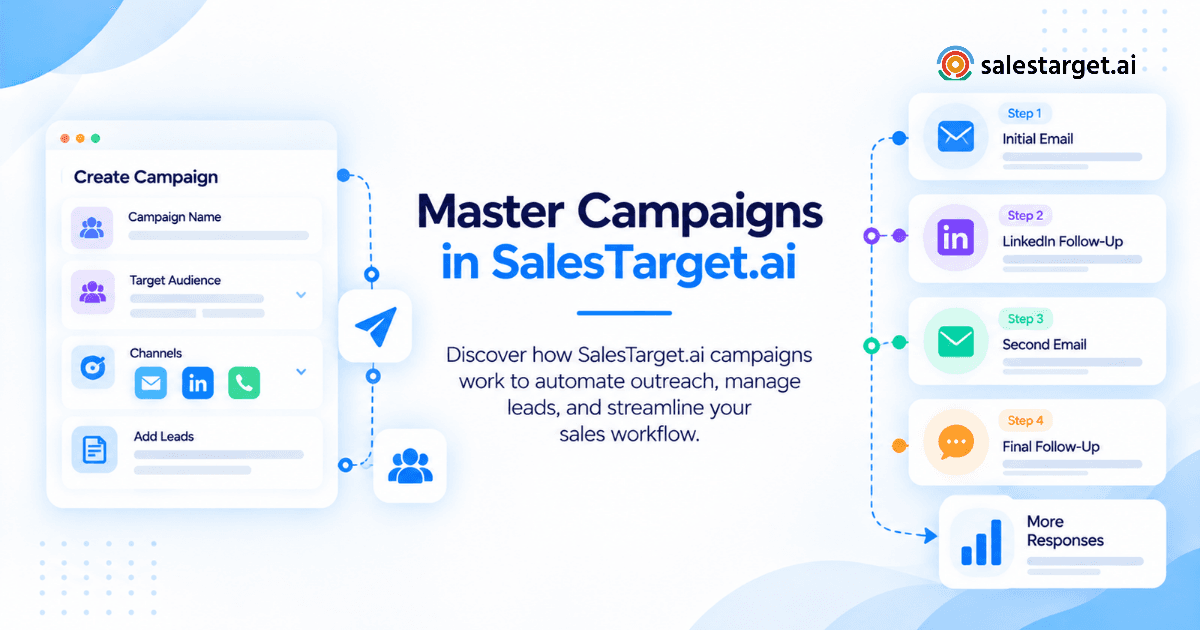
Email and LinkedIn outreach in the same sales workflow
LinkedIn Outreach and email run from one coordinated flow, so context carries across both channels instead of living in two separate tools with two separate histories.
Contact validation before outbound campaigns
The built-in Email Validator runs MX and SMTP checks and flags disposable addresses before a send, which protects sender reputation and keeps domains off blacklists.
Built-in CRM for managing qualified prospects
Campaign leads land in the CRM automatically, with no import step. Every email and call logs to the lead timeline, and follow-up tasks generate on their own when a lead replies.
AI Copilot for faster prospecting and sales tasks
The AI Copilot searches the lead database, drafts full sequences, and answers questions about deals, meetings, and tasks in plain language, so a rep isn't switching tools to get a straight answer.
Teams weighing SalesTarget.ai against a patchwork of point tools can see the fuller picture in this breakdown of how AI sales tools improve B2B sales, and a guide to picking the best sales prospecting tool for teams still comparing options.
Common Prospect List Building Mistakes That Lower Data Quality
Relying on unverified contact information
An email that was correct a year ago isn't guaranteed to work today. Skipping verification is the single fastest way to tank sender reputation.
Building lists without a defined ICP
A list pulled without firm criteria for company size, industry, and role turns into a grab bag. Reply rates suffer and reps burn time on accounts that were never a fit.
Targeting job titles without checking buying relevance
Titles vary by company. A "Director of Growth" at one company owns budget; at another, the same title has zero purchasing authority. Role and department filters catch this gap that title alone misses.
Keeping duplicate and outdated records
Duplicate contacts split activity history and skew reporting. A record that still shows an old employer wastes a call before it even starts.
Sending campaigns before validating contact data
Sending to an unverified list risks a spike in bounces that can get a domain flagged, which then hurts deliverability for every future campaign, not just the one that failed.
Maintaining Accurate Prospect Lists After Initial Research
Refreshing contact and company information
A list is a snapshot, not a permanent record. People change jobs and companies change addresses, so contact and firmographic data need a refresh cycle, not a one-time pull.
Removing invalid and duplicate prospect records
Regular cleanup keeps reporting honest and keeps reps from calling the same account twice under two different records.
Updating decision-makers after account changes
A reorg or a new hire in the buying role means yesterday's contact might not be the right one today. Ongoing enrichment catches this shift faster than a rep checking LinkedIn by hand.
Reprioritizing prospects using new intent signals
An account that looked cold last month might be showing active buying signals this week. A list that updates on intent stays useful long after the first pull.
Creating a More Reliable B2B Prospecting Process
The problem at the start of this piece, a list full of dead emails and outdated titles, comes down to one root cause: prospecting and data accuracy get treated as separate jobs. SalesTarget.ai treats them as one job. Lead Explorer finds the right accounts, enrichment and verification confirm the contact is real, and the CRM and outreach tools keep the record current as it moves through a campaign.
A team that wants fewer bounces, less manual cleanup, and a list reps can trust the moment it lands has a direct next step. Start a free trial with SalesTarget.ai and build a prospect list from a live, verified database instead of a spreadsheet that's already out of date.