Your rep finds a lead in one tab, pastes the email into a second, checks it in a third, loads it into a sequence in a fourth, and logs the reply in a fifth. By Thursday, half the follow-ups are late, a few emails bounced, and nobody can say which campaign produced the meeting on the calendar.
That is not a discipline problem. It is a stack problem.
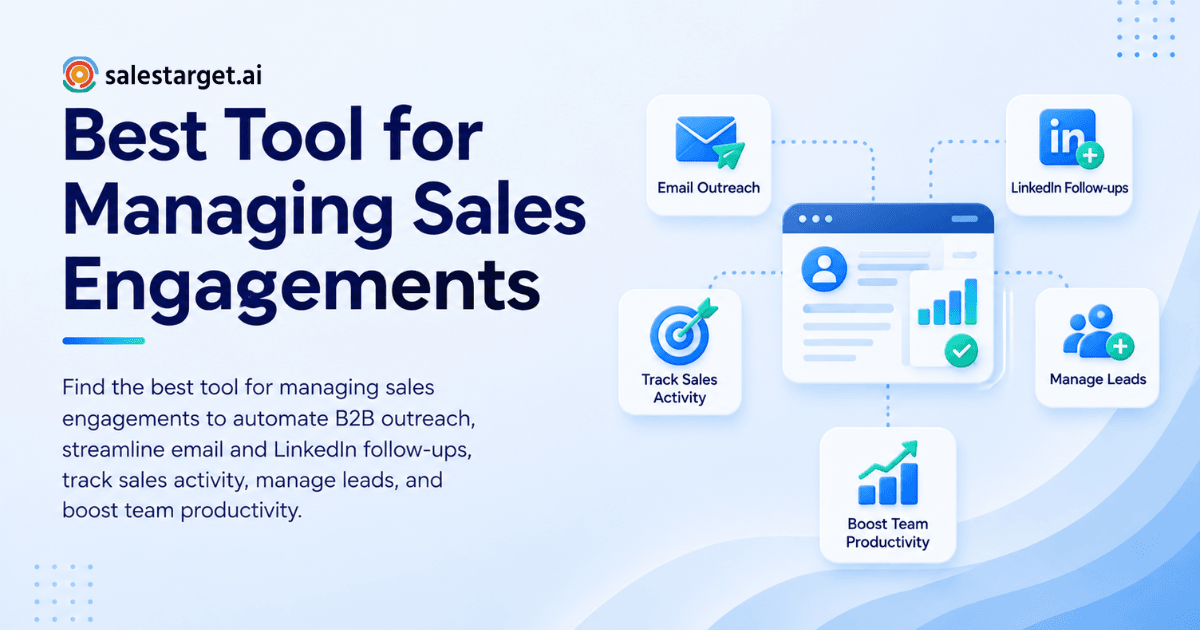
The best tool for managing sales engagements is one platform that finds verified prospects, runs email and LinkedIn outreach in one sequence, schedules follow-ups automatically, and tracks every reply and deal in a shared pipeline. If a tool covers only one of those jobs, you are still stitching. Pick the one that keeps data, outreach, and tracking in the same place.
Best Tool for Managing Sales Engagements: Key Factors to Consider
What makes a sales engagement tool the right one? It removes handoffs between prospecting, outreach, and tracking, and your reps actually use it every day.
Salesforce's State of Sales research reports that reps spend about 60% of their time on non-selling work, and that sellers juggle an average of eight tools to close deals. Any tool you add either cuts that load or adds to it.
Five factors decide which side it lands on:
- Data quality: Does it hold verified contacts, or does it hand you a list to clean?
- Channel coverage: Can one sequence run across email, LinkedIn, and phone?
- Automation with control: Does it schedule follow-ups and still let reps personalize?
- Pipeline visibility: Can a manager see replies, meetings, and deals without a spreadsheet?
- Fit with your motion: Does it match how your team actually sells, outbound-heavy or mixed?
Rank these before you watch a single demo. Teams that skip this step end up buying whichever tool has the loudest feature list.
Sales Engagement Tools and How They Support B2B Outreach
What do sales engagement tools do? They organize and automate the touches between you and a prospect, from first email to booked meeting, and record everything that happens along the way.
Prospecting, Contact Enrichment, and Lead Management
Where does engagement start? With the list. A sequence is only as good as the contacts inside it.
Good tools let you search by role, industry, company size, and tech stack, then enrich the contact with a verified email and phone number. Strong ones also surface buying signals such as funding rounds and hiring spikes, so reps start with accounts that have a reason to talk. Lead management keeps those contacts organized by status instead of scattered across exports.
Email and LinkedIn Outreach Automation
How does outreach automation help? It sends the right touch at the right time without a rep clicking send 80 times a day.
Cold email still works, but the bar is higher. The Instantly Benchmark Report, as summarized by Salesforge, puts the average cold email reply rate at 3.43%. That makes the second channel matter. SmartReach's review of LinkedIn campaigns found that multichannel sequences replied at 1.6 times the LinkedIn-only rate. Email plus LinkedIn in one coordinated sequence beats either alone.
Follow-Up Scheduling and Sales Activity Tracking
Why do follow-ups need software? Since most replies come after the first touch, and most reps lose track of who is due.
Scheduling tools queue the next step the moment a lead replies, goes quiet, or finishes a meeting. Activity tracking logs each email, call, and task to one timeline. Together they give you an answer to "what happened with this lead?" in ten seconds instead of ten minutes.
Common Sales Engagement Challenges for B2B Revenue Teams
What goes wrong in sales engagement? Three things, in roughly this order: data lives in too many places, follow-ups depend on memory, and nobody can see the pipeline clearly.
Disconnected Sales Tools and Scattered Prospect Data
Why does scattered data hurt outreach? Every export, import, and copy-paste is a chance for a contact to go stale or duplicate.
Salesforce reports that 84% of sales teams without an all-in-one platform plan to consolidate their technology. Teams already know the stack is the problem. The harder question is which pieces to merge first, and the answer is usually data and outreach, since that is where reps lose the most hours.
Manual Follow-Ups and Inconsistent Outreach
What happens when follow-ups are manual? Quality depends on the rep's week.
A rep with a light Monday sends five thoughtful follow-ups. The same rep buried in demos on Wednesday sends none. Multiply that across ten reps and your outreach has no standard, only variance. Prospects do not care that Wednesday was busy.
Limited Pipeline Visibility and Performance Tracking
Why can't managers see what is working? Reply data sits in the email tool, deal data sits in the CRM, and call notes sit in someone's notebook.
Without one view, you cannot tell which campaign created pipeline versus which one created replies that went nowhere. Teams then double down on the loudest metric, usually open rate, and miss the one that matters: meetings from the same lead pool.
Steps to Choose the Right Sales Engagement Platform
How do you choose a sales engagement platform? Define your workflow first, test data quality second, then compare channels, automation, and integrations in that order. For a longer buyer's framework, read our guide on how to choose the best sales engagement platform.
Define Your Sales Workflow and Team Requirements
Where should you start? Write down how a lead moves from "found" to "closed" today, step by step, and mark every point where a rep switches tools.
Those switch points are your requirements. A team of three founders running their own outbound needs speed and simplicity. A team of fifteen SDRs needs ownership rules, shared inboxes, and reporting. Name the size and motion before you shortlist anything.
Evaluate B2B Contact Data Quality and Enrichment
How do you test data quality? Run a real pilot: pull 100 leads in your actual ICP and check how many have a working email and a reachable phone number.
Here is the angle most buyer guides skip. Ask when verification happens. A contact verified at the moment of enrichment is fresher than one verified when the database first scraped it, and B2B data goes stale every month. A "99% verified" claim means little if the check is old.
Compare Multichannel Outreach Capabilities
What should you check? Whether email and LinkedIn run inside one sequence or in two separate tools with a manual bridge.
Test one edge case during the trial: a prospect replies on LinkedIn at 10 a.m. while your email follow-up is scheduled for 2 p.m. Does the email stop? Tools that cannot pause across channels will send a "just following up" email to someone who already said yes. That mistake costs more than any feature gap.
Review Automation, Personalization, and Follow-Up Features
What separates good automation from bad? Good automation handles timing and sequencing while leaving the message specific.
Look for AI drafting that adapts to role and industry, conditional branching based on replies, and send windows that respect time zones. Check that a rep can edit any step for a high-value account without breaking the sequence.
Assess CRM Integration, Reporting, and Pricing
What should integration and reporting cover? Two-way sync with your CRM, or a built-in CRM that removes the sync entirely, plus reports that show meetings and deals, not only sends and opens.
On plan structure, compare how each vendor charges (per seat, per credit, per inbox) and count how many separate subscriptions you would still need around it. A tool that looks simple on its own page but needs a validator, a data source, and a CRM next to it is three tools wearing one name.
Key Features of B2B Sales Engagement Software
What features matter most? Verified data, multichannel sequences, deliverability protection, activity tracking, and AI support that handles routine tasks.
Verified Prospect Data and Lead Enrichment
Enrichment should fill in verified email, phone, title, and company details in one click, with filters broad enough to build your ICP without exporting to a second tool. Intent signals add timing on top of fit.
Email and LinkedIn Sequence Management
You want multi-step sequences with branching logic, send windows, and a single inbox where replies land. LinkedIn steps (connection request, message, follow-up) should live in the same flow as email steps, with human-like pacing to protect the account.
Email Validation and Deliverability Monitoring
Bounces damage sender reputation fast. Look for MX and SMTP checks before sending, disposable-address detection, SPF, DKIM, and DMARC checks, inbox warm-up, and rotation across inboxes. Validation that runs before the send beats cleanup after a bad week.
Sales Activity Tracking and Pipeline Reporting
Every email, call, and task should log to the lead timeline automatically. A shared pipeline and a dashboard of meetings, open deals, and pending tasks let a manager coach from facts.
AI-Powered Prospecting and Outreach Support
AI should take real work off the rep's plate: finding leads from a plain-English description, drafting sequences, summarizing pipeline, and flagging deals that need attention. Strategy and relationships stay human.
Benefits of Sales Engagement Automation for Revenue Teams
What do teams gain from automation? Time back, steadier follow-up, clearer pipeline, and fewer tools to pay for and maintain.
Reduced Manual Work for SDRs and BDRs
Research, list building, logging, and scheduling are the hours that vanish from an SDR's week. Automating them moves time toward calls and conversations, which is where meetings come from.
Consistent Follow-Ups and Personalized Communication
When the system queues every follow-up, quality stops depending on how busy the rep was. Reps spend their effort on the first line of each message, the part a prospect actually reads.
Better Sales Productivity and Pipeline Visibility
One timeline per lead and one dashboard per team mean fewer status meetings. Managers see what is stuck and who needs help without asking for a report.
Fewer Tools and More Connected Sales Workflows
Fewer tools means fewer logins, fewer syncs that break, and fewer places for a contact to go stale. It also means onboarding a new SDR takes a day instead of a week.
If your team is feeling this, start free with SalesTarget.ai and run your next 100 leads through one workflow instead of five.
Why Choose SalesTarget.ai
Why does SalesTarget.ai suit B2B outbound teams? It puts lead data, email, LinkedIn, validation, CRM, and an AI Copilot in one workspace on one bill, so a lead moves from found to closed without leaving the platform.
Apollo gives you data and engagement, but you still bolt on deliverability and a CRM. Instantly, Smartlead, and Lemlist focus on cold email, with no native B2B database, no LinkedIn automation, and no real CRM. SalesTarget.ai covers the full chain.
Lead Explorer for B2B Prospecting and Enrichment
Lead Explorer searches 840M+ professional profiles and 146M+ business entities, in plain English or with stacked filters for role, seniority, company size, location, and tech stack. One click unlocks a verified email, phone, and mobile number. Salestarget.ai states that 99% of its contact data is verified, and enrichment happens at the moment you find the lead, so you are not working from an old scrape. Buying signals from Bombora Intent Topics and events like funding and hiring spikes help reps start with accounts that have a reason to talk. Enriched leads go straight into a sequence or the CRM with no CSV.
Email and LinkedIn Outreach in One Workflow
Email Outreach builds multi-step sequences from a plain-English audience description, with unlimited inboxes, automatic AI warm-up, and inbox rotation. A unified inbox sorts replies by intent and assigns owners. LinkedIn Outreach automates connection requests, messages, and follow-ups with conditional branching, time-zone-aware scheduling, and built-in safety limits. Both run in one coordinated flow, so context carries across channels and a reply on one pauses the other.
Email Validator for Contact Accuracy and Deliverability
The Email Validator checks addresses with MX and SMTP tests, flags disposable emails, and scores risk before you send. It offers a real-time API and bulk list cleaning, and connects with 60+ platforms. Salestarget.ai reports that 90% of emails in Email Outreach are validated before sending, which keeps bounces low and protects your domain.
Built-In CRM for Sales Conversations and Deal Tracking
The CRM is built for outbound teams, not enterprise bloat. Campaign leads land automatically, emails and calls log to the lead timeline, and follow-up tasks appear when a lead replies or a meeting ends. The built-in AI dialer places calls with one click and takes notes for you, saving them to the timeline. It connects with Google Calendar, Calendly, Slack, Zapier, HubSpot, Salesforce, and Zoho. Salestarget.ai reports 91% follow-up completion, about 6 hours saved per rep per week, and 2.4X more meetings from the same leads.
AI Copilot for Everyday Sales Tasks
The AI Copilot is a conversational teammate, free inside the platform. Ask it to find leads, draft a personalized sequence, summarize which campaigns drive revenue, or list overdue tasks. It flags at-risk deals and suggests a next move. Workspace data stays private.
Common Mistakes to Avoid When Selecting Sales Engagement Tools
What mistakes do buyers make most? They buy features instead of fit, ignore data and deliverability, automate without personalizing, and miss the true cost of adoption.
Choosing Features Without Matching Your Sales Process
A long feature list feels safe. Then the team uses four of forty features and works around the rest. Map the tool to your workflow before you map it to a comparison chart.
Overlooking Data Accuracy and Deliverability
A beautiful sequence sent to a stale list is a bounce report. Ask where the contacts come from, when they were verified, and what protects your sender reputation. Compare against alternatives like Apollo on this point first.
Relying on Automation Without Personalization
Automation sends the message. It does not choose the reason someone should reply. Reps who personalize the first line and the offer, and automate the rest, outperform reps who automate everything.
Ignoring Adoption, Integration, and Total Costs
A tool nobody opens is the most expensive one in the stack. Check onboarding time, whether your CRM syncs cleanly, and how many extra subscriptions sit around the tool. Setup in under a day is a reasonable bar for a lean team. Larger teams should also see how sales engagement platforms for enterprise SDR teams handle ownership rules and reporting before signing anything.
Conclusion: Selecting a Sales Engagement Tool for Scalable B2B Outreach
You started with a day split across five tabs, late follow-ups, and a pipeline nobody could read. The fix is not another point tool. It is one workflow where a lead is found, enriched, verified, contacted on email and LinkedIn, followed up automatically, and closed in a CRM that logged every step.
That is what SalesTarget.ai is built for. Lead Explorer feeds verified contacts into Email and LinkedIn Outreach, the Validator protects your domain, the CRM tracks the deal, and the Copilot handles the grunt work. One workspace, one bill, no stitching. Run the checklist above against your current stack, then test it on a real list.
Ready to run your outbound from one place? Start free with SalesTarget.ai and send your first sequence today.