LinkedIn is still the best platform to build a predictable B2B pipeline but only if you treat it like a system, not a lottery ticket. Most teams fail not because LinkedIn doesn't work, but because they skip the fundamentals: vague targeting, weak profile positioning, and outreach that reads like mass mail.
The difference between a revenue-generating LinkedIn motion and one that wastes hours comes down to four things: targeting precision, profile credibility, message relevance, and reliable lead capture. This guide walks you through all four, step by step, plus the tools that actually reduce busywork without turning your outreach into noise.
Understanding What LinkedIn Lead Generation Tools Should Actually Do
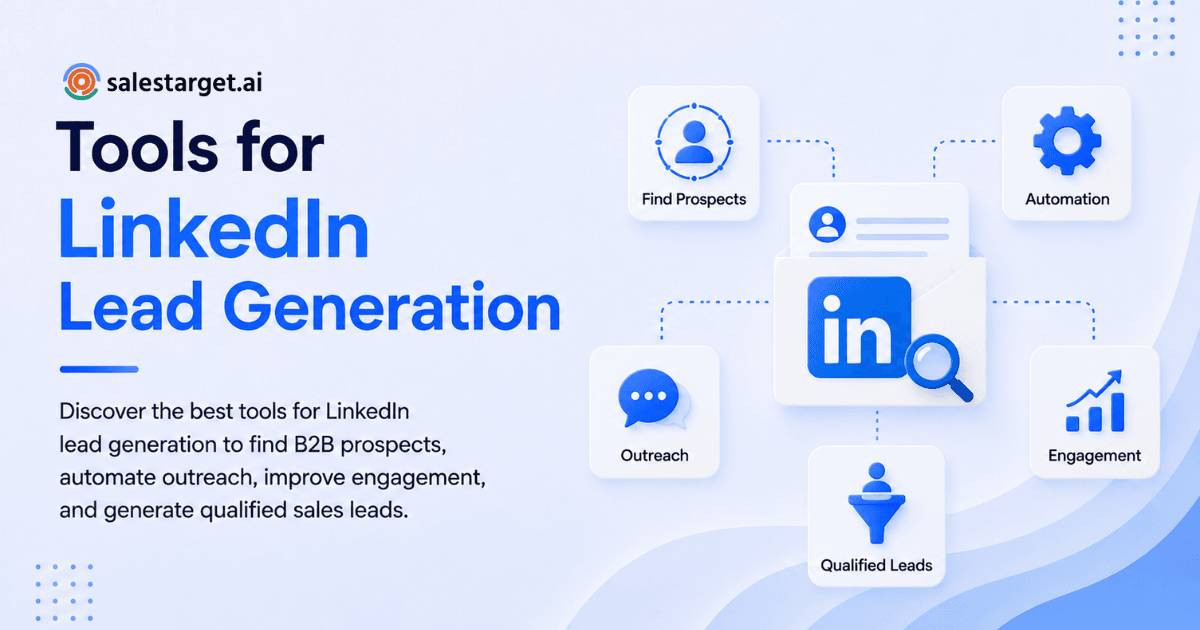
Before you add another tool to your stack, ask what problem you're solving. The best B2B lead generation setups typically address this funnel:
- Targeting & list building: Segment your ideal customer profile (ICP) and build a repeatable queue of prospects to work daily.
- Outreach & follow-up: Send personalized, relevant messages at scale without sounding automated.
- Lead capture: Save prospect data, emails, and interaction notes directly into your system—no manual entry.
- Enrichment & verification: Unlock verified contact info and buying signals to qualify faster.
- CRM integration: Sync everything into one place so follow-up is automatic and attribution is clear.
- Reporting: Track what's working (reply rates, conversion by persona, pipeline velocity) so you can optimize.
If a tool doesn't improve at least one of these, it's probably adding friction instead of removing it.
A useful mental model: Find → Qualify → Connect → Converse → Convert → Nurture. The right tools reduce busywork at each step without requiring you to sound like a bot.
Your LinkedIn Prospecting Workflow (Step by Step)
Use this process regardless of which tools you choose. It's the operating system that makes everything else work.
Step 1: Optimize Your LinkedIn Profile (So Prospects Say Yes Before You Message)
Your profile is the landing page for your outreach. If it's vague or generic, you'll get ignored—even with perfect targeting and a solid offer.
LinkedIn profile optimization checklist for lead generation:
- Headline: Lead with outcome + audience + proof. Not "VP Sales at Acme Inc," but "Help B2B SaaS teams close 30% more deals | Sales Strategy | 100+ companies coached."
- Banner: One clear value prop and a soft CTA. Example: "Scaling outbound? Grab the 5-step prospecting playbook" (with a link to a lead magnet).
- About section: Problem → your approach → proof → CTA. Use specific numbers (% improvement, customer count, years of experience).
- Featured section: One lead magnet (template/checklist), one case study, one "how we work" asset. These get more engagement than text-only profiles.
- Experience section: Use numbers and specific outcomes. Not "managed sales team," but "grew sales pipeline 180% YoY through systematic outbound prospecting."
- Social proof: 3–5 recommendations from customers/colleagues with specific results mentioned; short testimonials in the Featured section.
Pro tip: Make your CTA frictionless. "Want the template?" or "Curious how we do it?" converts better than "Let's connect."
Step 2: Build Targeted Lists (Stop Spray-and-Pray)
This is where the real work begins. Generic targeting kills conversion rates before you even send a message. If you want a structured approach to this step, our detailed guide on the best LinkedIn outbound strategies walks through segmentation, persona mapping, and trigger-based targeting in depth.
Segment your list by:
- ICP fit: Industry, company size, geography, revenue range
- Buyer profile: Role, seniority, decision-making authority (buyer vs. influencer vs. champion)
- Trigger signals: Recent hiring, funding announcements, new product launches, tech stack changes, relevant job posts, company milestones
- Intent hints: Engagement with your content, group membership, followed your company, recent job changes within a target account
Use LinkedIn Sales Navigator (or equivalent B2B databases) to stack filters and save these as repeatable searches. A saved list of 50–100 prospects per persona becomes your daily queue.
Litmus test: If you can't explain why someone is on your list, your message won't save you. Vague lists kill outreach ROI.
Step 3: Personalize at Scale (Light Relevance, Not a Novel)
You want to be relevant, not robotic. The fastest wins come from "micro-personalization":
- 1 line: Their role + company context
- 1 line: One specific problem you solve for their segment (or a recent trigger you spotted)
- 1 line: Low-friction CTA
Example:
"Hey Sarah - saw Acme just hired a VP of Sales last month. When teams scale, lead quality often drops before processes catch up. Worth a quick comparison of notes on what's worked?"
This is where templates + variables shine. You're not sending essays; you're sending 3 targeted sentences that show you did 30 seconds of research.
Step 4: Capture and Route Leads Automatically
A conversation is not a lead until it's stored, enriched, and routed to follow-up. Once outreach volume increases, manual spreadsheet tracking becomes a bottleneck.
The ideal lead capture workflow:
- Prospect replies positively → You click "Save lead"
- CRM record is created or updated instantly
- Enrichment runs automatically (email verification, company data, buying signals)
- Follow-up task is assigned to the appropriate team member
- Lead is added to a nurture sequence if not immediately qualified
This is CRM integration for B2B lead generation working as intended. It turns replies into momentum, not admin work.
Top 5 LinkedIn Lead Generation Tools
Choosing the right LinkedIn lead generation tool depends on how you find prospects, personalize outreach, manage follow-ups, and track your sales pipeline. Some tools focus primarily on prospecting and data, while others are designed for outreach automation, email campaigns, or LinkedIn-specific prospecting.
Here are the best five LinkedIn lead generation tools to consider:
1. SalesTarget.ai
SalesTarget.ai is an all-in-one B2B sales platform that combines lead discovery, enrichment, LinkedIn outreach, email outreach, and CRM capabilities. It helps sales teams find qualified prospects, personalize outreach, automate follow-ups, and manage lead activity from one platform.
For teams looking to automate LinkedIn prospecting, SalesTarget.ai supports connection requests, personalized messages, follow-ups, campaign management, scheduling, and safety controls. Its LinkedIn Outreach solution is designed to connect prospecting and outreach in a single workflow. Explore SalesTarget.ai LinkedIn Outreach
If you want to understand how automated LinkedIn sequences can be structured, see these examples of six LinkedIn outreach workflows that use triggers, personalization, follow-ups, and multi-touch campaigns.
2. Apollo.io
Apollo.io combines B2B prospect data with sales engagement features. Sales teams can use it to discover potential buyers, build targeted prospect lists, access contact information, and manage outbound campaigns.
It can be useful for teams that want prospecting and sales engagement capabilities in one workflow.
3. Instantly.ai
Instantly.ai is primarily focused on outbound email and sales engagement. It supports email campaigns, automated follow-ups, multiple sending accounts, and outreach workflows designed for scaling outbound activity.
It can be a useful option for teams that want to combine LinkedIn prospecting with a structured email follow-up process.
4. Lemlist
Lemlist is an outbound sales engagement platform focused on personalized email and multichannel campaigns. It helps teams create automated sequences, personalize messages, and coordinate outreach across different channels.
Its personalization and sequencing capabilities can be useful when LinkedIn is one part of a broader B2B outreach strategy.
5. LinkedIn Sales Navigator
LinkedIn Sales Navigator is LinkedIn's dedicated sales prospecting platform. It helps sales professionals identify potential buyers using advanced filters based on factors such as job title, seniority, industry, company, and location.
Sales teams can use Sales Navigator to build targeted prospect lists and identify relevant accounts before moving prospects into their outreach workflow.
How These Tools Fit Into a LinkedIn Lead Generation Strategy
These tools serve different parts of the B2B lead generation process. Sales Navigator is strongly focused on LinkedIn prospecting, while Apollo.io provides prospect data and sales engagement capabilities. Instantly.ai and Lemlist are particularly useful for outbound sequencing and email engagement. SalesTarget.ai combines prospect discovery, enrichment, LinkedIn outreach, email outreach, and CRM workflows in one platform.
For teams considering LinkedIn automation, the important factor is not simply how many connection requests a tool can send. Effective automation should combine accurate targeting, personalized messaging, controlled follow-ups, campaign management, and human review.
For a deeper look at how LinkedIn automation works for B2B sales teams, including prospecting, personalized messaging, campaign controls, CRM tracking, and LinkedIn + email workflows.
The best tool ultimately depends on your sales process, target audience, outreach volume, and whether you want separate tools for prospecting and engagement or a more unified lead generation workflow.
Why Choose SalesTarget.ai for LinkedIn Lead Generation?
Building a predictable LinkedIn motion requires coordination across multiple tools but fragmentation kills both efficiency and accuracy.
SalesTarget.ai consolidates the entire lead generation workflow into one platform: find leads, enrich them, outreach across LinkedIn and email, capture replies, and close deals—all in one CRM.
Here's what that means in practice:
Lead Discovery & Enrichment in One Click
SalesTarget.ai's Lead Explorer gives you 840M+ verified professional profiles and 146M+ business entities with 4,000+ intent signals from 50+ data sources. Search in plain English or stack Business + People filters. When you find a prospect, one click enriches their record with verified professional email, personal email, phone, mobile, and company data—all automatically synced to your CRM. No toggling between tabs or manual copy-paste.
LinkedIn Outreach Built for Safety & Scale
SalesTarget.ai's LinkedIn Outreach automates connection requests, DMs, follow-ups, and engagement actions with AI personalization that adapts to each profile, role, and industry. The key difference: built-in safety features that larger point tools gloss over. Timezone-aware smart scheduling, human-like delays, rate-limit enforcement, and auto-pause safeguards protect your account. Conditional sequences branch on replies, so you never send a follow-up to someone who already responded.
Email That Lands (Not Spam Folder)
SalesTarget.ai's Email Outreach auto-builds multi-step sequences from a plain-English audience description. Unlimited inboxes with automatic AI warm-up, intelligent inbox rotation, and SPF/DKIM/DMARC checks mean your emails actually land. The AI Content Generator and Spintax Generator speed up personalization at scale templates in, sequences out, 35% faster than building manually.
Before any email is sent, Email Validator verifies it using MX/SMTP checks and risk scoring. 90% of emails are validated before sending, so you're not burning your sender reputation on bad addresses.
Unified Inbox & CRM for Revenue Teams
Campaign leads land automatically in SalesTarget.ai's CRM, built for outbound teams. Every email and call is logged to the lead timeline. Follow-up tasks are created automatically. The platform includes an AI dialer with auto-logged call notes, so you capture data without manual entry. Real customers report 3.2X faster deal cycles, 91% follow-up completion, and ~6 hours saved per rep per week.
Ask Questions in Plain English
SalesTarget.ai's AI Copilot is a conversational AI sales teammate free inside the platform. Chat to find leads, generate full email sequences, track campaign revenue, query CRM data in plain language, or create and assign tasks. No more jumping between 5 dashboards to answer "how many replies did we get this week?"
The Real ROI: One platform, one bill, no data silos. Find a lead in Lead Explorer, enrich it, push it into a coordinated LinkedIn + email sequence, capture the reply, log the call, and close the deal all without leaving the platform. That coordination is what converts a "lead gen tool stack" into a revenue-generating system.
Building Your Starter Stack
Not every team needs every tool. Here are three practical combinations based on your situation.
Stack A: Solo Founder / Consultant (High Personalization, Low Volume)
Best for: premium services, high-ACV deals, relationship-driven sales.
- Sales Navigator for targeting and saved searches
- A LinkedIn lead capture Chrome extension for saving leads
- A lightweight CRM or pipeline tool
- An email enrichment tool to unlock verified contact info
- A simple sequence tool (email + LinkedIn) for follow-ups
Workflow: Find 50 ideal prospects in Sales Navigator → save 10–15 per week → personalize outreach → capture replies → nurture for 2–3 months → close.
Stack B: Small B2B Team (Repeatable Outbound)
Best for: consistent SDR motion and measurable pipeline.
- Sales Navigator + saved lead lists (personas)
- SalesTarget.ai Lead Explorer for deeper targeting and enrichment
- LinkedIn Outreach + Email Outreach for coordinated sequences
- Built-in CRM integration and lead capture
- Reporting dashboard (pipeline, reply rate, meetings booked)
Workflow: Build 3–5 persona-based lead lists → run daily outreach across both channels → capture all replies into CRM → track pipeline velocity and optimize based on reply/reply-to-meet rates.
Stack C: Agency / Lead Gen Service (Multi-Client, Ops-Heavy)
Best for: managing many personas and offers.
- Sales Navigator per client ICP
- Strict SOPs for targeting and personalization (documented workflow, per the guide above)
- Unified inbox for managing conversations across clients
- Central CRM with tagging conventions (client, persona, offer, campaign)
- Dedicated QA and compliance checks on outreach (quality gates before send)
- Messaging libraries (verticalized by industry or function)
Workflow: Onboard client ICP → build saved searches → create client-specific messaging templates → run outreach with QA gates → report on reply rates and meetings by persona.
Message Templates That Convert (With Guardrails)
These are flexible frameworks, not copy-paste spam. Personalize the bracketed parts with real, specific information.
Connection Request (Low Friction)
Hi [Name] - noticed you lead [function] at [Company]. Quick question: are you focused on [initiative/priority] this quarter?
Why it works: You've done 10 seconds of research, asked a yes/no question, and left room for them to respond with context.
Post-Accept "Context + Value"
Thanks for connecting, [Name]. I work with [peer companies / similar-sized teams] on [specific outcome]. If helpful, I can share a [template/checklist/breakdown] we use for [problems they likely face]. Want it?
Why it works: You've established relevance and led with a low-friction CTA (not a call request).
Trigger-Based Message (Highest Reply Rates)
Hey [Name] - saw [trigger: hiring/funding/new product launch]. Congrats. When [that trigger] happens, teams often run into [specific issue]. Are you already set on that, or still evaluating options?
Why it works: Specific trigger + specific problem = high relevance. Assumes nothing and invites honest feedback.
Soft Close to a Short Call
If it's useful, happy to compare notes for 10 minutes and share what's worked for [similar company]. No deck, just practical. Want to do [Tuesday 2pm or Thursday 10am]?
Why it works: Low friction (10 min, not 30), specific time options, and framed as peer-to-peer, not a sales call.
Buying Checklist for LinkedIn Lead Generation Software
When comparing tools, score vendors on:
- Workflow fit: Does it support how you actually sell (manual first, then automate)?
- Team controls: Roles, permissions, shared templates, so different team members can collaborate
- Data model: Stores LinkedIn URL, company, role changes, so you can track profile evolution
- CRM integration: Native sync, activity logging, deduplication (no double-reaching)
- Deliverability: Email warm-up, throttling, domain controls, so your emails land
- Compliance: Opt-out handling, data retention, audit trails for legal/regulatory needs
- Support: Real onboarding, documentation, and actual humans to talk to
Red flag: Any tool promising massive results with "set and forget" automation. Sustainable lead generation is boring, consistent execution not magic software.
Conclusion: Build a System, Not a Stack
The fastest path to LinkedIn revenue is not more tools. It's:
- A strong profile that builds credibility before you message
- Tight targeting (use saved searches as your daily queue)
- A helpful offer (lead magnet or valuable resource, not a pitch)
- Human-sounding messages (use the templates above as frameworks, not copy-paste)
- Reliable lead capture (so every reply turns into a follow-up task)
- Conservative, well-governed automation (if you use it at all)
One immediate next step: Build one persona-based saved search in Sales Navigator with 50–100 qualified prospects. Run a 20-prospect test with trigger-based messages. Track connection acceptance and reply rates. Then add tooling only where manual work is slowing you down, not where strategy is missing.
Most teams fail on LinkedIn not because they don't have the right tool. They fail because they skip the fundamentals. Get those right first. Then let software remove the friction.
Want to consolidate your lead gen stack? SalesTarget.ai brings discovery, enrichment, LinkedIn and email outreach, lead capture, and CRM together in one platform. Start free to see how a unified workflow reduces setup time and speeds up your first replies.