Your reps are spending three hours a day on LinkedIn manually sending connection requests, typing out the same follow-up message for the tenth time, and watching warm prospects go cold because nobody circled back in time. The pipeline looks thin, and the problem isn't effort. It's process.
Automating LinkedIn messages means setting up a sequence tool that sends connection requests, timed direct messages, and follow-ups based on prospect behavior without manual work between each step. The goal isn't just efficiency. It's consistency: every ICP-fit prospect gets the right message at the right moment, regardless of how packed your team's calendar is.
This guide covers exactly how to build that system, what separates good automation from spam, and how SalesTarget.ai keeps the entire workflow from prospect search to CRM in one place.
The Challenge of Scaling LinkedIn Sales Outreach
Scaling LinkedIn outreach manually breaks down at volume. Here's where it specifically goes wrong.
Manual Messaging Slows Down Prospecting
A rep managing LinkedIn by hand can realistically contact 20 to 30 prospects a day. With a structured automation sequence, that same rep runs outreach to 150 or more per week without sacrificing message quality or follow-up discipline.
Inconsistent Follow-Ups Lead to Missed Opportunities
Most LinkedIn replies come after the second or third touchpoint. When follow-up depends on a rep remembering to check back between calls and demos, a large share of warm prospects never hear from you again.
Generic Outreach Reduces Prospect Engagement
Copying the same message to every contact in a job title search is the fastest way to destroy reply rates. LinkedIn users recognize templated outreach immediately, and most ignore it without a second thought.
Why Better Targeting Matters More Than Higher Message Volume
Sending 500 generic messages produces worse results than sending 100 well-targeted ones. According to Salesforce's State of the Connected Customer report, 72% of B2B buyers expect sellers to engage with personalized outreach. Volume without targeting is noise.
How LinkedIn Message Automation Works
LinkedIn message automation uses a software layer connected to your LinkedIn account that executes outreach actions on a set schedule, based on rules you define.
Automated Connection Requests and Messaging
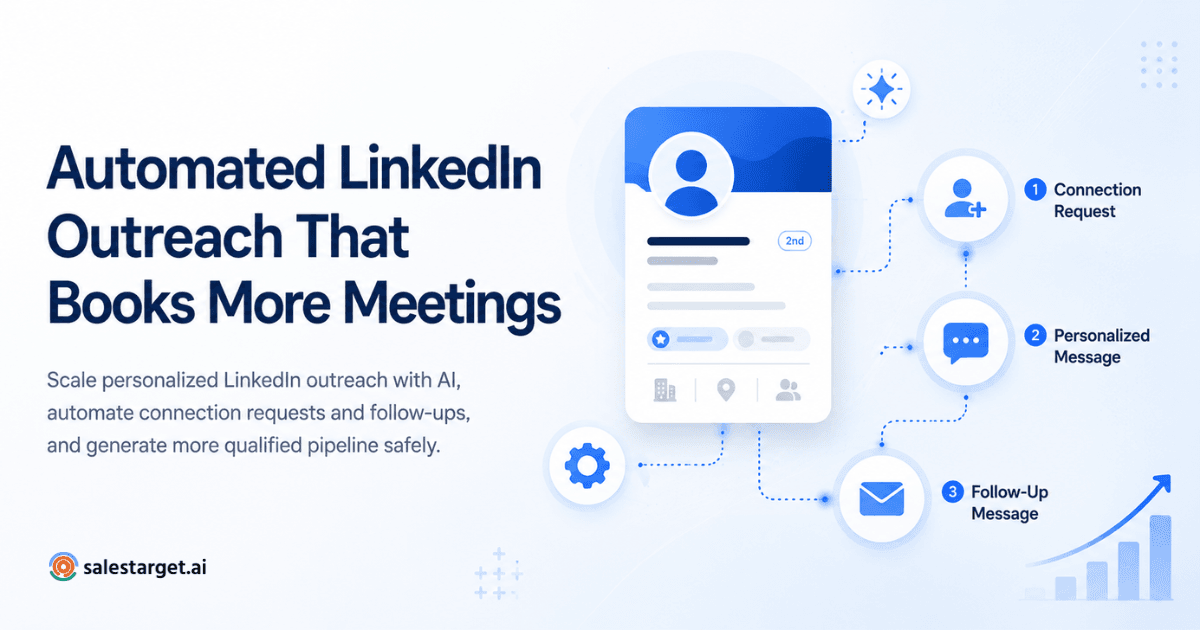
The tool sends connection requests with or without a note, waits for acceptance, then triggers the first direct message automatically. No rep involvement needed until a prospect replies.
Follow-Up Sequences Based on Prospect Actions
If a prospect accepts but doesn't respond, the sequence sends follow-up message one after a set delay. If they reply at any point, automation pauses and routes the live conversation to the rep.
Personalized LinkedIn Messages at Scale
Personalization fields pull in role, company name, industry, or recent activity so each message reads as one-to-one even when it's running across hundreds of contacts.
Managing Replies and Active Conversations
Replies exit the automation and land in a unified inbox, flagged by intent. The rep picks up the live conversation without losing context from the sequence history.
Moving Prospects From LinkedIn Into the Sales Pipeline
When a prospect shows interest, they push directly into the CRM as a lead, with activity already logged. No manual data entry, no copy-paste between tools.
Where Automated LinkedIn Messaging Fits Into B2B Sales
LinkedIn automation is a prospecting tool. It opens doors. It doesn't close deals. Here's where it adds the most value.
Prospecting for ICP-Fit Buyers
Automation works best when the prospect list is tight. Feed it a filtered, ICP-specific list and every message carries more relevance to the people receiving it.
Starting Conversations With Decision-Makers
LinkedIn gives direct access to VPs, directors, and C-level buyers who don't pick up cold calls. Systematic automated outreach to these roles is possible without burning out an SDR team.
Following Up With Prospects Consistently
Automated follow-ups keep warm prospects from going cold. The sequence keeps running even when reps are in demos, on travel, or deep in active deals.
Supporting Account-Based Sales Outreach
For target accounts, automation handles initial multi-touch contact at scale, freeing the AE to focus on relationship-level conversations with the accounts that matter most.
Re-Engaging Prospects Who Did Not Respond
Old prospects who went quiet can be re-enrolled in a new sequence with a different angle. Automated re-engagement becomes a repeatable process, not a once-a-quarter manual sprint.
Building a LinkedIn Outreach Automation Strategy
A LinkedIn automation strategy without a defined ICP is just a message blaster. Start with the targeting, not the tool.
Define the ICP and Target Buyer Roles
Know exactly which job titles, company sizes, industries, and seniority levels you're targeting before writing a single message. Everything downstream depends on this decision.
Build a Clean Prospect List
Dirty data kills automation capacity. Enrich and verify contact information before any prospect enters a sequence. Lead Explorer handles this in one step: search, enrich, and verify without a CSV export.
Segment Prospects Before Outreach
Group prospects by role, company stage, or intent signal. Each segment needs a different message angle. Treating a Series A founder and an enterprise CRO as the same audience will cost you replies.
Choose the Right Message Angle for Each Segment
A VP of Sales at a 50-person SaaS company has different priorities than a Head of RevOps at a 500-person enterprise. One message cannot cover both.
Set Clear Goals for Replies, Meetings, and Pipeline
Define what success looks like per sequence: target reply rate, qualified conversation rate, and meetings booked per 100 prospects reached.
Creating a LinkedIn Messaging Sequence That Converts
A sequence that converts follows a natural conversation arc, not a sales funnel script.
Start With a Relevant Connection Request
Keep the connection note under 200 characters. Make it about them, not about you or your product.
Use the First Message to Start a Conversation
The first DM after connection should be short, specific to their role or company, and end with a low-commitment question. No pitch in message one.
Add Context in the First Follow-Up
If there's no reply after three to four days, follow up with something relevant: a company signal, an industry challenge they're likely facing, or a simple check-in.
Use Later Follow-Ups to Introduce New Value
Each touchpoint should add something new: a relevant insight, a different framing of the problem you solve, or a specific use case that matches their profile.
Stop Automated Messages When a Prospect Responds
The moment a reply comes in, automation stops. Every response gets a human reply. This is the one rule that separates a professional outreach program from a spam operation.
Move Interested Prospects Into the Next Sales Step
When a prospect shows intent, route them to a meeting link, a short qualification call, or a follow-up email. Don't let momentum stall.
For two detailed approaches to LinkedIn sequence structure, read Automated LinkedIn Outreach: 6 Workflows That Generate Replies on Autopilot.
Personalizing Automated LinkedIn Messages
Personalization is not adding a first name. It's showing you understand why this specific person might care about what you're saying.
Use Role and Industry Context
Reference what typically matters to someone in their position. A CRO cares about pipeline predictability. An SDR manager cares about rep productivity and ramp time. Write to those priorities directly.
Reference Company-Level Signals
If the company just raised a round, posted 10+ open sales roles, or announced a leadership change, that's a relevant, timely hook.
Use Buyer Intent and Prospect Activity
If a prospect recently posted about a challenge you solve or engaged with content in your space, that's an opening that most reps miss completely.
Personalize the Opening Without Overwriting the Message
One specific, relevant line at the top is enough. A 200-word personalized paragraph loses the reader before they reach your point.
Keep Sales Messages Short and Easy to Reply To
LinkedIn DMs are not emails. Keep them under 100 words. Ask one question. Make replying feel like a five-second decision.
Automating LinkedIn Connection Requests and Follow-Ups
The mechanics of automation matter as much as the copy inside the messages.
Set Rules for Who Receives Connection Requests
Filter by title, seniority, company size, and location before the automation sends anything. Sending to everyone who matches a broad keyword is how accounts get restricted.
Control the Delay Between Outreach Steps
Use realistic timing: three to five days between connection acceptance and the first DM, four to seven days between follow-ups. Anything faster reads as automated regardless of how good the copy is.
Use Conditional Actions Based on Connection Status
If a prospect doesn't accept the connection request within 14 to 21 days, stop the sequence. Don't continue sending messages to contacts who haven't connected.
Adjust Follow-Ups Based on Prospect Engagement
If a prospect viewed your profile after receiving a message, that's a signal worth acting on. Good automation tools branch the sequence based on actions like this.
Withdraw Old Pending Connection Requests
LinkedIn penalizes accounts with high pending request ratios. Withdraw requests older than three weeks to keep account health intact and avoid restrictions.
Combining LinkedIn Outreach With Email
LinkedIn and email together consistently outperform either channel alone. McKinsey research on sales engagement found that multichannel outreach significantly improves buyer response rates compared to single-channel approaches. The coordination between channels is where most teams leave results on the table.
Use LinkedIn and Email in the Same Sales Sequence
Don't run separate campaigns. Coordinate them: LinkedIn connection first, email follow-up second, LinkedIn DM third. Context should carry across both channels.
Choose the Right Channel for Each Outreach Step
LinkedIn is better for opening conversations with senior buyers who don't respond to cold email. Email handles longer context, attachments, and prospect-initiated threads.
Avoid Repeating the Same Message Across Channels
The email version of a message should reference or build on the LinkedIn touchpoint, not repeat it word for word.
Use Email Validation Before Adding Email Touchpoints
A bad email address mid-sequence hurts deliverability for every message that follows. Validate contacts before the sequence starts, not after a bounce hits.
Keep Replies and Sales Activity in One Workflow
When LinkedIn and email run from the same platform, every reply, task, and deal update stays visible without toggling between tools. See how to automate LinkedIn outreach for better sales results with a coordinated approach.
Key Features to Look for in LinkedIn Message Automation Software
Prospect Search and List Building
The tool should let you build targeted lists without leaving the platform or exporting spreadsheets.
LinkedIn Connection and Message Automation
Connection request automation, DM automation, and sequence management in one workflow.
Personalized Messaging Controls
Dynamic fields for role, company, industry, and custom variables with the ability to preview how each message renders before it sends.
Follow-Up and Sequence Automation
Timed follow-ups that run automatically until a reply or the end of the sequence, with no manual triggers required.
Conditional Campaign Steps
Branching logic based on whether a prospect connected, replied, or ignored the outreach entirely.
Email and LinkedIn Multichannel Outreach
Native multichannel support in one sequence so both channels run from the same campaign settings.
CRM and Reply Tracking
Replies auto-log to a lead record. Active opportunities push into a pipeline view automatically.
Campaign Reporting and Pipeline Tracking
Connection rate, reply rate, positive reply rate, meetings booked, and pipeline generated: all visible per campaign, per segment, and per sequence step.
Improving LinkedIn Outreach Response Rates
HubSpot research shows that 80% of sales require at least five follow-ups, but 44% of reps give up after just one. The gap is a follow-up problem, and structured LinkedIn automation closes it systematically.
Focus on Smaller, More Relevant Prospect Segments
A list of 80 high-fit prospects will outperform a list of 800 loosely matched ones in every metric that matters.
Write Messages Around Buyer Context
What is this person likely dealing with right now? What would make them stop scrolling and read the message? Start there.
Avoid Leading With a Product Pitch
The first message should open a conversation, not close a deal. Lead with curiosity or a relevant observation, not a product description.
Test Different Outreach Angles
Run two variations of the connection message or the first DM. Let reply rate decide which version continues.
Review Positive and Negative Reply Patterns
The negative replies tell you what's not landing just as clearly as the positive ones tell you what is.
Measure Conversation Quality Alongside Reply Rate
A 15% reply rate where 80% of replies are "not interested" is not better than a 7% reply rate where 60% want to keep talking.
Turning LinkedIn Conversations Into Qualified Leads
Identify Buying Signals in Prospect Replies
Questions about pricing, process, or timeline are buying signals. So is a reply that says, "We're actually evaluating tools like this right now."
Qualify Interest Through Natural Conversation
One or two qualifying questions inside a LinkedIn DM is enough. Save the full discovery for the call.
Move High-Intent Prospects Into Meetings
When interest is clear, send the calendar link directly. Don't add extra steps between interest and a booked meeting.
Assign Follow-Up Tasks to the Right Rep
When a prospect is ready to move forward, the CRM should create a follow-up task and assign it to the right person automatically.
Track LinkedIn Opportunities in the CRM
Every LinkedIn lead that moves past the conversation stage should live in the pipeline as a named deal with a stage, an owner, and a next step attached.
Why Choose SalesTarget.ai for LinkedIn Message Automation
SalesTarget.ai runs LinkedIn outreach, email sequences, lead enrichment, contact verification, and CRM from a single workflow. No separate tools, no CSV imports, no disconnected inboxes.
Find and Enrich B2B Prospects With Lead Explorer
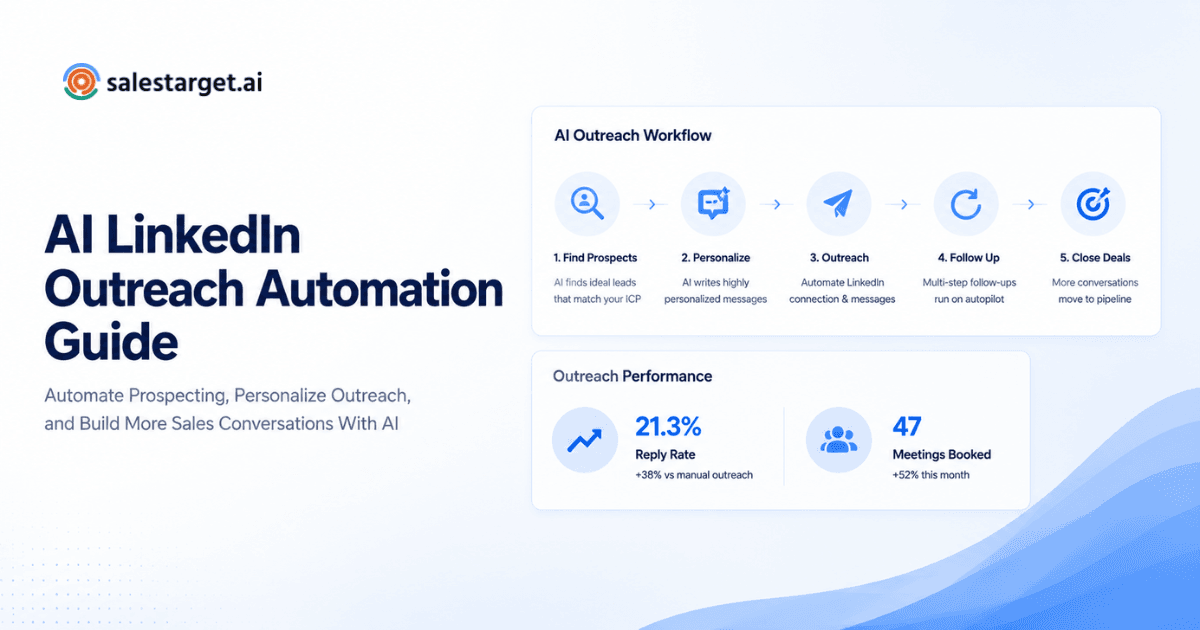
Lead Explorer gives access to 840M+ verified profiles, 146M+ business entities, and 4,000+ intent signals across 50+ data sources. Search by role, industry, company size, tech stack, funding status, or plain-English description. One-click enrichment returns verified professional email, personal email, phone, and mobile. Push enriched leads straight to a sequence or CRM without touching a spreadsheet.
Automate LinkedIn Outreach From One Workflow
LinkedIn Outreach automates connection requests, DMs, and follow-ups with AI personalization that adapts to each profile, role, and industry. Conditional sequence logic branches based on whether a prospect connects, replies, or doesn't respond. Built-in safety controls protect account health: rate limits, working-hour scheduling, warm-up logic, and auto-pause safeguards run in the background.
Run Email and LinkedIn Sequences Together
SalesTarget.ai coordinates email and LinkedIn in the same campaign so context carries across both channels and prospects don't receive disconnected messages from two separate tools.
Verify Contact Data Before Email Outreach
The Email Validator checks every address using MX/SMTP verification, disposable domain detection, and risk scoring before the email step triggers. SalesTarget.ai validates 90% of contacts before sending, cutting bounce rates and protecting sender reputation.
Track Leads, Tasks, and Deals in the Built-In CRM
The built-in CRM receives leads from LinkedIn sequences automatically. Every message, call, and meeting logs to the lead timeline. Follow-up tasks create themselves when a prospect replies or a meeting ends. Teams using it report 3.2X faster deal cycles and 91% follow-up completion.
Use AI Copilot for Prospect Research and Outreach Support
AI Copilot lets you search the 840M+ profile database in plain language, generate full personalized sequence copy in seconds, and query your CRM for deal status, meetings, and tasks without switching screens. It flags at-risk deals and recommends next actions so reps spend time on conversations, not admin work.
If you want to see how this runs in practice, book a free demo and we'll walk through a live sequence build together.
Common LinkedIn Automation Mistakes to Avoid
Automating Before Defining the Right ICP
The most common and most expensive mistake. Automation scales your targeting errors at exactly the same rate as your wins.
Sending the Same Message to Every Prospect
If your message works equally well for a VP of Sales at a Series B SaaS company and a marketing coordinator at a retail chain, it works for neither.
Using Long and Overwritten Outreach Messages
Nobody reads a 300-word DM from someone they don't know on LinkedIn. Short, specific, and direct outperforms thorough and polished every time.
Sending Too Many Follow-Ups Too Quickly
Three follow-ups over two weeks is appropriate. Three follow-ups in four days reads as automated regardless of how personalized the copy is.
Continuing Automation After a Prospect Replies
Sending another automated message after a real reply destroys warm conversations. Stop the sequence the moment any reply comes in.
Treating Connection Acceptance as the Main Success Metric
Connection acceptance means they recognized your name and clicked a button. That is not buying intent. Track replies, qualified conversations, and meetings instead.
Running LinkedIn and Email as Separate Sales Processes
When teams manage LinkedIn in one tool and email in another, context breaks, messages duplicate, and reps waste time reconciling two separate inboxes. Both channels need to run from the same platform.
Measuring LinkedIn Message Automation Performance
Track these metrics per campaign, per sequence step, and per prospect segment, not just as platform-level averages.
Connection Acceptance Rate
Target: 25 to 40%. Below 20% means the prospect list or the connection request note needs work before scaling.
Reply Rate
Target: 8 to 15% for a well-targeted campaign. This measures how well your message resonates with the audience receiving it.
Positive Reply Rate
Filters out "not interested" responses. This is the metric that shows whether your targeting and message angle are aligned.
Qualified Conversations
How many replies turned into an actual two-way exchange with a potential buyer who fits your ICP?
Meetings Booked
The primary conversion metric from LinkedIn outreach. Track this per 100 prospects reached, not as a raw number.
Opportunities Created
How many LinkedIn conversations became a named opportunity in the CRM with a stage and a close date?
Pipeline Generated
The dollar value of deals sourced from LinkedIn outreach. This connects the channel directly to revenue and justifies the investment in the system.
Performance by Prospect Segment and Sequence Step
Break every metric down by segment and by step in the sequence. Knowing that step two underperforms for Director-level prospects in enterprise accounts is actionable data. Knowing your overall reply rate is 9% is not.
Building a Repeatable LinkedIn Sales Outreach Workflow
Start With Accurate Prospect Data
Bad data produces bad results regardless of how well the automation is set up. Enrich and verify before any sequence runs.
Use Segmentation Before Automation
Group prospects into tight, specific segments before writing a single message. One ICP filter is not enough to produce relevant outreach at scale.
Keep Messaging Relevant and Human
Short, specific, and conversational messages outperform formal sales scripts on LinkedIn in every A/B test. Write like a person, not like a campaign.
Connect LinkedIn, Email, and CRM Activity
Every LinkedIn touch, email send, and rep follow-up should be visible in one place. Disconnected tools mean missed context and missed deals.
Review Campaign Data and Refine Outreach Over Time
Set a weekly review cadence: what's working, what isn't, what to test next. Reps who refine sequences consistently improve reply rates quarter over quarter. The ones who set it and forget it plateau fast.
Final Thoughts on Automating LinkedIn Messages for Sales Outreach
Manual LinkedIn outreach doesn't scale. Generic automated outreach doesn't convert. The path to consistent pipeline from LinkedIn is a structured, targeted, automated sequence that still reads like it was written for a specific person.
That requires three things in the right order: accurate prospect data, a relevant message sequence built per segment, and a system that keeps LinkedIn activity connected to email follow-ups and CRM pipeline in one view.
SalesTarget.ai is built to do all three from one platform. Find the right prospects in Lead Explorer, run coordinated LinkedIn and email sequences through LinkedIn Outreach, and track every conversation, task, and deal in the built-in CRM. No separate subscriptions, no data gaps, no lost context between tools.
Start building your LinkedIn outreach workflow at SalesTarget.ai.