You export 500 target accounts on Monday. By Tuesday, half the rows have no direct email, no headcount, and no clue who signs off on the deal. Your reps spend the week in LinkedIn tabs and spreadsheets instead of talking to buyers.
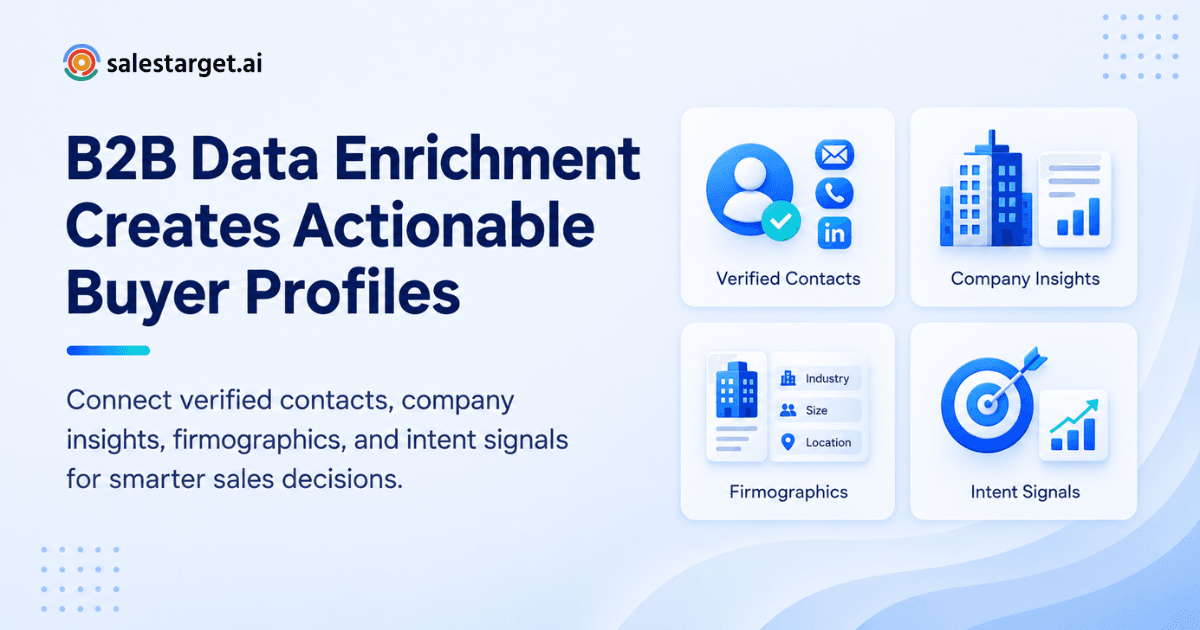
B2B data enrichment fills those gaps. It adds verified contact details, company facts, technology use, and buying signals to a bare record, so a name and a domain become a profile a rep can act on. It tells the rep who the buyer is, whether the account fits your ICP, how to reach them, and why now. Salestarget.ai runs enrichment at the moment you find the lead, so the profile is complete before it reaches a sequence.
Why Complete Prospect Data Matters for B2B Sales
Complete prospect data lets reps qualify, personalize, and reach the right person on the first attempt. Every missing field pushes research back onto the rep.
Records also age. HubSpot's database decay simulation, built on MarketingSherpa research, puts B2B contact decay at 2.1% per month, roughly 22.5% a year. Gartner's 2020 estimate of $12.9 million in yearly cost per organization from poor data quality is cited by Crustdata, and it shows the scale of the problem.
Here is the angle most guides skip: a profile is only as good as its enrichment date. A record enriched six months ago is a partial guess. Enrich when you build the list and again before the sequence launches.
What B2B Data Enrichment Adds to a Prospect Profile
Enrichment adds four layers: company context, contact details, firmographics, and technology and intent signals. Each layer answers a different question a rep asks before sending a message.
Company information that gives sales teams account context
Company data covers what the business sells, where it operates, and how it is structured. Reps use it to judge fit in seconds and to write a first line that shows they looked. Salestarget.ai draws on 146M+ business entities for this layer.
Contact and professional information for identifying the right buyers
This layer holds job title, seniority, department, and professional history. It separates the person who feels the pain from the person who approves the budget. Salestarget.ai's Lead Explorer covers 840M+ professional profiles, so most searches return more than one relevant contact per account.
Firmographic data for ICP and account qualification
Firmographics include industry, company size, revenue, and location. They are the filters your ICP already uses, applied to real records instead of guesses. A rep can rule out a poor-fit account before spending a single email on it.
Technographic and intent data for stronger prospect research
Technographics show which tools an account already runs. Intent data shows what its team is researching now. Lead Explorer includes Bombora Intent Topics plus business events such as funding rounds, hiring spikes, and leadership changes on a 30 to 90 day lookback.
Building Complete Prospect Profiles With B2B Data Enrichment
You build a complete profile in five moves: start with what you have, fill the gaps, verify the contact points, add company depth, then add signals. The order matters, because each step makes the next one cheaper.
Start with existing B2B lead data
Begin with the records you already own: CRM exports, event lists, and past campaign contacts. Even a name and a company domain is enough to match against a larger database. Skip nothing here, since old leads are often your cheapest source of warm accounts.
Fill missing company and contact information
Match each record against a database and write back the missing fields. In Lead Explorer, one-click enrichment fills company and contact data at the point you find the lead, with no CSV round trip. If your list is sitting half-empty right now, that is the place to start.
Add verified email addresses, phone numbers, and mobile numbers
Contact points decide whether outreach lands. Salestarget.ai's enrichment returns verified professional email, personal email, phone, and mobile in the same step. Reps get a direct route to the buyer without a second tool.
Enrich profiles with professional and company data
Layer in role history, department, headcount, revenue, and industry. This turns a contact into someone you can speak to with context. It also feeds segmentation later.
Add buyer intent signals and business signals
Attach the signals that show timing: topics the account is researching and events such as a new funding round. Salestarget.ai tracks 4,000+ intent signals. A cold list becomes a ranked list.
How Enriched Prospect Data Improves Sales Prospecting
Enriched data improves prospecting by making lists smaller, sharper, and easier to work. Reps spend less time deciding who to contact and more time contacting them.
Create more focused account and contact lists
With firmographic and role fields filled in, filters cut lists to the accounts and titles that match your ICP. A 2,000-row list becomes a 300-row list worth working. Smaller lists also mean tighter messaging.
Improve ICP targeting and lead qualification
Enriched fields let you score leads against your ICP before outreach starts. Lead Explorer's ICP Builder and intent-based lead scoring apply those criteria at search time. Poor-fit leads never enter the sequence.
Give sales reps more context before outreach
A rep who sees the buyer's role, the company's tech stack, and a recent hiring spike can write a relevant opener in a minute. Without that, the choice is a generic template or twenty minutes of research per lead. Context is what separates a reply from a delete.
Reduce time spent searching for missing prospect information
Manual research is the tax on every incomplete record. Enrichment removes it, and the B2B lead generation software guide covers how finding, qualifying, and reaching buyers fits into one workflow.
The Sales Impact of Accurate B2B Lead Enrichment
Accurate enrichment lifts data quality, cuts wasted sends, sharpens messaging, and shortens the path from research to outreach. The gains show up in bounce rates, reply rates, and rep hours.
Better data quality across prospect records
Every record carries the same core fields, filled and dated. Reports become reliable, and routing rules stop breaking on blanks. Track an "enriched on" date for each record so stale ones are easy to spot.
Fewer wasted outreach attempts from inaccurate contact details
Wrong emails and dead numbers burn sends and hurt sender reputation. Salestarget.ai reports 99% verified contact data, which matters against the 22.5% yearly decay benchmark above. Verification at enrichment time keeps that gap closed.
More relevant email and LinkedIn messaging
Enriched fields feed personalization at scale. Salestarget.ai's AI personalization in LinkedIn Outreach adapts to each profile, role, and industry, and Email Outreach uses the same data for sequences. Relevance comes from real fields, not merge tags alone.
Faster movement from prospect research to active outreach
When a lead is enriched, verified, and scored in one place, it goes straight into a sequence. Salestarget.ai pushes enriched leads to email and LinkedIn sequences or the CRM without a CSV. Research stops being a separate project.
How to Build a B2B Data Enrichment Process
Build the process around decisions, not data volume. Define what your team needs, match and verify, then connect the result to the workflow.
Define the data points your sales team needs
Write a field-to-decision map: for each field, name the decision it changes, such as routing, message angle, or priority. If a field changes none of them, stop collecting it. Most teams enrich twenty fields and use six.
Match prospects with accurate company and contact information
Match on domain and professional profile, not on company name alone. Name-only matching produces duplicates and wrong-entity records. Check match confidence before you write fields back.
Verify contact details before adding prospects to sequences
Verify every email before it enters a campaign. Salestarget.ai runs MX and SMTP checks, disposable-email detection, and risk scoring through its Email Validator, with a real-time API and bulk list cleaning. Verification at the point of enrichment beats verification at the point of scraping.
Use intent and technology signals to prioritize accounts
Sort accounts by signal strength before you assign them. An account researching your category this month outranks a better-sized account that shows nothing. Reps should start each day with the hottest accounts.
Keep enriched records connected to the sales workflow
Enrichment that lives in a spreadsheet dies there. Salestarget.ai's built-in CRM receives campaign leads automatically and logs every email and call to the lead timeline. Also protect rep-entered notes: enrichment should fill blanks, not overwrite human context.
Selecting B2B Data Enrichment Tools for Sales Teams
Pick a B2B data enrichment tool on coverage, verification, signal depth, workflow fit, and integrations. A tool that misses on two of these will cost you rep time.
Data coverage for companies and professional profiles
Check coverage in your own market, not the vendor's headline number. Run 100 of your real accounts through a trial and count how many return a usable buyer. Match rate on your list is the only figure that counts.
Contact verification and data quality checks
Ask when contacts are verified: at collection, or at the moment you enrich. Verification at collection ages the same way the database does. Live checks at enrichment time protect your sending domain.
Firmographic, technographic, and intent data availability
Confirm all three layers exist in one tool. Buying firmographics from one vendor and intent from another means two bills and two matching problems. Check the intent lookback window too.
Prospect search and enrichment in one workflow
If search and enrichment live in separate tools, reps export and import all day. Look for enrichment that fires as you find the lead. That saves clicks and removes stale exports.
Connections with email, LinkedIn, and CRM workflows
Enriched data should reach sequences and the pipeline without manual steps. Check native connections to email, LinkedIn, and your CRM, plus Zapier or API access. The fewer handoffs, the fewer dropped leads.
Why Choose SalesTarget.ai
Salestarget.ai puts search, enrichment, verification, outreach, and CRM in one workspace. You stop stitching tools together and start working leads from a single screen.
Find and enrich prospects with Lead Explorer
Search in plain English or stack Business and People filters: industry, role, seniority, company size, revenue, location, tech stack, and Intent Topics. Lead Explorer draws on 840M+ profiles, 146M+ businesses, 4,000+ signals, and 50+ data sources. One click enriches a lead with verified contact data.
Connect enriched data with email and LinkedIn outreach
Enriched leads move straight into Email Outreach and LinkedIn Outreach sequences that run as one coordinated flow. Context carries across both channels. Conditional sequences branch on replies, actions, or silence.
Verify prospect emails before outbound campaigns
Salestarget.ai validates emails before sending, and reports that 90% of emails in Email Outreach are validated before they go out. Unlimited inboxes with AI warm-up and SPF, DKIM, and DMARC checks protect sender reputation. Clean data and clean infrastructure work together.
Manage enriched prospect activity in the built-in CRM
Leads land in the CRM automatically. Every email and call is logged, and follow-up tasks are created when a lead replies or a meeting ends. The AI dialer takes call notes for reps and saves them to the lead timeline.
Use AI Copilot to find leads and work with sales data
AI Copilot is a chat-based teammate inside the platform. Ask it to find leads across 840M+ profiles, draft personalized sequences, or query deals, meetings, and tasks in plain language. Strategy stays with your team, and the grunt work goes to the Copilot. To see enrichment on your own ICP, See AI Enrichment In Action.
Common B2B Data Enrichment Challenges and Mistakes
The common mistakes are quiet ones: stale records, wrong-fit contacts, unverified details, useless fields, and enrichment that sits apart from selling. Each one costs pipeline before anyone notices.
Relying on incomplete or outdated prospect records
A record that was right last quarter can bounce today. Re-enrich on a schedule and before every major campaign. Treat the enrichment date as a live field.
Enriching contacts without checking ICP fit
Enrichment spend is wasted on leads you would never sell to. Filter by ICP first, then enrich. It keeps volume down and quality up.
Using unverified contact details in outbound campaigns
One unverified list can push bounces high enough to hurt your domain for weeks. Verify before every send, not once per quarter. It takes minutes and protects months of warm-up.
Collecting data that does not support sales qualification
Extra fields clutter the record and slow reps down. Cut anything that does not change routing, scoring, or messaging. A short, useful profile beats a long, ignored one.
Keeping prospect enrichment separate from the rest of the sales process
If enrichment happens in one tool and outreach in another, data goes stale in transit. Every export is a chance to lose a field or duplicate a lead. Keep the whole chain in one workflow.
Turning Enriched Prospect Profiles Into Sales-Ready Data
Enriched profiles become sales-ready when you segment, prioritize, personalize, move, and maintain them. This is the step where data turns into meetings.
Segment accounts using company and firmographic data
Group accounts by industry, size, and tech stack, then write one message angle per group. Three tight segments outperform one broad blast. Segment size should match what one rep can work in a week.
Prioritize contacts using intent and business signals
Rank contacts by signal strength and recency. A funding round or hiring spike from the last 30 days deserves a faster touch than a quiet account. Intent-based lead scoring in Lead Explorer does this ranking for you.
Personalize outreach using relevant prospect information
Pull one true detail per message: a role change, a tool in their stack, a recent hire. One real detail beats three generic compliments. Reps can write it fast when the profile is complete.
Move qualified prospects from enrichment into sales sequences
Push qualified leads directly into email and LinkedIn sequences from the search screen. Set a rule for what "qualified" means before anyone clicks. The guide on how B2B lead generators help prospects shows how that handoff works in practice.
Maintain accurate records throughout the sales cycle
Log every touch, update fields when the buyer's situation changes, and re-verify before a deal reaches late stage. Contacts change jobs mid-deal more often than teams expect. Keep the record alive until the deal closes.
Building Better Prospect Profiles Starts With Better B2B Data
The opening problem was a half-empty list and reps stuck in research. The fix is the same at every step: enrich when you find the lead, verify before you send, and keep the record connected to the pipeline. Salestarget.ai puts all of it in one place, from Lead Explorer's 840M+ profiles to verified contacts, multichannel sequences, and a CRM built for outbound teams.
Stop stitching tools together and start working complete profiles. Try Salestarget.ai and enrich your next list at the moment you find it.