Your rep finds the perfect VP of Sales. Right title, right company, right fit. Then the email field is empty, or it holds a guess that bounces on send. Multiply that by 200 prospects a week and outbound stalls before it starts.
Email address lookup is the process of finding a person's work email from details you already have, such as their name and company, their phone number, or their LinkedIn profile, and then verifying that address before you send. The reliable way to do it is to search a verified contact database, confirm the address with live checks, and only then add it to a sequence. This guide covers each method, the checks that protect your domain, and how Salestarget.ai runs the whole flow in one workspace.
The Growing Challenge of Finding Accurate B2B Email Addresses
Missing Decision-Maker Contacts in B2B Prospecting
Decision-makers are the hardest contacts to find because they are the most protected and the most targeted. Founders, CROs, and VPs get hundreds of cold emails, so they keep addresses off public pages. Reps fill the gap with generic inboxes like info@, which reach nobody with budget authority.
Outdated Contact Data and Unverified Business Emails
Contact data goes bad fast. HubSpot's database decay benchmark, built on MarketingSherpa research, puts B2B decay at about 2.1% per month, which compounds to roughly 22.5% a year. ZeroBounce analyzed more than 11 billion verified addresses and found at least 23% of a list goes bad within a year. A list you pulled in January is about a fifth wrong by December.
Low Email Deliverability and Wasted Outreach Efforts
Every bounce costs you twice: the lost contact and the hit to your sender reputation. Mailbox providers watch bounce rates, and a few bad batches push later emails, even to valid contacts, toward spam. Gartner puts the average yearly cost of poor data quality at $12.9 million for large organizations. Reps feel it as hours lost re-checking addresses by hand.
Email Address Lookup Fundamentals for Modern B2B Sales
Email Address Lookup, Email Finding, and Email Verification Explained
These are three steps, not three names for one thing. Lookup retrieves a stored address for a known person. Finding builds or predicts an address when none is stored. Verification tests whether the address accepts mail. Skip the third step and lookup becomes guessing.
Business Email Discovery Across Names, Phone Numbers, and Companies
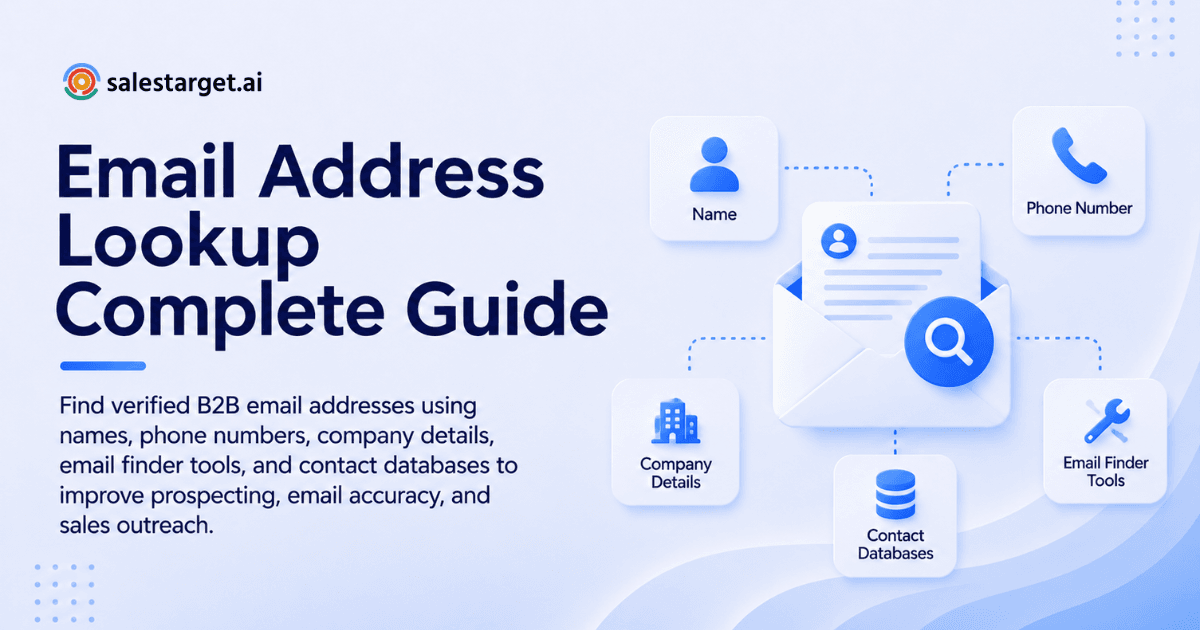
You can start from any identifier you have. A name plus a company gives the strongest match. A phone number works as a reverse key to a person. A company alone gives you a domain and a list of people to target. More identifiers mean fewer wrong matches.
The Role of Contact Databases in B2B Lead Generation
A contact database is the source of truth that lookup tools search, and freshness matters more than raw size. Salestarget.ai's Lead Explorer searches 840M+ verified professional profiles and 146M+ business entities drawn from 50+ data sources, so one search covers what used to take several tools.
AI-Powered Email Discovery and Automated Contact Enrichment
AI helps in two places: finding the right people from a plain-English description, and filling gaps in a record the moment you pull it. In Salestarget.ai you describe your audience in plain English, then enrich with one click to get verified professional email, personal email, phone, and mobile. Enrichment happens when you find the lead, not weeks after the data was first scraped.
Different Methods of Finding Business Email Addresses
Email Lookup by Full Name and Professional Details
Start with first name, last name, and current employer. Add title and location to separate people with common names. Search the database first and use pattern guessing only as a fallback. Without the extra fields, you will contact the wrong John Smith at a large company.
Email Lookup by Phone Number
Phone-based lookup matches a number to a person, then returns the business email on that record. It works best with mobile numbers from calls, forms, or past conversations. Treat it as an identity check too: if the number and the email point to the same profile, the match is strong. Our guide to how to find an email address by phone number walks through the steps.
Company-Based Email Search Using Business Domains
Searching by company starts with the domain, then lists the people who work there. Filter by department and seniority to get buyers instead of everyone. Check the domain with care: many acquired and rebranded companies still run email on an older domain than their website shows.
LinkedIn-Based Professional Email Discovery
LinkedIn gives you a confirmed title and employer, but not the email. Use the profile as proof the person is current, then look up the address in a database. Check the job start date. A role that began last month means any older record on that person is stale.
B2B Contact Database Search for Decision-Maker Emails
Database search is the fastest method at volume. Stack filters for role, seniority, department, company size, revenue, location, and tech stack, and results return with contact data attached. One filtered search can replace hundreds of single lookups.
Domain Search and Common Business Email Patterns
Domain search finds addresses already tied to a company domain. Pattern guessing predicts the rest, such as first.last@company.com or flast@company.com. Many companies run more than one format, so treat a guess as a hypothesis that needs verification before it goes anywhere near a sequence.
The Complete B2B Email Address Lookup Process
Define Your Ideal Customer Profile and Target Accounts
Write the ICP before you search: industry, size, region, tech stack, and the trigger that makes a company buy now. A tight ICP shrinks lookup volume. Lead Explorer's ICP Builder and 4,000+ intent signals rank accounts by buying activity, using a 30 to 90 day lookback on events like funding rounds and hiring spikes.
Identify Decision-Makers Through Company and Role Data
Pick one buyer and one influencer per account. Filter by seniority and department, then match titles to account size. A Head of Growth at a 20-person startup typically owns what a VP owns at a 500-person firm.
Collect Contact Details Using Multiple Lookup Methods
Run name, company, and phone lookups on the same prospect list, then compare. Two methods that return the same address make a strong match. Two that disagree flag a record for review before anyone sends.
Enrich Prospect Records With Company and Professional Information
Enrichment adds the fields that make outreach specific: role, department, company size, tech stack, and recent events. Messages that reference something real read like they came from a person. Do it at the point of lookup so the record is complete when it reaches a sequence.
If your team still exports CSVs between tools, start free with Salestarget.ai and run one ICP search from lookup to sequence.
Verify Email Addresses Before Adding Them to Outreach Lists
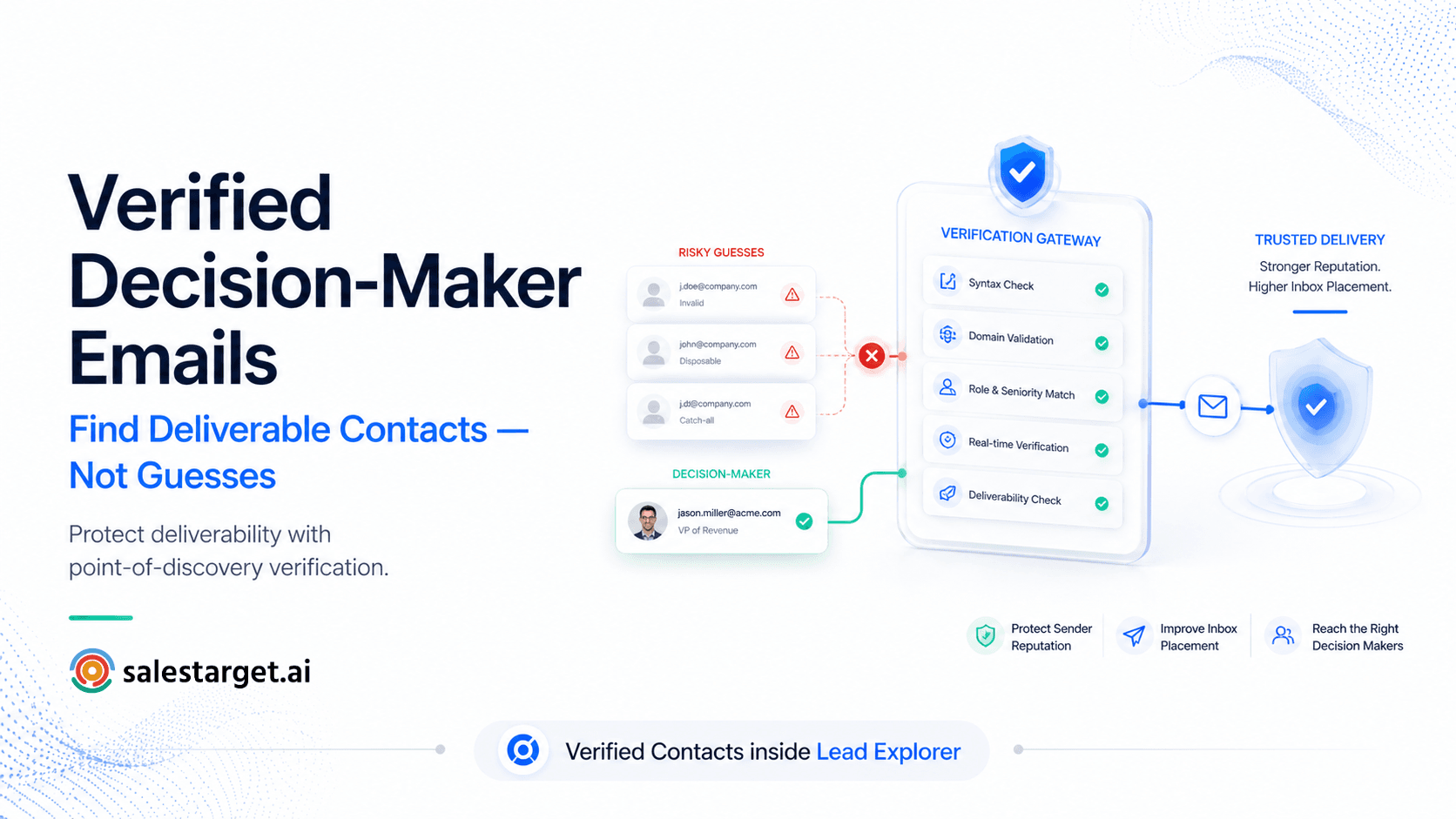
Verify every address before it enters a sequence, not after the first bounce. Run syntax, domain, MX, and SMTP checks and keep only valid results. Salestarget.ai verifies contacts at the point of enrichment, and Email Outreach validates 90% of emails before they send.
Organize Verified Contacts for Sales Campaigns
Group verified contacts by persona and trigger, not just by company. Send each group to its own sequence so the message matches the reason you picked them. In Salestarget.ai, enriched leads go straight to a sequence or the CRM with no CSV in between.
Email Finder Tools and Technologies for B2B Prospecting
AI-Powered Email Address Finder Tools
These tools take a name and company, then search or predict the address and score confidence. Check whether they verify at lookup or only return a guess. A guess with no verification is the same problem you started with.
Phone Number and Company-Based Email Lookup Tools
Look for tools that accept more than one input. A tool limited to name plus domain fails when you only hold a phone number or an account name. Multi-input search cuts the number of tools your team juggles.
LinkedIn Email Finder and Prospecting Extensions
Browser extensions pull an email while you view a profile. They save clicks, but they are only as good as the database behind them. A fast extension on a stale database delivers wrong answers faster. Ask about the data source and the verification date.
B2B Contact Databases and Sales Intelligence Platforms
Databases give breadth. Sales intelligence platforms add signals about who is ready to buy. Salestarget.ai sits in this group and adds outreach, validation, and a CRM on top, where Apollo gives data and engagement but leaves you to bolt on deliverability and a CRM.
Bulk Email Lookup and Contact Enrichment Software
Bulk tools process a whole list in one run. Check how they handle unmatched rows, duplicates, and catch-all results, since a run that silently drops rows leaves gaps in your campaigns. Ask for a match report you can audit.
Email Verification and Data Quality Standards for Sales Teams
Syntax, Domain, MX, and SMTP Validation
Verification runs four checks in order. Syntax confirms the format. Domain confirms the company exists. MX confirms the domain accepts mail. SMTP confirms the mailbox responds. An address that passes all four is far safer to send to than one that passes none.
Valid, Invalid, Catch-All, and Risky Email Classifications
Valid means send. Invalid means delete. Catch-all domains accept any address, so the mailbox cannot be confirmed. Risky covers addresses that might bounce, such as disposable or role-based ones. Put catch-all and risky contacts in their own tier with low daily volume, so one bad batch cannot drag down your whole domain.
Bulk Email List Cleaning and Duplicate Removal
Clean before each campaign. Remove duplicates by person and by address, since the same buyer can sit in your list under a personal and a work email. The Salestarget.ai Email Validator handles bulk list cleaning and connects across 60+ platforms, including CRMs and ESPs.
Email Bounce Prevention and Sender Reputation Management
Keep hard bounces low, since mailbox providers judge your domain on them. Verify first, warm up new inboxes, and set up SPF, DKIM, and DMARC. Email Outreach runs automatic AI warm-up, inbox rotation, and those authentication checks across unlimited inboxes.
Data Freshness, Accuracy, and Contact Verification Frequency
Re-verify any contact older than 90 days before you email it. At a 2.1% monthly decay rate, a three-month-old list is already about 6% stale. Ask any vendor for the verification timestamp on each record, not just a "verified" label. A label tells you nothing about when the check happened.
Run your current list through Salestarget.ai's Email Validator before your next send and compare the bounce rate.
Business Email Lookup Tool Selection Criteria
Contact Database Size and Verified Email Coverage
Coverage means how many of your target accounts return a verified address, not the headline record count. Pull 100 accounts from your ICP, run them through each tool, and measure the match rate.
Search Accuracy Across Names, Companies, and Phone Numbers
Test each input type on its own. A tool can do well on name plus company and fail on phone numbers. Score results on three points: correct person, correct company, correct current role.
Real-Time Email Verification and Enrichment Capabilities
Real-time means the check runs when you pull the contact, not when you upload a file. Batch-only tools can return old results under a fresh label. Ask whether verification and enrichment happen in the same click.
CRM Integration and Workflow Automation
A lookup tool that cannot write to your CRM creates CSV work. Check for native sync, automatic lead creation, and logged activity. Salestarget.ai's built-in CRM receives campaign leads automatically, and it connects with HubSpot, Salesforce, and Zoho if your team keeps another system.
Email and LinkedIn Outreach Capabilities
Lookup only pays off when you can act on it. Check whether the tool sends email and LinkedIn from one sequence with shared context. Point tools force reps to copy contacts between tabs, and context gets lost on the way.
Data Privacy, Compliance, and Pricing Considerations
Check where the data comes from, how people can opt out, and how the tool handles regional rules such as GDPR and CCPA. Favor business contact data over personal records in B2B outreach. Review each vendor's plan structure on its own page, and confirm your workspace data stays private.
Common B2B Email Lookup Challenges and Data Gaps
Missing Emails for Senior Decision-Makers
Senior contacts have thin public footprints. When no verified email exists, reach them on LinkedIn first or target a direct report and ask for an introduction. Running both channels in one sequence keeps the messages in step.
Duplicate and Outdated Contact Records
Duplicates split one person's history across records and cause double outreach. Merge by person, not just by email, and flag records with a recent job change. Your CRM should log every email and call to one lead timeline.
Personal Emails Mixed With Professional Contact Data
Personal addresses carry more compliance risk in B2B outreach. Tag each address as professional or personal and send to the professional one by default. Lead Explorer returns them as separate fields, so reps do not have to sort them by hand.
Catch-All Domains and Unverifiable Business Addresses
A catch-all domain accepts any address, so SMTP checks cannot tell a real mailbox from a made-up one. Do not discard these contacts. Cross-check against a second source, confirm the person is current on LinkedIn, and send in small batches, watching bounces as you go.
Inconsistent Contact Data Across Multiple Sources
Two sources will disagree. Rank them by verification date, not by brand name. Use the most recently verified address and log where it came from. One platform with one enrichment step removes most of these conflicts.
Why Choose Salestarget.ai for B2B Email Lookup and Prospecting
Lead Explorer for Finding and Enriching B2B Contacts
Lead Explorer is the prospecting engine. Search in plain English or stack filters across 840M+ profiles, then enrich in one click for verified professional email, personal email, phone, and mobile. Salestarget.ai reports 99% verified contact data, and Bombora Intent Topics plus business events show who is ready to buy now.
Email Validator for Verifying Business Email Addresses
The Email Validator checks MX and SMTP records, detects disposable addresses, and scores risk before you send. It offers a real-time verification API and bulk list cleaning, which cuts bounces and protects your sender reputation.
Email Outreach for Automated and Personalized Campaigns
Email Outreach builds multi-step sequences from a plain-English audience description, with unlimited inboxes, AI warm-up, and a unified inbox that sorts replies by intent. Campaign creation runs 35% faster.
LinkedIn Outreach for Multichannel Prospect Engagement
LinkedIn Outreach automates connection requests, DMs, and follow-ups with conditional sequences and built-in safety limits. It runs in one flow with email, so a prospect who ignores one channel meets the other.
Built-In CRM for Managing Leads and Sales Conversations
The built-in CRM receives campaign leads with no import, logs every email and call to the lead timeline, and creates follow-up tasks when a lead replies. Salestarget.ai's CRM figures: 3.2X faster deal cycles and 91% follow-up completion.
AI Copilot for Supporting Prospect Research and Sales Tasks
The AI Copilot is a conversational teammate included in the platform. Ask it to find leads across 840M+ profiles, draft full email sequences, or query deals and tasks in plain language. It flags at-risk deals and suggests the next move, and strategy stays with your team.
Conclusion: Turning Verified Email Data Into Consistent B2B Sales Growth
The pain at the start of this guide has one cause: reps working with addresses nobody checked. The fix is a clean chain. Find the person, enrich the record, verify the email, send across channels, and track the reply in one place. Salestarget.ai keeps that chain in a single workspace, so verified data reaches a sequence the moment you find the lead. Stop stitching point tools together and start free with Salestarget.ai to run your next prospect list from lookup to booked meeting.