Cold email remains one of the most direct ways for B2B sales teams to start conversations with potential buyers. But sending those emails manually, one at a time, from a personal inbox, stops working the moment you try to scale. That is where a cold email platform comes in.
Whether you are an SDR handling a hundred prospects a week or a founder running outreach while wearing six other hats, the right cold email platform turns a repetitive, error-prone process into something structured, measurable, and consistently effective.
This guide walks through what a cold email platform actually does, the features that separate useful tools from flashy ones, and how to make a decision that fits your team's workflow rather than just your budget.
If you are evaluating options right now, SalesTarget AI's Email Outreach platform is worth a look — it combines prospect management, personalization, automated follow-ups, and campaign analytics in a single workspace built for outbound sales teams.
What Is a Cold Email Platform?
A cold email platform is a software tool designed specifically for sending outreach emails to people who have not previously engaged with your business. Unlike a standard email marketing tool (built for newsletters and opt-in lists), a cold email platform is built around one-to-one sales conversations at scale.
At its core, the platform handles three things:
- Sending infrastructure — managing how emails leave your domain so they land in inboxes rather than spam folders.
- Personalization and sequencing — crafting messages that feel individual, then automating follow-ups based on recipient behavior.
- Tracking and optimization — showing you what is working and what is not, so you can improve over time.
Think of it as the operational layer between your prospect list and actual booked meetings.
How Does a Cold Email Platform Work?
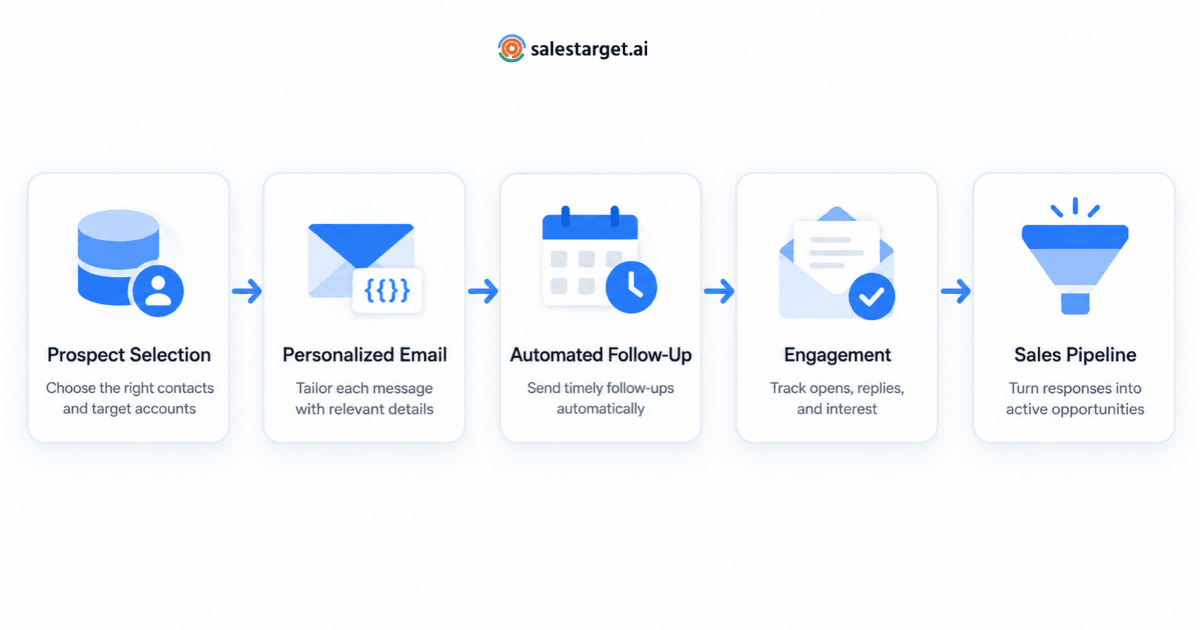
Most cold email platforms follow a similar workflow, though the details vary by provider.
1. Import and Organize Prospects
You upload or sync a list of contacts — typically from a CRM, a lead database, or a CSV. The platform lets you segment these prospects by attributes like job title, company size, industry, or engagement stage.
2. Build Email Sequences
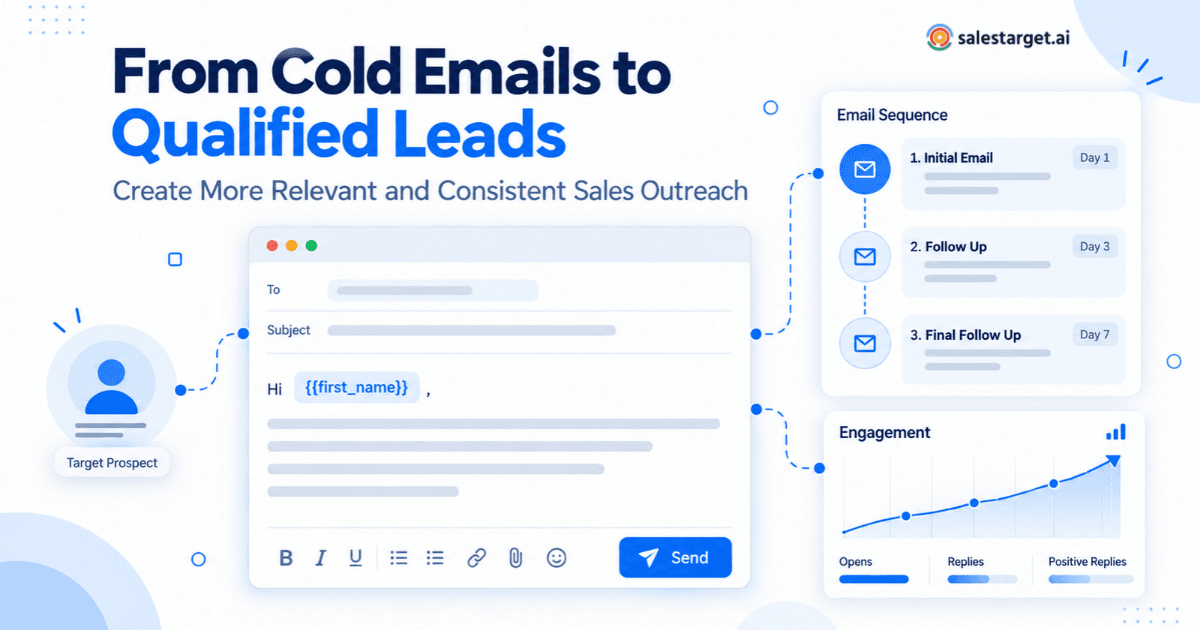
You write a primary email and define follow-up steps. Each step can have its own timing, conditions, and messaging. For example, if a prospect opens email one but does not reply within three days, the platform sends a follow-up with a different angle.
3. Personalize at Scale
The platform uses merge fields, conditional content blocks, or AI-generated variations to make each email feel like it was written for one person, even when the sequence reaches hundreds of prospects at once.
4. Send Through Your Own Domain
Instead of sending from a shared third-party server, the platform connects to your email accounts (Google Workspace, Microsoft 365, or custom SMTP) and sends from your domain. This is critical for deliverability — cold email platforms that send from shared infrastructure almost always have worse inbox placement rates.
5. Track, Measure, and Iterate
Opens, clicks, replies, and bounces are tracked per email and per campaign. You use this data to refine subject lines, adjust send times, and improve messaging over time.
Why Do Businesses Use a Cold Email Platform?
Manual outreach caps out fast. A single rep can realistically send 30–50 personalized emails per day by hand. With a cold email platform, that same rep can manage structured sequences reaching hundreds of prospects weekly — without the quality of each message dropping.
Beyond volume, here is why teams invest in a dedicated platform:
- Consistency — Follow-ups happen on schedule, not when someone remembers.
- Deliverability control — Purpose-built tools include warm-up, throttling, and domain health monitoring that generic email clients do not.
- Visibility — Managers and reps see what is happening across all active campaigns in one place.
- Iteration speed — A/B testing subject lines, copy, and sequences becomes trivial when data is collected automatically.
- Time savings — Reps spend more time on calls with interested prospects and less time on repetitive email tasks.
Key Features to Look for in a Cold Email Platform
Not every cold email tool is built equally. Some shine on automation but lack deliverability controls. Others have excellent analytics but no built-in warm-up. Here are the capabilities that actually move the needle.
Email Deliverability and Sending Infrastructure
Deliverability is the single most important factor in cold email. It does not matter how well your email is written if it never reaches the inbox.
Look for a platform that supports:
- Connection to your own email accounts (Google Workspace, Microsoft 365, or custom SMTP)
- Automatic sending limits and throttling to mimic human behavior
- SPF, DKIM, and DMARC configuration guidance or validation
- Domain reputation monitoring and alerts
Some platforms go further by rotating sends across multiple mailboxes within the same campaign, which distributes volume and reduces the risk of tripping spam filters.
Email Warm-Up and Sender Reputation
If you are using a new domain or mailbox for cold outreach, warm-up is essential. This process gradually increases your sending volume while generating positive engagement signals (opens, replies, inbox moves) to build trust with email service providers.
A good cold email platform either includes built-in warm-up or integrates tightly with a warm-up service. Manual warm-up is technically possible but tedious and difficult to do consistently at scale.
Email Personalization and AI-Assisted Outreach
Personalization is no longer optional. Emails that open with "Hi {first_name}, I noticed your company does {vague_industry}" get ignored because every tool can do that. Modern personalization goes further:
- Custom opening lines referencing a prospect's recent activity, company news, or job changes
- Conditional content blocks that adjust the pitch based on prospect attributes
- AI-generated variations that keep the intent but change the phrasing, reducing the chance of emails looking templated
Platforms that integrate AI directly into the outreach workflow — like AI cold email tools built for sales teams — can generate personalized first lines, suggest subject line improvements, and adapt messaging based on engagement patterns.
Campaign Automation and Follow-Ups
Follow-ups are where most deals are won or lost in cold outreach. Research consistently shows that the majority of positive replies come on the second, third, or even fourth touch.
A solid platform allows you to:
- Create multi-step sequences with custom delays between touches
- Set conditions for each step (e.g., send step three only if step two was opened but not replied to)
- Pause or remove prospects automatically when they reply, book a meeting, or unsubscribe
- Run A/B tests across different sequence variations
Contact and Prospect Management
Your prospects are not just email addresses. A useful cold email platform lets you organize, tag, and filter contacts with enough depth to run segmented campaigns without jumping into a separate CRM for every lookup.
Look for features like:
- Contact enrichment (pulling in job titles, company data, LinkedIn profiles)
- List deduplication and bounce removal before campaigns launch
- Segmentation by campaign status, engagement level, or custom tags
- CRM sync so activity flows into your broader sales pipeline without manual entry
Tracking and Performance Analytics
You need to know more than just "how many emails did I send." Effective analytics in a cold email platform should answer:
- Which subject lines drive the highest open rates?
- Which email in the sequence gets the most replies?
- What is the overall reply-to-meeting conversion rate?
- Are specific prospect segments responding better than others?
The best platforms surface these insights in dashboards you can act on, not buried in exported CSV files.
How to Choose the Right Cold Email Platform
Evaluating a cold email platform is not just about checking feature boxes. The right choice depends on how your team actually works. Here is a practical framework:
Start With Your Sending Volume and Team Size
A solo founder sending 200 emails a week has very different needs from a team of 10 SDRs each running multiple sequences. Choose a platform that scales with your operation without forcing you to pay for capacity you will not use for months.
Evaluate Deliverability First, Features Second
A flashy campaign builder means nothing if your emails land in spam. During any trial or evaluation period, send test campaigns and check inbox placement across major providers (Gmail, Outlook, Yahoo). If the platform does not give you tools to monitor this, that is a red flag.
Test the Personalization Workflow
Can you build a highly personalized email in under five minutes using the platform? If the personalization features require significant manual effort for each prospect, they will not get used once the team is busy.
Check Integration Depth
Your cold email platform does not operate in isolation. It needs to connect to your CRM, your calendar (for meeting booking), and potentially your LinkedIn outreach tools. Make sure the integrations are functional, not just listed on a features page.
Look at Reporting Granularity
Some platforms show you open and reply rates. Others break down performance by sequence step, by sender, by prospect segment, and by time of day. If your team is serious about improving outbound, granular reporting is essential.
For a deeper breakdown on evaluation criteria, this guide on choosing a cold email outreach platform covers the pipeline-focused factors most teams overlook.
Common Mistakes to Avoid When Choosing or Using a Cold Email Platform
Even experienced sales teams make avoidable errors with cold email tooling. Here are the ones that hurt the most:
- Prioritizing volume over deliverability — Sending 1,000 emails a day through a cold domain without warm-up guarantees you will burn the domain within weeks.
- Skipping segmentation — Sending the same sequence to every prospect regardless of role, industry, or buying stage tanks reply rates.
- Ignoring bounce rates — High bounce rates damage sender reputation. Always verify email lists before loading them into campaigns.
- Over-automating — Automation should save time, not replace judgment. If your sequences run for months with no one reviewing performance, you are wasting budget and damaging your domain.
- Treating cold email as a silo — Cold email is one channel in an outbound strategy. If it is not connected to your CRM, your LinkedIn outreach, and your sales process, you are losing context on every prospect interaction.
- Copying competitor sequences — If your prospects are already receiving similar emails from three other vendors, using the same template guarantees you blend in. Write original messaging.
Best Practices for Successful Cold Email Campaigns
Using a cold email platform effectively requires more than clicking "start campaign." These practices consistently separate teams that book meetings from teams that just send emails.
Write Like a Human, Not a Template
The best cold emails read like they were written by a real person who did five minutes of research, not by a mail-merge robot. Short sentences. Clear value proposition. No corporate jargon.
Keep Sequences Short and Purposeful
Three to five touches is the sweet spot for most B2B sequences. Each step should introduce a different angle or piece of value, not just repeat "checking in." If someone has not engaged after five well-crafted emails, move them to a nurture track or remove them.
Warm Up Every New Mailbox
Before sending any outreach from a new mailbox, run a warm-up cycle for at least two weeks. Gradually increase volume and monitor deliverability metrics before scaling.
Clean Your Lists Aggressively
Run every prospect list through an email verification service before uploading it. Remove role-based addresses (info@, sales@), catch-all domains you are not confident about, and any addresses that have bounced previously.
A/B Test Relentlessly
Test one variable at a time: subject line, opening line, call to action, send time. Small, consistent improvements compound into significantly better campaign performance over weeks and months.
Monitor Domain Health Weekly
Check your domain's reputation using tools like Google Postmaster Tools, MXToolbox, or your platform's built-in monitoring. If you see deliverability dipping, reduce volume immediately and investigate before it gets worse.
Where SalesTarget AI Fits Into Your Cold Email Workflow
SalesTarget AI's Email Outreach platform was built specifically for B2B sales teams that need to run structured outbound campaigns without juggling multiple disconnected tools.
It brings together several capabilities that cold email teams typically piece together from separate products:
- Prospect management — Import, enrich, segment, and deduplicate contacts in one workspace.
- AI-assisted personalization — Generate tailored email content and first lines based on prospect data, without spending 10 minutes researching each contact.
- Multi-step sequences with smart automation — Build follow-up chains that adapt based on recipient behavior.
- Deliverability infrastructure — Send through your own email accounts with warm-up, throttling, and reputation monitoring built in.
- Campaign analytics — Track opens, replies, bounces, and meeting bookings at the campaign, sequence, and individual level.
The result is a single workspace where reps can go from prospect list to active campaign to performance review without switching tabs or syncing data between tools.
A cold email platform is not a magic wand for pipeline generation. It is infrastructure. It gives your team the ability to reach the right people, with the right message, at the right time, and at a scale that manual outreach cannot match.
The platform you choose should make good outreach habits easier to follow — personalization, deliverability hygiene, consistent follow-ups, and data-driven iteration. If the tool adds friction to any of those, it is working against you.
Start by being honest about where your current process breaks down. Is it deliverability? Volume? Personalization? Follow-up consistency? Then choose a platform that strengthens those specific areas without over-complicating the rest.
If you are looking for a cold email platform that handles prospect management, AI personalization, automated sequences, and performance tracking in one place, explore SalesTarget AI's Email Outreach platform to see how it fits your outbound workflow.