A rep uploads 500 fresh leads on Monday morning. By Tuesday, 41 have bounced, the sending domain shows a warning, and the sequence that took two days to build is paused. Nobody wrote bad copy. The list was dead on arrival.
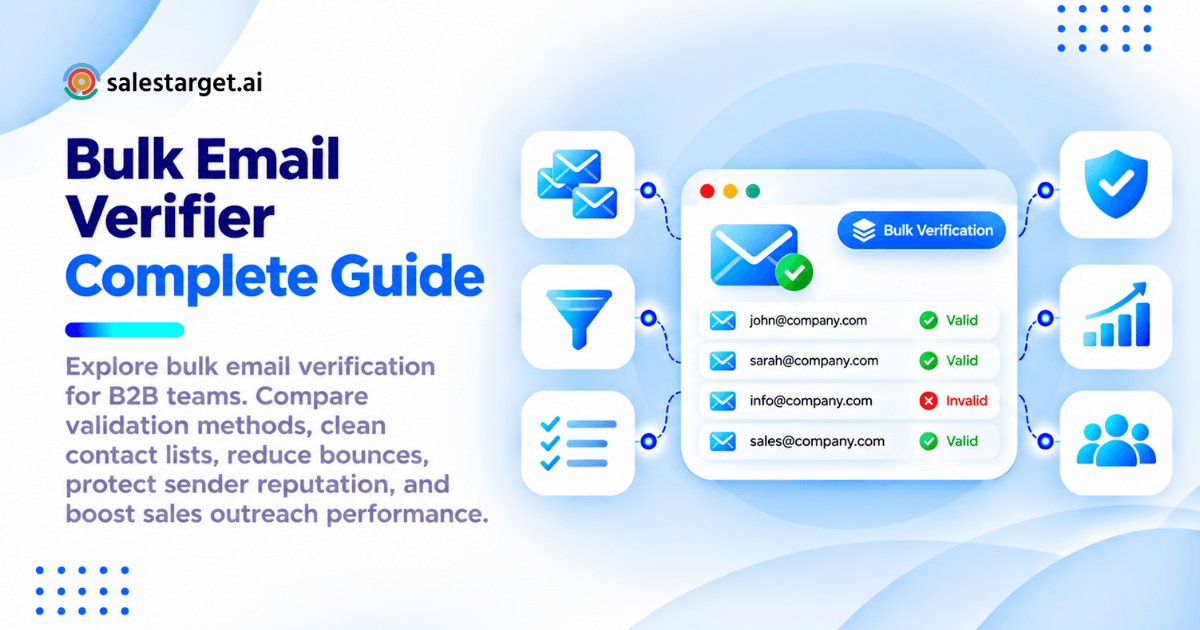
A bulk email verifier checks thousands of addresses at once and sorts them into send, hold, and delete before any email leaves your inbox. It tests the format, the domain, the mail server, and the mailbox itself, then labels each address valid, invalid, catch-all, or risky. Run it before every campaign and keep your bounce rate under 2%, the line Mailchimp treats as healthy. This guide covers how verification works, how to run it at scale, and how Salestarget.ai builds it into the same click as lead enrichment.
B2B Email List Quality and Its Impact on Outbound Sales Performance
List quality decides whether your outbound reaches a person or a bounce queue. Every downstream number, from reply rate to pipeline, inherits that starting point.
The Growing Problem of Invalid and Outdated B2B Contact Data
B2B data goes stale faster than most teams plan for. GTMStack puts annual decay at 25 to 30%, which works out to roughly 6 to 8% of addresses dying each quarter. Job changes drive most of it. Add domain migrations, acquisitions, and shut-down startups, and a list pulled in January is visibly weaker by April. A database nobody has touched in six months is a record of where people used to work.
Email Bounce Rates, Sender Reputation, and Campaign Performance
Mailchimp treats a bounce rate under 2% as healthy. Google and Yahoo's bulk sender rules cap spam complaints at 0.3%, and mailbox providers watch how much of your mail lands in dead inboxes. A hard bounce tells them you send without checking. Belkins notes that high bounce rates can trigger spam filtering across your entire sending domain, so one bad list slows down every campaign running from that domain, including the good ones.
The Hidden Cost of Unverified Prospect Databases
The bounce is the cheap part. What follows hurts more: warm-up weeks wasted, sequence steps burned on contacts who never existed, reps writing personalized first lines for dead inboxes. A 12% bounce rate also corrupts your A/B tests. You end up judging subject lines against a list that was broken before the test began.
Email Data Quality Across SDR, RevOps, and Demand Generation Teams
SDRs lose hours researching and re-researching contacts. RevOps inherits CRM records nobody can trust, which skews reporting. Demand gen sees inflated send counts and deflated engagement. The same bad data creates three different problems, which is why one shared verification standard beats three separate cleanup habits.
Bulk Email Verification Fundamentals for B2B Contact Databases
Bulk email verification tests a full list of addresses against technical checks, so you know which ones can receive mail before you send.
Bulk Email Verification and Email Address Validation
Validation checks whether an address is formatted correctly. Verification goes further and checks whether the mailbox exists and accepts mail. "Bulk" means you run that on thousands or millions of records in one job. B2B teams need verification, since a perfectly formatted address can still point to nobody.
Bulk Email Verification vs. Single Email Verification
Single verification checks one address on demand, such as a rep testing a contact before a high-value send. Bulk verification handles a whole file or database in one pass. Use single checks for one-off contacts and bulk jobs for imports, purchased lists, and CRM cleanups.
Real-Time Email Verification vs. Bulk List Processing
Real-time verification runs the moment an address enters your system, through an API or an enrichment click. Bulk processing cleans what already sits in the database. You need both: real-time stops new bad data, bulk fixes the backlog.
Email Verification Status Categories and Their Meaning
Every verifier sorts results into a handful of statuses. Treat each one as a sending rule:
- Valid email addresses: The mailbox exists and accepts mail. Send.
- Invalid email addresses: The mailbox or domain does not exist. Delete and suppress.
- Catch-all email addresses: The domain accepts mail for any name, so the mailbox cannot be confirmed. Send with limits (more on this below).
- Risky and unknown email addresses: The server timed out, delayed the response, or returned something unclear. Retest, then send in small batches or drop.
- Disposable and role-based email addresses: Throwaway inboxes and shared addresses such as info@ or sales@. Remove disposable ones. Treat role-based ones as low priority.
Email Verification Methods Behind Accurate Contact Validation
Accurate verification stacks six checks, and each one catches a failure the previous one misses.
Syntax and Formatting Validation
This check catches typos and impossible formats: a missing @, double dots, spaces, stray characters. It is the cheapest test and clears obvious junk from form fills and CSV exports before heavier checks run.
Domain and DNS Verification
The verifier confirms the domain exists and resolves. This catches misspelled domains like gmial.com and companies that closed their doors.
MX Record Validation
MX records tell the internet which servers receive mail for a domain. No MX record means no mail can arrive, so the address is dead at the domain level.
SMTP Mailbox Verification
The verifier opens a conversation with the receiving mail server and asks whether the mailbox would accept a message, without sending one. This check separates a real inbox from a plausible guess. Some servers hide answers or throttle probes, which is why results include risky and unknown statuses.
Disposable Email and Role-Based Address Detection
The tool compares each address against known throwaway providers and common role prefixes. Disposable inboxes expire within hours or days. Role-based addresses reach a team instead of a person and carry higher complaint risk, since several people can mark the message as spam.
Catch-All Domain and Risk Assessment
Catch-all domains accept mail for any address, so SMTP checks return a green light even for names that do not exist. A good verifier flags these domains and scores the risk instead of calling them valid. Treat that score as a sending rule, not a footnote.
The Complete Bulk Email Verification Process for B2B Sales Teams
The process has seven steps: prepare the file, upload it, run the checks, segment the results, remove invalid contacts, sync verified contacts, and monitor. For a longer walkthrough, read how to use a bulk email verifier.
B2B Contact List Preparation and Data Formatting
Dedupe the file, trim whitespace, and keep one email per row with separate columns for name, company, and domain. Keep a lead source column too. Later, it shows which source produces your worst bounces, and that is rarely the source you suspect.
Large-Scale Email List Upload and Processing
Upload a CSV or pull records straight from your CRM. Large files run in the background, so queue them before your send window, not during it.
Automated Email Address and Domain Checks
The verifier runs syntax, DNS, MX, and SMTP checks in sequence and attaches a status and risk score to every row. You do no manual work here, but spot-check 20 or 30 results by hand to confirm the tool behaves.
Verification Results Classification and Risk Segmentation
Split the output into four groups: send now (valid), send with limits (catch-all), retest (risky and unknown), and suppress (invalid and disposable). Segmentation matters more than the verification itself. A list marked "cleaned" with catch-alls mixed in still bounces.
Invalid Contact Removal and Database Cleanup
Remove invalid contacts from the active database, but keep them on a suppression list. Without one, the same dead address comes back with the next import.
Verified Contact Export and CRM Synchronization
Export only send-ready segments, or push them straight into the CRM with the verification status stored as a field. That field lets reps and RevOps filter by status later.
Post-Verification Monitoring and List Maintenance
Here is a tip most guides skip: send a canary batch first. Pick 200 verified contacts, send, and watch the bounce rate for 48 hours. Verification is a snapshot, so a clean list can still produce a few bounces. If the canary batch lands above 2%, pause and recheck the file before sending the rest.
Core Features of a High-Performance Bulk Email Verifier
A strong verifier combines volume, depth, and fit with the tools you already run.
High-Volume Email List Processing
A 100,000-row job should finish in minutes to hours, not days. Check file size limits, concurrent job limits, and whether results stream back or arrive only at the end.
Multi-Layer Email Verification and SMTP Checks
Look for all the layers covered above. A tool that stops at syntax and MX is a formatter, not a verifier.
Catch-All and Disposable Email Detection
Catch-all domains should return a separate status or risk score, never a plain "valid." Disposable detection should update often, since throwaway providers appear weekly.
Duplicate Detection and Contact List Cleaning
Duplicates inflate send counts and send two reps after the same prospect. Dedupe by email address and by person-plus-company.
Email Verification API and CRM Integration
An API stops bad addresses at form fills and imports. Native CRM and ESP connectors keep the status field current without CSV round trips.
Processing Speed, Accuracy, and Credit Management
Ask how unknown results are credited and whether re-verifying an address uses credits again. Test with a file of known-bad addresses and compare. Accuracy shows up in results you can check, not on a landing page.
Data Privacy and Secure Contact Processing
You are uploading your prospects' personal data. Look for encrypted transfer, clear retention and deletion terms, and a promise that uploaded lists are never resold.
Business Benefits of Bulk Email Validation for B2B Revenue Teams
Clean data improves every metric that sits after the send button.
Improved Email Deliverability and Reduced Bounce Rates
Removing invalid addresses is the fastest way to cut hard bounces, and hard bounces are the signal mailbox providers punish first. Teams that verify before sending stay comfortably under the 2% line.
Better Sender Reputation Management
Reputation builds slowly and breaks quickly. Verification keeps the damage out of the system, which protects the domains and inboxes you spent weeks warming.
Higher Quality Prospect Data for Outbound Campaigns
When every contact is real, your reply and meeting rates reflect your messaging and targeting, not list rot. That makes testing meaningful again.
Reduced Sales Research and Contact Cleaning Work
Reps stop checking addresses by hand and stop rebuilding sequences after a bounce wave. That time goes back to conversations.
More Reliable CRM Records and Revenue Reporting
A verification status on every lead means pipeline reports count real prospects. Forecasts built on dead contacts only look healthy.
Want to see your own numbers? Run a sample of your latest import through Salestarget.ai's validator and compare the invalid rate against your last campaign's bounce rate.
Bulk Email Verification Tools Compared by Features and Capabilities
Salestarget.ai is an all-in-one outbound platform with verification built in. The other options fall into three groups: standalone verifiers, data providers such as Apollo, and cold email tools such as Instantly, Smartlead, and Lemlist.
Email Verification Accuracy and Validation Methods
Compare the layers each tool runs, how it handles catch-alls, and how it labels unknowns. A tool that reports 99% accuracy but marks every catch-all valid is measuring the easy part.
Bulk Processing Capacity and Verification Speed
Check maximum file size, queue behavior, and whether large jobs block smaller ones. Speed matters most before a launch deadline.
Pricing Models, Credits, and Usage Limits
Models differ: credit packs, subscriptions with volume tiers, or verification bundled into a platform. Check whether unknown results use credits, whether credits expire, and whether re-verification counts again. Compare on usable addresses delivered, not addresses uploaded.
API Access and Third-Party Integrations
List every system your emails pass through: CRM, ESP, sequencer, forms. Fewer manual exports means fewer stale files floating around.
Data Security and Compliance Requirements
Ask for data processing terms, deletion on request, and clear handling of EU contacts under GDPR.
Best-Fit Verification Tools for Different Business Sizes
| Tool type | Strength | Gap | Best fit |
|---|---|---|---|
| Salestarget.ai (all-in-one outbound platform) | Find, enrich, verify, send, and track in one workspace on one bill | Best value when you use more than one module | Startups, outbound teams, and agencies |
| Apollo (data provider with built-in verification) | Data and engagement in one place | Deliverability tooling and CRM are still bolt-ons | Teams that mainly need contact data |
| Instantly, Smartlead, Lemlist (cold email tools) | Strong sending and deliverability features | No native B2B database, no LinkedIn automation, no real CRM | Teams that already own a clean data source |
| Standalone verifier | Deep checks, simple uploads | Separate from data, outreach, and CRM | Teams with one existing stack they will not change |
Choosing the Right Bulk Email Verifier for Your B2B Sales Workflow
Pick by volume, team structure, and where your contacts live.
Verification Requirements for Startups and Small Sales Teams
Volume is low and time is short. A built-in verifier beats another subscription: verify at enrichment, then send the same day.
High-Volume Validation for Enterprise Prospecting Teams
Enterprise teams need scale, an API, and an audit trail of what was verified and when. To see what a large cleanup looks like in practice, read this bulk email verifier workflow to clean a 50k list.
Multi-Client Email Verification for Lead Generation Agencies
Keep each client's lists, suppression files, and sending domains separate. One client's bad import should never touch another client's reputation.
CRM and Sales Engagement Platform Compatibility
Confirm connectors for HubSpot, Salesforce, Zoho, and your sequencer before you buy. A verifier that cannot write status back to the CRM leaves half the job undone.
Cost Per Verification and Long-Term Value
Count the recurring work too. Re-cleaning aging data every quarter adds up faster than verifying once at the point of enrichment. Run your most recent import through a trial and judge the result on your own file.
Why Choose Salestarget.ai for B2B Email Verification and Outreach
Salestarget.ai puts discovery, enrichment, verification, outreach, and CRM in one workspace, so contacts are verified when you find them, not months after someone scraped them.
Lead Explorer for B2B Prospect Discovery and Contact Enrichment
Lead Explorer searches 840M+ professional profiles and 146M+ business entities, with 4,000+ intent signals layered on top. One-click enrichment unlocks verified professional email, personal email, phone, and mobile. Salestarget.ai reports 99% verified contact data, and enriched leads go straight into sequences or the CRM with no CSV in between.
Email Validator for MX and SMTP-Based Contact Checks
The Email Validator runs MX and SMTP checks, detects disposable addresses, and scores risk. It offers a real-time API plus bulk list cleaning, and it connects across 60+ platforms, including CRMs, ESPs, and website builders. If your list lives outside Salestarget.ai, this is the entry point. Start free and clean one file.
Email Outreach for Automated Prospect Follow-Ups
Email Outreach validates 90% of emails before sending and protects sender reputation with unlimited inboxes, automatic AI warm-up, inbox rotation, and SPF, DKIM, and DMARC checks. Replies land in one Unibox, sorted by intent.
LinkedIn Outreach for Coordinated Multichannel Prospecting
When an email comes back risky or unknown, the contact does not have to die. LinkedIn Outreach runs in the same flow as email, with conditional sequences that branch on replies or silence, so context carries across channels.
Built-In CRM for Lead Tracking and Sales Pipeline Management
Campaign leads land in the built-in CRM automatically, and every email and call is logged to the lead timeline. Salestarget.ai reports 91% follow-up completion and 3.2X faster deal cycles for teams on the CRM.
AI Copilot for Sales Research and Daily Productivity
AI Copilot is a conversational teammate, free inside the platform. Ask it to find leads across 840M+ profiles, build a personalized sequence, or pull up deals and tasks in plain language. Strategy stays human.
Common Email Verification Mistakes That Affect B2B Deliverability
Most verification failures come from process gaps, not tool gaps.
Treating Catch-All Results as Fully Verified Addresses
Catch-all means unconfirmed. Send in capped daily volumes, from a separate inbox or at slower pacing, and track their bounces apart from the valid segment. Mixed together, a bad catch-all domain hides inside your good numbers.
Using Old Verification Results for New Campaigns
Verification is a snapshot. With 6 to 8% of B2B addresses decaying each quarter, rerun any result older than 60 to 90 days before reuse.
Ignoring Risky and Unknown Email Categories
Do not drop them blindly or send them blindly. Retest after 24 hours, since some are temporary server issues, then send survivors in small batches.
Uploading Duplicate and Poorly Formatted Contact Records
Messy files waste processing and produce messy results. Clean the file first and your status data stays trustworthy.
Confusing Email Verification With Guaranteed Inbox Placement
Verification confirms a mailbox exists. It says nothing about spam filters, authentication, content, or complaint rate. Inbox placement still depends on SPF, DKIM, DMARC, warm-up, and sensible volume.
Skipping Verification After New Lead Imports
Webinar exports, event badge scans, and partner lists are all untested data. Make verification a gate every import must pass.
Building a Continuous B2B Email List Quality Management Process
One-time cleanups fade. A standing process keeps the rate low.
Contact Validation Rules for Every New Lead Source
Write one rule: no source enters the CRM unverified. Track bounce rate by source, and cut the sources that keep failing.
Scheduled Database Cleaning and Reverification
Rerun the active database every quarter to match the decay rate, and recheck any contact right before they enter a new sequence.
Email Quality Standards Across Sales and Marketing Teams
Agree on one definition of "send-ready," with the same statuses and thresholds in both teams. That ends the argument about whose list is dirty.
CRM Data Maintenance and Verification Workflows
Store the verification status and date as fields. Auto-suppress invalid contacts and block sequence enrollment for anything unverified or expired.
Bounce Rate and Contact Quality Performance Monitoring
Track hard bounces per campaign, per source, and per inbox. Set an alert at 2%, and watch spam complaints against Google's 0.3% ceiling.
Conclusion: Make Verified Contact Data the Foundation of B2B Outreach
The Monday-morning bounce wave is a data problem, and it has a data fix. Verify before you send, segment by risk, handle catch-alls with limits, and rerun the process on a schedule. Stitching a standalone verifier onto a database, a sequencer, and a CRM works, but every handoff is a place for stale data to slip back in.
Salestarget.ai closes those gaps. Contacts are enriched and verified in the same click, flow into email and LinkedIn sequences, and land in a CRM that keeps the verification status attached. Your first campaign starts from a list you can trust. Start free with Salestarget.ai and verify your next list before it costs you a domain.