You built the list. You wrote the sequences. You hit send on 10,000 emails, and 800 of them bounced before lunch. Now your domain reputation is tanking, your reply rates are flatlining, and your SDRs are burning hours cleaning up a mess that should never have happened.
This is what bad contact data does to outbound teams. It doesn't just waste sends. It poisons your entire sending infrastructure.
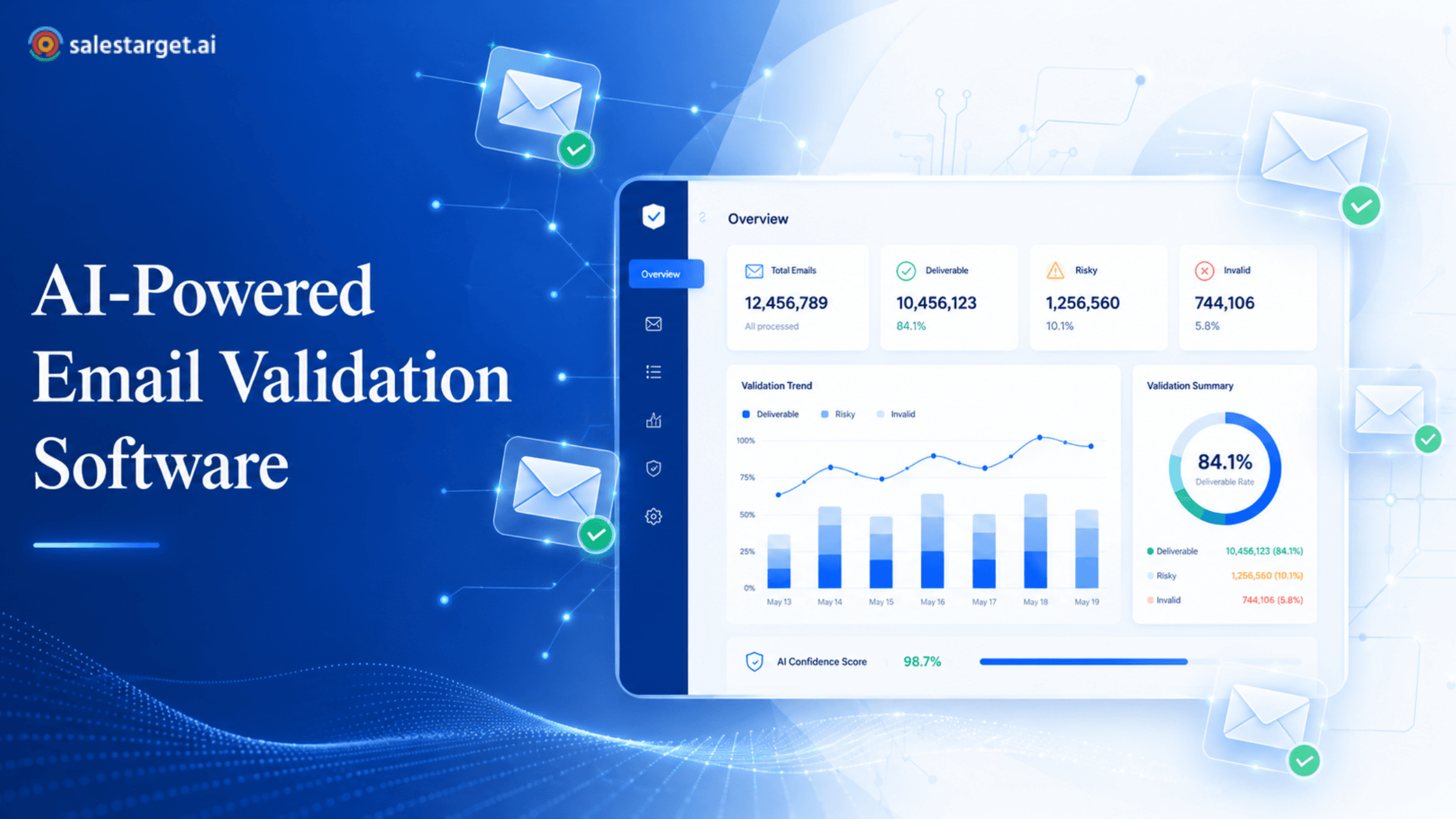
An email verification tool checks whether an email address is real, active, and safe to send to before you launch a campaign. The best email verification tool goes further: it validates at the point of enrichment, flags risky inboxes, and fits directly into the workflow where your reps already find and sequence leads. That's why SalesTarget.ai builds email verification into the same platform where you prospect, enrich, and send, so bad data never enters your pipeline in the first place.
This guide breaks down how email verification works, what separates good tools from unreliable ones, and which solution fits B2B outbound teams that can't afford bounce-rate surprises.
Why Bad Email Data Hurts Outbound Results
Bad email data costs more than a few bounced messages. It compounds.
Every hard bounce signals to Gmail, Outlook, and Yahoo that your domain sends to addresses that don't exist. Stack enough of those signals, and your legitimate emails start landing in spam, even the ones going to verified contacts. According to Gartner-cited research, poor data quality costs organizations an average of $12.9 million per year in wasted resources and lost opportunities (Gartner). B2B contact data decays at roughly 2.1% per month. That's nearly 30% of your database going stale every year (HubSpot).
Here's what that looks like in practice for outbound teams:
- Bounce rates above 2% trigger automatic throttling or blocking from major inbox providers under their 2025 sender requirements.
- Reps waste time manually researching contacts that were dead on arrival.
- Pipeline forecasts break when conversion metrics are skewed by sends that never reached a human.
- Domain warm-up resets if a single bad campaign spikes your bounce rate above safe thresholds.
The fix isn't running a list-cleaning pass once a quarter. It's verifying every contact at the moment it enters your system, which is the core design behind SalesTarget.ai's Email Validator.
What Is an Email Verification Tool?
An email verification tool confirms whether an email address can receive mail. It checks the format, the domain, the mail server, and (where possible) the individual mailbox before you send a single message.
Think of it as a pre-flight check for your outbound list. Instead of sending and hoping, verification catches the invalid, disposable, and risky addresses that would otherwise spike your bounce rate and damage your sender reputation.
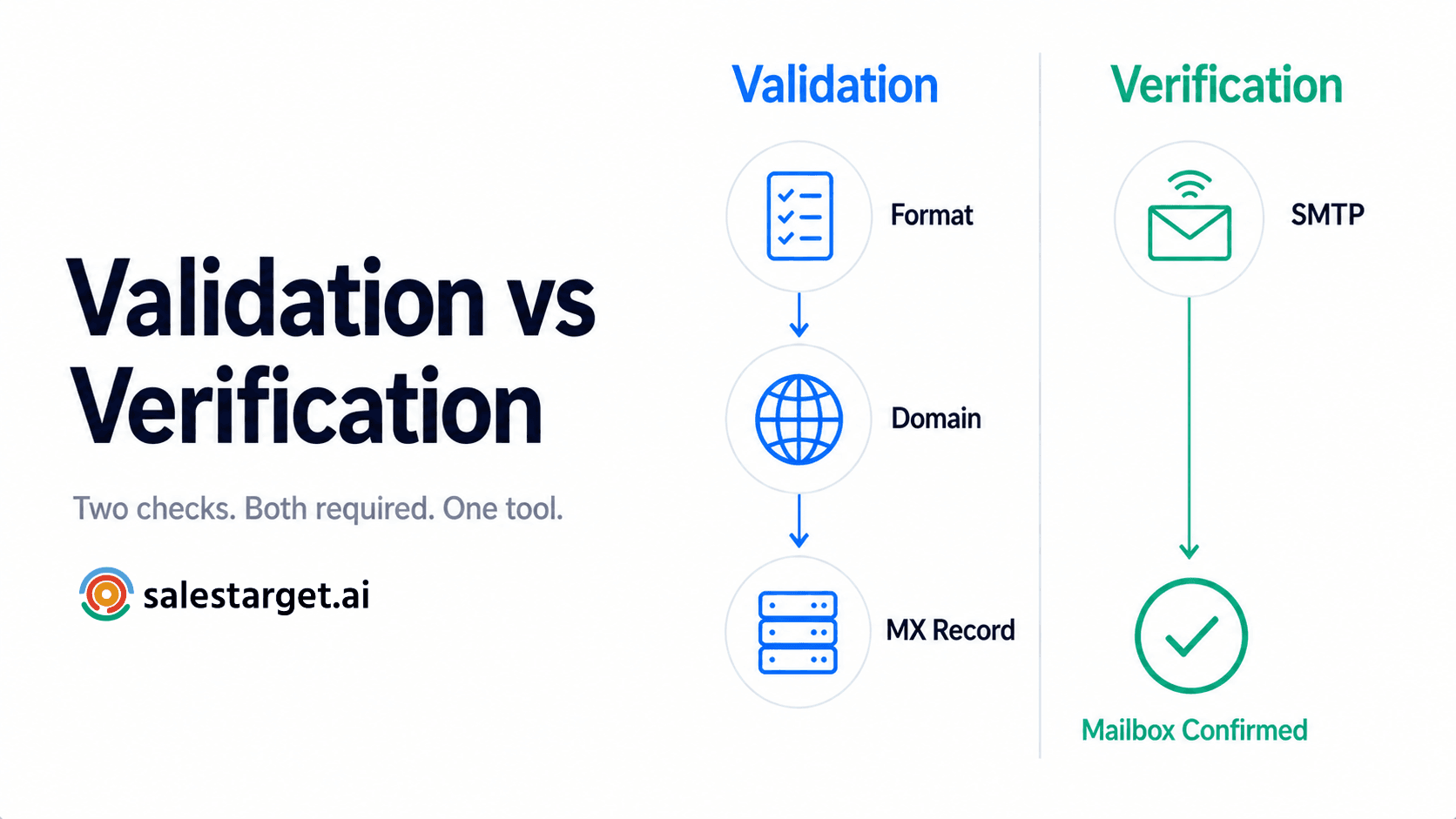
Most email verification software runs a series of layered checks: syntax validation, DNS and MX record lookups, SMTP-level mailbox probes, and risk-signal analysis for catch-all or role-based addresses. The best tools do all of this in real time, as contacts are captured or enriched, not hours or days later as a separate batch process.
How Does an Email Verification Tool Reduce Bounce Rates?
A good email verifier doesn't just tell you "valid" or "invalid." It runs multiple checks in sequence, each catching a different category of problem address. Here's how that chain works.
Syntax and domain validation checks
The first pass is structural. Does the email follow a valid format (name@domain.com)? Does the domain actually exist? You'd be surprised how many lists include typos like "@gmial.com" or addresses on domains that expired six months ago. Syntax checks catch these instantly, before any server-level verification even begins.
MX record and SMTP verification
Once the format checks out, the tool queries the domain's DNS records to confirm an active mail exchange (MX) server exists. Then it performs an SMTP handshake: connecting to that server and asking whether the specific mailbox accepts mail. This is the step that catches addresses where the domain is real but the inbox is gone (the person left the company, the alias was deleted, or the account was deactivated).
SalesTarget.ai's Email Validator runs MX and SMTP checks on every contact, giving each address a risk score rather than a simple pass/fail label. That distinction matters when you're making send/don't-send decisions at scale.
Detecting catch-all and disposable email addresses
Catch-all domains accept mail sent to any address at that domain, whether the specific mailbox exists or not. A verification tool can identify these domains, but it can't always confirm individual addresses on them (more on this limitation below). Disposable email addresses, the throwaway accounts from services like Guerrilla Mail or Mailinator, are flagged and removed because they'll never convert and they pollute your engagement metrics.
Identifying role-based and risky inboxes
Addresses like info@, support@, sales@, or billing@ are role-based. They rarely belong to a single decision-maker, they often have higher complaint rates, and sending cold outreach to them tanks your reputation. A strong email validation tool flags these so your reps focus on personal business inboxes tied to real prospects.
What Should You Look for in the Best Email Verification Tool?
Not all verification tools solve the same problems. Some are built for marketing newsletters. Others are built for the speed and accuracy that outbound sales teams need. Here's what matters for B2B.
Verification accuracy and data quality standards
Accuracy below 95% isn't good enough for outbound. One bad campaign can undo weeks of domain warm-up. Look for tools that publish their accuracy rates and back them with MX, SMTP, and risk-signal checks, not just syntax validation. SalesTarget.ai reports 99% verified contact data across its 840M+ professional profiles, with verification running at the point of enrichment rather than on stale, pre-scraped records.
Bulk email verification capabilities
If you're cleaning a list of 50,000 contacts before a campaign launch, you need a bulk email verifier that handles volume without throttling or timing out. Upload a CSV, run the check, get results segmented by status (valid, invalid, risky, unknown). For a walkthrough of this process, see how to clean a 50K list with a bulk email verifier workflow.
Real-time email verification for lead capture forms
Batch verification is reactive. Real-time verification is preventive. When a lead fills out a form, an API call verifies the address on submission, rejecting bad data before it enters your CRM. This keeps your database clean at the source instead of cleaning it downstream.
Email verification API and workflow integrations
Your verification tool needs to plug into the systems where data moves: your CRM, your email sequencing platform, your enrichment tools. SalesTarget.ai connects across 60+ platforms. But the bigger advantage is that verification, enrichment, prospecting, and outreach all live inside one workspace, which eliminates the CSV exports and Zapier chains that create lag between finding a lead and confirming the address is live.
Reporting, exports, and team management
Verification results should be exportable, filterable by status, and visible to the whole team. If only one person can run verifications and nobody else can see the results, you've created a bottleneck. Look for shared dashboards, role-based access, and the ability to segment exports by verification outcome.
Best Email Verification Tool Comparison for B2B Teams
Here's how five email verification tools stack up for outbound sales use cases.
SalesTarget.ai Email Validator
SalesTarget.ai verifies emails using MX and SMTP checks with disposable-email detection and risk scoring, built into the same platform where you find prospects across 840M+ profiles and run multichannel sequences. Verification happens at the moment of enrichment, so contacts are checked against live data, not cached results from weeks ago. Bulk list cleaning, a real-time verification API, and 60+ integrations round out the feature set. The standout: you don't need a separate verification vendor because it's already inside your prospecting and outreach workflow.
ZeroBounce
ZeroBounce offers email validation with an AI-based scoring system, abuse and spam-trap detection, and an activity scoring feature that estimates engagement likelihood. Strong accuracy and a well-documented API. The tradeoff: it's a standalone tool, so you'll need to move data between your prospecting platform, ZeroBounce, and your sequencing tool.
NeverBounce
NeverBounce is known for high-volume bulk verification and a clean, straightforward interface. It integrates with most major marketing platforms. Good for teams focused on marketing email lists. Less suited for outbound sales teams that want verification embedded in the same tool where they build sequences.
BriteVerify
BriteVerify (now part of Validity) focuses on real-time verification at the point of capture and bulk list cleaning. Solid for form-based lead capture. The platform skews toward marketing ops rather than SDR/BDR outbound workflows, and it doesn't include prospecting or sequencing features.
Hunter Email Verifier
Hunter pairs email finding with verification. You can verify individual emails or bulk lists. It's lightweight and fast. The limitation: Hunter doesn't offer outreach sequencing, CRM, or LinkedIn automation, so it's one more point tool in a stack that already has too many.
Ready to stop juggling separate tools for prospecting, verification, and outreach?, Run the full workflow from one platform.
How Accurate Are Bulk Email Verification Tools?
Most reputable bulk email verification tools report 95% to 99% accuracy on standard domains. But that number hides some important nuance.
What impacts verification accuracy
Accuracy depends on the type of check, the freshness of the data, and the domain configuration. SMTP-level verification on standard domains is highly reliable. Accuracy drops when you're dealing with catch-all domains, greylisting servers (which temporarily reject the first connection attempt), or rate-limited mail servers that block verification probes. Tools that cache results from days or weeks ago will always be less accurate than those verifying in real time.
Limits of catch-all email detection
This is the gap most "best email verification tool" articles don't mention. Roughly 10% to 30% of B2B email domains are configured as catch-all, meaning the server accepts mail to any address at that domain regardless of whether the mailbox exists. No SMTP-based tool can definitively confirm a specific address on a catch-all domain. The server simply says "yes" to everything.
What separates good tools from bad ones is what happens next. Basic tools label these "unknown" and leave the decision to you. Better tools cross-reference with enrichment data, professional profiles, and historical engagement signals to assign a risk score. SalesTarget.ai's approach ties verification to its 840M+ profile database and 50+ data sources, so catch-all addresses get scored against real professional identity data rather than treated as a black box.
Practical tip most teams miss: segment catch-all addresses into a separate list and send to them at lower volume with tighter bounce monitoring. Don't mix them into your primary campaign at full blast.
How to evaluate verification results before sending
After running a bulk verification pass, review the breakdown by category: valid, invalid, risky, unknown. If the invalid rate is above 5%, question your data source. If the risky/unknown segment is large, run those contacts through a second enrichment pass or manual spot-check before sending. Check whether the tool provides per-address confidence scores, not just binary labels. Confidence scores let you make smarter send/skip decisions at scale.
How Can Real-Time Email Verification Improve Deliverability?
Batch cleaning is necessary, but it's backward-looking. Real-time verification catches bad data at the exact moment it enters your system.
Verifying leads at the point of capture
When a prospect fills out a form, requests a demo, or downloads a resource, real-time verification checks the submitted email address before it's saved. If the address is invalid or disposable, the form rejects it immediately. No bad record is created. No SDR wastes time following up on a ghost lead.
Preventing bad records from entering your CRM
Once a bad email is in your CRM, it doesn't just sit there. It gets included in nurture sequences, skews reporting, and inflates your contact count. Real-time verification acts as a gatekeeper. SalesTarget.ai's built-in CRM receives verified leads directly from the Lead Explorer, so contacts are validated before they ever hit a pipeline stage. That's a workflow most stacked-tool setups can't replicate without custom API work.
Improving lead quality for SDR teams
SDRs shouldn't spend their first 30 minutes each morning scrubbing lists. When verification is baked into the lead capture and enrichment process, reps open their queue to contacts that are already confirmed deliverable. That's how SalesTarget.ai users report saving roughly 6 hours per rep per week on manual data work (SalesTarget.ai internal data).
Email Verification Tool vs Email List Cleaning Tool
These terms get used interchangeably, but they solve different problems. Here's the distinction.
| Feature | Email Verification Tool | Email List Cleaning Tool |
|---|---|---|
| Primary function | Confirms individual email deliverability | Scrubs entire lists for hygiene issues |
| Checks performed | Syntax, MX, SMTP, disposable, role-based | Duplicates, formatting, inactive contacts, unsubscribes |
| When it runs | At point of capture or before send | Periodically on existing databases |
| Scope | Per-address validation | List-wide data hygiene |
| Best for | Preventing bounces on new contacts | Maintaining database health over time |
| Output | Valid / invalid / risky per address | Clean list with removed duplicates and inactive records |
What email verification covers
Verification answers one question: can this specific address receive email right now? It checks format, domain health, server response, and risk signals at the individual contact level.
What list cleaning covers
List cleaning is broader. It removes duplicates, standardizes formatting, purges contacts who unsubscribed or haven't engaged in months, and flags addresses that have gone inactive since your last campaign. It's a maintenance operation, not a per-contact check.
Why outbound teams need both
Verification without cleaning means your list has no duplicates removed and no inactive contacts purged. Cleaning without verification means you're still sending to addresses that look fine in your CRM but bounce on delivery. Outbound teams need both: verification at the point of data entry, and periodic cleaning of the full database. For a deeper comparison, see free email verifier vs paid tools to understand where each approach fits.
Email Verification Best Practices for Sales and Lead Generation Teams
Verification isn't a one-time task. It's an ongoing discipline. Here's a practical framework.
Set a verification schedule for active databases
Re-verify your active contact database every 30 to 60 days. B2B contact data decays at roughly 2.1% per month. A list that was 98% valid eight weeks ago could be sitting at 94% today, and that 4% difference is enough to push your bounce rate over provider thresholds.
Verify new leads before sequence enrollment
Never add a contact to an email sequence without verifying the address first. This applies to purchased lists, event leads, LinkedIn scrapes, and inbound form fills (if you're not running real-time verification on forms). One unverified batch upload can spike your bounce rate and undo weeks of domain warm-up.
Remove invalid and risky contacts regularly
Don't just flag bad contacts. Remove them. Invalid addresses sitting in your CRM inflate your contact count, distort pipeline reporting, and risk getting accidentally included in future campaigns. Build a monthly cleanup cadence and automate it where possible.
Monitor bounce trends after every campaign
Track your hard bounce rate after every send. If it trends above 1%, investigate the source list, not just the individual addresses. A sudden bounce spike usually points to a data source problem (a stale list, a scraping tool pulling outdated records, or an enrichment provider with decaying data). SalesTarget.ai's Email Outreach module logs bounces directly to the lead timeline, so you can trace delivery failures back to the original data source without switching tools.
Why Choose SalesTarget.ai?
Most email verification tools solve exactly one problem: checking whether an address is valid. Then you export the results, import them into another tool, build your sequence somewhere else, and track replies in a third system. That's three tools minimum, and three points where data gets stale or lost.
SalesTarget.ai takes a different approach.
Verify emails with MX and SMTP checks
Every email address verified through SalesTarget.ai goes through MX record lookups, SMTP-level mailbox probes, disposable-address detection, and risk scoring. The result is a confidence-scored contact, not a binary label that forces you to guess on edge cases.
Find prospects and verify contacts in one workflow
SalesTarget.ai's Lead Explorer searches across 840M+ verified professional profiles and 146M+ business entities. When you enrich a contact, the email is verified at that moment, against live server data. No stale cache. No separate export-to-verifier step. You go from search to verified contact in one click.
Run email and LinkedIn outreach from the same platform
Once contacts are verified, push them straight into a multichannel sequence combining email and LinkedIn outreach. Context carries across both channels. SalesTarget.ai's AI generates personalized copy, handles inbox rotation and warm-up, and sorts replies by intent (Interested, Follow-Up, Not a Fit) in one unified inbox.
Manage opportunities inside the built-in CRM
Verified leads land in the CRM automatically. Every email, call, and LinkedIn interaction is logged to the contact timeline. Follow-up tasks are created when a lead replies or a meeting ends. The built-in AI dialer captures call notes and saves them directly to the lead record. No manual data entry, no context switching.
Reduce tool switching across the outbound process
This is the real argument for SalesTarget.ai over a standalone email verifier. When prospecting, verification, outreach, and CRM live in one workspace, you eliminate the data lag, the CSV exports, the broken Zapier chains, and the subscription fees for four different platforms. Outbound teams using SalesTarget.ai report 3.2X faster deal cycles and 2.4X more meetings from the same leads (SalesTarget.ai internal data), and a big part of that lift comes from removing friction between steps that used to live in separate tools.
Start with Verified Contacts, End with Better Outcomes
Every outbound problem, low reply rates, high bounces, wasted rep hours, domain reputation damage, traces back to the same root cause: sending to contacts you never verified.
The best email verification tool isn't just the one with the highest accuracy rate. It's the one that fits into the workflow where your team already finds, enriches, and contacts prospects. Standalone verifiers add another tool to manage, another export to run, and another gap where data goes stale.
SalesTarget.ai removes those gaps. Verify at the point of enrichment. Sequence from the same platform. Close in the built-in CRM. One workflow, one workspace, one bill.
Start free with SalesTarget.ai and see what happens when every contact in your pipeline is verified before your reps ever hit send.