Buying email verification software used to be a small line item. It is now a deliverability decision. Mailbox providers judge senders on bounce rates and complaints long before they judge your copy.
What Is Email Verification Software?
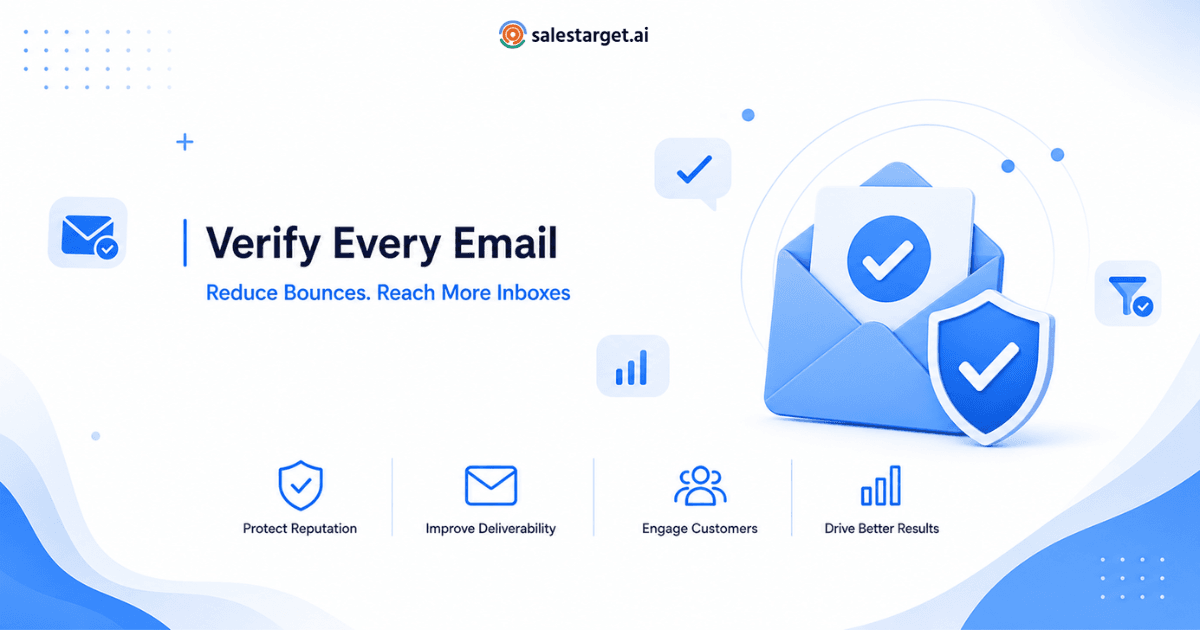
Email verification software validates addresses before you send to them. It confirms the address is correctly formed, the domain can receive mail, and the mailbox is likely to accept a message. Most platforms return a verdict plus a confidence score.
Verification is not enrichment: it decides whether the data you hold is safe to use.
How It Works ?
Most tools run this layered sequence:
- Syntax validation — checks RFC formatting and flags typos like gmial.com.
- Domain and MX lookup — confirms the domain publishes mail records.
- Mailbox-level check — asks the receiving server whether the inbox exists.
- Risk classification — labels disposable, role-based, and catch-all addresses.
- Scoring — converts the signals into a deliverability score teams can act on.
A standalone email verifier tool is the fastest way to test this flow on a sample list.
SMTP Verification
SMTP verification is the deepest layer. The verifier opens a conversation with the recipient's mail server and issues an RCPT TO command without delivering a message. The response reveals whether the mailbox exists.
Two limits matter. Providers throttle repeated probes, so the vendor's IP reputation affects results. And catch-all domains accept everything, so SMTP alone cannot confirm the inbox.
Why Email Verification Matters
Bounce rate is one of the clearest quality signals a mailbox provider has. Google's sender guidelines tie inbox placement to authentication and clean sending behaviour. A list full of dead addresses works against both.
Editorial benchmark: Based on industry campaign benchmarks, even a 2–5% invalid email rate can noticeably reduce inbox placement and increase sender risk over time.
Verification frequency should scale with how fast your data changes:
| Company Size | Suggested Verification Frequency | Typical Trigger |
|---|---|---|
| Startup | Weekly | Manual uploads, early outbound |
| SMB | Every 3 days | Form fills plus sequences |
| Mid-Market | Every 48 hours | Multiple campaigns, CRM syncs |
| Enterprise | Daily | High-volume multi-region capture |
Key Features to Look For
Use this email checker software features shortlist:
- Email validation API — REST endpoints for checks inside your apps.
- Real-time verification — Sub-second responses at the point of capture.
- Bulk verification — CSV or database uploads for existing lists.
- SMTP verification — Mailbox-level confirmation, not just domain checks.
- Deliverability scoring — A numeric risk score, not pass/fail.
- Catch-all detection — Clear flagging of accept-all domains.
- Disposable email detection — Blocks temporary and burner addresses.
- Syntax validation — Catches formatting errors and domain typos.
- Role-based email detection — Identifies info@, sales@, support@ addresses.
- Enterprise scalability — Rate limits, SLAs, SSO, compliance docs.
An enterprise email verifier should also document where data is processed and how long it is kept.
How to Evaluate Verification Accuracy
Every vendor claims 98% or higher. Treat that as a question.
- Verification accuracy rate — ask how it is measured. Test-list accuracy differs from production accuracy.
- False positives — valid addresses marked invalid. These shrink your reachable audience.
- False negatives — invalid addresses marked valid. These bounce and damage reputation.
- Unknown rate — how often the tool gives up. A low unknown rate beats a high accuracy claim.
Run real-world testing first. Take 1,000 addresses whose outcome you know, split them across vendors, and compare verdicts against your bounce logs. Reviews of best email verifier tools help build the shortlist; your own data settles it.
Email Validation API Explained
An email validation API is a REST endpoint. You send an address; the service returns JSON with status, sub-status, and score, usually in under a second.
Common deployment points:
- Signup and lead capture forms — reject bad addresses at entry.
- CRM integrations — validate on record creation in Salesforce or HubSpot.
- Marketing automation — clean segments before a send fires.
- Data pipelines — verify enriched or purchased records at ingestion.
Check three things in the docs: rate limits, timeout behaviour, and fallback when the API is unreachable. A form that blocks signups during an outage is worse than one letting a few risky addresses through.
Real-Time Email Verification vs Batch Verification
| Factor | Real-Time Verification | Batch Verification |
|---|---|---|
| Trigger | Single address, on demand | Scheduled list or file upload |
| Speed | Milliseconds to ~2 seconds | Minutes to hours by volume |
| Best for | Forms, CRM entry, live capture | Existing lists, pre-campaign cleanup |
| Integration | API call inside your app | Dashboard upload or scheduled job |
| Cost pattern | Per-verification pricing | Volume tiers, lower unit cost |
| Main risk | Latency affects user experience | Data ages between runs |
Most teams run both: real-time at capture, batch on a schedule. Verification handles the list side of deliverability; the sending side depends on DNS — see SPF, DKIM and DMARC explained for the records every sender needs.
How Pricing Models Work
Email validator pricing follows three shapes:
- Pay-as-you-go — credits bought as needed. Best for irregular cleanups.
- Subscription — monthly credits at a lower unit rate. Best for steady volume.
- Enterprise — custom volume, SLAs, security review, dedicated support.
Watch for credits consumed on unknown results, rollover rules, and whether API and bulk verifications share one pool. These shift real cost more than headline rates.
Questions to Ask Before Buying
Use this checklist in vendor calls:
- How is your verification accuracy rate measured, and on what data?
- What percentage of results come back unknown or catch-all?
- What is the median API response time under

See It In Action: Book Your Free Demo
Get a personalized walkthrough and see how it works for your team.
Book My Demo →