 A Lead Explorer Tool for B2B Sales Teams
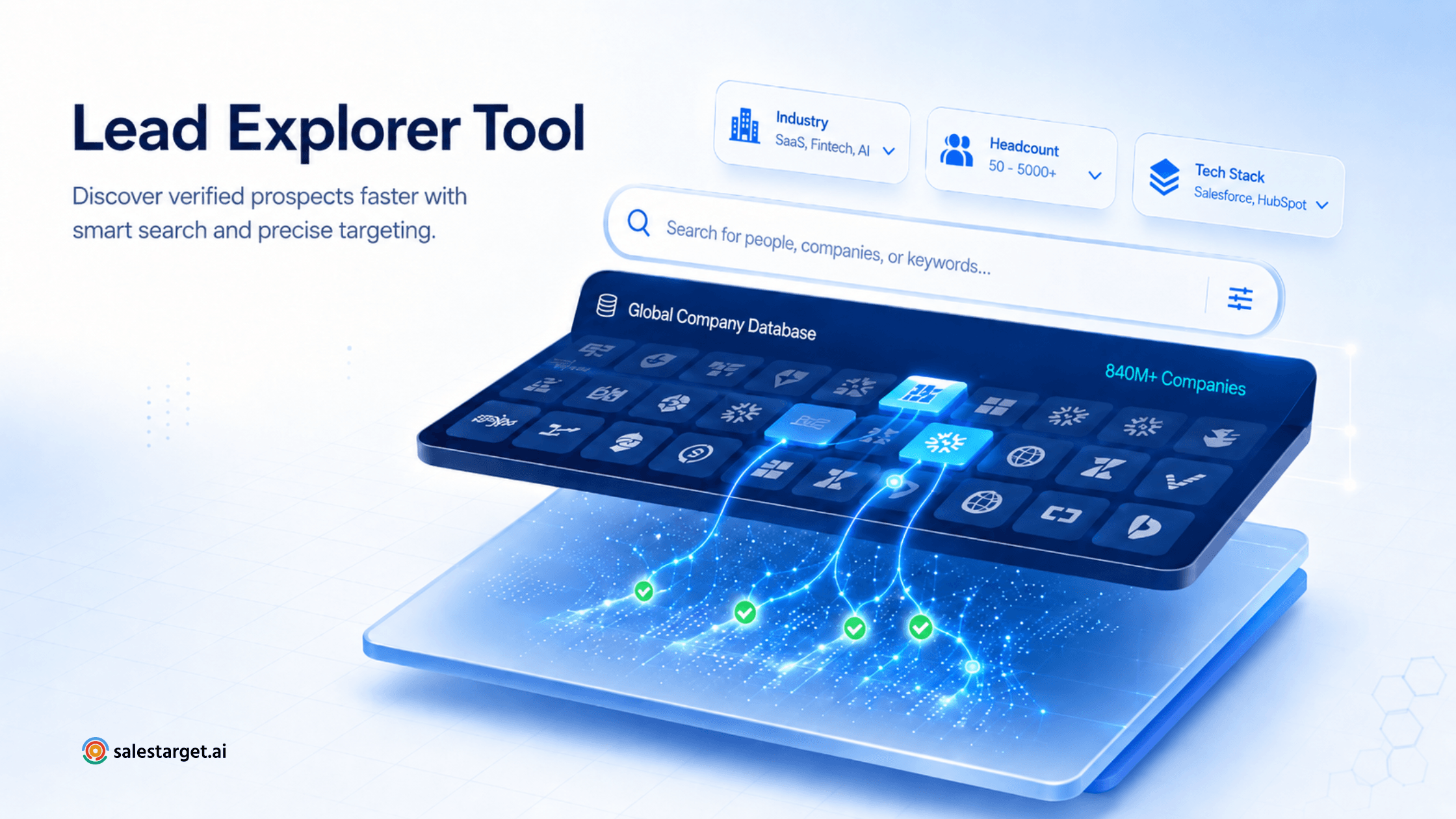
A Lead Explorer Tool is a sales intelligence platform that lets B2B teams search, filter, and discover qualified prospects from a large database of companies and decision-makers. The SalesTarget Lead Explorer Tool helps sales teams find their next 100 qualified prospects in minutes by combining a massive B2B contact database, AI-powered search, and advanced filters that surface only the accounts most likely to convert.
Why Finding Qualified Prospects Is Still a Major B2B Sales Challenge
Most reps don't lose deals at the demo stage. They lose them long before, when hours disappear into manual prospecting that produces nothing usable. Three problems show up again and again.
Inaccurate data. A B2B contact database that hasn't been refreshed in months is full of people who've changed jobs, emails that bounce, and companies that no longer exist. Reps email the wrong person and assume the message was bad. The message was fine. The data was dead.
Wasted time on poor-fit accounts. Without filters tied to firmographics, technographics, or buying signals, reps end up calling companies that were never in the market. According to HubSpot, sales professionals spend only about a third of their time actually selling.
Fragmented tools. One tab for company data, another for emails, another for LinkedIn, a spreadsheet to glue it together. Context gets lost between tabs.
What Is SalesTarget Lead Explorer?
SalesTarget Lead Explorer is an AI-powered prospect finder built for B2B sales teams that need qualified accounts fast. It pairs a deep contact and company dataset with intent signals and advanced filtering, so reps move from "who should I target?" to "here's a list of 100 ready-to-call contacts" in a single workflow.
As a company search tool, it lets you filter by industry, headcount, revenue, location, funding stage, tech stack, and hiring activity. At the contact level, it surfaces decision-makers by job title, seniority, department, and tenure — then verifies their email and phone data before you reach out.
The result: one workspace instead of seven, and a shortlist of qualified prospects instead of "maybes."
How SalesTarget Lead Explorer Helps You Find 100 Qualified Prospects in Minutes
Define Your Ideal Customer Profile
Translate your ICP into search criteria: industry, company size, geography, tech stack, growth signals. Lead Explorer stores these as reusable templates, so you're not rebuilding the same query every Monday.
Search Companies Using Advanced Filters
Stack filters to narrow the universe quickly. A SaaS team selling DevOps tools might search for companies between 200–2,000 employees, in North America, using Kubernetes, and hiring SRE roles. One query returns a tight list of in-market accounts instead of a flood.
Identify Decision Makers
Inside each account, pull the people who sign deals. Filter by title (VP Engineering, Head of Platform), seniority, and department. You can also exclude contacts who changed jobs in the last 30 days.
Build High-Quality Prospect Lists
Save contacts into named lists by campaign, region, or persona. Lists stay live, so new matching contacts can be added automatically without rerunning the search.
Export and Activate Outreach Campaigns
Push the list into your CRM or sequencer with verified emails, LinkedIn URLs, and direct dials. For more playbooks, see our guide on qualified B2B lead generation strategies, which pairs naturally with Lead Explorer workflows.
Key Features That Make SalesTarget Lead Explorer Different
Massive Contact Coverage
Access to 840M+ B2B contacts and tens of millions of company records means you rarely hit a "no results" wall, even for niche verticals.
AI-Powered Prospect Discovery
The platform learns from your search patterns and surfaces lookalike accounts — companies that share the traits of your best customers.
Advanced Company Search
Beyond firmographics, search by intent signals, recent funding, hiring spikes, and tech adoption. These cues separate "fits your ICP" from "actually buying now."
Accurate Contact Data
Emails and phone numbers are verified through multiple checks before delivery, reducing bounce rates and protecting sender reputation.
Fast List Building
Sales teams can reduce manual prospecting time by up to 70% when using advanced filtering and automated discovery workflows — an operational pattern we've observed across teams adopting structured search-to-outreach pipelines.
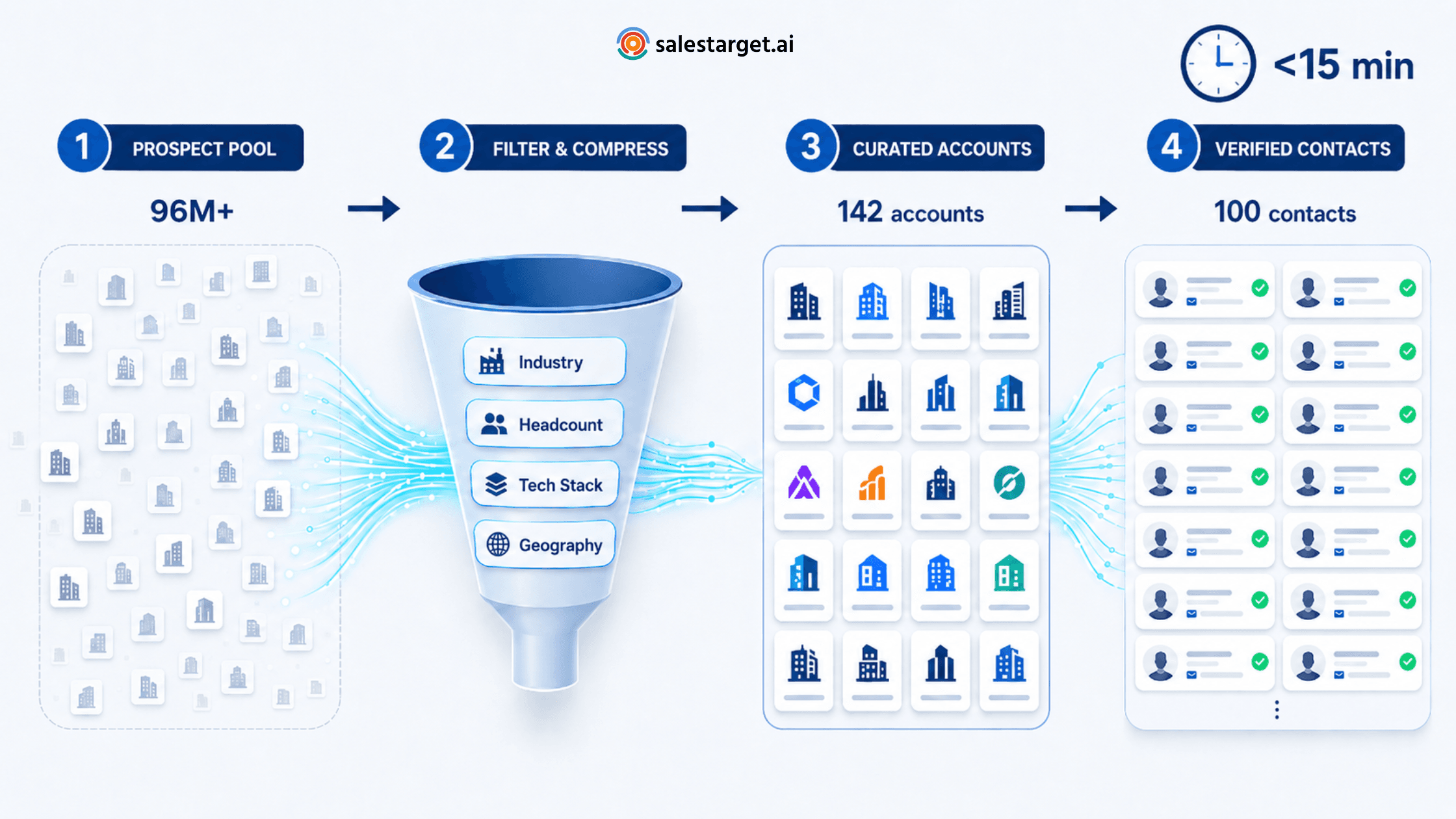
Example Workflow: Finding 100 Prospects in Under 15 Minutes
Picture a sales manager at a mid-market SaaS company selling a customer support platform. Her ICP: B2C e-commerce brands, 50–500 employees, US or UK, with a Shopify or Magento storefront and a CX leader on staff.
She opens Lead Explorer. Three minutes to set filters. The platform returns 380 matching companies. She narrows by hiring activity in the last 90 days and lands on 142 accounts.
Inside those accounts, she filters contacts to Director-level and above in Customer Experience, Support, or Operations. The platform pulls 118 qualified prospects with verified emails. She trims to her top 100 and exports to her sequencer.
Total time: under 15 minutes. Her SDR team starts outreach the same afternoon, layering email with LinkedIn touches that follow LinkedIn automation best practices to keep the cadence human.
Combining Lead Explorer with LinkedIn Outreach
Discovery is only half the equation. Once you have a prospect list, the channel mix decides reply rates.
LinkedIn engagement warms a prospect before email lands. A profile view, a thoughtful comment, and a connection request with context outperforms cold email alone. LinkedIn Businessdata on social selling shows reps who consistently engage on the platform see stronger pipeline outcomes than peers relying on email only.
Email outreach scales further but needs personalization. Pull insights from each prospect's company — recent funding, product launches, hiring posts — and reference them in the opening line.
Multi-channel works because the same prospect sees you in two contexts. They saw your comment Monday and your email Wednesday. That second touch isn't cold.
For teams scaling this approach, our roundup of the best LinkedIn automation tools compares platforms that integrate cleanly with exported prospect lists.
Who Should Use a Lead Explorer Tool?
SDRs and BDRs live in prospecting workflows and feel bad data daily. Sales managers use Lead Explorer to scope territories, build account lists for new reps, and validate the team is working the right segments. Revenue and RevOps teams use it for market sizing and segmentation. Agencies running outbound for clients ship qualified lists weekly. Founders doing early sales use it to find their first 100 customers without hiring researchers.
Prospecting will always be work, but it shouldn't be slow or guesswork. A modern Lead Explorer Tool lets sales teams spend hours on conversations instead of spreadsheets. With SalesTarget Lead Explorer, you can move from ICP definition to 100 qualified, verified prospects in a single sitting — and put that list to work the same day.
🚀 Search 840M+ B2B Contacts
Stop spending days on manual research. With SalesTarget Lead Explorer, your next 100 qualified prospects are minutes away — filtered, verified, and ready for outreach.





