A rep spots a hot lead on Monday, sends one email, then loses the thread by Thursday because the follow-up lived in a sticky note instead of a system. Multiply that by twenty reps and a hundred open deals, and a sales team is no longer managing a pipeline. It's managing chaos.
Here's the direct answer: the best CRM for sales teams improves lead-to-deal management by keeping every lead, contact, task, and deal stage in one shared record, so nothing gets lost between first touch and closed revenue. It captures leads automatically, scores and qualifies them, moves them into the right pipeline stage, and logs every call or email against the deal. Reps spend less time updating spreadsheets and more time selling, and managers get a live view of what's actually happening instead of a guess based on last week's stand-up.
The Lead-to-Deal Gaps Holding Sales Teams Back
Most sales teams don't lose deals from a lack of leads. They lose them in the gaps: a lead captured in one tool, qualified in someone's head, and tracked in a spreadsheet that only one person remembers to update.
By the time a prospect reaches "opportunity" status, half the context from the first three touches is gone. Reps re-ask questions the prospect already answered, and managers can't tell if a stalled deal needs a nudge or is simply dead.
How CRM Lead Management Connects Leads to Revenue
A CRM turns scattered contact info into a working record that ties directly to pipeline value. Here's what that looks like in practice.
Centralizing Contacts, Leads, and Prospect Interactions
Every email, call, LinkedIn touch, and note gets logged against one contact record instead of living in four different inboxes. A rep opening a lead sees the full conversation history in one screen, not a scramble through old threads.
Lead Qualification and Scoring for Better Prioritization
Scoring ranks leads by fit and intent so reps work the ones most likely to close first. A CRM that scores automatically, based on job title, company size, or engagement, saves reps from guessing who to call next.
Moving Qualified Leads Into the Sales Pipeline
Once a lead clears a qualification bar, it needs a clean handoff into an active deal stage, not a manual copy-paste job. The best setups move a lead into the pipeline with the contact history intact, so nothing gets re-entered by hand.
Tracking Opportunities From First Touch to Closed Deal
A deal record should show the entire arc: the first email that got a reply, the discovery call notes, the proposal sent, and the reason it closed or didn't. That history is what makes forecasting and coaching possible.
The Role of CRM in B2B Sales Pipeline Management
Pipeline management is where a CRM earns its keep for revenue teams. It's the layer that turns a list of open deals into a system a sales leader can actually run a forecast on.
Organizing Deal Stages and Sales Opportunities
Clear, named stages (say, Discovery, Proposal, Negotiation, Closed) give every rep and manager the same shared language for where a deal stands. Without that structure, "in progress" can mean anything from a warm lead to a signed contract waiting on legal.
Tracking Sales Activities and Follow-Ups
Calls, emails, meetings, and tasks tied to each deal show what's actually being done to move it forward, not just where it sits on a board. A deal with no logged activity in two weeks is a red flag a manager can catch early.
Maintaining Pipeline Visibility Across the Sales Team
A shared pipeline means a sales leader can see every rep's open deals without asking for a status update. Gartner's 2026 B2B sales research points to buying committees now averaging close to seven stakeholders per deal, which makes shared visibility across a sales team more important than it used to be, since no single rep tracks that much complexity alone.
Using CRM Data for Sales Forecasting and Reporting
Accurate stage data and activity history turn a forecast from a gut call into a number built on real deal signals. Salesforce's 2026 State of Sales report found reps still spend only 40% of the workweek actually selling, and the rest gets eaten by admin work like manual data entry and reporting. A CRM built to log activity automatically hands that time back.
How the Best CRM for Sales Teams Improves Lead-to-Deal Management
This is the part that separates a CRM reps tolerate from one that reps use. Here's what a strong lead-to-deal workflow looks like end to end.
Capture and Organize Every Sales Lead
New leads should land in the CRM the moment they're found or added to a campaign, with no CSV import and no manual entry. A rep shouldn't need to remember to add a lead; the system should already have it.
Qualify Leads Before They Enter the Pipeline
Qualification criteria (budget, authority, need, timing, or a custom scoring model) should be visible on the lead record before it moves forward. This keeps the pipeline from filling up with contacts that were never going to buy.
Track Prospect Activity and Follow-Up Tasks
Every reply, meeting booked, or missed follow-up should trigger a task automatically, not depend on a rep remembering to set a reminder. RAIN Group's research on B2B selling found roughly 80% of deals close only after the fifth follow-up, yet a large share of reps give up after one attempt, which is a gap automated task creation closes directly.
Manage Opportunities Through Each Deal Stage
A deal moving from Discovery to Proposal should carry its full history with it, not start a new record. Reps waste real time re-explaining context that already exists somewhere else in the tool.
Connect Sales Activity With Deal Progress
Calls, emails, and meetings should link directly to the deal they influenced, so a manager can see which activities actually moved a deal forward and which ones stalled it.
Getting a lead into a pipeline is only half the job. A workflow that also tracks leads through to closed revenue without a manual handoff is where most teams start seeing fewer deals quietly go cold.
Key Features to Look for in CRM Software for Sales Teams
A short list of the features that actually change how a sales team works day to day, not the ones that only look good on a pricing page.
Lead and Contact Management
Contact records need to store history, not just names and emails. That means notes, past calls, past deals, and every touchpoint tied to one record a rep can pull up in seconds.
Lead Tracking and Opportunity Management
Reps need a clear line from raw lead to active opportunity, with status updates that reflect what's actually happening, not a stale field nobody updates.
CRM Pipeline Management
A visual pipeline with customizable stages lets a team match the CRM to their real sales process instead of forcing their process to fit generic software defaults.
Sales Activity and Follow-Up Automation
Automatic task creation when a lead replies or a meeting ends keeps follow-ups from slipping through. This single feature often has the biggest effect on close rates of anything on this list.
Sales Reporting and CRM Dashboards
A dashboard showing open deals, pending tasks, and campaign performance at a glance beats pulling a manual report every Monday morning.
Sales Workflow Automation and Integrations
Connections to calendar tools, meeting schedulers, and other sales software keep data flowing without a rep copying information between five separate tabs.
Choosing the Best CRM for Managing Leads and Sales Pipeline
Picking a CRM comes down to a short list of practical questions, not a feature checklist a hundred items long.
Lead Management and Data Quality
Ask how leads get into the system and how clean that data stays over time. A CRM that lets in duplicate or outdated contacts creates more work than it saves.
Pipeline and Deal Management
Look for stages and views that match how the team actually sells, whether that's a simple three-stage motion or a longer enterprise cycle with multiple approvers.
Sales Team Adoption and Workflow Simplicity
The best CRM is the one reps use without being told to. If entering a lead takes more than a few clicks, adoption drops fast, and a CRM reps will actually use is worth more than one with a longer feature list nobody opens.
Automation, Reporting, and Integrations
Check whether tasks, reports, and connections to other tools come built in or need separate setup and separate cost.
Scalability for Growing B2B Sales Teams
A CRM that works for five reps needs to keep working at fifty. Setup time and pricing structure matter more here than most teams plan for up front.
Why Choose SalesTarget.ai
SalesTarget.ai builds lead data, outreach, and pipeline management into one workspace instead of a stack of separate tools stitched together with CSV exports.
AI Prospecting and Enriched Lead Data
Lead Explorer searches more than 840 million verified professional profiles and 146 million business entities, with enrichment happening the moment a lead is found, not weeks after the data was first scraped. Filters on role, seniority, industry, and buyer intent signals mean reps start with leads worth calling.
Email and LinkedIn Outreach in One Workflow
Email Outreach builds multi-step sequences from a plain-language audience description, and LinkedIn Outreach runs connection requests, DMs, and follow-ups in the same coordinated flow. Context carries across both channels instead of resetting with every new tool.
Email Validation and Deliverability Checks
The Email Validator checks MX and SMTP records and flags disposable addresses before a send goes out, cutting bounces and keeping sender reputation intact.
Built-In CRM for Lead and Deal Management
The CRM pulls campaign leads in automatically with no import step, logs every call and email to the lead timeline, and creates follow-up tasks the moment a lead replies. Teams using it report deal cycles moving 3.2 times faster and follow-up completion rates near 91%, alongside a McKinsey-cited pattern in B2B sales: teams that connect their data across the funnel consistently outsell those running on disconnected tools (McKinsey B2B sales research).
AI Copilot for Sales Research and CRM Work
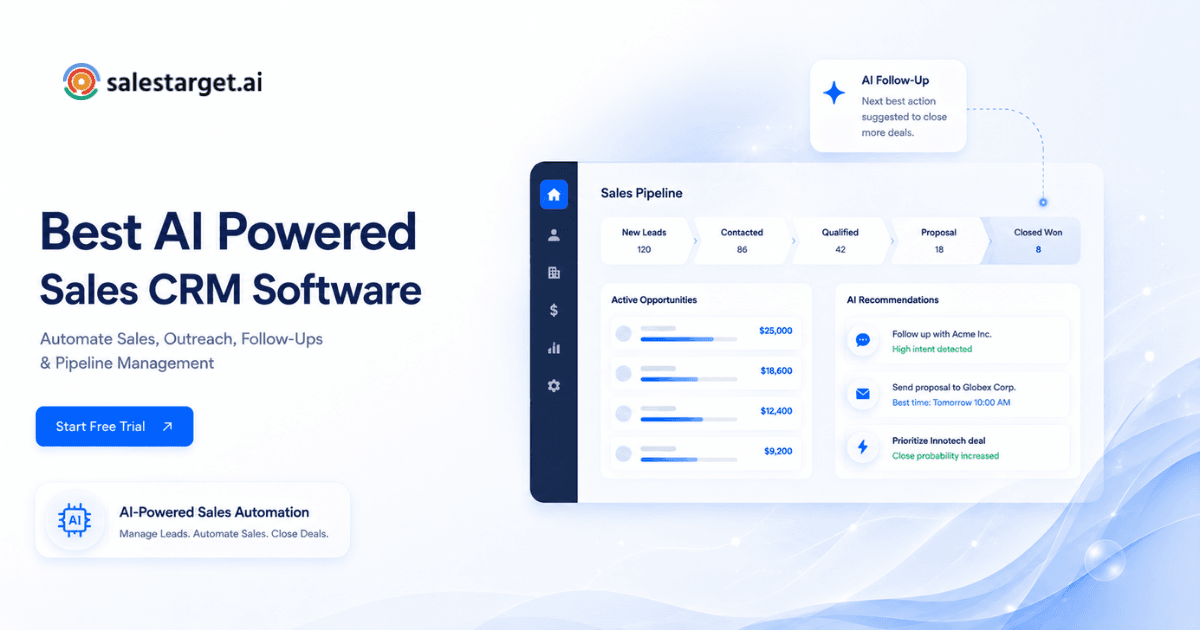
AI Copilot lets a rep find leads, draft a sequence, or check deal status by typing a plain question instead of clicking through five menus. It flags deals at risk and suggests a next step, so reps spend their time on the conversation, not the admin around it.
Ready to see it on an actual pipeline instead of a slide? Start a free trial and connect a real lead list on day one.
Common CRM Lead Management Mistakes That Affect Deal Progress
Most CRM problems aren't the software. They're habits that quietly break the system over time.
Moving Leads Into the Pipeline Without Proper Qualification
Skipping qualification fills the pipeline with contacts that were never going to buy, which makes conversion rates look worse than the actual sales motion deserves.
Failing to Keep Lead and Contact Data Updated
A contact who changed roles six months ago and still shows the old title sends a rep into a call unprepared. Stale data costs more time than it saves.
Leaving Follow-Ups Outside the CRM
A follow-up tracked in a personal notebook or a phone reminder isn't visible to anyone else on the team, and it disappears the moment that rep is out sick or leaves the company.
Using Too Many Deal Stages
A pipeline with fifteen granular stages sounds precise but mostly just adds clicks. Reps stop updating stage status accurately once it takes more than a few seconds to do.
Tracking Pipeline Volume Without Tracking Sales Activity
A pipeline full of deals with no recent calls or emails logged against them is a pipeline that looks healthy and isn't. Activity data is what tells a manager which deals are moving and which are quietly stalled, and it's the piece most CRM reports leave out.
Building a Connected Lead-to-Deal Sales Process
A sales process only works end to end when each stage hands off cleanly into the next one, with no manual re-entry along the way.
From Prospect Identification to Lead Qualification
Prospecting tools find the right contacts, and qualification criteria (score, fit, intent signal) decide which ones move forward, ideally without a rep copying data between two separate systems to make that call.
From Qualified Lead to Sales Opportunity
A qualified lead becomes an opportunity the moment there's real buying interest: a reply, a booked call, a request for pricing. That transition should update automatically in the CRM, not sit as a manual task on someone's to-do list.
From Opportunity Tracking to Deal Management
Deal stages track progress, and activity logs show the work behind that progress: every call, every follow-up, every proposal sent. Together they give a manager an honest read on deal health.
From Active Deal to Closed Revenue
A closed deal should feed back into reporting automatically, showing which lead source, which sequence, and which rep actions drove the result. That feedback loop is what makes the next quarter's targeting sharper than the last one.
Conclusion: Connecting Lead Management With the Sales Pipeline
The team that started this article losing a hot lead to a forgotten sticky note has a real fix: a CRM that captures the lead automatically, scores it, moves it into the pipeline, and logs every touch until the deal closes. That's the whole point of lead-to-deal management done right, and it's what separates teams hitting quota from teams guessing at their own forecast.
SalesTarget.ai builds that connection in from the start: prospecting, outreach, and CRM in one workspace, with no CSV exports and no lead falling through the cracks between tools. See how it works on an actual pipeline.