Every sales team reaches a point where spreadsheets, scattered notes, and memory alone can no longer keep up with the volume of leads, follow-ups, and deals in play. Conversations slip through the cracks. Reps forget to follow up. Managers struggle to see where things stand without asking everyone individually.
That tipping point is where a CRM tool for sales becomes essential—not as just another piece of software, but as the system that keeps your entire sales process visible, organized, and moving forward.
This guide covers what a sales CRM actually does beyond storing contacts, which features directly impact revenue, and how to evaluate the right platform for your team’s workflow. Whether you run a lean startup sales team or a growing B2B operation, understanding how CRM software supports your selling process is the first step toward improving it.
➤ Explore SalesTarget.ai’s CRM for Sales Teams
What a CRM Tool for Sales Actually Does ?
A CRM tool for sales is software that organizes every interaction between your sales team and prospective customers in one place. It captures leads, logs communications, tracks deal progress through pipeline stages, and surfaces the data reps and managers need to make informed decisions.
But a modern sales CRM goes well beyond contact storage. It connects the dots between outbound outreach, inbound responses, scheduled meetings, follow-up tasks, and deal outcomes. Instead of forcing reps to piece together information from their inbox, calendar, and sticky notes, the CRM provides a single timeline for every prospect.
Think of it this way: your email tells you what was said. Your calendar tells you when the meeting is. But only the CRM ties those together with the deal value, the pipeline stage, the last touchpoint, and what needs to happen next.
Why Sales Teams Rely on CRM Software ?
CRM adoption among sales teams is not driven by curiosity—it’s driven by necessity. As deal volume grows, it becomes impossible to keep every opportunity organized without a dedicated system. Here are the concrete problems a CRM solves:
- Missed follow-ups cost deals. A sales CRM ensures no lead falls off the radar by surfacing tasks and reminders automatically.
- Pipeline blind spots create forecasting problems. When every deal is tracked in stages, managers can see bottlenecks and projected revenue without chasing reps for updates.
- Manual data entry wastes selling time. A well-integrated CRM logs emails, meetings, and activities without requiring reps to enter data manually after every interaction.
- Team handoffs break without context. If a lead moves from one rep to another, the CRM preserves the full conversation and deal history, so nothing is repeated or lost.
- Scaling outbound outreach demands structure. Running email campaigns or LinkedIn sequences without CRM-backed lead tracking leads to duplicate outreach, missed replies, and wasted effort.
The best sales teams don’t use a CRM because it’s required—they use it because it eliminates the operational friction that slows down revenue.
How a Sales CRM Manages Leads and Opportunities ?
Lead management inside a CRM is more than a contact list with status tags. A proper sales CRM tracks where each lead came from, what interactions have occurred, and what the next action should be.
Here is what that looks like in practice:
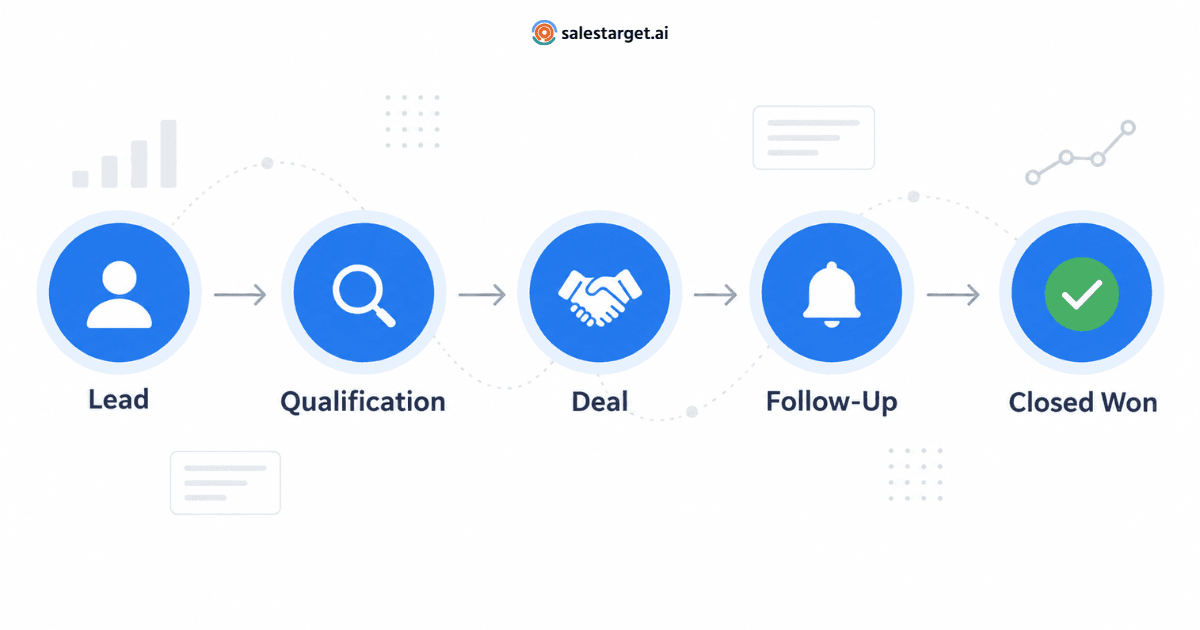
- Lead capture: Leads enter the CRM from outbound campaigns, website forms, trade shows, or manual entry. The best CRMs pull leads from your email campaigns automatically, so reps never have to import CSV files or copy-paste from another tool.
- Qualification: Reps tag or score leads based on engagement signals—did they open an email, reply, book a meeting? The CRM helps prioritize high-intent prospects over cold leads.
- Deal creation: When a lead becomes a real opportunity, it moves into the deal pipeline with an estimated value, a stage assignment, and a timeline.
- Follow-up tracking: The CRM schedules and tracks every follow-up so reps know exactly when to reach back out and what to reference.
- Outcome logging: Whether a deal closes or is lost, the CRM records the outcome so teams can analyze win/loss patterns over time.
This lifecycle—from first touchpoint to closed deal—is the backbone of sales pipeline management, and it only works when every step is logged in one system.
Essential Features Every Sales CRM Should Have
Not every CRM is built with salespeople in mind. Many platforms are designed for marketing teams, customer support, or enterprise IT workflows. When evaluating CRM software for sales, focus on features that directly support selling.
Lead Capture and Management
Your CRM should make it easy to bring leads in from multiple sources—outbound email campaigns, LinkedIn outreach, inbound forms, and referrals. Leads should arrive with engagement data attached (open rates, replies, source) so reps don’t waste time researching context they should already have.
Deal Pipeline and Stage Tracking
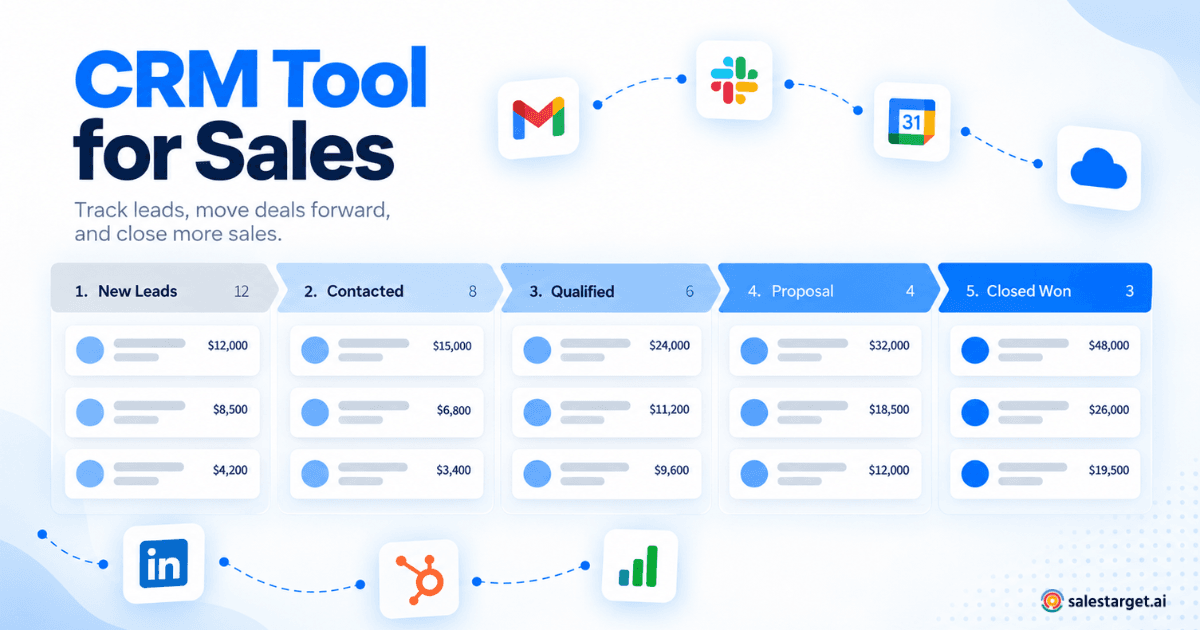
A visual deal pipeline with customizable stages lets reps drag deals forward as conversations progress. Managers should be able to see the full pipeline at a glance—how many deals are in each stage, total projected value, and which ones have been stalled for too long. This is what turns CRM data into sales forecasting.
Follow-Up and Task Automation
Sales reps juggle dozens of open conversations. The CRM should create follow-up tasks automatically—for example, scheduling a check-in two days after a proposal is sent, or reminding a rep to reach out after a meeting ends. Manual task management doesn’t scale beyond a handful of active deals.
Sales Activity Logging
Every email sent, call logged, and meeting held should appear on the contact’s timeline without reps entering it themselves. Activity tracking gives managers visibility into rep productivity and helps identify which activities correlate with closed deals.
Reporting and Performance Analytics
A sales CRM should provide real-time dashboards that show deal velocity, win rates, revenue by stage, email engagement metrics, and individual rep performance. The goal is not to generate reports—it’s to surface answers that help the team adjust strategy quickly.
Email and Calendar Integration
If the CRM doesn’t sync with your team’s email and calendar, reps will always have context gaps. Email integration logs conversations to the CRM timeline automatically. Calendar integration connects meetings to the right lead or deal, keeping the full picture intact.
CRM Automation That Saves Sales Reps Hours Every Week
The biggest bottleneck in sales isn’t reaching new leads—it’s keeping up with the operational workload that each lead creates. For every conversation opened, there’s a follow-up to schedule, a note to log, a task to assign, and a deal stage to update.
Sales automation inside a CRM handles this repetitive work:
- Automatic follow-up task creation when a lead replies or a meeting is completed.
- Pipeline updates triggered by email engagement or calendar events.
- Overdue task alerts so reps never miss a time-sensitive outreach window.
- Lead assignment rules that distribute incoming leads to the right rep based on territory, workload, or campaign source.
Automation doesn’t replace the rep’s judgment. It removes the administrative overhead so that reps spend their time on calls, demos, and closing—not on updating records.
Using a CRM for B2B Sales Workflows
B2B sales cycles are typically longer, involve multiple stakeholders, and require more structured follow-up than B2C transactions. A CRM built for B2B sales needs to account for these realities.
In a B2B workflow, a sales CRM helps with:
- Tracking multiple contacts per account, including decision-makers, influencers, and champions.
- Managing deal stages that reflect a complex buying process—discovery, proposal, negotiation, legal review, and close.
- Logging detailed meeting notes that future reps or account managers can reference.
- Connecting outbound campaign activity to inbound deal flow, so marketing and sales share the same data.
- Maintaining a clean pipeline across long sales cycles where deals may sit in a single stage for weeks.
For a deeper comparison of how different CRM tools support B2B sales management, that guide covers feature evaluations and implementation strategies in detail.
How to Evaluate and Choose a Sales CRM
Choosing the right CRM software for your sales team is less about feature checklists and more about workflow alignment. A CRM packed with advanced features is useless if your team never adopts it. Here’s a practical framework for evaluation:
- Map your current process first. Before looking at any CRM, document how your team captures leads, moves them through stages, follows up, and closes deals. The CRM should fit your workflow—not force your team to learn an entirely new one.
- Prioritize adoption over features. A CRM that reps actually use every day delivers more value than one with hundreds of features that nobody touches. Look for clean interfaces, low setup friction, and minimal data entry requirements.
- Check integration compatibility. Your CRM needs to connect with the tools your team already uses—email, calendar, Slack, meeting schedulers, and any outbound campaign tools. Disconnected systems create data silos.
- Evaluate reporting relevance. Can the CRM’s dashboards answer the specific questions your managers ask every week? Revenue by stage, deal velocity, rep activity, email engagement—these should be visible without custom report building.
- Test with real data. Run a trial using your actual pipeline, not sample data. See how leads flow in, how deals move through stages, and whether the automation features work with your sequences.
CRM Implementation Mistakes to Avoid
Even the right CRM can fail if the rollout is mismanaged. These are the most common mistakes sales teams make when implementing a new platform:
- Over-customizing before launch. Start with a simple pipeline that reflects your real stages. You can add custom fields and automation rules after the team is comfortable with the basics.
- Treating the CRM as a reporting tool only. If reps see the CRM as a system built to monitor them rather than help them, adoption will collapse. The CRM should make their job easier, not add to their workload.
- Ignoring data hygiene. Importing thousands of stale contacts and dead deals on day one clutters the pipeline and makes the CRM feel unreliable. Start clean and import historical data selectively.
- Skipping email and calendar integration. If reps have to manually log every email and meeting, they won’t. Ensure your CRM automatically captures communication activity from the start.
- Not assigning CRM ownership. Someone on the team—whether it’s a sales manager or ops lead—needs to own the CRM setup, enforce data standards, and champion adoption across the team.
How SalesTarget.ai Supports Sales Teams
SalesTarget.ai offers a CRM built specifically for outbound sales teams that run email and LinkedIn campaigns. Rather than functioning as a standalone contact database, it connects directly to your prospecting and outreach workflow so that every lead, reply, and meeting flows into the CRM without manual effort.
Here’s what the platform provides:
- Lead management with automatic capture: Leads from your email campaigns land in the CRM automatically—no CSV imports, no manual data entry. Each lead arrives with its source and engagement data already attached.
- Visual deal pipeline: Track every deal through customizable stages with a live pipeline view that updates in real time. Your entire team sees the same pipeline at all times.
- Automated follow-up tasks: When a lead replies or a meeting concludes, follow-up tasks are created automatically so reps never have to remember what’s due next.
- Activity tracking and timeline: Every email interaction is logged to the lead’s timeline the moment it happens. Managers get full visibility into rep activity without asking for status updates.
- Reports and analytics: The dashboard displays email performance metrics (sent, delivered, opened, replied, bounced), open deals, upcoming meetings, and task status—all updated live.
- Email and Google Calendar connection: Link your email account and calendar, and campaign activity starts syncing into the CRM. Meetings are connected to the right leads and deals.
- Integrations: SalesTarget.ai connects with Google Calendar, Google Meet, Calendly, Slack, Zapier, HubSpot, and Salesforce—so deal alerts, meeting syncs, and contact data move seamlessly between tools.
The platform is designed so teams can be fully operational within a day—connect your email, and the pipeline starts building itself as campaign leads respond.
A CRM tool for sales is only as valuable as how well it matches your team’s actual selling process. The right platform organizes leads, tracks every deal interaction, automates the repetitive work that slows reps down, and gives managers the visibility they need to coach and forecast effectively.
When evaluating CRM software, focus less on feature lists and more on workflow fit. Can your team get set up quickly? Will reps use it daily without being forced? Does it connect with the tools you already rely on?
Start with a simple pipeline, integrate your email and calendar, and let the CRM do what it’s built for: keeping your sales process moving forward without the manual overhead that holds most teams back.